

Paper Clip
AIOpen-source Node.js server and React UI that orchestrates teams of AI agents to run businesses and manage goals, budgets, and governance.
Paper Clip
Open-source Node.js server and React UI that orchestrates teams of AI agents to run businesses and manage goals, budgets, and governance.
About Paper Clip
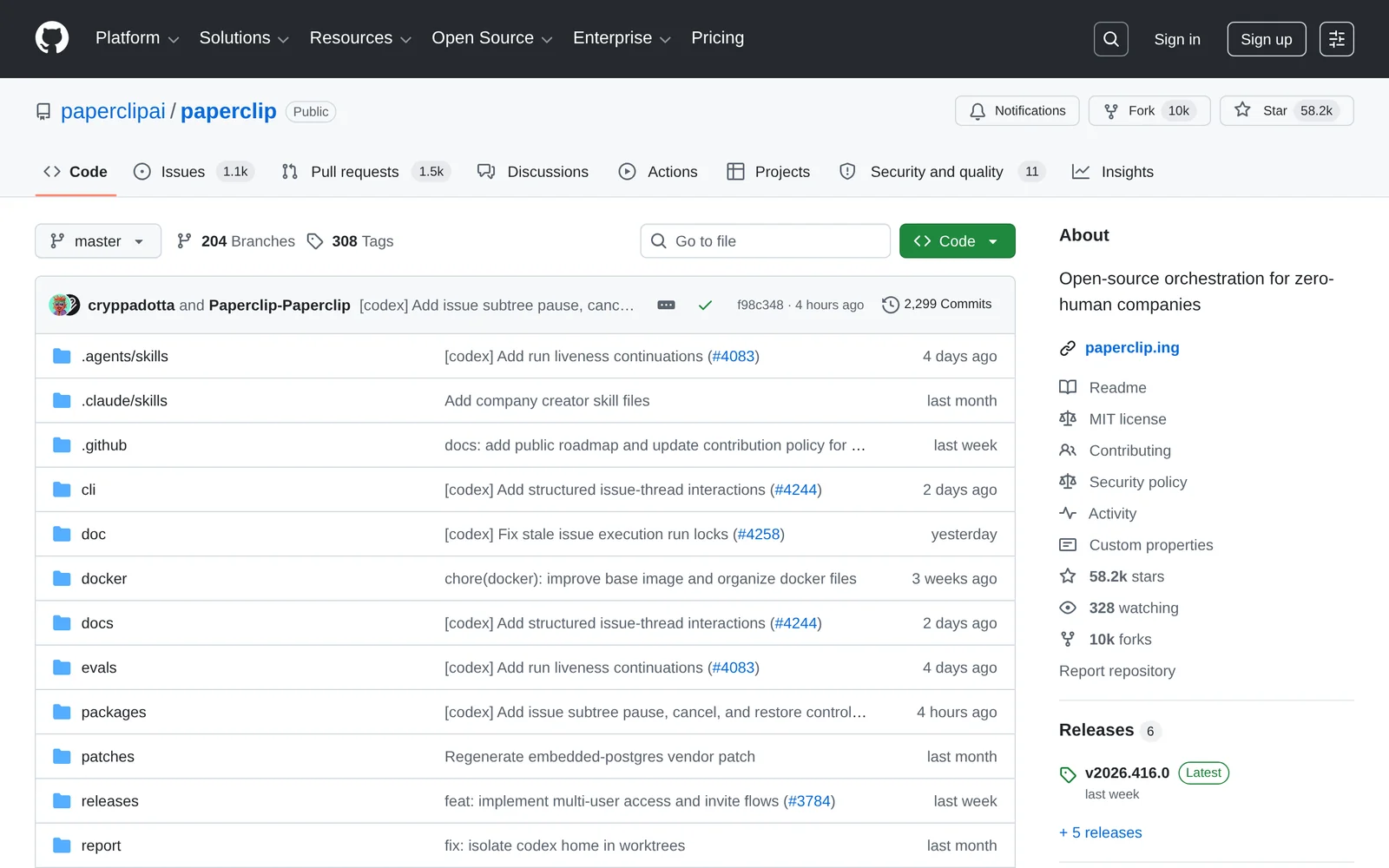
Paperclip is an open-source orchestration platform (Node.js server + React UI) that coordinates teams of AI agents to run companies and business workflows. It surfaces org charts, budgets, governance, goal alignment, and agent coordination in a dashboard while letting teams bring their own agent implementations. Paperclip supports self-hosting with an embedded PostgreSQL for easy onboarding, CLI tooling (npx) to initialize instances, and templates for pre-built companies. Its value is in treating businesses as goals and org processes rather than individual tasks, enabling automated, auditable agent operations and cost tracking under an MIT license.
Screenshots
Key Features
Use Cases



Frequently asked questions about Paper Clip
What is Paper Clip?
Paper Clip is an open-source platform built on Node.js and React, designed to coordinate teams of AI agents for business management. It helps streamline goal setting, budget oversight, and governance, enabling efficient operations and decision-making in various organizational contexts.
Key Points
- Open-source architecture: Paper Clip is built using popular technologies.
- AI agent orchestration: It empowers teams by managing multiple AI agents.
- Business management: Helps in overseeing goals, budgets, and governance.
Detailed Explanation
Paper Clip leverages the power of Node.js and React to create a flexible, open-source server that can handle complex business operations. The platform enables organizations to deploy teams of AI agents that can work collaboratively to achieve specific objectives.
How It Works
- Setup: Users can easily install Paper Clip on their servers. Documentation provides step-by-step guidance on setting up the Node.js environment and integrating the React UI.
- AI Agent Management: Users can define workflows where AI agents are assigned tasks based on specific business needs—whether it's analyzing finances or tracking project milestones.
- Goal Tracking: Paper Clip allows organizations to set, monitor, and adjust goals in real time, ensuring alignment with overall business strategies.
Use Cases
- Small Businesses: Automating budget tracking and goal setting can free up resources for strategic initiatives.
- Large Enterprises: Managing multiple teams and projects simultaneously enhances productivity and accountability.
Best Practices / Tips
- Regular Updates: Keep your Paper Clip installation up-to-date to leverage new features and security patches.
- Customization: Tailor the platform to fit your organization's specific needs by modifying workflows and agent functionalities.
- Training: Invest time in training team members on how to effectively use Paper Clip for optimal results.
- Monitor Performance: Utilize built-in analytics to track the performance of AI agents and refine their tasks accordingly.
Additional Resources
How does Paper Clip work?
Paper Clip is an AI-powered tool that streamlines daily workflows by integrating advanced AI capabilities such as automation, data analysis, and task management. It helps users enhance productivity by simplifying complex tasks and providing intelligent insights tailored to individual needs.
Key Points
- AI Integration: Combines multiple AI technologies for efficient workflows.
- User-Friendly: Designed for ease of use, accommodating various skill levels.
- Versatile Applications: Useful in diverse fields like marketing, project management, and data analysis.
Detailed Explanation
Paper Clip operates by leveraging artificial intelligence to automate repetitive tasks, analyze data, and assist in decision-making processes. Here’s how it works:
-
Automation: Users can set up workflows that automate tasks such as email responses, data entry, and scheduling. For instance, a marketing manager can automate social media postings based on a content calendar, saving time and ensuring consistency.
-
Data Analysis: Paper Clip utilizes AI algorithms to analyze user data, providing actionable insights. For example, in a sales environment, it can analyze customer interactions to suggest the best follow-up strategies, ultimately increasing conversion rates.
-
Task Management: The tool incorporates project management features that allow users to track progress, assign tasks, and set deadlines. This is particularly beneficial for teams, as it provides a centralized platform for collaboration.
Use Cases
- Marketing Teams: Automate content distribution and analyze engagement metrics.
- HR Departments: Streamline recruitment processes and manage candidate communication.
- Project Managers: Oversee project timelines and resource allocation efficiently.
Best Practices / Tips
- Start Small: Begin with a few automated tasks to familiarize yourself with the tool before scaling up.
- Regularly Update Workflows: As your needs evolve, continually refine your workflows to maintain efficiency.
- Leverage Analytics: Use the insights generated by Paper Clip to make informed decisions and optimize your processes.
Additional Resources
What are the main features of Paper Clip?
Paper Clip is a versatile AI tool offering essential features such as document automation, intelligent search capabilities, and seamless integration with various platforms. These core AI capabilities enhance productivity and streamline workflows, making it an invaluable resource for businesses and individuals alike.
Key Points
- Document Automation: Streamlines the creation and management of documents.
- Intelligent Search: Enhances data retrieval and information organization.
- Platform Integration: Connects with popular software tools for improved efficiency.
Detailed Explanation
Paper Clip stands out due to its robust features aimed at improving productivity in both personal and professional settings.
1. Document Automation
Paper Clip automates the creation and management of documents, allowing users to generate reports, proposals, and contracts with ease. This feature not only saves time but also reduces the risk of errors. For example, users can input data once, and Paper Clip will automatically format and populate documents accordingly.
2. Intelligent Search
The intelligent search capability enables users to quickly locate information across vast databases. It employs advanced algorithms to understand search queries better, delivering precise results. This is particularly useful in industries where timely access to information is critical, such as legal or financial sectors.
3. Platform Integration
Paper Clip seamlessly integrates with popular tools like Google Workspace, Microsoft Office, and various project management platforms. This interoperability allows users to centralize their workflow, enhancing collaboration and ensuring that teams remain aligned. This integration is crucial for maintaining productivity across multiple applications.
Best Practices / Tips
- Utilize Templates: Take advantage of Paper Clip’s document templates to standardize your outputs, ensuring consistency and professionalism.
- Leverage Search Filters: Use advanced search filters to narrow down results, making it easier to find specific documents or data.
- Integrate with Your Tools: Connect Paper Clip with tools you already use to maximize its efficiency. Ensure that you regularly update integrations for optimal performance.
Additional Resources
By leveraging Paper Clip's features effectively, users can enhance their productivity, streamline their workflows, and ultimately, achieve better results in their tasks.
Who is Paper Clip for?
Paper Clip is designed for individuals and businesses seeking to streamline their daily AI workflows. Whether you're a content creator, marketer, or an entrepreneur, Paper Clip simplifies the integration of AI tools into your routine, enhancing productivity and efficiency across various tasks.
Key Points
- Target Audience: Suitable for content creators, marketers, and entrepreneurs.
- Workflow Integration: Helps streamline daily tasks using AI tools.
- Productivity Enhancement: Increases efficiency and reduces time spent on repetitive tasks.
Detailed Explanation
Paper Clip caters to a diverse audience, making it a versatile AI tool. Here are some specific groups that benefit the most:
-
Content Creators: Writers and designers can use Paper Clip to generate ideas, create outlines, or even draft content more quickly. For example, a blogger might input a topic and receive a structured outline and key points to cover, saving hours of brainstorming.
-
Marketers: Marketing professionals can leverage Paper Clip to analyze market trends, generate engaging ad copy, and automate social media posts. By integrating AI in their workflows, marketers can focus on strategic planning while the tool handles repetitive tasks.
-
Entrepreneurs and Small Business Owners: These users often juggle multiple roles. Paper Clip aids in managing daily operations by automating customer responses, tracking analytics, and generating reports, allowing entrepreneurs to concentrate on growth strategies.
Additionally, Paper Clip's user-friendly interface ensures that even those with minimal tech skills can navigate and utilize its features effectively.
Best Practices / Tips
- Define Your Goals: Before using Paper Clip, identify specific tasks you want to automate or streamline. This clarity will help you maximize the tool's potential.
- Regular Updates: Keep the software updated to access the latest features and improvements. This ensures you’re leveraging the most efficient tools available.
- Integration with Other Tools: Enhance Paper Clip’s functionality by integrating it with other software you already use, such as CRM systems or project management tools.
- Experiment with Features: Take the time to explore different functionalities within Paper Clip. Experimenting can reveal hidden capabilities that may further enhance your workflow.
Additional Resources
By understanding who Paper Clip is for and how it can benefit your specific needs, you can significantly enhance your productivity and streamline your daily tasks.
How much does Paper Clip cost?
Paper Clip is completely free to use, making it an accessible tool for individuals and businesses looking to enhance their productivity without incurring any costs. Users can take advantage of its features without any subscription fees or hidden charges.
Key Points
- Cost-Free: Paper Clip does not charge users for its services.
- User-Friendly: The platform is designed for both individuals and teams.
- No Hidden Fees: All features are available without any additional costs.
Detailed Explanation
Paper Clip is a versatile tool that offers a range of features aimed at improving user productivity. As a free tool, it is particularly appealing to startups, freelancers, and small businesses that may not have the budget for expensive software solutions.
The platform provides functionalities such as note-taking, task management, and collaboration features that can be utilized by teams of any size. Users can create and manage their projects, share documents, and communicate seamlessly with colleagues. The intuitive interface ensures that users can quickly adapt to the platform, enhancing their overall efficiency.
For example, a small business can utilize Paper Clip to manage projects collaboratively without the burden of monthly subscriptions or licensing fees. This cost-effective solution allows teams to focus on their work instead of worrying about software expenses.
Best Practices / Tips
- Explore All Features: Take the time to familiarize yourself with the various functionalities Paper Clip offers to maximize its potential.
- Collaborate Effectively: Use the platform's sharing and communication features to enhance teamwork and project outcomes.
- Stay Updated: Regularly check for any updates or new features that could further benefit your workflow.
Additional Resources
How do I get started with Paper Clip?
To get started with Paper Clip, visit GitHub Paper Clip to sign up. You can explore its features, documentation, and community support to effectively utilize this powerful AI tool for various applications.
Key Points
- Easy sign-up on GitHub
- Comprehensive documentation available
- Active community support for troubleshooting
Detailed Explanation
Paper Clip is an innovative AI tool designed to assist users in various applications, such as content creation, automation, and data analysis. To begin, follow these steps:
-
Sign Up: Navigate to GitHub Paper Clip and click on the "Sign Up" button. You’ll need a GitHub account; if you don’t have one, create it on their website.
-
Explore Documentation: Once signed up, access the extensive documentation provided on the GitHub page. The documentation includes tutorials, API references, and example projects that showcase how Paper Clip can be implemented effectively.
-
Join the Community: Engage with the Paper Clip community through forums, chat groups, or social media platforms. The community is a valuable resource for sharing tips, troubleshooting issues, and discovering new ways to utilize the tool.
-
Start Building: With your account set up and documentation reviewed, begin creating your projects using Paper Clip. You can experiment with different features and integrate them into your workflows.
Best Practices / Tips
- Familiarize Yourself with the Documentation: Thoroughly read the official documentation to understand the full capabilities of Paper Clip and avoid common pitfalls.
- Participate in Community Discussions: Engaging with other users can provide insights and solutions to challenges you might face.
- Start with Simple Projects: If you're new to AI tools, begin with simple projects to build confidence before tackling more complex applications.
- Regular Updates: Keep an eye on updates to the Paper Clip tool. Regularly check the GitHub repository for new features, bug fixes, or enhancements.
Additional Resources
By leveraging these resources and following best practices, you can effectively harness the power of Paper Clip for your projects.
Explore more AI Ai Agents tools
Browse all Ai Agents tools →Browse by use case: Automation & Productivity
Compare Paper Clip: vs Proto-Mind · vs Ami · vs Duvi · vs AskDeck