

Otio
AIAI research and writing partner for structured summaries, interactive chat, and workflow automation across videos and documents.
Otio
AI research and writing partner for structured summaries, interactive chat, and workflow automation across videos and documents.
About Otio
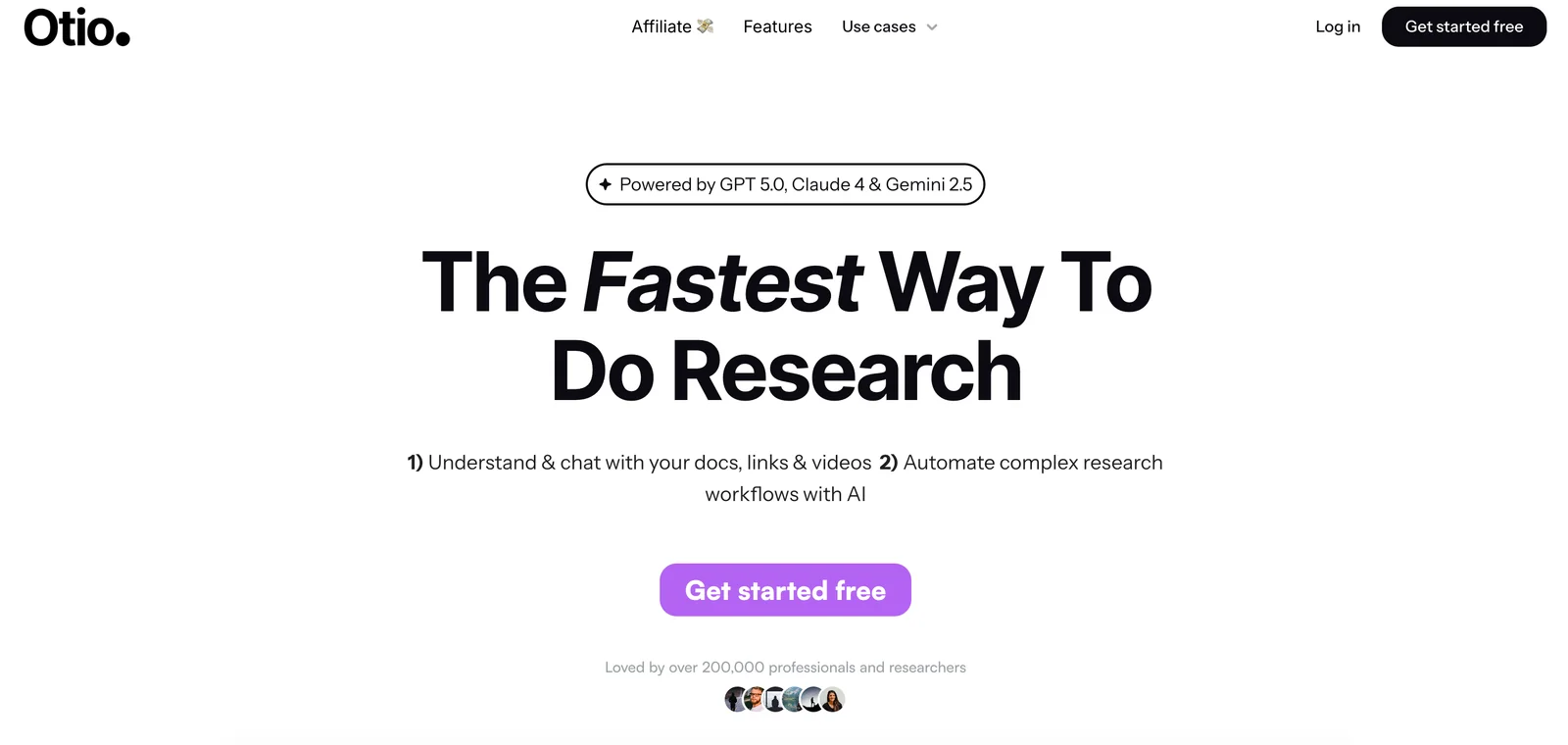
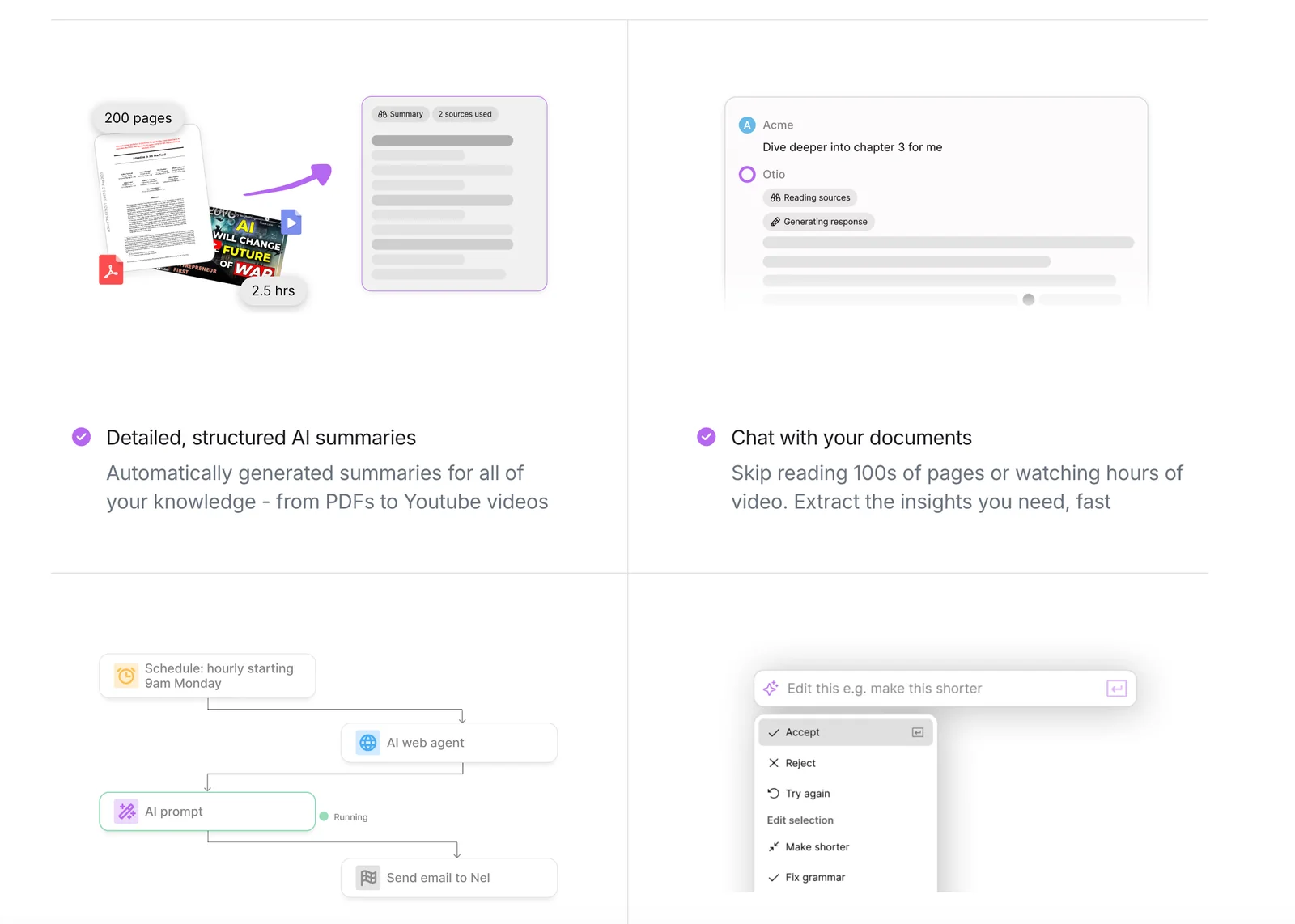
Otio is positioned as an AI research and writing partner that helps users learn faster and work smarter by producing structured, detailed summaries and enabling interactive chat over source materials. The tool supports summarization and conversational exploration of YouTube videos, podcasts, and documents, and is aimed at researchers, students, and knowledge workers who need quick extraction of insights and actionable notes. Otio also emphasizes workflow automation and integrations for turning summarized content into research artifacts and downstream tasks.
Screenshots
Key Features
Use Cases



Frequently asked questions about Otio
What are the pricing options for Otio?
Otio provides flexible pricing options: a free plan, an Unlimited plan at $10/month, and a Max plan priced at approximately $36/month. For larger teams and enterprises, custom pricing is available to cater to their specific needs.
Key Points
- Free Plan: Basic features at no cost.
- Unlimited Plan: Cost-effective at $10/month for individuals or small teams.
- Max Plan: Advanced features for $36/month, suitable for larger projects.
Detailed Explanation
Otio offers a range of pricing plans designed to meet various user needs:
-
Free Plan: This option is ideal for individuals or those just starting with project management. It includes essential features that allow users to explore Otio's functionalities without any financial commitment. This plan is a great way to understand the platform before upgrading.
-
Unlimited Plan: At $10 per month, this plan unlocks additional features that enhance productivity. Users get unlimited project access, collaboration tools, and integration capabilities that facilitate seamless workflow. This plan is perfect for freelancers or small teams needing robust project management tools without breaking the bank.
-
Max Plan: Priced at approximately $36 per month, the Max plan caters to larger teams or businesses with advanced needs. This plan includes all features from the Unlimited plan, plus premium support, advanced analytics, and customization options. This is suitable for organizations managing multiple projects simultaneously and requiring comprehensive oversight.
For teams and enterprises, Otio offers custom pricing tailored to their specific requirements. This option ensures that larger organizations receive the necessary tools and support to manage extensive projects effectively.
Best Practices / Tips
- Evaluate Your Needs: Before choosing a plan, assess your project management needs. Consider the size of your team and the complexity of your projects.
- Utilize the Free Plan: Start with the free plan to familiarize yourself with Otio’s features before committing to a paid option.
- Consider Upgrading: If you find the free plan limiting, consider the Unlimited plan for a small monthly fee that can significantly enhance your productivity.
- Contact Sales for Custom Solutions: If you're part of a larger organization, reach out to Otio’s sales team to discuss custom pricing options that fit your team’s needs.
Additional Resources
These resources provide further insights into Otio’s offerings and can help you make an informed decision about the best pricing plan for your needs.
How does Otio summarize YouTube videos and podcasts?
Otio summarizes YouTube videos and podcasts by extracting key points, timestamps, and detailed topic breakdowns. This enables users to quickly grasp the essential content without needing to watch or listen to the entire material, making it a valuable tool for efficient information consumption.
Key Points
- Key Point Extraction: Otio identifies and highlights crucial information.
- Timestamping: Users can easily navigate to specific segments of the content.
- Topic Breakdown: Provides structured summaries dividing content into relevant themes.
Detailed Explanation
Otio leverages advanced AI algorithms to analyze audio and video content. By processing the transcript, it identifies significant phrases and themes, allowing the tool to generate a coherent summary.
How It Works:
- Transcription: Otio first converts spoken content from videos or podcasts into text using speech recognition technology.
- Content Analysis: The AI then scans the transcript for keywords, phrases, and context to determine the most important points.
- Summary Generation: It organizes this information into a structured format that includes:
- Key Points: Major takeaways from the content.
- Timestamps: Specific moments in the video or podcast where these points are discussed, allowing users to jump directly to sections of interest.
- Topic Breakdown: Dividing the content into segments based on themes or subjects for easy navigation.
Use Cases:
- Students: Quickly summarize lectures and educational content.
- Professionals: Efficiently digest industry-related podcasts to stay updated with minimal time investment.
- Content Creators: Generate summaries for their own videos to attract viewers.
Best Practices / Tips
- Be Specific: When using Otio, choose content that is well-structured for the best summaries.
- Use Keywords: Incorporate relevant keywords in your video or podcast titles and descriptions to enhance discoverability.
- Regular Updates: Regularly check for updates to ensure you are using the latest version of Otio with improved features.
Additional Resources
How can I get started with Otio?
To get started with Otio, simply visit their official website, create a free account, and begin uploading documents or links. This will enable you to access their powerful summarization and chat features, allowing you to efficiently manage and extract information from your content.
Key Points
- Free Account Creation: Sign up without any charges.
- Document Upload: Easily upload files or links for summarization.
- AI Features: Utilize chat and summarization tools for efficient content management.
Detailed Explanation
To begin using Otio effectively, follow these steps:
-
Visit the Official Website: Go to Otio's official website. The homepage provides an overview of the features and capabilities of the platform.
-
Create a Free Account: Click on the "Sign Up" button. Fill in the necessary details, including your email address and password. After registering, you may need to verify your email before gaining full access.
-
Upload Documents or Links: Once logged in, navigate to the dashboard. Here, you can upload various document formats, including PDFs, Word documents, and links to web pages. Otio's AI will then analyze the content for summarization.
-
Explore Summarization and Chat Features: After uploading, utilize the summarization tool, which condenses lengthy documents into digestible summaries. Additionally, take advantage of the chat feature to ask questions about the content, enhancing your understanding and facilitating quicker decision-making.
Example Use Cases
- Students: Quickly summarize textbooks or research papers.
- Professionals: Digest lengthy reports or articles for efficient work meetings.
- Content Creators: Generate concise summaries for blogs or social media posts.
Best Practices / Tips
- Keep Documents Organized: Use folders to categorize your uploads for easier access.
- Regularly Update Your Account: Stay informed about new features or updates that can enhance your experience.
- Experiment with Different Formats: Test various document types to see which provides the best results in summarization.
Additional Resources
Does Otio offer an API for integration?
Yes, Otio offers an API for integration, particularly tailored for enterprise users. This allows businesses to automate workflows and seamlessly incorporate summarization features into their applications, enhancing productivity and user experience.
Key Points
- API Availability: Otio provides a robust API designed for enterprise integration.
- Workflow Automation: The API enables users to automate repetitive tasks efficiently.
- Summarization Features: Users can leverage advanced summarization tools within their applications.
Detailed Explanation
Otio's API is a powerful tool for businesses looking to enhance their software capabilities. It allows developers to integrate various Otio features directly into their applications, making it easier to streamline processes and improve user engagement.
Use Cases
- Content Management Systems (CMS): Integrate Otio's summarization features to automatically generate concise summaries of articles or blog posts, improving content discovery and readability.
- Customer Support Platforms: Use the API to automatically summarize customer interactions, helping support teams quickly grasp issues and respond more efficiently.
- Data Analysis Tools: Incorporate Otio’s API to summarize large datasets, allowing for faster decision-making based on key insights.
Technical Details
To get started with Otio's API, developers need to:
- Obtain API Keys: Sign up on the Otio platform to receive unique API keys.
- Review Documentation: Access comprehensive API documentation on Otio’s website to understand endpoints, request methods, and response formats.
- Implement Integration: Utilize programming languages like Python or JavaScript to connect to the API, handling authentication and data retrieval effectively.
Best Practices / Tips
- Thoroughly Read API Documentation: Familiarize yourself with all available endpoints and their functionalities to maximize the benefits of Otio’s API.
- Start with Test Environment: Use a sandbox environment to test integrations before deploying them in production.
- Monitor API Usage: Keep track of API calls to ensure you're within any usage limits to avoid service disruptions.
Additional Resources
- Otio API Documentation - Official resource for detailed API information.
- Otio Integration Guide - Step-by-step guide for integrating Otio with various platforms.
- Use Cases and Best Practices - Explore how other businesses successfully utilize Otio's API.
How does Otio compare to other summarization tools?
Otio distinguishes itself from other summarization tools with its interactive chat feature and extensive multi-format support, enhancing user experience. While its pricing and feature availability may vary, Otio offers a unique approach that caters to a diverse range of summarization needs.
Key Points
- Interactive Chat Feature: Engages users for dynamic summarization.
- Multi-Format Support: Accommodates various content types, including text, audio, and video.
- Variable Pricing: Different tiers of service to suit different budgets.
Detailed Explanation
Otio's key strength lies in its interactive chat feature, which allows users to communicate directly with the tool, making it possible to refine summaries in real time. This contrasts with many traditional summarization tools that provide one-size-fits-all outputs. Users can ask for specific details or adjustments, enhancing the summarization process.
Another significant advantage is multi-format support. Otio can summarize content across various formats, such as:
- Text: Ideal for articles, reports, and academic papers.
- Audio: Useful for podcasts and interviews, converting spoken word into concise text.
- Video: Summarizes key points from video content, making it easier to digest lengthy materials.
This versatility makes Otio suitable for professionals in different fields, including educators, content creators, and business analysts, who require efficient summarization tools.
However, potential users should be mindful of variable pricing. While Otio offers several subscription tiers, pricing may differ based on features and usage limits. Users should evaluate their specific summarization needs against the costs to determine the best fit.
Best Practices / Tips
- Trial Period: Take advantage of any free trial to explore Otio's capabilities before committing to a subscription.
- Define Objectives: Clearly outline your summarization goals to maximize the tool's potential.
- Stay Updated: Regularly check for new features or updates that may enhance your summarization experience.
By understanding how Otio compares with other summarization tools and leveraging its unique features, users can significantly improve their efficiency in processing information.
Additional Resources
Explore more AI Ai Agents tools
Browse all Ai Agents tools →Browse by use case: Video Generation · Chatbots & Assistants · Automation & Productivity
Compare Otio: vs Playad · vs Concierge by Juniors AI · vs Scout by Fini · vs Ruflo