
NeuralAgent
AIDesktop AI assistant that sees your screen and controls your PC—opens apps, clicks buttons, and manages files from plain English commands.
NeuralAgent
Desktop AI assistant that sees your screen and controls your PC—opens apps, clicks buttons, and manages files from plain English commands.
About NeuralAgent
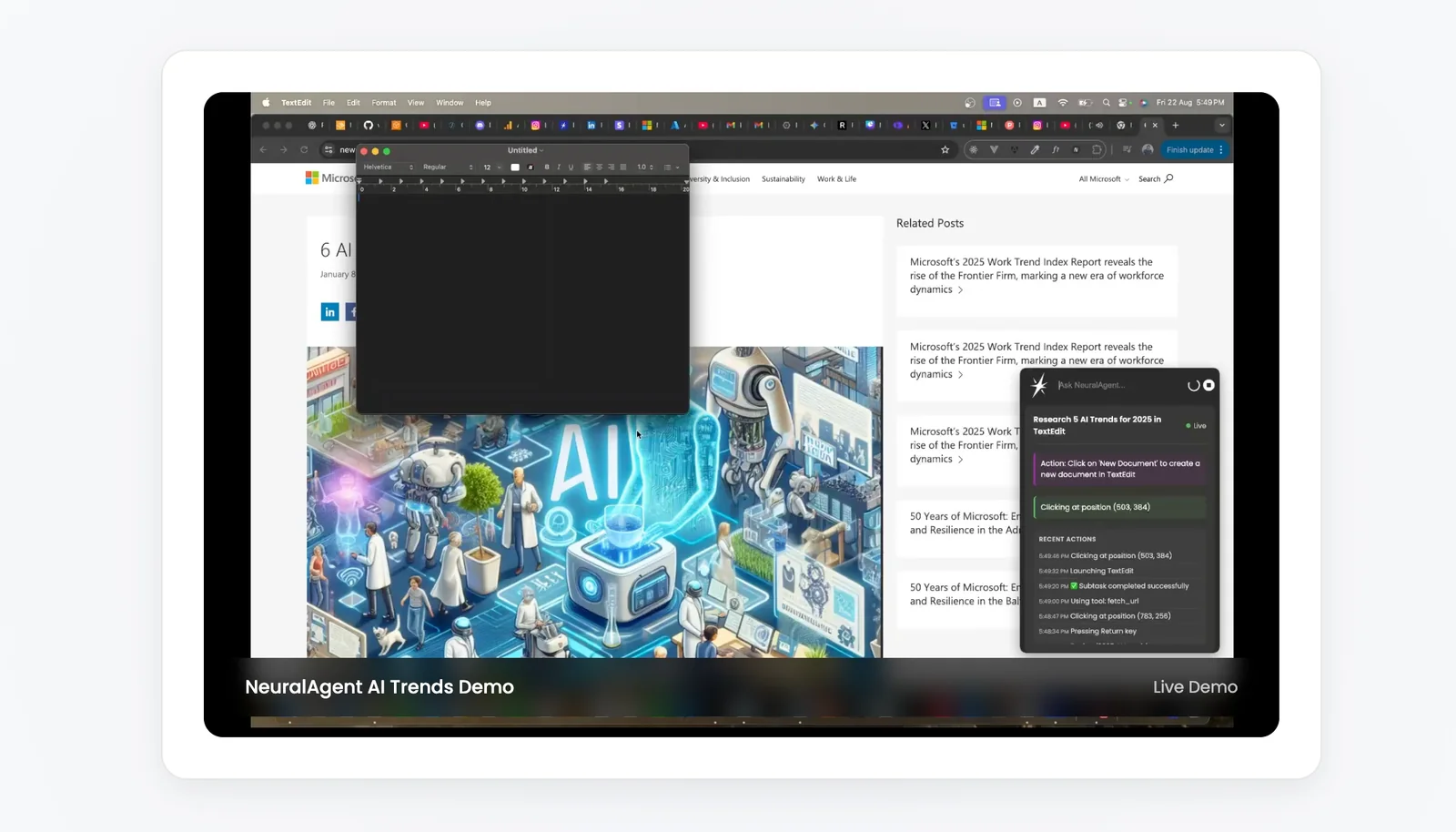
NeuralAgent is an AI-driven desktop assistant that perceives your screen and interacts with your computer like a human user. It can open applications, click buttons, navigate interfaces, and manage files in response to plain-English commands. By combining screen-level perception with direct UI control, NeuralAgent automates repetitive workflows, performs multi-step tasks, and enables hands-free operation of desktop software. Its value lies in reducing manual effort for routine tasks and enabling natural-language control of complex desktop interactions.
Screenshots
Key Features
Use Cases



Frequently asked questions about NeuralAgent
What are the different pricing plans available for NeuralAgent?
NeuralAgent offers a variety of pricing plans tailored to different user needs: Free ($0/month), Pro ($20/month), Pro+ ($60/month), Elite ($200/month), and custom plans for enterprises. Each tier includes unique features and varying usage limits to accommodate individuals and businesses of all sizes.
Key Points
- Free Plan: Basic features with limited access.
- Pro Plan: Enhanced functionalities suitable for individual users.
- Pro+ and Elite Plans: Advanced options for businesses and enterprises.
Detailed Explanation
NeuralAgent's pricing structure is designed to meet the diverse needs of users ranging from hobbyists to large enterprises. Here’s a breakdown of each plan:
-
Free Plan ($0/month):
- Ideal for beginners or users who want to explore the platform without any financial commitment.
- Includes essential features but comes with usage restrictions, such as limited queries and access to basic tools.
-
Pro Plan ($20/month):
- Best suited for freelancers or small businesses that require more features.
- Offers increased usage limits, access to premium tools, and priority support, making it a great value for those looking to enhance their productivity.
-
Pro+ Plan ($60/month):
- This tier is designed for teams that need advanced functionalities.
- Includes all Pro features plus additional resources like team collaboration tools and enhanced analytics for performance tracking.
-
Elite Plan ($200/month):
- Tailored for larger organizations with extensive needs.
- Provides maximum features, unlimited usage, dedicated account management, and priority customer support for seamless operations.
-
Custom Plans:
- For enterprises with unique requirements, NeuralAgent offers tailored pricing plans that can include specialized features and support based on individual business needs.
Best Practices / Tips
- Evaluate Your Needs: Before choosing a plan, assess your specific requirements, such as the number of users and desired features.
- Start with Free: If unsure, start with the Free plan to test the platform and its capabilities before committing financially.
- Utilize Trials: Take advantage of any free trials offered for higher tiers to experience added features without immediate cost.
Additional Resources
- NeuralAgent Pricing Page - For the latest pricing details and comparisons.
- FAQs - For common questions about features and functionalities.
- User Documentation - To explore in-depth guides and tutorials on maximizing usage of NeuralAgent.
What unique features does NeuralAgent provide for desktop users?
NeuralAgent offers unique features for desktop users, including screen perception, direct UI control, natural-language command execution, workflow automation, and hands-free accessibility. These functionalities significantly enhance productivity by automating tasks and simplifying user interactions with digital environments.
Key Points
- Screen Perception: Understands visual elements on the screen.
- Direct UI Control: Interacts directly with applications.
- Natural-Language Commands: Executes tasks using conversational language.
Detailed Explanation
NeuralAgent's screen perception allows it to analyze and interpret visual elements on your desktop. For example, it can recognize icons, buttons, and text, enabling seamless navigation without manual clicks. This is particularly useful for users who need to process large amounts of information quickly.
With direct UI control, users can manage applications and workflows without traditional input devices. For instance, you might say, "Open Google Chrome and search for the latest tech news," and NeuralAgent will execute this command directly, saving time and effort.
The ability to utilize natural-language command execution means you can communicate with NeuralAgent as if you were speaking to a colleague. This feature supports a wide range of tasks, from setting reminders to generating reports, thus making it ideal for both personal and professional use.
Furthermore, workflow automation helps streamline repetitive tasks. For example, if you regularly send emails at specific times, NeuralAgent can automate this process, ensuring efficiency and freeing up your time for more strategic activities.
Lastly, hands-free accessibility is a game-changer for users with disabilities or those who prefer voice commands. This feature enables effortless interaction with your desktop environment, making technology more inclusive.
Best Practices / Tips
- Utilize Short Commands: When using natural-language commands, be concise for quicker execution.
- Explore Automation Features: Take advantage of workflow automation to reduce repetitive tasks.
- Customize Settings: Adjust NeuralAgent’s settings to align with your personal or professional needs, maximizing its potential.
Additional Resources
How do I get started with NeuralAgent as a new user?
To get started with NeuralAgent, download the application from the official website, install it on your device, and follow the setup guide to configure your preferences and issue commands effectively. This process ensures you can leverage the full potential of this AI tool.
Key Points
- Download and Installation: Access the official website to download NeuralAgent.
- Setup Guide: Follow the provided setup guide for initial configuration.
- Command Issuing: Learn how to effectively issue commands for optimal use.
Detailed Explanation
Starting with NeuralAgent involves a few straightforward steps:
-
Download the Application:
- Visit the official NeuralAgent website.
- Select the appropriate version for your operating system (Windows, macOS, or Linux).
- Click the download button and save the installation file to your device.
-
Install the Application:
- Locate the downloaded file and double-click to begin the installation.
- Follow the on-screen prompts to complete the installation process.
- Accept the terms and conditions and choose your preferred installation directory.
-
Follow the Setup Guide:
- After installation, launch NeuralAgent.
- A setup wizard will appear, guiding you through initial configurations.
- Customize settings such as language preferences, voice recognition, and integration with other applications.
-
Issuing Commands:
- Familiarize yourself with the command structure and syntax.
- Start with simple commands to test the functionality.
- Explore advanced features once you are comfortable with the basics.
Best Practices / Tips
- Read the User Manual: Before diving deep, consider reviewing the user manual for detailed insights into features and functionalities.
- Experiment with Commands: Use trial and error to discover how different commands work, which can enhance your efficiency.
- Stay Updated: Regularly check for updates on the NeuralAgent website to ensure you have the latest features and improvements.
Additional Resources
Does NeuralAgent integrate with other tools or platforms?
Yes, NeuralAgent integrates seamlessly with various tools and platforms, enhancing automation workflows and orchestration processes. This capability allows users to coordinate multiple agents and tasks effectively, ensuring a streamlined approach to complex operations across diverse environments.
Key Points
- Wide Compatibility: NeuralAgent supports integration with numerous popular platforms.
- Enhanced Automation: It facilitates improved task coordination and execution.
- Custom Workflows: Users can design tailored workflows that meet specific needs.
Detailed Explanation
NeuralAgent offers robust integration capabilities with a wide array of tools, such as project management software, customer relationship management (CRM) systems, and communication platforms. This interoperability is essential for businesses looking to automate tasks efficiently.
Examples of Integration
- Project Management Tools: NeuralAgent can connect with platforms like Trello or Asana, allowing teams to automate task assignments and updates based on project timelines or resource availability.
- CRM Systems: By integrating with CRM solutions like Salesforce, NeuralAgent can automate customer follow-ups and data entry, minimizing manual effort and increasing data accuracy.
- Communication Platforms: Integration with tools like Slack or Microsoft Teams enables real-time updates and notifications, ensuring all team members are informed of task progress.
Use Cases
- E-commerce Automation: Retailers can automate inventory updates and customer inquiries through integration with e-commerce platforms and chatbots.
- Marketing Campaigns: Marketers can synchronize email marketing tools with NeuralAgent to automate campaign scheduling and performance reporting.
Best Practices / Tips
- Identify Key Integrations: Before implementing NeuralAgent, evaluate which tools are critical for your workflow to maximize efficiency.
- Test Integrations: Always conduct tests after setting up integrations to ensure data flows correctly and tasks are executed as intended.
- Stay Updated: Regularly check for updates from NeuralAgent and third-party tools to leverage new features and enhancements.
Additional Resources
How does NeuralAgent compare to other AI desktop assistants?
NeuralAgent distinguishes itself from other AI desktop assistants through its advanced screen perception and direct user interface control capabilities. This makes it exceptionally adept at executing hands-free and automated tasks, enhancing productivity and user experience in a way that traditional assistants cannot match.
Key Points
- Advanced Screen Perception: NeuralAgent can interpret and interact with on-screen content effectively.
- Direct UI Control: It allows users to manipulate applications seamlessly, enhancing workflow.
- Automation Capabilities: Ideal for automating repetitive tasks, saving time and effort.
Detailed Explanation
NeuralAgent utilizes cutting-edge artificial intelligence to perceive and understand the desktop environment. Unlike conventional AI assistants that primarily rely on voice commands or text input, NeuralAgent can analyze the visual elements on the screen. For instance, it can identify buttons, text fields, and other UI components, enabling users to perform actions via simple voice commands or gestures.
Use Cases:
- Hands-Free Operation: Users can execute commands without touching the keyboard or mouse. This is particularly useful for individuals with mobility challenges.
- Automated Task Execution: NeuralAgent can automate repetitive tasks, such as data entry or file management, by recognizing the necessary actions based on user-defined parameters.
- Customization and Learning: Over time, NeuralAgent learns user preferences, adapting its responses and actions to better fit individual workflows.
Best Practices / Tips
- Voice Clarity: When issuing commands, speak clearly to ensure accurate recognition.
- Define Actions: Take time to set up specific commands for tasks you wish to automate, improving efficiency.
- Regular Updates: Keep the software updated to benefit from the latest features and improvements in AI capability.
Additional Resources
Explore more AI Ai Agents tools
Browse all Ai Agents tools →Browse by use case: Automation & Productivity
Compare NeuralAgent: vs Apache Maka · vs Construct Computer · vs ShogunAI · vs fx