
Nerve
AIEnterprise AI platform acting as an AI Chief of Staff to write, search, update, and automate work using company context.
Nerve
Enterprise AI platform acting as an AI Chief of Staff to write, search, update, and automate work using company context.
About Nerve
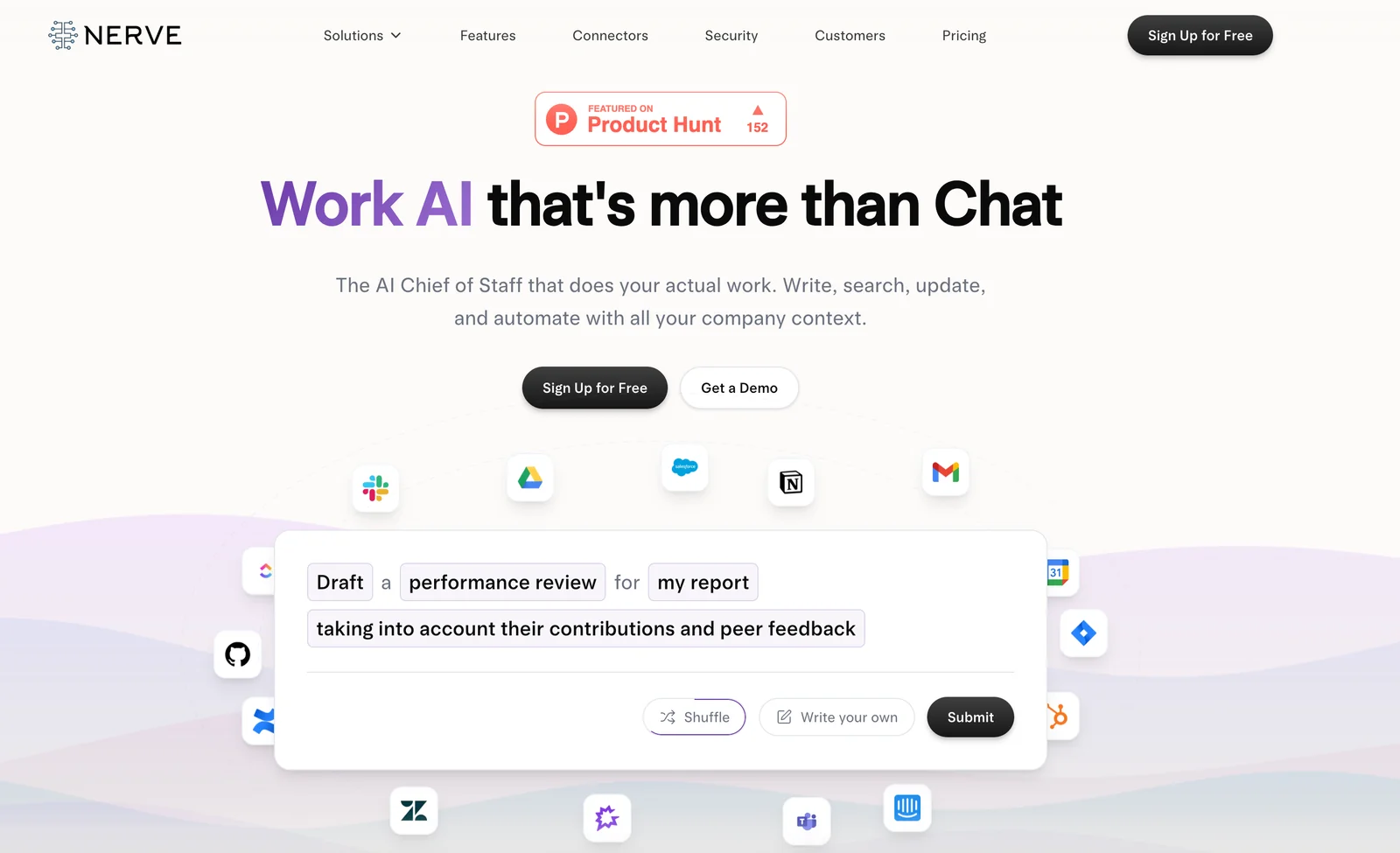
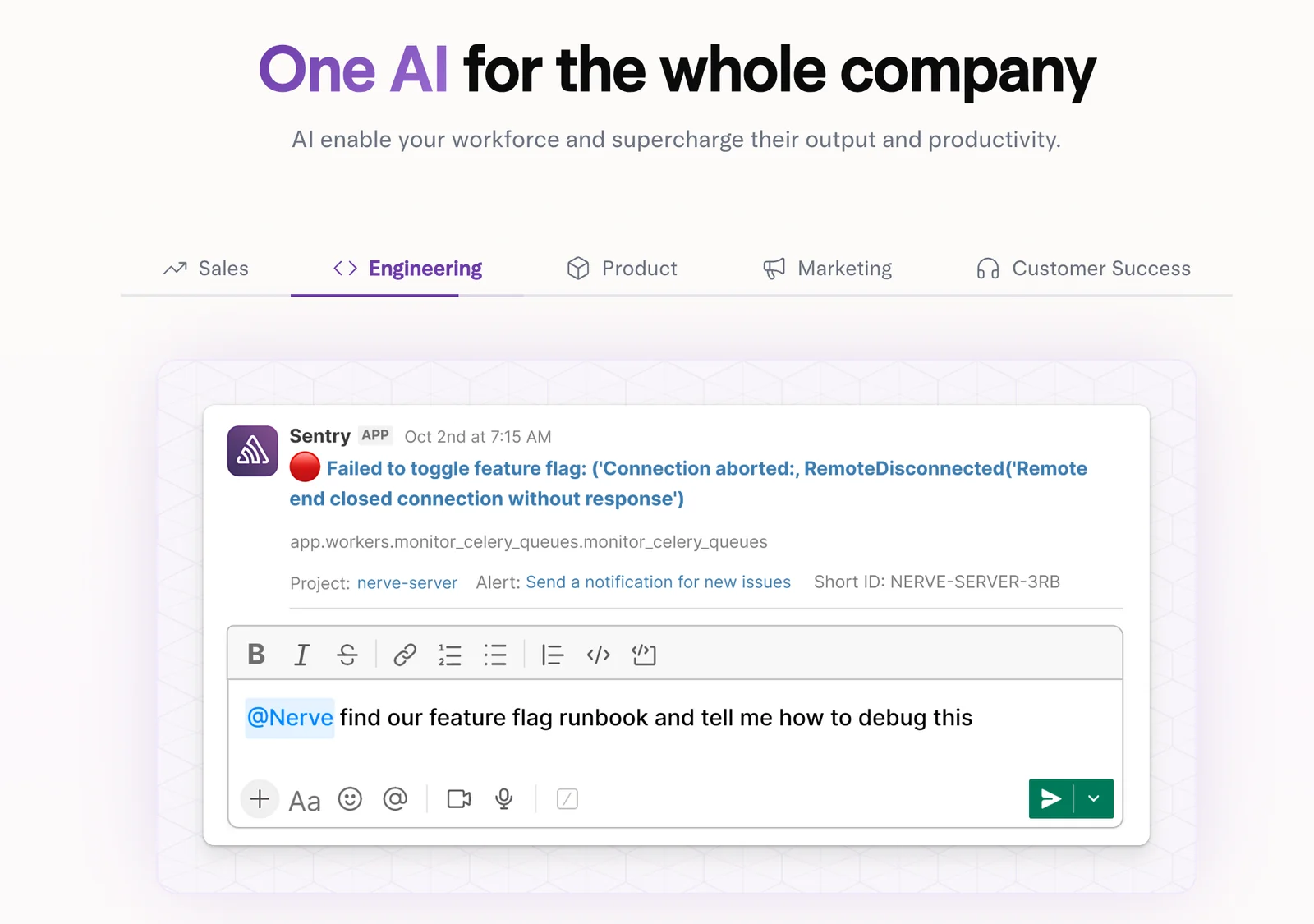
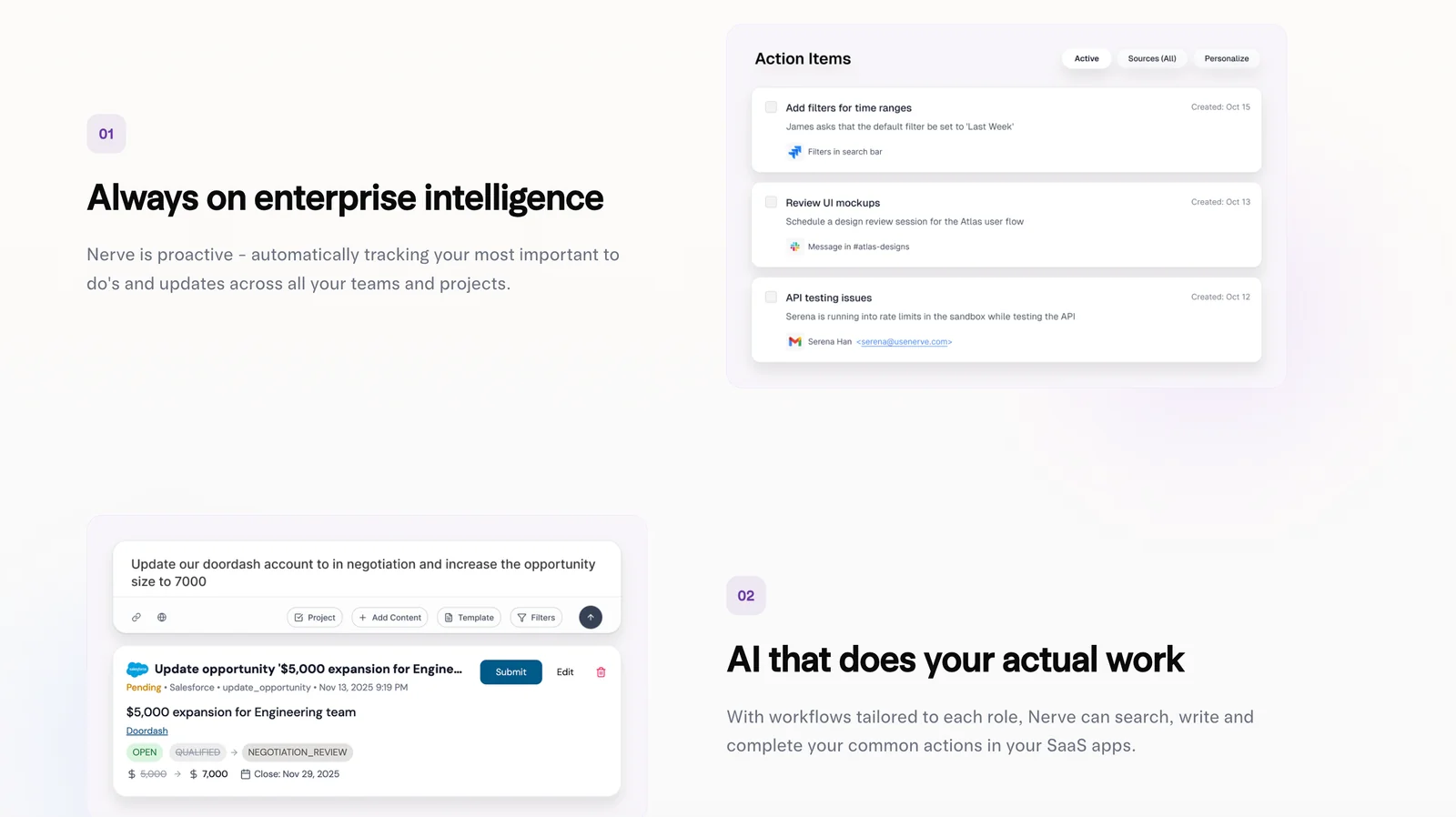
Nerve is an enterprise AI platform that functions as an "AI Chief of Staff" for employees, using organization-wide context to identify, prioritize, and execute work. It enables writing, searching, updating, and automating tasks across company systems by connecting to SaaS tools and internal data sources. Nerve emphasizes doing actual work (not just chat), offering orchestration, integrations, and an API/MCP layer for deploying automation and embedding company knowledge into workflows. Its value is in reducing manual task overhead, surfacing relevant information across apps, and executing repeatable processes with enterprise controls.
Screenshots
Key Features
Use Cases



Frequently asked questions about Nerve
What is the pricing structure for Nerve and what are its plans?
Nerve offers three pricing plans: Starter at $19/user/month, Business at $49/user/month, and custom pricing for Enterprise. Both the Starter and Business plans feature a 14-day free trial, while the Enterprise plan is designed for organizations with specific needs and offers tailored solutions.
Key Points
- Starter Plan: $19/user/month with a 14-day free trial.
- Business Plan: $49/user/month also includes a 14-day free trial.
- Enterprise Plan: Custom pricing based on specific organizational requirements.
Detailed Explanation
Nerve's pricing structure is designed to cater to various business sizes and needs.
-
Starter Plan: Aimed at individuals and small teams, this plan is ideal for startups looking to explore Nerve's features without a long-term commitment. It includes essential tools for project management, collaboration, and communication.
-
Business Plan: This plan is tailored for medium to large organizations requiring advanced features such as enhanced analytics, priority support, and custom integrations. The 14-day free trial allows businesses to test these capabilities before making a financial commitment.
-
Enterprise Plan: For larger organizations with unique needs, Nerve offers a custom pricing model. This plan includes personalized consultations, dedicated support, and scalability options to accommodate growth. Interested organizations are encouraged to contact Nerve for a tailored quote.
Use Case Example:
For a small startup, the Starter Plan can facilitate team collaboration and project management at an affordable rate. Meanwhile, a mid-sized company might find the Business Plan's advanced features beneficial for enhancing productivity and gaining insights through analytics.
Best Practices / Tips
- Evaluate Needs: Before choosing a plan, assess your organization's size and feature requirements.
- Utilize the Free Trial: Take advantage of the 14-day free trial for both Starter and Business plans to fully explore the features.
- Contact for Enterprise: If your organization falls under the Enterprise category, reach out to Nerve for a consultation to ensure you choose the most suitable options.
Additional Resources
What are the key features that set Nerve apart from other AI tools?
Nerve stands out among AI tools due to its unique features such as company-context awareness, seamless cross-app integrations, and powerful automation workflows. It effectively prioritizes tasks, generates actionable content, and offers enterprise-level security and support, making it particularly beneficial for larger organizations seeking efficiency and scalability.
Key Points
- Company-Context Awareness: Tailors responses based on specific organizational needs.
- Cross-App Integrations: Connects with various software for a unified experience.
- Automation Workflows: Streamlines repetitive tasks to enhance productivity.
Detailed Explanation
Nerve's company-context awareness allows it to understand and adapt to the nuances of your business environment. For instance, when generating marketing content, it can incorporate recent company developments or industry trends, ensuring relevance and resonance with the target audience.
Its cross-app integrations are designed to enhance workflow efficiency. By connecting with popular tools like Slack, Trello, and CRM systems, Nerve ensures that data flows seamlessly between applications. This means users can manage projects and communications without switching between multiple platforms, saving valuable time.
The automation workflows feature is particularly useful for organizations looking to reduce manual labor. For example, Nerve can automate the process of sending follow-up emails after a meeting, thus ensuring timely communication without requiring additional input from team members. This not only boosts productivity but also minimizes the potential for errors.
Best Practices / Tips
- Leverage Company-Context Awareness: Regularly update Nerve with new company information for more relevant outputs.
- Explore Integrations: Take full advantage of Nerve's cross-app capabilities by integrating with tools your team already uses, ensuring a smooth transition.
- Utilize Automation: Identify repetitive tasks that can be automated within Nerve to free up your team's time for more strategic activities.
Additional Resources
How can I get started with Nerve and utilize its functionalities effectively?
To get started with Nerve, sign up for a plan that fits your requirements. Take advantage of the 14-day free trial to explore its features like task automation and document creation. The official website offers comprehensive tutorials and guides to help you maximize your experience.
Key Points
- Select a suitable plan for your needs.
- Utilize the 14-day free trial effectively.
- Access tutorials and guides for optimal usage.
Detailed Explanation
-
Choosing the Right Plan: Nerve offers different subscription tiers, catering to various user needs. Assess your requirements—whether for personal use, small business, or a larger organization—and select a plan accordingly. Pricing typically starts at $19 per month, providing access to essential features.
-
Free Trial Exploration: The 14-day free trial is a great opportunity to test out Nerve's functionalities without commitment. During this period, focus on key features such as:
- Task Automation: Automate repetitive tasks to enhance productivity. For instance, you can set up automated reminders for project deadlines or client follow-ups.
- Document Creation: Create and manage documents efficiently. Use templates to streamline your workflow and ensure consistency across your documents.
-
Utilizing Resources: The official Nerve website is a treasure trove of resources. It includes:
- Tutorials: Step-by-step guides on using various features.
- FAQs: Answers to common questions that can save you time and confusion.
- Webinars: Live sessions where you can learn directly from Nerve experts.
Best Practices / Tips
- Take Notes: As you explore the trial, jot down notes on features you find particularly useful or confusing. This will help you when transitioning to a paid plan.
- Engage with the Community: Join forums or online communities to share experiences and gather tips from other Nerve users.
- Regularly Check for Updates: Nerve frequently updates its platform. Keep an eye out for new features and enhancements that could benefit your workflow.
Additional Resources
- Nerve Official Website - Sign up and access resources.
- Nerve Tutorials - Comprehensive guides on using the platform.
- Nerve Community Forum - Connect with other users for support and insights.
Can Nerve integrate with other SaaS tools and what are the technical requirements?
Yes, Nerve can integrate with various third-party SaaS tools using its API or integrations dashboard. To enable smooth connectivity and automation across platforms, ensure your environment is properly configured with the necessary API keys and compliance with the technical requirements specified by Nerve.
Key Points
- Nerve supports integration with popular SaaS tools via API.
- Proper API key configuration is essential for seamless operation.
- Technical requirements include compatible environments and standards.
Detailed Explanation
Nerve provides robust integration capabilities with numerous SaaS platforms, such as CRM systems, project management tools, and marketing automation software. By utilizing its API or integrations dashboard, users can streamline workflows and improve data synchronization across applications.
To start integrating Nerve with other SaaS tools, follow these steps:
-
Access the Integrations Dashboard: Log in to your Nerve account and navigate to the integrations section where you can find available third-party tools.
-
Obtain API Keys: For most integrations, you will need unique API keys from both Nerve and the third-party service. These keys authenticate your requests and ensure secure data exchange.
-
Configure Your Environment: Ensure your system meets the technical requirements, including necessary software versions, network access, and security protocols. This may involve checking firewall settings or ensuring that your application is up-to-date.
-
Test the Integration: After setup, run tests to confirm that data flows correctly between Nerve and the other platforms. Monitor for any errors and troubleshoot as necessary.
For example, if you're integrating Nerve with a CRM tool like Salesforce, ensure that the fields in both systems match correctly for a smooth data transfer.
Best Practices / Tips
- Documentation: Always refer to the official Nerve API documentation for the most accurate and detailed integration instructions.
- Keep Security in Mind: Regularly update your API keys and monitor access logs to prevent unauthorized use.
- Utilize Webhooks: If supported, use webhooks for real-time data updates instead of relying solely on periodic syncing. This can enhance the responsiveness of your applications.
- Plan for Scalability: If you expect to grow, choose integrations that can handle increased data loads and user activity.
Additional Resources
How does Nerve compare to other enterprise AI platforms in terms of features and pricing?
Nerve differentiates itself from other enterprise AI platforms by providing company-specific context and robust automation features. Its competitive pricing and tailored enterprise solutions enhance security and support, making it particularly attractive to larger organizations looking for customized AI implementations.
Key Points
- Company-Specific Context: Tailors AI solutions to unique organizational needs.
- Robust Automation Capabilities: Streamlines operations with advanced automation features.
- Competitive Pricing: Offers affordable packages compared to other platforms.
Detailed Explanation
Nerve’s primary advantage lies in its ability to deliver AI solutions that are finely tuned to the specific needs and context of individual companies. Unlike many generic AI platforms, Nerve utilizes machine learning algorithms that learn from a company’s data, enhancing decision-making processes and operational efficiency.
Key Features
-
Company-Specific Context: Nerve’s AI models are designed to understand unique industry jargon and company-specific workflows, ensuring that the insights generated are directly applicable. For instance, a financial institution can train Nerve on its historical data to optimize risk assessments effectively.
-
Robust Automation Capabilities: Nerve excels in automating repetitive tasks, allowing organizations to focus on strategic initiatives. For example, a customer service department can leverage Nerve to automate ticketing processes, reducing response times and improving customer satisfaction.
-
Competitive Pricing: Nerve offers flexible pricing plans that cater to enterprises of various sizes. While many enterprise AI platforms can charge upwards of $50,000 annually, Nerve’s pricing starts at a more competitive rate, making it accessible for businesses with limited budgets.
Use Cases
- Manufacturing: Automating supply chain management to predict inventory needs.
- Healthcare: Streamlining patient data processing for better healthcare outcomes.
- Retail: Enhancing customer experience through personalized marketing automation.
Best Practices / Tips
- Evaluate Specific Needs: Before selecting an AI platform, assess your organization’s unique requirements to ensure the chosen solution aligns with your goals.
- Utilize Trial Periods: Take advantage of any trial offerings to test features and usability before committing financially.
- Engage with Support Teams: Leverage customer support for onboarding and troubleshooting to maximize the benefits of the platform.
Additional Resources
Explore more AI Ai Agents tools
Browse all Ai Agents tools →Browse by use case: Automation & Productivity
Compare Nerve: vs Playad · vs Concierge by Juniors AI · vs Scout by Fini · vs Ruflo