

Napkin
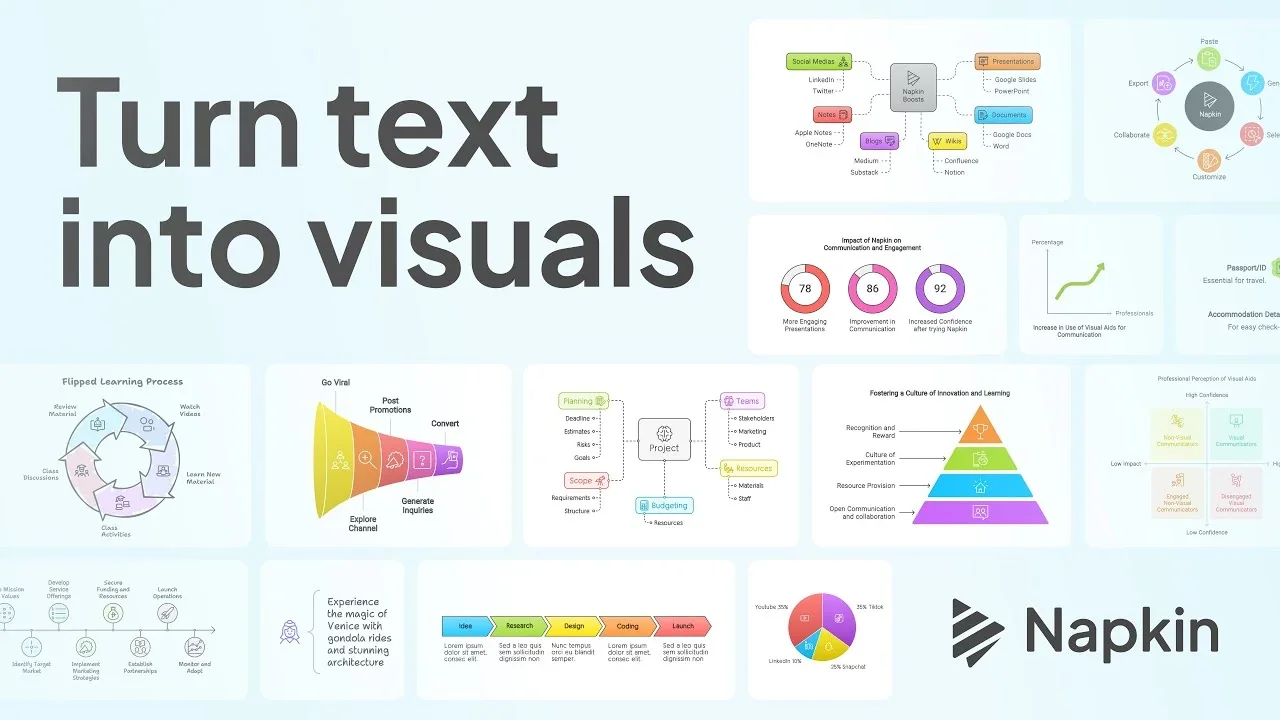
AITransforms typed, pasted or generated text into concise, presentation-ready visuals to improve business storytelling.
Napkin
Transforms typed, pasted or generated text into concise, presentation-ready visuals to improve business storytelling.
About Napkin
Napkin AI converts text input into visual assets to help teams communicate ideas more effectively. Users can type, copy-paste or generate text within the product and Napkin automatically generates charts, diagrams, slides and other visuals optimized for business storytelling. The tool is focused on turning prose and bullet points into structured visual layouts that speed up report creation, presentations and executive summaries. Napkin emphasizes rapid, low-effort visual generation to make communication clearer and reduce manual design work.
Screenshots
Key Features
Use Cases



Frequently asked questions about Napkin
What are the pricing options for Napkin?
Napkin offers a freemium pricing model with four tiers: Free ($0/month), Plus ($12/person/month), Pro ($30/person/month), and custom pricing for Enterprise. Each tier includes different features and AI credit allowances, catering to varying user needs, from individuals to larger organizations.
Key Points
- Freemium Model: Napkin provides a Free tier with essential features.
- Tiered Pricing: Users can choose between Plus, Pro, and Enterprise tiers based on their requirements.
- Feature Variability: Each tier offers different tools and AI credit allocations to enhance user experience.
Detailed Explanation
Napkin's pricing structure is designed to accommodate a wide range of users, from casual individuals to large enterprises.
-
Free Tier: The Free plan is ideal for beginners or small teams who want to explore basic features without any cost. Users can access limited AI credits, which allows them to test the platform's capabilities.
-
Plus Tier: At $12 per person per month, the Plus tier unlocks additional features such as enhanced collaboration tools and a higher allowance of AI credits. This tier is great for small to mid-sized teams that require more functionality.
-
Pro Tier: For $30 per person per month, the Pro tier includes advanced features such as priority customer support, increased AI credit limits, and access to premium tools. This is suitable for businesses that rely heavily on AI for their operations.
-
Enterprise Tier: Custom pricing for the Enterprise tier is available for larger organizations needing tailored solutions. This tier offers the flexibility of custom features and a dedicated account manager, ensuring that the unique needs of the business are met.
Best Practices / Tips
- Evaluate Needs: Before selecting a tier, assess your specific needs, such as team size and required features.
- Trial Period: Utilize the Free tier to experiment with Napkin's capabilities and determine which paid tier is most beneficial for your team.
- Monitor Usage: Keep track of your AI credit usage to avoid unexpected costs, especially if you opt for the Plus or Pro tiers.
Additional Resources
How do I get started using Napkin?
To get started using Napkin, visit the official website, sign up for a free account, and explore its core features. You can easily input text by typing or pasting to create visuals that suit your needs.
Key Points
- Official Website: Begin your journey on the Napkin homepage.
- Free Account: Sign up for a free account to access all features.
- Input Methods: Create visuals by typing or pasting text directly.
Detailed Explanation
Napkin is a user-friendly design tool that helps you create visuals from text input. Here's how to get started:
- Visit the Official Website: Go to Napkin's website to access the platform.
- Create a Free Account: Click on the "Sign Up" button. You’ll need to provide basic information such as your email address and create a password. The free account allows you to explore core features, making it ideal for beginners.
- Explore Core Features: Once signed in, familiarize yourself with the interface. You can create a new project by selecting a template or starting from scratch.
- Input Text: You can type directly into the text box or paste text from another source. Napkin will automatically generate visuals based on your input, which can include charts, diagrams, and infographics.
This intuitive process is designed to help users visualize data quickly and effectively, making it ideal for professionals, educators, and students alike.
Best Practices / Tips
- Utilize Templates: Take advantage of Napkin’s templates to save time and enhance your designs.
- Experiment: Don’t hesitate to try different layouts and styles. The more you experiment, the better you’ll understand how to leverage the platform effectively.
- Stay Updated: Follow Napkin's blog or social media channels to keep up with new features or updates.
Common pitfalls to avoid include not saving your work frequently or overlooking the tutorial resources available on the platform. Engaging with community forums can also provide insights and tips from experienced users.
Additional Resources
- Napkin Help Center - Access detailed guides and FAQs.
- Napkin Blog - Stay updated on new features and best practices.
- YouTube Tutorials - Visual learners can benefit from video tutorials demonstrating Napkin's capabilities.
What are the key features of Napkin?
Napkin is a versatile tool that transforms text into presentation-ready visuals, offering a range of customizable templates for effective business storytelling. It supports multiple input modes, allows for easy exports, and features an API for seamless integration with other applications.
Key Points
- Text-to-Visual Transformation: Convert written content into engaging visuals effortlessly.
- Customizable Templates: Utilize pre-designed templates tailored for various storytelling needs.
- Integration Capabilities: Leverage the API for easy integration into existing workflows.
Detailed Explanation
Napkin enhances the way users create presentations by transforming plain text into visually appealing formats. This process not only saves time but also elevates the quality of presentations, making them more engaging for audiences.
Text-to-Visual Transformation
Users can input their text, and Napkin automatically generates visuals that reflect the key messages. This feature is ideal for professionals looking to simplify the presentation design process without sacrificing quality. For instance, a marketing manager can input campaign data, and Napkin will produce charts and infographics that highlight results clearly.
Customizable Templates
Napkin offers a variety of templates designed for different purposes, such as business pitches, educational presentations, and reports. These templates allow users to maintain brand consistency while telling their stories. For example, a startup can choose a template that aligns with its branding and easily adapt it to fit their narrative.
Integration Capabilities
The API feature allows developers to integrate Napkin into their existing software solutions, enhancing productivity. This can be particularly beneficial for companies using project management tools or customer relationship management (CRM) systems, enabling them to create presentations directly from their data sources.
Best Practices / Tips
- Start Simple: Begin with Napkin’s basic templates and gradually explore advanced features as you become familiar with the tool.
- Leverage Customization: Take advantage of the template customization options to align your visuals with your brand identity.
- Utilize the API: If you have development resources, consider integrating the API to streamline your workflow and enhance efficiency.
Additional Resources
How does Napkin compare to other visual generation tools?
Napkin stands out among visual generation tools due to its business-centric designs and user-friendly interface, making it perfect for creating presentations. Unlike many competitors, Napkin features a flexible freemium pricing model and robust API support, ensuring seamless integration with various platforms.
Key Points
- Business-Focused Designs: Tailored templates for professional presentations.
- User-Friendly Interface: Easy to navigate, even for beginners.
- Freemium Model: Access to essential features at no cost.
Detailed Explanation
Napkin is designed specifically for business professionals, offering a range of customizable templates that cater to various corporate needs, such as project proposals, marketing plans, and team updates. This focus on business applications allows users to create visually appealing presentations without extensive design skills.
User-Friendly Interface
One of Napkin's strongest advantages is its intuitive interface. Users can quickly drag and drop elements, adjust layouts, and select color schemes, making it accessible to individuals at any skill level. This ease of use reduces the time spent on design, allowing teams to focus on content and messaging.
Freemium Model
Napkin's pricing structure is designed to accommodate different user needs. The freemium model allows users to access basic features without any financial commitment, while advanced features are available through paid subscriptions. This flexibility is particularly beneficial for startups and small businesses that may have limited budgets.
API Support
Napkin also stands out with its strong API support, enabling users to integrate the tool with other applications like Slack, Trello, and Google Workspace. This integration capability enhances workflow efficiency, allowing users to pull data or assets directly from other platforms into their presentations.
Best Practices / Tips
- Experiment with Templates: Take advantage of Napkin's diverse templates to find the best fit for your presentation needs.
- Utilize API Integrations: Connect Napkin with your favorite tools to streamline your workflow and enhance productivity.
- Start with the Freemium Option: Test the basic features before committing to a paid plan to ensure it meets your requirements.
Additional Resources
Does Napkin provide an API for integration?
Yes, Napkin provides an official API that enables programmatic access for visual generation, facilitating smooth integration into your existing workflows or tools. This API allows developers to enhance their applications with Napkin's powerful visual capabilities, making it ideal for various use cases.
Key Points
- Official API Availability: Napkin offers a comprehensive API for developers.
- Seamless Integration: Easily incorporate Napkin's functionalities into existing applications.
- Visual Generation Capabilities: Access advanced visual generation tools through the API.
Detailed Explanation
The Napkin API is designed for developers looking to automate and enhance their visual content generation processes. By utilizing this API, users can programmatically create visuals, thereby streamlining operations within their applications.
Use Cases
- Graphic Design Tools: Integrate Napkin's visual generation into graphic design software, allowing users to generate custom graphics on demand.
- E-commerce Platforms: Use the API to automatically create product images or promotional banners, saving time and resources.
- Content Management Systems: Incorporate Napkin's capabilities into CMS platforms for automated visual content creation.
Getting Started
To utilize the Napkin API, developers should:
- Access Documentation: Start by reviewing the official API documentation provided on the Napkin website.
- Obtain API Key: Sign up for an API key to authenticate your requests.
- Make API Calls: Use RESTful endpoints to generate visuals programmatically.
Best Practices / Tips
- Rate Limiting: Be aware of any rate limits imposed by the API to avoid disruptions in service.
- Error Handling: Implement robust error handling to manage issues such as network failures or invalid requests.
- Optimize Requests: Limit the amount of data sent in requests to improve performance and reduce response times.
Additional Resources
By leveraging the Napkin API, developers can unlock powerful visual generation capabilities, enhancing their applications and improving user experiences.
Explore more AI Ai Agents tools
Browse all Ai Agents tools →Browse by use case: Image Generation · Automation & Productivity
Compare Napkin: vs Playad · vs Concierge by Juniors AI · vs Scout by Fini · vs Ruflo