

Monid â One skill. Every tool your agent needs.
AIAgent-native router that discovers and routes tool calls and meters usage under a single shared balance.
Monid â One skill. Every tool your agent needs.
Agent-native router that discovers and routes tool calls and meters usage under a single shared balance.
About Monid â One skill. Every tool your agent needs.
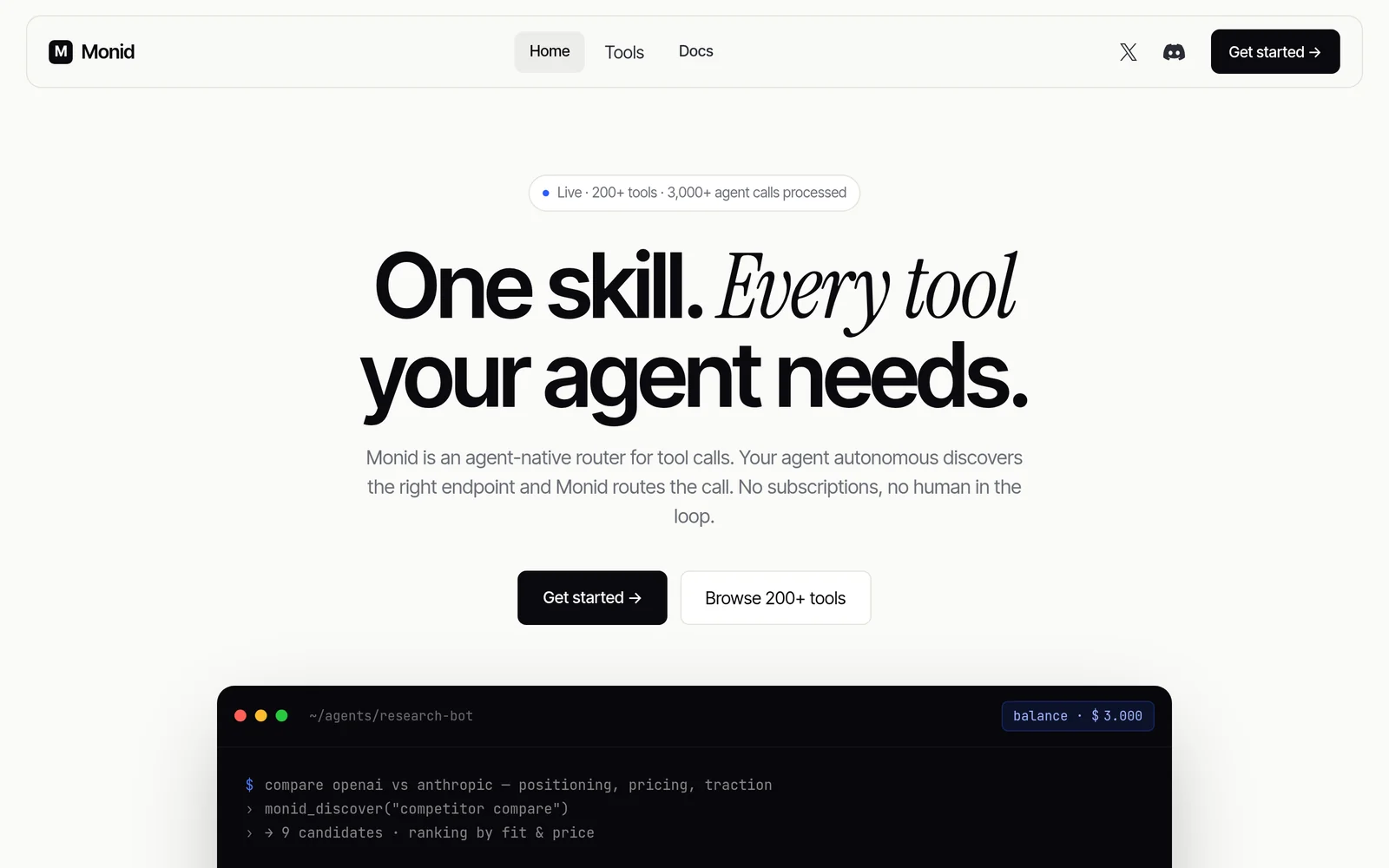
Monid provides an agent-native routing layer that lets an agent describe what it needs and automatically discovers the appropriate tool endpoint, routes the call, and meters usage under one consolidated balance. It abstracts disparate tool APIs behind a single skill interface so agents can call many services without bespoke connector code. Monid’s value is simplifying tool integration, centralizing billing and usage tracking, and enabling agents to access the right endpoint dynamically based on the agent's expressed intent.
Screenshots
Key Features
Use Cases


Frequently asked questions about Monid â One skill. Every tool your agent needs.
What is Monid â One skill. Every tool your agent needs.?
Monid is an innovative agent-native router designed to streamline tool calls for agents. By allowing agents to specify their needs, Monid efficiently discovers the appropriate endpoint and routes the call, all while managing operations under a single metered balance, enhancing productivity and reducing complexity.
Key Points
- Agent-Native Design: Tailored specifically for agents to simplify tool integration.
- Efficient Routing: Automatically discovers and connects to the correct endpoint.
- Single Metered Balance: Consolidates usage tracking to improve financial management.
Detailed Explanation
Monid acts as a centralized hub for agents, allowing them to articulate their requirements in natural language. For instance, if an agent needs to access customer data, they can simply state their request, and Monid will identify the necessary tool and establish a connection. This not only saves time but also minimizes the chances of errors associated with manual tool selection.
Monid's routing mechanism is powered by advanced algorithms that analyze the agent's request and match it with the best-suited endpoint from a diverse set of tools. This capability ensures that agents can seamlessly switch between tools without the need for extensive training or context switching.
Additionally, the single metered balance feature allows organizations to efficiently track and manage tool usage and costs. By having a unified billing system, businesses can better allocate resources and budget for tool-related expenses.
Best Practices / Tips
- Clearly Define Requests: Agents should be as specific as possible when describing their needs to ensure optimal routing.
- Regularly Update Tool Integrations: Ensure that all tools connected to Monid are up to date to leverage the latest features and improvements.
- Monitor Usage Patterns: Utilize the metered balance feature to analyze tool usage and identify opportunities for cost savings or efficiency improvements.
Additional Resources
How does Monid â One skill. Every tool your agent needs. work?
Monid — One skill. Every tool your agent needs. works by integrating essential AI functionalities to streamline everyday tasks and workflows for users. It provides a unified platform that enhances productivity and efficiency by simplifying complex processes through intuitive AI-driven tools.
Key Points
- Unified Platform: Combines various AI tools in one place.
- Enhanced Productivity: Streamlines workflows to save time.
- User-Friendly Interface: Designed for ease of use by agents.
Detailed Explanation
Monid is designed specifically for customer service agents and similar professions, offering a comprehensive suite of AI tools that address common challenges in daily workflows. By unifying various artificial intelligence functionalities, Monid allows users to perform multiple tasks without switching between different applications, which can disrupt workflow and reduce efficiency.
Key Features:
-
Natural Language Processing: Monid utilizes advanced NLP algorithms to interpret and respond to customer inquiries effectively. For example, it can automate responses to frequently asked questions, allowing agents to focus on more complex issues.
-
Data Integration: Monid seamlessly integrates with existing CRM systems, pulling in customer data to provide personalized responses. This feature enhances the user experience and improves customer satisfaction.
-
Task Automation: The platform automates repetitive tasks such as data entry and reporting. This reduces the time agents spend on mundane activities, enabling them to dedicate more time to critical tasks that require human intervention.
Use Cases:
- Customer Support: Agents can use Monid to handle inquiries faster, reducing response times significantly.
- Sales Enablement: Sales teams can leverage Monid to track leads and automate follow-up emails, enhancing conversion rates.
- Training: New agents can quickly learn to navigate the system and utilize its tools through guided tutorials integrated within the platform.
Best Practices / Tips
- Regular Training: Ensure all team members are trained on the latest features of Monid to maximize its potential.
- Feedback Loop: Encourage agents to provide feedback on tool effectiveness, which can help in fine-tuning workflows.
- Monitor Performance: Use analytics provided by Monid to evaluate the impact of AI tools on productivity and customer satisfaction.
Additional Resources
What are the main features of Monid â One skill. Every tool your agent needs.?
Monid offers a comprehensive suite of features designed to enhance agent productivity and efficiency. Key functionalities include advanced AI capabilities, integrated tools for task management, robust analytics, and seamless communication features, all aimed at empowering agents to perform their tasks effectively and efficiently.
Key Points
- Advanced AI Capabilities: Monid integrates machine learning and NLP to assist agents in decision-making.
- Integrated Tools: A suite of tools for managing tasks, communications, and workflows in one platform.
- Robust Analytics: Provides data-driven insights to improve performance and customer satisfaction.
Detailed Explanation
Monid is designed as an all-in-one solution for agents, combining multiple essential features into one platform. Here’s a deeper look at its main functionalities:
Advanced AI Capabilities
Monid utilizes sophisticated AI technologies, such as machine learning and natural language processing (NLP), which help agents analyze data and generate insights efficiently. For example, it can predict customer inquiries and suggest appropriate responses, thereby reducing response time and enhancing customer service.
Integrated Tools
The platform offers a comprehensive set of tools that agents can use to manage their tasks, communications, and workflows seamlessly. This includes:
- Task Management: Users can assign, track, and prioritize tasks efficiently, ensuring that nothing falls through the cracks.
- Communication Tools: Integrated chat and email features allow agents to communicate with customers and teams without switching between platforms.
- Collaboration Features: Agents can work together on tasks and share resources, fostering a collaborative work environment.
Robust Analytics
Monid's analytics capabilities provide critical insights into agent performance and customer interactions. By leveraging data visualization tools, agents can easily track metrics such as response times, customer satisfaction scores, and task completion rates. This data helps in making informed decisions and identifying areas for improvement.
Best Practices / Tips
- Leverage AI Features: Make the most of Monid’s AI tools by regularly updating the system with new customer interactions to improve its predictive capabilities.
- Utilize Integrated Tools: Take advantage of the task management and communication tools to streamline processes and avoid information silos.
- Analyze Data Regularly: Regularly review the analytics dashboard to identify trends and areas for enhancement, ensuring that agents are always performing at their best.
Additional Resources
Who is Monid â One skill. Every tool your agent needs. for?
Monid — One skill. Every tool your agent needs. is designed for real estate agents, customer service representatives, and professionals seeking to enhance their daily AI workflows. It streamlines tasks, improves efficiency, and empowers users to leverage AI technology seamlessly in their operations.
Key Points
- Target Audience: Real estate agents, customer service professionals, and anyone utilizing AI in workflows.
- Functionality: Integrates various AI tools into a single platform for streamlined operations.
- Benefits: Enhances productivity, reduces repetitive tasks, and improves customer interactions.
Detailed Explanation
Monid is tailored for individuals and teams in real estate and customer service sectors who rely on daily AI tools to improve their productivity. By consolidating multiple functionalities into one skill, Monid enables users to automate tasks such as scheduling, lead management, and customer communication.
Use Cases
- Real Estate Agents: Monid helps agents manage listings, respond to inquiries faster, and automate follow-ups, allowing them to focus more on client engagement.
- Customer Service Representatives: The platform can streamline responses to common inquiries, manage support tickets, and ensure consistent communication across channels, enhancing customer satisfaction.
Step-by-Step Guidance
- Setup: Users can easily integrate Monid with existing AI tools like chatbots, CRM systems, or email marketing platforms.
- Customization: Tailor the platform to fit specific workflows by selecting relevant tools and functions.
- Training: Utilize Monid’s tutorials and resources to train team members on maximizing the tool's capabilities.
Best Practices / Tips
- Regular Updates: Keep the software updated to benefit from new features and security improvements.
- User Training: Invest time in training staff to ensure they are leveraging all available tools effectively.
- Feedback Loop: Encourage users to provide feedback to continuously improve workflows and tool integrations.
Additional Resources
How much does Monid â One skill. Every tool your agent needs. cost?
Monid — One skill. Every tool your agent needs. offers flexible pricing plans tailored for different business needs. For specific pricing details, including subscription tiers and features, visit the official Monid website.
Key Points
- Monid offers multiple pricing tiers suitable for various business sizes.
- Pricing may vary based on features and user count.
- Regular updates and promotions may affect pricing.
Detailed Explanation
Monid provides a comprehensive platform designed for customer support agents, integrating various necessary tools into one skill. The pricing structure is designed to accommodate small businesses, startups, and larger enterprises, ensuring that every organization can find a suitable plan.
-
Basic Plan: Generally aimed at startups and small businesses, this plan includes essential features like chat support and basic analytics. Pricing typically starts around $29 per user per month.
-
Professional Plan: Suitable for growing teams, this plan includes advanced features such as multi-channel support, enhanced reporting, and integration with third-party applications. It usually starts at $49 per user per month.
-
Enterprise Plan: This is customized for large organizations requiring extensive features, dedicated support, and personalized onboarding. Pricing for this plan is available upon request, allowing businesses to tailor solutions according to their needs.
For the most accurate and up-to-date pricing information, it’s recommended to check the official Monid website, as they frequently update their offerings and may have promotional discounts.
Best Practices / Tips
- Review Your Needs: Assess your team's size and the specific features you require before choosing a plan. This ensures you select a plan that provides the best value without overspending.
- Contact Sales: If you're considering the Enterprise Plan, reach out to the sales team for a customized quote. They can provide insights into which features would best support your team.
- Check for Promotions: Keep an eye out for seasonal promotions or discounts that Monid may offer, which can significantly reduce your overall costs.
Additional Resources
How do I get started with Monid â One skill. Every tool your agent needs.?
To get started with Monid, visit monid.ai to sign up. Monid offers a unified solution that equips your agents with essential tools to enhance productivity and streamline workflows, ensuring they have everything they need in one place.
Key Points
- Unified Platform: Monid combines multiple tools into a single skill.
- User-Friendly Interface: Easy to navigate for quick adoption.
- Enhanced Productivity: Streamlines tasks to improve agent efficiency.
Detailed Explanation
Monid is designed to simplify the toolkit for agents, allowing them to access a variety of functionalities through a single skill. Here’s how to get started:
-
Sign Up: Go to monid.ai and create an account. The registration process is straightforward, requiring basic information like your name and email.
-
Explore Features: Once signed in, take a tour of the platform. Familiarize yourself with the dashboard, which includes tools for communication, task management, and analytics.
-
Integration: Connect Monid with your existing systems. It offers easy integration with popular CRM tools, enhancing its functionality.
-
Training and Support: Utilize the training resources available on the platform. Monid provides tutorials and customer support to help you maximize the tool's potential.
For example, if you are in customer service, you can use Monid to manage inquiries, analyze customer interactions, and improve response times—all from one interface.
Best Practices / Tips
- Set Up Notifications: Customize alerts for important updates or tasks to stay informed without being overwhelmed.
- Regular Training: Schedule regular training sessions for your team to keep them updated on new features and best practices.
- Feedback Loop: Encourage your agents to provide feedback on tool usage to identify areas for improvement.
Additional Resources
By following these steps and utilizing the resources, you can effectively harness Monid to support your agents and enhance your overall operational efficiency.
Explore more AI Ai Agents tools
Browse all Ai Agents tools →Browse by use case: Code Generation · Automation & Productivity
Compare Monid â One skill. Every tool your agent needs.: vs Scout by Fini · vs Ruflo · vs Harness² · vs The New Beings