
Mistral AI
AIEnterprise AI platform and creator of high-performance open models for fine-tuning, deploying assistants, agents, and multimodal applications.
Mistral AI
Enterprise AI platform and creator of high-performance open models for fine-tuning, deploying assistants, agents, and multimodal applications.
About Mistral AI
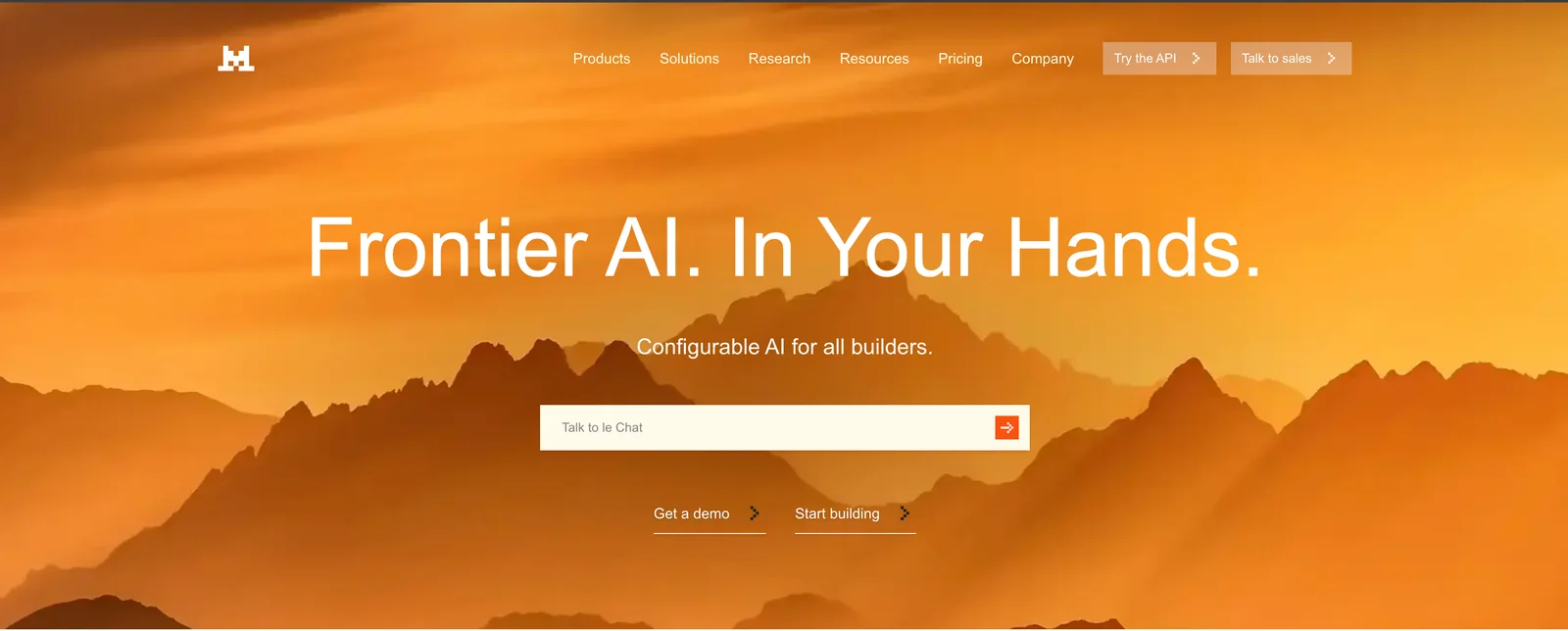
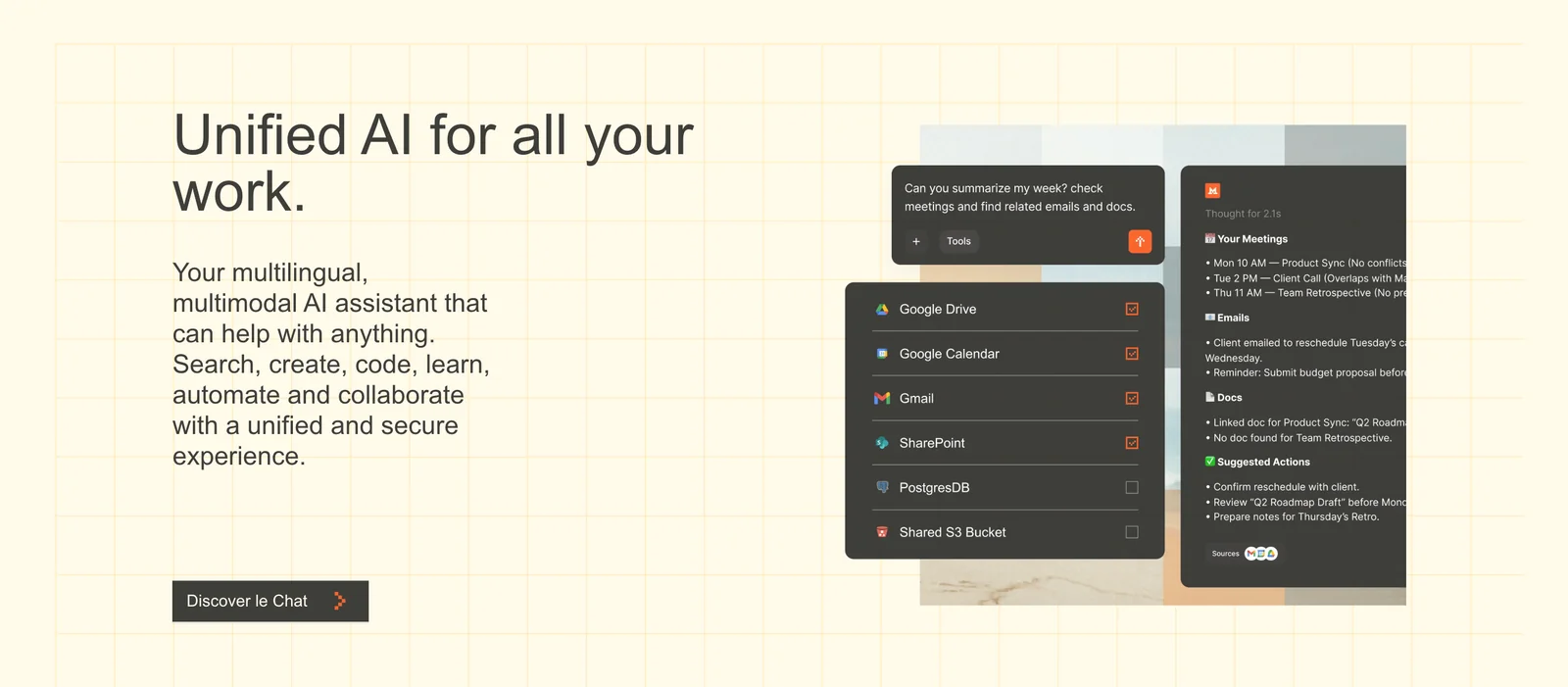
Mistral AI provides a platform and open-source models for building, fine-tuning, and deploying large language models, AI assistants, autonomous agents, and multimodal systems. The company publishes high-performance open models (e.g., Mistral 7B, Mixtral variants, Mistral-Nemo-Instruct) and provides SDKs, inference libraries, and tooling to integrate models into production. Mistral emphasizes enterprise customization, permissive model licensing for broad use, and capabilities such as instruction fine-tuning, function/tool calling, and multimodal workflows. The organization also collaborates with partners (notably NVIDIA) on model releases and maintains official client libraries and inference tooling on GitHub and model distribution on platforms like Hugging Face.
Screenshots
Key Features
Use Cases



Frequently asked questions about Mistral AI
What are the pricing options for Mistral AI?
Mistral AI provides flexible pricing options, including a freemium model with a free personal plan, a Pro plan priced at approximately $30 per month, and custom pricing for enterprise solutions. For the most accurate and detailed pricing information, visit Mistral AI’s official website.
Key Points
- Freemium Model: Offers a free personal plan.
- Pro Plan: Available at around $30/month.
- Enterprise Solutions: Custom pricing based on user needs.
Detailed Explanation
Mistral AI’s pricing structure is designed to cater to a wide range of users, from individuals to large organizations. The freemium model allows users to access basic features at no cost, making it an excellent option for those just starting with AI tools.
For users seeking more advanced functionalities, the Pro plan is available for approximately $30 per month. This plan typically includes enhanced features such as increased usage limits, priority support, and access to exclusive tools that can significantly boost productivity.
For businesses with specific needs, Mistral AI offers custom pricing for enterprise solutions. This option is tailored to accommodate large teams or specialized requirements, ensuring that organizations receive the tools necessary for their operations. Interested enterprises should contact Mistral AI directly for a personalized quote.
Best Practices / Tips
- Evaluate Your Needs: Before selecting a plan, assess your requirements and the features you will utilize most.
- Utilize the Free Plan: Take advantage of the free personal plan to familiarize yourself with Mistral AI’s interface and features before committing financially.
- Consider Enterprise Solutions: If you represent a business, reach out for a customized quote that can provide better value based on your team’s size and needs.
Additional Resources
How do I get started with Mistral AI?
To get started with Mistral AI, visit the official website, create an account, and select a suitable plan. The free tier offers limited access to basic features and hosted models, making it a great choice for personal use and experimentation.
Key Points
- Create an account on the Mistral AI website.
- Choose a plan that fits your needs; a free tier is available.
- Explore basic features and hosted models.
Detailed Explanation
-
Visit the Mistral AI Website: Begin by navigating to Mistral AI's official website. Look for the “Get Started” or “Sign Up” button prominently displayed on the homepage.
-
Create an Account: Click on the sign-up button, which will direct you to an account registration page. Fill in your details, including your name, email address, and password. You may also need to verify your email through a confirmation link sent to your inbox.
-
Select a Plan: After creating your account, you’ll be presented with various subscription plans. The free tier allows you to access basic features and hosted models, making it ideal for beginners. If you require advanced capabilities, consider the paid plans, which offer more extensive features and higher resource limits.
-
Explore Features: Once you have your account set up, take time to navigate the dashboard. Familiarize yourself with the available tools and functionalities, such as model training, API access, and data management options.
-
Start Using Hosted Models: With the free tier, you can experiment with several pre-built models. This is an excellent way to understand how Mistral AI works and test its capabilities without any financial commitment.
Best Practices / Tips
- Utilize Tutorials: Mistral AI may offer tutorials or documentation on their website. Take advantage of these resources to speed up your learning process.
- Engage with the Community: Join forums or community groups related to Mistral AI. Engaging with other users can provide insights, troubleshooting tips, and new ideas.
- Monitor Usage: If you opt for the free tier, keep an eye on your usage to avoid hitting any limits unexpectedly. Consider upgrading to a paid plan if you find yourself needing more resources.
Additional Resources
What are the key features of Mistral AI?
Mistral AI offers high-performance open models, multimodal capabilities, customizable fine-tuning options, and a robust enterprise deployment platform. It empowers businesses to create bespoke AI assistants and autonomous agents tailored to specific operational needs, enhancing productivity and user interaction.
Key Points
- High-Performance Open Models: Mistral AI's architecture allows for seamless integration with existing systems.
- Multimodal Capabilities: Supports various data types, including text, images, and audio.
- Customizable Fine-Tuning Options: Enables businesses to tailor AI responses according to unique requirements.
Detailed Explanation
Mistral AI stands out due to its high-performance open models, which are designed for scalability and efficiency. This means organizations can implement AI solutions that are not only powerful but also adaptable to various industries, from healthcare to finance.
The multimodal capabilities of Mistral AI allow it to process and analyze multiple forms of data simultaneously. For instance, a business could leverage Mistral AI to create a virtual assistant that understands and responds to text inquiries while also analyzing images or voice commands. This versatility enhances user experience and broadens the scope of applications.
Moreover, Mistral AI offers customizable fine-tuning options. Companies can adjust their AI models based on specific datasets, improving accuracy and relevance. For example, a customer service AI can be trained on historical interactions to provide more contextually aware responses, leading to higher customer satisfaction.
The enterprise deployment platform facilitates easy integration and management of AI tools within an organization. Businesses can deploy these models on-premises or in the cloud, ensuring flexibility and security based on their operational needs.
Best Practices / Tips
- Start Small: When implementing Mistral AI, begin with pilot projects to test models and fine-tuning options before large-scale deployment.
- Utilize Multimodal Features: Explore the potential of multimodal capabilities by incorporating diverse data types to enrich user interactions.
- Regularly Update Models: Keep your AI models updated with the latest data and feedback to ensure they remain effective and relevant.
Additional Resources
How does Mistral AI compare to other AI platforms?
Mistral AI differentiates itself from other AI platforms through its open-source models and flexible freemium pricing. It provides unique fine-tuning capabilities and customizable deployment options, making it particularly advantageous for enterprises looking to leverage AI solutions tailored to their specific needs.
Key Points
- Open-source Models: Mistral AI provides transparency and community-driven development.
- Freemium Pricing: Allows users to access basic features for free and upgrade as needed.
- Flexible Deployment Options: Supports on-premises and cloud-based implementations.
Detailed Explanation
Mistral AI's open-source approach enables developers to access and modify the underlying code, promoting innovation and collaboration within the AI community. Unlike many proprietary platforms, Mistral AI encourages users to contribute improvements and share best practices, fostering a vibrant ecosystem.
Additionally, the freemium pricing model allows businesses to explore Mistral AI's capabilities without significant upfront investment. Users can utilize basic functionalities for free, transitioning to paid plans as their requirements grow. This model makes Mistral AI accessible to startups and large enterprises alike.
Mistral AI excels in fine-tuning capabilities, allowing organizations to customize models based on their unique datasets. For instance, a healthcare provider can fine-tune Mistral AI to recognize specific medical terminologies, enhancing the platform's accuracy in processing health-related data. Moreover, the flexible deployment options support both cloud and on-premises installations, enabling organizations to choose the infrastructure that best fits their security and performance needs.
Best Practices / Tips
- Evaluate Your Needs: Assess your organization’s specific AI requirements to determine if Mistral AI's features align with your goals.
- Start with the Freemium Model: Utilize the free version to explore functionality before committing to a paid plan.
- Engage with the Community: Participate in forums and discussions to learn from other users' experiences and share insights.
Additional Resources
What API integrations does Mistral AI support?
Mistral AI supports API integrations through Software Development Kits (SDKs) for Python and JavaScript, making it easy to connect with existing applications. Additionally, it is compatible with popular machine learning frameworks, which simplifies the model deployment process for developers.
Key Points
- Mistral AI offers SDKs for Python and JavaScript.
- It integrates seamlessly with common machine learning frameworks.
- The platform streamlines model deployment for developers.
Detailed Explanation
Mistral AI provides robust SDKs for both Python and JavaScript, empowering developers to easily integrate its functionalities into their applications. This is particularly beneficial for those working on data science or machine learning projects, where efficient API interactions are crucial.
Python SDK
The Python SDK is ideal for data scientists and machine learning engineers. With Python being a dominant language in the AI community, Mistral's SDK allows users to leverage libraries like NumPy and Pandas. This makes data manipulation and model training straightforward. For example, a data scientist can quickly fetch AI model predictions or update models with real-time data using a few lines of code.
JavaScript SDK
The JavaScript SDK caters to web developers looking to implement AI features in their applications. By supporting both client-side and server-side environments, it allows for dynamic AI functionalities in web apps. For instance, a developer can create interactive dashboards that display real-time AI analytics directly on a webpage.
Framework Compatibility
Mistral AI is compatible with popular machine learning frameworks such as TensorFlow, PyTorch, and Scikit-learn. This compatibility ensures that users can deploy models without needing to rewrite code. For example, a model trained in TensorFlow can be deployed through Mistral AI with minimal adjustments, saving time and resources.
Best Practices / Tips
- Start Small: Begin with simple integrations to understand how Mistral AI's SDKs work before scaling up.
- Utilize Documentation: Refer to Mistral AI’s official documentation for specific coding examples and best practices.
- Test Thoroughly: Ensure that your models work as expected in a development environment before moving to production.
- Monitor Performance: Use logging and monitoring tools to track the performance of your integrations and make necessary adjustments.
Additional Resources
Explore more AI Ai Models tools
Browse all Ai Models tools →Compare Mistral AI: vs Mouse-1 · vs Milliseconds.ai · vs SWE-2 · vs Desert Ant Labs