

Midjourney
AIPopularText-to-image service that generates artistic images from textual prompts via Discord and a web interface.
Midjourney
Text-to-image service that generates artistic images from textual prompts via Discord and a web interface.
About Midjourney
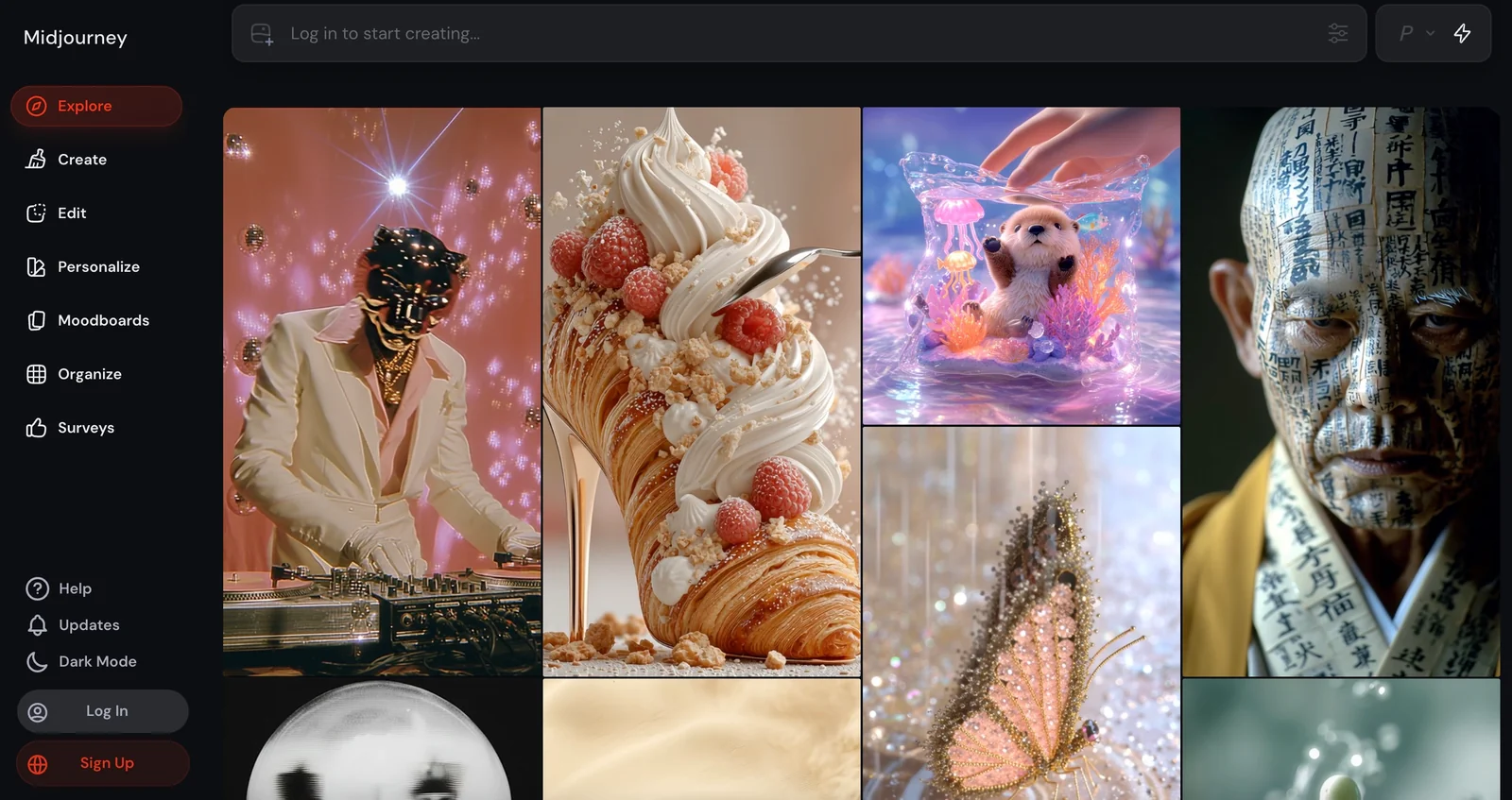
Midjourney is an independent research lab and text-to-image service that converts user-written prompts into rendered images. Users interact primarily through a Discord bot (e.g., the /imagine command) or a web interface to submit prompts, receive generated images, request variations, and upscale outputs. The platform exposes multiple model versions and supports specifying seeds to improve reproducibility, while a large community and third-party SDKs/bots augment workflow automation, competition management, and image storage. Midjourney focuses on creative, stylized, and imaginative imagery and provides guidance on prompt structure and token choice to influence outputs.
Screenshots
Key Features
Use Cases



Frequently asked questions about Midjourney
What are the pricing options for Midjourney?
Midjourney offers several subscription plans: Basic for $10/month, Standard for $30/month, Pro for $60/month, and custom solutions for teams. Each plan provides different levels of fast-mode image generation and unique features tailored to various user needs.
Key Points
- Basic Plan: $10/month for essential features.
- Standard Plan: $30/month with enhanced capabilities.
- Pro Plan: $60/month for advanced users and teams.
Detailed Explanation
Midjourney's pricing structure caters to a diverse range of users from hobbyists to professionals.
-
Basic Plan: At just $10 per month, the Basic plan is perfect for individuals who want to explore Midjourney's capabilities without a significant financial commitment. This plan includes a limited number of fast-mode image generations, allowing users to create quality images at a lower cost.
-
Standard Plan: Priced at $30 per month, the Standard plan offers more features and a higher limit on fast-mode image generations. This plan is ideal for enthusiasts and small businesses looking to leverage AI-generated art for marketing or creative projects.
-
Pro Plan: For $60 per month, the Pro plan is designed for professionals and larger teams. It includes unlimited fast-mode image generations and advanced features, making it suitable for those who require high-volume image production for commercial purposes.
-
Custom Solutions: For organizations with specific needs, Midjourney offers custom solutions. Users can contact Midjourney's support team to discuss tailored pricing and features that fit their unique requirements.
Best Practices / Tips
- Evaluate Your Needs: Before selecting a plan, determine how often you'll use Midjourney and the volume of images you require. This can help you choose the most cost-effective option.
- Start Small: If you are new to Midjourney, consider starting with the Basic plan to familiarize yourself with the platform before committing to higher-tier subscriptions.
- Monitor Usage: Keep track of your usage to ensure you’re maximizing the benefits of your subscription. Upgrade if you find yourself frequently hitting limits.
Additional Resources
By understanding the pricing options available, users can choose the right plan that aligns with their artistic or business goals, ensuring they maximize the potential of Midjourney's powerful AI tools.
How do I use Midjourney to generate images?
To use Midjourney for generating images, join the Midjourney Discord server and type the command /imagine followed by your desired text prompt. Alternatively, you can utilize the web interface to manage and refine your image creations easily.
Key Points
- Join the Midjourney Discord server.
- Use the
/imaginecommand for image generation. - Access the web interface for managing creations.
Detailed Explanation
Midjourney is an AI image generator that operates primarily through Discord. To start, you need to create an account on Discord if you don’t have one, and then join the Midjourney server. Once you’re in, you’ll find various channels dedicated to image creation.
-
Joining the Discord Server:
- Visit the Midjourney website and click on the invitation link to join the Discord server.
- Follow the prompts to create your account and verify your email.
-
Using Commands:
- In the designated channels (usually named #newbies or similar), type
/imaginefollowed by your prompt. For example:/imagine a futuristic city at sunset. - The bot will process your request and generate multiple images based on your description.
- In the designated channels (usually named #newbies or similar), type
-
Viewing and Managing Creations:
- After a short wait, the bot will post the generated images in the chat. You can click on the images to view them in full size.
- Use the web interface at Midjourney's website to manage your images, save favorites, and explore different versions of your creations.
Best Practices / Tips
- Be Descriptive: Use detailed prompts for better results. Instead of "a dog," try "a golden retriever puppy playing in a sunny park."
- Experiment with Styles: You can specify artistic styles or genres in your prompts, such as "in a cyberpunk style" or "as a watercolor painting."
- Review Community Guidelines: Ensure your prompts adhere to the community standards to avoid any issues with content moderation.
Additional Resources
By following these steps and utilizing the tips provided, you can effectively harness the power of Midjourney to create stunning images tailored to your vision.
What are the main features of Midjourney?
Midjourney features a powerful Discord bot for generating images, options for variations and upscaling, multiple model versions, and community-driven tools for sharing artwork and managing contests. These functionalities empower users to create unique visuals efficiently and engage with a vibrant community of artists.
Key Points
- Discord Bot Interface: Streamlined image generation.
- Variations and Upscaling: Enhances creativity and quality.
- Community Tools: Facilitates sharing and contest management.
Detailed Explanation
Midjourney is an innovative AI tool that leverages a Discord bot to enable image creation. Users can interact with the bot using simple commands to generate images based on text prompts. This interface is highly accessible, making it easy for both beginners and experienced users to create stunning visuals.
Discord Bot Interface
The Midjourney bot operates within Discord, allowing users to generate images seamlessly. By typing commands such as /imagine [your prompt], users can produce unique artwork in seconds. This integration with Discord not only makes it user-friendly but also fosters community interaction.
Variations and Upscaling
Midjourney offers options to create variations of generated images, allowing users to explore different artistic interpretations of their initial ideas. Furthermore, the upscaling feature enhances the resolution of images, making them suitable for print or high-quality displays. This flexibility is particularly beneficial for graphic designers and digital artists looking to refine their work.
Multiple Model Versions
Midjourney continuously updates its AI models, providing users with various options tailored to different artistic styles and preferences. Users can switch between model versions to find the one that best suits their needs, enabling them to create more personalized and stylistic artwork.
Community Tools
Midjourney includes community features that promote sharing and collaboration. Users can participate in contests, providing opportunities to showcase their work and receive feedback from peers. This dynamic environment encourages creativity and growth among artists of all skill levels.
Best Practices / Tips
- Experiment with Prompts: Use varied and descriptive prompts to get the best results; the more specific you are, the better your output.
- Engage with the Community: Join contests and share your artwork to gain visibility and feedback.
- Utilize Variations: Don’t hesitate to explore multiple variations of your creations to discover unexpected artistic directions.
Additional Resources
- Midjourney Official Documentation
- Discord Setup Guide for Midjourney
- Community Forums and Contest Updates
By leveraging these features and best practices, users can maximize their experience with Midjourney and enhance their creative projects.
How does Midjourney compare to other AI image generators?
Midjourney differentiates itself from other AI image generators through its unique artistic focus, strong community engagement via Discord, and exclusive features like Stealth Mode and extensive customization options. These attributes allow users to create more personalized and visually striking images compared to many competitors.
Key Points
- Artistic Focus: Midjourney emphasizes creative expression, attracting artists and designers.
- Community Engagement: Active user interaction on Discord fosters collaboration and feedback.
- Unique Features: Offers Stealth Mode and advanced customization for tailored image generation.
Detailed Explanation
Midjourney's artistic orientation makes it popular among creators seeking to produce visually compelling images. Unlike many AI image generators that prioritize realism, Midjourney embraces abstraction and artistic styles, making it a favorite for graphic designers and digital artists.
Community engagement is another hallmark of Midjourney. Utilizing Discord, users can share their creations, request feedback, and collaborate on projects, ensuring a vibrant ecosystem. This communal approach not only enhances user experience but also encourages continuous improvement through shared insights.
Unique features such as Stealth Mode enable users to create images without public visibility, a significant advantage for those who want to keep their designs private until they are finalized. Additionally, extensive customization options, including aspect ratios, styles, and color palettes, allow for a high degree of personalization, making it easier to achieve specific artistic visions.
Best Practices / Tips
- Experiment with Styles: Take advantage of Midjourney's various styles and settings to find the best fit for your project.
- Engage with the Community: Join discussions on Discord to gain inspiration, tips, and support from fellow users.
- Utilize Stealth Mode: Use this feature for private projects or when you're exploring new ideas that you want to keep confidential.
- Stay Updated: Regularly check for updates and new features to leverage Midjourney's evolving capabilities.
Additional Resources
Does Midjourney have an API for integration?
Midjourney does not offer a public API for direct integration. However, there are unofficial SDKs and community-driven integrations available, which can enhance functionality and enable automation, provided that users maintain an active subscription to the platform.
Key Points
- No official API available for Midjourney.
- Unofficial SDKs and community integrations exist.
- Automation features require an active subscription.
Detailed Explanation
Midjourney, known for its AI-generated art capabilities, currently lacks a public API that developers can directly utilize for integration into their applications. This limitation means that users cannot easily connect Midjourney's features with other software directly through an official channel.
However, the community has stepped up to fill this gap. Various unofficial Software Development Kits (SDKs) and integrations have emerged, allowing users to automate tasks or enhance the functionality of Midjourney. These community-built tools often leverage the platform's capabilities via unofficial methods, such as web scraping or browser automation, enabling tasks like batch image processing or integration into workflows.
For example, a developer might use an unofficial SDK to create a script that generates images based on user inputs from a separate application. While these solutions can be powerful, users should proceed with caution as these integrations are not officially supported by Midjourney, and functionality may vary.
To use these community solutions, users typically need to maintain an active subscription to Midjourney, which offers various pricing tiers depending on usage limits and features. As of October 2023, subscription plans are designed to cater to different levels of access and usage, ensuring flexibility for users.
Best Practices / Tips
- Research Community Tools: Before adopting unofficial SDKs, thoroughly research user reviews and documentation to ensure compatibility and security.
- Stay Updated: Keep an eye on community forums and GitHub repositories for updates or new tools that enhance integration with Midjourney.
- Monitor Subscription Status: Ensure that your Midjourney subscription is active to avoid interruptions in service when using community integrations.
Additional Resources
- Midjourney Official Website
- Community SDKs on GitHub
- Midjourney Discord Server for user support and discussion.
Explore more AI Ai Models tools
Browse all Ai Models tools →Browse by use case: Image Generation · Video Generation
Compare Midjourney: vs Mouse-1 · vs Milliseconds.ai · vs SWE-2 · vs Desert Ant Labs