

MeDo by Baidu
AINo-code platform that turns natural-language prompts into working full-stack apps and websites using a drag-and-drop editor.
MeDo by Baidu
No-code platform that turns natural-language prompts into working full-stack apps and websites using a drag-and-drop editor.
About MeDo by Baidu
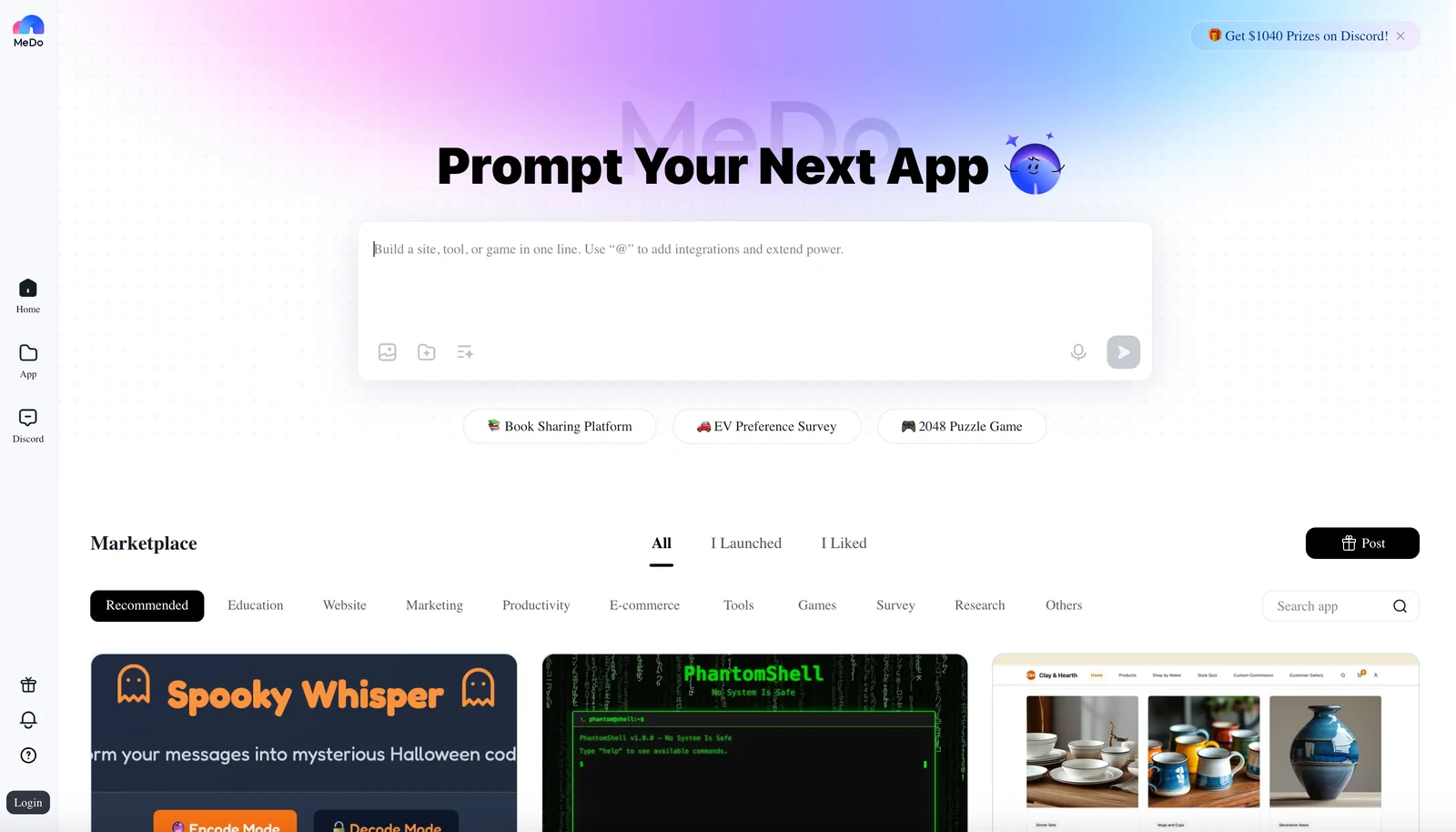
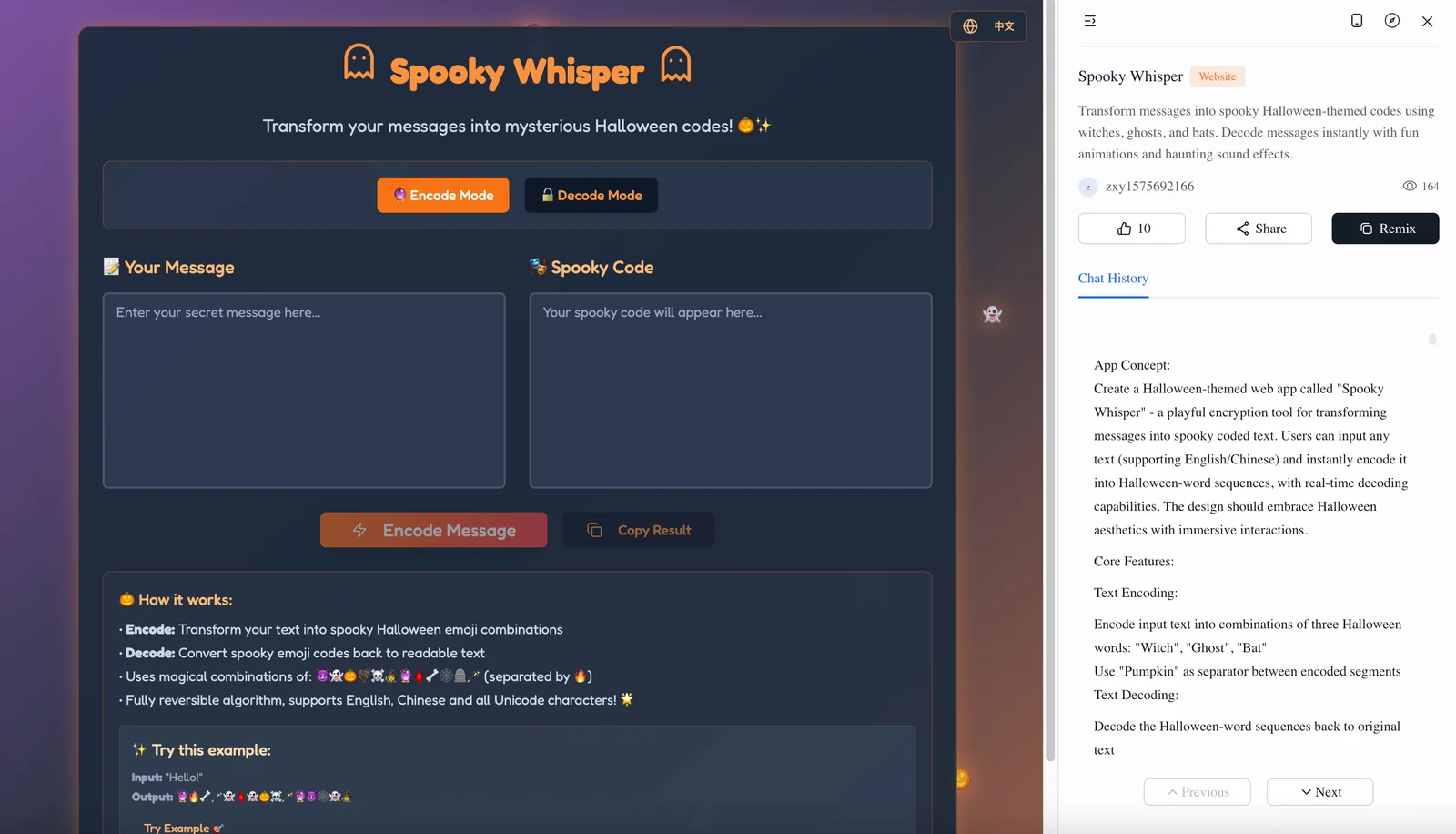
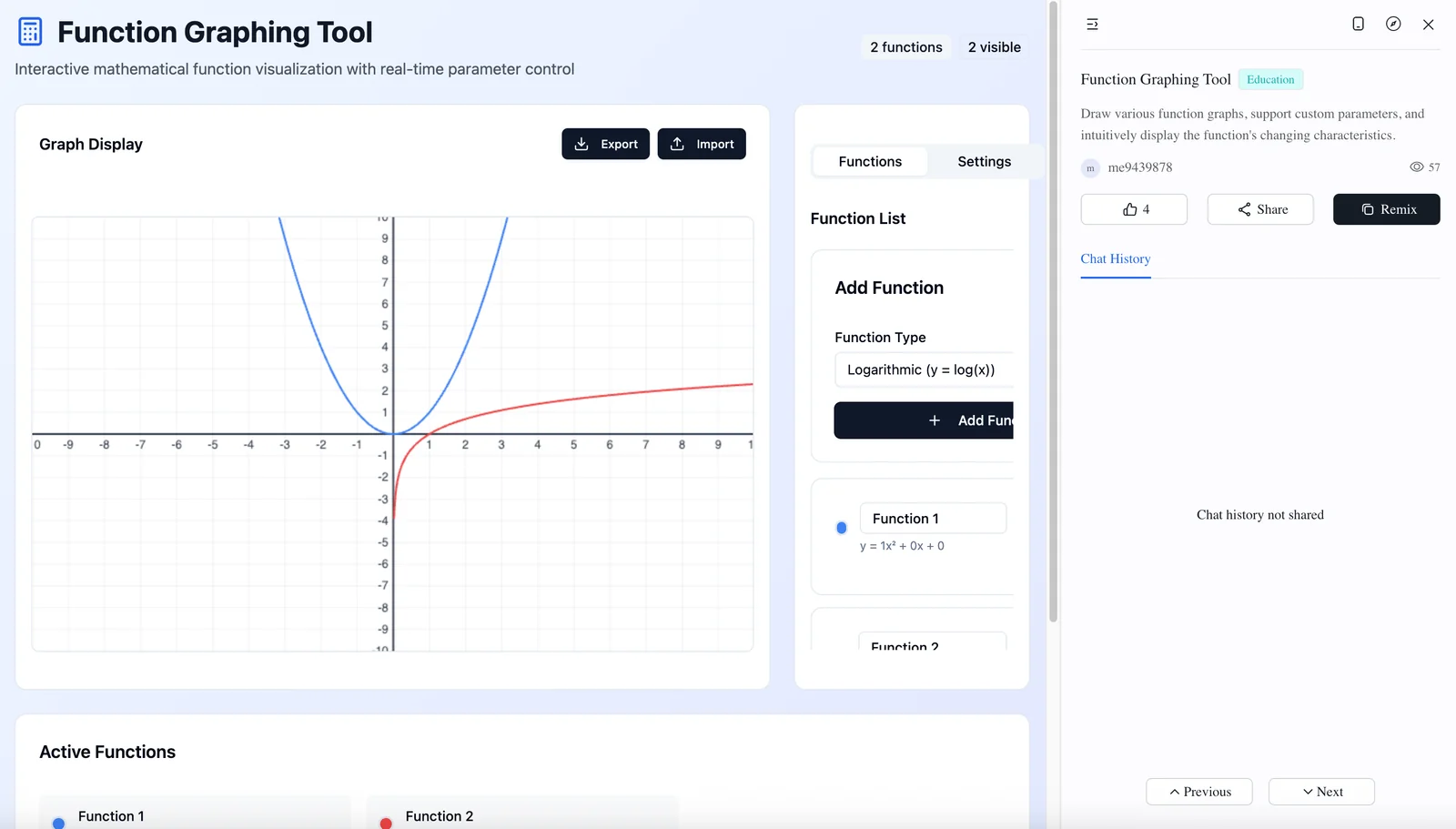
MeDo (Medo) is a code-free app builder that converts plain-language descriptions into working full-stack applications or lets users build apps visually with a drag-and-drop editor. The platform generates front-end pages, data models and backend scaffolding so non-developers can create websites, prototypes and internal tools without writing code. MeDo emphasizes rapid iteration — users can prompt an app idea, refine layout and logic in the visual editor, and produce deployable web applications faster than traditional development workflows.
Screenshots
Key Features
Use Cases



Frequently asked questions about MeDo by Baidu
What are the pricing options for MeDo by Baidu?
MeDo by Baidu offers a freemium pricing model, allowing users to create basic applications for free. Paid plans start at €30 per month for enhanced features, while a pre-order option is priced at $69.99. Custom pricing is available for enterprise-level solutions based on specific needs.
Key Points
- Freemium Model: Basic app creation at no cost.
- Paid Plans: Start at €30/month for advanced features.
- Enterprise Solutions: Custom pricing tailored for businesses.
Detailed Explanation
MeDo is designed to cater to a wide range of developers, from beginners to enterprises.
-
Freemium Model: Users can take advantage of the free tier, which includes basic functionalities for app creation. This is ideal for those looking to experiment with the platform or develop simple applications without any financial commitment.
-
Paid Plans:
- Basic Plan: For €30/month, users can unlock additional features such as advanced analytics, more templates, and increased storage capacity. This plan is suitable for small businesses or individual developers who need more than the basic offerings.
- Pre-Order Option: At $69.99, this option often includes benefits like early access to new features and exclusive support, making it an attractive choice for eager adopters.
-
Enterprise Solutions: MeDo understands that larger organizations may have specific requirements. Therefore, they provide custom pricing to accommodate businesses with unique needs, including dedicated support and personalized features.
Best Practices / Tips
- Evaluate Your Needs: Before choosing a plan, assess your app development requirements. If you're just starting, the freemium model may suffice.
- Consider Upgrading: If you find the basic features limiting, upgrading to the €30/month plan can provide significant advantages that enhance your app's capabilities.
- Inquire About Custom Solutions: For businesses, always reach out to MeDo for a customized quote. This could lead to discounts or tailored features that suit your operational needs.
Additional Resources
What key features does MeDo provide for app development?
MeDo provides essential features for app development, including prompt-to-app generation, a drag-and-drop visual editor, full-stack scaffolding, prebuilt components, instant preview, and API connectivity. These tools enable users to create applications efficiently without needing to write code, streamlining the development process.
Key Points
- Prompt-to-App Generation: Quickly transform ideas into functional apps.
- Drag-and-Drop Visual Editor: Simplifies design with intuitive controls.
- Full-Stack Scaffolding: Facilitates backend and frontend integration seamlessly.
Detailed Explanation
MeDo is designed to empower developers and non-developers alike by offering a robust suite of features that cater to various stages of app development.
-
Prompt-to-App Generation: This feature allows users to input basic project details, and MeDo automatically generates a working app prototype. For instance, users can define the app's purpose and target audience, and the tool will create a foundational framework to build upon.
-
Drag-and-Drop Visual Editor: MeDo’s visual editor is user-friendly, allowing developers to design app interfaces effortlessly. Users can drag components like buttons, forms, and images onto the canvas, adjusting their properties in real-time. This eliminates the need for extensive coding knowledge, making app design accessible to everyone.
-
Full-Stack Scaffolding: With full-stack scaffolding, MeDo simplifies the integration of front-end UI with back-end services. This means that developers can focus on functionality without worrying about the underlying architecture. The tool provides templates for various app types, making it easier to set up databases, server-side logic, and client-side interactions.
-
Prebuilt Components: MeDo comes with a library of prebuilt components that can be customized to fit the app’s theme. This includes user authentication modules, payment gateways, and social media integrations, allowing developers to add complex features with minimal effort.
-
Instant Preview: Users can see changes in real-time through the instant preview feature. This is particularly beneficial for testing and refining user interfaces on the fly, ensuring that the final product meets user expectations.
-
API Connectivity: MeDo supports seamless API integration, enabling apps to connect with third-party services and data sources. This feature allows for the expansion of app functionality without the need for extensive coding.
Best Practices / Tips
- Start with Clear Objectives: Define your app's goals and target audience before diving into development. This will guide your design and feature selection.
- Utilize Prebuilt Components: Leverage the prebuilt components to save time and ensure best practices in functionality and design standards.
- Test Frequently: Use the instant preview feature to test your app regularly throughout the development process. This helps catch and fix issues early.
- Explore API Options: Familiarize yourself with the APIs available in MeDo to enhance your app’s capabilities without reinventing the wheel.
Additional Resources
How do I get started with MeDo for app development?
To get started with MeDo for app development, visit their official website at medo.dev, create an account, and select a pricing plan. After that, you can utilize the intuitive drag-and-drop editor to build your app based on natural-language prompts.
Key Points
- Create an Account: Sign up on MeDo’s website.
- Choose a Pricing Plan: Select a plan that fits your needs.
- Use the Drag-and-Drop Editor: Start building your app with ease.
Detailed Explanation
Getting started with MeDo involves a few straightforward steps:
-
Creating an Account:
- Navigate to medo.dev.
- Click on the “Sign Up” button and fill in the required information to create your account. You may need to verify your email address to activate your account.
-
Choosing a Pricing Plan:
- MeDo offers various pricing plans tailored to different user needs. Review the options available, which typically include a free trial, personal, and enterprise plans. The free trial allows you to explore all features without a commitment.
- Select the plan that best aligns with your app development goals. Pricing may vary based on the features included, like storage capacity and user access.
-
Using the Drag-and-Drop Editor:
- Once your account is set up and your plan is chosen, log in to the MeDo dashboard.
- The drag-and-drop editor is designed for users at all levels, enabling you to create app layouts effortlessly. Simply select pre-built components and arrange them according to your vision.
- Use natural-language prompts to describe what you want, and MeDo's AI assists in generating the necessary code, reducing the technical barrier often associated with app development.
Best Practices / Tips
- Explore Tutorials: Take advantage of the tutorials and documentation available on MeDo’s website. These resources can provide valuable insights into effectively using the platform.
- Plan Your App: Before diving into building, sketch a rough layout of your app to streamline the development process.
- Test Regularly: Utilize the preview feature to test your app’s functionality as you build. This helps catch issues early and ensures a smoother final product.
- Engage with Support: If you encounter challenges, don’t hesitate to reach out to MeDo’s support for assistance.
Additional Resources
By following these steps and tips, you can successfully launch your app development journey with MeDo, leveraging its powerful AI-driven tools for an efficient and effective process.
Does MeDo support API integrations for external services?
Yes, MeDo supports API integrations, allowing users to connect their applications with external services and data sources. This functionality is facilitated through webhooks or direct API calls, significantly enhancing app capabilities and interoperability with other platforms.
Key Points
- Seamless API connectivity for enhanced functionality.
- Support for webhooks and direct API calls.
- Broad compatibility with various external services.
Detailed Explanation
MeDo’s API integration capabilities empower developers to create more dynamic applications by connecting with external services. This is achieved through:
-
Webhooks: By setting up webhooks, users can receive real-time data from external applications. For instance, if you integrate a payment processor, your app can automatically update user statuses upon transaction completion.
-
Direct API Calls: Users can make direct API calls to various services, allowing for data retrieval and manipulation. For example, accessing user information from a third-party CRM can streamline user management processes.
-
Use Cases:
- E-commerce: Integrate with inventory systems to keep stock levels updated in real-time.
- Social Media: Connect to platforms like Twitter and Facebook to fetch user analytics and engagement data.
- Analytics: Utilize external analytics tools to track user behavior and app performance comprehensively.
These integrations not only enhance the functionality of the apps built on MeDo but also provide a more cohesive user experience by allowing different services to work together seamlessly.
Best Practices / Tips
- Documentation Review: Always review the API documentation of the external service for specific requirements and limitations.
- Testing: Conduct thorough testing of API calls in a staging environment before going live to ensure functionality and performance.
- Error Handling: Implement robust error handling to manage issues that may arise with API connectivity, such as downtime or changes in the API.
Additional Resources
How does MeDo compare to other no-code platforms?
MeDo distinguishes itself from other no-code platforms through its unique prompt-to-app generation and comprehensive full-stack capabilities, catering specifically to non-developers. Unlike many platforms that focus on singular features, MeDo enables users to rapidly create both applications and websites, streamlining the development process.
Key Points
- Prompt-to-App Generation: Quickly transforms user prompts into functional applications.
- Full-Stack Capabilities: Supports both frontend and backend development seamlessly.
- User-Friendly Interface: Designed for non-developers, ensuring ease of use.
Detailed Explanation
MeDo's standout feature is its prompt-to-app generation, allowing users to input simple prompts and receive fully-functioning applications without any coding knowledge. This capability not only saves time but also empowers individuals and small businesses to bring their ideas to life without the need for a dedicated development team.
In addition to its innovative app generation, MeDo offers full-stack capabilities, meaning it can handle both the frontend (user interface) and backend (server-side logic) of applications. This holistic approach contrasts with other platforms that may only provide tools for either frontend or backend development, limiting users' ability to build complete solutions.
The user-friendly interface of MeDo further enhances its attractiveness. The platform is designed with non-developers in mind, featuring drag-and-drop tools and intuitive design that simplify the app creation process. Users can easily customize templates or start from scratch, making it an excellent choice for entrepreneurs or small business owners.
Best Practices / Tips
- Utilize Templates: Start with pre-built templates to accelerate your development process and adapt them to your needs.
- Stay Updated: Regularly check for platform updates and new features that can enhance your app's functionality.
- Test Your Applications: Always run user tests to refine the user experience and ensure your app performs well across devices.
Additional Resources
Explore more AI Ai Agents tools
Browse all Ai Agents tools →Browse by use case: Automation & Productivity
Compare MeDo by Baidu: vs Playad · vs Concierge by Juniors AI · vs Scout by Fini · vs Ruflo