

Manus
AIAn action engine that executes tasks, automates workflows, and extends human reach by performing steps beyond generating answers.
Manus
An action engine that executes tasks, automates workflows, and extends human reach by performing steps beyond generating answers.
About Manus
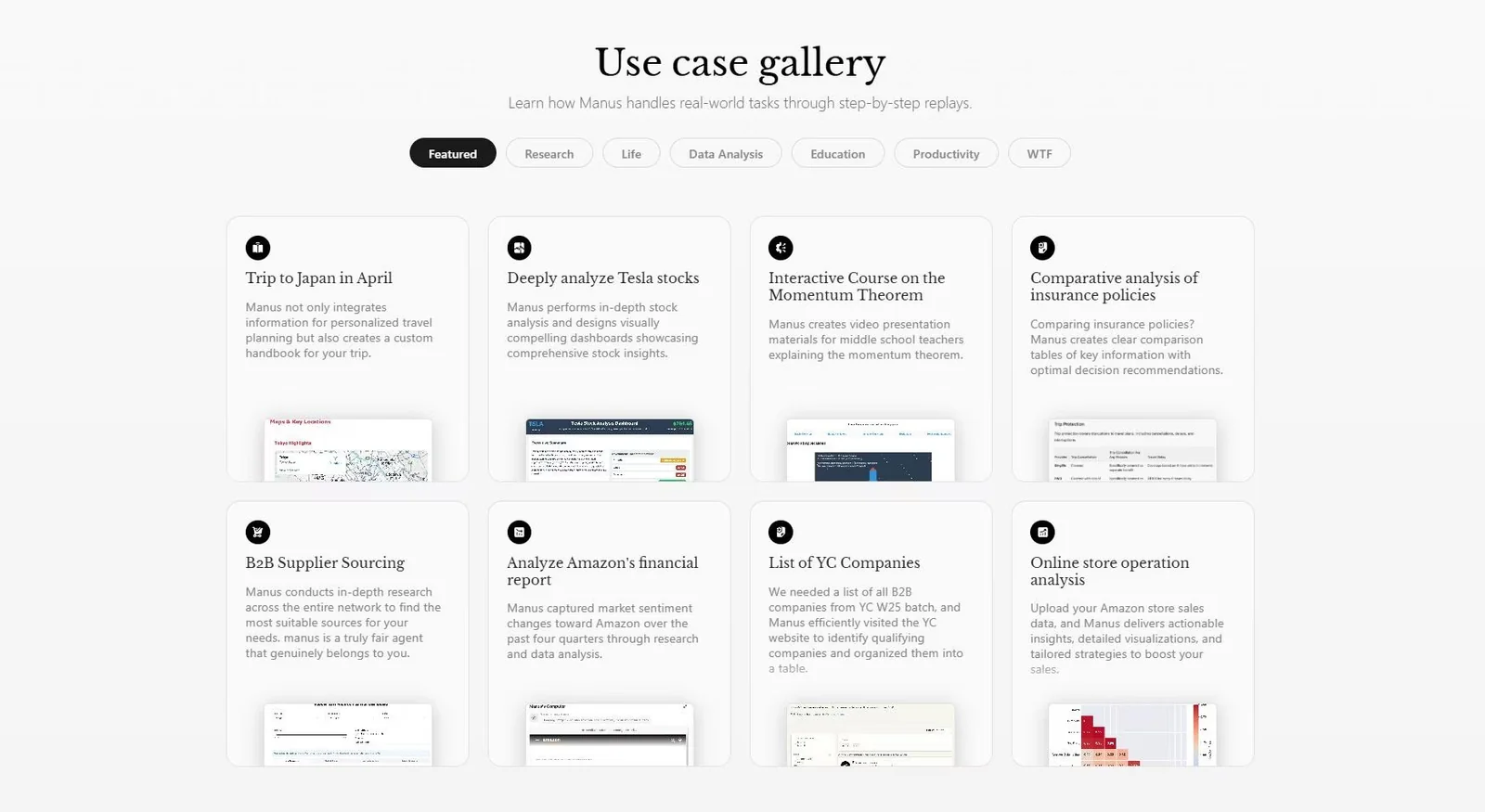
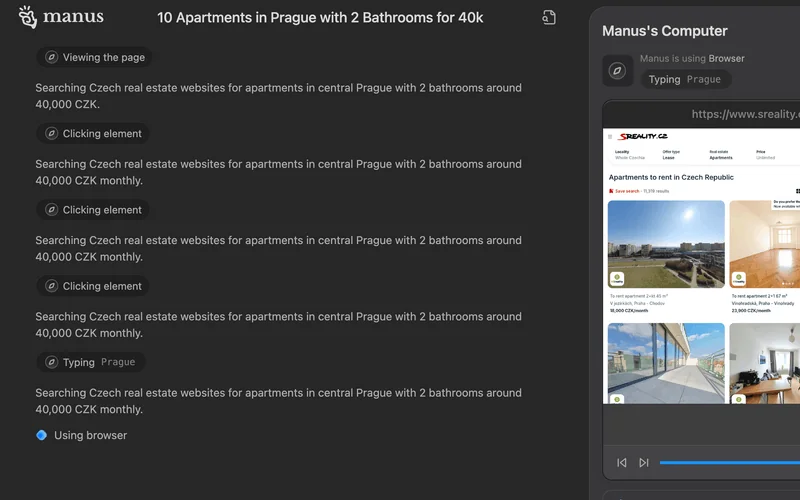
Manus is an action-focused agentic platform designed to move beyond static answers and actually perform tasks, orchestrate multi-step workflows, and integrate with external tools. It uses an explicit operational loop to plan, select tools, execute actions, wait for results, and iterate until goals are complete. Manus is built to operate in controlled execution environments (commonly a Linux sandbox in community descriptions), supporting information gathering, data processing, content generation, and automated task orchestration. Its distinct value comes from a clearly defined agent loop and tooling integration that make multi-step autonomous workflows deterministic and auditable, and which have inspired open-source reproductions and developer frameworks.
Screenshots

Key Features
Use Cases



Frequently asked questions about Manus
What are the pricing options for Manus?
Manus offers a flexible pricing structure that includes a freemium model with a free plan, a Starter tier at approximately $39/month, a Basic tier around $19/month, a Pro tier at about $199/month, and tailored custom enterprise solutions, each with varying features and credits to suit different user needs.
Key Points
- Freemium Model: Manus provides a free plan for basic usage.
- Tiered Pricing: Multiple paid tiers cater to various user requirements.
- Enterprise Solutions: Custom options are available for larger organizations.
Detailed Explanation
Manus is designed to accommodate a wide range of users, from beginners to large enterprises. The freemium model allows users to start using the platform without any financial commitment. This entry-level access includes core features that help new users familiarize themselves with the software.
-
Starter Tier ($39/month): Ideal for individual users or small teams, this tier offers enhanced features such as increased credits, advanced analytics, and priority customer support.
-
Basic Tier ($19/month): This plan is suited for casual users or small businesses looking for essential tools to optimize their workflow. It includes basic features and a limited number of credits.
-
Pro Tier ($199/month): Aimed at professional users or larger teams, the Pro tier includes all features from the previous tiers plus additional credits, advanced integrations, and dedicated support. This tier is perfect for users who need extensive functionality and want to maximize productivity.
-
Custom Enterprise Solutions: For larger organizations, Manus offers tailored pricing and features based on specific needs. This can include specialized integrations, compliance support, and volume discounts.
Best Practices / Tips
- Evaluate Your Needs: Before choosing a tier, assess your usage patterns and feature requirements to select the most cost-effective option.
- Take Advantage of Free Plan: Use the free plan to explore Manus and determine which features are essential before committing to a paid tier.
- Consider Annual Subscriptions: If you find Manus beneficial, consider opting for an annual subscription to save on monthly costs.
Additional Resources
- Manus Pricing Page for the latest information on plans.
- Manus Features Overview to understand what each tier offers.
How do I get started with Manus?
To get started with Manus, visit the official website, sign up for a free account, and explore its basic functionalities. You can access various templates and features available in the free plan, which are perfect for initial tasks and understanding the platform's capabilities.
Key Points
- Sign Up for a Free Account: Begin your journey by creating an account.
- Explore Templates: Utilize various templates offered in the free plan.
- Learn the Features: Familiarize yourself with Manus functionalities through guided tours.
Detailed Explanation
Getting started with Manus is straightforward and user-friendly, making it accessible even for beginners.
- Visit the Official Website: Navigate to Manus’ official website to access the platform.
- Create an Account: Click on the “Sign Up” button. Fill in your email, create a password, and confirm your account through the verification email sent to you.
- Explore Basic Functionalities: After logging in, you’ll find an intuitive dashboard. Take a moment to familiarize yourself with the layout.
- Access Templates: Manus offers numerous templates tailored to different tasks like project management, content creation, and more. These templates are essential for quickly getting started with your projects.
- Utilize the Free Plan: The free plan provides essential features, allowing you to test the water before committing to a paid subscription. This includes limited premium templates and basic collaboration tools.
Best Practices / Tips
- Take Advantage of Tutorials: Manus provides video tutorials and user guides. Spend some time watching these to maximize your understanding of the platform.
- Experiment with Features: Don’t hesitate to explore different features available in the free plan. You can try out various tools like collaboration and task management.
- Join the Community: Engage with other Manus users through forums or social media groups to share tips and best practices.
- Upgrade When Ready: If you find Manus helpful for your projects, consider upgrading to a premium plan for more advanced features.
Additional Resources
- Manus Help Center: Access comprehensive guides and FAQs.
- Manus Blog: Stay updated on new features and best practices.
- User Community Forums: Connect with other users for support and sharing ideas.
What are the key features of Manus?
Manus is a powerful AI tool featuring an explicit agent loop for efficient task execution, dynamic tool selection for adaptability, Linux sandbox execution for security, multi-step planning for complex workflows, information gathering capabilities, long-form content creation, and seamless integrations with external tools for enhanced functionality.
Key Points
- Explicit Agent Loop: Facilitates efficient task execution.
- Dynamic Tool Selection: Adapts to various tasks and environments.
- Linux Sandbox Execution: Ensures security and stability.
Detailed Explanation
Manus stands out in the AI landscape with its explicit agent loop, which allows for systematic task execution by breaking down processes into manageable steps. This structured approach enhances productivity, as users can monitor progress and adjust strategies in real-time.
The dynamic tool selection feature allows Manus to evaluate and choose the most effective tools for specific tasks. For instance, when creating long-form content, Manus can switch between writing tools, SEO analysis applications, and grammar checkers to ensure high-quality output.
Another critical feature is Linux sandbox execution, which provides a secure environment for running applications without risking system stability. This is particularly useful for developers or businesses that require a safe space to test new software or functionalities before deployment.
Multi-step planning enables users to tackle complex projects by outlining each step and defining dependencies, which streamlines workflows. This feature is especially beneficial for project management and content strategy development, allowing teams to collaborate more effectively.
Information gathering capabilities empower Manus to pull data from various sources, including APIs and databases, which can be used to enrich content or inform decision-making processes. This is vital for marketers and researchers who rely on accurate data to drive their strategies.
Finally, Manus boasts integrations with external tools, enhancing its utility across different platforms. Users can connect Manus with popular applications like Google Docs, Trello, or Slack, facilitating seamless collaboration and ensuring that workflows remain uninterrupted.
Best Practices / Tips
- Utilize the agent loop: Break tasks into smaller parts to enhance focus and track progress efficiently.
- Leverage dynamic tool selection: Be open to switching tools based on task requirements to improve output quality and efficiency.
- Test in the sandbox: Always use the Linux sandbox for experimentation to prevent potential disruptions in your main workflow.
Additional Resources
How does Manus compare to other AI automation tools?
Manus stands out among AI automation tools due to its explicit agent loop and multi-step planning capabilities, enabling complex task automation. It integrates seamlessly with external tools and offers extensive workflow automation, making it a versatile choice for businesses looking to enhance productivity.
Key Points
- Explicit Agent Loop: Facilitates complex decision-making processes.
- Multi-Step Planning: Allows for intricate task automation.
- Integration and Workflow Automation: Easily connects with various external tools.
Detailed Explanation
Manus is designed to simplify and enhance automation processes by utilizing a unique explicit agent loop. This feature allows the software to handle complex decision-making and manage tasks that require several steps, which is crucial for businesses that rely on intricate workflows.
Examples of Manus Capabilities:
-
Explicit Agent Loop: This feature allows Manus to interpret multiple data inputs, making decisions based on real-time information. For instance, in customer service automation, Manus can analyze customer queries and route them to the appropriate support agent or provide instant responses.
-
Multi-Step Planning: Manus can execute tasks that involve several stages, such as processing an order, updating inventory, and notifying shipping within a single workflow. This capability reduces the need for manual intervention and minimizes errors.
-
Integration with External Tools: Manus supports integration with popular applications like Slack, Salesforce, and Google Workspace. This means businesses can streamline their operations by connecting Manus to the tools they already use, enhancing overall productivity.
Best Practices / Tips
- Define Clear Automation Goals: Before implementing Manus, identify specific tasks that can benefit from automation to maximize efficiency.
- Start with Simple Workflows: Begin with basic automation tasks to understand Manus's capabilities before moving on to more complex scenarios.
- Regularly Update Integrations: Keep your external tool integrations updated to ensure seamless functionality and avoid disruptions in workflows.
Additional Resources
Does Manus offer an API for integrations?
Yes, Manus offers a robust API for seamless integrations, enabling developers to connect it with third-party applications and custom tools. This flexibility enhances automation capabilities and allows for tailored workflows across various platforms.
Key Points
- Extensible Integrations: Manus API allows for easy connection with third-party services.
- Enhanced Automation: Automate tasks and streamline processes using the API.
- Developer-Friendly: Designed for ease of use by developers, facilitating custom solutions.
Detailed Explanation
Manus provides a comprehensive API that empowers developers to build integrations with various third-party applications and tools. This feature is particularly advantageous for businesses looking to enhance their operational efficiency.
Use Cases
- Workflow Automation: Automate repetitive tasks by integrating Manus with tools like Zapier or Integromat.
- Custom Reporting: Pull data from Manus into business intelligence tools such as Tableau or Power BI for advanced analytics.
- Real-time Notifications: Connect Manus with messaging platforms like Slack to receive updates and alerts about project statuses.
Step-by-Step Guidance
- Access the API Documentation: Start by visiting the Manus API documentation to understand the endpoints and data formats.
- Authentication: Implement OAuth or API keys as specified in the documentation to securely connect.
- Build Your Integration: Write scripts or applications to interact with the Manus API, utilizing endpoints to push or pull data as needed.
- Test Your Integration: Use tools like Postman to test API calls before deploying to ensure everything functions as expected.
Best Practices / Tips
- Start Small: Begin with simple integrations and gradually expand to more complex solutions.
- Monitor Performance: Regularly check API usage and performance metrics to optimize and troubleshoot.
- Stay Updated: Keep abreast of API changes or updates from Manus to ensure compatibility and leverage new features.
Additional Resources
Explore more AI Ai Agents tools
Browse all Ai Agents tools →Browse by use case: Code Generation · Automation & Productivity
Compare Manus: vs Mycel · vs Proto-Mind · vs Ami · vs Duvi