

Maillayer
AISelf-hosted email marketing platform sold via a one-time license with no monthly subscription fees.
Maillayer
Self-hosted email marketing platform sold via a one-time license with no monthly subscription fees.
About Maillayer
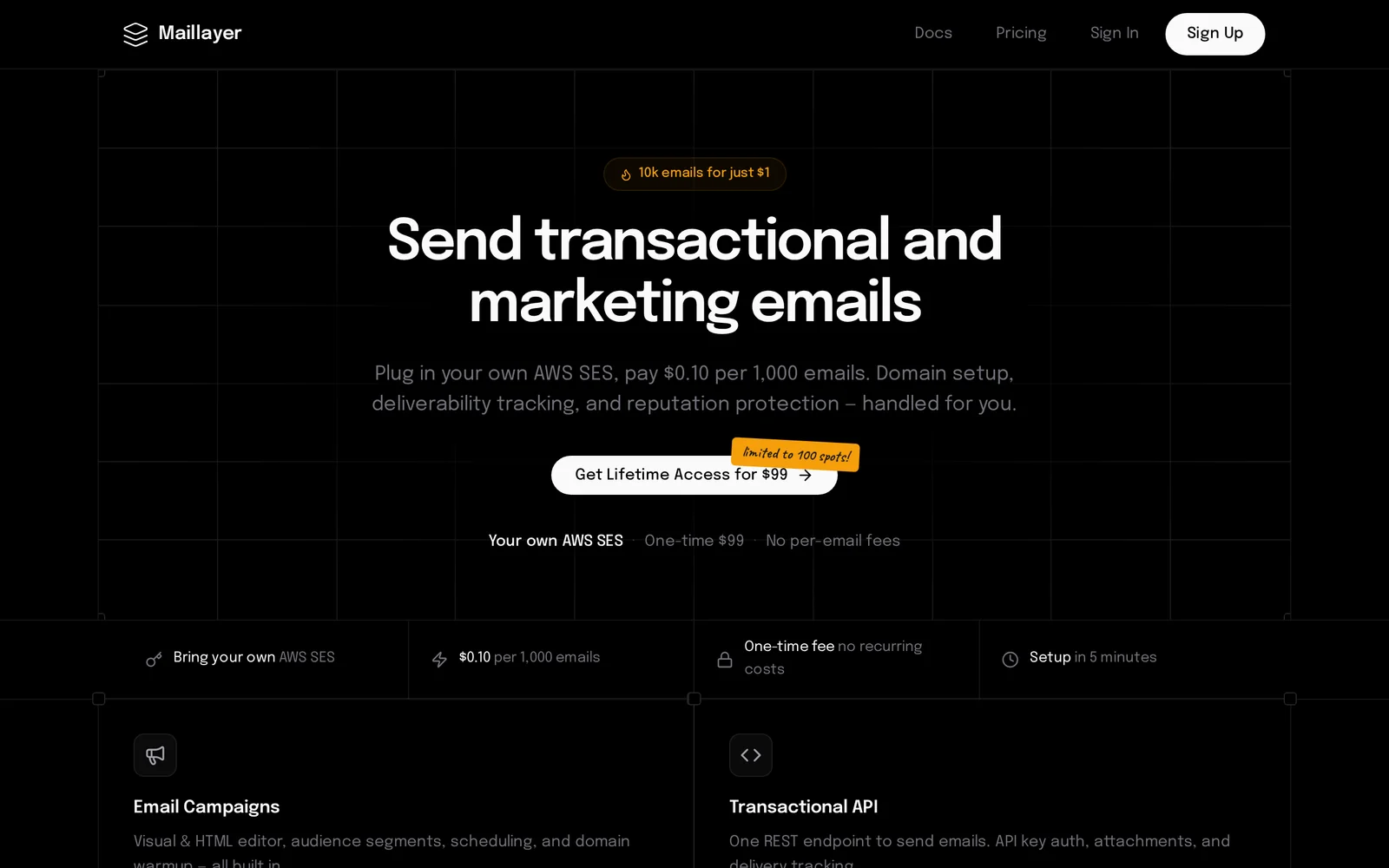
Maillayer is a self-hosted email marketing platform that emphasizes subscription-free usage through a one-time license. It allows organizations to run email marketing and transactional mail workloads on their own infrastructure, keeping data and deliverability controls in-house. The product's value proposition centers on eliminating recurring costs and providing data ownership, privacy, and full control over delivery configuration.
Screenshots
Key Features
Use Cases



Frequently asked questions about Maillayer
What is Maillayer?
Maillayer is a self-hosted email marketing platform that allows users to manage their email campaigns without the burden of monthly subscription fees. It is sold via a one-time license, making it a cost-effective solution for businesses looking to enhance their email marketing efforts.
Key Points
- Self-Hosted Solution: Users have complete control over their data.
- One-Time License: No ongoing subscription fees required.
- Feature-Rich: Offers a variety of tools for effective email marketing.
Detailed Explanation
Maillayer is designed for businesses and marketers who want full ownership of their email marketing platform without recurring costs. With its self-hosted nature, users can install it on their own servers, ensuring security and privacy for their subscriber data. This is particularly beneficial for businesses concerned about data protection regulations like GDPR.
Features of Maillayer:
- Drag-and-Drop Editor: Users can easily create visually appealing emails without needing coding skills.
- Automation Tools: Set up automated email sequences to nurture leads and enhance customer engagement.
- Analytics and Reporting: Gain insights into campaign performance with comprehensive metrics, including open rates, click-through rates, and subscriber behavior.
For example, a small business can use Maillayer to send personalized newsletters, promotional offers, and automated birthday greetings, improving customer retention and engagement.
Best Practices / Tips
- Regularly Update: Keep your software updated to ensure security and access to the latest features.
- Segment Your Audience: Use segmentation to send targeted emails, increasing relevance and engagement.
- Monitor Analytics: Regularly review your campaign analytics to identify trends and areas for improvement.
Common Pitfalls to Avoid:
- Neglecting Mobile Optimization: Ensure your emails are mobile-friendly, as many users check emails on their devices.
- Ignoring Spam Regulations: Always comply with laws such as CAN-SPAM and GDPR to avoid penalties.
Additional Resources
These resources will help you maximize your use of Maillayer and improve your overall email marketing strategy.
How does Maillayer work?
Maillayer is an AI-driven platform designed to streamline daily workflows by automating tasks such as email marketing, data analysis, and customer engagement. It leverages advanced artificial intelligence to enhance productivity, enabling users to focus on strategic activities while the platform handles routine operations effectively.
Key Points
- AI-Powered Automation: Maillayer automates repetitive tasks, improving efficiency.
- User-Friendly Interface: The platform offers an intuitive design that simplifies navigation and usage.
- Versatile Applications: Suitable for email marketing, customer relationship management, and data analysis.
Detailed Explanation
Maillayer utilizes sophisticated AI algorithms to optimize various business processes. Here’s how it works:
-
Email Marketing Automation: Users can create and manage email campaigns effortlessly. The platform allows for segmentation of audiences, personalized content creation, and scheduling of emails, ensuring that the right message reaches the right audience at the right time.
-
Data Analysis: Maillayer provides analytics tools that track user engagement and campaign performance. By analyzing this data, businesses can make informed decisions to enhance their marketing strategies. For example, if a particular email subject line yields higher open rates, users can replicate this success in future campaigns.
-
Customer Engagement: The platform supports automated responses and follow-ups, enabling businesses to maintain consistent communication with their customers. This is crucial for nurturing leads and improving customer satisfaction.
-
Seamless Integration: Maillayer integrates with various third-party applications, allowing for a more cohesive workflow. Whether connecting with CRM systems or social media platforms, this integration ensures that all data is synchronized and easily accessible.
Best Practices / Tips
- Utilize Segmentation: Always segment your email lists based on customer behavior and preferences. This increases engagement rates significantly.
- A/B Testing: Regularly conduct A/B tests on subject lines and content to determine what resonates best with your audience.
- Monitor Analytics: Leverage the analytics tools provided by Maillayer. Regularly review metrics to understand campaign performance and make necessary adjustments.
- Personalization: Personalize your emails to enhance user experience and engagement. Use the recipient's name and tailor content based on their interests.
Additional Resources
What are the main features of Maillayer?
Maillayer offers robust features designed to enhance email marketing efficiency. Key functionalities include advanced AI capabilities for personalized content, automated campaign management, and comprehensive analytics tools to track performance and engagement. These features empower businesses to optimize their email strategies effectively.
Key Points
- AI-Powered Personalization: Tailors content based on recipient behavior.
- Automated Campaign Management: Streamlines scheduling and execution.
- Analytics and Reporting: Provides insights into open rates and engagement.
Detailed Explanation
Maillayer stands out in the crowded email marketing landscape with its core features aimed at maximizing user engagement and campaign effectiveness.
AI-Powered Personalization
Maillayer leverages advanced artificial intelligence to analyze recipient behavior and preferences. This allows businesses to create highly personalized email content that resonates with their audience, increasing the likelihood of conversion. For example, if a user frequently interacts with content related to a specific product category, Maillayer can automatically adjust future email campaigns to highlight similar products.
Automated Campaign Management
The platform's automated campaign management feature simplifies the process of scheduling emails. Users can set up drip campaigns, send welcome emails, or schedule newsletters without manual intervention. This automation not only saves time but also ensures that communication is timely and relevant. For instance, businesses can create a series of emails that are sent automatically based on user sign-up dates or specific actions taken on their website.
Analytics and Reporting
Understanding the effectiveness of email campaigns is crucial for continuous improvement. Maillayer provides detailed analytics that track key metrics such as open rates, click-through rates, and overall engagement. These insights enable businesses to refine their strategies over time. For example, if analytics show a low open rate, users can experiment with different subject lines or send times to improve engagement.
Best Practices / Tips
- Segment Your Audience: Utilize Maillayer’s segmentation features to target specific groups with tailored messages.
- A/B Testing: Regularly conduct A/B tests on subject lines, content, and send times to determine what resonates best with your audience.
- Monitor Analytics: Regularly check analytics reports to identify trends and make data-driven decisions for future campaigns.
Additional Resources
Who is Maillayer for?
Maillayer is designed for a diverse range of users, including marketers, entrepreneurs, educators, and anyone interested in automating daily AI workflows. Its intuitive platform helps streamline tasks like email marketing, data analysis, and customer engagement, making it suitable for both individuals and businesses seeking efficiency.
Key Points
- Target Users: Marketers, entrepreneurs, educators, and businesses.
- Main Features: Email automation, data analysis, and customer engagement tools.
- User Benefits: Time-saving, increased productivity, and enhanced communication.
Detailed Explanation
Maillayer caters to various user groups by providing tools that enhance productivity and streamline workflows.
-
Marketers: For marketers, Maillayer offers robust email automation features, enabling them to create personalized campaigns that resonate with their audience. Users can segment their email lists based on behavior or demographics, allowing targeted outreach that improves engagement rates.
-
Entrepreneurs: Entrepreneurs can leverage Maillayer to manage their customer relationships more effectively. The platform enables them to track customer interactions, send follow-up emails, and analyze engagement metrics, which is crucial for growing their businesses.
-
Educators: Educators can utilize Maillayer for communication with students and parents. By automating newsletters and announcements, they can ensure timely updates and maintain engagement with their audience.
-
Small to Medium Businesses (SMBs): SMBs benefit from Maillayer's cost-effective solutions that allow them to compete with larger enterprises. By utilizing data analysis tools, they can gain insights into customer behavior and optimize their marketing strategies accordingly.
Best Practices / Tips
- Segment Your Audience: Use Maillayer’s segmentation features to create targeted email campaigns. This leads to higher open and click-through rates.
- Automate Follow-ups: Set up automated follow-up emails to engage customers who have interacted with your content but haven't completed a desired action, such as making a purchase.
- Utilize Analytics: Regularly review analytics provided by Maillayer to refine your marketing strategies. Focus on metrics like open rates, click rates, and conversion rates.
- A/B Testing: Conduct A/B tests on email subject lines and content to determine what resonates best with your audience, thereby improving overall campaign performance.
Additional Resources
By understanding and utilizing Maillayer effectively, users can significantly enhance their AI-driven workflows, leading to improved efficiency and results across various applications.
How much does Maillayer cost?
Maillayer pricing varies based on the plan you choose. As of now, there are several tiers available, starting from a basic plan at approximately $10 per month. For the most accurate and up-to-date pricing, visit the official Maillayer website.
Key Points
- Maillayer offers various pricing tiers.
- The basic plan starts at around $10 per month.
- Additional features may affect overall pricing.
Detailed Explanation
Maillayer is a powerful email marketing tool designed for businesses of all sizes. Its pricing structure is tiered, allowing users to select a plan that best suits their needs. The plans typically include features such as email automation, analytics, and customer segmentation.
-
Free Trial: Maillayer often provides a free trial period, allowing potential users to explore its features before committing to a paid plan. This is an excellent opportunity to evaluate if it meets your email marketing needs.
-
Basic Plan: Starting at approximately $10 per month, the basic plan includes essential features such as email templates, basic analytics, and a limited number of email sends per month. This plan is ideal for small businesses or startups testing the waters of email marketing.
-
Advanced Plans: Higher-tier plans may range from $30 to $100 per month, depending on the features offered. These plans often include advanced analytics, A/B testing, and unlimited email sends, catering to larger businesses with extensive marketing campaigns.
-
Custom Pricing: For enterprises or users with specific needs, Maillayer may offer custom pricing options. This is beneficial for businesses looking for tailored solutions that fit their unique marketing strategies.
Best Practices / Tips
- Evaluate Your Needs: Before choosing a plan, assess your email marketing goals and required features. This will help you select a plan that offers the best value.
- Utilize Free Trials: Take advantage of any free trial offered by Maillayer to test its capabilities without financial commitment.
- Monitor Costs: Keep an eye on your email sending limits; exceeding these can lead to unexpected charges. Choose a plan that aligns with your expected email volume.
- Consider Upgrades: If your business grows, be ready to upgrade your plan to accommodate increased email marketing needs.
Additional Resources
By following these guidelines and being aware of the various pricing options, you can make an informed decision when selecting a Maillayer plan that best serves your email marketing goals.
How do I get started with Maillayer?
To get started with Maillayer, simply visit maillayer.com to sign up for an account. Once registered, you can explore the platform's features, including email marketing tools, automation, and analytics to enhance your campaigns.
Key Points
- Easy account creation process
- Access to powerful email marketing features
- User-friendly interface for campaign management
Detailed Explanation
To begin your journey with Maillayer, follow these straightforward steps:
-
Sign Up: Go to maillayer.com and click on the "Get Started" button. Fill in your personal and business information to create your account. You can choose between different pricing plans, starting with a free trial that allows you to test the platform’s capabilities.
-
Explore the Dashboard: After signing up, log in to your dashboard. Familiarize yourself with the interface, where you can find options for campaign creation, list management, and reporting.
-
Import Contacts: Upload your existing email lists or create new segments based on your marketing needs. Maillayer supports CSV file uploads, making it easy to transition your contacts.
-
Create Campaigns: Use Maillayer’s drag-and-drop editor to design visually appealing emails. You can select from various templates or create your own. Personalize your messages using dynamic fields to improve engagement.
-
Automate Your Marketing: Utilize the automation features to set up workflows that send targeted emails based on user actions, such as sign-ups or purchases.
-
Analyze Results: After launching your campaigns, monitor their performance through comprehensive analytics. Track open rates, click-through rates, and conversion metrics to optimize future campaigns.
Best Practices / Tips
- Segment Your Audience: Personalization increases engagement. Create segments based on demographics, behavior, or purchase history to send tailored messages.
- A/B Testing: Regularly test different subject lines, content, and sending times to identify what resonates best with your audience.
- Compliance: Ensure compliance with email regulations like GDPR and CAN-SPAM by including unsubscribe options in all your emails.
Additional Resources
- Maillayer Documentation for in-depth guides on features.
- Email Marketing Best Practices to enhance your strategies.
- Maillayer Support for assistance with common issues or questions.
Explore more AI Ai Services tools
Browse all Ai Services tools →Browse by use case: Automation & Productivity
Compare Maillayer: vs Context.dev · vs ZeroClick · vs jurniti · vs Cadenya