

Livespace.ai
AIAI-powered interior design marketplace that lets users try designs in their rooms and lets designers earn when their designs are tried.
Livespace.ai
AI-powered interior design marketplace that lets users try designs in their rooms and lets designers earn when their designs are tried.
About Livespace.ai
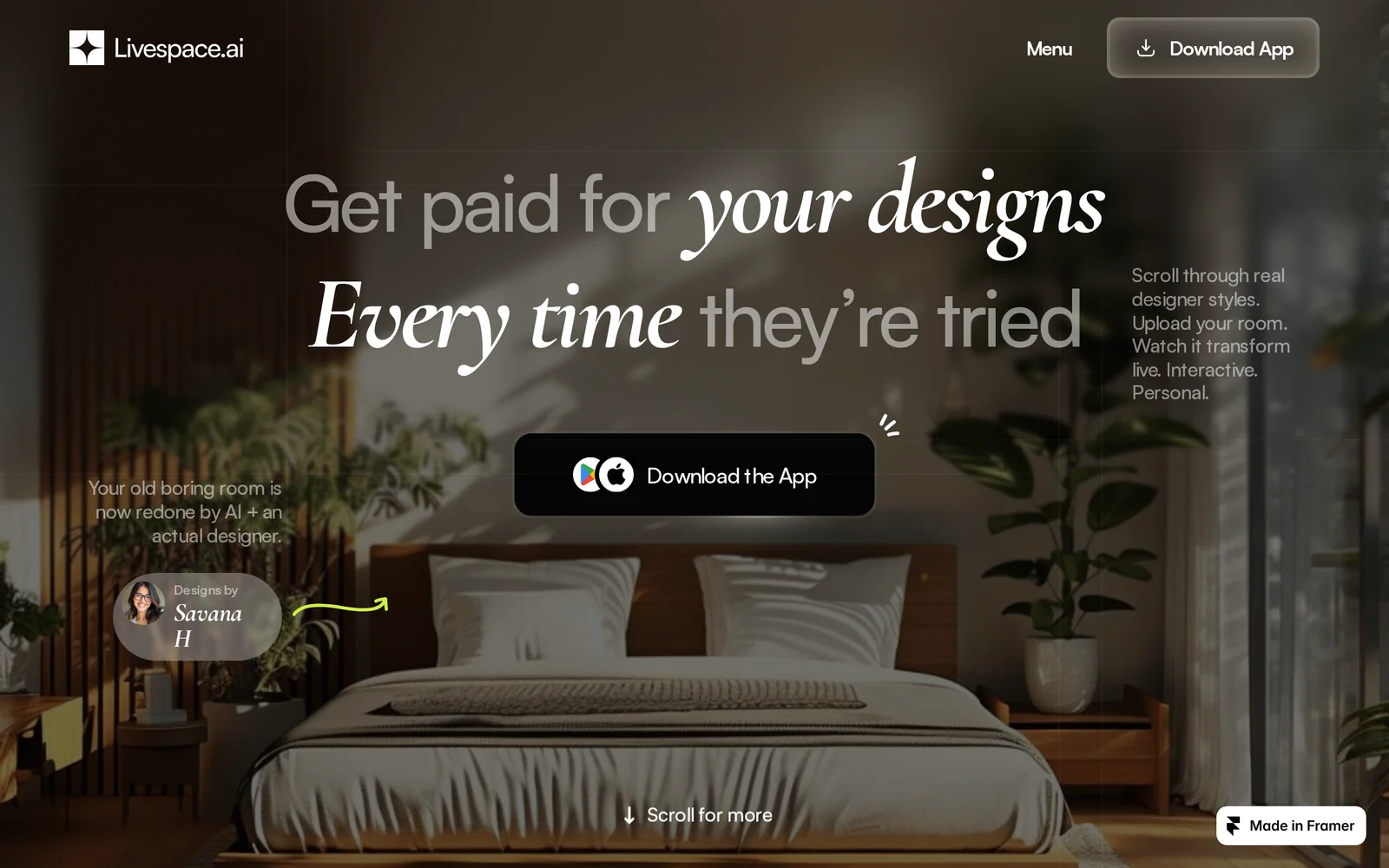
Livespace.ai is a designer-led platform that enables real-time visualization of interior designs in a user’s actual space using generative and image-to-image rendering. Designers upload projects, tag shoppable décor, and wrap their signature style into a mini model so users can browse styles, snap a photo of their room, and watch designs apply live. The platform functions as a marketplace and discovery layer—turning past projects into discoverable portfolios, allowing users to follow, book, buy, and try designs while designers earn passive income whenever someone tries their work. Livespace.ai emphasizes discoverability, commerce integration through shoppable tags, and mobile-first room previews.
Screenshots
Key Features
Use Cases



Frequently asked questions about Livespace.ai
What is Livespace.ai?
Livespace.ai is an AI-powered interior design marketplace that allows users to visualize various design styles in their own rooms. It also provides designers a unique opportunity to earn income when their designs are previewed by potential clients, enhancing both user experience and designer visibility.
Key Points
- AI-driven visualization tools for personalized interior design.
- Designers can monetize their creations through user engagement.
- User-friendly interface that enhances interaction and design experimentation.
Detailed Explanation
Livespace.ai leverages advanced artificial intelligence to transform how individuals approach interior design. Users can upload photos of their spaces and experiment with different styles, colors, and furniture arrangements in real-time. This virtual try-before-you-buy feature empowers customers to make informed decisions before committing to any purchases.
For designers, Livespace.ai offers a platform to showcase their portfolios. When users experiment with a designer's work, the designer earns a commission, creating a mutually beneficial relationship. This not only incentivizes designers to create high-quality, appealing designs but also enriches the variety of choices available to users.
Use Cases:
- Home Renovation: Homeowners can visualize how new furniture or paint colors will look in their existing spaces.
- Real Estate Staging: Agents can use Livespace.ai to stage homes virtually, attracting buyers with appealing aesthetics.
- Interior Design Professionals: Designers can reach a broader audience and gain feedback on their styles.
Best Practices / Tips
- Upload High-Quality Photos: Ensure the images you upload are clear and well-lit for the best visualization results.
- Experiment with Styles: Don't hesitate to try different design styles and combinations to discover what fits your taste.
- Engage with Designers: Provide feedback on designs you like; this interaction can enhance your experience and help designers improve.
Additional Resources
How does Livespace.ai work?
Livespace.ai is an advanced AI platform designed to streamline daily workflows by integrating essential AI capabilities. It provides tools for automation, data analysis, and predictive insights, enabling users to enhance productivity and make informed decisions efficiently.
Key Points
- AI Workflow Automation: Automates repetitive tasks to save time.
- Data Analysis Tools: Offers deep insights through robust data processing.
- Predictive Analytics: Uses AI to forecast trends and inform decision-making.
Detailed Explanation
Livespace.ai operates by leveraging sophisticated machine learning algorithms and natural language processing to create a user-friendly interface for managing various tasks. Here’s how it works:
-
AI Workflow Automation: Livespace.ai automates routine tasks like scheduling, email management, and data entry. For example, users can set up triggers to send follow-up emails based on client interactions, significantly reducing manual effort.
-
Data Analysis Tools: The platform includes advanced analytics features that allow users to visualize data in real time. Users can generate reports and dashboards that highlight key performance indicators, helping businesses make data-driven decisions swiftly.
-
Predictive Analytics: By analyzing historical data, Livespace.ai can predict future trends. For instance, businesses can forecast sales based on past performance data, allowing for smarter inventory management and marketing strategies.
-
Integration Capabilities: Livespace.ai seamlessly integrates with popular tools like CRM systems, email platforms, and project management software. This ensures that users can leverage existing data and workflows without disruption.
-
User-Friendly Interface: The intuitive design allows users of all technical skill levels to navigate the platform effortlessly. Tutorials and support documentation are available to assist users in maximizing the tool’s potential.
Best Practices / Tips
- Start with Simple Automations: Begin by automating basic tasks to become familiar with the platform’s features.
- Utilize Data Visualization: Make use of the analytics tools to create visual data representations, which can enhance understanding and communication within teams.
- Regularly Update Your Data: Ensure that the data inputted into Livespace.ai is accurate and up-to-date for the best predictive results.
- Engage with Customer Support: Don’t hesitate to reach out to Livespace.ai’s support for guidance on optimizing your workflows.
Additional Resources
By understanding how Livespace.ai works and applying these best practices, users can significantly enhance their workflow efficiency and decision-making processes.
What are the main features of Livespace.ai?
Livespace.ai offers a range of powerful features, including advanced AI-driven analytics, customizable workflows, and seamless integration with existing systems. These capabilities empower businesses to enhance their operations, improve customer engagement, and drive productivity.
Key Points
- AI-Driven Analytics: Provides actionable insights for data-driven decisions.
- Customizable Workflows: Allows users to tailor processes to specific needs.
- Seamless Integrations: Connects effortlessly with existing tools and platforms.
Detailed Explanation
Livespace.ai leverages cutting-edge artificial intelligence to transform how businesses operate.
-
AI-Driven Analytics: This feature analyzes large datasets to uncover trends and patterns. For example, a retail company can utilize Livespace.ai to assess customer purchasing behavior, enabling targeted marketing strategies. The analytics dashboard offers visual representations of data, making it easier for teams to interpret results.
-
Customizable Workflows: Users can create workflows that fit their unique business processes. This flexibility is crucial for companies with specific requirements. For instance, a customer support team can design a workflow that automates ticket routing based on priority, ensuring timely responses and higher customer satisfaction.
-
Seamless Integrations: Livespace.ai supports integration with popular platforms like Salesforce, Slack, and Google Workspace. This capability allows businesses to maintain their existing toolsets while enhancing functionality. For example, integrating with Slack enables real-time notifications and updates, streamlining communication across teams.
Best Practices / Tips
- Start Small: Implement Livespace.ai in one department to test its effectiveness before a company-wide rollout.
- Utilize Training Resources: Take advantage of tutorials and documentation provided by Livespace.ai to maximize tool utilization.
- Monitor Performance: Regularly review analytics to assess the impact of AI-driven decisions and adjust strategies as needed.
Additional Resources
Who is Livespace.ai for?
Livespace.ai is designed for professionals, businesses, and individuals seeking to streamline their daily AI workflows. It caters to marketers, project managers, and developers looking to improve productivity, automate tasks, and leverage AI to enhance decision-making processes.
Key Points
- Target Audience: Professionals across various fields.
- Use Cases: Enhancing productivity and automating tasks.
- Benefits: Streamlined workflows and improved decision-making.
Detailed Explanation
Livespace.ai serves a diverse audience, including marketing teams, software developers, and small business owners. For marketing professionals, it can automate content generation, analyze customer data, and optimize campaigns in real-time. For project managers, Livespace.ai facilitates task management and reporting, allowing teams to stay on track with minimal effort.
For example, a marketing team could use Livespace.ai to generate personalized email campaigns by analyzing customer behavior and preferences. A software development team might automate testing processes, freeing up time for coding and innovation. Additionally, small business owners can leverage AI-driven insights to identify market trends and optimize inventory management.
Best Practices / Tips
- Define Your Goals: Before using Livespace.ai, clarify what you want to achieve. Whether it's automating reports or enhancing customer engagement, having clear objectives will guide your usage.
- Integrate with Existing Tools: Livespace.ai can often be integrated with other platforms like CRM systems or project management tools, maximizing its effectiveness.
- Regularly Review Outputs: While AI can automate many tasks, human oversight is crucial. Regularly review AI-generated content or insights to ensure accuracy and relevancy.
Additional Resources
How much does Livespace.ai cost?
Livespace.ai is completely free to use, offering a range of features without any subscription fees. Users can access its functionalities without financial commitment, making it an attractive option for businesses and individuals looking to leverage AI-driven tools.
Key Points
- Livespace.ai is free for all users.
- No hidden fees or subscription models.
- Offers extensive features without cost.
Detailed Explanation
Livespace.ai provides a powerful suite of AI tools designed to enhance productivity and streamline workflows. Users can utilize its features for various applications such as project management, data analysis, and customer relationship management (CRM). Since it’s free, there are no barriers to entry, allowing anyone—from freelancers to large enterprises—to take full advantage of its capabilities.
For instance, a small business can use Livespace.ai to manage client interactions efficiently. The platform's AI algorithms help automate responses and analyze customer behavior, enabling businesses to improve engagement without incurring any costs. This feature is particularly valuable for startups that need to maximize their resources.
Additionally, Livespace.ai regularly updates its offerings, ensuring that users benefit from the latest advancements in AI technology. The lack of a subscription fee means businesses can access these updates without worrying about increasing expenses.
Best Practices / Tips
- Explore All Features: Take the time to familiarize yourself with all available tools within Livespace.ai to maximize its potential.
- Utilize Community Feedback: Engage with the Livespace.ai community for tips and tricks on using the platform effectively.
- Monitor Performance: Regularly assess how Livespace.ai impacts your workflow to ensure you are harnessing its full capabilities.
Additional Resources
By leveraging Livespace.ai, users can enhance their productivity without any financial burden, making it a go-to solution for those seeking effective AI tools.
How do I get started with Livespace.ai?
To get started with Livespace.ai, visit livespace.ai and sign up for an account. You can explore its features, including AI-driven marketing tools, project management capabilities, and collaborative platforms, to enhance your business workflow.
Key Points
- User-friendly sign-up process: Register easily with just a few clicks.
- Explore AI features: Access various tools designed to optimize workflows.
- Collaboration tools: Leverage features that facilitate teamwork and project management.
Detailed Explanation
Livespace.ai is an innovative platform designed to streamline business processes using artificial intelligence. To begin, follow these steps:
- Visit the Website: Navigate to livespace.ai.
- Create an Account: Click on the "Sign Up" button. You’ll need to provide essential information, such as your name, email address, and password. This process is quick and straightforward.
- Choose a Plan: Livespace.ai offers various subscription plans. Review the options and select one that best fits your business needs. Pricing typically starts with a free trial, allowing you to explore features without commitment.
- Explore the Dashboard: Once registered, log in to access the dashboard where you can navigate through different AI tools, such as analytics, project management, and marketing automation.
For example, if you run a marketing team, you can utilize Livespace.ai's AI-driven insights to analyze customer behaviors and optimize your campaigns effectively.
Best Practices / Tips
- Start with the Free Trial: Take advantage of the free trial period to understand the platform's capabilities and how they can benefit your business.
- Utilize Tutorials: Livespace.ai often provides tutorials and guides. Make sure to explore these resources to maximize your use of the platform.
- Engage with Customer Support: If you encounter challenges, don’t hesitate to reach out to customer support for assistance. They can provide valuable insights and help you troubleshoot issues.
- Regularly Review Analytics: Leverage the analytics features to track your progress and adapt your strategies accordingly.
Additional Resources
- Livespace.ai Help Center - Access guides and FAQs for more detailed instructions.
- Blog on AI Tools - Read articles on best practices and advanced strategies for using AI in business.
- Pricing Plans - Compare different subscription options to find the best fit for your needs.
Explore more AI Ai Tools tools
Browse all Ai Tools tools →Compare Livespace.ai: vs Humanizer · vs Worktrunk · vs Mise · vs BiBimba