

Lindy
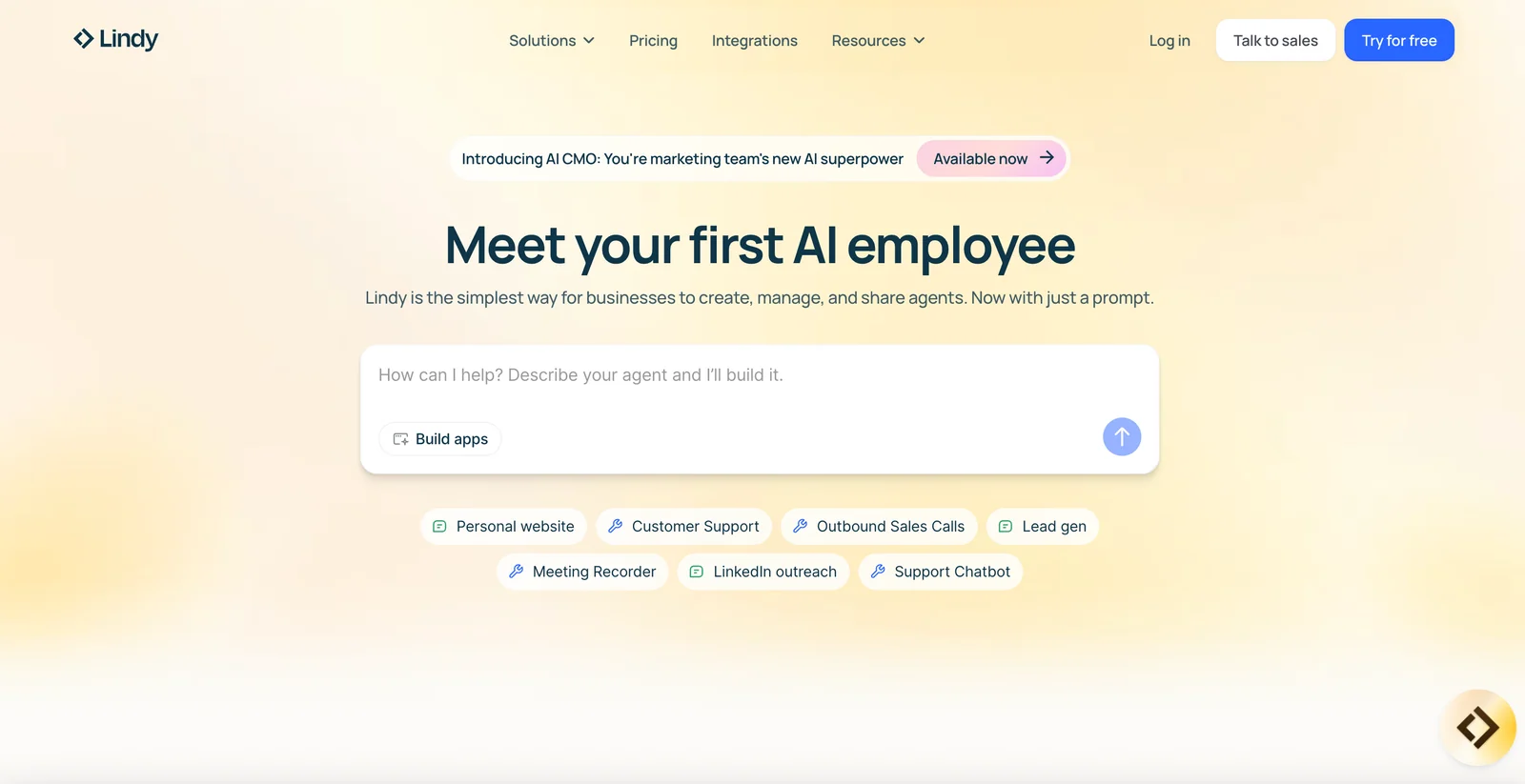
AIPlatform for businesses to create, manage, and share AI agents using simple prompts to automate repetitive knowledge work.
Lindy
Platform for businesses to create, manage, and share AI agents using simple prompts to automate repetitive knowledge work.
About Lindy
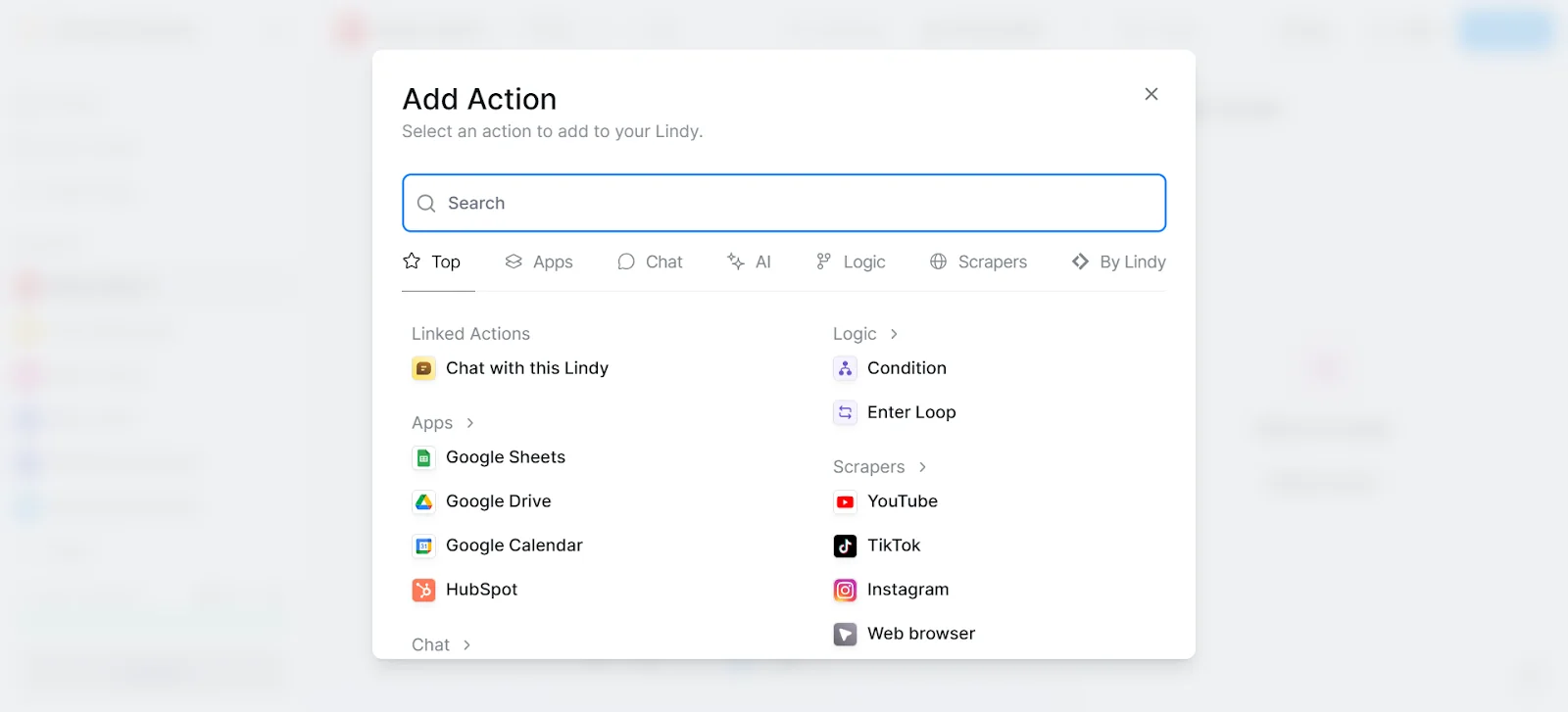
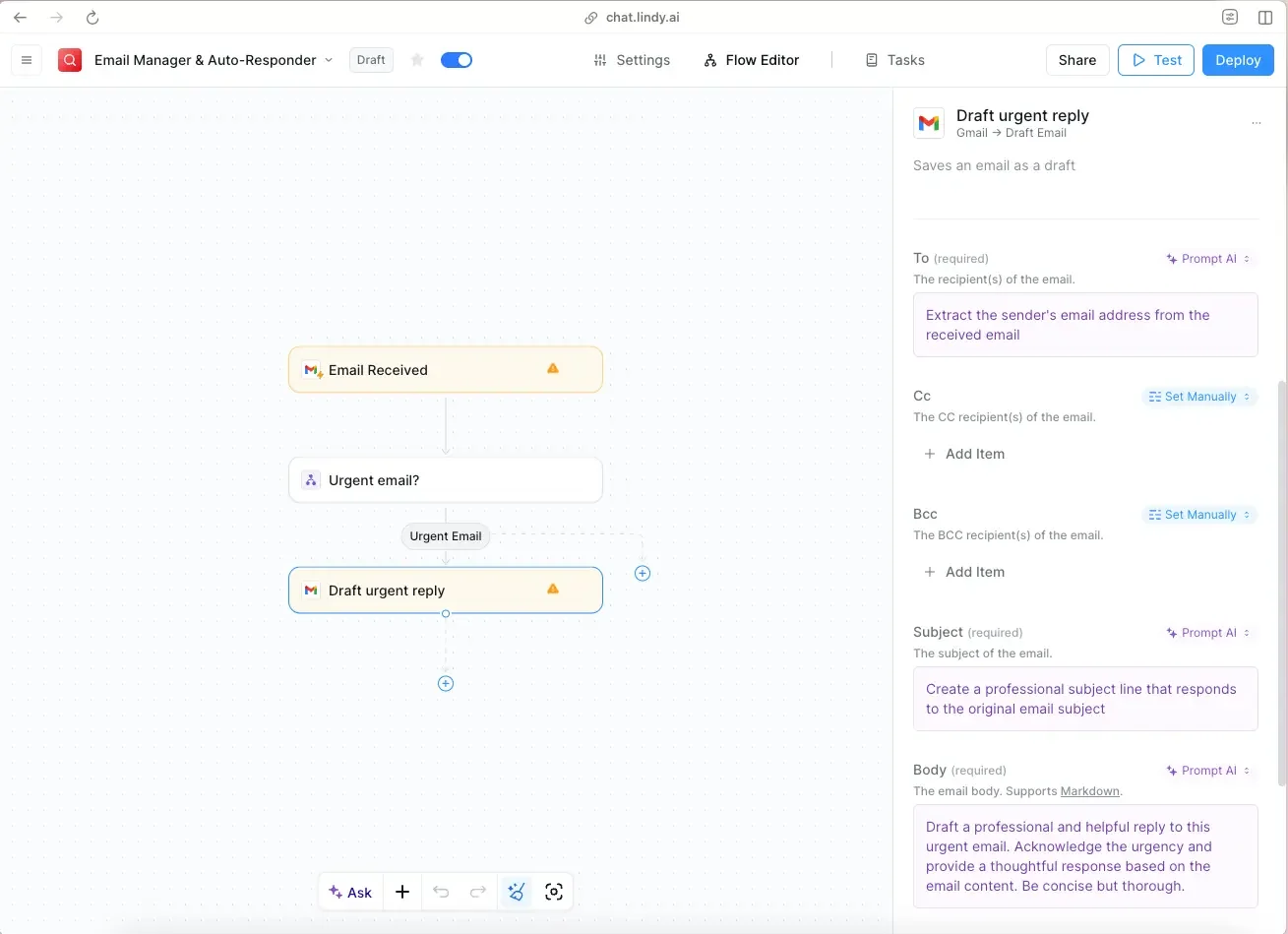
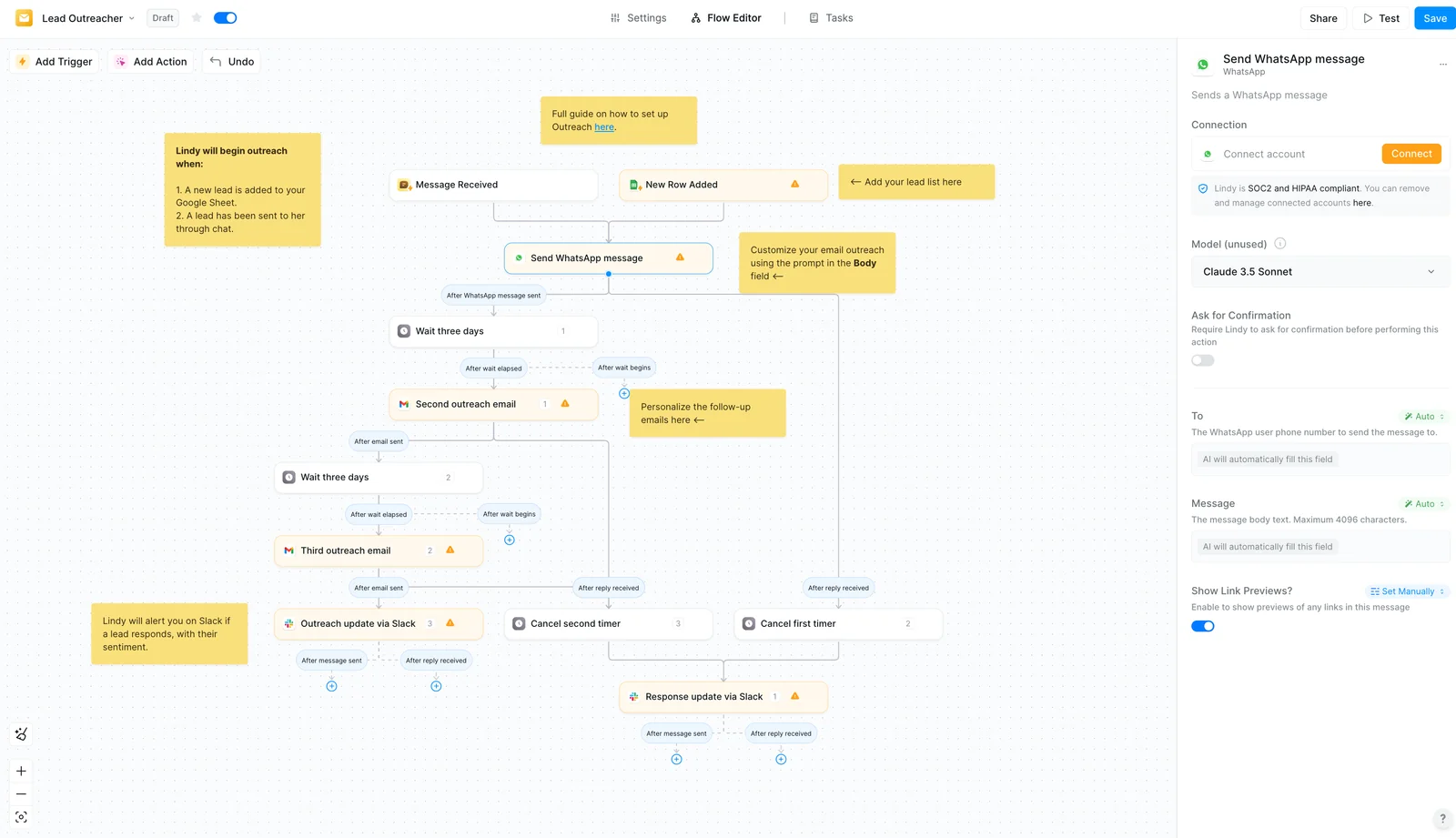
Lindy is an automation platform that enables businesses to build, manage, and distribute AI agents that automate repetitive tasks and augment human teams. Users can create agents from simple prompts, deploy them with model integrations (notably Claude Sonnet 3.5 in customer deployments), and enable native computer/browser automation via features like Autopilot. Lindy focuses on no-code agent creation, agent lifecycle management, and sharing/collaboration across teams to accelerate operational workflows and scale customer-facing automation.
Screenshots
Key Features
Use Cases



Frequently asked questions about Lindy
What are the pricing options for Lindy?
Lindy offers various pricing plans to accommodate different user needs: a Free tier with approximately 400 starter credits, a Pro plan for $49-$50 per month, a Business plan for $299 per month, and Custom plans for enterprises. Additional credits are available at $10 per 1,000 credits.
Key Points
- Free Tier: Ideal for beginners and testing.
- Pro Plan: Suitable for individual professionals or small teams.
- Business Plan: Designed for larger teams or organizations.
Detailed Explanation
Lindy's pricing structure is designed to cater to a wide range of users, from casual individuals to large enterprises.
-
Free Tier: This plan provides about 400 starter credits, allowing users to explore Lindy's features without any financial commitment. It's perfect for users who want to test the platform or use it for small projects.
-
Pro Plan: Priced between $49 to $50 per month, this plan is tailored for freelancers or small teams needing enhanced functionality. Users can access more credits, advanced features, and priority support, making it a good investment for those who require regular use.
-
Business Plan: At $299 per month, this plan is specifically designed for larger teams or organizations with extensive needs. It includes a significant number of credits, advanced analytics, team management features, and dedicated support. This plan ensures that businesses can efficiently manage their projects and workflows.
-
Custom Plans: For enterprises with unique requirements, Lindy offers customizable plans. Interested organizations can contact Lindy directly to discuss their needs and receive a tailored pricing solution.
-
Additional Credits: Users can purchase extra credits at a rate of $10 for every 1,000 credits. This option is beneficial for those who may exceed their monthly allowance and need more resources on demand.
Best Practices / Tips
- Assess Your Needs: Before choosing a plan, evaluate your usage patterns and project requirements to select the most cost-effective option.
- Take Advantage of the Free Tier: Use the free tier to familiarize yourself with Lindy’s features and capabilities before committing to a paid plan.
- Monitor Credit Usage: Keep track of your credit usage to avoid running out unexpectedly, and consider purchasing additional credits in advance if you anticipate high demand.
Additional Resources
How do I use Lindy's Agent Builder?
To use Lindy's Agent Builder, write natural-language prompts to create customized agents effortlessly. This no-code tool enables quick prototyping of task-specific assistants, suitable for various functions such as customer service, data analysis, and personal organization.
Key Points
- No-Code Interface: Easily create agents without programming knowledge.
- Natural Language Processing: Utilize intuitive language prompts for agent customization.
- Versatile Applications: Suitable for diverse tasks like customer support and virtual assistants.
Detailed Explanation
Lindy's Agent Builder is designed for users who want to create AI agents without delving into complex coding. Here’s how to get started:
-
Sign Up and Access: First, create an account on Lindy's platform. Once logged in, navigate to the Agent Builder feature.
-
Craft Your Prompt: Think about the specific task your agent will perform. For instance, if you want to build a customer support assistant, you could start with a prompt like, "Create an agent that answers FAQs about product X."
-
Customize Your Agent: The platform allows you to refine your agent's behavior by specifying parameters, such as tone and style. You can instruct the agent on how to respond to different customer inquiries.
-
Testing and Iteration: After creating your agent, run tests using various scenarios to see how well it performs. Modify the prompts and parameters based on the feedback to enhance its efficiency.
-
Deployment: Once satisfied with the performance, you can deploy your agent on various platforms, including websites, chat applications, or internal systems, depending on your needs.
Best Practices / Tips
- Be Specific: The more detailed your prompts, the better the agent's responses will be. Avoid vague instructions.
- Iterate Regularly: Continuously test and refine your agents based on real user interactions to improve their effectiveness.
- Utilize Templates: Leverage pre-built templates within Lindy’s platform for common tasks to save time and ensure best practices are followed.
- Monitor Performance: Use analytics to track how well your agents are performing and make data-driven adjustments as necessary.
Additional Resources
By following these steps and tips, you can effectively utilize Lindy's Agent Builder to create functional and tailored AI agents for your specific needs.
What are the key features of Lindy?
Lindy offers several key features, including a prompt-based Agent Builder, an Autopilot for seamless computer usage, robust model integration, and centralized agent management. These capabilities simplify and enhance the automation of repetitive knowledge work, making it easier for users to optimize their workflows and efficiency.
Key Points
- Prompt-Based Agent Builder: Easily create tailored agents for specific tasks.
- Autopilot Functionality: Automate native computer tasks with minimal user intervention.
- Centralized Agent Management: Streamline control and oversight of multiple agents in one platform.
Detailed Explanation
Lindy is designed to enhance productivity through advanced automation tools.
Prompt-Based Agent Builder
The Agent Builder allows users to develop custom agents by inputting specific prompts. This feature is ideal for businesses that need tailored solutions for repetitive tasks, such as data entry, report generation, or customer support. For instance, by inputting a series of questions and expected responses, you can create an agent that handles frequently asked questions automatically.
Autopilot Functionality
The Autopilot feature is particularly valuable for users looking to automate routine computer tasks. Whether it's scheduling emails, managing calendars, or running reports, Autopilot can execute these tasks on your behalf, freeing up your time for more strategic work. An example would be setting up Autopilot to compile weekly sales reports without human oversight.
Centralized Agent Management
Centralized management allows users to oversee all their agents from a single dashboard. This feature is essential for organizations with multiple agents working on various projects. It provides insights into each agent's performance, helping optimize their functions and ensuring alignment with business goals. Users can adjust settings, monitor tasks, and analyze data to improve efficiency across the board.
Best Practices / Tips
- Define Clear Objectives: Before using the Agent Builder, outline the specific tasks you want to automate. This will help in creating effective prompts.
- Regularly Review Agent Performance: Utilize the centralized management dashboard to assess how well your agents are performing and make necessary adjustments.
- Incorporate Feedback: Gather user feedback on agent interactions to refine prompts and improve responses over time.
Additional Resources
How does Lindy compare to other AI automation tools?
Lindy is unique among AI automation tools due to its intuitive Agent Builder and advanced Autopilot features, which enable extensive multi-step task automation. Unlike many competitors, Lindy offers a seamless user experience, although pricing and specific enterprise functionalities may differ significantly from other platforms.
Key Points
- User-Friendly Interface: Lindy’s Agent Builder simplifies automation setup.
- Advanced Automation: The Autopilot feature supports complex, multi-step tasks.
- Variable Pricing: Lindy's pricing structure may differ from other AI tools, impacting enterprise features.
Detailed Explanation
Lindy’s Agent Builder allows users to create custom automation agents without needing extensive technical knowledge. This visual interface enables users to drag and drop different components, making it easy to design workflows that suit individual needs. For example, a marketing team can automate social media posting, email campaigns, and customer follow-ups all in one streamlined process.
The Autopilot feature is particularly powerful, allowing users to set up multi-step automations that can trigger based on specific conditions. For instance, when a lead fills out a form, Lindy can automatically send a welcome email, add the lead to a CRM, and schedule a follow-up task for the sales team. This level of integration is often lacking in other tools, which may only support basic single-step automations.
However, potential users should be aware that pricing varies widely among automation tools. Lindy may offer a competitive edge in terms of ease of use and functionality, but businesses should assess their needs and budgets. Some alternatives may offer lower base prices but could lack essential features, leading to higher costs in the long run.
Best Practices / Tips
- Evaluate Your Needs: Before choosing Lindy or another tool, clearly define your automation requirements and desired outcomes.
- Test the Features: Utilize free trials or demos to explore Lindy’s Agent Builder and Autopilot functionalities.
- Monitor Performance: Regularly analyze the effectiveness of your automations and adjust workflows as necessary to optimize performance.
Additional Resources
Does Lindy support API integration?
Yes, Lindy supports API integration, enabling seamless connections with various applications and services. This feature allows users to automate workflows, enhance system functionality, and improve overall efficiency, making it a versatile tool for businesses looking to streamline their operations.
Key Points
- Flexible API Connections: Lindy can integrate with numerous applications.
- Workflow Automation: Users can automate repetitive tasks.
- Enhanced Functionality: The API improves existing system capabilities.
Detailed Explanation
Lindy’s API integration capability allows users to connect with a wide range of applications, including CRM systems, project management tools, and communication platforms. The integration process typically involves generating an API key through Lindy's developer portal, which can be used to authenticate requests from other applications.
Use Cases
- Automating Customer Onboarding: By connecting Lindy with a CRM, businesses can automatically transfer new customer data into their system, reducing manual entry and potential errors.
- Streamlining Reporting: Integrating Lindy with analytics tools can help businesses automatically generate reports based on real-time data, saving time and improving accuracy.
- Enhancing Team Collaboration: Linking Lindy with communication apps allows for seamless sharing of updates and notifications, improving team efficiency.
Best Practices / Tips
- Understand API Documentation: Familiarize yourself with Lindy's API documentation to fully utilize its features and capabilities.
- Test Integrations Thoroughly: Before deploying any integrations, ensure that you test them in a sandbox environment to catch any issues early.
- Monitor API Usage: Keep track of API calls and performance to avoid exceeding rate limits and to optimize system performance.
Additional Resources
What is Lindy?
Lindy is a powerful platform designed for businesses to create, manage, and share AI agents. It simplifies the automation of repetitive knowledge work through the use of easy-to-understand prompts, enhancing productivity and efficiency in various organizational tasks.
Key Points
- User-Friendly Interface: Lindy offers a straightforward setup for creating AI agents.
- Versatile Applications: It supports a wide range of business functions from customer service to data analysis.
- Automation of Repetitive Tasks: Lindy reduces time spent on mundane tasks, allowing teams to focus on strategic goals.
Detailed Explanation
Lindy provides businesses with a robust solution to streamline operations by automating repetitive knowledge work. Users can create custom AI agents using simple prompts, which can be tailored to specific business needs.
For instance, a customer service team can develop an AI agent that handles frequently asked questions. This not only speeds up response times but also frees up human resources for more complex inquiries. Additionally, marketing teams can employ Lindy to analyze consumer data and generate insights, improving campaign effectiveness.
Example Use Case: A retail company might use Lindy to create an AI that assists with inventory management, automatically updating stock levels based on sales data. This capability ensures that the business remains agile and responsive to market demands.
Best Practices / Tips
- Start Small: When using Lindy for automation, begin with low-complexity tasks to gauge AI effectiveness and build confidence.
- Regular Updates: Continuously refine AI prompts based on user feedback and performance metrics to enhance accuracy and relevance.
- Training: Invest time in training staff on how to interact with and optimize the AI agents for best results.
Common Pitfalls to Avoid:
- Overcomplicating AI prompts can lead to confusion; keep them simple and clear.
- Neglecting regular maintenance and updates can cause the AI to become less effective over time.
Additional Resources
How does Lindy work?
Lindy operates by integrating advanced AI functionalities to streamline daily workflows for users. It enhances productivity by automating repetitive tasks, providing intelligent insights, and facilitating seamless communication, making it an essential tool for individuals and teams looking to optimize their efficiency.
Key Points
- AI Integration: Combines various AI technologies to improve user experience.
- Workflow Automation: Automates repetitive tasks to save time and reduce errors.
- Intelligent Insights: Offers data-driven recommendations and analytics for better decision-making.
Detailed Explanation
Lindy leverages state-of-the-art Artificial Intelligence to enhance everyday tasks. The platform incorporates several core capabilities:
-
Natural Language Processing (NLP): Lindy understands and processes user queries in natural language, allowing users to interact with the system intuitively. For example, a user can ask, “What are my tasks for today?” and receive a list of tasks in response.
-
Task Automation: Users can automate routine activities such as scheduling meetings, sending reminders, or generating reports. By setting specific triggers or commands, tasks that usually take time can be completed with minimal input, saving hours of manual labor each week.
-
Data Analytics: Lindy analyzes user data to provide meaningful insights, enhancing strategic decision-making. For instance, it can recommend the best times to schedule meetings based on availability and previous interactions.
-
Integration with Other Tools: Lindy easily connects with various applications like Google Workspace, Slack, or CRM systems, ensuring a smooth transition of information across platforms. This integration helps maintain continuity and improves collaboration among team members.
Best Practices / Tips
- Explore Automation Features: Take full advantage of Lindy's automation capabilities by identifying repetitive tasks in your workflow that can be automated. This will significantly enhance productivity.
- Regularly Update Preferences: Ensure that your preferences and settings are up-to-date for optimal performance. This includes updating your calendar integrations and task priorities.
- Utilize Data Insights: Regularly review the analytics provided by Lindy to identify areas for improvement and to refine your strategy based on data.
- Engage with Support Resources: If you encounter challenges, leverage Lindy’s support documentation and community forums for troubleshooting and optimization tips.
Additional Resources
What are the main features of Lindy?
Lindy’s main features include advanced AI capabilities, intuitive user interface, and seamless integration with various platforms. It offers real-time data processing, customizable workflows, and robust analytics tools that enhance productivity and decision-making for businesses of all sizes.
Key Points
- Advanced AI Capabilities: Lindy utilizes cutting-edge artificial intelligence to automate and optimize tasks.
- Intuitive User Interface: Designed for user-friendliness, enabling quick adoption and minimal training.
- Seamless Integration: Connects easily with popular applications and systems for streamlined workflows.
Detailed Explanation
Lindy stands out in the AI tools market with several key features that cater to diverse business needs.
-
Advanced AI Capabilities: Lindy leverages machine learning algorithms to analyze large datasets, providing insights that drive strategic decisions. For instance, businesses can use Lindy's predictive analytics to forecast sales trends, optimizing inventory management and reducing costs.
-
Intuitive User Interface: The platform is designed with user experience in mind. Its dashboard is easy to navigate, allowing users to quickly access the functionalities they need. This reduces the learning curve, enabling teams to start using the tool effectively from day one.
-
Seamless Integration: Lindy can connect with popular tools like Slack, Salesforce, and Microsoft Teams, ensuring that teams can incorporate AI insights directly into their existing workflows. This integration enhances collaboration and allows for real-time data sharing, making it easier for teams to stay informed.
-
Customizable Workflows: Users can tailor Lindy’s features to fit their specific needs. This includes setting up automated responses to customer inquiries or creating personalized marketing campaigns based on user behavior analytics.
-
Robust Analytics Tools: Lindy provides powerful analytics capabilities, allowing businesses to visualize data trends and performance metrics easily. Users can generate reports that help identify areas for improvement and measure the impact of their strategies.
Best Practices / Tips
- Maximize AI Features: Regularly explore Lindy’s AI functionalities to leverage updates and new features for enhanced productivity.
- Training and Onboarding: Invest time in training sessions to ensure all team members are familiar with Lindy’s capabilities and best practices.
- Data Security: Always review Lindy’s data protection protocols to safeguard sensitive information shared through the platform.
- Feedback Loop: Encourage team feedback on the tool’s effectiveness for ongoing improvement and adaptation to business needs.
Additional Resources
Who is Lindy for?
Lindy is an AI tool designed for individuals and teams looking to enhance their daily workflows through automation and efficiency. It is particularly beneficial for professionals in various sectors, including marketing, content creation, project management, and data analysis, enabling them to streamline repetitive tasks and improve productivity.
Key Points
- Target Audience: Professionals and teams in various industries.
- Use Cases: Enhancing productivity through task automation.
- Benefits: Streamlining workflows, saving time, and improving efficiency.
Detailed Explanation
Lindy is ideal for anyone from freelancers to large teams who want to optimize their daily tasks using artificial intelligence. For instance, content creators can utilize Lindy to generate ideas, automate social media posts, or even draft articles based on set parameters. In project management, teams can automate status updates, track progress, and manage deadlines effectively.
The tool integrates seamlessly with existing applications, making it easy to incorporate into daily operations without a steep learning curve. Users can customize workflows to fit their specific needs, whether they are automating email responses or generating reports from data inputs. Furthermore, Lindy provides real-time analytics, allowing users to measure the effectiveness of their workflows and adjust strategies as needed.
Use Cases:
- Marketing Teams: Automate email marketing campaigns and analyze customer engagement.
- Content Creators: Generate blog topics, write content drafts, and schedule posts automatically.
- Data Analysts: Pull data from various sources, automate reporting, and visualize trends quickly.
Best Practices / Tips
- Start Small: Begin by automating one or two tasks to understand Lindy’s capabilities before scaling.
- Customize Workflows: Take advantage of Lindy’s customization options to tailor the tool to your specific needs.
- Monitor Performance: Regularly check analytics to ensure that automated tasks are running smoothly and meeting your goals.
Additional Resources
How much does Lindy cost?
Lindy is a premium product with varying pricing based on features and subscription plans. For the most accurate and up-to-date pricing information, it’s best to visit Lindy’s official website, where you can find details on different tiers and any promotional offers available.
Key Points
- Lindy offers multiple subscription tiers based on user needs.
- Pricing varies depending on features and payment frequency (monthly or annual).
- Visit the official website for the latest deals and updates.
Detailed Explanation
Lindy is a versatile tool designed to enhance productivity and streamline workflows. Its pricing is structured to accommodate different user requirements, including individual professionals, small teams, and larger organizations. Typically, Lindy provides several subscription options:
- Basic Plan: Ideal for individuals, this plan usually includes essential features at a lower cost.
- Pro Plan: Aimed at small teams, this tier often offers additional collaboration tools and advanced functionalities.
- Enterprise Plan: Tailored for larger organizations, this option provides comprehensive features, dedicated support, and custom solutions.
Prices can range from approximately $10 per month for the Basic Plan to around $50+ per month for the Enterprise Plan, depending on the features included. Always check the official Lindy website for any promotional discounts or seasonal offers that may lower these costs.
Best Practices / Tips
- Evaluate Your Needs: Before choosing a plan, assess which features are essential for your work or team.
- Check for Discounts: Look for any seasonal promotions or discounts for annual subscriptions that can save you money.
- Utilize Free Trials: If available, take advantage of free trials to test Lindy's features before committing to a subscription.
- Read Reviews: Look up user reviews and testimonials to gauge how Lindy’s pricing correlates with its value.
Additional Resources
- Lindy Official Pricing Page - Find the latest pricing details.
- Lindy Features Overview - Explore all features included in each plan.
- User Guide and Support - Access tutorials and support for optimal usage.
How do I get started with Lindy?
To get started with Lindy, visit lindy.ai and sign up for an account. Once registered, you can explore the platform’s features, including AI-generated content, analytics, and user-friendly tools designed to enhance your productivity and creativity.
Key Points
- Sign Up Process: Easy registration on the Lindy website.
- Explore Features: Discover AI tools for content creation and analysis.
- User Support: Access resources and customer support for assistance.
Detailed Explanation
Starting with Lindy is simple and straightforward. Follow these steps:
- Visit the Website: Go to lindy.ai.
- Sign Up: Click on the “Sign Up” button. Fill in your details such as email, password, and other required information. If available, opt for a free trial or demo to test the features before committing.
- Explore the Dashboard: After signing up, log in to your account. The dashboard will present various options, including AI tools for content generation, analytics for performance tracking, and customization settings.
Use Cases
- Content Creation: Utilize Lindy’s AI to generate blog posts, social media content, and marketing materials effortlessly.
- Data Analysis: Leverage analytics tools to assess the performance of your content and make data-driven decisions.
- Collaboration: Work with team members using built-in collaboration features to streamline your workflow.
Best Practices / Tips
- Complete Your Profile: Ensure your user profile is fully updated to receive personalized recommendations.
- Utilize Tutorials: Take advantage of available tutorials and guides on the Lindy website to maximize your use of the platform.
- Engage with Support: If you encounter difficulties, don’t hesitate to reach out to customer support or check the FAQ section for quick solutions.
Additional Resources
By following these steps and utilizing the resources provided, you can effectively harness Lindy's capabilities to enhance your content creation and analytics processes.
Explore more AI Ai Agents tools
Browse all Ai Agents tools →Browse by use case: Automation & Productivity
Compare Lindy: vs Playad · vs Concierge by Juniors AI · vs Scout by Fini · vs Ruflo