

Lexica
AIState-of-the-art image generation engine and searchable gallery for AI-generated images and prompts.
Lexica
State-of-the-art image generation engine and searchable gallery for AI-generated images and prompts.
About Lexica
Lexica is an image-generation engine and searchable repository focused on AI-generated images and their prompts. It indexes image + prompt pairs so users can search, browse, and reuse prompts alongside example outputs. Lexica is used both interactively (via its web gallery) and programmatically (third-party API wrappers exist), enabling artists, designers, and prompt engineers to discover effective prompts, explore styles, and iterate on visual concepts. Its primary value is providing a large, searchable corpus of real prompt-to-image results to accelerate creative iteration and prompt engineering.
Screenshots
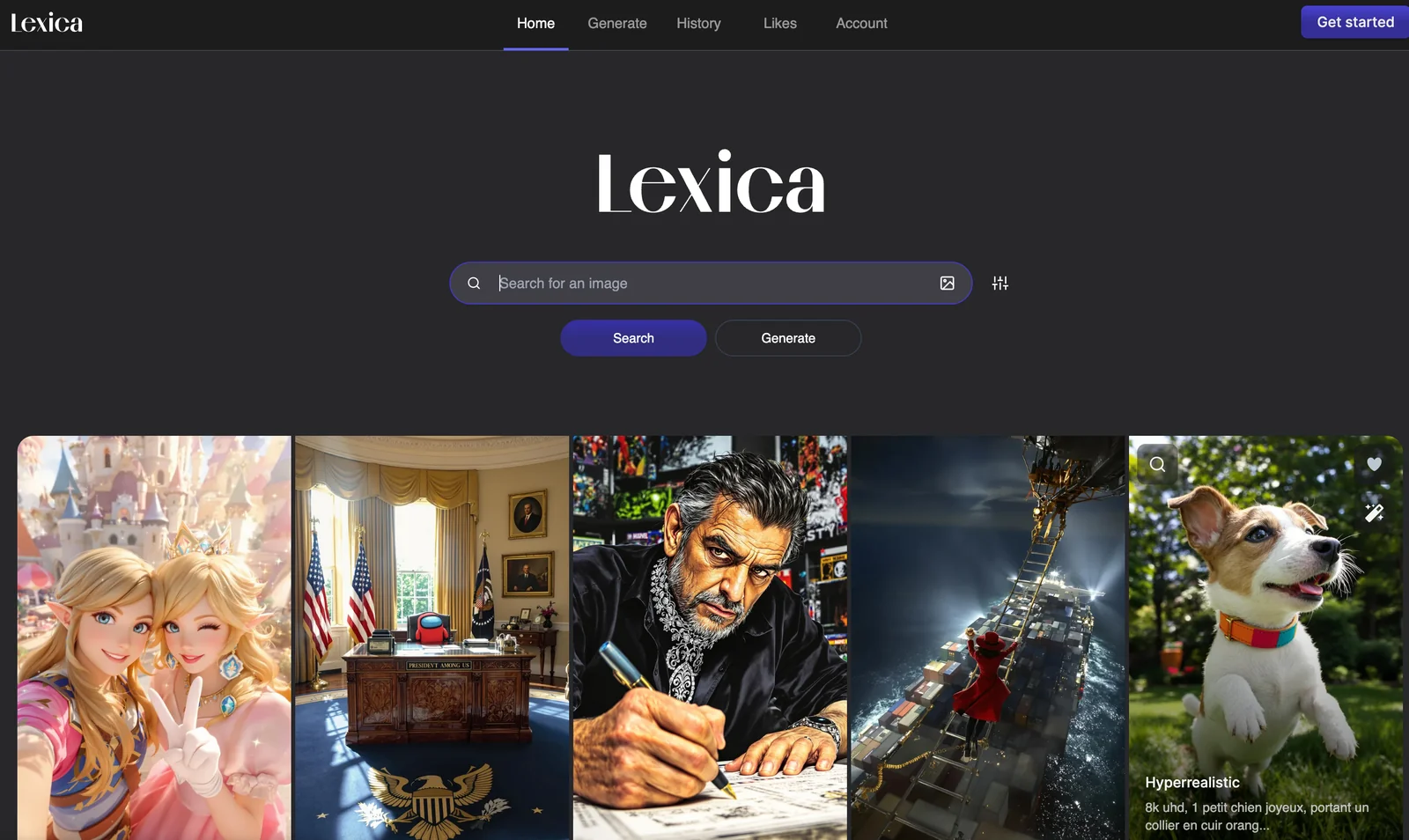
Key Features
Use Cases



Frequently asked questions about Lexica
What are the pricing options for Lexica?
Lexica offers a FREEMIUM pricing model with four tiers: Free ($0/month), Starter ($8/month), Pro ($24/month), and Max ($48/month). Each tier provides varying image generation limits and features tailored to different user requirements, making it accessible for casual users and professionals alike.
Key Points
- Freemium Model: Lexica's pricing structure allows users to start for free.
- Tiered Options: Four distinct tiers cater to different user needs and budgets.
- Scalability: Each tier enables users to access more features as their requirements grow.
Detailed Explanation
Lexica's pricing options are designed to accommodate a wide range of users, from hobbyists to professionals.
-
Free Tier: The Free plan allows users to explore the platform without any cost. It includes basic image generation capabilities, making it ideal for beginners or those wanting to test the service.
-
Starter Tier ($8/month): This tier is perfect for casual users who need a bit more functionality. It offers increased image generation limits compared to the Free plan and additional features like priority support.
-
Pro Tier ($24/month): Aimed at serious creators and professionals, the Pro tier includes advanced features such as higher image generation limits, access to premium content, and enhanced customization tools. This tier is suitable for users who require more robust capabilities for larger projects.
-
Max Tier ($48/month): For those who need the most extensive offerings, the Max plan provides unlimited image generation, priority customer support, and exclusive access to the latest features. This tier is particularly beneficial for businesses and agencies that rely on frequent and high-quality image creation.
Best Practices / Tips
- Evaluate Your Needs: Consider what you require from an AI image generation tool before selecting a tier. Starting with the Free plan can help you determine your needs.
- Upgrade as Needed: If you find yourself hitting the limits of your current plan, consider upgrading to the next tier to ensure smooth workflow without interruptions.
- Utilize Features: Make sure to fully explore the features available at each tier. Some tools may not be immediately obvious but can significantly enhance your experience.
Additional Resources
By understanding Lexica's pricing structure, you can select the best plan for your needs while optimizing your image generation experience.
How do I start using Lexica for image generation?
To start using Lexica for image generation, visit the official website, create a free account, and explore its extensive image generation options. Users can generate up to 100 images per month and access a wealth of community resources to enhance their creative process.
Key Points
- Free Account Creation: Sign up for a no-cost Lexica account.
- Image Generation Limits: Generate up to 100 images each month.
- Community Resources: Access tutorials and forums for support.
Detailed Explanation
Starting with Lexica is straightforward. First, navigate to the Lexica website. Click on the "Sign Up" button, and you’ll need to provide an email address and create a password. Once your account is created, you will receive a confirmation email. After verifying your email, log in to access the user dashboard.
Exploring Image Generation
Lexica offers various tools for generating images. Users can input text prompts to create unique visuals. The platform uses advanced AI algorithms to interpret your descriptions, allowing for a wide range of artistic styles and themes. For example, typing “a serene beach at sunset” will generate multiple images reflecting that concept.
Community Engagement
Lexica includes community features where users can share their creations, provide feedback, and collaborate. Engaging with other users can enhance your experience, as you can learn new techniques and discover innovative uses for the platform.
Best Practices / Tips
- Start Simple: Begin with straightforward prompts to understand how the AI interprets different inputs.
- Experiment: Don’t hesitate to try various styles and keywords for more diverse outcomes.
- Utilize Community Feedback: Share your images and ask for feedback to improve your skills and ideas.
- Stay Updated: Regularly check for updates or new features that Lexica may introduce to enhance your experience.
Additional Resources
- Lexica Documentation - Explore detailed guides and tips for advanced image generation.
- Lexica Community Forum - Join discussions with other users to exchange ideas and techniques.
What are the key features of Lexica's image generation engine?
Lexica's image generation engine offers several key features, including a prompt-indexed image search, a comprehensive prompt library with detailed metadata, API access for seamless integrations, and user-friendly tools for gallery browsing. These functionalities empower users to efficiently discover, refine, and create high-quality image prompts.
Key Points
- Prompt-Indexed Image Search: Quickly find images using specific prompts.
- Prompt Library with Metadata: Access extensive information on image prompts.
- API Access for Integrations: Easily incorporate Lexica into existing applications.
Detailed Explanation
Lexica's image generation engine stands out for its robust capabilities tailored for artists, designers, and developers.
-
Prompt-Indexed Image Search: This feature allows users to input specific keywords or phrases to retrieve relevant images instantly. By indexing images based on user-generated prompts, Lexica enables quick access to a vast database, ensuring users find exactly what they need without sifting through unrelated content.
-
Prompt Library with Metadata: The prompt library is a treasure trove of inspiration. Each entry includes metadata such as usage statistics, popularity ratings, and detailed descriptions. This helps users not only to select effective prompts but also to understand trends and improve their own prompt crafting.
-
API Access for Integrations: Developers can leverage Lexica's API to integrate image generation capabilities into their applications seamlessly. This is particularly beneficial for businesses looking to enhance their platforms with AI-generated imagery, allowing for custom solutions suited to specific needs.
-
Gallery Browsing Tools: Lexica offers intuitive tools for browsing and organizing images into galleries. Users can save their favorite prompts and images for later reference, making it easier to manage creative projects and collaborate with teams.
Best Practices / Tips
- Use Specific Prompts: To maximize the effectiveness of the image search, use detailed and specific prompts. For example, instead of searching for "dog," try "golden retriever puppy playing in a park."
- Explore the Prompt Library: Take advantage of the prompt library to discover trending prompts and refine your own. Experimenting with variations can yield unexpected and creative results.
- Utilize API Documentation: If you plan to use the API, thoroughly read the documentation. Familiarize yourself with rate limits, authentication processes, and best practices for error handling to ensure smooth integration.
Additional Resources
How does Lexica compare to other image generation tools?
Lexica distinguishes itself from other image generation tools through its searchable gallery, which houses a vast prompt library, and features like prompt metadata and API access. While it offers a competitive pricing structure, the image generation limits may vary based on selected subscription tiers.
Key Points
- Searchable Gallery: Lexica’s unique searchable gallery allows users to explore a wide array of generated images and prompts.
- Prompt Metadata: Users can benefit from detailed metadata associated with prompts, enhancing customization and creativity.
- API Access: Lexica provides API access for developers, facilitating integration into applications and services.
Detailed Explanation
Lexica offers a comprehensive platform for image generation that caters to both casual users and developers. Its searchable gallery feature enables users to browse through thousands of images, making it easier to find inspiration or reference specific styles. This gallery is categorized and tagged, allowing for efficient navigation.
In addition, Lexica's prompt library is enriched with prompt metadata, providing insights into the parameters used for image generation. For example, users can see which styles or keywords produced particular results, enabling them to refine their prompts for better outcomes. This metadata can be especially beneficial for artists and designers seeking to replicate or build upon existing concepts.
Lexica’s API access is another standout feature, allowing developers to integrate Lexica's image generation capabilities into their applications seamlessly. This feature is suitable for businesses looking to automate image creation or enhance their user experience with dynamic content.
When compared to competitors like DALL-E, Midjourney, or Stable Diffusion, Lexica's varied pricing tiers cater to different user needs. For instance, it may offer free trials or entry-level pricing for casual users, while more advanced tiers can include higher image generation limits and additional features for professional users.
Best Practices / Tips
- Experiment with Prompts: Utilize the metadata feature to understand which prompts yield the best results. Adjust keywords and styles based on your findings.
- Leverage API Access: If you’re a developer, take full advantage of Lexica's API to create custom applications that utilize its image generation capabilities.
- Monitor Pricing Changes: Keep an eye on Lexica’s pricing structure, as it may introduce new tiers or promotional offers that could benefit your usage.
Additional Resources
Does Lexica provide an API for integration?
Yes, Lexica provides an API for seamless integration into third-party tools and workflows. This API allows developers to automate image generation and retrieval, enhancing productivity and streamlining creative processes across various applications.
Key Points
- API Accessibility: Lexica offers comprehensive API access for developers.
- Automation Capabilities: Enables automation of image generation and retrieval processes.
- Enhanced Workflows: Facilitates integration into diverse applications and tools.
Detailed Explanation
Lexica's API is designed to empower developers with the flexibility to integrate image generation capabilities directly into their applications. By utilizing the API, developers can programmatically create and retrieve images, making the process efficient and scalable. The API supports various functionalities, including:
-
Image Generation: Developers can send specific prompts to generate custom images using Lexica's advanced AI algorithms. This feature is particularly useful for applications requiring unique visuals, such as e-commerce platforms or digital marketing tools.
-
Image Retrieval: The API allows users to search and retrieve existing images based on keywords or tags. This is beneficial for content creators looking for high-quality images that align with their branding or storytelling needs.
-
Integration Examples: For instance, a graphic design application can use Lexica's API to offer users instant access to AI-generated backgrounds or illustrations, thereby enhancing the design process and saving time.
Best Practices / Tips
- Understand API Documentation: Familiarize yourself with Lexica’s official API documentation to leverage its full capabilities. This includes learning about authentication methods, rate limits, and endpoint functionalities.
- Optimize Queries: When generating images, use detailed and descriptive prompts to achieve more relevant results. The more specific your input, the better the output.
- Monitor Usage: Keep track of your API usage to avoid hitting rate limits. Utilize caching strategies to store frequently requested images, reducing the number of API calls.
Additional Resources
By following these guidelines, developers can maximize the benefits of Lexica's API, enhancing their applications with powerful image generation and retrieval capabilities.
Explore more AI Ai Models tools
Browse all Ai Models tools →Browse by use case: Image Generation
Compare Lexica: vs Mouse-1 · vs Milliseconds.ai · vs SWE-2 · vs Desert Ant Labs