

LangChain v1.0
AIOpen SourceFreeA developer framework for building reliable, composable LLM applications and agents with a new LangGraph-first architecture.
LangChain v1.0
A developer framework for building reliable, composable LLM applications and agents with a new LangGraph-first architecture.
About LangChain v1.0
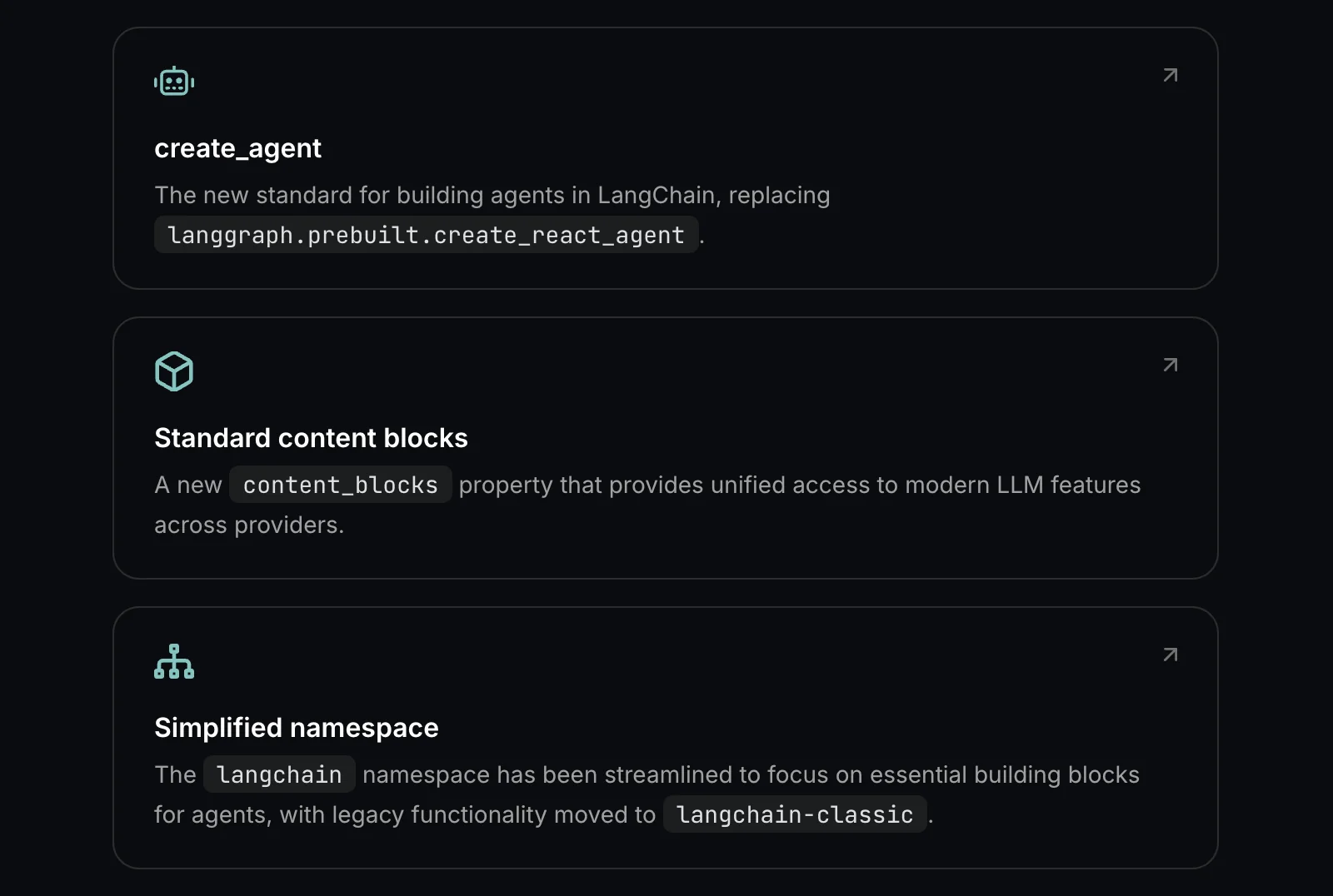
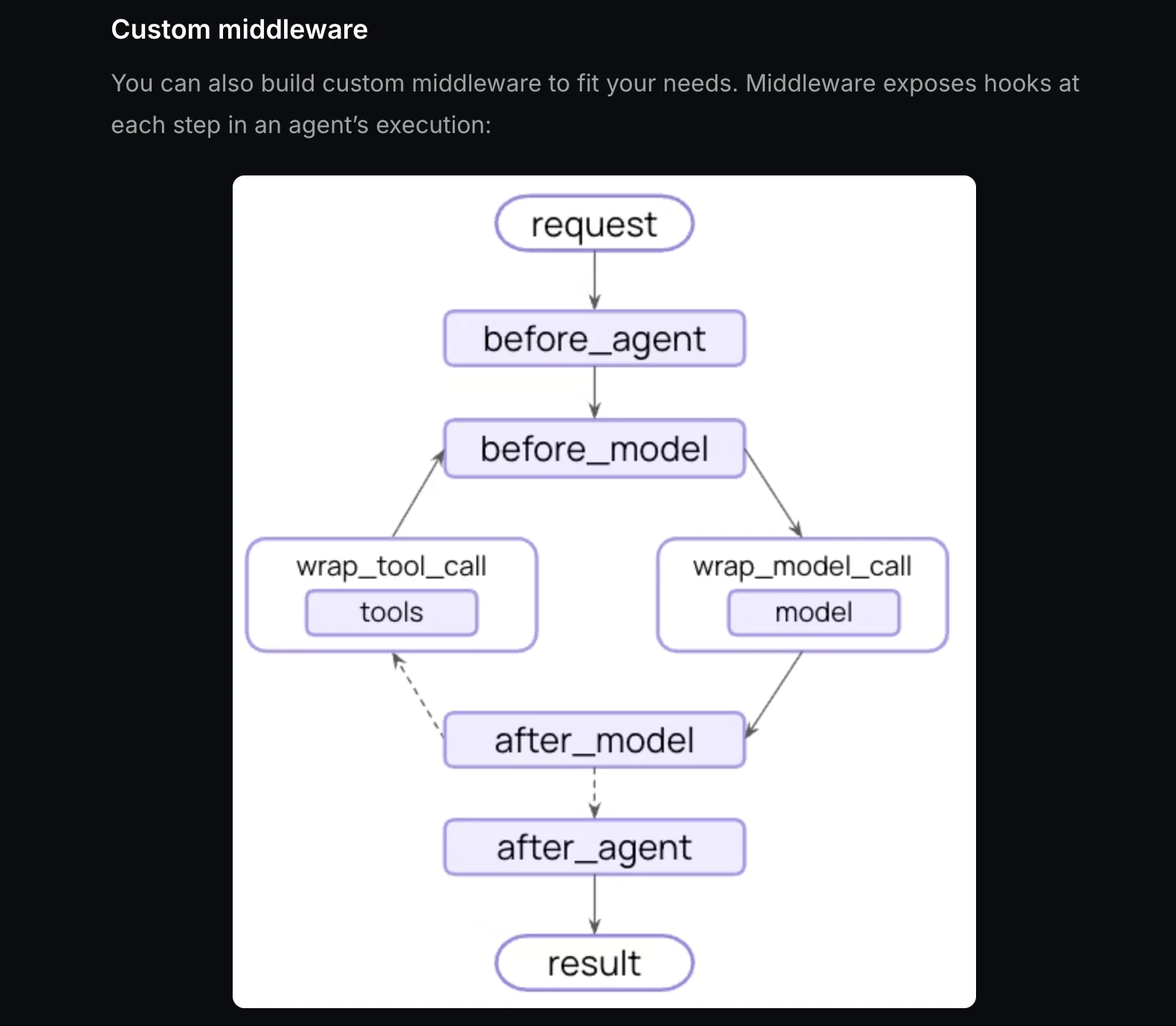
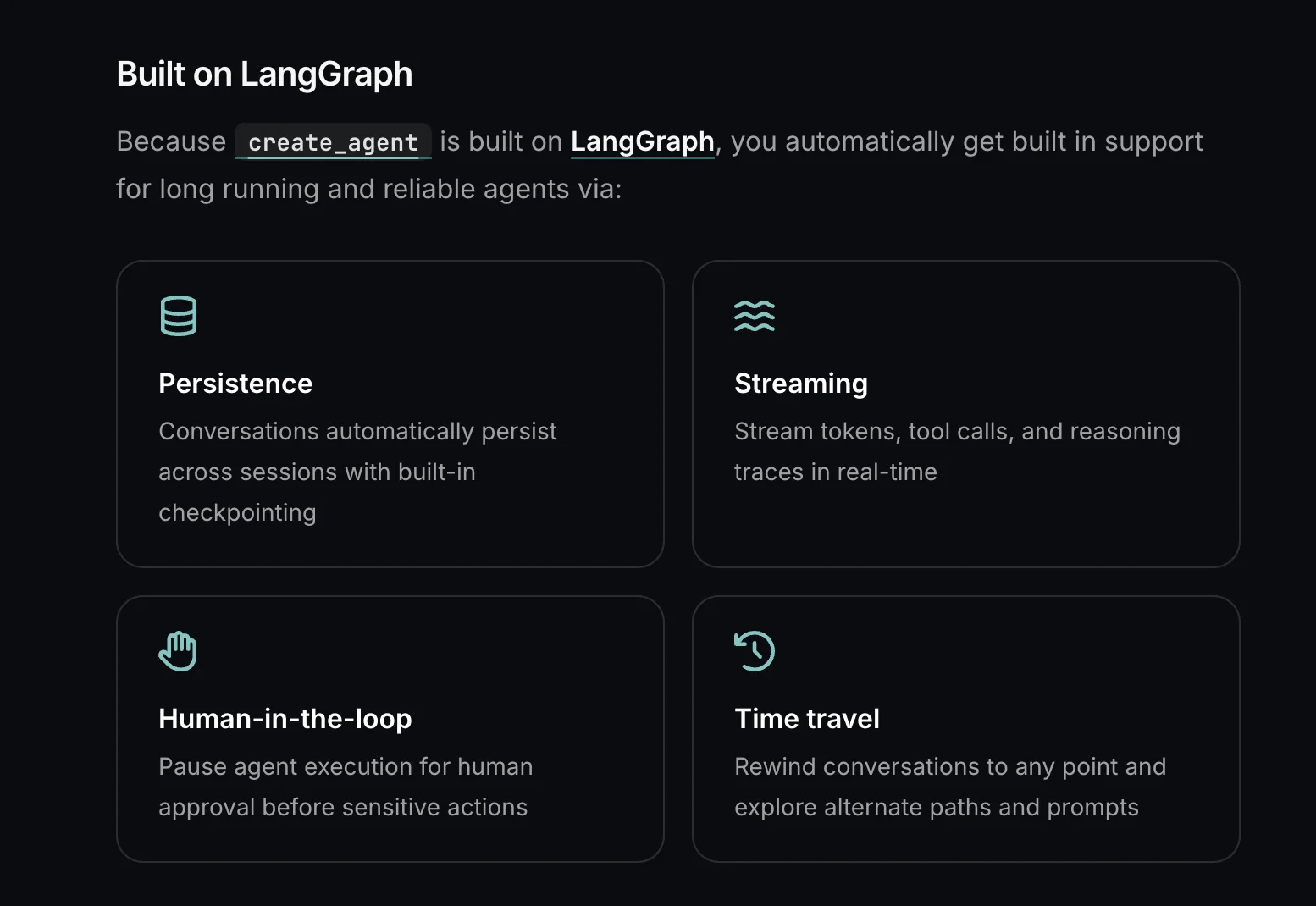
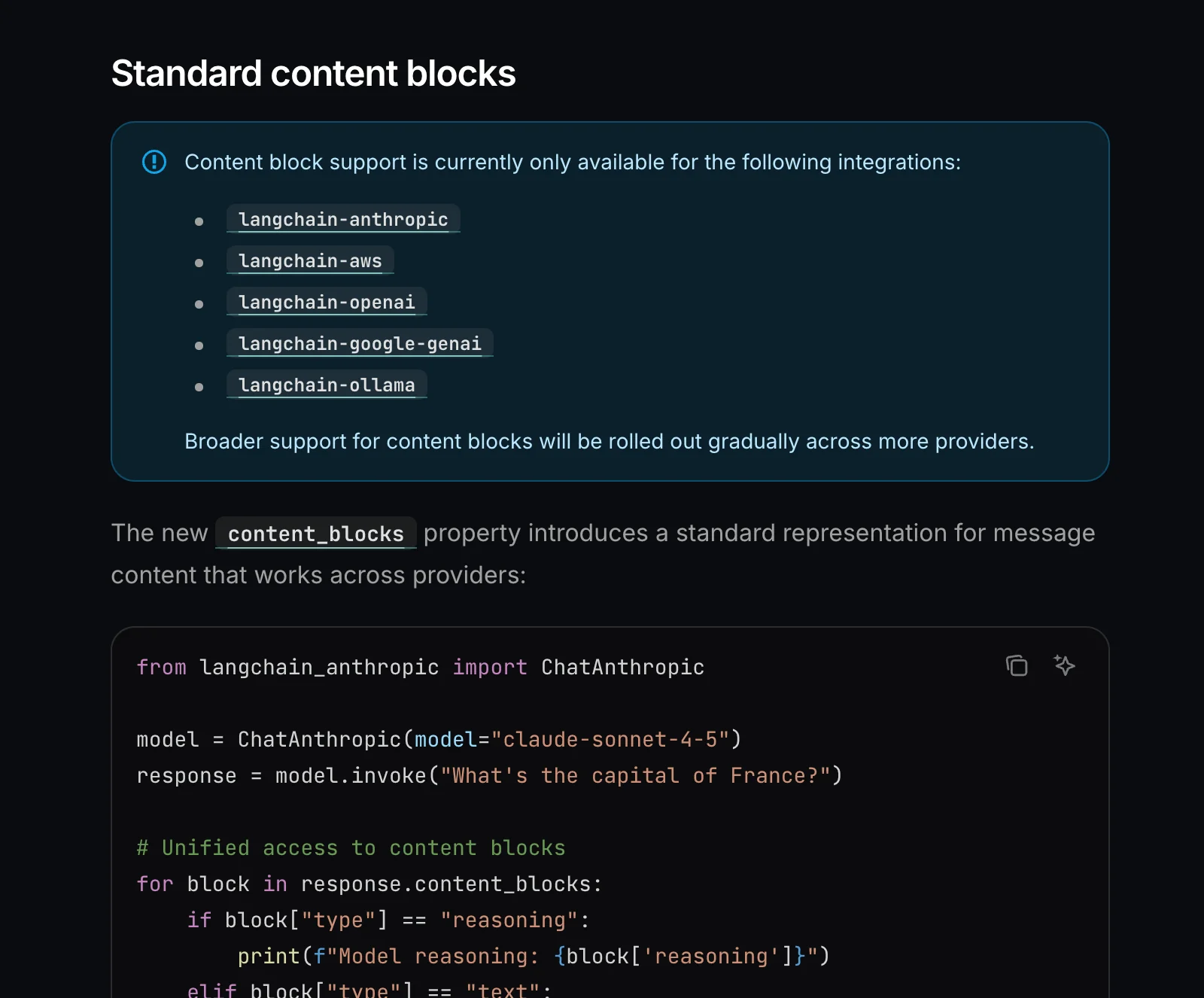
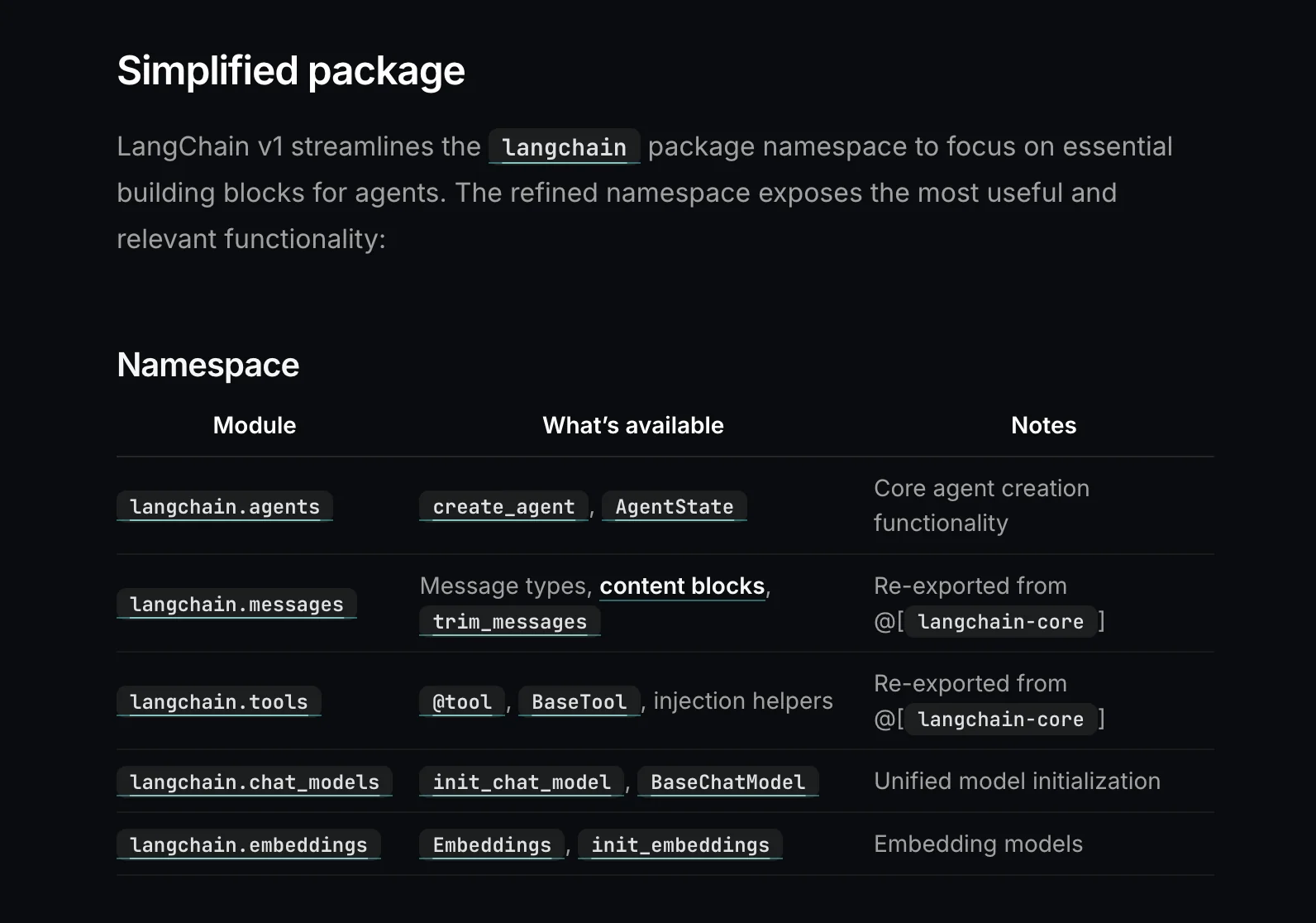
LangChain v1.0 is a major release of the LangChain framework that reorganizes agent architecture around LangGraph to provide stronger control, explicit state management, and improved debugging for agent workflows. It presents composable building blocks (models, agents, tools, chains, memory, and integrations) and introduces middleware, overrides for model and tool calls, and async wrappers to make production orchestration, observability, and human-in-the-loop flows easier to implement. The v1.0 changes focus on making agents deterministic, testable, and maintainable in production environments while preserving LangChain's broad integrations with model providers, vector stores, and embedding systems.
Screenshots
Key Features
Use Cases



Frequently asked questions about LangChain v1.0
Is LangChain v1.0 free to use?
Yes, LangChain v1.0 is completely free to use as it is an open-source framework licensed under the MIT License. Users can access its core features without any cost, making it an excellent choice for developers and researchers looking to leverage AI tools without financial barriers.
Key Points
- Open-source License: LangChain v1.0 is licensed under MIT, promoting free use and modification.
- Cost-Free Features: Users can access all core functionalities without any charges.
- Community Support: Being open-source, it benefits from community contributions and support.
Detailed Explanation
LangChain v1.0 is designed for developers interested in building applications that integrate with language models. Its open-source nature under the MIT License allows both personal and commercial use without financial constraints.
Core Features
LangChain provides several essential features, including:
- Integration with Various LLMs: Easily connect with popular language models like GPT-3.
- Data Handling: Efficiently manage data input and output for AI applications.
- Customization: Modify and extend functionalities to fit specific use cases.
Use Cases
- Chatbots: Build intelligent chatbots that respond to user queries dynamically.
- Content Generation: Automate content creation for blogs, marketing, or social media.
- Data Analysis: Use LangChain for natural language processing (NLP) tasks in data analytics.
Best Practices / Tips
- Explore Documentation: Familiarize yourself with the official LangChain documentation to make the most of its features.
- Engage with the Community: Join forums or Discord channels to connect with other users and developers for support and insights.
- Stay Updated: Keep an eye on updates and new releases to leverage improved functionality and security.
Additional Resources
By utilizing LangChain v1.0, you can tap into the power of AI without any associated costs, making it a valuable asset for any developer or researcher in the AI field.
What are the key features of LangChain v1.0?
LangChain v1.0 features a robust LangGraph-based architecture, composable core components, extensive integrations with various platforms, and enhanced debugging capabilities. These attributes enable developers to efficiently build and maintain reliable applications powered by large language models (LLMs).
Key Points
- LangGraph Architecture: A flexible and scalable framework.
- Composable Core Components: Modular design for easy customization.
- Extensive Integrations: Connects seamlessly with popular tools and APIs.
Detailed Explanation
LangChain v1.0 is built on a LangGraph-based architecture, which allows developers to create a flexible framework for their applications. This architecture facilitates the handling of complex workflows and data structures, making it easier to manage large language models (LLMs).
The composable core components are designed to be modular, allowing for customization and scalability. Developers can mix and match various components such as data loaders, model wrappers, and output handlers to tailor the application to specific needs. For instance, if you are building a chatbot, you can easily integrate a natural language understanding (NLU) component alongside a response generator.
One of the standout features of LangChain v1.0 is its extensive integrations with widely-used platforms such as AWS, Google Cloud, and various machine learning libraries. This integration capability enhances the functionality of LLM applications by allowing them to leverage existing services for data storage, processing, and deployment, making the development process faster and more efficient.
Furthermore, the enhanced debugging capabilities allow developers to identify issues quickly and effectively. This can significantly reduce the time spent on troubleshooting, which is particularly important in complex LLM applications where multiple components must work together seamlessly.
Best Practices / Tips
- Leverage Modular Components: Use LangChain’s composable core components to create tailor-made solutions that fit your project requirements.
- Utilize Debugging Tools: Make use of the enhanced debugging features to diagnose and resolve issues early in the development cycle.
- Explore Integrations Carefully: Evaluate which integrations can add value to your project, as not all integrations may be necessary for your specific use case.
Additional Resources
How do I get started with LangChain v1.0?
To get started with LangChain v1.0, visit the official documentation at https://docs.langchain.com/oss/python/releases/langchain-v1. This resource provides comprehensive installation guides, tutorials, and examples to help you effectively utilize LangChain's features for building applications with AI and natural language processing.
Key Points
- Installation: Follow the step-by-step installation guide.
- Documentation: Access tutorials and use cases for practical applications.
- Community Support: Engage with the LangChain community for assistance and collaboration.
Detailed Explanation
LangChain v1.0 is a powerful framework that simplifies the integration of language models into applications. To begin, you should:
-
Installation:
- Ensure you have Python 3.7 or higher installed on your system.
- Use pip to install LangChain by running the command:
pip install langchain
-
Documentation:
- The official documentation provides detailed guides on how to set up your environment, including dependencies and configuration settings.
- Explore various tutorials that demonstrate how to build applications ranging from chatbots to complex data analysis tools.
-
Use Cases:
- LangChain can be used for various applications like automated customer support, content generation, and data querying. For instance, you can create a chatbot that interacts with users in real-time, leveraging the capabilities of large language models.
Best Practices / Tips
- Start Small: Begin with simple projects to become familiar with the framework before diving into complex applications.
- Utilize Examples: Review example projects provided in the documentation to understand best practices and potential pitfalls.
- Engage with Community: Join forums or GitHub discussions to seek advice and learn from experienced developers.
Additional Resources
By following these steps and utilizing the available resources, you'll be well on your way to successfully implementing LangChain v1.0 in your projects.
What integrations does LangChain v1.0 support?
LangChain v1.0 offers extensive integrations with various model providers, embedding services, vector stores, and third-party tools. These integrations enhance functionality and streamline workflows for developers and data scientists, enabling seamless interactions between AI models and data storage solutions.
Key Points
- Model Providers: LangChain integrates with popular AI model providers.
- Embedding Services: It supports various embedding solutions for better data representation.
- Vector Stores: LangChain connects with multiple vector storage options for efficient data retrieval.
Detailed Explanation
LangChain v1.0 is designed to facilitate a robust environment for building AI applications. Its integration capabilities are a core feature, allowing developers to utilize the best tools available. Here’s a breakdown of its main integrations:
-
Model Providers: LangChain supports major AI models from providers like OpenAI, Hugging Face, and Cohere. This flexibility allows developers to choose models based on their specific task requirements, whether for natural language processing, image recognition, or more.
-
Embedding Services: The framework integrates with embedding services such as Sentence Transformers and FastText. By using these services, developers can generate meaningful vector representations of text data, which are crucial for tasks like semantic search and clustering.
-
Vector Stores: LangChain is compatible with various vector databases, including Pinecone, Weaviate, and Milvus. These integrations enable efficient storage and retrieval of vector embeddings, enhancing the performance of AI applications by ensuring quick access to relevant data.
-
Third-Party Tools: LangChain also allows integration with tools such as Zapier for workflow automation, making it easier to connect different services and automate repetitive tasks.
Best Practices / Tips
- Choose the Right Integrations: Assess your project's requirements and select model providers and embedding services that best fit your needs.
- Optimize Data Storage: When working with vector stores, ensure that you optimize your data schema for faster retrieval times.
- Leverage Automation: Utilize third-party tools for automating workflows, which can significantly reduce development time and increase efficiency.
- Stay Updated: Regularly check for updates in LangChain’s integrations to take advantage of new features and improvements.
Additional Resources
How does LangChain v1.0 compare to other AI agent frameworks?
LangChain v1.0 distinguishes itself from other AI agent frameworks with its innovative LangGraph-first architecture, robust debugging features, and a vibrant community that ensures ongoing support and updates. This combination makes LangChain a more reliable and flexible option for developers compared to its competitors.
Key Points
- LangGraph-first architecture: Provides a unique structure for building AI applications.
- Enhanced debugging tools: Facilitates easier troubleshooting and optimization.
- Strong community support: Offers a wealth of resources and shared knowledge.
Detailed Explanation
LangChain v1.0's LangGraph-first architecture allows developers to visualize and manage their workflows more intuitively. This approach enables seamless integration of various components within an AI system, enhancing modularity and scalability. For example, developers can easily modify or replace components without overhauling entire projects.
The enhanced debugging features set LangChain apart from traditional frameworks. It includes real-time error tracking and logging, which significantly reduces the time spent on identifying issues. For instance, if a model fails to generate accurate outputs, the debugging tools can pinpoint the exact source of the problem, allowing for quick fixes.
Moreover, the community support surrounding LangChain is robust. With a vibrant ecosystem of contributors, users can access extensive documentation, forums, and tutorials. This collaborative environment fosters innovation and provides developers with various resources to troubleshoot problems or explore new functionalities.
Best Practices / Tips
- Leverage LangGraph: Utilize the visual design capabilities of LangGraph to map out your AI workflows, making it easier to understand and optimize.
- Engage with the community: Join forums and discussion groups. Active participation can lead to valuable insights and shared experiences.
- Stay updated: Regularly check for updates and new features. Continuous learning will help you maximize LangChain's capabilities.
Additional Resources
Explore more AI Ai Agents tools
Browse all Ai Agents tools →Browse by use case: Automation & Productivity
Compare LangChain v1.0: vs Phoenix.vu · vs Dropstone · vs Apache Maka · vs Construct Computer