
KREV
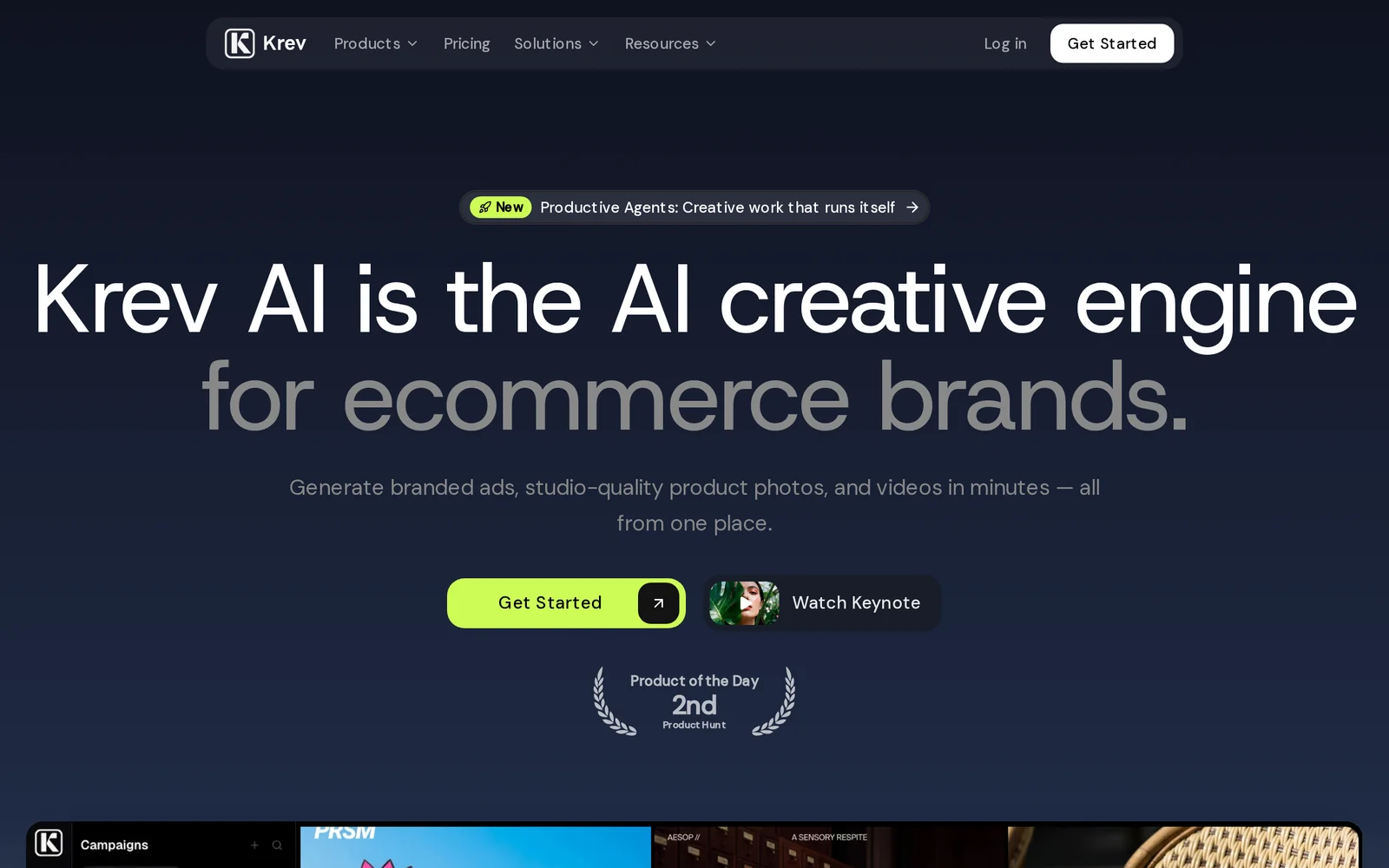
AIAI engine that generates studio-quality product photos, model videos, and performance-driven ad creatives for e-commerce brands.
KREV
AI engine that generates studio-quality product photos, model videos, and performance-driven ad creatives for e-commerce brands.
About KREV
Krev is an AI-powered creative engine for e-commerce and direct-to-consumer brands that generates studio-quality product photography, videos of models wearing products, and performance-focused ad creatives. It automates production of visual assets at scale, enabling rapid iteration and many creative variants for A/B and platform-specific testing. Krev's value is faster, lower-cost asset generation and the ability to produce consistent, conversion-optimized creatives without traditional photoshoots, helping marketers and merchants launch campaigns more quickly and test creative performance across channels.
Screenshots
Key Features
Use Cases



Frequently asked questions about KREV
What is KREV?
KREV is an advanced AI engine designed specifically for e-commerce brands, capable of generating high-quality product photos, engaging model videos, and effective ad creatives. By leveraging AI technology, KREV enhances marketing strategies and boosts conversion rates, making it an essential tool for online retailers.
Key Points
- AI-Powered Visuals: KREV utilizes artificial intelligence to create visually appealing product images.
- Enhanced Marketing: The tool generates compelling ad creatives tailored for e-commerce success.
- Time and Cost Efficiency: Automates content creation, significantly reducing production time and costs.
Detailed Explanation
KREV revolutionizes the way e-commerce brands produce marketing materials. The platform's AI engine analyzes product features and customer preferences to generate studio-quality visuals that resonate with the target audience. For example, a clothing brand can upload images of their products, and KREV will create not only high-resolution photos but also videos showcasing models wearing the apparel.
Use Cases
- Fashion Retailers: Generate lookbook-style videos and dynamic product images that attract more customers.
- Consumer Electronics: Create detailed product showcases with 360-degree views to enhance user experience.
- Home Goods: Produce lifestyle images that depict products in real-life settings, helping customers envision the items in their homes.
KREV's capabilities extend beyond just images; it also offers performance-driven ad creatives that are optimized for various platforms. This ensures that ads are not only visually appealing but also tailored to maximize engagement and conversion rates.
Best Practices / Tips
- Optimize Input Data: Provide high-quality images and detailed product descriptions to maximize KREV's output quality.
- Test Different Styles: Experiment with various visual styles and ad formats to find what resonates best with your audience.
- Monitor Performance: Use analytics to track the effectiveness of the generated creatives and adjust your strategies accordingly.
Additional Resources
How does KREV work?
KREV works by integrating advanced AI technologies to streamline and enhance everyday workflows for users. By automating tasks and providing intelligent insights, KREV allows users to focus on more strategic activities, thus improving efficiency and productivity in various applications.
Key Points
- AI Integration: KREV employs machine learning and natural language processing.
- Workflow Automation: It automates repetitive tasks, saving time.
- User-Friendly Interface: Designed to be intuitive for users of all skill levels.
Detailed Explanation
KREV is built on a robust AI framework that combines machine learning and natural language processing (NLP) to facilitate user tasks. This powerful integration allows KREV to understand context and streamline workflows efficiently. For example, users can automate data entry tasks, generate reports, or summarize documents quickly.
How KREV Enhances Workflows:
- Automated Responses: KREV can handle customer inquiries via chatbots, providing instant replies based on predefined algorithms.
- Data Analysis: Users can input large datasets, and KREV will analyze trends and generate insightful reports, helping businesses make informed decisions.
- Content Generation: KREV assists in creating marketing content by suggesting keywords, phrases, and styles tailored to target audiences.
Use Cases:
- Small Businesses: KREV helps automate bookkeeping and customer communication, reducing operational costs.
- Marketing Teams: It streamlines social media content creation and scheduling, allowing teams to focus on strategy.
- Project Management: KREV aids in task assignments and progress tracking, improving team collaboration.
Best Practices / Tips
- Start Small: Implement KREV for a few specific tasks before expanding its use across your organization.
- Regularly Update: Continually refine the AI’s parameters to adapt to changing business needs and improve accuracy.
- Train Your Team: Ensure all users are familiar with KREV's features to maximize its potential.
Additional Resources
- KREV Official Documentation for in-depth guidance.
- KREV Blog for tips on AI workflow optimization.
- AI Workflow Automation Best Practices to enhance productivity.
What are the main features of KREV?
KREV offers a suite of advanced features, primarily focusing on core AI capabilities such as natural language processing, predictive analytics, and automation tools. These functionalities enable businesses to enhance decision-making, streamline operations, and improve customer engagement through data-driven insights and intelligent automation.
Key Points
- Natural Language Processing (NLP): Enhances user interactions.
- Predictive Analytics: Facilitates data-driven decision-making.
- Automation Tools: Streamlines workflows and reduces manual tasks.
Detailed Explanation
KREV integrates several key AI features that drive efficiency and effectiveness in business operations:
-
Natural Language Processing (NLP): This feature allows KREV to understand and interpret human language. Businesses can use NLP to improve customer service through chatbots or virtual assistants that respond intelligently to inquiries. For example, a retail company can implement KREV’s NLP capabilities to analyze customer feedback and improve product offerings based on sentiment analysis.
-
Predictive Analytics: KREV employs sophisticated algorithms to analyze historical data and forecast future trends. This is particularly useful for industries like finance and marketing, where understanding consumer behavior is critical. For instance, a marketing team could leverage KREV's predictive analytics to tailor campaigns based on predicted customer responses, significantly enhancing ROI.
-
Automation Tools: KREV automates repetitive tasks, freeing up human resources for more strategic activities. This includes automating data entry, report generation, and customer follow-ups. A logistics firm, for example, can utilize KREV's automation to optimize supply chain management by automatically tracking shipments and notifying customers of status updates.
Best Practices / Tips
- Integrate KREV with Existing Tools: Ensure that KREV works seamlessly with your current software ecosystem for maximum efficiency.
- Train Your Team: Invest in training your employees on how to leverage KREV’s features effectively to maximize ROI.
- Monitor Performance: Regularly assess the performance of KREV’s features to identify areas for improvement and optimization.
Additional Resources
Who is KREV for?
KREV is designed for a diverse range of users, including entrepreneurs, marketers, content creators, and anyone seeking to streamline their daily AI workflows. It enhances productivity by automating repetitive tasks and offering AI-driven insights, making it an essential tool for maximizing efficiency in various fields.
Key Points
- Target Audience: Entrepreneurs, marketers, and content creators.
- Productivity Boost: Automates repetitive tasks and provides AI-driven insights.
- Versatile Applications: Suitable for businesses, freelancers, and individuals.
Detailed Explanation
KREV is an innovative AI tool that caters to anyone looking to enhance their daily workflows through automation and intelligent insights. Whether you are a small business owner aiming to optimize marketing strategies, a content creator needing assistance with writing, or a freelancer managing multiple projects, KREV can significantly improve efficiency.
For example, marketers can use KREV to analyze consumer data, generate targeted content, and automate email campaigns. Similarly, content creators can benefit from KREV's ability to brainstorm ideas, edit drafts, and optimize content for SEO, ensuring that their work reaches a wider audience.
KREV’s user-friendly interface allows users to set up workflows tailored to their specific needs. By integrating KREV into day-to-day operations, users can focus on strategic tasks rather than getting bogged down with repetitive chores.
Best Practices / Tips
- Identify Key Tasks: Before using KREV, outline the repetitive tasks you wish to automate. This clarity will enhance your experience.
- Leverage AI Insights: Regularly analyze the insights KREV provides to adapt your strategies effectively.
- Experiment with Features: Take time to explore all features of KREV, such as content generation and analytics, to fully utilize its potential.
Common pitfalls include underutilizing the tool's capabilities or neglecting to customize workflows, which can limit productivity gains. Regularly updating your approach based on the insights KREV offers can help you stay ahead in your field.
Additional Resources
By incorporating KREV into your daily routine, you can significantly enhance productivity, making it a valuable asset for anyone eager to leverage AI in their workflows.
How much does KREV cost?
KREV is a paid product with pricing that varies based on the plan you choose. For the most accurate and up-to-date pricing information, visit the official KREV website directly, as promotional offers may also be available.
Key Points
- KREV offers multiple pricing tiers.
- Subscription plans vary based on features and user needs.
- Official site provides the most current pricing and offers.
Detailed Explanation
KREV is a comprehensive tool designed for professionals seeking advanced features for their needs, such as analytics, project management, or creative workflows. The pricing typically includes several subscription models:
- Basic Plan: Ideal for individual users. This plan might start around $10 per month, offering essential features suitable for personal use.
- Pro Plan: Aimed at small teams, this plan usually costs around $30 per month and includes additional collaboration tools and enhanced project management features.
- Enterprise Plan: Custom pricing is available for larger organizations requiring tailored solutions, advanced security, and dedicated support.
Each plan is designed to cater to specific user requirements, ensuring that individuals and teams can choose the best option for their needs. Be sure to check the official KREV website for any promotional discounts or trials that may be available.
Best Practices / Tips
- Evaluate Your Needs: Before selecting a plan, assess your specific requirements. Consider how many users will access KREV and what features are necessary for your projects.
- Take Advantage of Trials: If available, use free trials to explore the features before committing to a paid plan. This helps ensure you choose the right subscription for your needs.
- Stay Updated on Offers: Regularly check the official site for any seasonal promotions or limited-time discounts, which can significantly reduce your costs.
Additional Resources
- KREV Official Website - For the latest pricing and feature updates.
- KREV Pricing Page - Detailed breakdown of all subscription plans.
- KREV User Guide - Comprehensive resource for maximizing your use of KREV.
How do I get started with KREV?
To get started with KREV, visit krev.ai to sign up for an account. Once registered, you can explore its features, integrate your data, and begin using the platform to enhance your marketing strategies effectively.
Key Points
- User Registration: Create an account on the KREV website.
- Feature Exploration: Familiarize yourself with KREV's tools and capabilities.
- Data Integration: Connect your existing marketing data for optimal use.
Detailed Explanation
KREV is an innovative AI-driven marketing tool designed to enhance your marketing campaigns through data analysis and automation. To get started, follow these steps:
-
Create an Account: Navigate to krev.ai and click on the "Sign Up" button. You will need to provide an email address and create a password. A confirmation email will be sent; click the link to verify your account.
-
Explore Features: After logging in, spend some time exploring KREV’s dashboard. Key features include automated marketing insights, performance tracking, and customer segmentation tools. Understanding these features will help you leverage KREV's full potential.
-
Integrate Your Data: KREV allows you to connect various data sources, such as Google Analytics, CRM systems, and email marketing platforms. This integration is crucial for personalizing your marketing strategies. Follow the integration prompts to sync your data securely.
-
Utilize AI Capabilities: KREV employs advanced algorithms to analyze your data and provide actionable insights. Use these insights to refine your campaigns, target specific audiences, and improve conversion rates.
-
Start Campaigns: Once your data is integrated, you can start creating and managing marketing campaigns directly within the platform. Use KREV's tools to automate tasks, schedule posts, and track performance metrics in real-time.
Best Practices / Tips
- Set Clear Goals: Before diving into KREV, determine what you want to achieve with your marketing efforts. This could include increasing brand awareness, driving sales, or improving customer engagement.
- Regularly Review Analytics: Make it a habit to check KREV’s analytics dashboard weekly. This will help you identify trends, optimize ongoing campaigns, and make informed decisions for future strategies.
- Utilize Customer Support: Don’t hesitate to reach out to KREV’s customer support team if you encounter any challenges. They can provide valuable assistance in troubleshooting and maximizing your use of the platform.
Additional Resources
- KREV Official Documentation
- KREV Blog for Marketing Tips
- Webinars and Tutorials to enhance your skills and knowledge on using KREV effectively.
Explore more AI Ai Agents tools
Browse all Ai Agents tools →Browse by use case: Video Generation · Automation & Productivity
Compare KREV: vs Playad · vs Concierge by Juniors AI · vs Scout by Fini · vs Ruflo