
Korgi
AIAll-in-one project boards that combine popular apps with built-in AI to organize work, collaborate, and automate tasks.
Korgi
All-in-one project boards that combine popular apps with built-in AI to organize work, collaborate, and automate tasks.
About Korgi
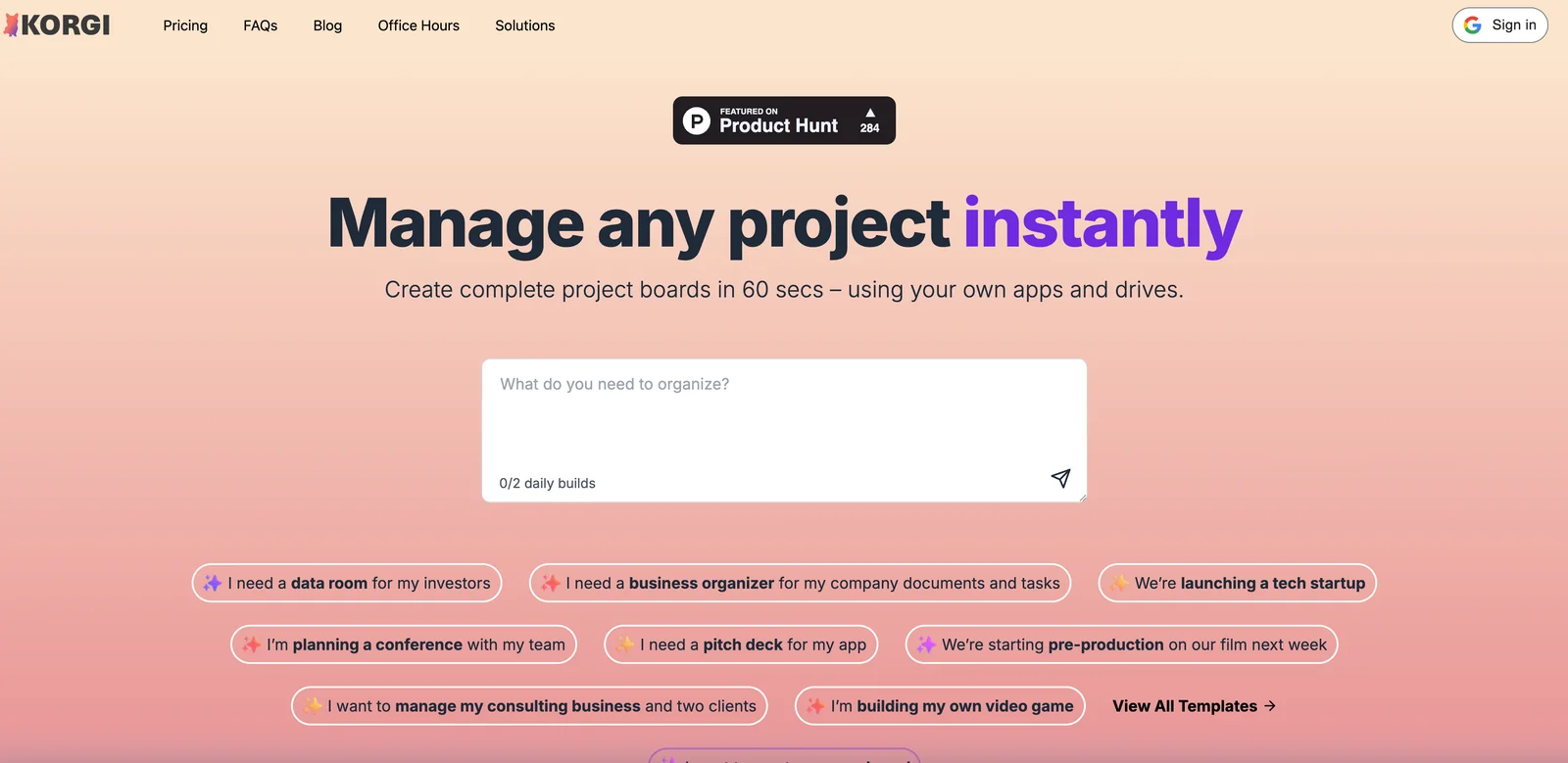
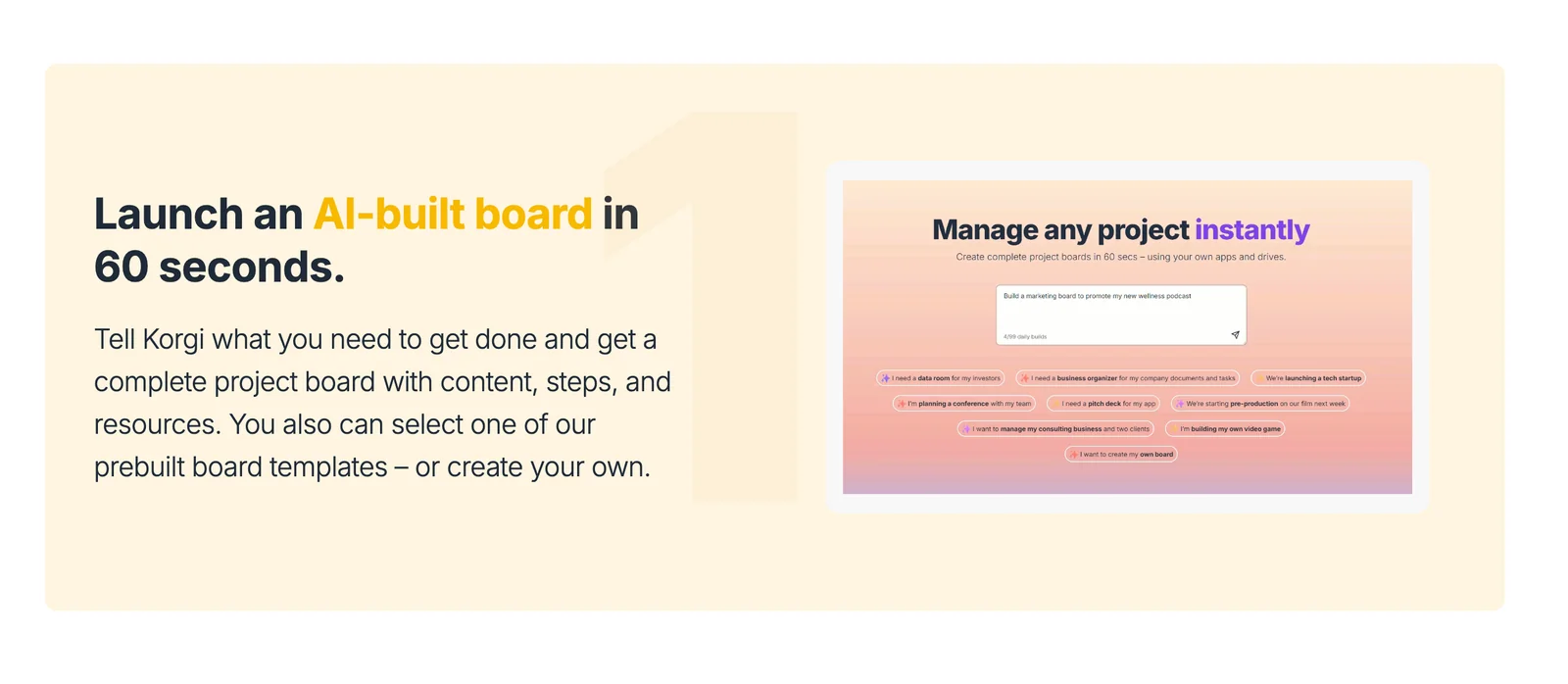
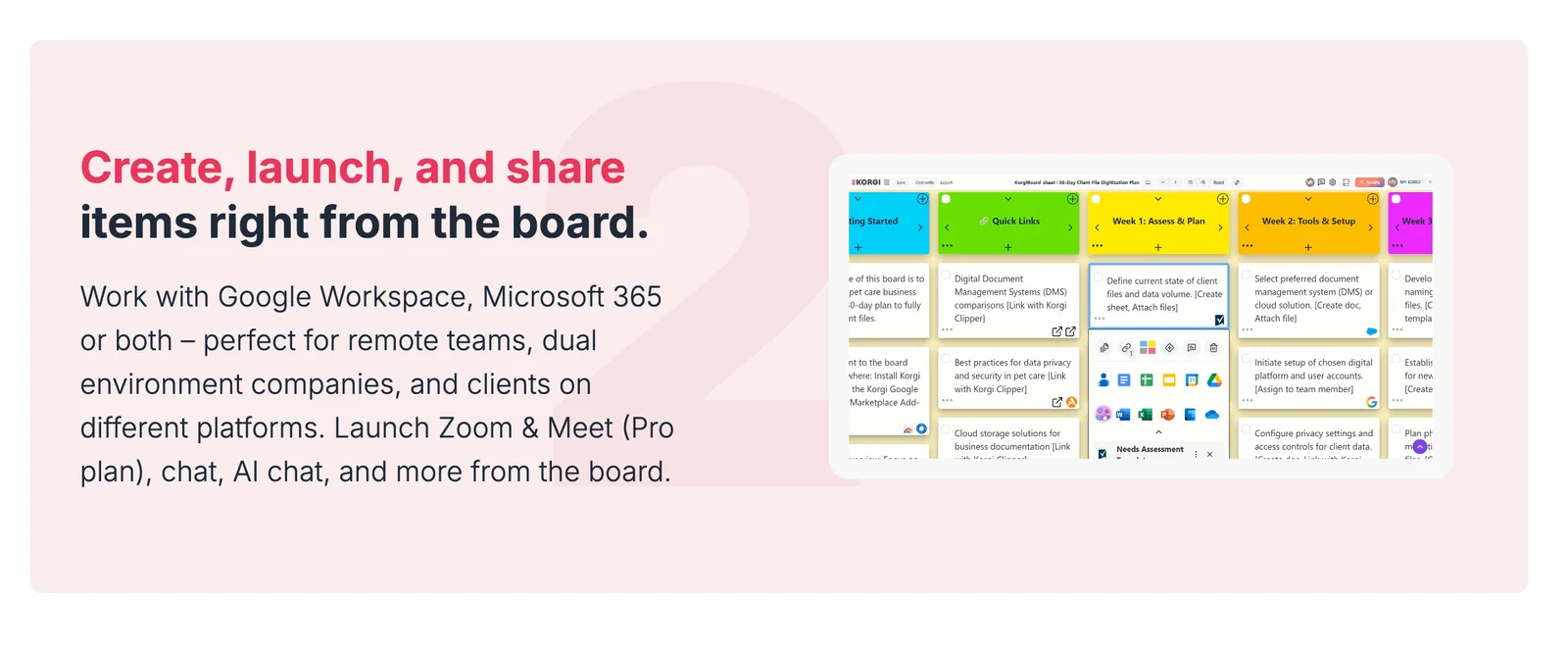
Korgi provides easy, fun, all-in-one project boards that embed popular apps and AI capabilities directly into a single workspace. Users can create customizable boards to organize tasks, projects, and information while leveraging integrated AI to summarize content, suggest next actions, and automate routine workflows. The platform emphasizes visual organization, app embeds/widgets, and collaborative features to reduce context switching and speed up project coordination across teams.
Screenshots
Key Features
Use Cases



Frequently asked questions about Korgi
What pricing options does Korgi offer for users?
Korgi offers a flexible pricing structure that includes a freemium model with a free tier, Korgi Plus at $17 per month, Korgi Pro for $22 per month, and a customizable Enterprise plan for larger organizations. The free tier provides basic features, while Plus and Pro come with enhanced capabilities and a 14-day free trial.
Key Points
- Freemium Model: Basic access without cost.
- Korgi Plus: Monthly subscription at $17 with added features.
- Korgi Pro: Advanced functionalities for $22 per month, including a 14-day trial.
Detailed Explanation
Korgi’s pricing options cater to a diverse range of users from beginners to businesses.
-
Freemium Tier: The free plan is ideal for individuals or small teams who want to explore Korgi's capabilities without any financial commitment. It includes basic functionalities, perfect for casual users or those testing the platform.
-
Korgi Plus: At $17 monthly, this plan unlocks additional features, making it suitable for small businesses or serious hobbyists who need more robust tools. This tier includes premium support and access to enhanced tools that streamline workflows.
-
Korgi Pro: Priced at $22 per month, this plan is tailored for professional users requiring advanced features. It also offers a 14-day free trial, allowing users to test all functionalities before committing. This tier is excellent for teams needing collaborative features or integrations with other software.
-
Enterprise Plan: For large organizations, Korgi provides a customizable Enterprise plan. Pricing for this tier varies based on specific needs and usage, offering tailored solutions that can include dedicated support and additional integrations.
Best Practices / Tips
- Start with the Free Tier: If unsure of your needs, begin with the free tier to familiarize yourself with Korgi's features.
- Evaluate Your Needs: Before upgrading to Plus or Pro, assess your requirements to choose the most suitable plan.
- Utilize Trials: Take advantage of the 14-day free trial for the Pro plan to explore advanced features and determine value before committing financially.
Additional Resources
What key features does Korgi provide for project management?
Korgi offers essential project management features, including integrated app embeds, built-in AI assistance, customizable boards, real-time collaboration, automation rules, and global search. These capabilities enhance team productivity and streamline the organization of tasks, making Korgi an ideal choice for effective project management.
Key Points
- Integrated App Embeds: Seamlessly connect tools.
- Built-in AI Assistance: Optimize workflow and decision-making.
- Customizable Boards: Tailor your workspace for specific projects.
Detailed Explanation
Korgi stands out in project management with its robust feature set:
-
Integrated App Embeds: Korgi allows users to embed various applications directly into their project boards. This means you can integrate tools like Google Drive, Trello, or Slack without leaving the platform, providing a centralized workspace.
-
Built-in AI Assistance: The AI features in Korgi help in task prioritization, deadline reminders, and even suggest improvements to workflows. For example, if you have a project with overlapping tasks, the AI can recommend scheduling adjustments to enhance efficiency.
-
Customizable Boards: Create boards that reflect your team's workflow. Whether you prefer Kanban, Gantt charts, or a simple to-do list, Korgi’s customizable boards cater to different project styles, allowing teams to visualize their progress effectively.
-
Real-time Collaboration: Korgi promotes teamwork by allowing multiple users to collaborate on projects in real-time. Changes made by one team member are instantly visible to others, reducing miscommunication and improving overall productivity.
-
Automation Rules: Automate repetitive tasks with Korgi’s automation features. For instance, you can set rules to automatically assign tasks based on team members’ workloads or notify users when a deadline is approaching, which saves valuable time and effort.
-
Global Search: The global search functionality makes it easy to locate tasks, projects, or documents across the entire platform quickly. This feature is particularly useful for large teams managing numerous projects simultaneously.
Best Practices / Tips
- Utilize Automation: Take advantage of Korgi's automation rules to streamline repetitive tasks. This will save time and reduce errors.
- Customize Your Workspace: Spend time setting up your boards in a way that reflects your team's workflow. A well-organized board can significantly enhance productivity.
- Engage with AI Tools: Regularly use the built-in AI features to optimize task management and project oversight.
- Encourage Team Collaboration: Foster a culture of collaboration by utilizing Korgi’s real-time features to enhance communication and project visibility.
Additional Resources
How can I get started with Korgi for my team?
To get started with Korgi for your team, visit the official website, sign up for a free account, and explore the onboarding tutorials. Create a project board to embed your favorite apps and customize it according to your team's workflow for optimal productivity.
Key Points
- Sign Up for a Free Account: Access all basic features.
- Onboarding Tutorials: Utilize resources for a smooth start.
- Customize Project Boards: Tailor the interface to meet your team's needs.
Detailed Explanation
Beginning your journey with Korgi is straightforward and user-friendly. Start by heading to the Korgi official website and clicking on the "Sign Up" button. You can create a free account that allows you to access a variety of features essential for team management and collaboration.
Once you've signed up, Korgi provides onboarding tutorials that guide you step-by-step through the platform. These tutorials cover key functionalities, such as setting up your first project board and integrating applications that your team frequently uses, such as Trello, Google Drive, or Slack.
Creating Your Project Board
- Navigate to the Dashboard: After logging in, go to your main dashboard.
- Create a New Board: Click on the "Create Project Board" button.
- Choose Your Apps: Browse through the list of available apps and select your favorites for easy access.
- Customize Your Layout: Adjust the layout to reflect your team's workflow—consider using columns for different stages of a project or categories for tasks.
This customization not only enhances visibility but also streamlines communication within your team. For example, visual boards can help you track progress in real-time, assign tasks to team members, and set deadlines for each stage of a project.
Best Practices / Tips
- Explore Integration Options: Take advantage of Korgi’s ability to integrate with your existing tools. This can save time and improve efficiency.
- Regularly Update Your Board: Encourage team members to keep the project board updated to maintain clarity on task statuses and deadlines.
- Utilize Tags and Filters: Use tagging systems to categorize tasks better, making it easier to filter by priority or team member.
Common pitfalls to avoid include neglecting to customize your project board, which can lead to disorganization, and failing to engage with the onboarding tutorials, which may result in a lack of understanding of key features.
Additional Resources
- Korgi Documentation - Access in-depth guides and FAQs.
- Korgi Community Forum - Join discussions with other users.
- Korgi Blog - Stay updated with tips, tricks, and new features.
What technical requirements are needed to use Korgi?
Korgi requires a modern web browser to access its platform and supports various app integrations. For API access and advanced features, users should refer to specific compatibility details on the official Korgi website to ensure optimal performance.
Key Points
- Browser Compatibility: Korgi is designed for modern browsers like Chrome, Firefox, and Safari.
- App Integrations: Korgi seamlessly integrates with popular applications such as Slack, Trello, and Google Drive.
- API Access: Advanced features are available via API, requiring specific technical requirements.
Detailed Explanation
Korgi is a user-friendly platform that operates in your browser, making it accessible from any device with internet connectivity. To ensure a smooth experience, Korgi recommends using the latest versions of web browsers, such as Google Chrome, Mozilla Firefox, Microsoft Edge, and Apple Safari. Using outdated browsers may lead to compatibility issues or hinder functionality.
App Integrations
Korgi supports integration with a variety of applications, enhancing productivity and collaboration. For instance, it can connect with project management tools like Trello and communication platforms like Slack. These integrations allow for seamless data sharing and real-time updates, making it easier for teams to work together efficiently.
API Access
For users requiring advanced functionalities, Korgi provides API access. This allows developers to create custom integrations or automate workflows. To utilize the API, users should verify the technical requirements outlined on the Korgi website, including authentication methods, request formats, and data handling procedures.
Best Practices / Tips
- Keep Your Browser Updated: Always use the latest browser version to avoid security vulnerabilities and ensure compatibility with Korgi.
- Check Integration Settings: Regularly review your app integration settings within Korgi to maximize efficiency and functionality.
- Explore API Documentation: If you plan to use Korgi's API, familiarize yourself with the official documentation to understand endpoints, rate limits, and best practices for implementation.
Additional Resources
How does Korgi compare to other project management tools?
Korgi distinguishes itself from other project management tools like Trello and Asana with its advanced built-in AI features and integrated app embeds, facilitating seamless collaboration and automation. This makes Korgi a more comprehensive solution for teams aiming to enhance productivity and streamline workflows.
Key Points
- AI-Powered Features: Korgi utilizes artificial intelligence to optimize task management and resource allocation.
- Integrated App Embeds: It allows users to link various applications directly within the platform, enhancing collaboration.
- Automation Capabilities: Korgi automates repetitive tasks, reducing administrative overhead for teams.
Detailed Explanation
Korgi's AI features set it apart by providing intelligent insights, predicting project timelines, and suggesting task prioritization based on team performance. For instance, if a team member is consistently missing deadlines, Korgi can analyze the data and recommend workload adjustments or additional resources.
In comparison, tools like Trello focus primarily on visual task management and Asana on structured project timelines. While these platforms excel in their respective niches, they often lack the comprehensive automation and AI insights that Korgi offers. For example, Korgi's ability to integrate app embeds means that teams can connect tools like Google Drive or Slack directly within their project boards, allowing for real-time collaboration without switching platforms.
Korgi also provides customizable templates tailored to various industries, enhancing user experience and adaptability. This feature enables teams to hit the ground running, unlike competitors that may require more setup time.
Best Practices / Tips
- Leverage AI Insights: Regularly review Korgi’s AI-generated reports to identify areas for improvement within your team’s workflow.
- Utilize App Embeds: Take advantage of app integration to keep all necessary tools accessible and maintain communication within Korgi.
- Customize Templates: Use Korgi's customizable templates to align project management practices with your team’s specific needs, ensuring efficiency from the start.
Additional Resources
Explore more AI Ai Services tools
Browse all Ai Services tools →Browse by use case: Automation & Productivity
Compare Korgi: vs Context.dev · vs ZeroClick · vs jurniti · vs Cadenya