

Keystroke
AISingle platform for building, deploying, and running internal AI agents and multi-step AI systems with memory, tools, and triggers.
Keystroke
Single platform for building, deploying, and running internal AI agents and multi-step AI systems with memory, tools, and triggers.
About Keystroke
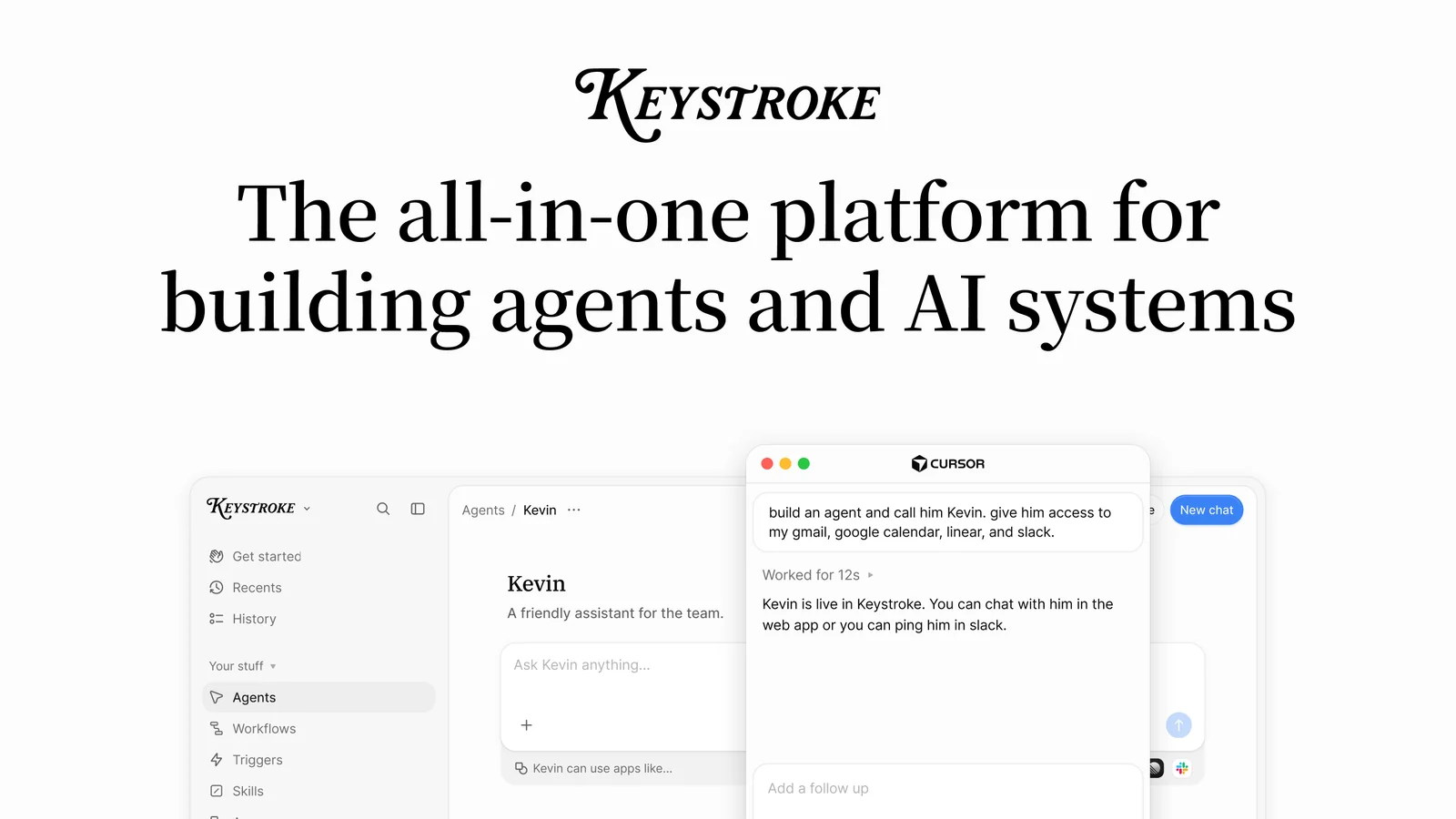
Keystroke is a platform for teams that need to build powerful internal AI agents and larger AI systems in one place. Agents get memory, a persistent file system, code execution, and access to 1,000+ integrations and MCP servers, so they can take on real, stateful work. Beyond single agents, Keystroke lets you compose agents, workflows, triggers, and human-approval steps into durable AI systems that automate complex processes reliably. Teams can share context, agents, and skills across the organization to build a shared 'company brain,' and everything can be deployed from your own repo or built with a coding agent like Cursor or Claude Code. Pricing is usage-based: you pay only when agents and workflows are actually running, with usage limits, alerts, and role-based controls for keeping spend and access in check.
Screenshots
Key Features
Use Cases



Frequently asked questions about Keystroke
What is Keystroke?
Keystroke is a comprehensive platform designed for building, deploying, and managing internal AI agents and multi-step AI systems. It features advanced capabilities such as memory, tools, and triggers, enabling businesses to automate workflows and enhance productivity through intelligent automation solutions.
Key Points
- Unified Platform: Keystroke integrates various functionalities for AI deployment.
- Memory and Triggers: It utilizes memory for contextual awareness and triggers for responsive actions.
- Versatile Applications: Suitable for diverse industries, enhancing operational efficiency.
Detailed Explanation
Keystroke is engineered to streamline the creation and management of AI systems, making it an ideal choice for businesses looking to harness artificial intelligence for operational efficiency. With its unified platform, users can develop internal AI agents that automate tasks and processes, significantly reducing manual effort.
Key Features
-
Memory: Keystroke's memory feature allows AI agents to remember user interactions and preferences, enabling a more personalized experience. For instance, a customer service bot can recall past inquiries, providing faster and more relevant responses.
-
Multi-Step AI Systems: Users can build complex workflows that involve multiple tasks and decision points. This is particularly useful in industries like finance, where transactions may require several verification steps.
-
Triggers: The platform supports event-driven actions, meaning AI systems can respond to specific triggers, such as user inputs or time-based events. For example, a trigger could automate a follow-up email after a user completes a purchase.
Use Cases
- Customer Support Automation: Companies can deploy Keystroke to handle common customer queries, reducing wait times and improving satisfaction.
- Data Entry and Management: Businesses can automate data processing tasks, minimizing errors and freeing up employee time for more strategic activities.
- Marketing Campaigns: Marketers can use the platform to create targeted campaigns that adapt based on user interactions.
Best Practices / Tips
- Start Small: When using Keystroke for the first time, begin with simple AI tasks to understand the platform's capabilities. Gradually expand to more complex systems as you gain confidence.
- Monitor Performance: Utilize analytics tools within Keystroke to track the effectiveness of your AI systems. Regularly adjust parameters based on performance metrics to optimize results.
- Engage Users: Encourage user feedback to continually refine AI agents. This will improve their accuracy and relevance over time.
Additional Resources
How does Keystroke work?
Keystroke works by integrating intelligent agents with memory, enabling automation through workflows, triggers, and human approvals. This system utilizes over 1,000 integrations to connect various tools, allowing teams to streamline processes and share knowledge, ultimately enhancing productivity and operational efficiency across the organization.
Key Points
- Intelligent Agents with Memory: Persistent agents store information for ongoing tasks.
- Robust Automation Framework: Combines workflows, triggers, and human approvals for effective task management.
- Extensive Integrations: Connect with over 1,000 tools to facilitate seamless operations.
Detailed Explanation
Keystroke leverages intelligent agents equipped with memory capabilities to manage tasks that require stateful operations. These agents can retain context, enabling them to execute complex workflows efficiently. For example, a sales team might use Keystroke to automate CRM updates and generate briefs by setting triggers based on specific events, such as new lead entries or opportunities.
Use Cases:
- Operational Efficiency: The Ops team can automate inbox triage and meeting notes review, reducing manual effort and speeding up response times.
- Engineering Workflow: Engineers can deploy internal agents directly from their repositories, utilizing the same rigorous review processes they apply to production code, ensuring quality and consistency.
- Centralized Knowledge Sharing: A company-wide brain allows different departments to access shared agents and skills, enhancing collaboration and knowledge retention.
Best Practices / Tips
- Define Clear Workflows: Before implementing Keystroke, outline specific workflows to maximize the effectiveness of automation.
- Utilize Integrations: Take advantage of the extensive integrations to connect existing tools, ensuring a smooth transition and enhanced functionality.
- Regularly Review Agent Performance: Continuously monitor the performance of agents and workflows to identify areas for improvement and to adapt to changing business needs.
Additional Resources
What are the main features of Keystroke?
Keystroke offers features such as memory-enabled agents, a robust AI system for automation, over 1,000 integrations, a collaborative company brain, and flexible triggers and schedules. These capabilities empower teams to create efficient, stateful workflows and enhance productivity across the organization.
Key Points
- Agents with Memory: Create agents that retain context and data.
- AI Systems: Design multi-step automations with workflows and triggers.
- 1,000+ Integrations: Seamlessly connect various tools and platforms.
Detailed Explanation
Keystroke is designed to enhance productivity and streamline workflows through its powerful features:
-
Agents with Memory: These agents can retain important information over multiple interactions, allowing for more personalized and context-aware responses. For instance, if an agent assists a user in a project and retains key details, it can provide tailored support in future interactions.
-
AI Systems: Users can compose complex automations that include agents, workflows, triggers, and human-approval steps. This flexibility allows businesses to create durable processes that adapt to changing needs. For example, a marketing team can automate email campaigns that require approval from a manager before sending.
-
1,000+ Integrations: Keystroke offers a plethora of built-in integrations and supports custom APIs, enabling users to link their existing tools effortlessly. This means you can connect project management tools, CRMs, and communication platforms without additional coding, saving time and resources.
-
Company Brain: This feature fosters collaboration by allowing teams to share agents, context, and skills. As knowledge compounds, it creates a more efficient workflow where team members can leverage each other’s expertise, enhancing overall productivity.
-
Triggers & Schedules: Keystroke allows agents to operate based on webhooks, set schedules, or specific event triggers. This ensures that workflows can execute automatically, minimizing manual intervention. For instance, you can set an agent to trigger a report generation every Friday at noon.
Best Practices / Tips
- Utilize Agents with Memory: Train your agents to remember user preferences and project specifics to deliver a more tailored experience.
- Leverage Multi-Step Automations: Break complex tasks into manageable steps to streamline processes and reduce errors.
- Integrate Wisely: Prioritize integrating tools that your team uses most frequently to maximize efficiency.
- Test Workflows: Regularly test and update your automations to ensure they function correctly and meet current business needs.
Additional Resources
Who is Keystroke for?
Keystroke is designed for diverse teams including Ops, Engineering, Sales, Central AI, and startup founders. It automates workflows like inbox triage, meeting notes review, CRM updates, and integrates multiple agents to streamline internal processes without the need for additional staff.
Key Points
- Ops Teams: Automate inbox triage and meeting follow-ups.
- Engineering Teams: Ship internal agents using production-level workflows.
- Sales Teams: Create efficient pipelines for CRM and outbound communication.
Detailed Explanation
Keystroke is a versatile AI tool that enhances productivity across various departments.
-
Ops Teams: Keystroke automates inbox triage, meaning that it helps sort and prioritize emails efficiently. This allows the Ops team to focus on critical tasks while the system handles routine emails and generates meeting notes and follow-up drafts based on Granola or Slack events.
-
Engineering Teams: For engineering departments, Keystroke facilitates the shipping of internal agents directly from their repositories. This ensures that the same rigorous review processes applied to production code are also utilized for internal tools, maintaining high-quality standards.
-
Sales Teams: Sales professionals benefit by establishing a durable pipeline of automated triggers and workflows for CRM updates. This includes generating briefs and drafting outbound messages, which saves valuable time and enhances client engagement.
-
Central AI Teams: Central AI teams can create a shared workspace where every department accesses a library of agents, skills, and contextual knowledge. This eliminates the need for one-off scripts and promotes collaboration and efficiency.
-
Startup Founders: Entrepreneurs can combine multiple agents into a comprehensive AI system that automates core internal processes. This not only optimizes operations but also allows startups to scale without needing to hire additional staff.
Best Practices / Tips
- Identify Key Use Cases: Before implementing Keystroke, identify specific workflows that will benefit most from automation.
- Train Teams: Ensure all team members are trained on how to utilize the tool effectively to maximize productivity.
- Monitor and Optimize: Regularly review the performance of automated workflows and adjust as necessary to improve efficiency.
- Integrate with Existing Tools: Leverage Keystroke's compatibility with existing tools like Slack and CRM systems for seamless integration.
Additional Resources
How much does Keystroke cost?
Keystroke offers a free tier that allows users to access basic functionalities, with paid plans starting at $10 per month for advanced features. Pricing can vary based on the plan selected, providing options for both individuals and teams to suit different needs.
Key Points
- Free tier available for basic use.
- Paid plans start at $10 per month.
- Pricing varies based on features and user needs.
Detailed Explanation
Keystroke is designed to cater to various users, from individuals looking for simple keylogging solutions to businesses needing comprehensive monitoring tools. The free tier allows users to experience essential features without any cost, making it an attractive option for those new to keylogging software.
For users requiring advanced functionalities, paid plans are available. The basic paid plan starts at $10 per month, which includes features such as enhanced data security, priority customer support, and additional customization options. As users' needs grow, they can opt for higher-tier plans that may include advanced analytics, team collaboration tools, or integrations with other software.
Example Use Cases:
- Individuals: A single user may benefit from the free tier to monitor personal productivity without any financial commitment.
- Small Businesses: A small team might choose the $10 plan to enhance employee performance tracking and data security.
- Larger Organizations: Enterprises can explore higher-tier plans for comprehensive monitoring and team management features.
Best Practices / Tips
- Evaluate Your Needs: Before committing to a paid plan, assess what features you truly need. The free tier is excellent for testing the software.
- Check for Discounts: Occasionally, Keystroke may offer discounts for annual subscriptions, which can save money in the long run.
- Stay Updated: Pricing and features may change, so regularly check the Keystroke website for the latest information.
Additional Resources
How do I get started with Keystroke?
To get started with Keystroke, visit https://keystroke.ai/ to sign up for an account. Once registered, explore the platform's features and functionalities to optimize your workflow and enhance productivity using this innovative AI tool.
Key Points
- Simple signup process at the official website.
- Explore diverse features tailored for productivity.
- Utilize support resources for assistance.
Detailed Explanation
Keystroke is a powerful AI tool designed to enhance your productivity and streamline your workflow. To begin, head to the official Keystroke website and follow these steps:
-
Sign Up: Click on the "Sign Up" button. You will need to provide basic information such as your name, email address, and a password. Consider using a strong password to secure your account.
-
Account Verification: After signing up, check your email for a verification link. Click on it to activate your account.
-
Explore Features: Once logged in, take a tour of Keystroke's features. The platform may include tools for task management, automation, and collaboration, which can significantly improve your daily operations.
-
Set Up Your Workspace: Customize your workspace according to your preferences. Add projects, set deadlines, and integrate other tools you frequently use.
-
Utilize Training Resources: Keystroke often provides tutorials, webinars, and user guides. These resources can help you maximize the tool's potential.
-
Join the Community: Engage with other users through forums or social media groups. Sharing tips and learning from others can enhance your experience.
Best Practices / Tips
- Start Small: Begin with a few features and gradually explore more as you become comfortable. This prevents overwhelm and allows you to learn effectively.
- Regularly Update: Keep your account and preferences updated to take advantage of new features and improvements.
- Seek Help: If you encounter issues, utilize Keystroke's support channels. Don’t hesitate to ask for help through FAQs or customer support.
Additional Resources
By following these steps and utilizing the available resources, you can effectively leverage Keystroke to boost your productivity and streamline your tasks.
Explore more AI Ai Agents tools
Browse all Ai Agents tools →Browse by use case: Automation & Productivity
Compare Keystroke: vs TryCase · vs Aside · vs Wisry · vs Cline