
Kerno
AIAutonomously writes, runs, and maintains integration tests in your IDE to cover backend codebases and speed safe shipping.
Kerno
Autonomously writes, runs, and maintains integration tests in your IDE to cover backend codebases and speed safe shipping.
About Kerno
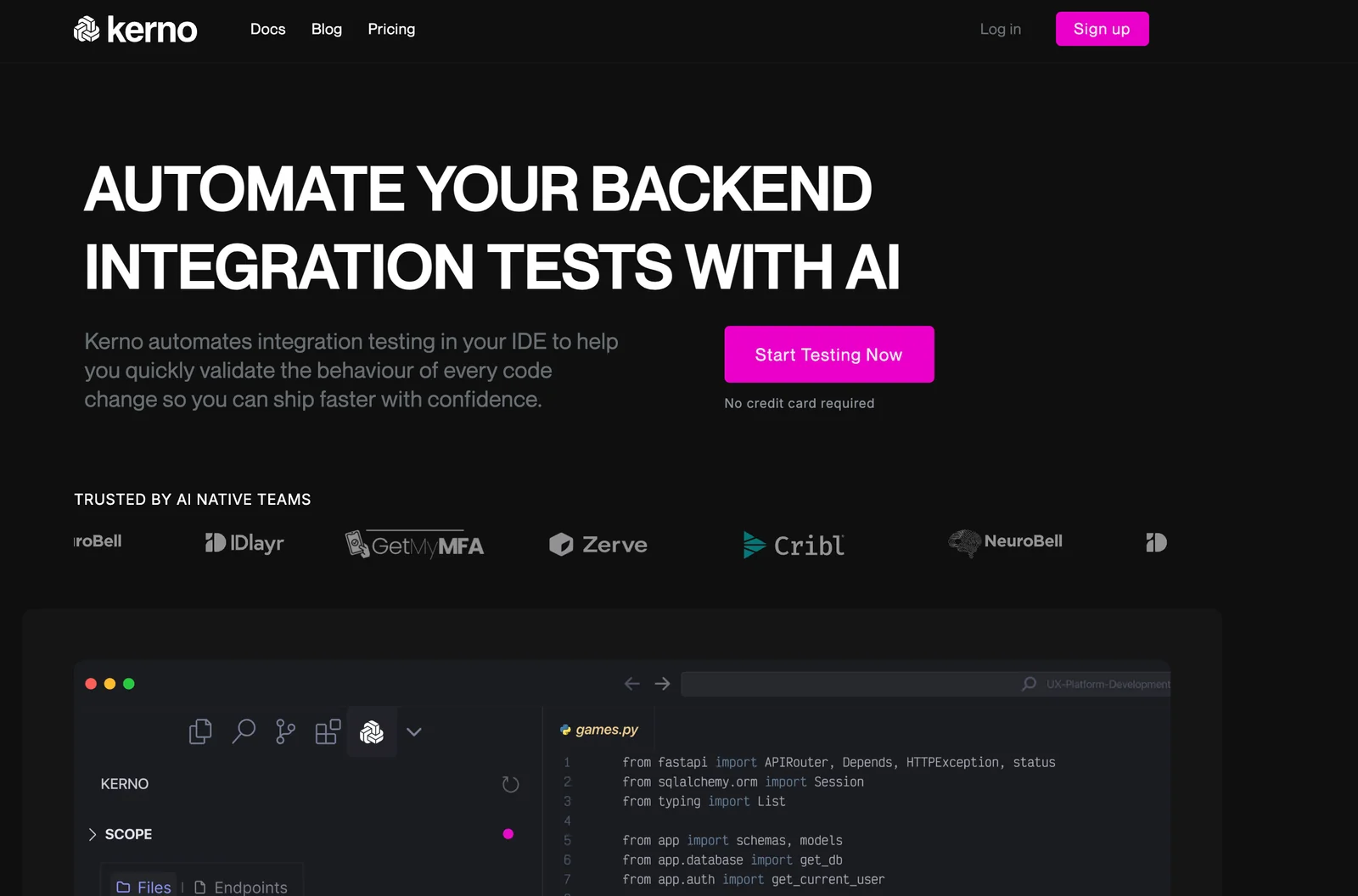
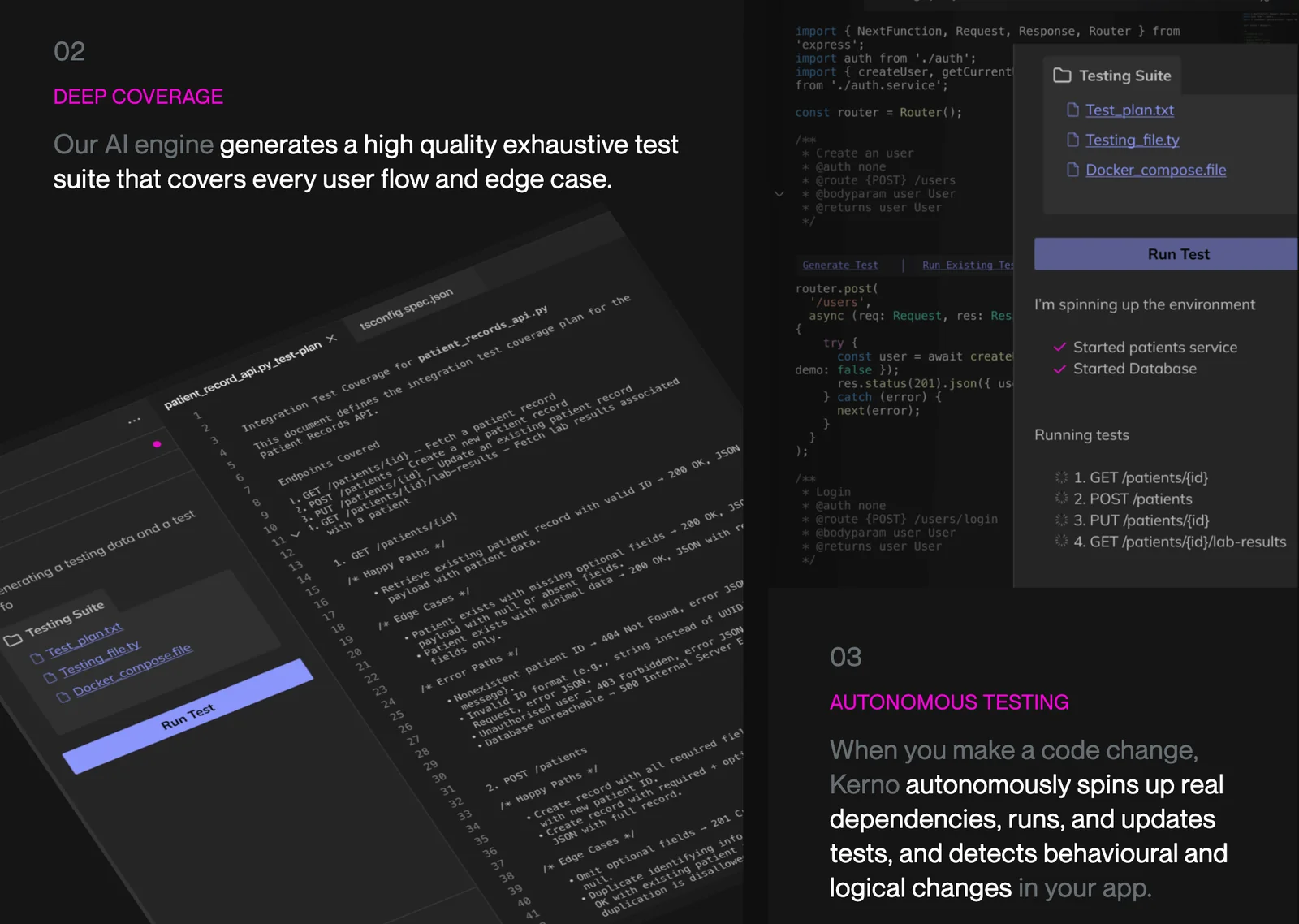
Kerno is an IDE-integrated co-pilot that autonomously generates, executes, and maintains integration tests for backend codebases. It continuously analyzes your backend services to produce comprehensive integration tests, runs them in your development environment, and updates existing tests as code evolves to reduce regressions. By automating test creation and maintenance, Kerno reduces manual QA effort, improves test coverage across edge cases, and helps teams ship backend changes faster with greater confidence. It is designed to fit into developer workflows and CI pipelines to provide ongoing verification of backend behavior.
Screenshots
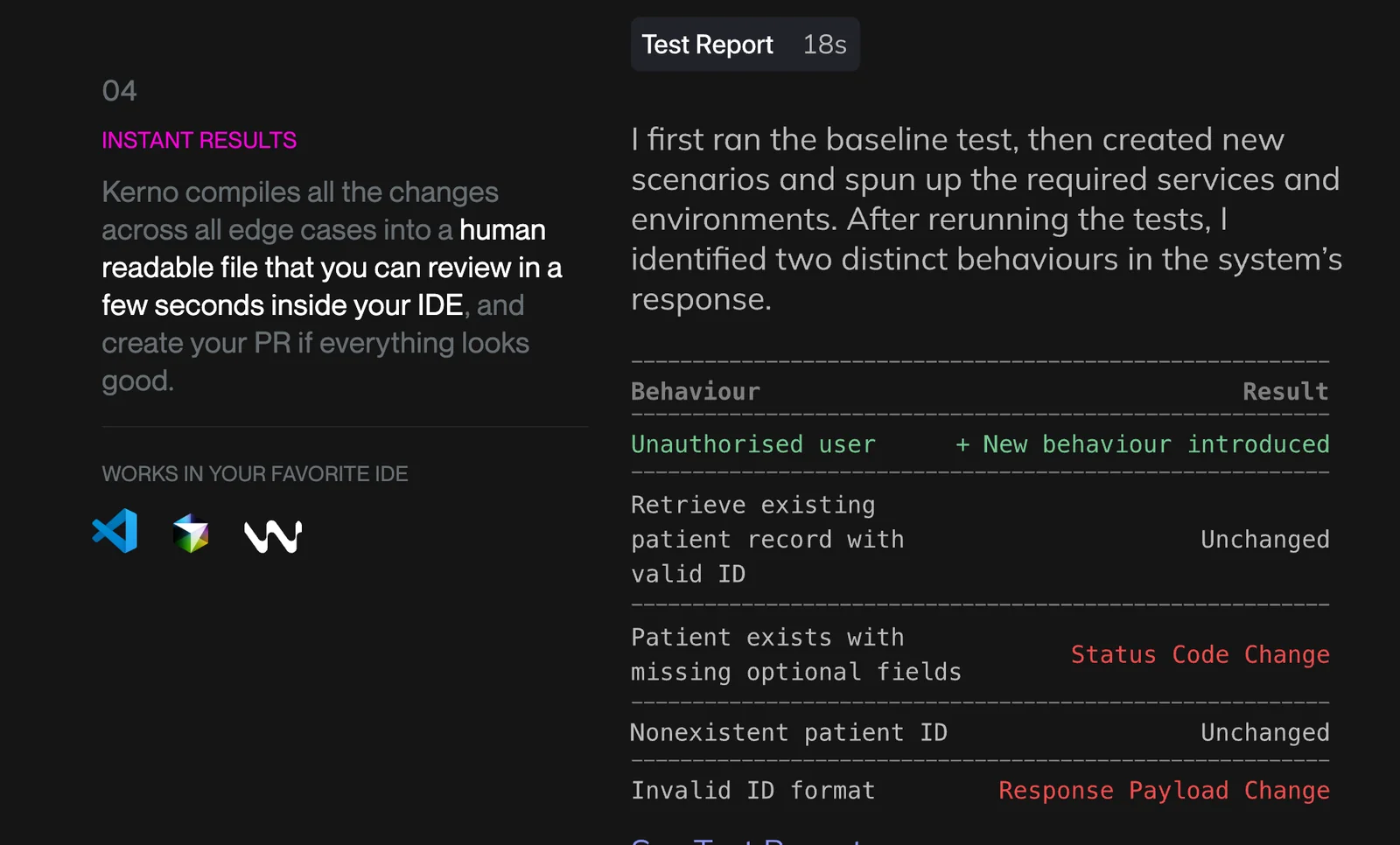
Key Features
Use Cases



Frequently asked questions about Kerno
What are the pricing options for Kerno?
Kerno offers four distinct pricing options: the Community/Open Source plan is free for eligible projects, Beta access is also free but has limitations, the Pro plan costs between $20 and $25 per month, and Enterprise pricing is tailored to specific organizational needs.
Key Points
- Community/Open Source: Free for qualified projects.
- Beta Access: Free, but with limitations on features.
- Pro Plan: Ranges from $20 to $25 per month.
- Enterprise Plan: Custom pricing based on requirements.
Detailed Explanation
Kerno provides a flexible pricing structure to accommodate various user needs.
-
Community/Open Source: This plan is ideal for developers and organizations working on qualifying open-source projects. It allows users to access Kerno's core features without any cost, making it an excellent choice for startups and individual developers looking to leverage AI capabilities without financial burden.
-
Beta Access: For users interested in testing new features, Kerno offers a Beta access plan. While this option is free, it comes with certain limitations, such as restricted access to advanced functionalities and support. This option is perfect for those who want to explore Kerno's capabilities before committing to a paid plan.
-
Pro Plan: The Pro plan is designed for businesses and professionals who require a more comprehensive set of features. Priced between $20 and $25 per month, this plan includes advanced tools, priority support, and additional integrations, making it suitable for teams that need reliable AI solutions for their projects.
-
Enterprise Plan: For larger organizations or those with specific needs, Kerno offers customized Enterprise pricing. This plan is tailored to meet unique business requirements, ensuring that organizations can access the level of service and support they need to succeed.
Best Practices / Tips
- Evaluate Your Needs: Consider the size of your project and team when selecting a plan. Start with the free options if you are unsure.
- Test Beta Features: Utilize the Beta access to familiarize yourself with Kerno's capabilities before upgrading to a Pro or Enterprise plan.
- Contact Sales for Custom Solutions: If your organization has unique needs, reach out to Kerno’s sales team to discuss tailored Enterprise options.
Additional Resources
How does Kerno automatically generate integration tests?
Kerno automatically generates integration tests by analyzing backend code paths and service interactions. It identifies edge cases and typical workflows, ensuring comprehensive test coverage that enhances software reliability and reduces manual testing efforts.
Key Points
- Autonomous Test Generation: Kerno uses AI to autonomously create integration tests without human intervention.
- Focus on Edge Cases: It emphasizes identifying edge cases to minimize potential failures in production.
- Workflow Analysis: Kerno analyzes typical workflows to ensure complete test coverage.
Detailed Explanation
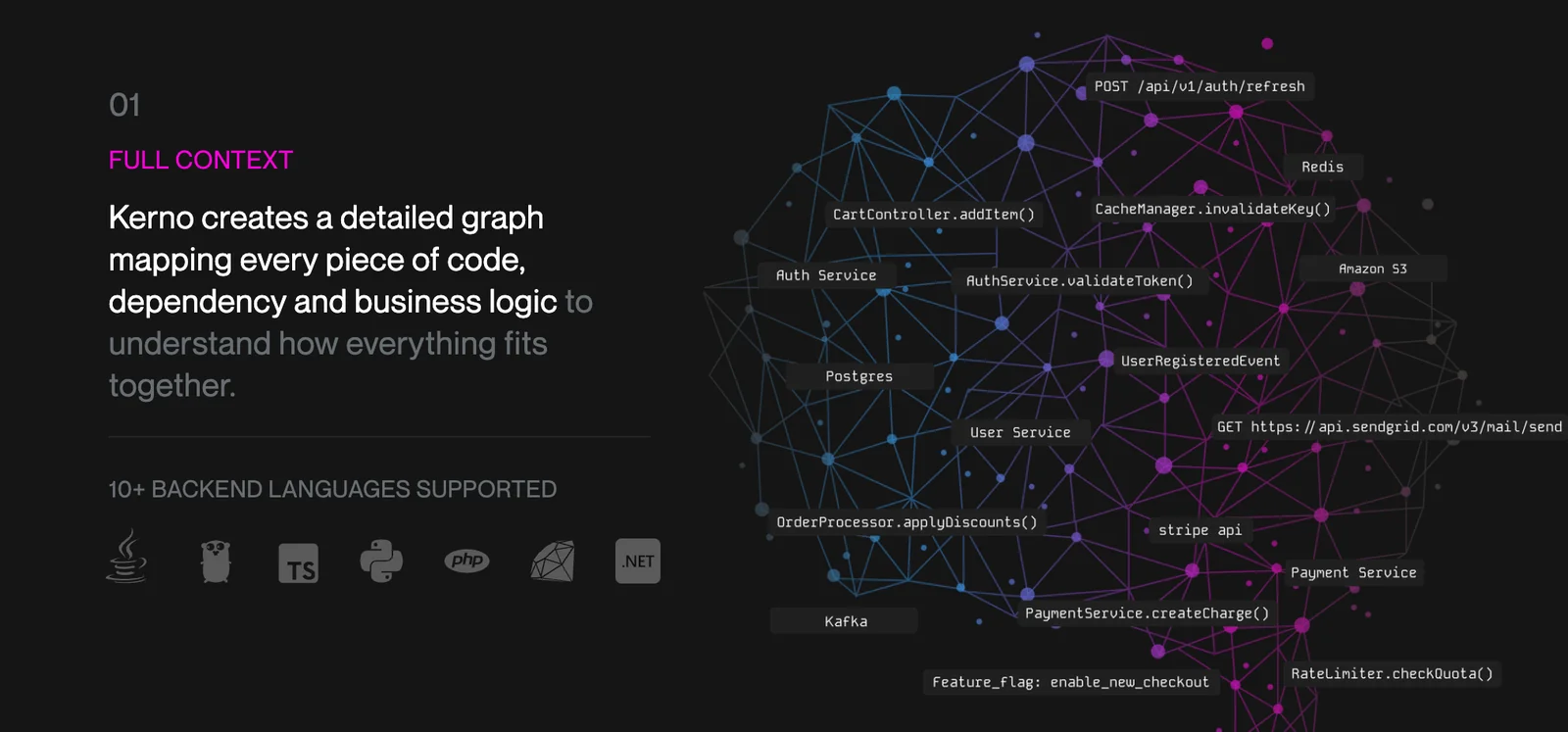
Kerno leverages advanced algorithms to analyze the backend code structure and service interactions. By mapping out how different components of the application communicate, Kerno can simulate various scenarios that a user might encounter. This includes:
-
Code Path Analysis: Kerno inspects the code paths to understand how data flows through the application. For instance, if an application has multiple APIs, Kerno evaluates how these APIs interact under various conditions.
-
Service Interaction Assessment: The tool assesses how different services depend on each other. For example, if a user action triggers a series of services, Kerno creates tests to ensure that all services respond correctly.
-
Edge Case Detection: By examining the extremes of input data, Kerno can generate tests that cover scenarios often overlooked, such as boundary values and unexpected user inputs, which helps prevent bugs in production.
-
Continuous Learning: Kerno’s AI components learn from previous test results, refining future test generation. This iterative improvement process ensures that Kerno adapts to new features and changes in the codebase over time.
Best Practices / Tips
- Regular Updates: Ensure that Kerno is regularly updated to adapt to new features and changes in your application’s architecture.
- Integrate with CI/CD: Incorporate Kerno into your Continuous Integration/Continuous Deployment (CI/CD) pipeline to automate the testing process.
- Review Generated Tests: While Kerno is highly capable, periodically review the generated tests for relevance and accuracy to ensure they align with business requirements.
- Combine with Manual Testing: Use Kerno’s automated tests in conjunction with manual testing for comprehensive coverage, especially in complex scenarios.
Additional Resources
- Kerno Documentation - Official documentation for setup and usage.
- Integration Testing Best Practices - A guide on best practices for integration testing.
- Continuous Integration/Deployment Guide - Learn how to effectively implement CI/CD in your development workflow.
Is there a guide to help me get started with Kerno?
Yes, Kerno offers a comprehensive guide to help new users get started, including support materials and example repositories in multiple programming languages such as Go, Java/Kotlin, Python, and TypeScript. These resources are designed to facilitate effective onboarding and enhance your development experience.
Key Points
- Diverse Language Support: Kerno provides resources in several popular programming languages.
- Example Repositories: Access to practical examples helps in understanding implementation.
- User-Friendly Documentation: The onboarding materials are designed for easy comprehension.
Detailed Explanation
Kerno offers an extensive set of resources aimed at helping new users navigate the platform. For instance, you can find example repositories for various programming languages, which serve as practical templates to kickstart your projects. This includes:
- Go: Sample projects that demonstrate how to build efficient applications using Kerno's features.
- Java/Kotlin: Libraries and frameworks that integrate seamlessly, allowing you to leverage existing Java ecosystems.
- Python: Examples showcasing Kerno's capabilities in data analysis and machine learning applications.
- TypeScript: Projects that highlight the advantages of using Kerno in modern web development.
To access these resources, visit Kerno’s official website under the "Documentation" or "Resources" section. Each repository includes a README file with setup instructions and usage examples, enabling you to dive deep into developing applications quickly.
Best Practices / Tips
- Start with the Basics: Familiarize yourself with the core concepts of Kerno before jumping into complex projects.
- Utilize Community Forums: Engage with the Kerno user community for support and insights, which can significantly enhance your learning experience.
- Experiment with Examples: Modify existing examples to better understand how Kerno functions. This hands-on approach can be more effective than simply reading the documentation.
- Stay Updated: Regularly check for updates in the documentation and repositories to keep your projects aligned with the latest features and best practices.
Additional Resources
By leveraging these resources and following best practices, you can effectively onboard and start utilizing Kerno in your development projects.
What technical requirements do I need to use Kerno?
Kerno requires a compatible development environment, integrating seamlessly with popular IDEs and CI/CD pipelines. To effectively run integration tests and manage backend code, ensure your system meets the necessary specifications, including software dependencies and configuration settings.
Key Points
- IDE Compatibility: Kerno works with various Integrated Development Environments (IDEs).
- CI/CD Integration: It integrates with Continuous Integration and Continuous Deployment pipelines.
- System Requirements: A specific set of software dependencies is needed for optimal performance.
Detailed Explanation
Kerno is designed to enhance productivity in backend development by integrating with your existing tools. Here are the technical requirements you should consider:
-
IDE Compatibility: Kerno supports popular IDEs such as Visual Studio Code, IntelliJ IDEA, and Eclipse. Make sure your IDE is updated to the latest version to avoid compatibility issues. For instance, if using Visual Studio Code, ensure you have the necessary extensions installed for Kerno.
-
CI/CD Integration: To utilize Kerno effectively, it should be integrated into your CI/CD pipeline. This means that your pipeline must support tools like Jenkins, GitLab CI, or CircleCI. Each of these tools can automate the testing and deployment process, ensuring that your code runs smoothly in production environments.
-
System Requirements: Verify that your development environment meets Kerno's system requirements. This often includes specific versions of Node.js, Python, or other programming languages, as well as database setups. Refer to Kerno's documentation for a detailed list of required versions and configurations.
-
Network Requirements: If using cloud-based features, ensure your network configuration allows for access to Kerno’s services. This might involve setting up firewall rules or VPN connections.
Best Practices / Tips
- Stay Updated: Regularly check for updates to Kerno and your IDE to maintain compatibility and security.
- Test Environment: Set up a dedicated test environment to avoid conflicts with your production setup. This allows for safe testing of new features.
- Documentation: Utilize Kerno’s official documentation and community forums for troubleshooting and optimization tips.
- Backup Configurations: Keep backups of your IDE and pipeline configurations to quickly restore functionality in case of issues.
Additional Resources
How does Kerno compare to other integration testing tools?
Kerno distinguishes itself from other integration testing tools through its sophisticated autonomous test generation and seamless in-IDE execution capabilities. This innovative approach significantly minimizes manual maintenance, offering continuous test updates that enhance efficiency and accuracy compared to traditional testing frameworks.
Key Points
- Autonomous Test Generation: Kerno automates the test creation process, reducing human error.
- In-IDE Execution: Tests can be executed directly within the development environment, streamlining workflows.
- Continuous Test Maintenance: Kerno ensures that tests are always up to date, improving overall reliability.
Detailed Explanation
Kerno's autonomous test generation feature leverages AI algorithms to automatically create test cases based on the current codebase. This contrasts sharply with traditional tools that often require manual input and extensive configuration. For example, while a typical integration testing tool might need developers to write comprehensive test scripts, Kerno can analyze code changes and generate relevant tests automatically.
In addition, the in-IDE execution capability allows developers to run tests without leaving their coding environment. This integration not only saves time but also encourages a more agile development cycle. Developers can easily identify issues in real-time and address them immediately, fostering a culture of continuous improvement.
Moreover, Kerno's continuous test maintenance feature ensures that tests adapt alongside code changes. Unlike traditional tools, which may lead to outdated tests and increased maintenance burdens, Kerno keeps tests aligned with the latest code updates. This dynamic adaptability can lead to significant time savings—research shows that teams can reduce test maintenance efforts by up to 50% with Kerno.
Best Practices / Tips
- Leverage Autonomy: Take full advantage of Kerno's autonomous capabilities by allowing it to generate tests for new features or integrations.
- Integrate into CI/CD Pipelines: Use Kerno alongside your Continuous Integration/Continuous Deployment pipelines to ensure that tests are always executed as part of your development process.
- Regularly Review Test Coverage: Even with automation, periodically review the test coverage provided by Kerno to ensure it aligns with your project’s requirements.
Additional Resources
Explore more AI Ai Agents tools
Browse all Ai Agents tools →Browse by use case: Automation & Productivity
Compare Kerno: vs Playad · vs Concierge by Juniors AI · vs Scout by Fini · vs Ruflo