

Infinite Talk AI
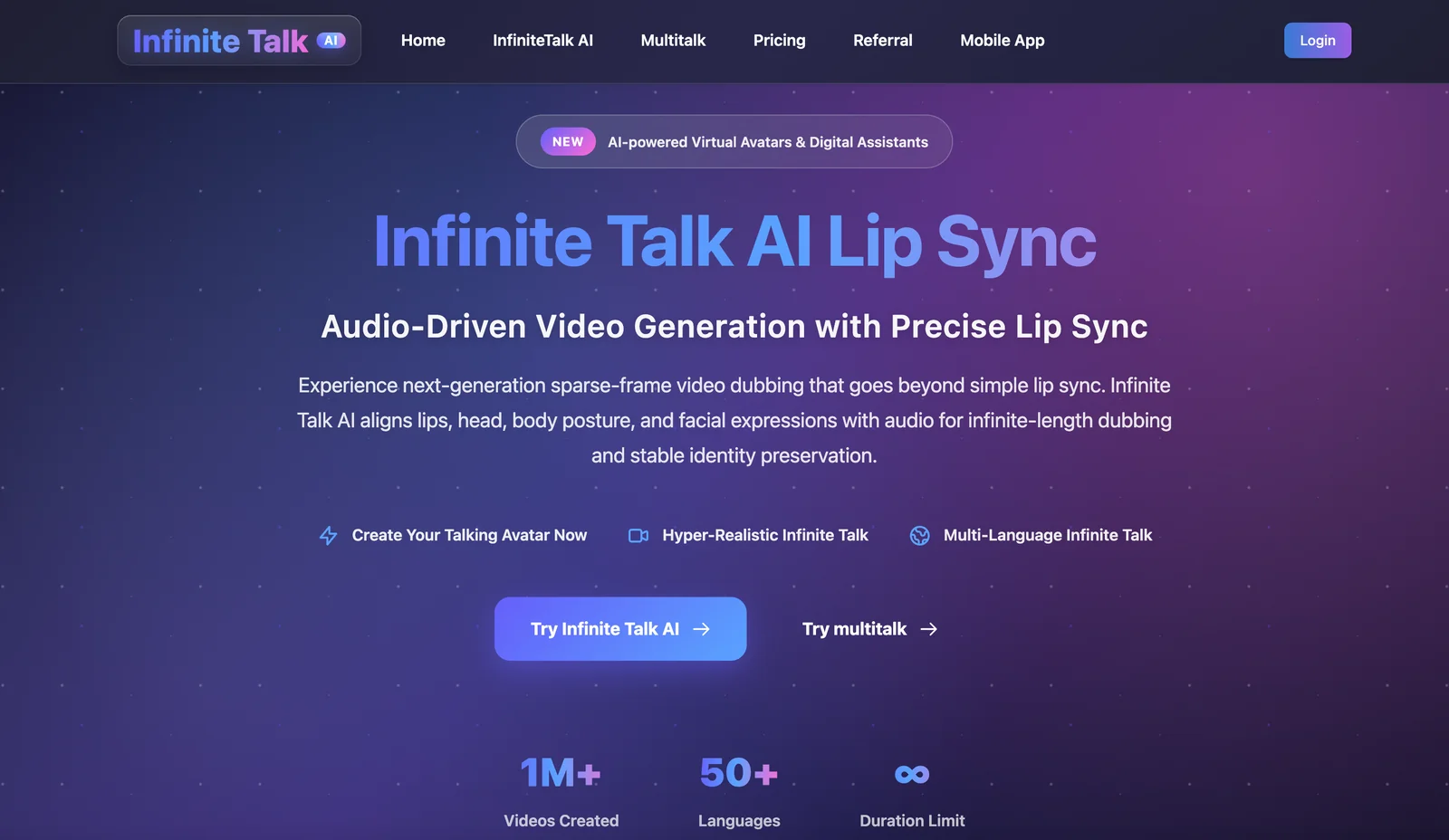
AIAudio-driven tool that turns images or videos into talking avatars with precise lip sync and unlimited-length generation.
Infinite Talk AI
Audio-driven tool that turns images or videos into talking avatars with precise lip sync and unlimited-length generation.
About Infinite Talk AI
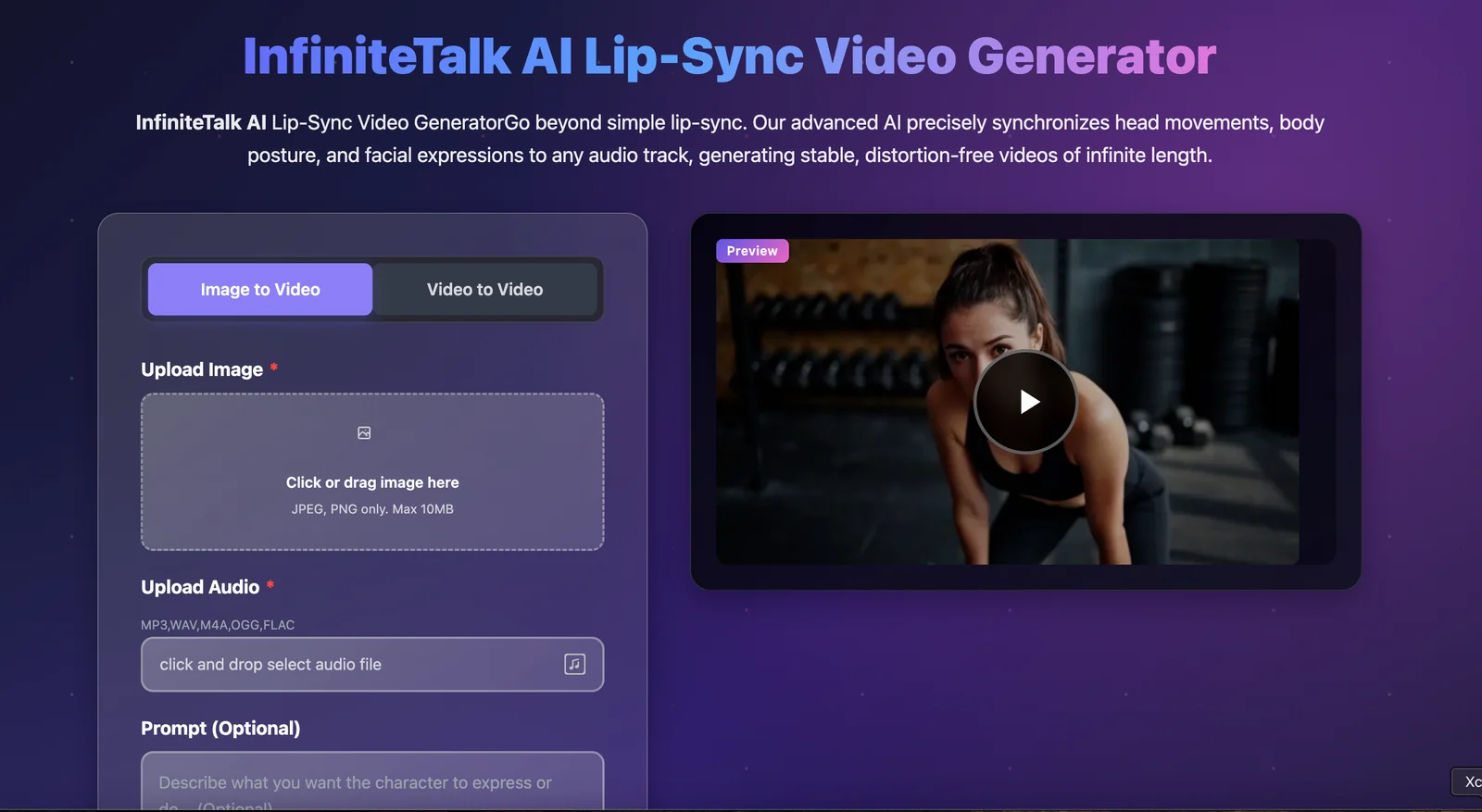
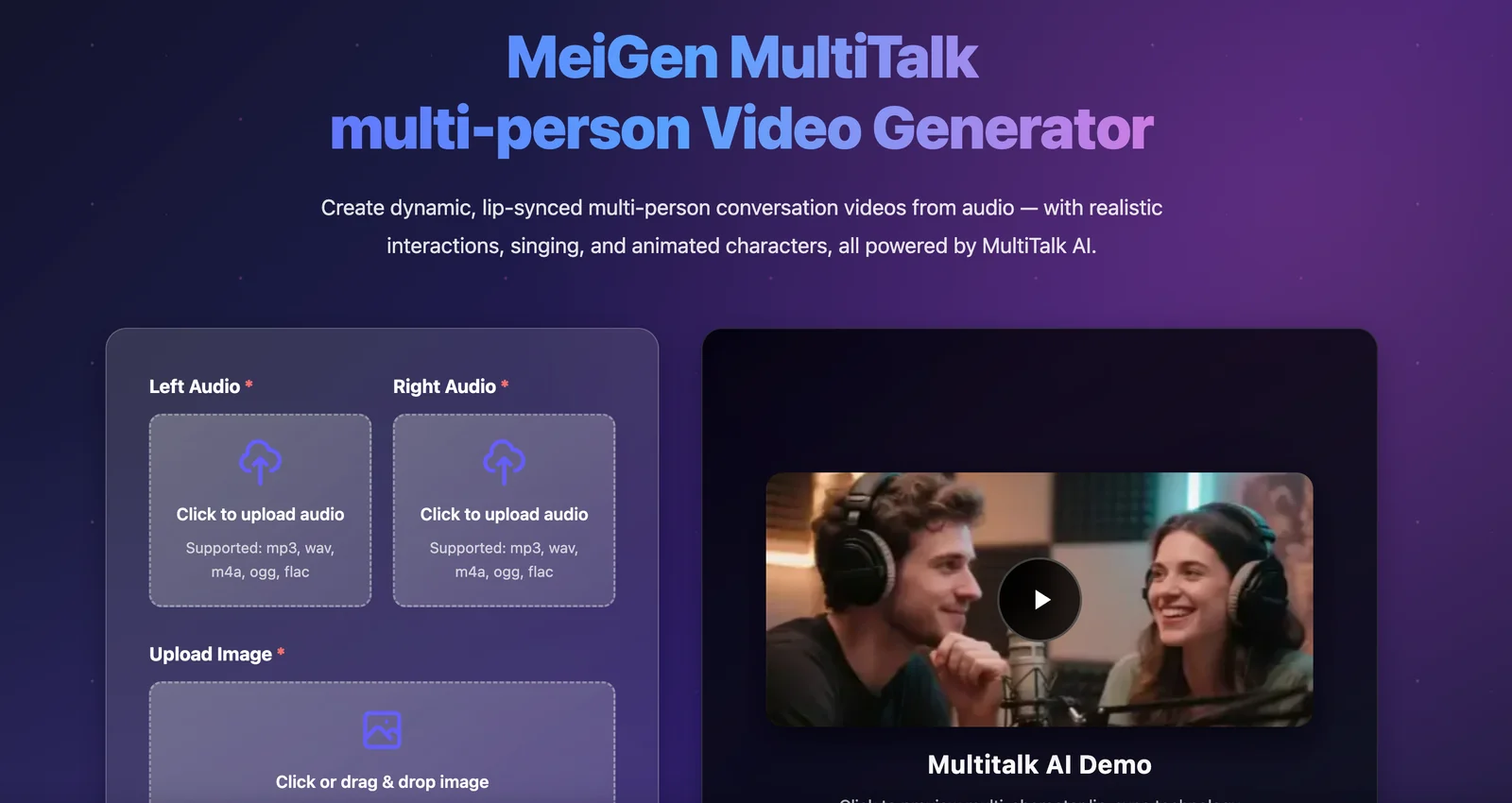
Infinite Talk AI is an audio-driven video tool for generating talking avatars with precise lip synchronization. It can convert a single image or an input video plus audio into continuous, identity-preserving videos of unlimited length by synchronizing lips, head movements, body posture, and facial expressions to the audio. The project is released with model weights and code for self-hosting and integrates with Gradio and ComfyUI workflows; it emphasizes stable long-form generation and improved lip accuracy compared to prior methods.
Screenshots
Key Features
Use Cases



Frequently asked questions about Infinite Talk AI
What are the available pricing options for Infinite Talk AI?
Infinite Talk AI offers several pricing options, including a free open-source tier, a hosted trial, and various one-time credit packs tailored for Pro, Ultimate, and Enterprise users. The free tier allows limited daily text-to-speech (TTS) usage without requiring a credit card.
Key Points
- Free Open-Source Tier: Limited daily TTS usage available.
- Hosted Trial: A short-term trial for testing the platform.
- One-Time Credit Packs: Pricing options for Pro, Ultimate, and Enterprise users.
Detailed Explanation
Infinite Talk AI provides flexible pricing to accommodate different user needs. The free open-source tier is ideal for individuals or small projects, granting access to basic TTS functionalities without any financial commitment. Users can experience the platform's capabilities with limited daily usage, making it a great starting point for those new to AI-driven TTS.
The hosted trial allows users to explore advanced features and functionalities for a limited time. This option is especially beneficial for businesses looking to evaluate the software before committing to a paid plan.
For users needing greater usage and enhanced features, one-time credit packs are available across three tiers:
- Pro: Best for freelancers and small teams, offering a moderate amount of credits.
- Ultimate: Designed for larger teams or businesses with higher demands, providing substantial credits.
- Enterprise: Customized packages for organizations with extensive TTS needs, often including dedicated support and additional features.
Each tier is priced competitively, ensuring users can choose a plan that aligns with their specific requirements.
Best Practices / Tips
- Evaluate Your Needs: Determine your TTS usage requirements to select the most suitable pricing tier.
- Utilize the Free Tier: Take advantage of the free tier to familiarize yourself with the platform before making a financial commitment.
- Monitor Usage: If on a paid plan, keep an eye on your credit usage to avoid unexpected costs.
- Explore Upgrades: If you find yourself regularly exceeding the limits of your current plan, consider upgrading to a higher tier for more credits and features.
Additional Resources
How does the audio-driven lip sync feature work in Infinite Talk AI?
The audio-driven lip sync feature in Infinite Talk AI synchronizes an avatar's mouth movements with audio input by aligning phonemes to corresponding mouth shapes. This technology ensures that the avatar's lips move naturally with the speech, providing a more immersive and realistic experience for viewers.
Key Points
- Phoneme Mapping: The feature uses phoneme mapping to accurately represent speech sounds.
- Realistic Animation: Lip movements are animated in real-time to match the audio.
- Enhanced Engagement: Improved synchronization leads to greater viewer engagement and satisfaction.
Detailed Explanation
The audio-driven lip sync feature in Infinite Talk AI employs advanced algorithms to analyze audio input and break it down into phonemes—distinct units of sound that correspond to specific mouth shapes. This process involves several steps:
- Audio Analysis: The system processes the audio file to identify key phonemes.
- Phoneme Mapping: Each phoneme is mapped to specific mouth positions, ensuring that the avatar's lips reflect the actual sounds being produced.
- Animation Synchronization: The avatar's animation is adjusted in real-time, allowing for fluid and natural lip movements that align perfectly with the speech.
Use Cases
- Educational Content: Teachers can create engaging videos where avatars demonstrate lessons, making learning more interactive.
- Marketing: Brands can utilize realistic avatars for promotional videos that resonate better with audiences.
- Entertainment: Game developers can integrate this feature for character dialogues, enhancing the gaming experience.
Best Practices / Tips
- Audio Quality: Ensure that the audio input is clear and of high quality to improve synchronization accuracy.
- Short Segments: Break longer audio files into shorter segments for better processing and synchronization.
- Test Iteratively: Experiment with different voice inputs to see which yields the most natural results for your specific avatar.
Additional Resources
Is it easy for beginners to start using Infinite Talk AI?
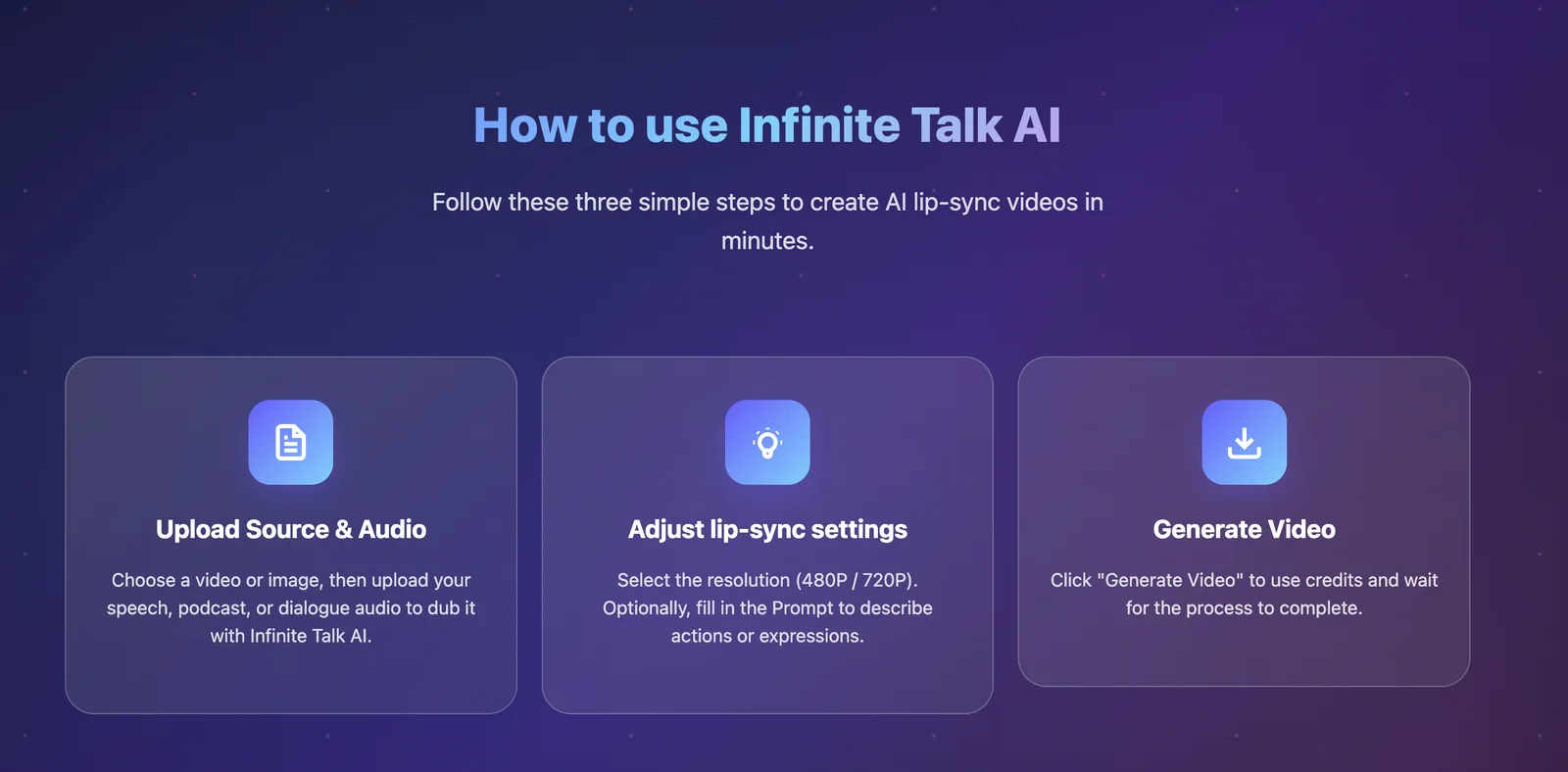
Yes, beginners can easily start using Infinite Talk AI. The official website offers comprehensive tutorials and example workflows, making it accessible for users with no prior experience. These resources guide you through the setup and usage of the tool for creating engaging talking avatars.
Key Points
- User-friendly interface designed for beginners
- Comprehensive tutorials and example workflows available
- Versatile applications for education, marketing, and content creation
Detailed Explanation
Infinite Talk AI is designed with beginners in mind, featuring a user-friendly interface that simplifies the creation of talking avatars. Upon visiting the official website, new users will find an extensive library of tutorials that cover everything from account setup to advanced features.
-
Getting Started: After signing up, you can access step-by-step guides that walk you through the process of creating your first avatar. These guides often include screenshots and video tutorials for visual learners.
-
Creating Your Avatar: Once you understand the setup process, you can start customizing your avatar. The platform allows you to choose from various avatars, backgrounds, and voice options. This customization enhances user engagement and makes content creation more dynamic.
-
Example Workflows: The website provides example workflows that demonstrate how to use Infinite Talk AI effectively. For instance, educators can leverage these workflows to create interactive learning materials, while marketers can develop promotional videos that captivate their audience.
Best Practices / Tips
- Explore All Features: Take time to explore all the features available in Infinite Talk AI. Familiarizing yourself with options like voice modulation and animation can significantly enhance your projects.
- Utilize Community Forums: Engage with the Infinite Talk AI community through forums and social media. You can find valuable tips and feedback from experienced users that help you avoid common pitfalls.
- Experiment with Different Formats: Don’t hesitate to experiment with various formats for your avatars. Using them in presentations, social media posts, and educational content can yield different engagement results.
Additional Resources
By leveraging these resources and tips, beginners can quickly become proficient in using Infinite Talk AI to create engaging and effective talking avatars for various applications.
What technical requirements do I need to self-host Infinite Talk AI?
To self-host Infinite Talk AI, you need basic programming skills and a server capable of running the model weights and code. The official GitHub repository offers scripts and examples for local inference, making it easier to set up your environment for deployment.
Key Points
- Basic programming skills are essential.
- A compatible server is required.
- Access to the official GitHub repository for resources.
Detailed Explanation
To effectively self-host Infinite Talk AI, you'll need to meet several technical requirements:
-
Server Specifications: Ensure your server has adequate resources. A minimum of 16 GB RAM and a multi-core processor is recommended for optimal performance. Depending on your use case, you might also consider using a GPU for accelerated inference times.
-
Programming Knowledge: Familiarity with programming languages such as Python is crucial. You'll need to understand how to set up the environment, install dependencies, and run scripts. Basic command line skills will also help you navigate through the installation process.
-
Installation Steps:
- Clone the Repository: Start by cloning the Infinite Talk AI GitHub repository to your local machine or server using Git.
- Install Dependencies: Navigate to the cloned directory and run
pip install -r requirements.txtto install the necessary Python packages. - Model Weights: Download the model weights as indicated in the repository's README file. Ensure they are placed in the correct directory as specified in the documentation.
- Run Inference: Use the provided example scripts to run inference locally. Adjust the parameters as needed based on your project requirements.
Best Practices / Tips
- Test Locally: Before deploying to a production environment, run tests locally to ensure everything works as expected. This will help identify any configuration issues.
- Monitor Performance: Once deployed, monitor the server's performance to ensure it can handle user requests efficiently. Consider using monitoring tools to track resource usage.
- Backup Regularly: Always back up your data and configurations to avoid loss. Use version control like Git to manage changes in your codebase.
Additional Resources
How does Infinite Talk AI compare to other AI video dubbing tools?
Infinite Talk AI distinguishes itself from other AI video dubbing tools with its capability to create videos of unlimited length, highly accurate lip synchronization, and an open-source model that allows for extensive customization. This versatility makes it a preferred choice for creators and businesses seeking unique video solutions.
Key Points
- Unlimited Video Length: Generate content without duration restrictions.
- Accurate Lip Synchronization: Ensures that the audio matches the visuals perfectly.
- Open-Source Customization: Offers flexibility for developers and users to tailor the tool to their needs.
Detailed Explanation
Infinite Talk AI is designed to cater to various needs in video production, setting itself apart from competitors like Descript, Kapwing, and Dubverse.
-
Unlimited Video Length: Unlike many AI dubbing tools that cap video duration, Infinite Talk AI allows users to create long-form content. This is particularly beneficial for educators, marketers, and content creators who need to produce comprehensive tutorials, webinars, or promotional videos without worrying about time constraints.
-
Accurate Lip Synchronization: One of the standout features of Infinite Talk AI is its advanced lip-syncing technology. Using machine learning algorithms, it analyzes video footage and aligns audio tracks with the speaker's mouth movements. This results in a more natural viewing experience, which is critical for engaging audiences, especially in languages with complex phonetics.
-
Open-Source Model: Infinite Talk AI's open-source nature means developers can modify and enhance the tool according to specific requirements. This flexibility allows for integration with various platforms and the development of unique features tailored to niche markets, such as gaming or corporate training.
Best Practices / Tips
- Experiment with Customization: Take full advantage of the open-source capabilities to tweak the software for optimal performance for your specific use case.
- Use High-Quality Source Videos: The quality of input videos significantly affects the output; ensure that your videos are clear and well-lit for the best results.
- Regularly Update: Stay updated with the latest developments and improvements in the Infinite Talk AI community to leverage new features and enhancements.
Additional Resources
By understanding the unique advantages of Infinite Talk AI, users can effectively utilize this tool to enhance their video dubbing projects and achieve remarkable results.
Explore more AI Ai Models tools
Browse all Ai Models tools →Browse by use case: Video Generation
Compare Infinite Talk AI: vs Mouse-1 · vs Milliseconds.ai · vs SWE-2 · vs Desert Ant Labs