

Ideogram
AIText-to-image model focused on accurate text rendering, layout and typography for posters, logos, and inpainting.
Ideogram
Text-to-image model focused on accurate text rendering, layout and typography for posters, logos, and inpainting.
About Ideogram
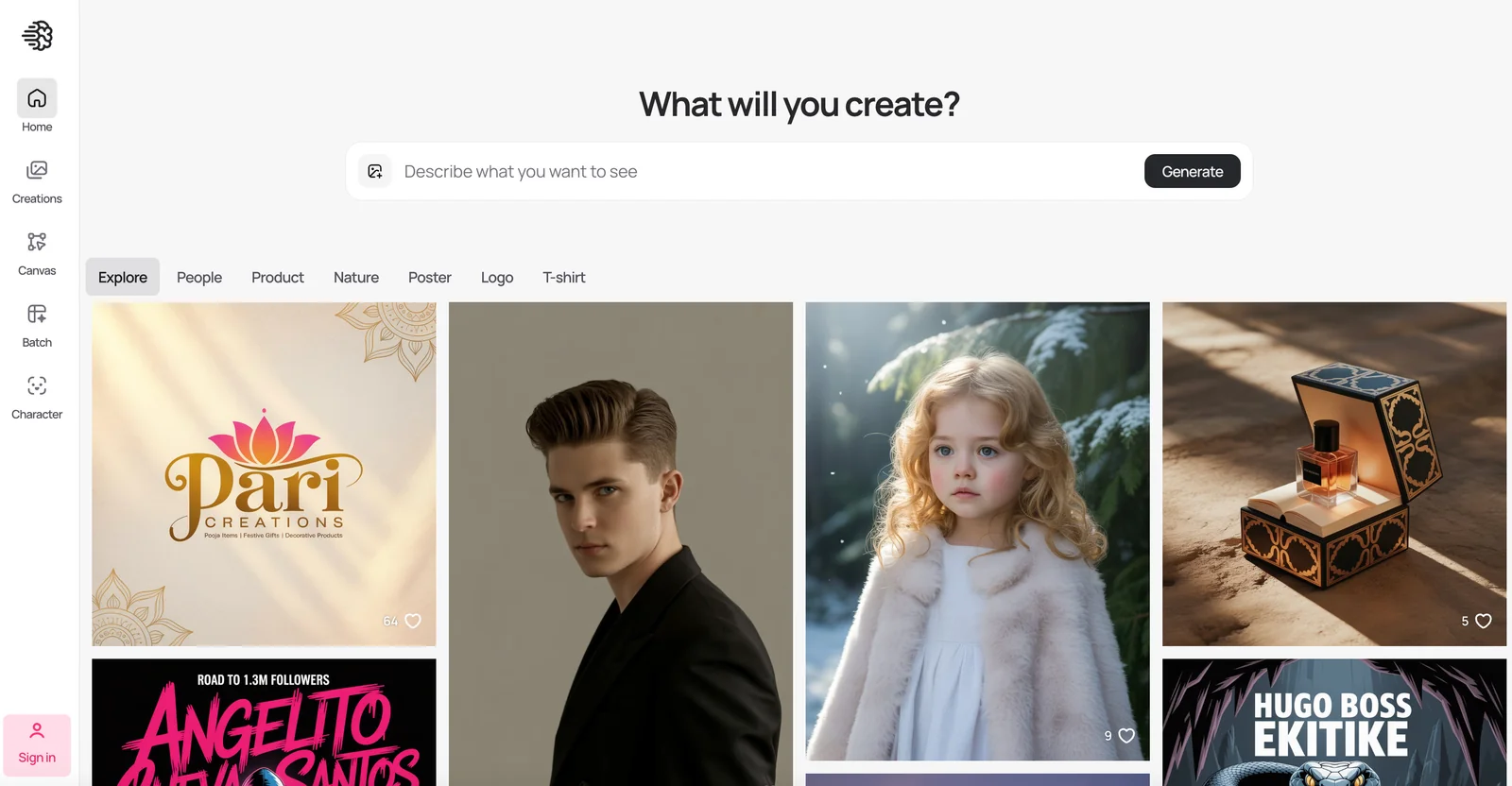
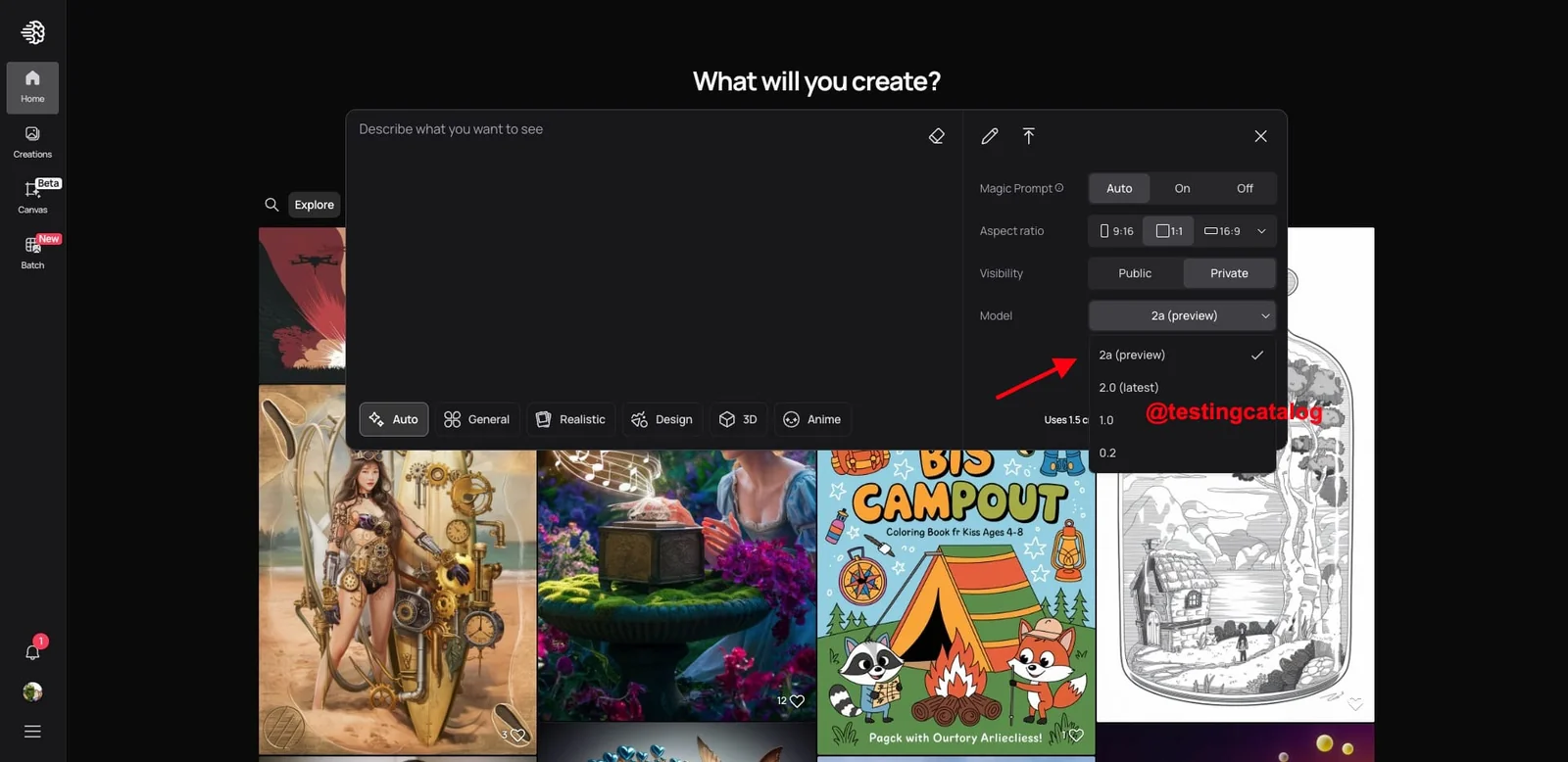
Ideogram is a text-to-image generation model and service optimized for faithful prompt adherence, especially for text, layout, and typography inside images. It offers style-reference capability to preserve visual identity across outputs and provides specialized endpoints for tasks like inpainting, remixing, and edits. Ideogram is accessible via third-party platforms and community integrations (Replicate, fal.ai MCP servers) and is commonly used for marketing assets, posters, logos, and other designs that require precise text rendering and layout control.
Screenshots
Key Features
Use Cases



Frequently asked questions about Ideogram
What are the pricing options for Ideogram?
Ideogram offers multiple pricing tiers to accommodate different user needs. The options include a free plan with limited features, a Basic plan for $7/month, a Plus plan for $16/month, a Pro plan at $48/month, and custom pricing for enterprise solutions. Each tier provides varying levels of access and credits.
Key Points
- Free Option: Limited usage, ideal for casual users.
- Basic Plan: Cost-effective at $7/month, suitable for individuals or small teams.
- Plus and Pro Plans: Advanced features at $16 and $48/month, respectively, for professional use.
Detailed Explanation
Ideogram's pricing structure is designed to cater to a wide range of users, from individuals to large enterprises.
-
Free Plan: This tier allows users to explore the platform's basic functionalities without any cost. It’s perfect for those who want to test the waters before committing financially.
-
Basic Plan ($7/month): This option is ideal for freelancers or small teams needing more functionalities than the free plan offers. It provides a higher credit limit and access to additional features that enhance productivity.
-
Plus Plan ($16/month): The Plus plan is tailored for businesses that require more extensive tools and capabilities. It includes enhanced features that support more complex projects and increased usage credits.
-
Pro Plan ($48/month): Targeted towards professionals and larger organizations, the Pro plan offers the most comprehensive features, including priority support and increased project complexity handling.
-
Enterprise Solutions: For organizations with specific needs, Ideogram provides custom pricing options. This allows businesses to tailor their services according to their scale, ensuring they only pay for what they use.
Best Practices / Tips
- Assess Your Needs: Before selecting a plan, evaluate your usage requirements. If you are a casual user, the free plan may suffice.
- Trial and Upgrade: Start with the Basic plan and upgrade to Plus or Pro as your needs grow. Many users find they can scale effectively without a long-term commitment.
- Monitor Usage: Keep track of your credits and usage to avoid unexpected charges, especially if you opt for a paid plan.
Additional Resources
How does Ideogram ensure accurate text rendering in images?
Ideogram ensures accurate text rendering in images through its prompt-adherent rendering technology, which meticulously aligns with user input. This guarantees that the textual content is accurately represented and optimally placed, making it an excellent choice for creating marketing materials that require precise text integration.
Key Points
- Prompt-Adherent Rendering: Aligns closely with input text to maintain accuracy.
- Optimal Text Placement: Ensures text is positioned effectively within images.
- Ideal for Marketing: Perfect for creating promotional materials with clear messaging.
Detailed Explanation
Ideogram employs advanced algorithms designed to interpret and execute text prompts accurately. The technology analyzes the context of the input text and its visual requirements, which results in high-quality images where the text is not only readable but also aesthetically integrated into the overall design.
Example Use Cases
- Social Media Graphics: Marketers can create eye-catching posts that feature product names or promotional messages, ensuring viewers can easily read and understand the text.
- Infographics: Businesses can generate informative visuals that include statistics or data points, making complex information accessible and engaging.
- Advertisements: Companies can develop striking ad visuals where the text is seamlessly incorporated, enhancing brand visibility and messaging clarity.
By leveraging prompt-adherent rendering, Ideogram reduces common pitfalls like text overflow or illegibility that can occur in traditional image creation tools. This means users can focus on creativity without worrying about the technical aspects of text placement.
Best Practices / Tips
- Be Specific in Prompts: Provide clear and detailed text prompts to achieve the best rendering results.
- Test Variations: Experiment with different text styles and placements to see what resonates best with your audience.
- Review Outputs: Always review the rendered images to ensure text accuracy and visual appeal before finalizing.
Additional Resources
How do I start using Ideogram for image generation?
To start using Ideogram for image generation, sign up on their official website, select a suitable pricing plan, and navigate to the Canvas area to begin creating images. You can also utilize their API to integrate image generation into your existing workflows seamlessly.
Key Points
- Sign Up: Create an account on the Ideogram website.
- Choose a Plan: Select a pricing plan that fits your needs.
- Access the Canvas: Use the Canvas area for image creation.
Detailed Explanation
-
Sign Up Process: Visit Ideogram's official website and click on the "Sign Up" button. Fill in the required details such as your email address and password to create your account. You may need to verify your email to activate your account.
-
Choosing a Pricing Plan: Ideogram offers various pricing plans, including a free trial, which allows you to test basic features before committing. Paid plans typically offer enhanced features such as higher resolution outputs, faster processing times, and more extensive usage limits. Evaluate your image generation needs to select the best plan.
-
Exploring the Canvas Area: Once logged in, navigate to the Canvas area. This is the main interface for creating images. You can input text prompts, adjust parameters such as style, format, and resolution, and preview your generated images in real-time.
-
Utilizing the API: For developers and businesses, Ideogram provides an API that can be integrated into your applications or workflows. Refer to the API documentation on their website for installation guidelines and examples of how to use it effectively.
Best Practices / Tips
- Experiment with Prompts: Play around with different text prompts to see how the AI interprets them. Specificity often yields better results.
- Review API Limits: If using the API, be aware of any rate limits and pricing associated with API calls to avoid unexpected charges.
- Stay Updated: Regularly check for updates or new features on the Ideogram platform, as they frequently enhance their offerings based on user feedback.
Additional Resources
Can I integrate Ideogram's API into my application?
Yes, you can integrate Ideogram's API into your application. It offers programmatic access that allows you to generate images based on usage, charging per image created. Additionally, it supports various workflows with webhook capabilities for seamless integration.
Key Points
- API Access: Easily integrate into your applications.
- Usage-Based Pricing: Charges are incurred per image generated.
- Webhook Support: Facilitates real-time notifications and automation.
Detailed Explanation
Integrating Ideogram's API can significantly enhance your application's capabilities, especially if it involves image generation. The API is designed for developers who want to add image generation features seamlessly.
How to Integrate
- API Key: First, sign up on the Ideogram platform to obtain your unique API key.
- Documentation: Refer to the Ideogram API documentation for detailed instructions on endpoints, authentication, and usage.
- Make API Calls: Use HTTP methods (GET, POST) to interact with the API. For example, to generate an image, send a POST request with parameters specifying the desired image attributes.
- Webhook Setup: Configure webhook URLs in your application to receive real-time notifications for image generation events, facilitating automated workflows.
Use Cases
- E-Commerce: Automatically generate product images based on user preferences.
- Content Creation: Enhance blogs or social media posts with custom images generated on-the-fly.
- Marketing: Create personalized graphics for targeted advertising campaigns.
Best Practices / Tips
- Optimize Usage: Monitor your image generation requests to manage costs effectively since the API operates on a pay-per-image basis.
- Error Handling: Implement robust error handling in your integration to manage API response errors gracefully.
- Stay Updated: Regularly check for updates in the API documentation, as new features and optimizations can enhance your integration.
Additional Resources
By following these guidelines, you can successfully leverage Ideogram's API to enrich your applications with powerful image generation capabilities.
How does Ideogram compare to other text-to-image tools?
Ideogram distinguishes itself from other text-to-image tools with superior text rendering and layout control, making it ideal for marketing materials. It also features inpainting capabilities, allowing users to edit images seamlessly. However, potential users should evaluate their specific needs and budget before making a choice.
Key Points
- Superior Text Rendering: Ideogram's text quality is high, enhancing readability and aesthetics.
- Inpainting Features: Users can modify existing images effectively, providing creative flexibility.
- Cost Considerations: Users should assess pricing and available features against their requirements.
Detailed Explanation
Ideogram's primary strength lies in its exceptional text rendering capabilities, which means that the tool can generate images with clear, visually appealing text. This is particularly beneficial for businesses creating marketing materials, social media graphics, or presentations where text clarity is paramount.
In addition to text rendering, Ideogram offers robust layout control, allowing users to manipulate the placement of text and images efficiently. This feature is crucial for designers who need to maintain brand guidelines or create visually consistent content across various platforms.
The inpainting feature is another standout element. It enables users to edit parts of an image without needing to start from scratch. For example, if a user wants to change a product color in an advertisement, they can easily adjust the specific area rather than redoing the entire image. This saves time and enhances productivity.
When comparing Ideogram to other tools like DALL-E or Midjourney, it's important to consider the specific needs of your project. While some tools may excel in generating artistic images or abstract concepts, Ideogram is designed for practical applications where clarity and layout are essential.
Best Practices / Tips
- Define Your Needs: Before choosing a tool, clarify whether you need high-quality text rendering or artistic flexibility.
- Test Multiple Tools: Utilize free trials or demos to gauge which tool aligns best with your requirements.
- Consider Budget: Review pricing plans carefully; some tools may offer free versions with limited features, while others might require subscriptions.
Additional Resources
Explore more AI Ai Models tools
Browse all Ai Models tools →Browse by use case: Image Generation
Compare Ideogram: vs Mouse-1 · vs Milliseconds.ai · vs SWE-2 · vs Desert Ant Labs