

Helploom
AIAffordable, minimal customer support software with an embeddable live chat widget and flat, predictable pricing.
Helploom
Affordable, minimal customer support software with an embeddable live chat widget and flat, predictable pricing.
About Helploom
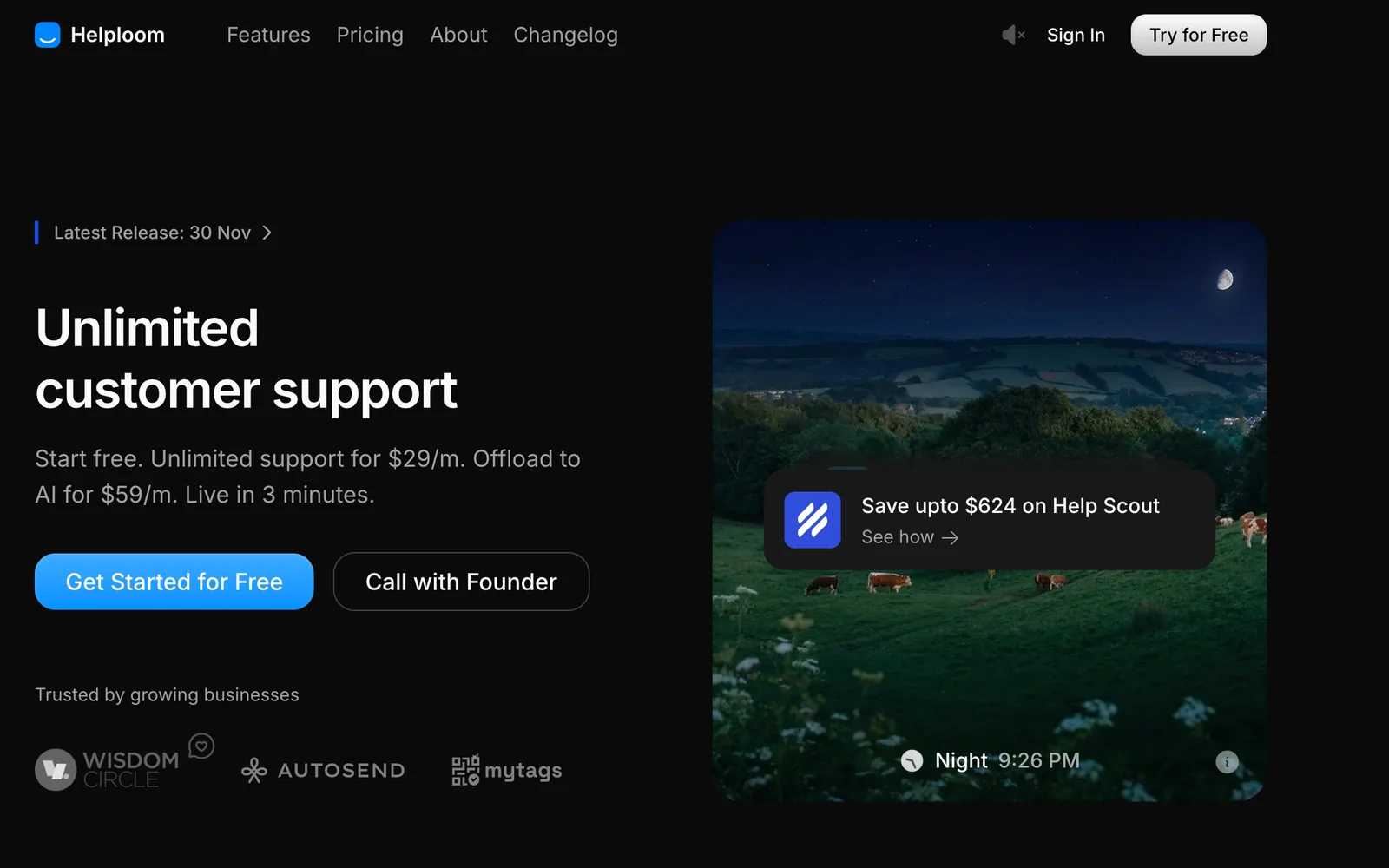
Helploom is a lightweight customer support platform focused on simplicity and affordability. It provides an embeddable live chat widget that can be deployed via a small script snippet for instant website-based support. The product emphasizes a minimal, fast user interface for both agents and customers, and promotes flat, predictable pricing along with a free forever tier for basic live chat usage. Helploom's value is in rapid deployment, low overhead for small teams and sites, and transparent, straightforward plans.
Screenshots
Key Features
Use Cases



Frequently asked questions about Helploom
How do I get started with Helploom for my website?
To get started with Helploom for your website, visit their official site to sign up, select a suitable plan, and copy the provided one-line JavaScript snippet. This snippet allows you to easily embed the live chat widget on your site, making setup quick and hassle-free.
Key Points
- Sign up on Helploom's official website.
- Choose a plan that fits your needs.
- Embed the JavaScript snippet to activate the live chat widget.
Detailed Explanation
-
Sign Up: Navigate to the Helploom website and click on the "Sign Up" button. You’ll need to provide your email address and create a password. After confirming your email, you can log in to your new Helploom account.
-
Choose a Plan: Helploom offers various pricing plans tailored to different business sizes and needs. Review the features of each plan, including the number of users, integrations, and customer support options. Select the plan that aligns best with your business requirements. As of October 2023, pricing starts at $15/month for basic features.
-
Embed the Widget: After selecting a plan, you’ll receive a one-line JavaScript code snippet. Copy this code and paste it into the HTML of your website, ideally just before the closing tag. This action will embed the live chat widget on every page of your site, allowing visitors to engage with your support team instantly.
-
Customization: Once the widget is embedded, you can customize its appearance and settings through your Helploom dashboard. Adjust colors, positioning, and automated greetings to match your website's branding and enhance the user experience.
Best Practices / Tips
- Test Functionality: After embedding the snippet, conduct thorough testing to ensure the chat widget functions correctly across different devices and browsers.
- Monitor Engagement: Use Helploom’s analytics tools to monitor chat engagement and customer interactions. This data can help you refine your customer service strategies.
- Train Your Team: Ensure your support team is familiar with Helploom’s features, including how to respond to chats, manage inquiries, and use automated responses efficiently.
Additional Resources
By following these steps and tips, you can effectively implement Helploom on your website, enhancing customer interaction and support services.
What features does the Free Forever plan of Helploom include?
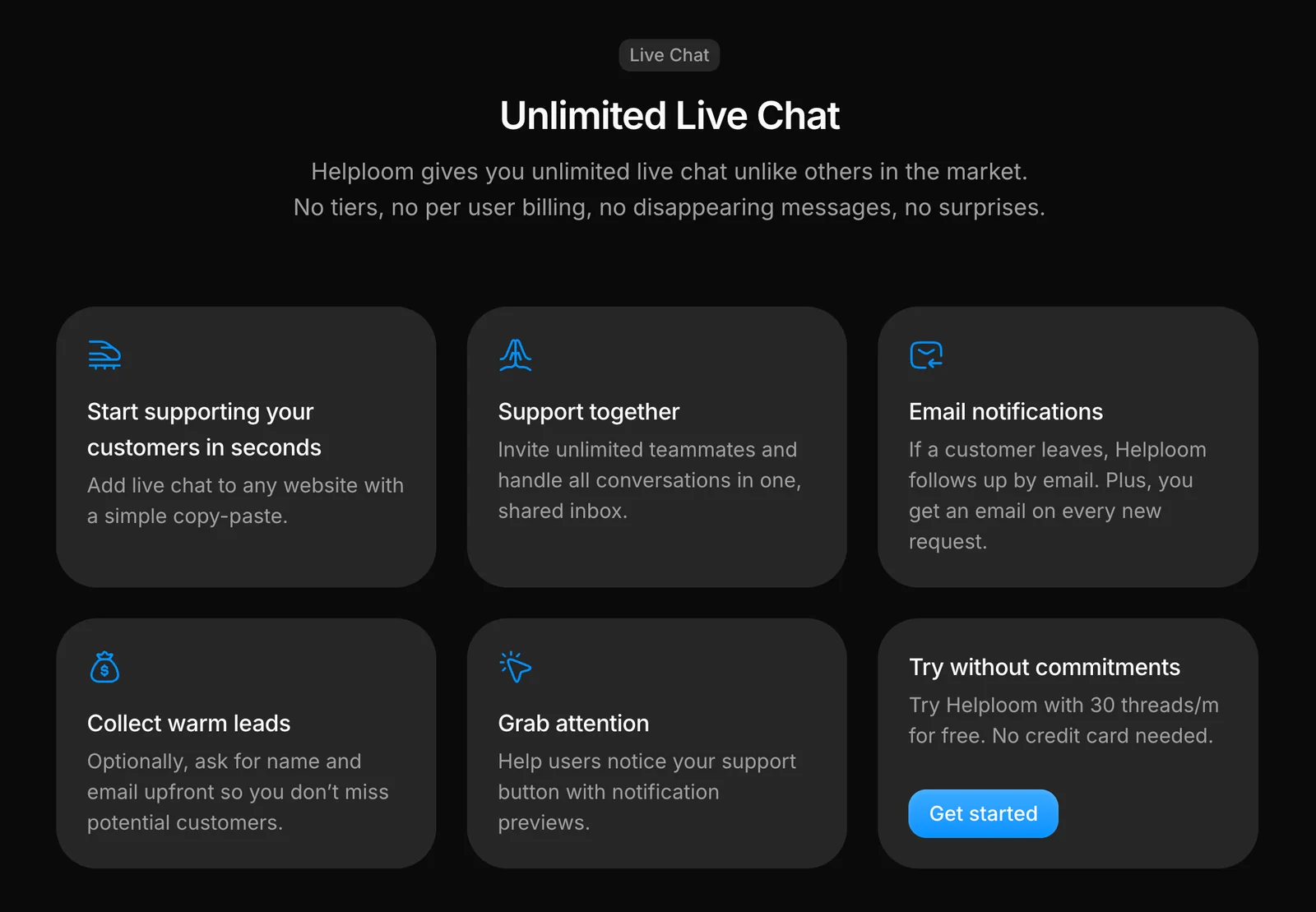
The Free Forever plan of Helploom includes a live chat widget, essential support features, and supports up to 30 threads per month for a single user. This plan is perfect for small websites or users looking to test Helploom’s functionalities without any financial commitment.
Key Points
- Live Chat Widget: Immediate customer interaction.
- Basic Support Features: Essential tools for managing inquiries.
- 30 Threads Per Month: Limits for usage ideal for small sites.
Detailed Explanation
The Free Forever plan by Helploom is designed to cater to small businesses or individuals looking to enhance their customer support experience without incurring costs. Here’s a breakdown of its features:
-
Live Chat Widget: This tool allows website visitors to engage with support in real-time, improving user experience and increasing the chances of conversion. The widget can be customized to match your site’s branding, ensuring a seamless integration.
-
Basic Support Features: Although the plan is free, it includes fundamental tools to manage customer inquiries effectively. This includes automated greetings, FAQs, and basic reporting capabilities, which help users understand customer needs and behavior.
-
30 Threads Per Month: The plan allows for up to 30 conversation threads each month, which is suitable for low-traffic sites or testing Helploom’s capabilities. If your needs grow, you can upgrade to higher-tier plans that offer more threads and advanced features.
Best Practices / Tips
- Maximize Usage: To make the most of the 30 threads, consider scheduling peak hours for support availability. This ensures that conversations are handled promptly, enhancing user satisfaction.
- Customize Your Widget: Take the time to customize the chat widget so that it aligns with your brand’s aesthetics. A visually appealing widget can attract more users to engage.
- Monitor Conversations: Regularly review the conversation logs to identify common questions and areas for improvement. This can help in creating a more comprehensive FAQ for your site.
Additional Resources
Is Helploom easy to use for beginners without technical skills?
Yes, Helploom is easy to use for beginners without technical skills. Its minimal interface and one-line installation script streamline the setup process, allowing users to quickly start utilizing its features without needing any prior technical knowledge.
Key Points
- User-Friendly Interface: Helploom offers a clean and intuitive design.
- Simple Installation: The one-line installation script simplifies the setup.
- Support Resources: Comprehensive guides and community support enhance user experience.
Detailed Explanation
Helploom is specifically tailored for users who may not have extensive technical backgrounds. The platform features a minimalistic interface that emphasizes ease of navigation. This design approach allows beginners to focus on leveraging the tool's capabilities rather than getting bogged down in complex setups.
Installation Process
The installation process for Helploom is remarkably straightforward. Users only need to run a single line of code to install the software, which drastically reduces barriers to entry. For example, if you're using a web hosting service, you can simply copy and paste the provided script into your terminal. This ease of installation ensures that even those with minimal technical skills can get started quickly.
Use Cases
Helploom is ideal for various applications, including:
- Small Business Owners: Manage customer interactions efficiently.
- Freelancers: Simplify project management and client communication.
- Non-Tech Entrepreneurs: Leverage AI tools without needing a tech background.
Best Practices / Tips
- Utilize Tutorials: Take advantage of Helploom's official tutorials and guides to familiarize yourself with its features.
- Engage with Community: Join forums or support groups to connect with other users and share tips.
- Start Small: Begin with basic features before exploring advanced functionalities to build confidence.
Additional Resources
How does Helploom's pricing compare to other customer support tools?
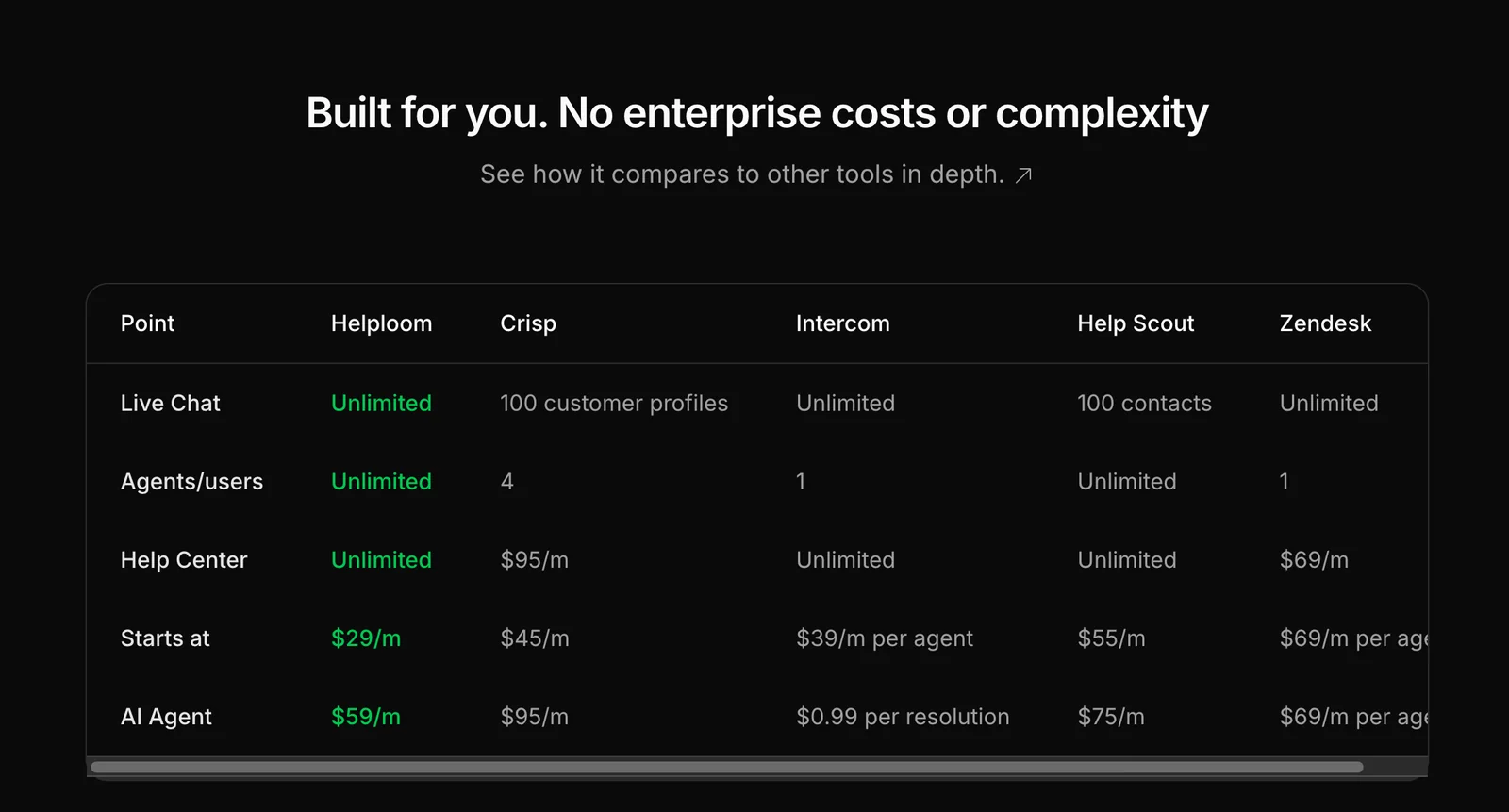
Helploom offers a competitive pricing structure compared to other customer support tools, featuring a flat fee of $29/month for unlimited users on its Base plan. This model is particularly advantageous for small businesses, as many alternatives impose costs per agent, making Helploom a more affordable choice.
Key Points
- Flat Pricing Model: Helploom charges a single fee regardless of user count.
- Cost-Effectiveness: Ideal for small to medium-sized businesses.
- No Hidden Fees: Transparent pricing without surprises.
Detailed Explanation
Helploom's pricing is designed to simplify budgeting for customer support tools. With a flat monthly rate of $29, businesses can add as many users as they need without incurring additional costs, unlike most competitors that charge on a per-agent basis. This is especially beneficial for growing businesses that may scale their customer service teams rapidly.
For instance, if a small business has three agents using a typical support tool that charges $50 per agent, they would spend $150 monthly. In contrast, with Helploom, they would only pay $29, saving $121 every month. This significant cost difference allows businesses to allocate resources more effectively, focusing on growth and improving customer experience.
Helploom also provides transparent pricing, ensuring no hidden fees or unexpected charges. This clarity fosters trust and helps businesses plan their finances better.
Best Practices / Tips
- Evaluate Your Needs: Before choosing a customer support tool, assess your team size and growth potential. Helploom is advantageous for teams expecting to expand.
- Compare Features: Ensure that the features offered by Helploom meet your business requirements. Look for tools that cater to your specific industry needs.
- Consider Long-Term Costs: Factor in not just the monthly fees but also any potential costs associated with scaling as your business grows.
Additional Resources
What technical requirements are needed to integrate Helploom on my site?
Integrating Helploom on your website requires simply pasting a provided JavaScript snippet into your site's code. There are no complex technical requirements, making the integration accessible for most users, regardless of their technical expertise or experience level.
Key Points
- Easy integration with a single JavaScript snippet.
- No advanced coding skills required.
- Compatible with most website platforms.
Detailed Explanation
Helploom provides a straightforward integration process. After signing up for the service, you will receive a JavaScript snippet. To successfully integrate Helploom, follow these steps:
-
Access Your Website's Code: Depending on your website platform (like WordPress, Wix, or custom HTML), locate the area where you can edit the HTML code. This is typically found in the site’s settings or theme editor.
-
Insert the JavaScript Snippet:
- For WordPress, navigate to the "Appearance" section, then "Theme Editor." Select the footer.php or header.php file to paste the snippet before the closing
</body>tag or</head>tag. - For platforms like Wix, use the “Tracking & Analytics” feature to add custom code.
- For custom websites, simply paste the snippet into your HTML file where you want Helploom features to be active.
- For WordPress, navigate to the "Appearance" section, then "Theme Editor." Select the footer.php or header.php file to paste the snippet before the closing
-
Save Changes and Test: After inserting the snippet, save your changes. Refresh your site to ensure Helploom is functioning correctly. You can check if the integration is successful by looking for Helploom features on your site.
This process takes only a few minutes and is designed for users with minimal technical knowledge, making it ideal for small business owners and entrepreneurs.
Best Practices / Tips
- Backup Your Site: Always create a backup of your website before making any changes to the code to prevent data loss.
- Use Developer Tools: If you encounter issues, browser developer tools can help troubleshoot JavaScript errors.
- Check Compatibility: Ensure your website theme or CMS is compatible with third-party scripts to avoid conflicts.
- Regularly Update the Snippet: If Helploom updates its code, make sure to replace the old snippet with the new one for optimal performance.
Additional Resources
Explore more AI Ai Services tools
Browse all Ai Services tools →Browse by use case: Chatbots & Assistants
Compare Helploom: vs Context.dev · vs ZeroClick · vs jurniti · vs Cadenya