

Gumloop
AIA no-code platform to build, host, and automate AI-powered business workflows with visual canvas and pre-built templates.
Gumloop
A no-code platform to build, host, and automate AI-powered business workflows with visual canvas and pre-built templates.
About Gumloop
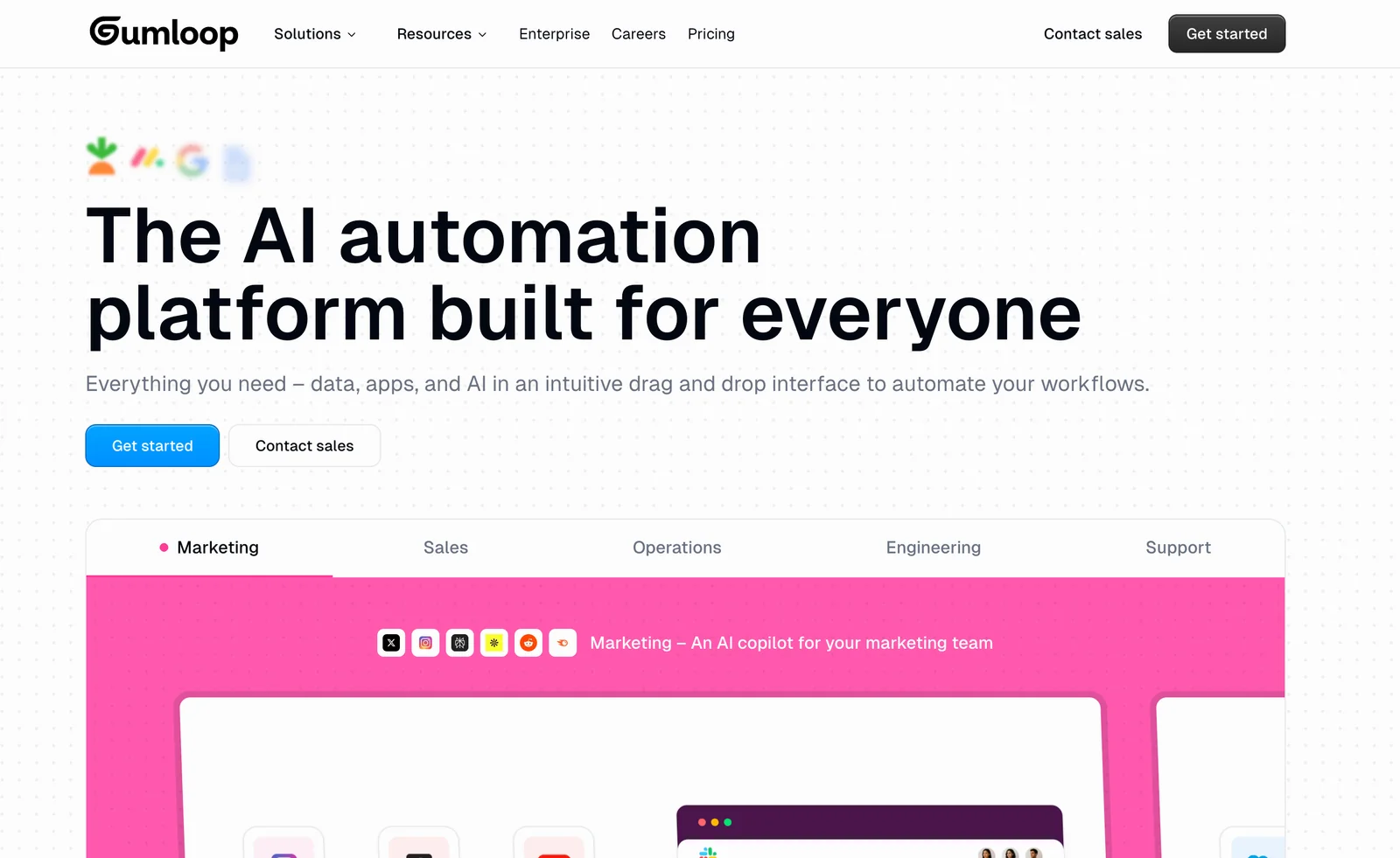
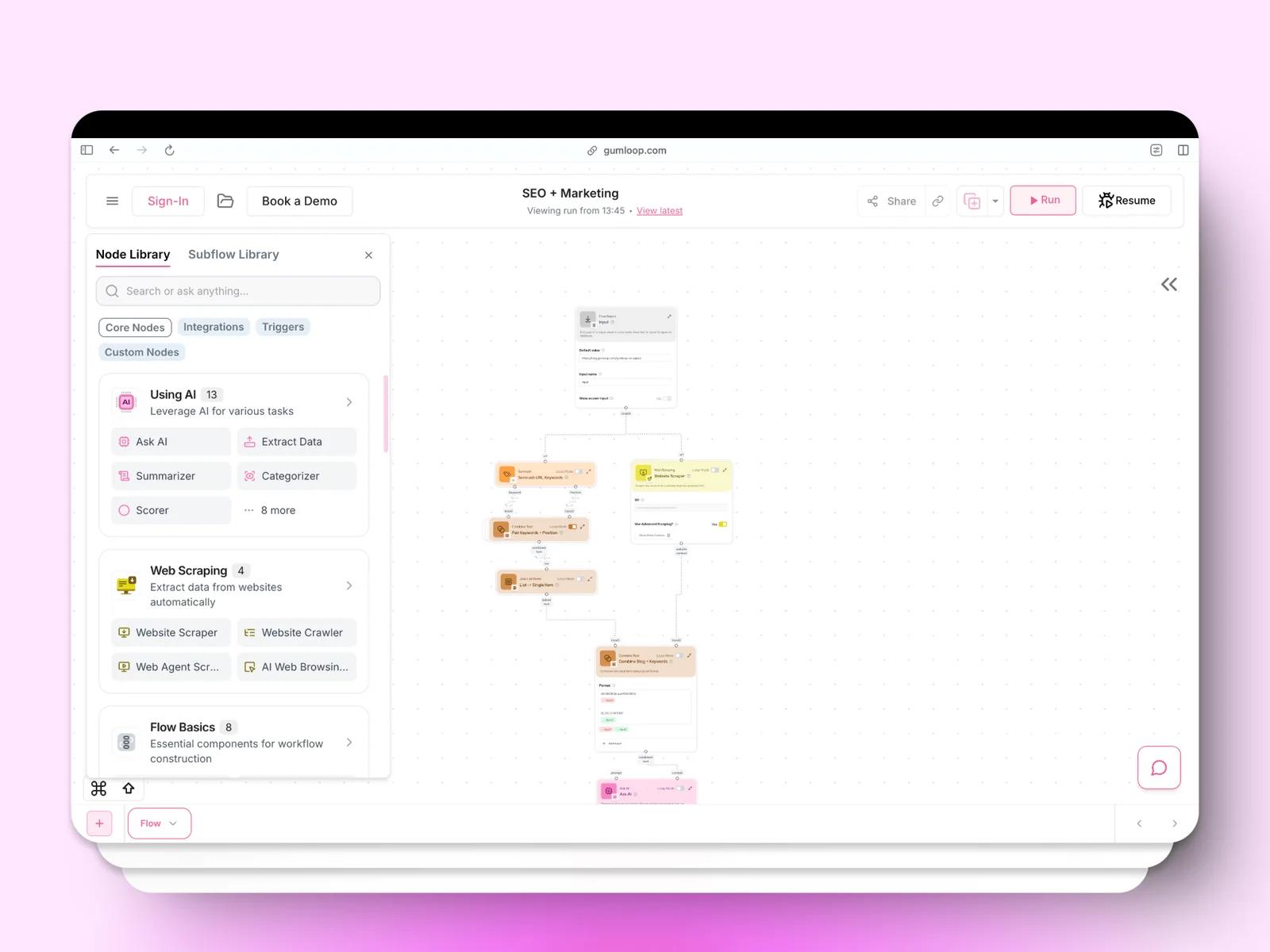
Gumloop is a no-code AI automation framework for building, deploying, and hosting AI-powered business workflows. It provides a visual workflow canvas where non-technical users can assemble multi-step automations, connect multiple LLMs, and integrate with web pages and external APIs. Gumloop emphasizes marketing-focused automations (SEO, ad campaigns, scraping) and browser automation via a Chrome extension, and offers a library of pre-built templates to accelerate common tasks. The platform is positioned for teams that need low-code/no-code orchestration of LLMs and browser actions without custom engineering.
Screenshots
Key Features
Use Cases



Frequently asked questions about Gumloop
What are the pricing options for Gumloop?
Gumloop offers a FREEMIUM model with four pricing tiers: Free ($0/month), Solo ($37/month), Team (starting at $244/month), and Enterprise (custom pricing). Each tier is designed to cater to different user needs, providing varying features and credit allocations for effective project management and collaboration.
Key Points
- Freemium Model: Offers a no-cost entry option.
- Tiered Pricing: Four distinct pricing levels tailored for individuals and teams.
- Feature Variation: Each tier comes with unique features and credit allocations.
Detailed Explanation
Gumloop's pricing structure is designed to accommodate a wide range of users, from individual freelancers to large enterprises. Here's a breakdown of each tier:
-
Free Tier: Ideal for beginners and small projects, this option allows users to explore basic features without any financial commitment. Users can get a feel for the platform's capabilities.
-
Solo Tier ($37/month): This plan is perfect for individual users who require more advanced functionalities. It typically includes enhanced support, additional credits for project use, and access to premium features that are not available in the free version.
-
Team Tier (starting at $244/month): Designed for collaborative teams, this tier offers multiple user accounts and increased project credits. It facilitates better teamwork with features such as shared workspaces and team management tools. The pricing may vary based on the number of users and specific needs.
-
Enterprise Tier (custom pricing): This option is tailored for large organizations with unique requirements. It includes personalized features, extensive support, and scalability options. Interested enterprises can contact Gumloop for a custom quote to match their specific needs.
Best Practices / Tips
- Evaluate Needs: Before choosing a tier, assess your project requirements and team size to ensure you select the most cost-effective option.
- Utilize Free Tier: Take advantage of the free tier to familiarize yourself with Gumloop's features before committing to a paid plan.
- Monitor Usage: Keep track of your credit usage to avoid unexpected costs in the Team or Enterprise tiers.
Additional Resources
How do I use Gumloop to create my first workflow?
To create your first workflow in Gumloop, sign up for a free account, navigate to the visual workflow canvas, and choose from pre-built templates to set up your automation. Follow the guided tutorials for easy onboarding and to grasp the fundamentals of workflow creation.
Key Points
- Sign Up for a Free Account: Start by creating your account on Gumloop.
- Visual Workflow Canvas: Familiarize yourself with the intuitive interface.
- Pre-Built Templates: Utilize templates to simplify workflow design.
Detailed Explanation
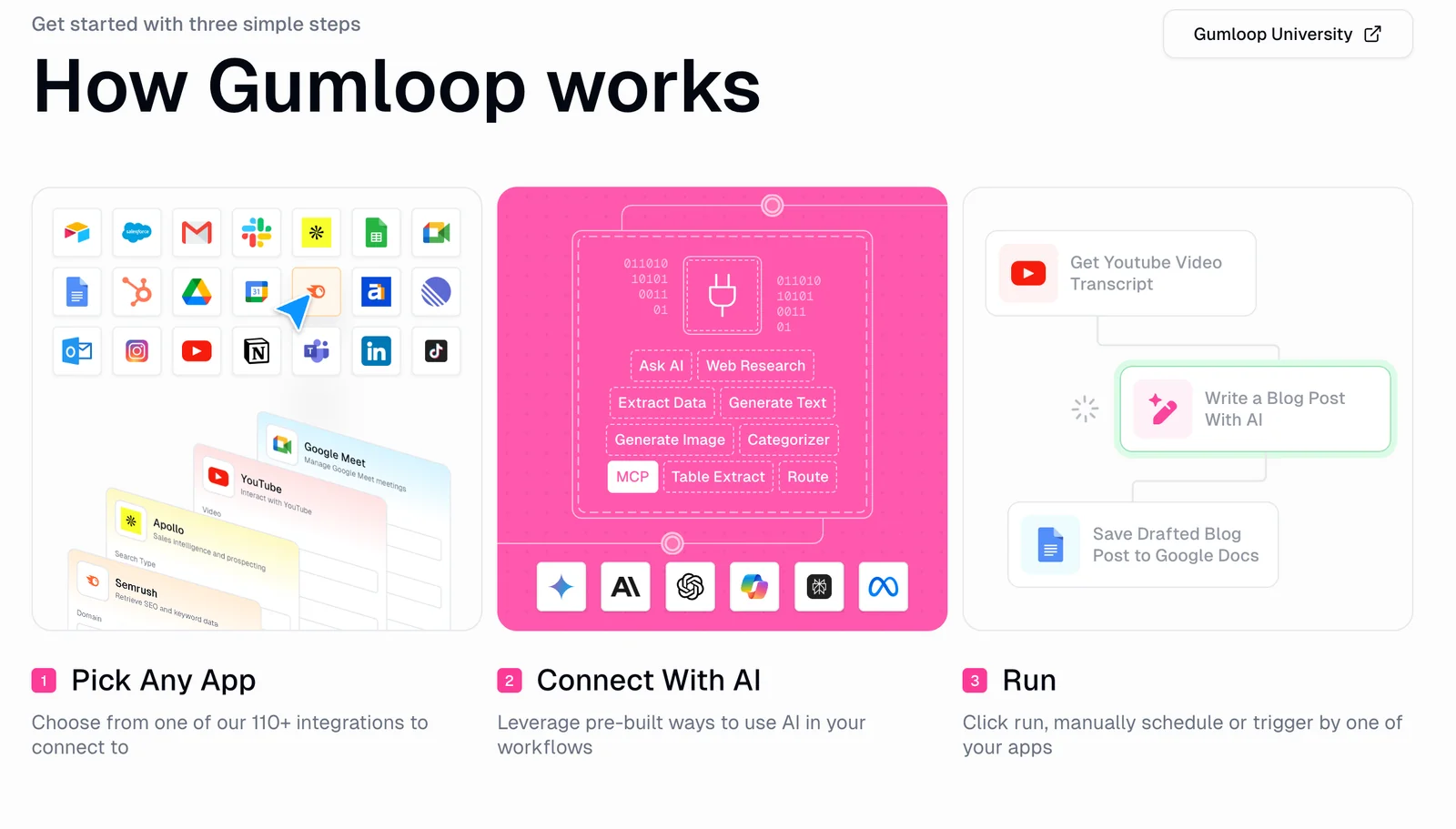
To begin using Gumloop, first, visit the Gumloop website and sign up for a free account. The registration process is straightforward and requires only your email and a password. Once you’re logged in, you’ll find yourself on the visual workflow canvas, which serves as the central hub for creating and managing your workflows.
Navigating the Visual Workflow Canvas
The canvas is user-friendly, designed for both beginners and advanced users. Here’s how to get started:
- Choose a Template: Gumloop offers a variety of pre-built templates that cater to different needs, such as email automation, task management, and customer onboarding. Select a template that aligns with your objectives.
- Customize Your Workflow: Each template is fully customizable. You can add or remove steps, integrate various applications, and set triggers based on specific actions.
- Connect Apps: Use the Integrations tab to link your favorite applications, such as Google Sheets, Slack, or CRM tools, enhancing your workflow's functionality.
Follow Guided Tutorials
Gumloop provides guided tutorials that walk you through the workflow creation process step-by-step. These tutorials cover essential features such as:
- Triggering Actions: Learn how to set conditions for your workflows.
- Testing Your Workflow: Ensure everything works smoothly before going live.
- Monitoring Performance: Use analytics tools provided by Gumloop to track the effectiveness of your automation.
Best Practices / Tips
- Start Small: When creating your first workflow, begin with simple automations to avoid feeling overwhelmed. Gradually add complexity as you become more comfortable.
- Utilize Community Resources: Check out community forums for tips and best practices shared by other Gumloop users.
- Regularly Review Workflows: Periodically assess your workflows to optimize performance and make adjustments as needed.
Additional Resources
What are the key features of Gumloop?
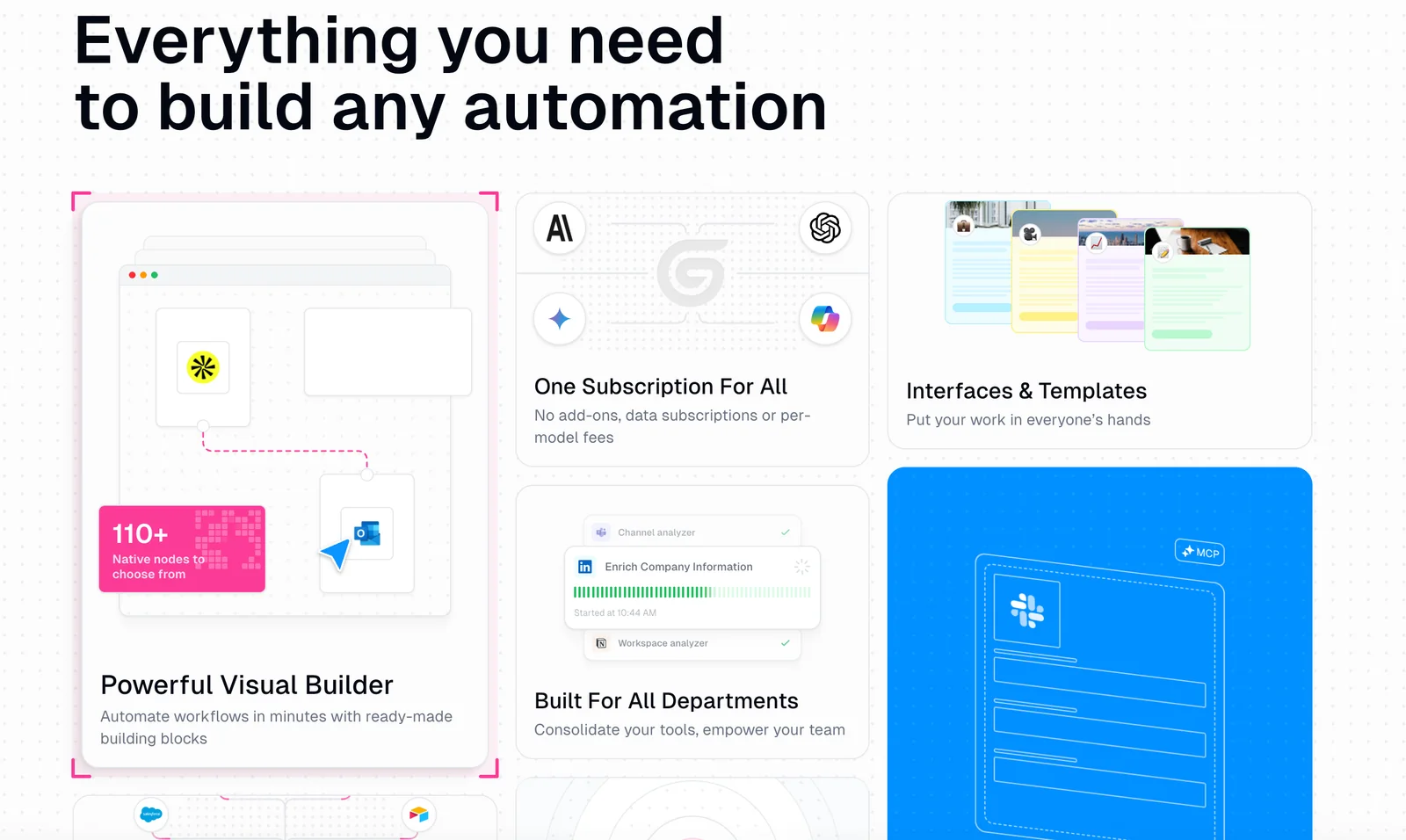
Gumloop offers a range of powerful features, including a visual workflow canvas, over 90 pre-built templates, a browser automation extension, multi-LLM workflow support, and built-in hosting for seamless automation deployment. These features make it an ideal tool for streamlining processes and enhancing productivity.
Key Points
- Visual Workflow Canvas: Intuitive interface for designing workflows.
- Pre-Built Templates: Over 90 templates for quick implementation.
- Browser Automation Extension: Automates web tasks effortlessly.
Detailed Explanation
Gumloop's visual workflow canvas allows users to create and visualize their automation processes easily. This drag-and-drop interface simplifies the setup, making it accessible even for those without a technical background. Users can design complex workflows by connecting different tasks and triggers visually.
The platform boasts over 90 pre-built templates, covering a variety of use cases such as marketing automation, data entry, and customer engagement. These templates help users get started quickly, allowing them to customize existing workflows to fit their specific needs without starting from scratch.
Another standout feature is the browser automation extension, which enables users to automate repetitive tasks directly within their web browsers. This feature is particularly useful for tasks like form filling, data scraping, and web testing, saving valuable time and reducing human error.
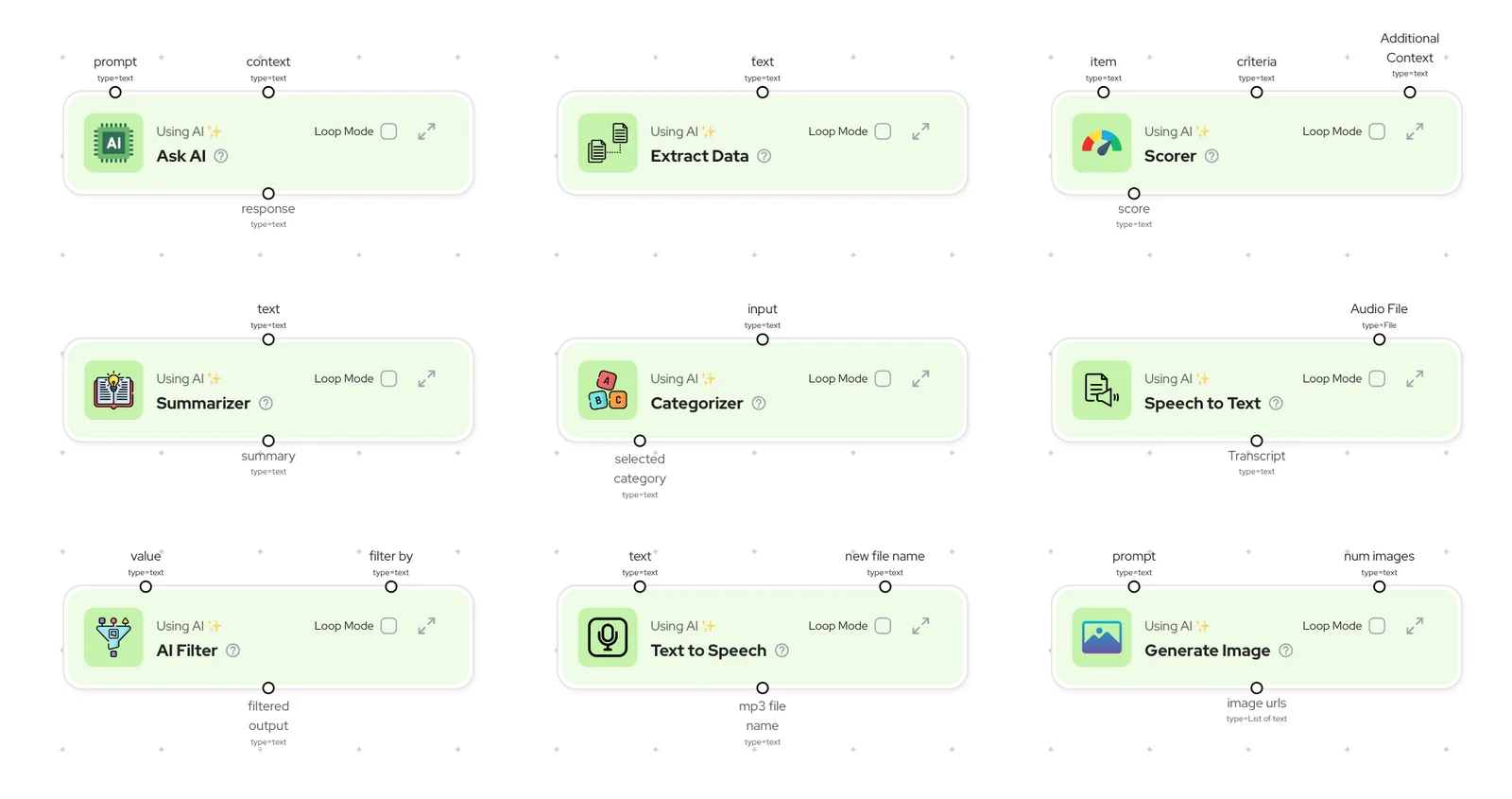
Additionally, Gumloop supports multi-LLM (Large Language Model) workflows, allowing users to integrate various AI models into their automations. This flexibility fosters innovation and helps businesses leverage the latest AI technologies for enhanced decision-making and productivity.
With built-in hosting, users can deploy their automations seamlessly without needing external infrastructure. This means faster implementation and less technical overhead, making it easier for teams to focus on what matters most—driving results.
Best Practices / Tips
- Start with Templates: Utilize pre-built templates to kickstart your automation projects. This saves time and helps in understanding the platform's capabilities.
- Leverage the Visual Canvas: Spend time mastering the visual workflow canvas. The more comfortable you are with it, the more complex and effective your automations can become.
- Test Automations: Always test your workflows before full deployment. This helps identify any issues and ensures everything functions as intended.
- Stay Updated: Regularly check for updates and new features from Gumloop to utilize the latest tools and enhancements in your automations.
Additional Resources
How does Gumloop compare to other automation tools?
Gumloop distinguishes itself from other automation tools with its intuitive no-code visual interface, an extensive library of templates, and support for multiple large language models (LLMs). It also provides competitive pricing tailored to various user needs, making it an appealing choice for both tech-savvy users and beginners.
Key Points
- No-Code Visual Interface: Simplifies automation for non-developers.
- Extensive Template Library: Offers ready-to-use solutions for various tasks.
- Multi-LLM Support: Enhances flexibility and customization options.
Detailed Explanation
Gumloop's no-code visual interface allows users to create automation workflows effortlessly, eliminating the need for programming knowledge. This feature is particularly beneficial for teams looking to streamline processes without relying on technical staff.
The platform boasts an extensive library of templates that cover a wide range of automation scenarios—from marketing campaigns to data analysis. For instance, users can quickly implement email marketing automation or customer feedback collection by selecting and customizing existing templates, saving time and effort.
Additionally, Gumloop's support for multiple LLMs, such as OpenAI's GPT and Google's BERT, allows users to choose the best model for their specific tasks. This flexibility means that businesses can tailor their workflows according to the complexity and requirements of their projects.
When comparing Gumloop to competitors like Zapier or Integromat, it becomes clear that while these platforms also offer automation solutions, they often require more technical expertise and may not provide as extensive a template library. Gumloop’s pricing plans are competitive, with options ranging from free tiers for small projects to affordable packages for larger teams, making it accessible for businesses of all sizes.
Best Practices / Tips
- Start Small: If you're new to automation, begin with basic templates to familiarize yourself with the platform.
- Utilize the Template Library: Explore various templates to find solutions that fit your specific needs without starting from scratch.
- Experiment with LLMs: Test different LLMs to determine which one best suits your task requirements; consider factors like accuracy and response time.
Additional Resources
Does Gumloop support API integrations?
Yes, Gumloop supports API integrations, offering robust API connectors and endpoints that allow users to seamlessly integrate external services. This capability enables users to automate workflows and fetch data efficiently, making Gumloop compatible with a wide range of backend systems and enhancing overall productivity.
Key Points
- Robust API Connectors: Gumloop provides versatile API connectors that enhance integration capabilities.
- Seamless Workflow Automation: Users can automate workflows to improve efficiency.
- Compatibility with Various Systems: Gumloop integrates smoothly with multiple backend systems.
Detailed Explanation
Gumloop's API integration capabilities are designed to facilitate smooth communication between various software applications. With a range of API endpoints, users can easily connect Gumloop to external services such as CRMs, ERPs, and other cloud platforms.
Examples of API Integrations:
- CRM Integration: Sync customer data from platforms like Salesforce or HubSpot to manage leads and customer interactions more effectively.
- Data Automation: Use Gumloop's API to automatically pull data from third-party services, allowing real-time analysis and reporting.
- Custom Workflows: Create tailored workflows that trigger actions in Gumloop based on events occurring in other applications, enhancing operational efficiency.
Use Case:
For instance, a marketing team can set up an API integration between Gumloop and their email marketing platform. This integration allows them to automatically sync subscriber lists, track campaign performance, and analyze user engagement without manual data entry, saving time and reducing errors.
Best Practices / Tips
- Read the API Documentation: Familiarize yourself with Gumloop's API documentation to understand endpoint specifications and data formats.
- Test Integrations: Always test API integrations in a development environment before going live to ensure they function as expected.
- Monitor API Usage: Keep track of API call limits and performance metrics to avoid disruptions and maintain seamless operations.
Additional Resources
Explore more AI Ai Agents tools
Browse all Ai Agents tools →Browse by use case: Automation & Productivity
Compare Gumloop: vs Mycel · vs Proto-Mind · vs Ami · vs Duvi