

Google Skills
AIFree Google platform offering hands-on cloud training, skill badges, labs and certifications for beginners and Google Cloud partners.
Google Skills
Free Google platform offering hands-on cloud training, skill badges, labs and certifications for beginners and Google Cloud partners.
About Google Skills
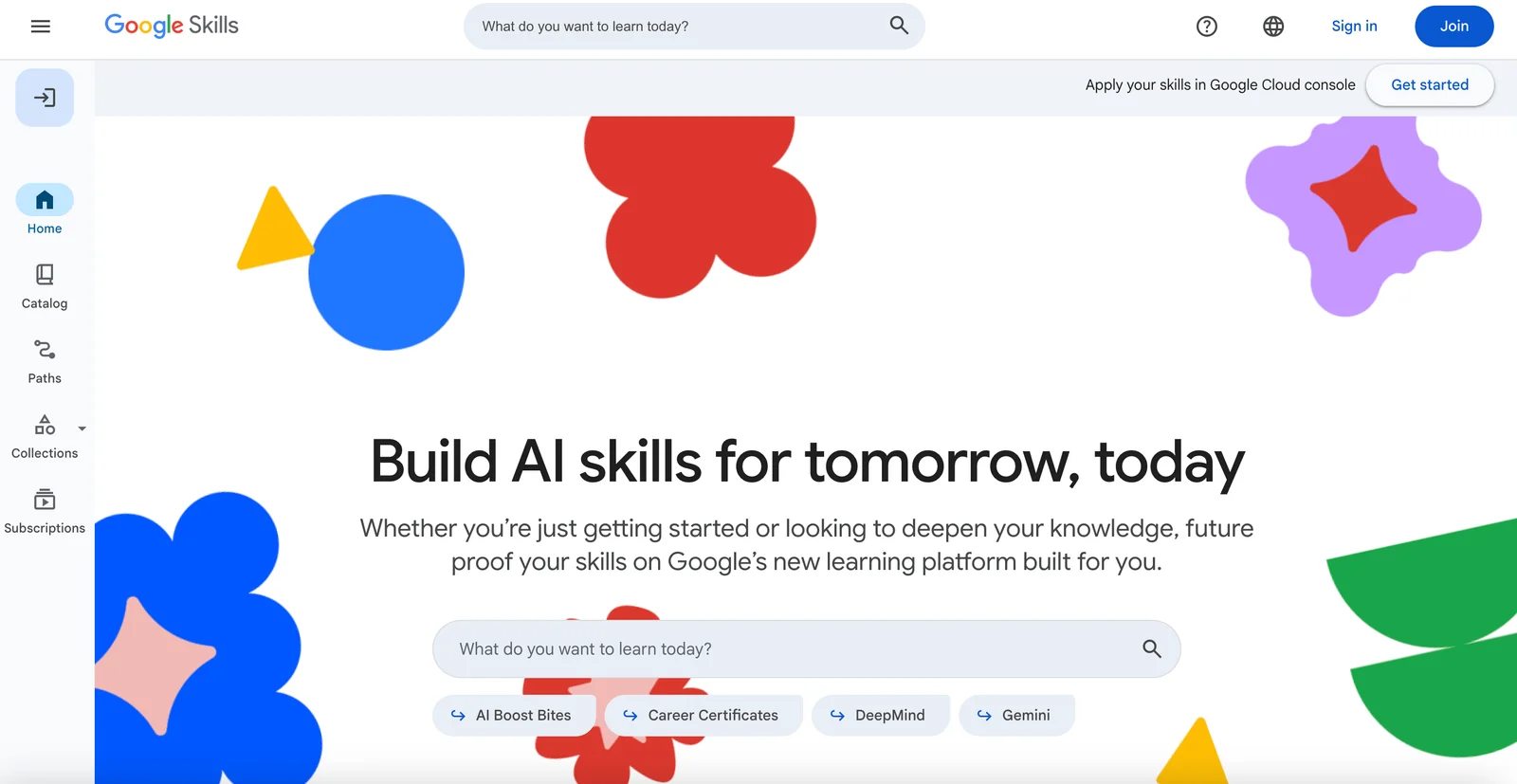
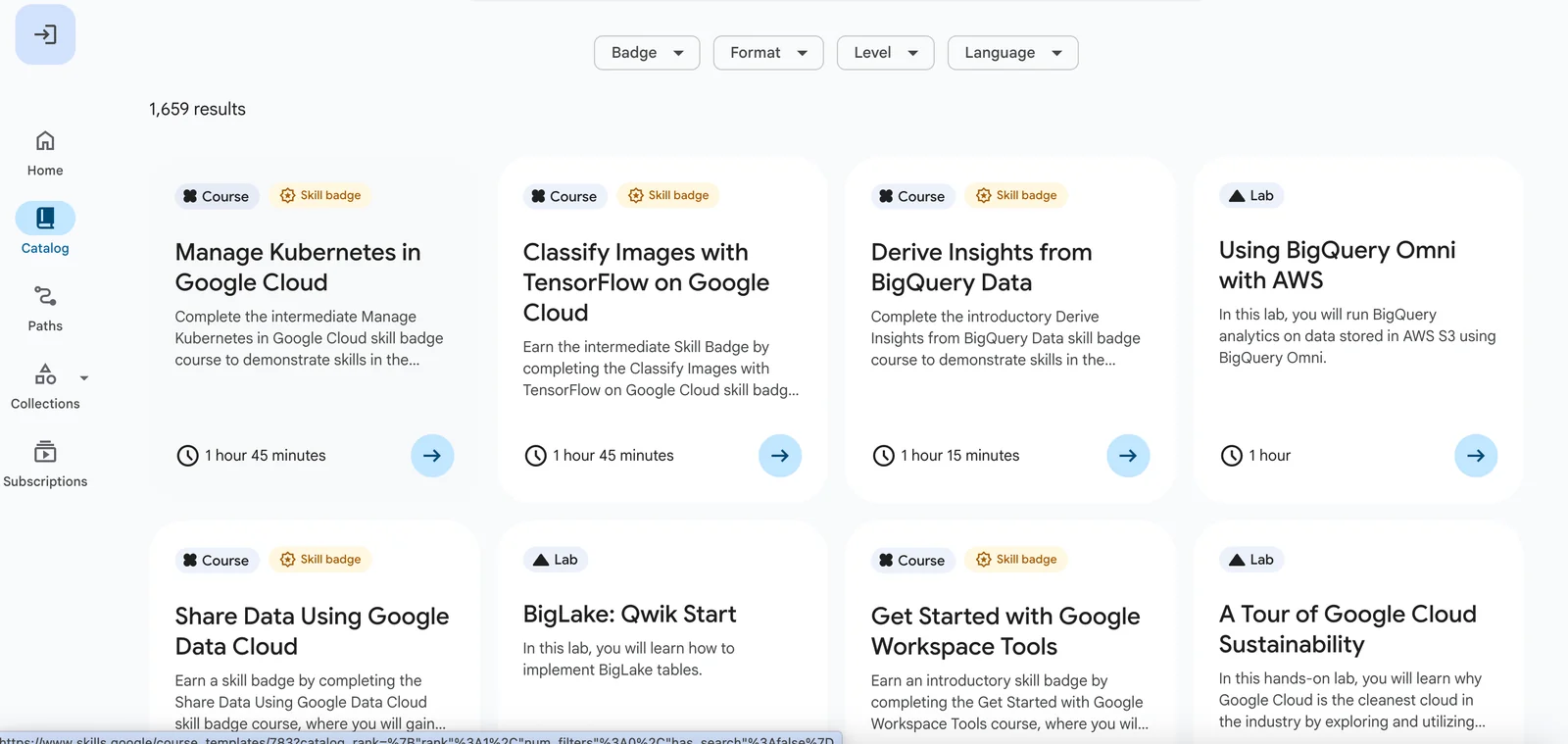
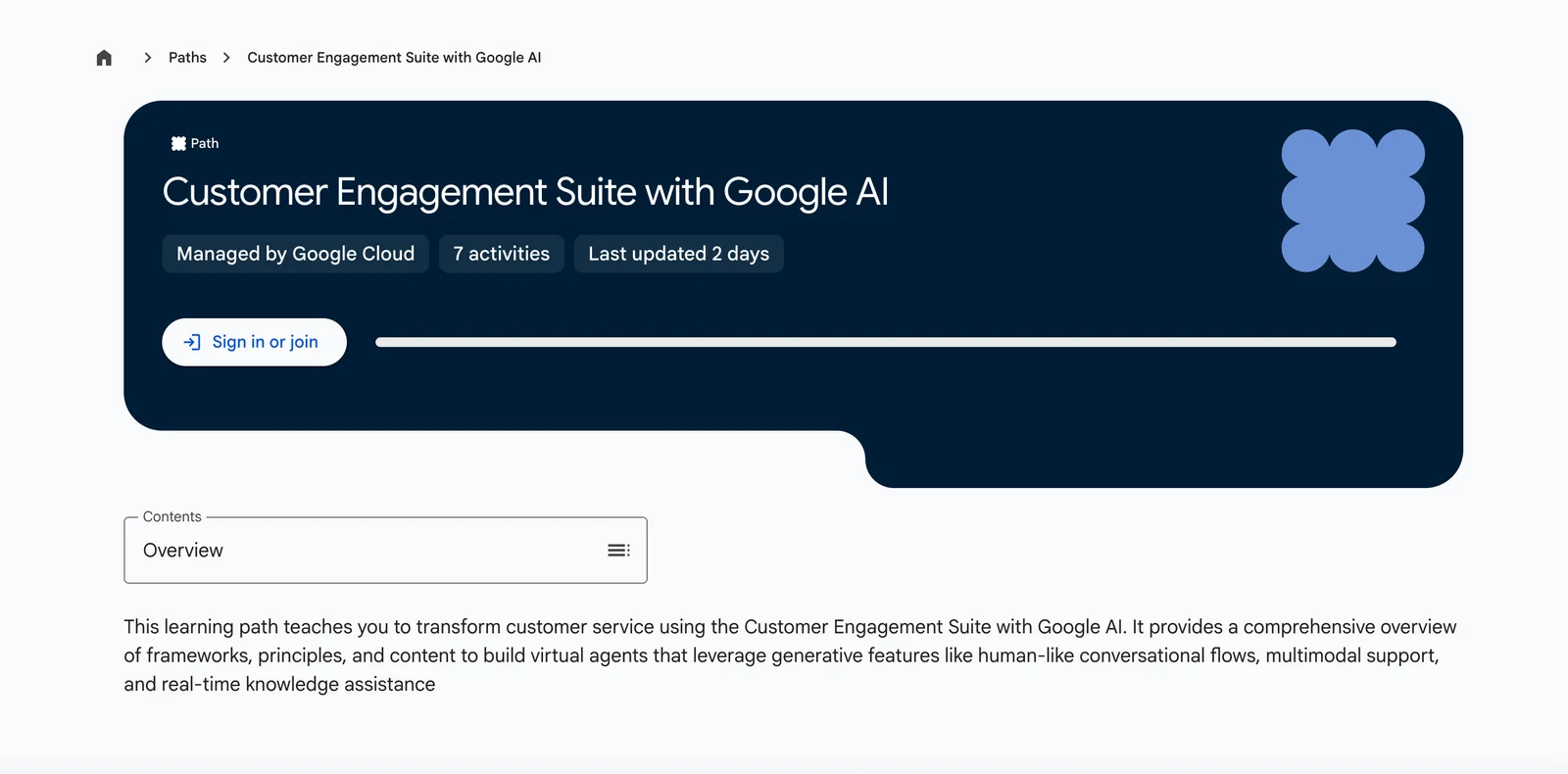
Google Skills (Skills by Google / Google Cloud Skills Boost) is an official learning platform that offers guided courses, hands-on labs, and skill badges to help users learn Google Cloud and related Google products. The platform delivers role-based learning paths, interactive lab environments (formerly Qwiklabs) and challenge labs that award verifiable skill badges and certifications. Content ranges from no-code AppSheet and Google Workspace training to advanced topics like Kubernetes, BigQuery, Looker, and Cloud Networking. Its unique value is official, practical, credit-based lab experiences combined with free introductory courses and partner-oriented certification paths.
Screenshots
Key Features
Use Cases



Frequently asked questions about Google Skills
What are the pricing options for Google Skills?
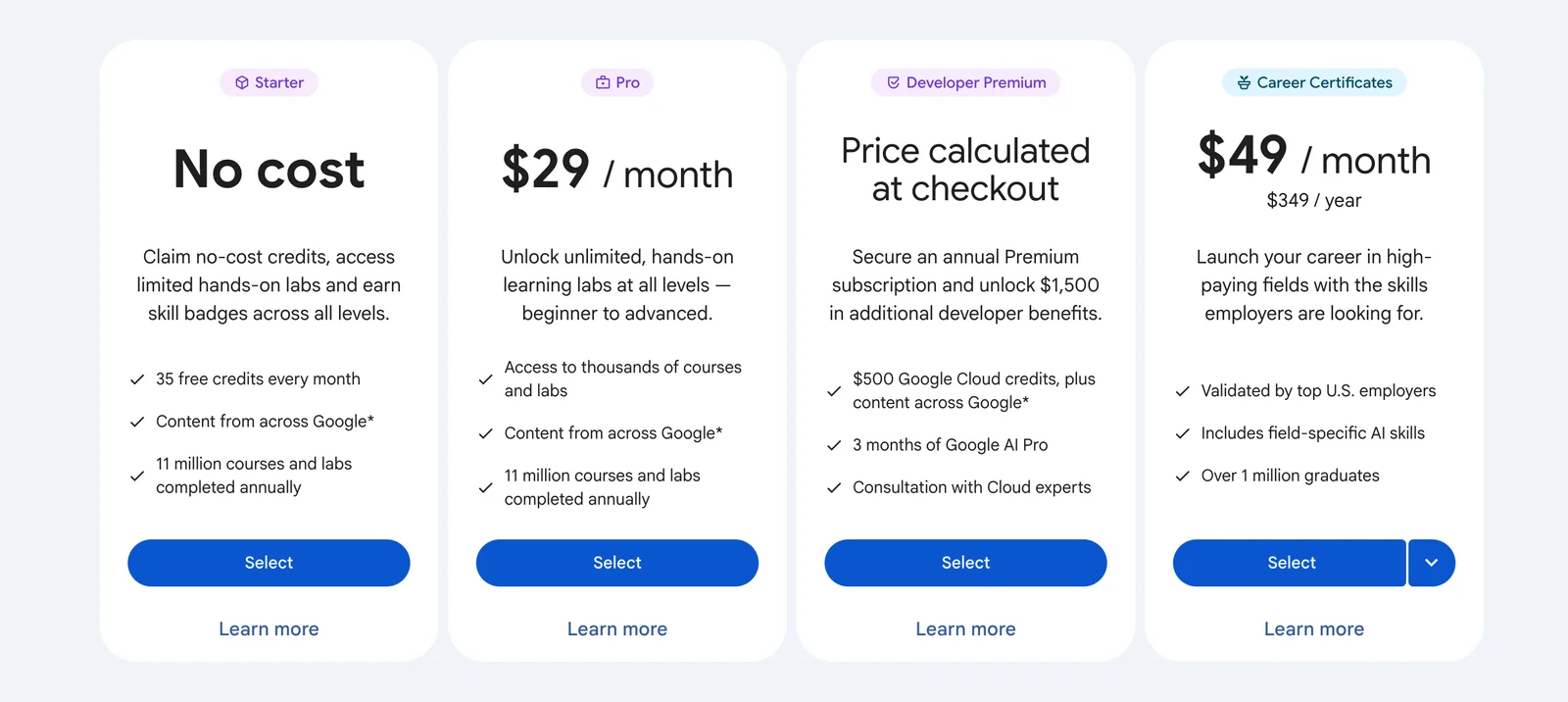
Google Skills offers a variety of pricing options: a free tier for introductory access, a Starter plan at $29/month, and a Premium plan at $49/month or $349/year, which includes unlimited labs and advanced content, catering to different learning needs and budgets.
Key Points
- Free tier provides access to basic courses and labs.
- Starter plan costs $29/month, suitable for beginners.
- Premium plan at $49/month or $349/year includes advanced features.
Detailed Explanation
Google Skills is designed to accommodate learners of all levels, offering a tiered pricing structure that meets varying educational needs.
-
Free Tier: This option is perfect for newcomers who want to explore the platform without any financial commitment. It includes access to introductory courses that cover foundational skills, allowing users to start their learning journey.
-
Starter Plan: Priced at $29 per month, the Starter plan is ideal for individuals who wish to delve deeper into specific subjects. Subscribers gain access to more comprehensive courses and limited labs, providing a structured learning experience.
-
Premium Plan: At $49 per month or $349 for an annual subscription, the Premium plan is tailored for serious learners or professionals looking to advance their skills significantly. This plan offers unlimited access to labs, advanced courses, and additional resources that enhance the learning experience.
For instance, if you are a data analyst seeking to improve your proficiency in Google Analytics, enrolling in the Premium plan would grant you access to extensive labs that simulate real-world scenarios.
Best Practices / Tips
- Evaluate Your Needs: Before selecting a plan, assess your current skill level and learning goals to choose the most suitable option.
- Take Advantage of the Free Tier: Start with the free tier to gauge the platform's offerings before committing to a paid plan.
- Consider Annual Savings: If you plan to use Google Skills long-term, opting for the annual Premium plan can save you money in the long run.
Additional Resources
For more information on Google Skills pricing and detailed course offerings, visit the official Google Skills website. Additionally, check out community forums for user reviews and insights on the effectiveness of different plans.
How do I get started with Google Skills?
To get started with Google Skills, visit the official Google Skills website, create a Google account, and select a learning path or course that suits your interests. You can explore free introductory content before committing to paid labs or credits for deeper learning experiences.
Key Points
- Visit the official Google Skills website.
- Create a Google account to access courses.
- Explore free introductory content before paid options.
Detailed Explanation
Getting started with Google Skills is a straightforward process that empowers individuals to enhance their digital competencies. Here’s a step-by-step guide:
-
Visit the Official Website: Navigate to the Google Skills website. This platform offers a wide range of resources, including tutorials and certifications tailored to various Google products.
-
Create a Google Account: If you don’t already have a Google account, you’ll need to create one. This account will be your gateway to accessing course materials, tracking your progress, and participating in community learning.
-
Select a Learning Path: Once logged in, browse through the available learning paths. Google Skills offers courses on topics such as digital marketing, data analytics, cloud computing, and more. Take your time to read the descriptions and choose a course that aligns with your career goals or interests.
-
Explore Free Content: Many introductory courses are free and provide valuable insights into the subject matter. This is an excellent way to test the waters before making any financial commitments to paid labs or advanced courses.
-
Opt for Paid Labs or Credits: After completing the introductory modules, if you want to dive deeper, consider enrolling in paid labs or courses. These often provide hands-on experience and can be crucial for mastering complex topics. Pricing varies, so check the course details for specific costs.
Best Practices / Tips
- Start with Free Courses: Always explore free resources first to gauge your interest in a subject area without any financial risk.
- Set Learning Goals: Define what you want to achieve with Google Skills. Setting clear goals can help you choose the right courses and maintain motivation.
- Engage with the Community: Join forums or groups related to Google Skills to share experiences, ask questions, and network with fellow learners.
- Stay Updated: Google frequently updates its courses to reflect the latest industry trends. Return to the platform regularly for new content and updates.
Additional Resources
- Google Skills Official Site
- Google Digital Garage for more free courses on digital skills.
- Google Cloud Training for in-depth cloud computing courses.
What are the key features of Google Skills?
Google Skills provides a comprehensive learning environment featuring hands-on labs, skill badge paths, role-based courses, certification support, and a diverse range of topics covering everything from no-code app development to advanced data engineering, empowering users to enhance their technical capabilities and career prospects.
Key Points
- Hands-On Lab Environments: Practical experience through simulated scenarios.
- Skill Badge Paths: Structured learning leading to recognized certifications.
- Diverse Course Topics: Wide-ranging subjects catering to various skill levels.
Detailed Explanation
Google Skills is designed to equip learners with critical technical skills through interactive and practical experiences. Here are the key features in detail:
Hands-On Lab Environments
These labs provide users with real-world scenarios where they can apply their knowledge. For instance, participants can work on cloud projects, enabling them to gain practical insights into cloud computing, data analytics, and more. This feature is especially beneficial for those who learn best through doing.
Skill Badge Paths
Google Skills offers a structured path where learners can earn skill badges upon completing specific courses. These badges serve as credentials that can enhance a learner's resume, showcasing their expertise in particular areas such as machine learning, app development, and cybersecurity.
Role-Based Courses
The platform includes courses tailored to specific job roles, like data analyst or software developer. Each course is designed to cover essential skills and tools relevant to that position, ensuring learners are industry-ready upon completion. This targeted approach helps maximize the relevance and applicability of the learning experience.
Certification Support
Google Skills also provides guidance and resources for learners seeking to obtain industry-recognized certifications. This includes study materials, practice exams, and access to experts who can offer advice on best practices for passing certification exams.
Diverse Course Topics
From no-code app development to advanced data engineering, Google Skills covers a wide range of topics. This diversity allows learners at various skill levels to find relevant courses that fit their career goals, whether they are just starting or looking to deepen their existing knowledge.
Best Practices / Tips
- Set Clear Goals: Before starting, define what you want to achieve with your learning. This will help you select the right courses and stay focused.
- Engage with the Community: Participate in forums and discussions to enhance your learning experience and network with peers.
- Practice Regularly: Use the hands-on labs frequently to reinforce your knowledge and skills.
- Stay Updated: Technology evolves rapidly; make sure to check for new courses and updates frequently.
Additional Resources
These resources provide further insights and opportunities to deepen your understanding of specific tools and technologies relevant to your career.
How does Google Skills compare to other cloud training platforms?
Google Skills stands out from other cloud training platforms due to its freemium model, extensive free content, and seamless integration with Google Cloud services. This makes it particularly beneficial for beginners and those aiming to prepare for Google Cloud certification exams.
Key Points
- Freemium Model: Offers both free and paid content.
- Extensive Free Resources: Includes tutorials, videos, and hands-on labs.
- Integration with Google Cloud: Facilitates real-world application of skills.
Detailed Explanation
Google Skills provides a unique approach to cloud training with its freemium model. Users can access a wealth of free resources, covering foundational topics like cloud fundamentals, machine learning, and data analytics. This is particularly advantageous for beginners who want to explore cloud technology without financial commitment.
The platform features comprehensive modules that are not only instructional but also practical. For instance, users can engage in hands-on labs that simulate real-world scenarios, enhancing their learning experience. This practical application is crucial for understanding how to work within the Google Cloud ecosystem effectively.
Additionally, Google Skills integrates seamlessly with Google Cloud services, allowing learners to apply their knowledge directly in a relevant context. This integration benefits those preparing for Google Cloud certifications, as they can gain firsthand experience with the tools and services they'll encounter in the exams.
When comparing Google Skills to platforms like AWS Training or Microsoft Learn, it’s evident that Google’s extensive free offerings and practical focus give it an edge, particularly for newcomers.
Best Practices / Tips
- Start with Free Resources: Leverage the available free content to build foundational knowledge before investing in premium courses.
- Utilize Labs: Engage with hands-on labs to reinforce learning and gain practical experience.
- Follow Certification Pathways: If preparing for certification, follow the structured learning pathways that Google Skills offers for optimal preparation.
Additional Resources
Does Google Skills offer any API or integration options?
Currently, Google Skills does not provide a public API for integration. However, it offers various hands-on labs that facilitate learning about API usage and integration within Google Cloud services, allowing users to apply practical examples to enhance their skills in real-world scenarios.
Key Points
- Google Skills lacks a public API for direct integration.
- Offers hands-on labs focusing on API usage and Google Cloud services.
- Practical examples enhance the learning experience.
Detailed Explanation
While Google Skills does not have a public API, it provides a variety of educational resources designed to help users understand how to work with APIs within the Google ecosystem. The hands-on labs cover essential topics such as:
- API Fundamentals: Users learn the basics of APIs, including RESTful principles, authentication methods, and data formats like JSON.
- Google Cloud Integration: Through practical labs, learners can explore how to integrate various Google Cloud services with external applications. For example, users can practice integrating Google Cloud Functions with Google Cloud Storage or BigQuery.
- Project-Based Learning: Labs often involve building real projects that simulate real-world scenarios, which helps reinforce the concepts learned.
By engaging with these labs, users can gain valuable experience that prepares them for tasks that involve API integrations, even in the absence of a dedicated public API.
Best Practices / Tips
- Engage with Labs: Actively participate in all hands-on labs to ensure practical understanding.
- Documentation Review: Regularly review Google Cloud documentation to stay updated on best practices and new features.
- Experimentation: Don’t hesitate to experiment with different Google Cloud services to see how they can work together.
Additional Resources
By utilizing these resources, users can enhance their skills and prepare for more complex integration tasks in the Google Cloud environment.
Explore more AI Ai Services tools
Browse all Ai Services tools →Browse by use case: Code Generation
Compare Google Skills: vs Context.dev · vs ZeroClick · vs jurniti · vs Cadenya