

Google Nano Banana Pro
AIStudio-quality image generation and editing model built on Gemini 3 for precise, controllable visual creation.
Google Nano Banana Pro
Studio-quality image generation and editing model built on Gemini 3 for precise, controllable visual creation.
About Google Nano Banana Pro
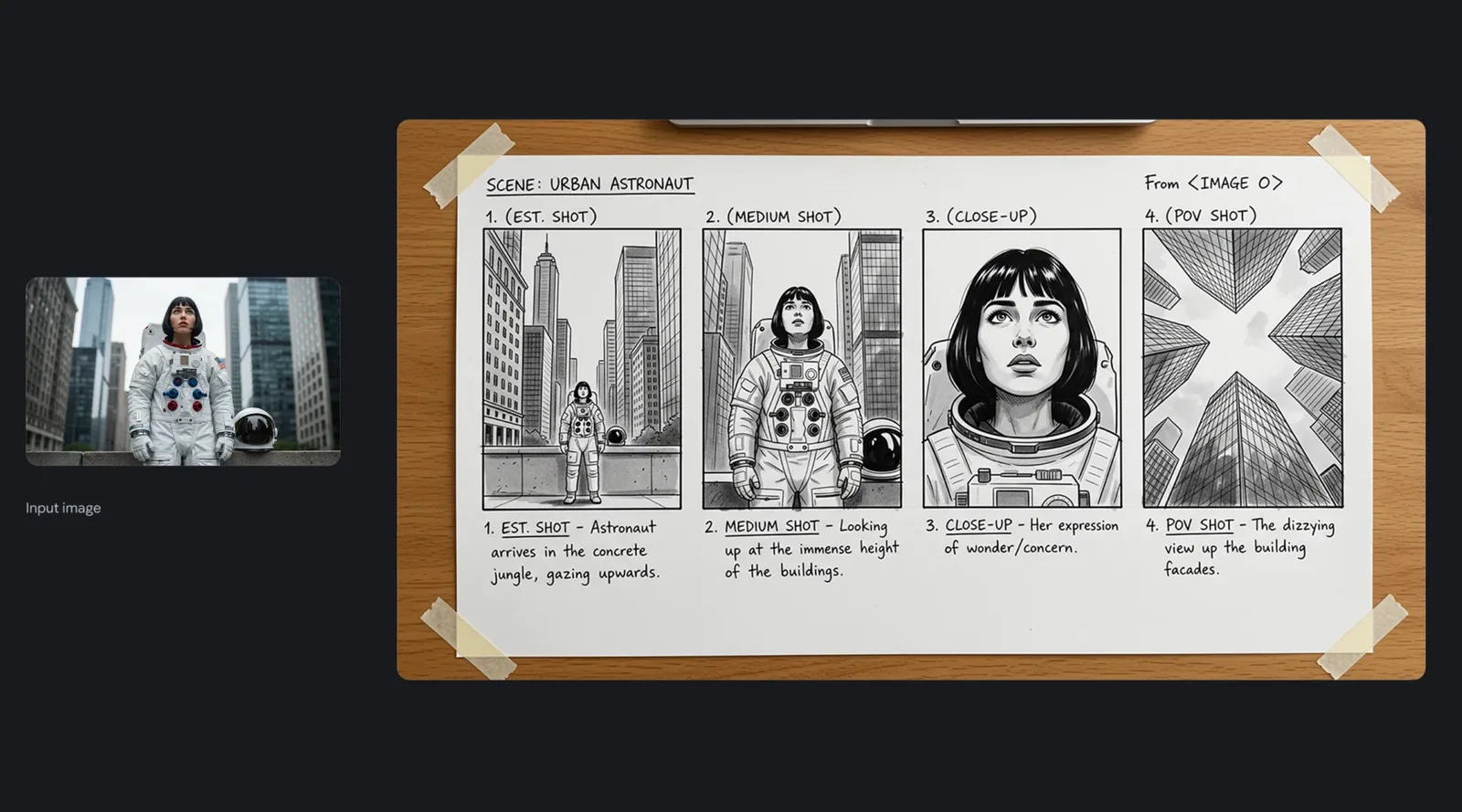
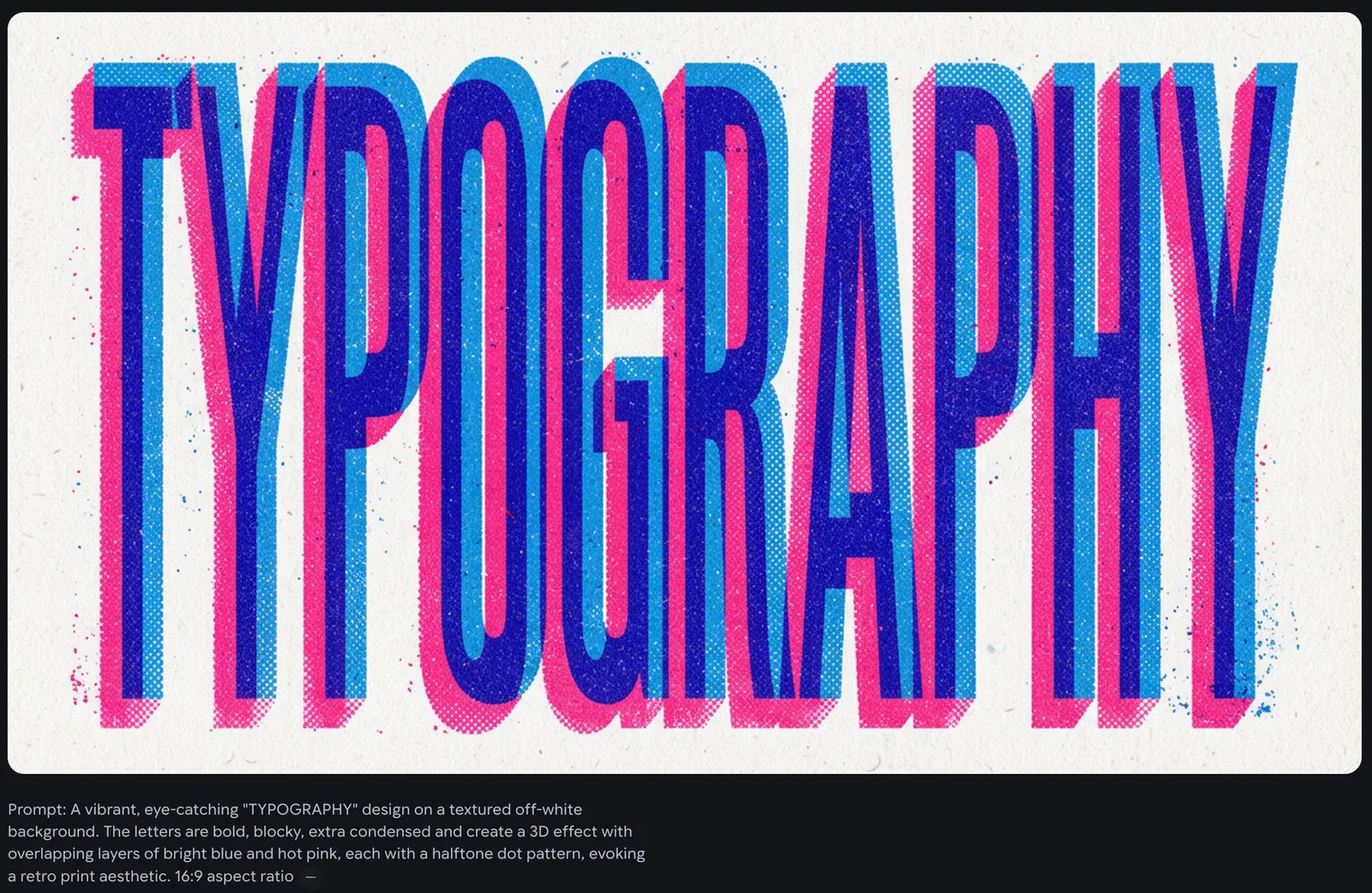
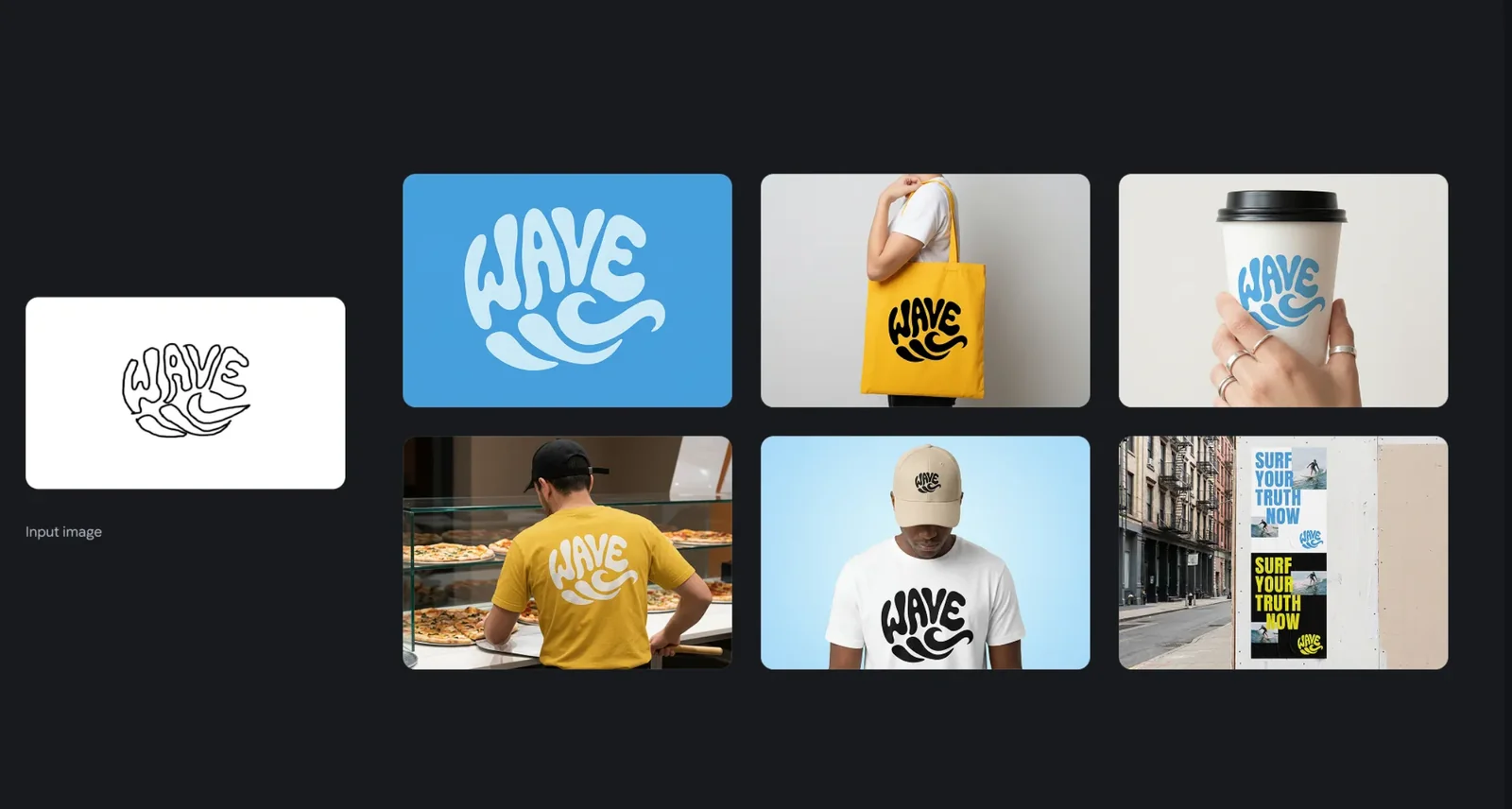
Gemini 3 Pro Image (Nano Banana Pro) is an image generation and editing model built on the Gemini 3 architecture that enables studio-quality visual creation with fine-grained control. It supports prompt-driven generation and precision edits, allowing users to modify composition, lighting, and details while preserving context and realism. Designed for professional workflows, the model emphasizes high-fidelity outputs, iterative refinement, and control mechanisms that help creators produce consistent images for commercial, creative, and production use.
Screenshots

Key Features
Use Cases



Frequently asked questions about Google Nano Banana Pro
What pricing options are available for Google Nano Banana Pro?
Google Nano Banana Pro offers a freemium pricing model, featuring a free tier with limited studio-quality image generation and basic editing tools. The Pro tier includes custom pricing for higher resolutions and commercial licenses. For precise pricing details, it's best to contact Google DeepMind directly.
Key Points
- Freemium Model: Includes a free tier for basic users.
- Pro Tier: Custom pricing for enhanced features.
- Contact for Details: Reach out to Google DeepMind for specific inquiries.
Detailed Explanation
Google Nano Banana Pro is designed to cater to a variety of users, from hobbyists to professionals. The freemium model allows users to start with a free tier, providing access to limited studio-quality image generation and basic editing tools. This tier is ideal for individuals or small projects that do not require extensive features.
For users needing more advanced capabilities, the Pro tier is available. This tier offers higher resolution outputs, commercial licenses for users intending to sell or distribute their work, and access to premium editing tools. The pricing for the Pro tier is customized based on user needs, making it flexible for businesses and freelancers alike.
To get the most accurate pricing information, users are encouraged to contact Google DeepMind directly. They provide tailored solutions that fit specific project requirements and budget constraints.
For example, a small business looking to generate high-quality marketing materials may find the Pro tier invaluable, while a casual user can effectively use the free tier without incurring costs.
Best Practices / Tips
- Evaluate Your Needs: Determine if the free tier meets your requirements before considering the Pro tier.
- Contact Sales for Custom Quotes: Always reach out for personalized pricing options if you're considering the Pro tier.
- Stay Updated on Features: Keep an eye on updates from Google DeepMind to leverage new tools and features as they become available.
Additional Resources
What are the key features of Google Nano Banana Pro?
Google Nano Banana Pro offers advanced features like studio-quality image generation, precision image editing, prompt-controlled refinement, and high-resolution outputs. Additionally, it incorporates robust safety measures to ensure that all generated content adheres to community guidelines and maintains contextual consistency throughout the creative process.
Key Points
- Studio-quality image generation
- Precision image editing capabilities
- Prompt-controlled refinement for tailored outputs
Detailed Explanation
Google Nano Banana Pro stands out with its ability to generate studio-quality images, making it ideal for professionals in fields such as graphic design, advertising, and content creation. This feature allows users to produce visually stunning images that meet high industry standards.
Precision Image Editing: The tool provides advanced editing options, enabling users to modify images with pinpoint accuracy. This includes adjustments to color, texture, and composition, empowering creators to achieve their desired aesthetics effortlessly.
Prompt-Controlled Refinement: Users can guide the image generation process by providing specific prompts. This capability ensures that the outputs align closely with user expectations, facilitating a more personalized experience. For instance, a designer can specify the mood or theme of an image, leading to more relevant results.
High-Resolution Outputs: Google Nano Banana Pro supports high-resolution image outputs, which are crucial for print media and high-quality digital displays. This feature ensures that images maintain clarity and detail, even when scaled, making it a valuable tool for marketers and creatives alike.
Safety Measures: The platform includes integrated safety features designed to filter out inappropriate content and ensure that the generated images comply with ethical guidelines. This proactive approach helps users avoid potential pitfalls associated with AI-generated content, such as copyright issues or inappropriate imagery.
Best Practices / Tips
- Experiment with Prompts: When using prompt-controlled refinement, try different phrasings and specifics to see how they affect the output. Experimentation can lead to surprising and unique results.
- Utilize Editing Tools: Don't shy away from the precision editing tools. Minor adjustments can dramatically improve the quality and relevance of your images.
- Stay Updated: Regularly check for software updates or new features to take full advantage of the latest enhancements and capabilities offered by Google Nano Banana Pro.
Additional Resources
How do I get started with Google Nano Banana Pro?
To get started with Google Nano Banana Pro, visit the official website and sign up for the free tier. Explore the user-friendly interface and utilize community resources, including tutorials and forums, to enhance your understanding of the tools and features available.
Key Points
- Sign up for the free tier on the official website.
- Familiarize yourself with the interface and tools.
- Utilize community resources like tutorials and forums.
Detailed Explanation
Google Nano Banana Pro is an innovative platform designed for developers, marketers, and data enthusiasts seeking to leverage AI tools for various applications. To begin, follow these steps:
-
Visit the Official Website: Navigate to the Google Nano Banana Pro homepage. Here, you will find information about features, pricing, and user testimonials that can help you decide if it fits your needs.
-
Create an Account: Click on the sign-up button to create your account. During registration, you'll have the option to choose the free tier, which offers essential features to get you started without any financial commitment.
-
Explore the Dashboard: Once logged in, take a moment to familiarize yourself with the user interface. The dashboard is intuitive, featuring easy navigation to key functionalities like project management, data visualization, and integration options.
-
Access Tutorials and Documentation: The platform provides a wealth of community resources. You can access video tutorials, user guides, and FAQs directly from the site, which will help you understand how to maximize the platform's capabilities.
-
Engage with Community Forums: Join the Google Nano Banana Pro community forums to discuss ideas, ask questions, and share experiences with other users. This interaction can provide valuable insights and tips from experienced users.
Best Practices / Tips
-
Set Clear Objectives: Before diving into the tools, outline what you want to achieve with Google Nano Banana Pro. This could include building a specific application, analyzing data, or automating tasks.
-
Experiment with Features: Don’t hesitate to explore different tools and functionalities. The best way to learn is through hands-on experience, so try out various features to see which ones best suit your workflow.
-
Stay Updated: Google frequently updates its tools and features. Follow their blog or subscribe to newsletters to stay informed about the latest enhancements and best practices.
-
Utilize Support: If you encounter challenges, don’t hesitate to reach out to customer support or consult the extensive knowledge base available on the website.
Additional Resources
What are the technical requirements for using Google Nano Banana Pro?
Google Nano Banana Pro is a web-based application that requires a stable internet connection and a modern browser for optimal usage. While there are no specific hardware requirements, using a device with good processing power and memory will enhance performance and user experience.
Key Points
- Web-based platform requiring a stable internet connection.
- Compatible with modern browsers like Chrome, Firefox, and Edge.
- Optimal performance on devices with higher processing power and RAM.
Detailed Explanation
Google Nano Banana Pro is designed as a cloud-based tool, which means it runs entirely online without necessitating downloads or installations. Users should ensure their internet connection is reliable to avoid disruptions during usage.
Browser Compatibility
For the best experience, utilize up-to-date versions of popular browsers:
- Google Chrome: Offers the fastest performance and most features.
- Mozilla Firefox: Known for strong privacy settings.
- Microsoft Edge: Good compatibility with Windows devices.
Device Specifications
While specific hardware requirements are not provided, using a device with at least:
- Processor: Dual-core or better.
- Memory (RAM): Minimum of 4GB, though 8GB is recommended for smoother multitasking.
- Operating System: Most current versions of Windows, macOS, or Linux.
Ensuring your device meets these specifications can significantly improve your experience with Google Nano Banana Pro, especially when handling large datasets or multiple tasks simultaneously.
Best Practices / Tips
- Regularly Update Your Browser: Keep your browser updated to the latest version for security and performance enhancements.
- Check Internet Speed: A stable broadband connection with a minimum speed of 10 Mbps is recommended for optimal performance.
- Clear Cache Regularly: Clearing your browser's cache can resolve loading issues and enhance speed.
- Use Task Manager: Monitor system performance through Task Manager (Windows) or Activity Monitor (macOS) to ensure your device is not overloaded.
Additional Resources
How does Google Nano Banana Pro compare to other image generation tools?
Google Nano Banana Pro excels among image generation tools with its studio-quality outputs and advanced precision editing features. Its unique capabilities, such as prompt-controlled refinement and contextual consistency, make it particularly suitable for professional-grade image creation across various industries, setting it apart from competitors.
Key Points
- Studio-Quality Outputs: Produces images that meet professional standards.
- Precision Editing: Allows for detailed adjustments and refinements.
- Unique Features: Offers prompt-controlled refinement and contextual consistency.
Detailed Explanation
Google Nano Banana Pro is designed to meet the high demands of professionals in fields like marketing, design, and multimedia production. Its studio-quality outputs ensure that images are not just visually appealing but also suitable for various platforms, from print to digital media.
Precision Editing
The tool’s precision editing capabilities enable users to make intricate adjustments to their images. This includes fine-tuning colors, contrast, and detail levels, which can transform a standard image into a visually striking piece that captures attention. For instance, a marketing team can use these features to create compelling visuals for advertisements, ensuring they resonate with target audiences.
Unique Features
One of the standout features of Google Nano Banana Pro is its prompt-controlled refinement. This functionality allows users to guide the image generation process through specific prompts, resulting in outputs that align closely with their vision. Additionally, the contextual consistency feature ensures that images maintain a cohesive style, even when generated in batches, which is crucial for branding consistency.
Best Practices / Tips
- Experiment with Prompts: Try different prompts to understand how they influence the output, allowing for tailored results.
- Utilize Editing Tools: Take advantage of the precision editing tools to refine images further, enhancing their quality and relevance.
- Focus on Consistency: Use contextual consistency when creating multiple images to ensure they align with your brand's visual identity.
Additional Resources
Explore more AI Ai Models tools
Browse all Ai Models tools →Browse by use case: Image Generation
Compare Google Nano Banana Pro: vs Mouse-1 · vs Milliseconds.ai · vs SWE-2 · vs Desert Ant Labs