
Google Antigravity
AIA Google-built AI-assisted development environment and editor with natural-language code commands, context-aware completions, and collaborative workflows.
Google Antigravity
A Google-built AI-assisted development environment and editor with natural-language code commands, context-aware completions, and collaborative workflows.
About Google Antigravity
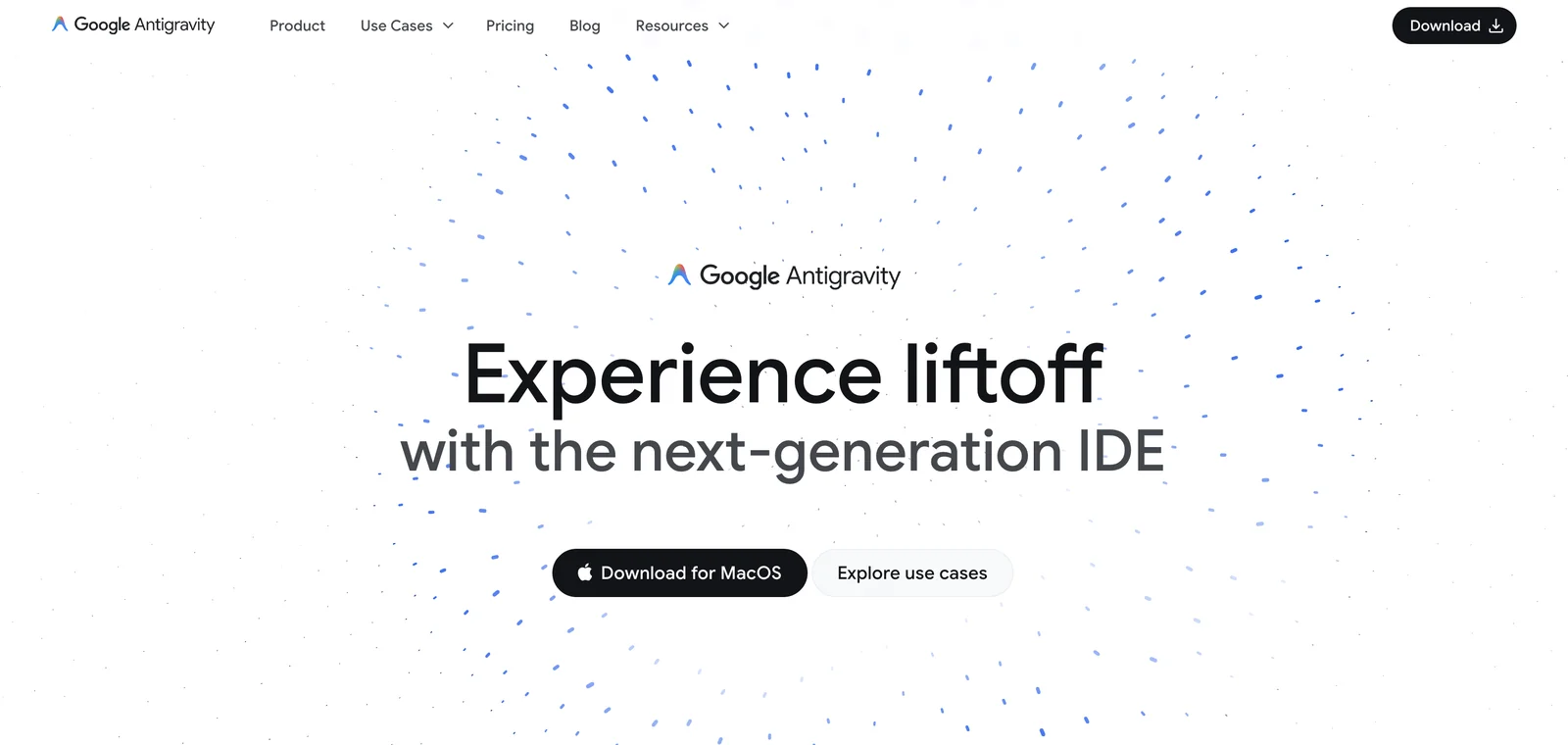
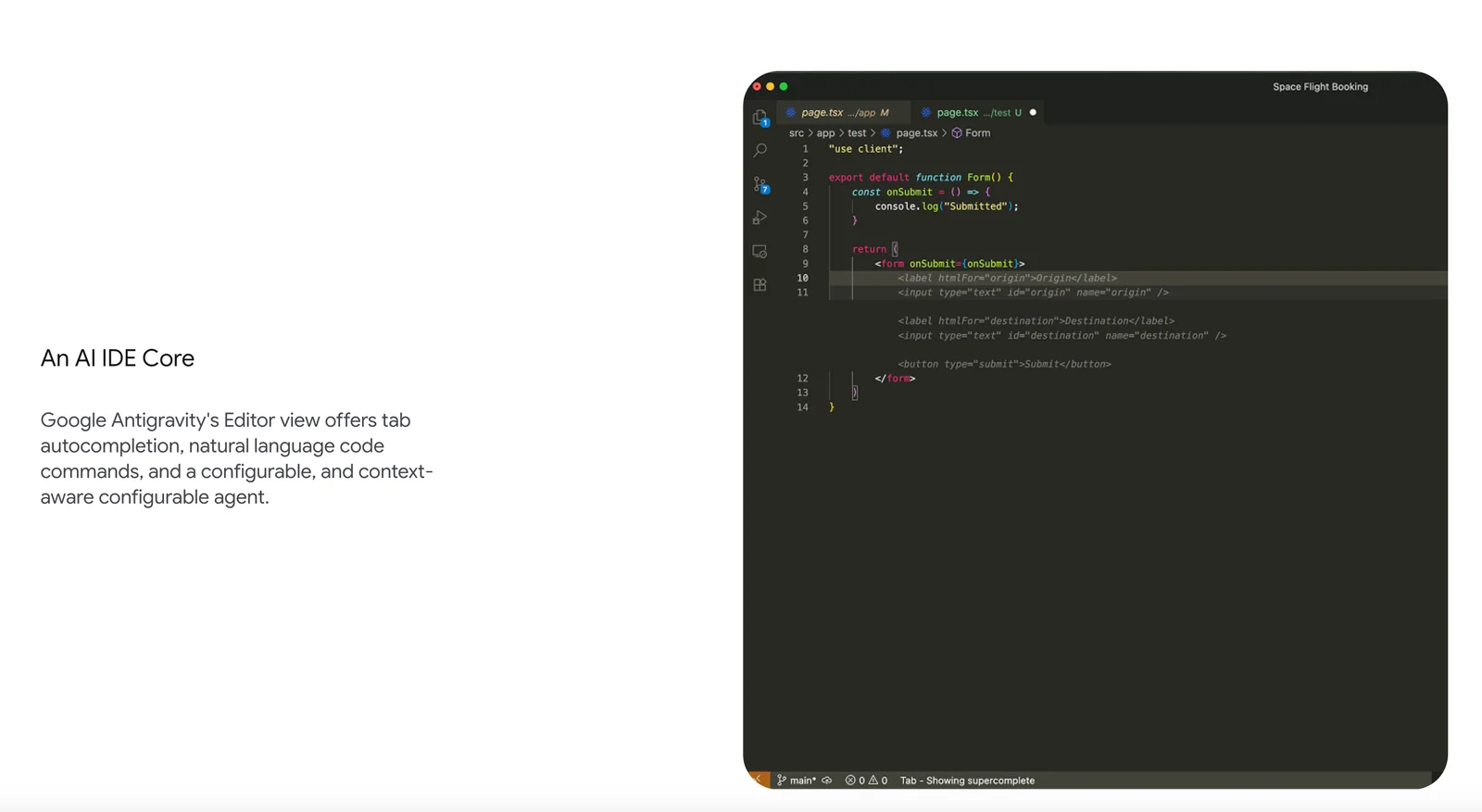
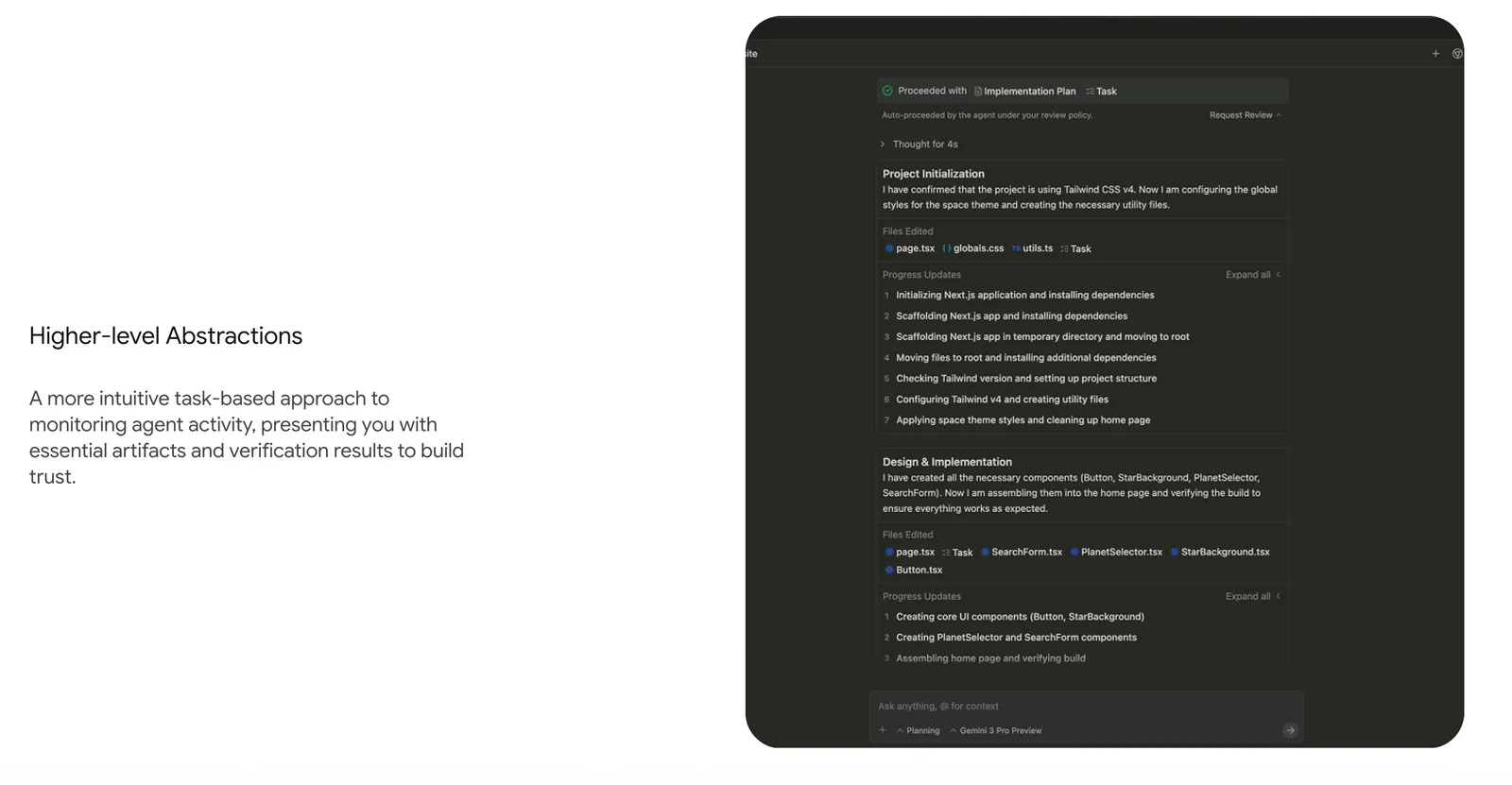
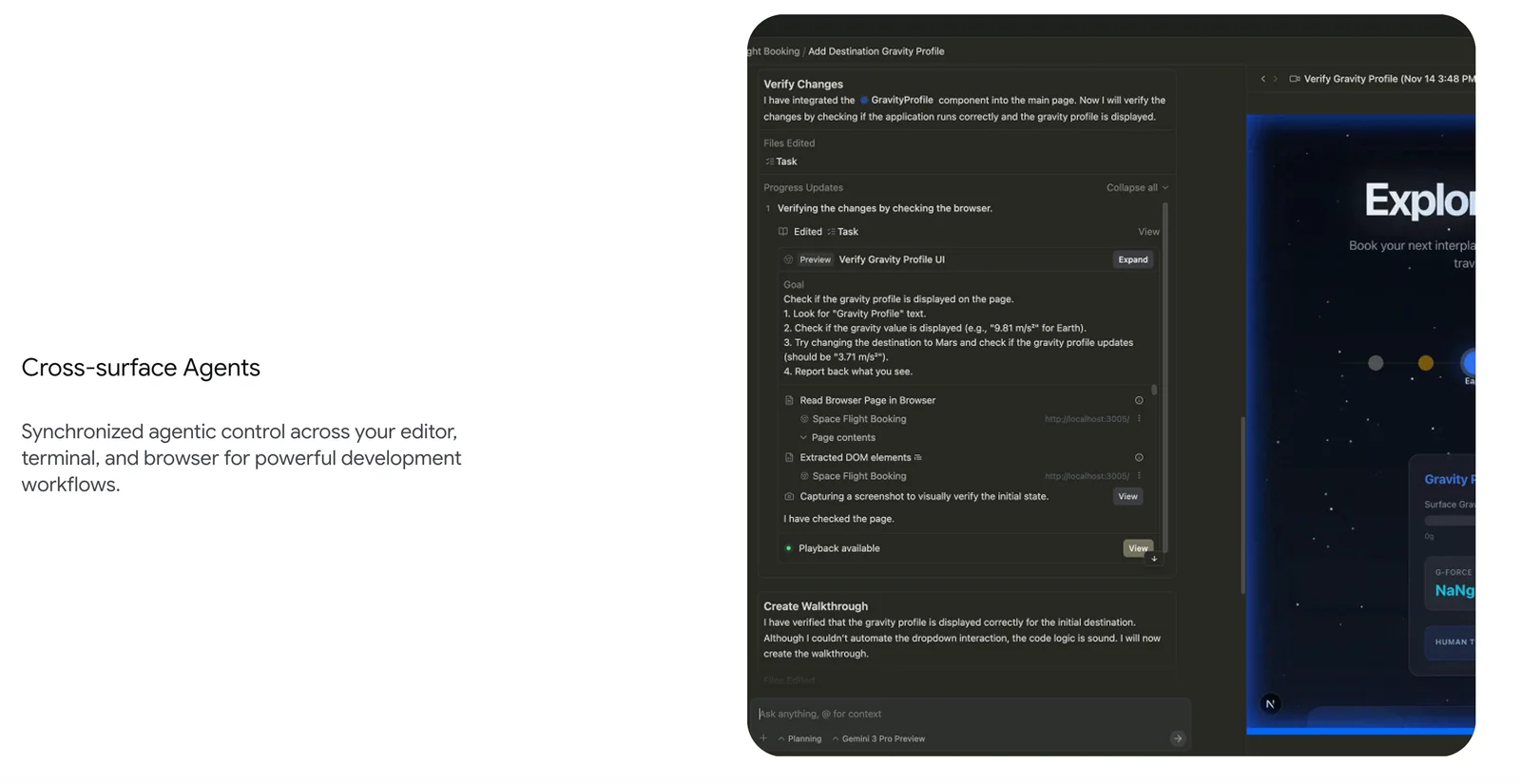
Google Antigravity is a desktop development environment and code editor that combines natural-language coding, context-aware autocompletion, verification, and project-level progress reporting. The editor supports tab autocompletion, natural-language code commands, and configurable context behavior to let developers ask for code changes, generate features, or get guided walkthroughs of a product. Antigravity integrates task creation, verification, and progress reporting inside the development flow and is designed around collaborative development tenets such as trust, autonomy, feedback, and continuous improvement. It connects to a Google account for workspace sync and aims to streamline both individual coding and team workflows by blending conventional editor features with generative, feedback-driven tooling.
Screenshots
Key Features
Use Cases



Frequently asked questions about Google Antigravity
What is the pricing structure for Google Antigravity?
Google Antigravity utilizes a freemium pricing model, offering a free Public Preview tier that includes access to the Antigravity IDE and features like agent-first coding. Details regarding paid enterprise options are not currently available but are expected to be released in the future.
Key Points
- Freemium Model: Access to basic features at no cost.
- Public Preview Tier: Free usage of Antigravity IDE and tools.
- Enterprise Pricing: Future paid options for businesses are forthcoming.
Detailed Explanation
Google Antigravity is designed to facilitate innovative coding practices, particularly through its unique agent-first coding approach. The Public Preview tier allows users to explore the platform without financial commitment, making it ideal for developers and teams experimenting with AI-driven solutions.
The Antigravity IDE provides several robust features including:
- Agent-First Coding: This innovative technique allows developers to focus on higher-level tasks while the system automates mundane coding requirements.
- Collaboration Tools: Users can share projects, access version control, and collaborate in real-time, enhancing productivity and team synergy.
- Integration Capabilities: The platform is designed to seamlessly integrate with existing tools and workflows, making it adaptable for various development environments.
While the enterprise pricing details are not yet disclosed, businesses can anticipate tailored packages that cater to larger teams and more complex needs. These may include advanced support, additional features, and enhanced security protocols.
Best Practices / Tips
- Take Advantage of the Free Tier: Utilize the Public Preview to fully understand the features before committing to any paid options.
- Experiment with Features: Test different functionalities, such as agent-first coding, to determine how they can enhance your workflow.
- Stay Updated: Follow Google Antigravity’s official channels for announcements regarding enterprise pricing and new features.
Additional Resources
What key features does Google Antigravity offer?
Google Antigravity offers key features such as natural-language code commands, context-aware autocompletion, integrated task management, and collaborative tools designed to enhance the development experience. These features streamline coding processes, improve productivity, and foster teamwork among developers.
Key Points
- Natural-Language Code Commands: Allows developers to write code using conversational language.
- Context-Aware Autocompletion: Suggests code snippets based on the current context, speeding up development.
- Integrated Task Management: Facilitates project organization and tracking within the development environment.
Detailed Explanation
Google Antigravity revolutionizes the coding landscape with its innovative features:
-
Natural-Language Code Commands: This feature enables developers to issue commands in plain English, making coding more accessible, especially for beginners. For instance, instead of typing out complex syntax, you can simply say, "Create a function that adds two numbers," and Antigravity will generate the necessary code.
-
Context-Aware Autocompletion: Antigravity's autocompletion tool enhances coding efficiency by predicting the next lines of code based on the context of your work. For example, if you're working within a Python function, the tool will offer relevant suggestions, reducing the likelihood of errors and speeding up the coding process.
-
Integrated Task Management: This feature allows developers to manage their tasks seamlessly within the platform. You can create, assign, and track tasks without switching between applications. This integration helps in maintaining focus and improving overall project timelines.
-
Collaborative Tools: With real-time collaboration capabilities, multiple developers can work on the same project simultaneously. Features like live editing and commenting make it easier to communicate and resolve issues as they arise, fostering a more cohesive team environment.
Best Practices / Tips
- Leverage Natural Language Commands: Familiarize yourself with the natural-language commands to maximize efficiency. Practice using this feature for simple tasks to build confidence.
- Utilize Contextual Suggestions: Pay attention to the autocompletion suggestions, as they can significantly reduce coding errors. Always review suggested code for correctness.
- Stay Organized: Use the integrated task management feature to keep track of your projects. Break tasks into manageable pieces and assign deadlines to enhance productivity.
- Encourage Team Collaboration: Make use of collaborative tools for team projects. Regular check-ins and updates can prevent miscommunication and keep everyone aligned.
Additional Resources
- Google Antigravity Official Documentation - For in-depth guides and tutorials.
- Best Practices for Coding with AI Tools - Learn how to effectively use AI tools in development.
- Community Forums - Join discussions with other developers using Google Antigravity for tips and troubleshooting.
By adopting these features and best practices, developers can significantly enhance their productivity and streamline their workflows using Google Antigravity.
How do I get started using Google Antigravity?
To get started with Google Antigravity, visit the official website and sign up for the Public Preview. After registration, download the Integrated Development Environment (IDE) and use natural-language commands to effortlessly write and execute code, enhancing your programming experience.
Key Points
- Sign up for the Public Preview on the official site.
- Download the Integrated Development Environment (IDE).
- Utilize natural-language commands for coding.
Detailed Explanation
Google Antigravity is a revolutionary tool designed to simplify coding through natural-language processing. To begin, navigate to the Google Antigravity website and complete your registration for the Public Preview. This phase allows users to test features and provide feedback.
- Sign Up: Click on the "Join the Public Preview" button. You may need to provide some details, including your email address and intended use cases.
- Download the IDE: Once registered, you will receive a link to download the Antigravity IDE. The IDE is compatible with various operating systems, including Windows, macOS, and Linux.
- Explore Natural-Language Commands: After installation, open the IDE and familiarize yourself with the interface. You can start typing commands in plain English, such as "create a function that adds two numbers" or "generate a web page layout." The IDE interprets these commands and converts them into executable code.
Use Cases
- Beginner Programmers: Ideal for those new to coding, as it removes the intimidation factor of syntax errors.
- Rapid Prototyping: Allows developers to quickly create and test new ideas without extensive coding.
- Learning Tool: Students can learn programming concepts by observing the generated code from their natural-language input.
Best Practices / Tips
- Experiment with Commands: Don’t hesitate to try various phrasings to see how the IDE interprets them. This helps you learn its capabilities.
- Review Generated Code: Always review the code generated by Antigravity for accuracy and efficiency. It’s a great learning opportunity.
- Stay Updated: Follow updates from Google Antigravity to get the latest features and improvements.
Additional Resources
By following these steps and tips, you can effectively leverage Google Antigravity to enhance your programming skills and streamline your coding process.
What technical requirements do I need for Google Antigravity?
Google Antigravity requires a compatible desktop environment, a stable internet connection, and a Google account for syncing settings. It is optimized to work seamlessly with Google Chrome for in-browser verification, ensuring an efficient user experience.
Key Points
- Compatible Desktop Environment: Windows, macOS, or Linux
- Internet Connection: Stable and high-speed connection recommended
- Google Account: Necessary for syncing and accessing features
Detailed Explanation
To effectively use Google Antigravity, your system must meet specific technical requirements. First, ensure you have a compatible desktop environment. Google Antigravity is designed to work on major operating systems, including Windows 10 and later, macOS Mojave and later, and various Linux distributions.
A reliable internet connection is crucial; a minimum speed of 5 Mbps is recommended for optimal performance. This ensures that features like real-time syncing and updates function smoothly. Additionally, an active Google account is essential for accessing Google Antigravity's features, allowing users to save settings and preferences across devices.
When using Google Chrome, ensure it's the latest version to take full advantage of security updates and new features. This browser provides the best compatibility with Google Antigravity, allowing for seamless in-browser verification and a smoother overall experience.
Best Practices / Tips
- Keep Software Updated: Regularly update your operating system and Google Chrome to avoid compatibility issues and ensure enhanced security.
- Check System Requirements: Before installation, verify that your hardware meets the minimum requirements for running Google Antigravity efficiently.
- Stable Connection: If possible, use a wired connection for better stability during usage, especially if you are working with large files or multiple users.
Common pitfalls include using outdated browsers or operating systems, which can lead to performance issues. Always make sure to clear your browser cache if you encounter bugs or slowdowns.
Additional Resources
By following these guidelines, you can ensure a smooth and effective experience with Google Antigravity, maximizing its capabilities for your needs.
How does Google Antigravity compare to other AI coding tools?
Google Antigravity excels among AI coding tools due to its advanced natural-language coding capabilities and integrated task management features, making it particularly effective for collaborative workflows. This positions it as a superior choice for teams looking to enhance productivity and streamline software development processes.
Key Points
- Natural-Language Coding: Simplifies code generation through plain language input.
- Integrated Task Management: Facilitates collaboration among team members.
- Versatile Use Cases: Suitable for various programming languages and project types.
Detailed Explanation
Google Antigravity utilizes cutting-edge AI to interpret natural language commands, which allows developers to generate code snippets simply by describing their requirements in everyday language. This feature dramatically reduces the learning curve for new programmers and enhances efficiency for experienced developers.
For example, a developer can type, "Create a function that sorts an array in ascending order," and Antigravity will generate the appropriate code in multiple programming languages, such as Python, JavaScript, or Java. This versatility supports a wide range of projects, from web development to data analysis.
In addition to its coding capabilities, Antigravity includes integrated task management features. This means developers can not only write code but also track project milestones, assign tasks, and collaborate with team members in real-time. This dual functionality makes Google Antigravity particularly well-suited for agile development environments, where maintaining clear communication and swift iteration is crucial.
Best Practices / Tips
- Leverage Natural Language: Encourage team members to use plain language for coding tasks to maximize Antigravity’s capabilities.
- Integrate with Version Control: Combine Antigravity with tools like Git for enhanced project management.
- Collaborate Regularly: Use the integrated task management features to hold regular team check-ins and updates on project progress.
- Stay Updated: Regularly check for updates from Google, as new features and improvements can enhance functionality.
Additional Resources
- Google Antigravity Official Documentation
- Comparison of AI Coding Tools
- Best Practices for Agile Development
By understanding these features and best practices, teams can fully leverage Google Antigravity to improve their coding efficiency and collaborative efforts.
Explore more AI Ai Agents tools
Browse all Ai Agents tools →Browse by use case: Code Generation · Automation & Productivity
Compare Google Antigravity: vs TryCase · vs Aside · vs Wisry · vs Cline