
GLIA — Persistent Memory for AI Coding Agents
AIPersistent local memory layer and MCP server that syncs browser chat context with coding agents via a shared SQLite knowledge graph.
GLIA — Persistent Memory for AI Coding Agents
Persistent local memory layer and MCP server that syncs browser chat context with coding agents via a shared SQLite knowledge graph.
About GLIA — Persistent Memory for AI Coding Agents
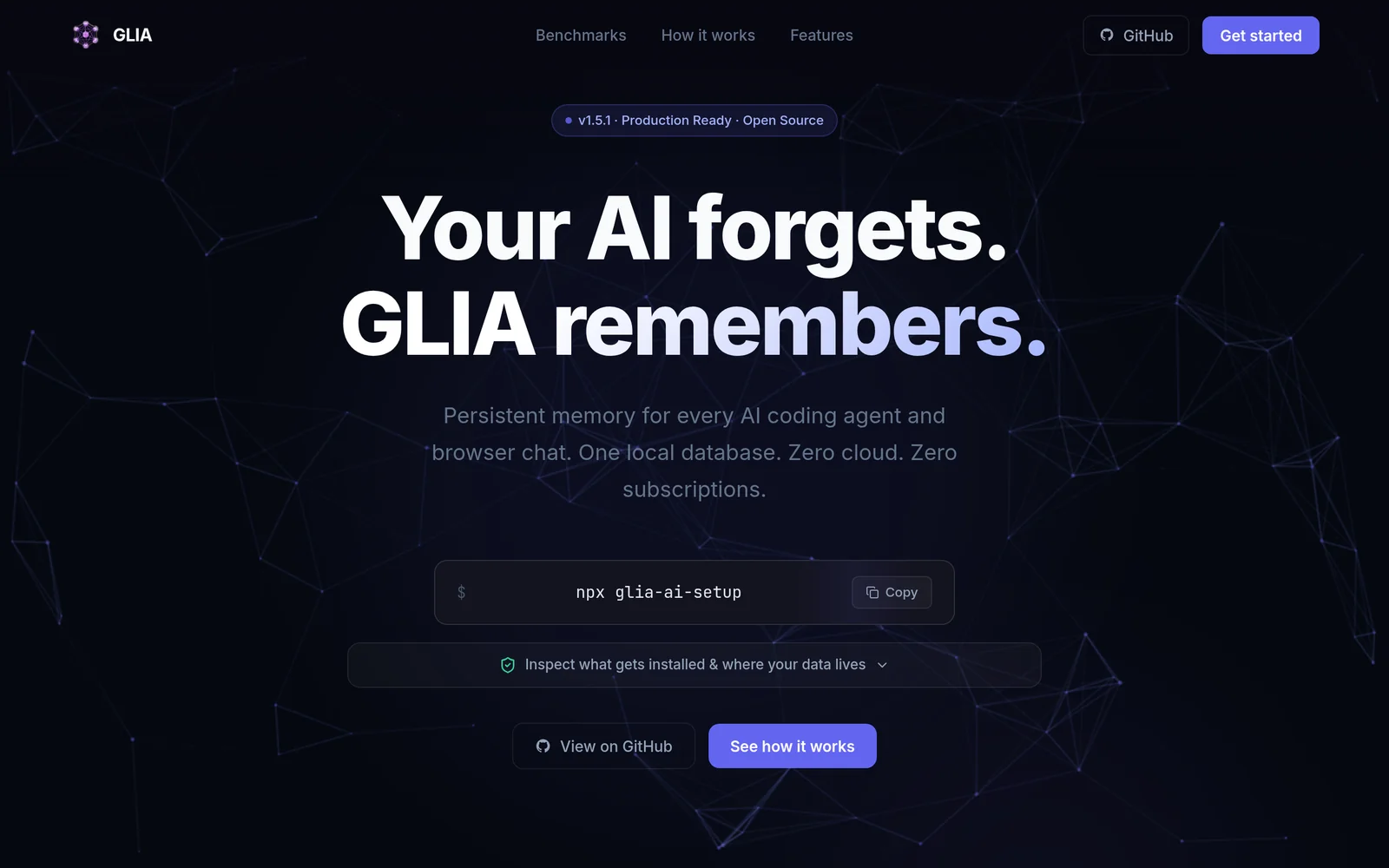
GLIA (also surfaced as ArcRift / Glia-AI) provides a persistent, project-scoped memory layer for AI coding agents and chat interfaces. It combines a Chrome extension that captures and summarizes chat context with a native MCP server that exposes callable tools (e.g., recall_context, store_memory) so IDE-integrated agents can fetch and persist decisions. Memory is stored in a local SQLite knowledge graph and shared between the browser and agent endpoints, enabling seamless context recall, cross-tool synchronization, and reduced repetition across sessions. The system supports new-chat detection, manual context injection, multiple operation modes, and is tailored to integrate with coding agents like Claude Code, Cursor, and Windsurf.
Screenshots
Key Features
Use Cases



Frequently asked questions about GLIA — Persistent Memory for AI Coding Agents
What is GLIA — Persistent Memory for AI Coding Agents?
GLIA is an innovative tool that provides AI coding assistants—like Claude, Cursor, ChatGPT, and Windsurf—with a shared, persistent memory. It operates without cloud storage or subscriptions, allowing users to utilize one command for seamless memory integration, improving the efficiency and continuity of coding tasks.
Key Points
- Shared Persistent Memory: Enables multiple AI coding agents to retain and share information.
- No Cloud Dependency: Operates entirely offline, enhancing data security.
- Single Command Functionality: Simplifies the process of memory management for users.
Detailed Explanation
GLIA stands out as a revolutionary tool in the realm of artificial intelligence coding agents by offering a shared persistent memory feature. This functionality allows different AI coding assistants, such as Claude, Cursor, ChatGPT, and Windsurf, to access and store information collectively. By maintaining a continuous memory, these AI tools can improve task management, code generation, and user interaction, as they don't need to "forget" previous interactions each time they are initiated.
Use Cases
- Collaborative Coding: Multiple users can work on a project, and their respective AI assistants can share insights and updates, leading to a more cohesive coding experience.
- Learning and Adaptation: AI assistants can learn from past interactions, refining their responses and suggestions based on user feedback, thus enhancing their coding capabilities.
- Project Continuity: By retaining information across sessions, GLIA ensures that ongoing projects are not disrupted by the limitations of individual AI memory.
Best Practices / Tips
- Integrate Gradually: Start by introducing GLIA with one AI assistant and gradually expand to others as you become familiar with its capabilities.
- Utilize Command Features: Make use of the single command functionality to streamline memory management and reduce complexity.
- Monitor Performance: Regularly assess how GLIA impacts your AI assistants' performance and adjust settings to optimize their memory usage.
Additional Resources
How does GLIA — Persistent Memory for AI Coding Agents work?
GLIA — Persistent Memory for AI Coding Agents enhances AI workflows by integrating persistent memory features that allow coding agents to retain context and information across sessions. This capability streamlines tasks, improves efficiency, and enables a more personalized user experience, making AI tools more effective for daily coding tasks.
Key Points
- Persistent Memory: Retains context over multiple sessions.
- Enhanced Efficiency: Streamlines coding tasks and workflows.
- Personalized Experience: Adapts to user preferences and history.
Detailed Explanation
GLIA — Persistent Memory for AI Coding Agents utilizes advanced AI technologies to provide a dynamic coding assistant. By implementing persistent memory, GLIA allows coding agents to remember past interactions, preferences, and project details, which enhances the overall productivity of developers.
For instance, if a user frequently works on Python projects, GLIA will remember this and provide relevant suggestions, libraries, or snippets tailored to Python programming. This not only saves time but also minimizes the need to re-explain tasks or context with every session. Users can seamlessly transition between different tasks without losing valuable context.
Additionally, GLIA can integrate with various coding environments and platforms, making it versatile for different workflows—whether coding in an IDE like Visual Studio Code or using web-based platforms like GitHub. This adaptability ensures that developers can leverage GLIA in the way that best suits their needs.
Best Practices / Tips
- Regular Updates: Ensure GLIA is updated frequently to access the latest features and improvements.
- Feedback Loop: Provide feedback to the AI to enhance its memory and contextual understanding over time.
- Documentation: Keep thorough documentation of your projects, as it can assist GLIA in providing more accurate and relevant recommendations.
- Explore Integrations: Take full advantage of GLIA's ability to integrate with various tools and platforms for a more cohesive development experience.
Additional Resources
What are the main features of GLIA — Persistent Memory for AI Coding Agents?
GLIA — Persistent Memory for AI Coding Agents offers advanced features such as continuous learning, contextual understanding, and enhanced collaboration. These capabilities enable AI agents to retain information over time, improving their performance in coding tasks and facilitating better interactions with users and other systems.
Key Points
- Continuous Learning: Enables agents to adapt and improve over time.
- Contextual Understanding: Allows for natural language processing and comprehension of user intent.
- Enhanced Collaboration: Facilitates teamwork between AI agents and human developers.
Detailed Explanation
GLIA is designed to create AI coding agents that can persistently remember and utilize information across sessions.
-
Continuous Learning: This feature allows AI agents to learn from past interactions and adapt their responses based on user feedback. For instance, if a user frequently asks about a particular coding language, the AI can prioritize that knowledge, resulting in more accurate and relevant responses.
-
Contextual Understanding: GLIA employs sophisticated natural language processing (NLP) techniques. This means the AI can infer user intent even from ambiguous queries. For example, if a developer asks, "How do I optimize this function?" the AI can analyze the code snippet provided and offer tailored suggestions based on the context.
-
Enhanced Collaboration: GLIA fosters seamless collaboration between AI agents and human developers. By retaining project-specific knowledge, AI can assist in debugging, code reviews, and even suggest enhancements. This capability is particularly beneficial in team environments where multiple developers are working on interconnected tasks.
Best Practices / Tips
- Regular Updates: Ensure that the AI system is updated with the latest coding practices and libraries to maintain its effectiveness.
- User Feedback: Encourage users to provide feedback on AI suggestions to enhance the learning process.
- Integration with IDEs: Utilize GLIA’s capabilities by integrating it with popular Integrated Development Environments (IDEs) for real-time assistance.
Additional Resources
Who is GLIA — Persistent Memory for AI Coding Agents for?
GLIA — Persistent Memory for AI Coding Agents is designed for developers, data scientists, and businesses that rely on AI for daily workflows. It enhances productivity by providing seamless memory capabilities, enabling AI agents to remember and utilize context over multiple sessions, making it ideal for complex tasks and long-term projects.
Key Points
- Target Audience: Developers, data scientists, and businesses using AI.
- Memory Features: Allows AI agents to retain context across sessions.
- Use Cases: Ideal for complex projects requiring ongoing AI assistance.
Detailed Explanation
GLIA is a cutting-edge tool that integrates persistent memory capabilities into AI coding agents. This feature allows AI to remember previous interactions, deliver contextually relevant responses, and improve user experience over time.
Use Cases
-
Software Development: Developers can utilize GLIA to manage coding projects where context retention is crucial. For example, an AI coding assistant can remember past coding standards and project requirements, providing tailored suggestions as the project evolves.
-
Data Analysis: Data scientists can leverage GLIA’s memory to track analytical trends and insights over time, making it easier to build upon previous analyses without starting from scratch. This is particularly useful in iterative machine learning projects.
-
Customer Support: Businesses can use GLIA to enhance customer interaction through AI chatbots that remember customer histories, preferences, and past queries, leading to a more personalized experience.
Best Practices / Tips
- Define Usage Scenarios: Clearly outline the scenarios where persistent memory will be beneficial. This helps in configuring GLIA effectively to meet specific needs.
- Regularly Update Context: Ensure that the memory is updated with new information to maintain relevance and accuracy in responses.
- Monitor Performance: Continuously assess how well the AI retains and utilizes memory, making adjustments as necessary to improve efficiency.
Additional Resources
- GLIA Official Documentation - Comprehensive guide on installation and features.
- AI Coding Best Practices - Tips for optimizing AI workflows.
- Case Studies on Persistent Memory - Real-world examples of GLIA in action.
How much does GLIA — Persistent Memory for AI Coding Agents cost?
GLIA — Persistent Memory for AI Coding Agents is completely free to use. This tool allows developers to enhance their AI coding projects without any financial commitment, making it accessible to both individual programmers and larger teams seeking advanced AI capabilities.
Key Points
- GLIA is a free tool for AI coding agents.
- It enhances persistent memory capabilities for AI applications.
- Ideal for both individual developers and organizations.
Detailed Explanation
GLIA — Persistent Memory for AI Coding Agents is designed to facilitate the development of AI applications that require memory persistence. By utilizing this tool, developers can create coding agents that not only execute tasks but also remember past interactions and decisions, leading to improved efficiency and user experience.
One of the standout features of GLIA is its ability to retain context over multiple sessions. For example, if a developer is working on an AI chatbot, GLIA can store previous conversations, allowing the bot to provide more personalized responses. This feature is particularly useful in customer service, where understanding user history can significantly enhance interaction quality.
Moreover, GLIA's integration capabilities allow it to work seamlessly with various programming languages and frameworks, providing flexibility for developers. This means that whether you’re coding in Python, JavaScript, or another language, GLIA can enhance your project without requiring costly subscriptions or licenses.
Best Practices / Tips
- Start Small: If you're new to using AI tools, begin with simple projects to understand GLIA's features and capabilities.
- Utilize Documentation: Leverage the official documentation to fully understand how to implement persistent memory effectively.
- Experiment with Use Cases: Try different applications, such as chatbots, virtual assistants, or data analysis tools, to see how GLIA can enhance your project.
Additional Resources
How do I get started with GLIA — Persistent Memory for AI Coding Agents?
To get started with GLIA — Persistent Memory for AI Coding Agents, visit GLIA's official website to sign up for an account. After registering, you can explore its features and capabilities designed to enhance AI coding efficiency.
Key Points
- GLIA offers persistent memory for AI coding agents.
- Sign up process is simple and user-friendly.
- Explore various features tailored for developers.
Detailed Explanation
GLIA — Persistent Memory for AI Coding Agents is designed to enhance the efficiency and effectiveness of AI models in coding tasks. To begin, you’ll want to:
- Visit the Website: Go to GLIA's official site.
- Create an Account: Click the sign-up button to register. You may need to provide your email address and create a password.
- Explore Features: Once logged in, familiarize yourself with the dashboard. Key features include:
- Persistent Memory: This allows your AI coding agents to retain contextual information across sessions, improving response accuracy.
- Integration Capabilities: GLIA can integrate with common coding environments, enhancing your workflow.
- Collaboration Tools: Work with other developers in real-time, leveraging AI to assist in coding challenges.
By following these steps, you can unlock the full potential of GLIA for your coding projects.
Best Practices / Tips
- Leverage Tutorials: Take advantage of any tutorials or documentation provided on the GLIA platform to maximize your understanding of its features.
- Utilize Feedback: Engage with community forums or feedback mechanisms to learn from other users’ experiences.
- Experiment with Features: Regularly test different functionalities to see how they can best serve your specific coding needs.
Additional Resources
- GLIA Documentation for in-depth user guides and FAQs.
- Community Forum for support and user discussions.
- Webinars and Workshops to enhance your knowledge and skills with GLIA.
Explore more AI Ai Agents tools
Browse all Ai Agents tools →Browse by use case: Code Generation
Compare GLIA — Persistent Memory for AI Coding Agents: vs Playad · vs Concierge by Juniors AI · vs Scout by Fini · vs Ruflo