

Github Mission Control
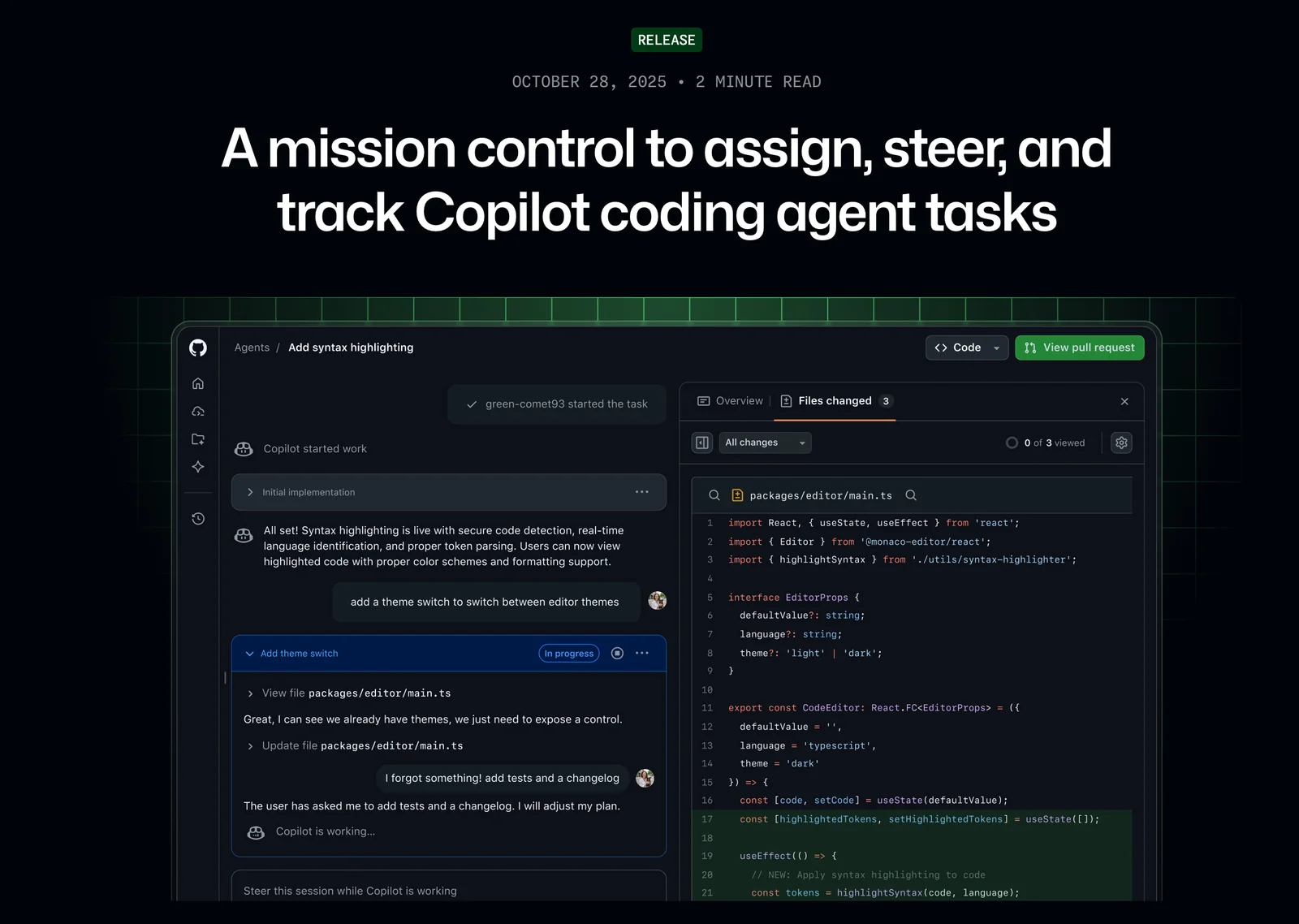
AIWeb-based mission control to assign, steer, and track GitHub Copilot coding agent tasks from a unified interface.
Github Mission Control
Web-based mission control to assign, steer, and track GitHub Copilot coding agent tasks from a unified interface.
About Github Mission Control
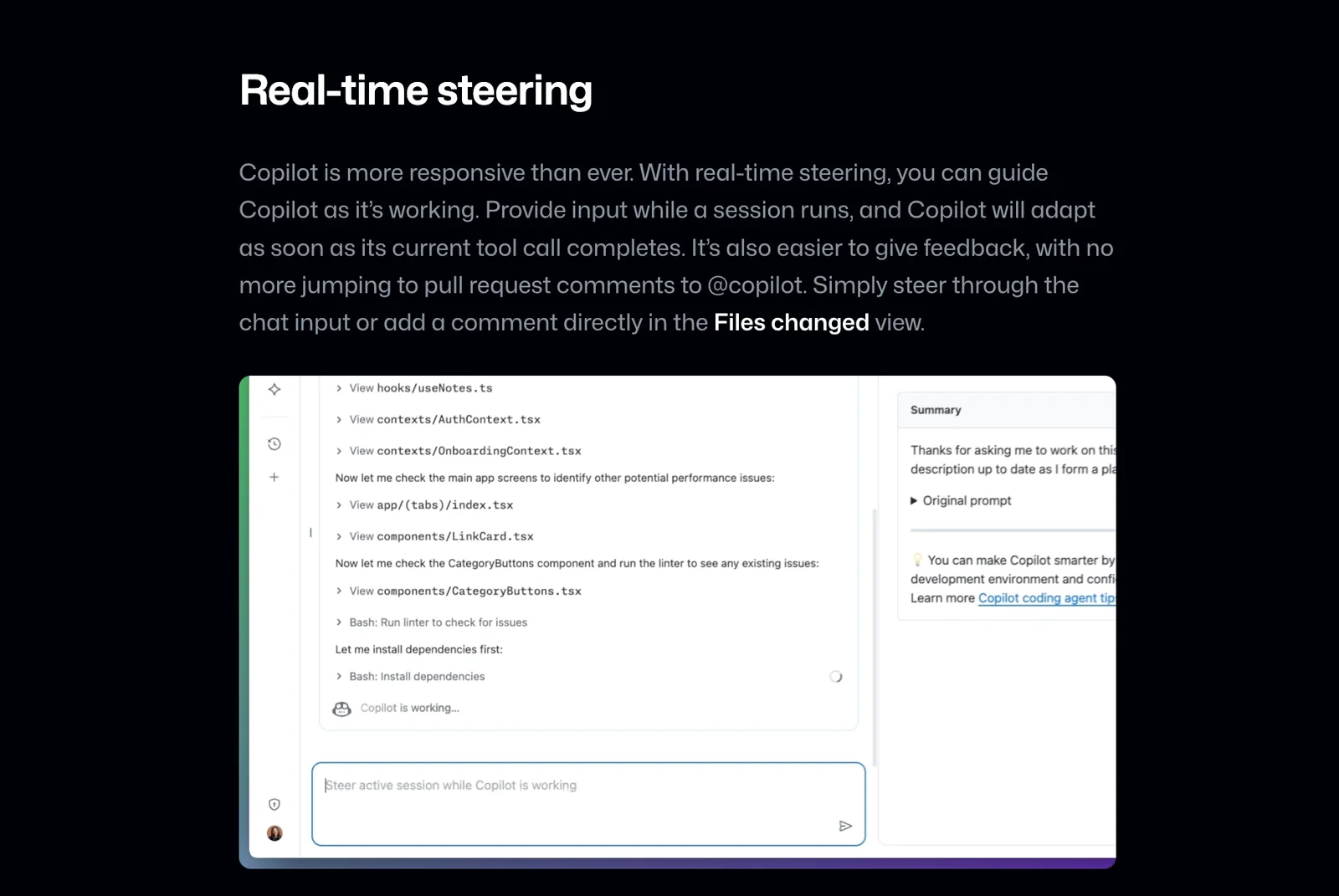
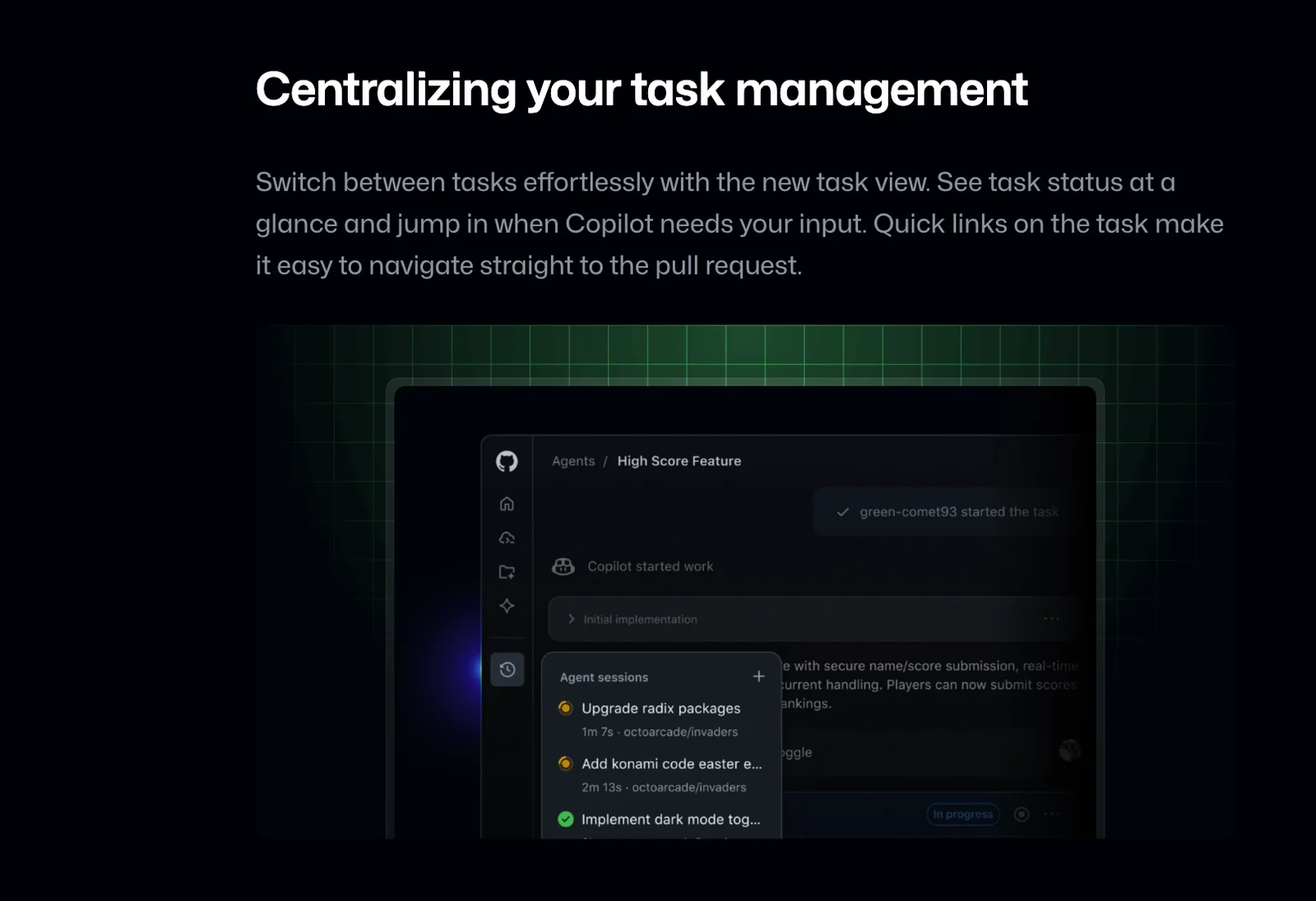
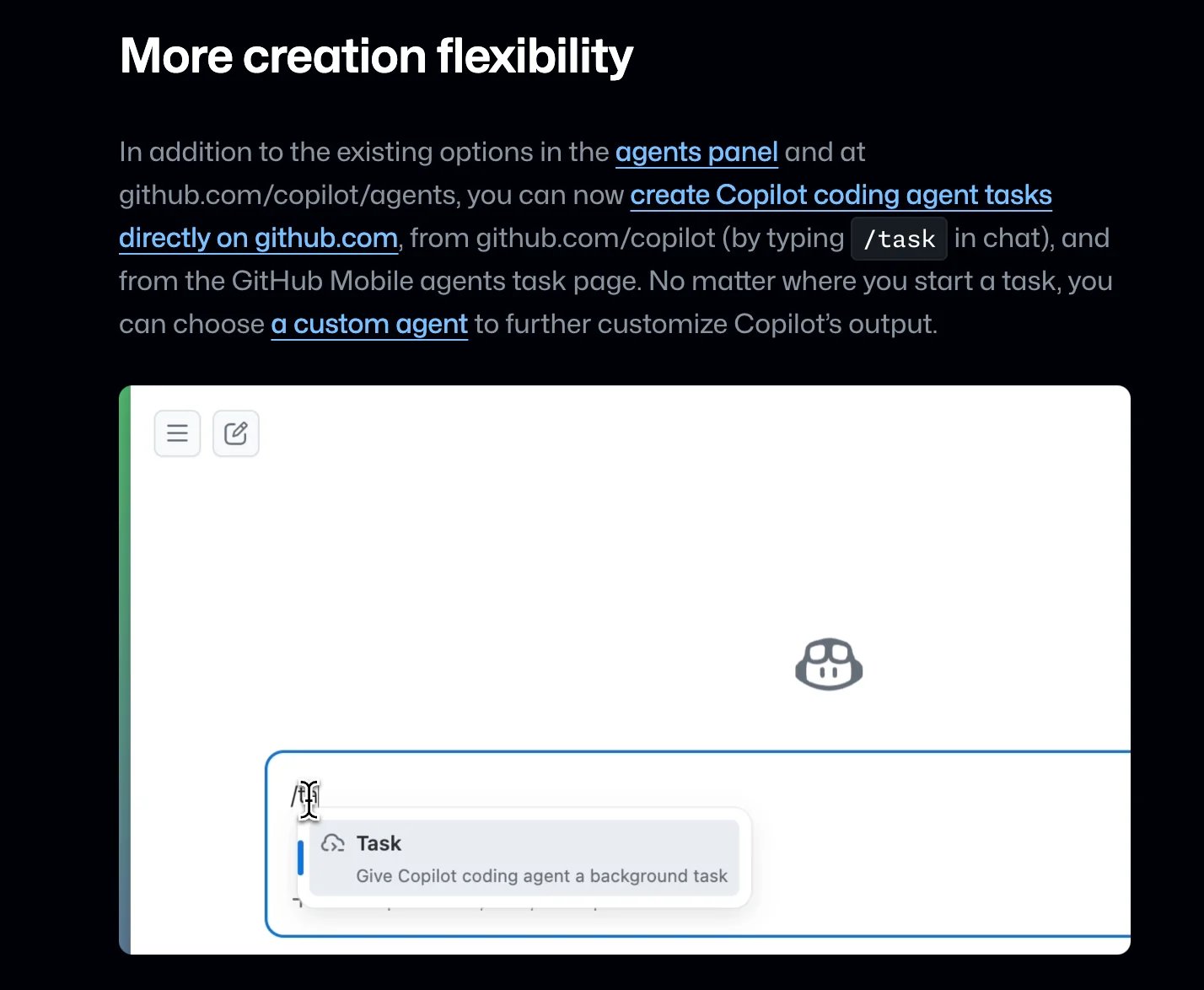
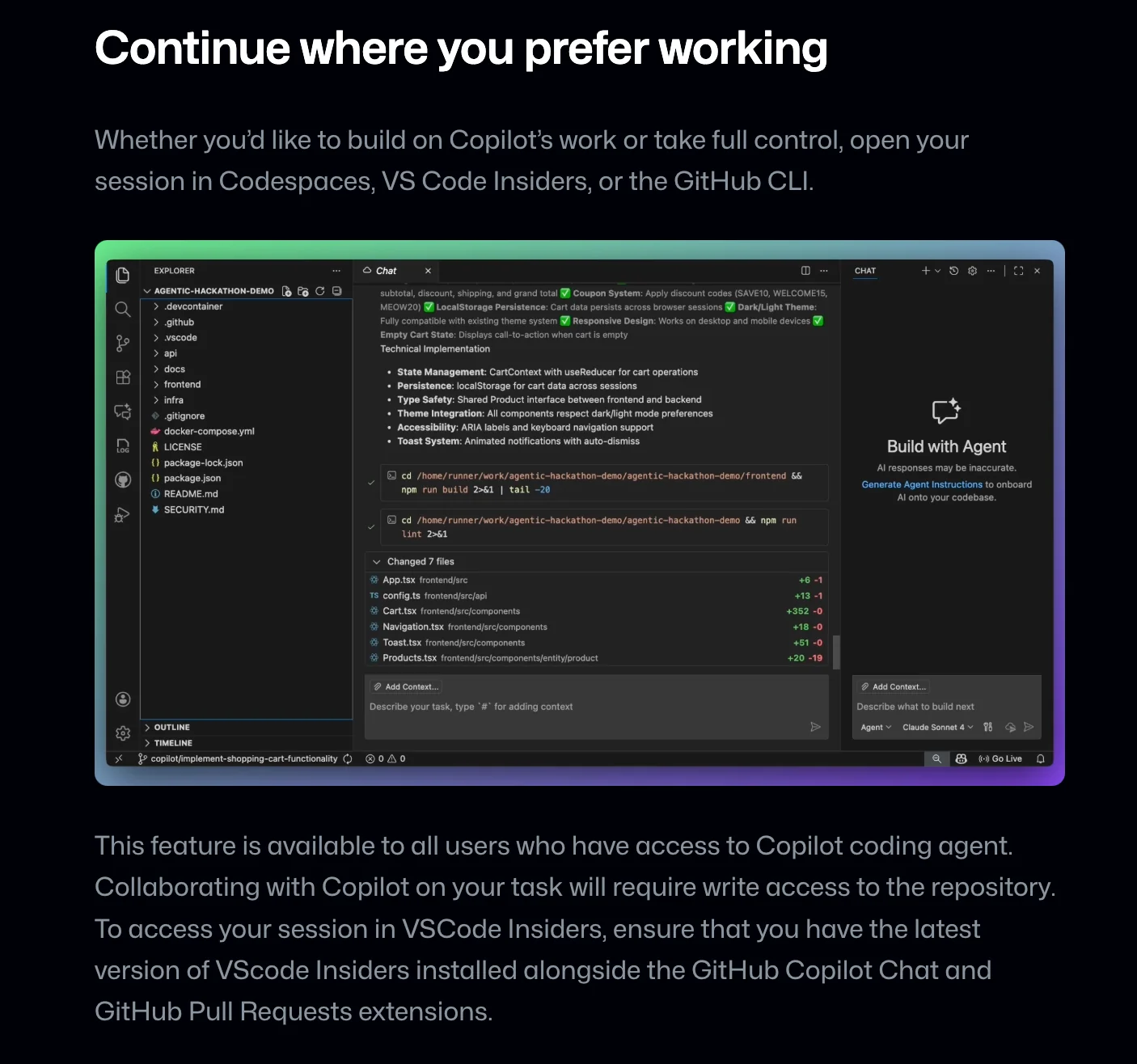
GitHub Mission Control is a unified web interface on github.com for assigning, steering, and tracking Copilot coding-agent tasks. It centralizes task management so teams no longer need to switch between pages to monitor progress, view changes, and manage agent-driven work. Mission Control includes planning and steering controls (Plan mode, AI controls), integrations with Copilot workflows and the Copilot CLI, and support for third-party agents and MCP servers, enabling orchestration, governance, and auditability of multi-agent developer workflows. Its value is streamlined agent coordination, clearer visibility into agent actions (diffs, PRs, statuses), and tighter integration with existing GitHub repositories and CI/CD processes.
Screenshots
Key Features
Use Cases



Frequently asked questions about Github Mission Control
What are the pricing options for GitHub Mission Control?
GitHub Mission Control provides three pricing tiers: Free, Team at $4 per user per month, and Enterprise at $21 per user per month. Availability and specific features may differ depending on your overall GitHub plan, making it essential to evaluate which tier best suits your needs.
Key Points
- Free Tier: Basic features for individual users.
- Team Tier: Enhanced collaboration tools for small teams.
- Enterprise Tier: Advanced security and management features for large organizations.
Detailed Explanation
GitHub Mission Control is designed to enhance project management within GitHub, and its pricing reflects the varying needs of users.
-
Free Tier: This option is ideal for individual developers or hobbyists who want to use GitHub's basic features without incurring any costs. Users can access essential functionalities such as repositories, issue tracking, and pull requests, making it a great starting point for newcomers.
-
Team Tier: At $4 per user per month, the Team tier includes additional features such as team management, code review tools, and enhanced collaboration capabilities. This tier is well-suited for small to medium-sized teams that require more advanced project management and communication tools. It allows teams to streamline workflows and improve productivity.
-
Enterprise Tier: Priced at $21 per user per month, the Enterprise tier is tailored for large organizations that need robust security, compliance, and administrative capabilities. This tier offers advanced tools for managing multiple teams, detailed analytics, and enhanced support options. Enterprises can also customize workflows and integrate GitHub with existing systems for seamless operation.
It's essential to assess your organization's size and specific needs when selecting a pricing tier for GitHub Mission Control. The differences in features can significantly impact user experience and project efficiency.
Best Practices / Tips
- Evaluate Your Needs: Before choosing a plan, assess your team's size, project requirements, and budget. Start with the Free tier if you're unsure.
- Utilize Free Trials: If available, take advantage of free trials for the Team or Enterprise tiers to explore their features before making a commitment.
- Regularly Review Your Plan: As your team grows or project requirements change, revisit your pricing tier to ensure it still meets your needs.
Additional Resources
What key features does GitHub Mission Control provide?
GitHub Mission Control offers a centralized web interface designed for efficient task assignment, steering controls for managing agent outputs, robust progress tracking, and seamless integrations with GitHub CLI and third-party agents. These features enhance collaboration and streamline workflows for development teams.
Key Points
- Centralized Task Management: Assign and prioritize tasks from a single interface.
- Steering Controls: Directly manage agent outputs for better control over workflows.
- Progress Tracking: Monitor project status and performance metrics effectively.
Detailed Explanation
GitHub Mission Control is designed to optimize project management and collaboration for development teams.
-
Centralized Task Management:
- The web interface allows project managers to view all tasks in one place. Users can assign tasks to specific team members, set deadlines, and prioritize workloads. This centralization helps prevent task duplication and enhances accountability among team members.
- Example: A project manager assigns a bug fix task to a developer and sets a deadline, ensuring all team members are aware of their responsibilities.
-
Steering Controls:
- These controls enable users to manage agent outputs directly. By adjusting parameters, teams can modify how automated agents interact with the project environment, ensuring outputs align with project goals.
- Use Case: If a CI/CD agent produces unexpected results, the steering controls allow developers to tweak the configurations, leading to improved build quality.
-
Progress Tracking:
- GitHub Mission Control provides insights into project progress through dashboards and reporting features. Teams can visualize task completion rates and project milestones, facilitating better decision-making.
- Example: A team can analyze performance metrics over a sprint to identify bottlenecks and optimize future workflows.
Best Practices / Tips
- Regular Updates: Keep the task assignments updated to reflect changes in project priorities. This ensures that all team members are aligned and aware of their current tasks.
- Utilize Integrations: Leverage integrations with GitHub CLI and third-party tools to enhance functionality. For instance, integrating with Slack can facilitate real-time notifications about task updates.
- Monitor Progress: Regularly review progress tracking metrics to identify areas for improvement. This proactive approach can help in addressing issues before they escalate.
Additional Resources
How do I get started with GitHub Mission Control?
To get started with GitHub Mission Control, first, sign up for a GitHub account and select an appropriate plan based on your needs. Next, explore the interface, focusing on task assignment and monitoring features to effectively manage your projects and collaborate with your team.
Key Points
- Create a GitHub Account: Sign up for free or choose a paid plan.
- Familiarize with the Interface: Explore key features for task management.
- Integrate with Existing Workflows: Connect GitHub Mission Control with other tools you use.
Detailed Explanation
Getting started with GitHub Mission Control involves several straightforward steps:
-
Create a GitHub Account: Visit GitHub and click on the "Sign up" button. You can choose between a free account, which offers basic features, or a paid plan that includes advanced functionalities like additional storage and enhanced collaboration tools.
-
Choose the Right Plan: Evaluate the available plans based on your team's size and needs. The free plan is suitable for personal projects, while the Pro and Team plans provide additional features like private repositories and advanced team management tools.
-
Explore the Interface: Once you’re logged in, navigate through the dashboard. Familiarize yourself with the layout, focusing on critical features like task assignment, project boards, and the monitoring dashboard. This will help you understand how to effectively manage your tasks and track progress.
-
Set Up Your First Project: Create a new project by clicking on the "New Repository" button. Follow the prompts to name your repository, add a description, and choose whether it will be public or private. After setting up, you can begin to add issues, assign tasks, and invite collaborators.
-
Utilize Collaboration Features: Use GitHub’s collaboration tools such as pull requests, code reviews, and branching to ensure smooth teamwork. These features help maintain code quality and streamline project workflows.
Best Practices / Tips
- Start with Tutorials: Leverage GitHub’s extensive documentation and tutorials to get acquainted with advanced features.
- Organize Projects with Labels: Use labels to categorize tasks and issues for better visibility.
- Regularly Update Your Team: Use communication tools integrated with GitHub, like Slack or Microsoft Teams, to keep everyone informed on project statuses.
- Avoid Common Pitfalls: Ensure that all team members are familiar with GitHub basics to prevent workflow disruptions.
Additional Resources
Do I need technical skills to use GitHub Mission Control?
You do not need extensive technical skills to use GitHub Mission Control. While basic familiarity with coding and GitHub concepts is helpful, the platform is designed to be beginner-friendly, allowing users to manage tasks through guided steps without advanced knowledge.
Key Points
- User-Friendly Interface: GitHub Mission Control is designed for ease of use.
- Guided Steps: The platform provides step-by-step instructions for task management.
- Helpful for Beginners: While coding knowledge is advantageous, it is not mandatory.
Detailed Explanation
GitHub Mission Control simplifies the task management process for users with varying levels of technical expertise. The interface is intuitive, enabling beginners to navigate through features without feeling overwhelmed.
-
User-Friendly Interface: The design focuses on clarity, allowing users to easily create, track, and manage their projects. Icons and menus are straightforward, making navigation seamless.
-
Guided Steps: Users are presented with step-by-step tutorials and prompts that guide them through the process of setting up repositories, making commits, and branching. For instance, when creating a new repository, a wizard simplifies the process, asking for essential information like the repository name and description.
-
Helpful for Beginners: While having a basic understanding of Git and coding can enhance your experience, the resources available within GitHub Mission Control, including documentation and community forums, provide ample support. New users can find tutorials that cover everything from basic commands to more advanced features like pull requests and issue tracking.
Best Practices / Tips
- Start with Tutorials: Utilize the beginner tutorials available on GitHub’s official documentation to familiarize yourself with the platform.
- Practice Regularly: Regular practice using GitHub Mission Control will enhance your comfort level and understanding.
- Join the Community: Engage with the GitHub community through forums or local meetups to learn from experienced users and share knowledge.
Additional Resources
How does GitHub Mission Control compare to other coding task management tools?
GitHub Mission Control excels over traditional coding task management tools by seamlessly integrating Copilot coding agents, enabling centralized task management, and providing real-time progress tracking. These features enhance collaboration and productivity, making it a powerful choice for developers and teams looking for an efficient coding workflow.
Key Points
- Integration with Copilot: Leverages AI for coding assistance.
- Centralized Task Management: Combines project tracking and issue resolution in one platform.
- Real-Time Progress Tracking: Offers instant updates on project status and individual contributions.
Detailed Explanation
GitHub Mission Control differentiates itself through its unique features tailored for modern development workflows.
-
Integration with Copilot: The inclusion of GitHub Copilot revolutionizes coding by providing AI-driven suggestions directly in the coding environment. This tool can help developers write code faster, reduce errors, and even learn new coding practices. For instance, a developer can begin typing a function, and Copilot will suggest completions based on the context, significantly speeding up the coding process.
-
Centralized Task Management: Unlike many traditional tools that segregate task tracking and code management, GitHub Mission Control consolidates these functions. Users can create issues, assign tasks, and monitor milestones all within a single interface. This centralization ensures that team members stay aligned, reducing miscommunication and enhancing collaborative efforts.
-
Real-Time Progress Tracking: GitHub Mission Control provides live updates on project milestones and individual contributions. This functionality allows teams to quickly assess the status of their projects, making it easier to pivot and adjust strategies as necessary. For example, if a project is falling behind schedule, team leaders can instantly see which tasks are delayed and address them proactively.
Best Practices / Tips
- Utilize Copilot Effectively: Encourage team members to explore all capabilities of Copilot, making coding more efficient and reducing the learning curve for new technologies.
- Regularly Update Tasks: Ensure that tasks and issues are updated in real-time to maintain an accurate overview of project status. This practice fosters transparency and accountability within the team.
- Set Milestones: Break projects into manageable milestones with clear deadlines. This approach helps in tracking progress and maintaining motivation among team members.
Additional Resources
Explore more AI Ai Agents tools
Browse all Ai Agents tools →Browse by use case: Code Generation · Automation & Productivity
Compare Github Mission Control: vs Mycel · vs Proto-Mind · vs Ami · vs Duvi