

GetProfile
AIUser profiles and long-term memory for AI agents, enabling persistent personalization and context retention.
GetProfile
User profiles and long-term memory for AI agents, enabling persistent personalization and context retention.
About GetProfile
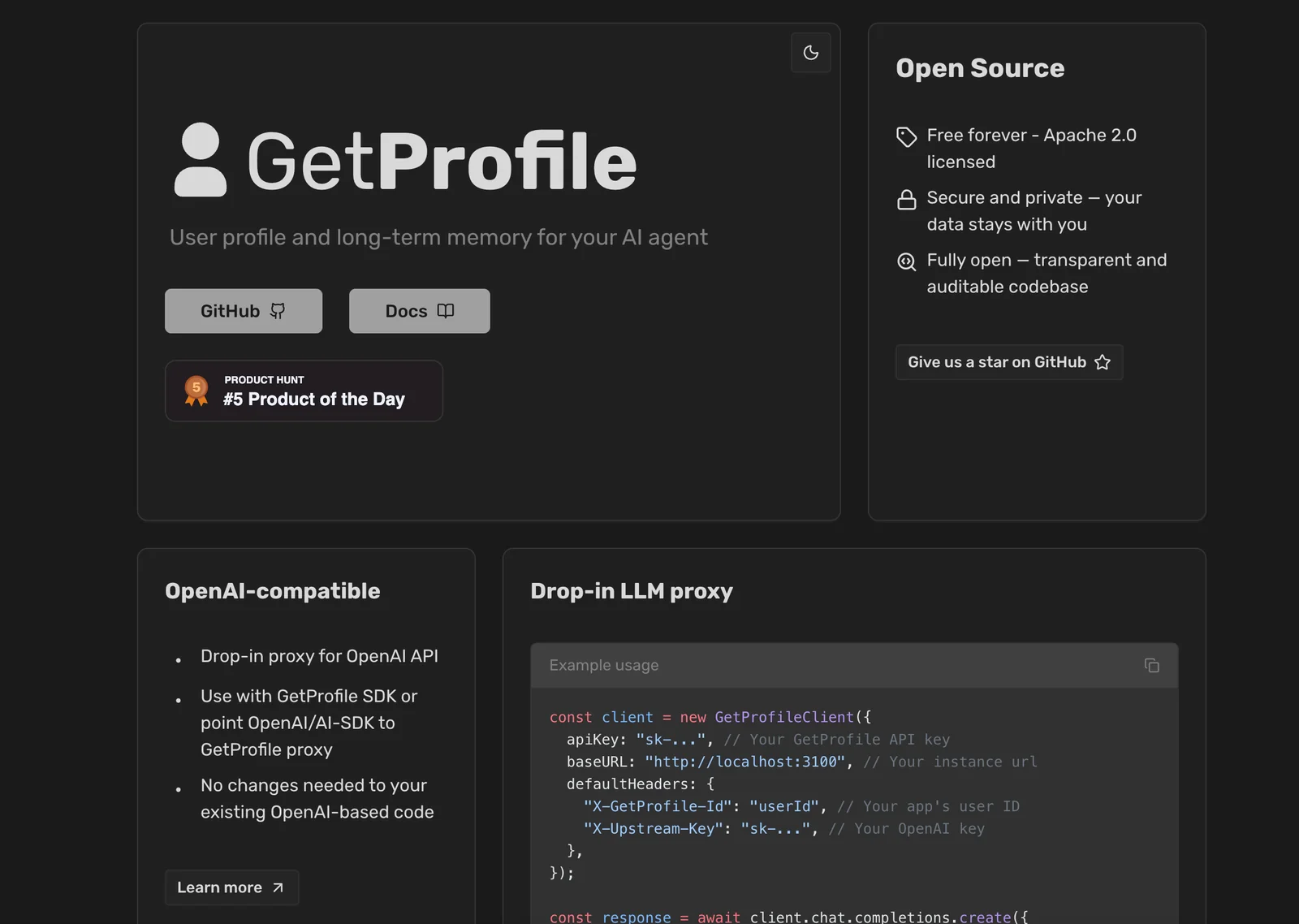
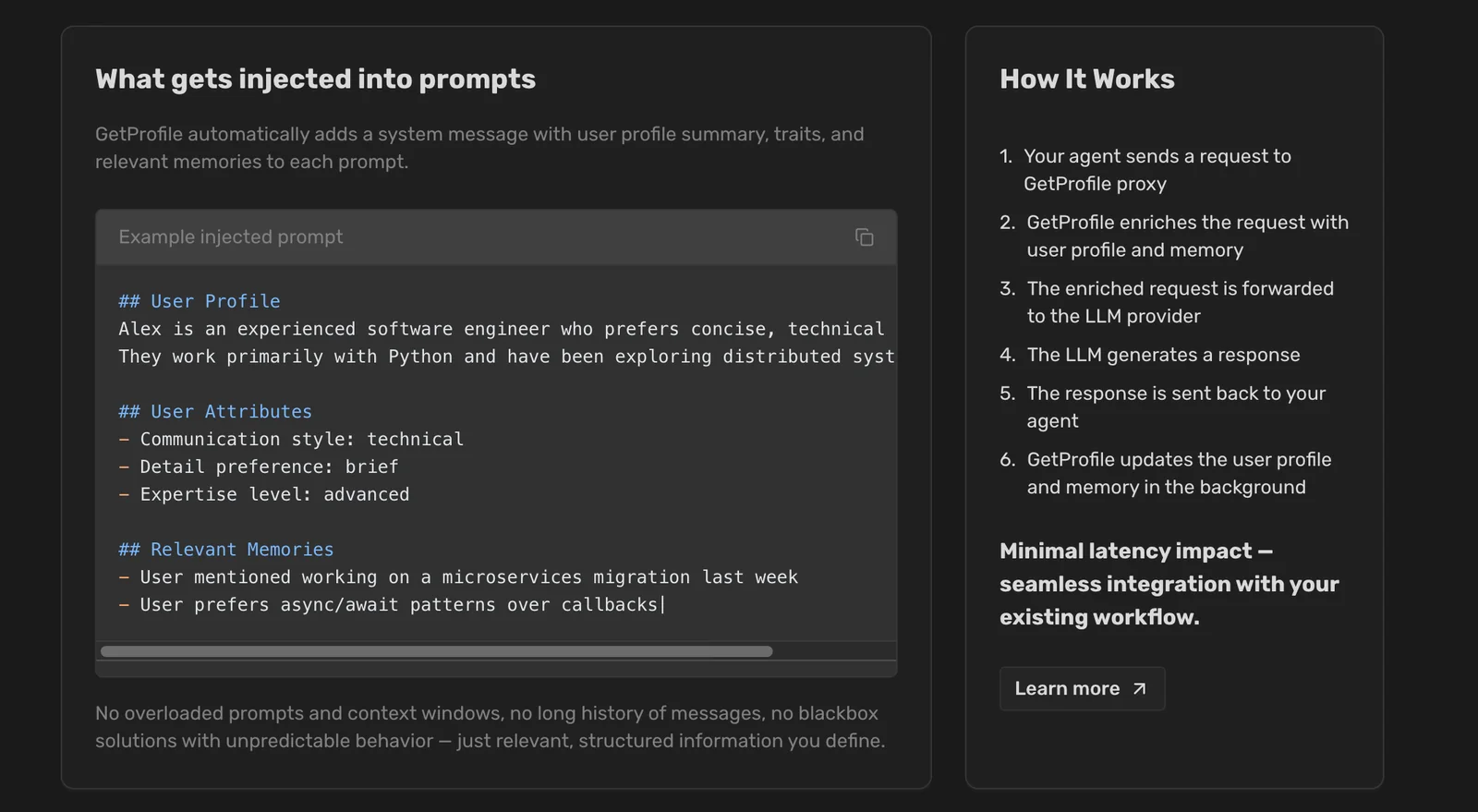
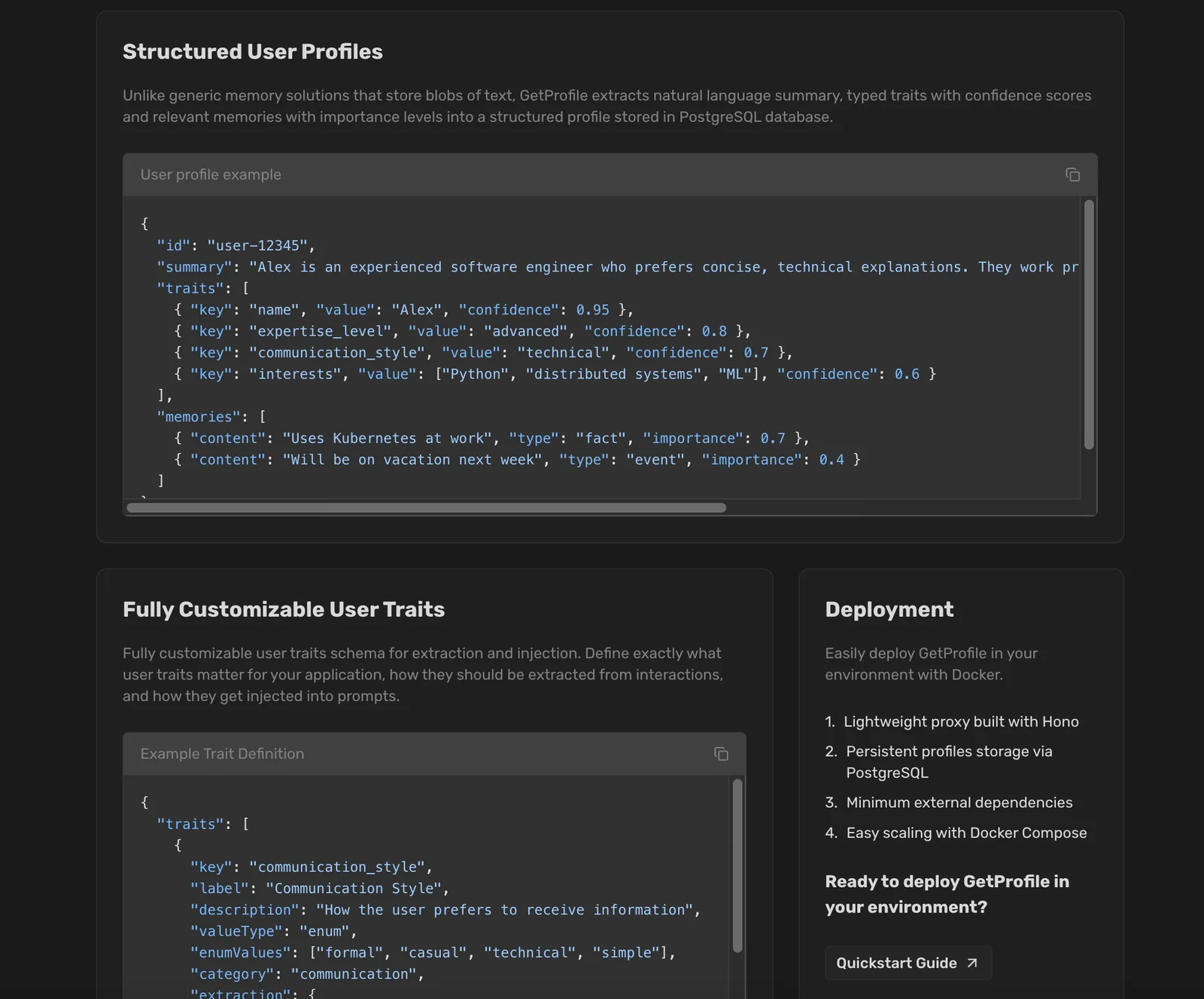
GetProfile provides user profile management and long-term memory capabilities for AI agents. It enables agents to retain and recall user-specific information across sessions to improve personalization, context continuity, and user experience. The tool is positioned to integrate with conversational agents and applications that need persistent user data and memory.
Screenshots
Key Features
Use Cases



Frequently asked questions about GetProfile
What are the pricing options for GetProfile?
GetProfile offers a freemium pricing model. The free tier includes persistent user profiles and basic API access. For users needing advanced features, a custom-priced Pro plan is available, which includes higher storage limits and additional functionalities. For specific pricing details, contact GetProfile directly.
Key Points
- Freemium Model: Free tier with essential features.
- Pro Plan: Custom pricing for advanced capabilities.
- Contact for Pricing: Direct inquiries provide tailored options.
Detailed Explanation
GetProfile's pricing structure is designed to cater to a diverse range of users, from individuals to businesses. The freemium model allows users to create and maintain persistent user profiles without any cost. This includes basic API access, enabling developers to integrate GetProfile's functionalities into their applications seamlessly.
For users who require more than what the free tier offers, GetProfile provides a Pro plan. This plan includes advanced features such as increased storage limits, enhanced data management capabilities, and priority customer support. The pricing for the Pro plan is custom, allowing businesses to pay according to their specific needs and usage levels.
To determine the exact pricing for the Pro plan, users are encouraged to contact GetProfile directly. This personalized approach ensures that businesses can discuss their requirements and receive a tailored solution that fits their budget and operational needs.
Best Practices / Tips
- Evaluate Your Needs: Before choosing a plan, assess your storage and feature requirements.
- Utilize the Free Tier: Start with the free version to understand GetProfile's capabilities before upgrading.
- Contact Support: For businesses with unique requirements, reaching out for a custom plan can result in better pricing and features.
Additional Resources
What key features does GetProfile provide for AI agents?
GetProfile offers key features such as persistent user profile storage, long-term memory for AI agents, and structured data support, enabling personalized responses. These features allow agents to effectively remember user preferences and interactions over time, enhancing user experience and engagement.
Key Points
- Persistent User Profile Storage: Allows continuous access to user data.
- Long-Term Memory: Enables agents to retain information over extended periods.
- Structured Data Support: Facilitates personalized interactions based on user history.
Detailed Explanation
GetProfile provides a robust framework for AI agents by integrating three core features that significantly enhance their capabilities:
-
Persistent User Profile Storage: This feature allows AI agents to securely store user profiles, which includes preferences, past interactions, and other relevant data. For instance, if a user frequently requests specific types of content, the agent can recall this information to offer tailored suggestions, improving the overall interaction quality.
-
Long-Term Memory: Unlike traditional systems that might forget previous interactions after a single session, GetProfile enables AI agents to maintain a long-term memory. This means that an agent can remember a user's preferences, such as favorite genres in a movie recommendation system, even after extended breaks in interaction. It can lead to a more personalized experience as the agent can build on previous conversations.
-
Structured Data Support: By supporting structured data, GetProfile allows agents to interpret and utilize user information more effectively. For example, the agent can categorize data into various segments, making it easier to retrieve and analyze user preferences to generate more relevant responses. This structured approach enhances the accuracy of interactions and allows for better context understanding.
Best Practices / Tips
- Regularly Update Profiles: Encourage users to update their profiles to refine the personalization process. This can be done through prompts or periodic check-ins.
- Use Data Responsibly: Ensure compliance with privacy regulations by being transparent about data usage and providing users with control over their information.
- Leverage Feedback Loops: Implement mechanisms for users to provide feedback on the personalized responses they receive, allowing for ongoing adjustments and improvements.
Additional Resources
How can I get started with GetProfile?
To get started with GetProfile, visit their official website and sign up for the free tier. This initial registration allows you to explore basic features, providing insight into how to effectively implement user profiles in your AI applications.
Key Points
- Sign up for the free tier to access essential features.
- Explore tutorials and documentation for guidance.
- Consider upgrading for advanced functionalities and support.
Detailed Explanation
Getting started with GetProfile is straightforward. First, navigate to the GetProfile website. Click on the “Sign Up” button to create an account. You'll need to provide your email address and set a password. Once registered, you can log in to access the dashboard.
Step-by-Step Guide:
- Sign Up: Choose the free tier to start. This plan generally includes limited features but is perfect for testing the platform.
- Explore Features: After logging in, familiarize yourself with the dashboard. Key features include user profile creation, data management, and analytics tools.
- Utilize Tutorials: GetProfile offers a variety of tutorials and documentation. These resources can help you understand how to implement user profiles effectively.
- Integrate with AI Applications: Use the API documentation to connect GetProfile with your AI applications. This integration allows for seamless user data management and personalization.
- Consider Upgrading: As your needs grow, consider upgrading to a paid plan for more advanced features like enhanced security, dedicated support, and additional customization options.
Best Practices / Tips
- Start Small: Utilize the free tier to get comfortable with the platform before making any financial commitments.
- Leverage Community Support: Engage with the GetProfile user community for tips and troubleshooting.
- Regularly Review Documentation: Stay updated with the latest features and best practices by checking the official documentation frequently.
- Test Integrations: If you're integrating GetProfile with existing AI applications, perform thorough testing to ensure compatibility and performance.
Additional Resources
By following these steps and utilizing available resources, you can effectively start using GetProfile to enhance your AI applications with user profiles.
What technical requirements do I need to use GetProfile's API?
Using GetProfile's API requires basic programming skills, particularly in languages such as JavaScript, Python, or PHP, along with knowledge of RESTful API integration. Familiarity with the API documentation on their website is essential for successful implementation into your applications.
Key Points
- Basic programming skills are essential.
- Understanding of RESTful API integration is crucial.
- Familiarity with GetProfile's API documentation is necessary.
Detailed Explanation
GetProfile’s API is designed for developers looking to integrate user profile management features into their applications. To use the API effectively, you should have a solid understanding of programming concepts, particularly in languages like JavaScript, Python, or PHP, as these are commonly used for API calls.
-
Programming Skills: You must be comfortable writing code to make HTTP requests, handle responses, and parse JSON data. For instance, if you're using JavaScript, knowledge of the Fetch API or libraries like Axios can simplify the process.
-
RESTful API Knowledge: Understanding how RESTful APIs work is fundamental. This includes concepts such as endpoints, HTTP methods (GET, POST, PUT, DELETE), and status codes. For example, you will need to know how to send a GET request to fetch user data or a POST request to create a new profile.
-
API Documentation: The GetProfile API documentation provides detailed insights into available endpoints, required parameters, and response formats. Be sure to review sections about authentication, rate limiting, and error handling. This will help you avoid common pitfalls during development.
Best Practices / Tips
- Test with Postman: Before integrating into your application, use tools like Postman to test API requests. This allows you to understand the expected responses and troubleshoot effectively.
- Handle Errors Gracefully: Implement error handling in your code to manage API errors, such as authentication failures or rate limits. This ensures a smoother user experience.
- Use Version Control: When working on API integration, maintain version control (like Git) to track changes and revert if necessary. This is crucial for collaborative environments.
Additional Resources
How does GetProfile compare to other AI profile management tools?
GetProfile distinguishes itself from other AI profile management tools by incorporating long-term memory capabilities, which significantly enhance personalization in user interactions. This feature allows GetProfile to maintain context across multiple sessions, making it particularly effective for multi-agent systems compared to its competitors.
Key Points
- Long-term Memory: Retains user context for improved personalization.
- Multi-Agent Systems: Ideal for applications requiring consistent user interaction.
- User-Centric Design: Focuses on enhancing the overall user experience.
Detailed Explanation
GetProfile's standout feature is its long-term memory capability, which allows the tool to store and recall user preferences, interactions, and contextual information over time. This is particularly beneficial in scenarios where users interact with multiple agents or touchpoints, ensuring a cohesive experience. For example, if a user discusses a specific interest in their first session, GetProfile can bring this up again in future interactions, creating a more engaging dialogue.
In contrast, many AI profile management tools may only utilize short-term memory, limiting their ability to provide personalized recommendations or follow-up based on past interactions. This can lead to repeated queries and a less satisfying user experience. GetProfile's emphasis on context retention sets it apart, making it a preferred choice in environments that require nuanced understanding and continuity.
Additionally, GetProfile is designed with user-centric features that enhance the overall experience. It allows users to customize their profiles, manage data privacy, and choose how their information is used, leading to greater user satisfaction and trust.
Best Practices / Tips
- Leverage Long-term Memory: Encourage users to engage consistently to maximize the benefits of GetProfile’s memory features.
- Regular Updates: Keep user profiles updated to reflect their current preferences and interests, ensuring relevant interactions.
- Feedback Loop: Implement a feedback mechanism to improve the AI’s understanding and responsiveness based on user input.
Additional Resources
Explore more AI Ai Tools tools
Browse all Ai Tools tools →Compare GetProfile: vs Humanizer · vs Worktrunk · vs Mise · vs BiBimba