

Genpire - AI Tech Pack Generator
AICreate factory-ready tech packs from prompts or sketches in minutes with AI-powered product design and manufacturing workflows.
Genpire - AI Tech Pack Generator
Create factory-ready tech packs from prompts or sketches in minutes with AI-powered product design and manufacturing workflows.
About Genpire - AI Tech Pack Generator
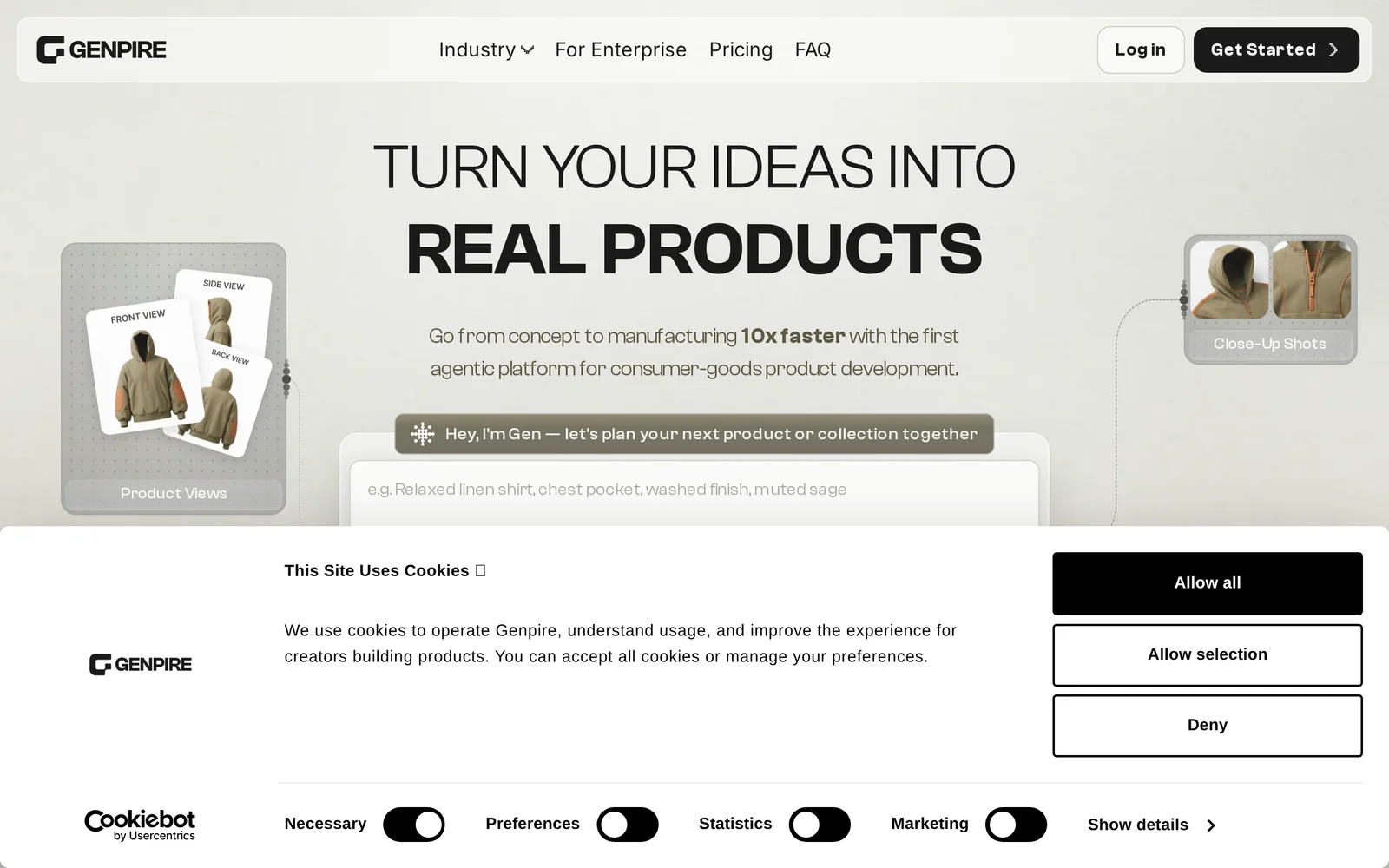
Genpire is an AI-driven product design platform that converts prompts, sketches, and design inputs into factory-ready tech packs. It automates creation of structured production documents—including BOMs, POMs, grading, construction notes, and supplier handoff details—while letting designers review, edit, and export final tech packs for manufacturing. The platform also supports iterative refinement of materials, colours, dimensions, and generates sketches and close-ups to streamline both design and sourcing workflows.
Screenshots
Key Features
Use Cases



Frequently asked questions about Genpire - AI Tech Pack Generator
What is Genpire - AI Tech Pack Generator?
Genpire is an AI-powered Tech Pack Generator that allows users to create factory-ready tech packs quickly from simple prompts or sketches. This innovative tool streamlines product design and manufacturing workflows, significantly reducing the time and effort required to prepare detailed specifications for garment production.
Key Points
- AI-Driven Efficiency: Leverages artificial intelligence to automate tech pack creation.
- User-Friendly Interface: Allows users to input prompts or sketches easily.
- Fast Turnaround: Generates comprehensive tech packs in minutes.
Detailed Explanation
Genpire revolutionizes the fashion and apparel industry by automating the tech pack creation process. A tech pack is a vital document that outlines all the specifications for a product, including materials, dimensions, colors, and construction details. Traditionally, creating a tech pack can be a time-consuming task that requires extensive knowledge and experience.
With Genpire, users can simply upload sketches or enter textual prompts to generate a complete tech pack. The AI analyzes the input and formulates precise specifications, including:
- Materials and Fabrics: Suggests fabric types based on project requirements.
- Construction Details: Provides step-by-step instructions for assembly.
- Technical Drawings: Automatically generates detailed technical sketches.
For example, a user might input a prompt like “design a summer dress” along with a rough sketch. Genpire would then produce a tech pack that includes the dress's fabric type, color options, size specifications, and even recommended manufacturers.
Best Practices / Tips
- Be Specific: The more detailed your prompts or sketches, the more accurate the generated tech pack will be.
- Iterate: Use Genpire's capabilities to create multiple versions of a tech pack for different styles or variations.
- Review and Edit: Always review the generated tech pack for accuracy and completeness before sending it to manufacturers.
Additional Resources
How does Genpire - AI Tech Pack Generator work?
Genpire - AI Tech Pack Generator leverages advanced artificial intelligence to streamline the creation of tech packs for fashion and product development. By automating routine tasks, it enhances productivity, allowing users to focus on design and innovation while managing data efficiently.
Key Points
- AI-Powered Automation: Automates routine tasks to save time.
- User-Friendly Interface: Simplifies the tech pack creation process.
- Collaboration Features: Enhances teamwork through shared access.
Detailed Explanation
Genpire - AI Tech Pack Generator combines various AI technologies to optimize the development of tech packs, which are essential for designers and manufacturers in the fashion industry. The tool simplifies several key processes:
-
Data Collection: Users can input data pertaining to materials, dimensions, and design specifications. The AI organizes this information systematically, reducing the chances of errors.
-
Customization: Genpire allows users to tailor their tech packs based on specific needs. For instance, a designer can create different versions for various manufacturers, ensuring that all specifications are accurately communicated.
-
Real-Time Collaboration: The platform supports shared access, enabling multiple team members to work together seamlessly. This is particularly important in fast-paced environments where timely feedback and revisions are crucial.
-
Integration with Other Tools: Genpire can often integrate with other design software, allowing for a smoother workflow. This means users can easily transfer designs from their favorite design tools into Genpire, enhancing efficiency.
For example, a fashion designer can input their latest collection's details, and Genpire automatically generates a comprehensive tech pack, including all necessary specifications, saving hours of manual work.
Best Practices / Tips
- Regular Updates: Ensure that all information is kept current to avoid miscommunication. Regularly update material lists and design changes.
- Maximize Collaboration: Encourage team members to use the platform simultaneously for real-time feedback, which can lead to quicker decision-making.
- Utilize Templates: Take advantage of pre-made templates within Genpire to jumpstart the tech pack creation process, especially for recurring projects.
Additional Resources
What are the main features of Genpire - AI Tech Pack Generator?
Genpire's AI Tech Pack Generator offers a range of features designed to streamline the product development process. Key functionalities include automated tech pack creation, customizable templates, integrated design tools, and real-time collaboration features, enhancing efficiency for fashion designers and brands.
Key Points
- Automated Tech Pack Creation: Generates detailed tech packs with minimal input.
- Customizable Templates: Offers various templates to suit different design needs.
- Real-Time Collaboration: Allows teams to work together seamlessly.
Detailed Explanation
Genpire's AI Tech Pack Generator revolutionizes the fashion industry by automating the creation of tech packs, which are essential documents that communicate design specifications to manufacturers. With its automated tech pack creation, users can quickly generate comprehensive tech packs that include essential details such as materials, measurements, and construction specifications, significantly reducing time spent on manual entries.
The platform features customizable templates that cater to various styles and product types. This flexibility means that designers can easily adapt the tech pack format to their unique needs, ensuring that all necessary information is presented clearly and effectively. For example, a designer working on activewear can select a template specifically tailored for athletic garments, incorporating material choices and performance requirements.
One of the standout features is its real-time collaboration capabilities. Team members can access and edit tech packs simultaneously, facilitating immediate feedback and reducing the chances of miscommunication. This is especially beneficial for remote teams working across different locations, as it ensures that everyone is on the same page regarding design intent and specifications.
Best Practices / Tips
- Utilize Templates: Start with a template that closely matches your product type to save time and ensure all necessary details are included.
- Regular Updates: Keep your tech packs updated with the latest information to avoid production delays.
- Collaborative Reviews: Encourage team members to review tech packs collaboratively to catch errors early and enhance overall quality.
Additional Resources
Who is Genpire - AI Tech Pack Generator for?
Genpire - AI Tech Pack Generator is designed for fashion designers, product developers, and entrepreneurs looking to streamline their design process. It enhances daily AI workflows by automating the creation of tech packs, making it valuable for small businesses and large enterprises alike.
Key Points
- Tailored for fashion industry professionals
- Streamlines the design and production process
- Ideal for both small businesses and large enterprises
Detailed Explanation
Genpire - AI Tech Pack Generator is an innovative tool tailored for fashion designers, product developers, and entrepreneurs. By automating tech pack creation, it simplifies the process of documenting design specifications, materials, and production requirements. This AI-driven software serves as a comprehensive solution for anyone involved in the fashion industry, from freelance designers to established brands.
For example, a small clothing brand can utilize Genpire to quickly generate a tech pack that includes detailed sketches, fabric information, and manufacturing instructions. This eliminates the time-consuming manual efforts usually required to compile such information, allowing designers to focus on creativity rather than administrative tasks.
In larger enterprises, Genpire can facilitate collaboration among teams by providing a centralized platform where design specifications are easily accessible and editable. This ensures that all stakeholders, from designers to manufacturers, are on the same page, reducing errors and enhancing efficiency in the production process.
Best Practices / Tips
- Leverage Templates: Use the predefined templates within Genpire to ensure all necessary components of a tech pack are included.
- Regular Updates: Keep your tech packs updated with the latest materials and design changes to avoid discrepancies during production.
- Training: Invest time in training your team on how to effectively use Genpire, maximizing its features for better productivity.
Additional Resources
How much does Genpire - AI Tech Pack Generator cost?
Genpire - AI Tech Pack Generator offers flexible pricing options, which can be found on their official website. Their pricing typically ranges based on the features selected and the volume of tech packs created, making it suitable for businesses of all sizes.
Key Points
- Flexible Pricing: Tailored to different business needs.
- Tiered Options: Various plans available based on usage.
- Cost-Effectiveness: Designed for startups to large enterprises.
Detailed Explanation
Genpire's pricing model is designed to accommodate a wide range of users, from independent designers to large fashion brands. While specific prices are subject to change, Genpire typically offers tiered subscription plans that allow users to choose a package that best fits their needs.
- Basic Plan: Ideal for startups and freelancers, the basic plan often includes essential features such as template access and basic tech pack generation.
- Pro Plan: Aimed at small to medium-sized businesses, this plan usually provides advanced features including collaborative tools and additional customization options.
- Enterprise Plan: Tailored for larger companies, this plan typically includes comprehensive support, unlimited tech packs, and integration capabilities with other software.
By visiting the official Genpire website, users can view detailed pricing structures, including any promotional offers or discounts that may be available for annual subscriptions.
Best Practices / Tips
- Evaluate Your Needs: Assess your business size and tech pack requirements to choose the most cost-effective plan.
- Take Advantage of Free Trials: If available, utilize free trials to test features before committing to a subscription.
- Watch for Discounts: Keep an eye out for seasonal promotions or discounts that could lower your overall costs.
- Stay Updated on Features: Regularly check the website for updates on new features that may enhance your tech pack generation experience.
Additional Resources
How do I get started with Genpire - AI Tech Pack Generator?
To get started with Genpire - AI Tech Pack Generator, visit genpire.com to sign up for an account. Once registered, you can explore its features to create customized tech packs efficiently, streamlining your design workflow and enhancing productivity.
Key Points
- User-Friendly Interface: Genpire offers an intuitive design for easy navigation.
- Customizable Templates: Access a variety of templates to suit different design needs.
- Rapid Tech Pack Creation: Generate tech packs quickly, saving time in the design process.
Detailed Explanation
Genpire - AI Tech Pack Generator is a powerful tool designed for fashion designers and entrepreneurs looking to streamline their tech pack creation process. Here’s how to get started:
- Visit the Website: Go to genpire.com.
- Sign Up: Click on the “Sign Up” button, fill out the necessary details, and create an account. You may need to verify your email address.
- Explore Features: After logging in, take a tour of the dashboard to familiarize yourself with the various tools and resources available. Genpire offers a range of features tailored to assist with everything from fabric selection to sizing specifications.
- Utilize Templates: Browse through customizable templates. These templates can help streamline your workflow by providing a structured format for your tech packs, ensuring that you don’t miss critical information such as materials, colors, and construction details.
- Create Your Tech Pack: Start a new project and input your design ideas. The AI-driven features will assist you in generating a professional tech pack that meets industry standards.
Use Cases
For instance, if you are a startup fashion brand, Genpire can help you create a tech pack in less than an hour, enabling you to focus more on your creative process rather than paperwork.
Best Practices / Tips
- Utilize the Tutorials: Take advantage of any tutorials or help sections available on the Genpire website to maximize your understanding of the tool.
- Stay Organized: Keep your design files, images, and specifications well-organized for easy access when creating tech packs.
- Regular Updates: Check for software updates regularly, as Genpire frequently adds new features and templates to enhance user experience.
- Feedback: Engage with the community or customer support for advice and tips to solve any issues you may encounter.
Additional Resources
- Genpire Support: Access official documentation, FAQs, and user guides.
- User Community: Join forums to connect with other users for tips and share experiences.
- Blog on Tech Pack Best Practices: Read articles on how to optimize your tech packs for various industries.
Explore more AI Ai Tools tools
Browse all Ai Tools tools →Compare Genpire - AI Tech Pack Generator: vs Humanizer · vs Worktrunk · vs Mise · vs BiBimba