

Gemma
AIOpen SourceFreeOpen-weight family of lightweight, decoder-only LLMs from Google DeepMind, available in pre-trained and instruction-tuned variants for text and multimodal tasks.
Gemma
Open-weight family of lightweight, decoder-only LLMs from Google DeepMind, available in pre-trained and instruction-tuned variants for text and multimodal tasks.
About Gemma
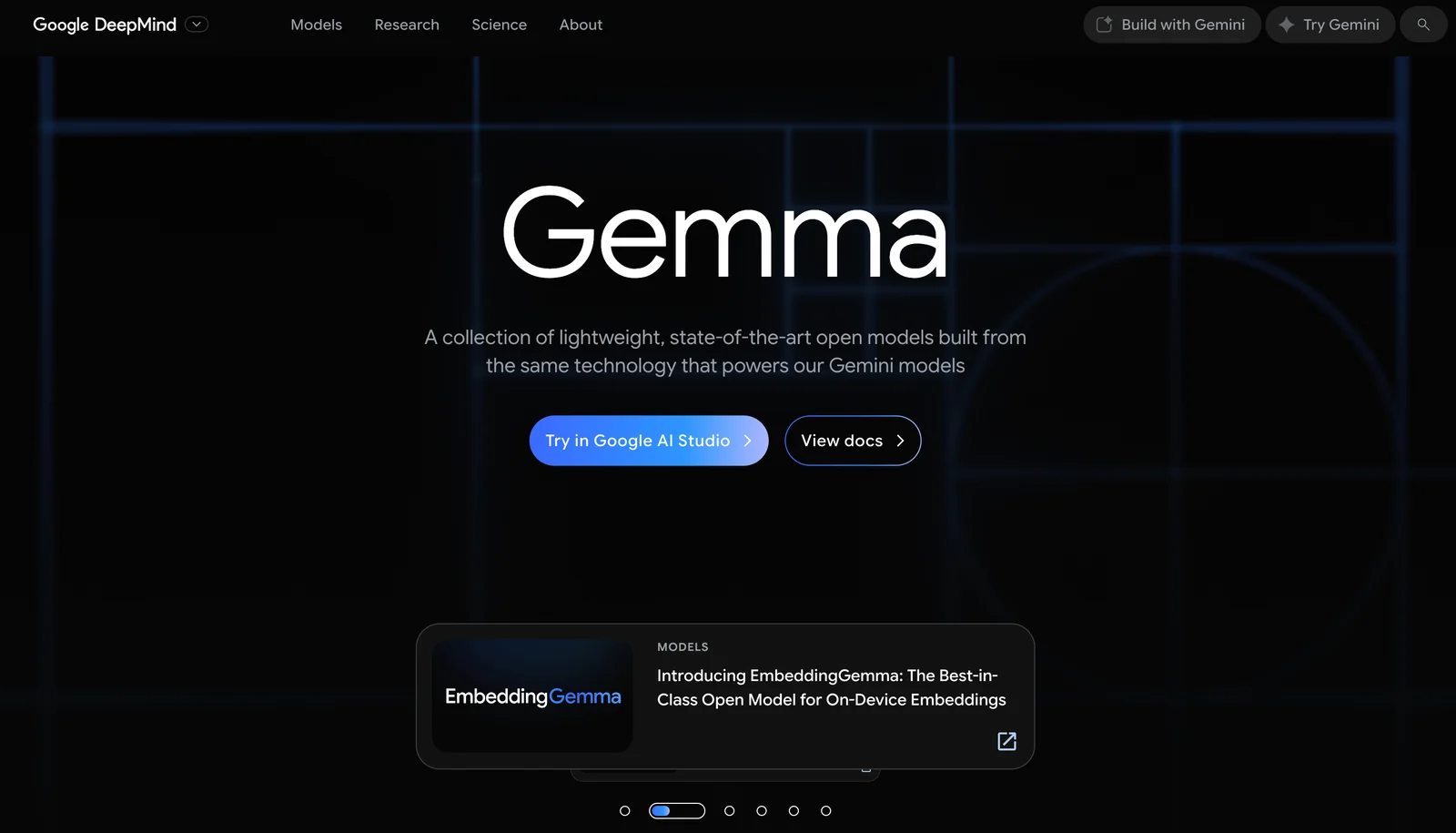
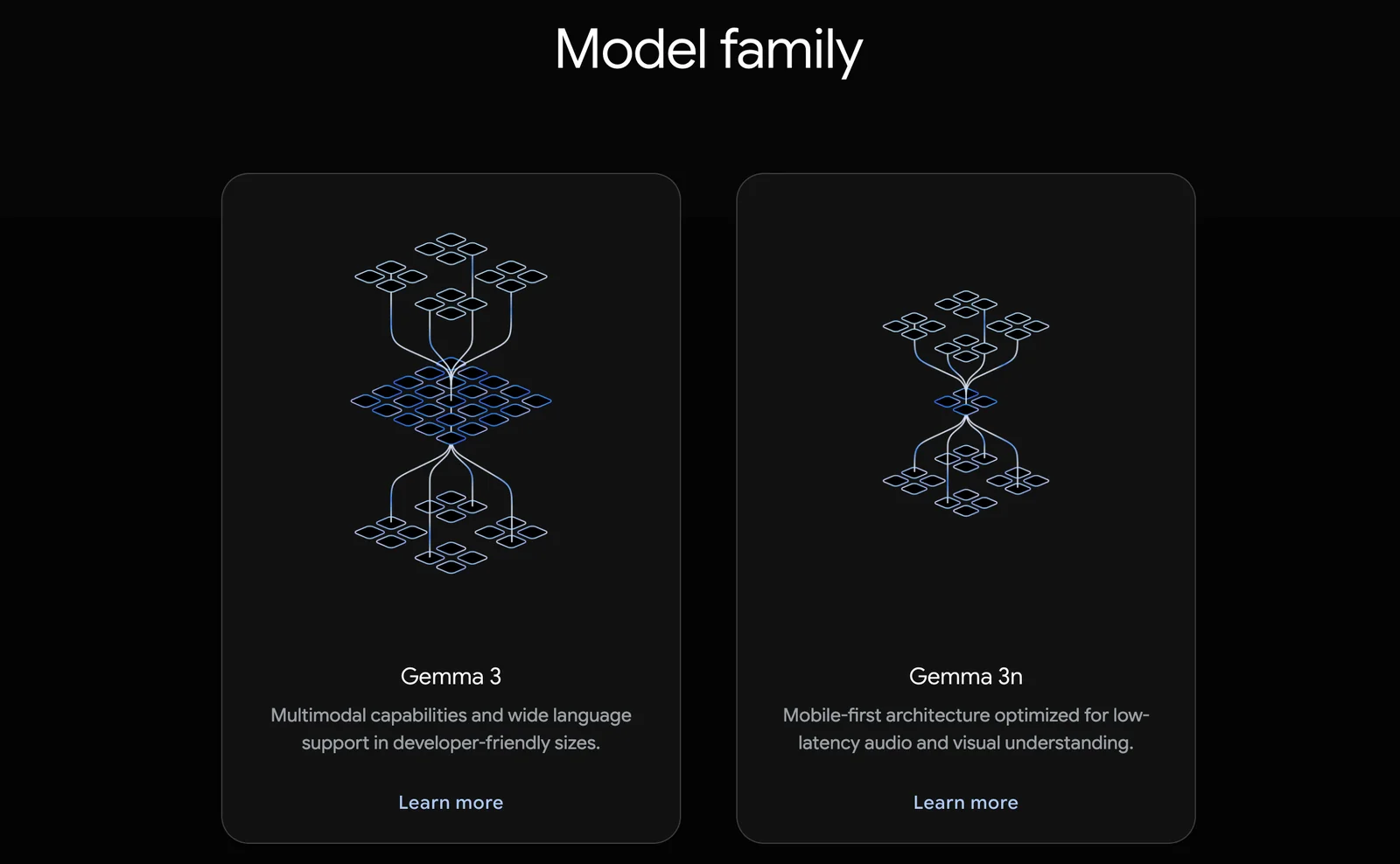
Gemma is a family of open-weight large language models developed by Google/DeepMind, built from the same research and technology as the Gemini models. The family includes multiple sizes and variants (base pre-trained and instruction-tuned "-it" releases) and covers both text-to-text decoder-only models and, in Gemma 3, multimodal text-and-image input models. Gemma models emphasize relatively small model footprints with strong performance on generation, reasoning, question answering and summarization, and include large-context capabilities (Gemma 3 supports very large context windows). Models and artifacts are published with model cards, technical reports, and tooling (Hugging Face pages, Vertex Model Garden, GitHub repositories), and there are native runtime integrations such as a Unity plugin and C++/DLL bindings for local inference and embedding in applications. Gemma models were trained on modern TPU hardware and have documented safety testing and evaluation materials.
Screenshots
Key Features
Use Cases



Frequently asked questions about Gemma
Is Gemma free to use?
Yes, Gemma is free to use, providing open-source model weights for download. While you can access the software without any fees, you may incur compute costs when running the models, depending on your infrastructure and usage needs.
Key Points
- Gemma is open-source and free to access.
- Users may face compute costs based on their usage.
- Model weights are available for download without any fees.
Detailed Explanation
Gemma is an open-source AI tool designed for various applications, including natural language processing and machine learning tasks. It allows users to download model weights without any financial commitment. This makes it particularly appealing for developers and researchers looking to experiment with AI technology without upfront costs.
However, while the software itself is free, running the models can lead to compute costs. These costs depend on the resources you utilize, such as cloud computing services or local server infrastructure. For instance, if you choose to run Gemma on a cloud platform like AWS or Google Cloud, you will be billed for the computing power you consume. It’s essential to evaluate your needs and budget accordingly before starting.
Use Cases
- Academic Research: Researchers can utilize Gemma for various machine learning projects without incurring software fees, making it an ideal choice for budget-conscious academic environments.
- Prototyping: Developers can quickly prototype applications using Gemma's robust AI models, allowing them to innovate without significant upfront investment.
- Personal Projects: Hobbyists and individual developers can explore AI concepts and build personal projects at no cost, aside from potential compute expenses.
Best Practices / Tips
- Assess Your Compute Needs: Before running Gemma, estimate your compute requirements to avoid unexpected costs. Look into pricing calculators provided by cloud service providers.
- Use Local Resources: If possible, run Gemma on local servers or personal computers to minimize compute costs.
- Monitor Resource Usage: Keep track of the compute resources you are using while experimenting with Gemma to optimize your setup and reduce expenses.
Additional Resources
- Gemma GitHub Repository - Access the source code and documentation.
- Cloud Cost Estimation Tools - Estimate potential costs for running models on cloud platforms.
- Open-Source AI Community - Join discussions and find support for using Gemma and other AI tools.
What are the key features of Gemma?
Gemma provides several key features, including open weights for pre-trained and instruction-tuned models, multimodal support for both images and text, large context windows of up to 128,000 tokens, and native integration capabilities, making it a versatile tool for various AI applications.
Key Points
- Open Weights: Accessible pre-trained and instruction-tuned variants.
- Multimodal Support: Handles both text and image inputs seamlessly.
- Large Context Windows: Supports up to 128K tokens for extensive data handling.
Detailed Explanation
Gemma stands out in the AI landscape due to its open weights feature, allowing developers to utilize pre-trained models and fine-tune them for specific tasks. This capability enhances flexibility and customization, making it suitable for diverse applications, from chatbots to complex data analysis.
The multimodal support feature enables Gemma to process and analyze both text and images. For instance, businesses can leverage this capability to create applications that require simultaneous interpretation of written content and visual data, such as image captioning or sentiment analysis from user-uploaded photos.
Additionally, Gemma's large context windows of up to 128,000 tokens facilitate the processing of lengthy documents or conversations without losing context. This is particularly beneficial in scenarios like legal document review, where understanding the full scope of information is crucial for accurate analysis.
Best Practices / Tips
- Utilize Open Weights: When starting with Gemma, take advantage of the open weights to tailor models to your specific needs, enhancing performance and accuracy.
- Leverage Multimodal Capabilities: Explore use cases that require both text and image processing to maximize the benefits of Gemma’s features.
- Manage Context Effectively: For projects involving large datasets, structure your inputs to fully utilize the 128K token limit, ensuring comprehensive context retention.
Additional Resources
How do I get started with using Gemma?
To start using Gemma, visit the official GitHub page to download the model weights. Follow the setup instructions in the documentation for local inference and integration into your projects. This will enable you to leverage Gemma's capabilities effectively.
Key Points
- Access the official GitHub repository for Gemma.
- Download the necessary model weights.
- Follow the setup documentation for optimal integration.
Detailed Explanation
Gemma is an advanced AI tool designed for various applications in machine learning and natural language processing. To get started, first, head to Gemma's GitHub page where you can find the latest version of the model weights needed for local inference.
Step-by-Step Setup
- Download Model Weights: Click on the "Releases" section in the GitHub repository to download the latest model weights (usually compressed files).
- Clone the Repository: Use Git to clone the repository to your local machine:
git clone https://github.com/your-repo/gemma.git - Install Dependencies: Navigate to the cloned directory and install the required dependencies using pip:
pip install -r requirements.txt - Follow Documentation: The repository includes a
README.mdfile with detailed instructions for setting up local inference and integrating Gemma into your existing projects. Ensure you read through these instructions thoroughly to avoid any issues during setup.
Use Cases
Gemma can be applied in various fields including text generation, sentiment analysis, and language translation. By following the setup instructions, you’ll be ready to implement Gemma for your specific use case.
Best Practices / Tips
- Ensure Compatibility: Before downloading, check the compatibility of Gemma with your operating system and Python version to avoid installation issues.
- Virtual Environments: Use a virtual environment for the installation to prevent conflicts with other packages.
- Regular Updates: Keep an eye on the GitHub page for updates or patches which may enhance performance or fix bugs.
Additional Resources
By following these steps and utilizing the provided resources, you’ll successfully integrate Gemma into your projects, unlocking its full potential for your AI needs.
What are the API integration options for Gemma?
Gemma offers a variety of API integration options, including access via GitHub, Hugging Face, and Vertex Model Garden. These integrations facilitate seamless deployment and integration into diverse applications, enhancing flexibility and usability for developers and businesses looking to leverage AI capabilities.
Key Points
- Integration Platforms: Gemma integrates with GitHub, Hugging Face, and Vertex Model Garden.
- Deployment Flexibility: These options allow for easy deployment in various environments.
- Developer-Friendly: Designed to support developers with robust API access.
Detailed Explanation
Gemma's API integration options are tailored to meet the needs of developers and organizations looking to implement AI solutions efficiently.
-
GitHub Integration:
- Gemma's GitHub integration allows developers to access repositories directly, making it easy to clone, modify, and deploy AI models.
- Developers can collaborate in real-time, track changes, and manage version control, enhancing productivity.
-
Hugging Face Integration:
- By collaborating with Hugging Face, Gemma provides access to a vast library of pre-trained models and datasets.
- Users can fine-tune models with minimal effort and integrate them into their applications using Hugging Face's user-friendly interface.
-
Vertex Model Garden Integration:
- The Vertex Model Garden offers a robust environment for deploying and managing AI models at scale.
- Gemma users can utilize Vertex’s powerful infrastructure to run models efficiently, benefiting from features like auto-scaling and monitoring.
These integrations are designed to simplify the deployment process, enhance collaboration, and maximize the utility of AI models across different projects.
Best Practices / Tips
- Understand Your Needs: Before choosing an integration option, assess your project requirements and choose the platform that best aligns with your goals.
- Utilize Documentation: Make use of official documentation for each integration platform to fully understand capabilities and limitations.
- Test Thoroughly: Always conduct thorough testing in a staging environment before deploying models in production to prevent issues.
Additional Resources
How does Gemma compare to other AI models?
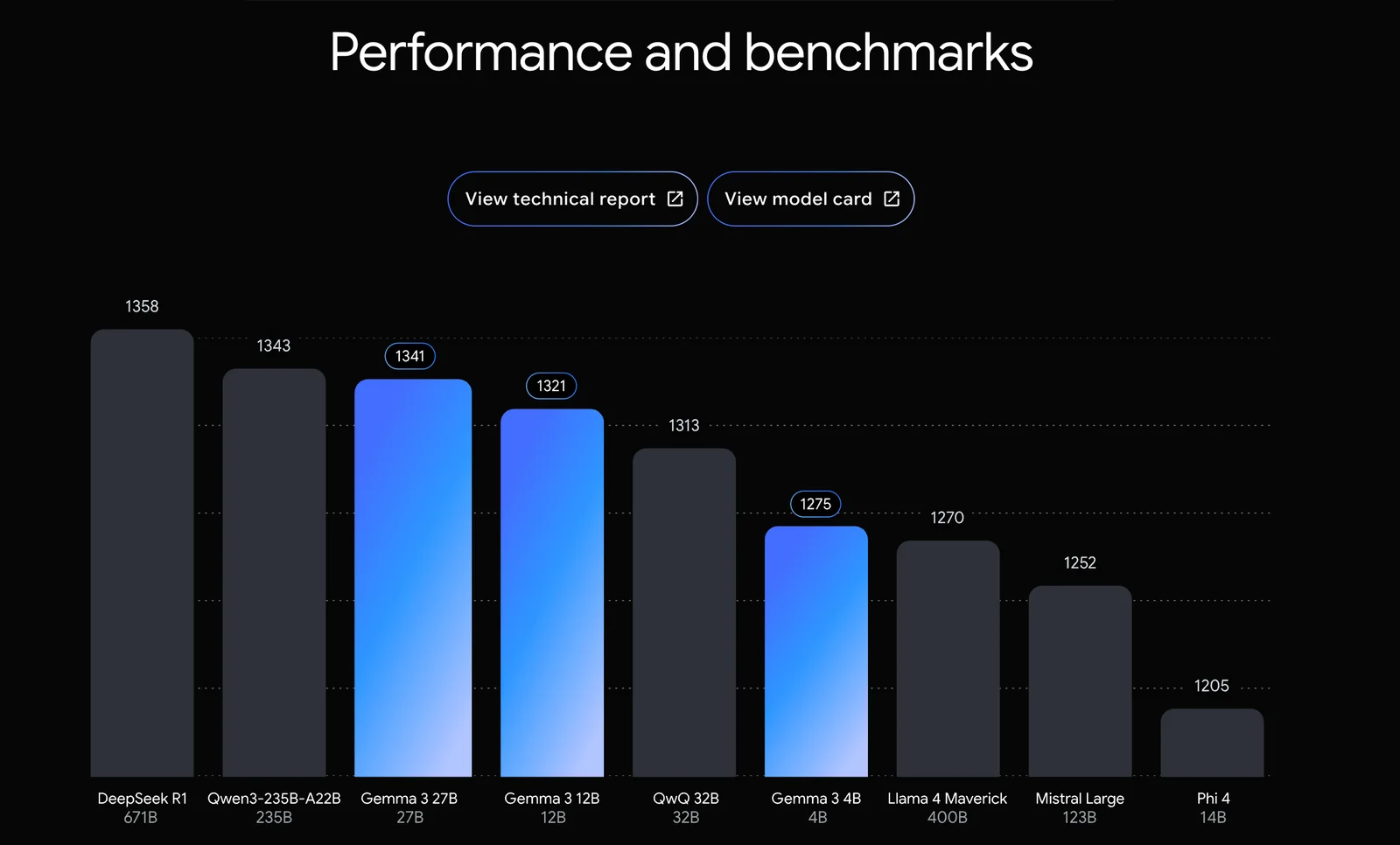
Gemma distinguishes itself from other AI models through its open-source model weights, lightweight architecture, and ability to handle large context windows. This flexibility makes it ideal for a wide range of applications, offering advantages in accessibility and efficiency over proprietary models.
Key Points
- Open-Source Model Weights: Gemma allows for customization and community collaboration.
- Lightweight Architecture: Efficient resource usage enables deployment on various devices.
- Large Context Windows: Supports extensive data inputs, enhancing performance for complex tasks.
Detailed Explanation
Gemma's open-source model weights empower developers to modify and enhance the AI according to specific needs. This contrasts with many proprietary models, which restrict users' ability to tweak the algorithms or access the underlying data structures. With an active community contributing to Gemma's development, users can benefit from continuous improvements and shared innovations.
Another significant advantage is Gemma’s lightweight architecture. Unlike some heavyweight AI models that require substantial computational resources, Gemma is designed to run efficiently on standard hardware. This makes it a great option for startups and small businesses that may not have the budget for high-end infrastructure. For example, a small tech company can implement Gemma on a standard server, avoiding the costly investments typically associated with other AI solutions.
Gemma's capability to manage large context windows sets it apart in terms of performance. This feature allows it to process and analyze more extensive data inputs simultaneously, making it suitable for applications such as natural language processing and complex data analysis tasks. For instance, in conversational AI, Gemma can maintain context over longer interactions, providing more coherent and relevant responses.
Best Practices / Tips
- Utilize Community Contributions: Leverage the open-source community to enhance Gemma's capabilities by integrating new features or improvements.
- Optimize Resource Allocation: Take advantage of Gemma's lightweight architecture by implementing it on devices with limited resources to maximize performance.
- Experiment with Context Windows: Test different context window sizes to determine the optimal settings for your specific use case, ensuring the best performance and results.
Additional Resources
- Gemma GitHub Repository - Access the latest updates and community contributions.
- Gemma Documentation - Comprehensive guides and tutorials for getting started.
- AI Model Comparison Guide - Explore how Gemma stacks up against other leading AI models in various applications.
Explore more AI Ai Models tools
Browse all Ai Models tools →- Laguna by Poolside
- Arena AI: The Official AI Ranking & LLM Leaderboard
- PromptLayer
- PHBench
- Mercury Edit 2
- OpenRouter Model Fusion
Compare Gemma: vs Laguna by Poolside · vs Arena AI: The Official AI Ranking & LLM Leaderboard · vs PromptLayer · vs PHBench