

Gemini 2.5 Flash Image (Nano banana)
AIState-of-the-art image generation and editing model that blends images, preserves character consistency, and performs targeted edits from natural-language prompts.
Gemini 2.5 Flash Image (Nano banana)
State-of-the-art image generation and editing model that blends images, preserves character consistency, and performs targeted edits from natural-language prompts.
About Gemini 2.5 Flash Image (Nano banana)
Gemini 2.5 Flash Image (aka "Nano Banana") is a high-fidelity multimodal image generation and editing model from Google that enables users to generate, compose, and edit images using natural language. It supports blending multiple input images, maintaining consistent characters across edits, and performing precise, targeted transformations (e.g., change clothing color, add accessories) without distorting faces or scene structure. The model leverages Gemini's broader world knowledge for grounded edits and is offered through the Gemini API, Google AI Studio, and Vertex AI for integration into production pipelines and creative workflows.
Screenshots
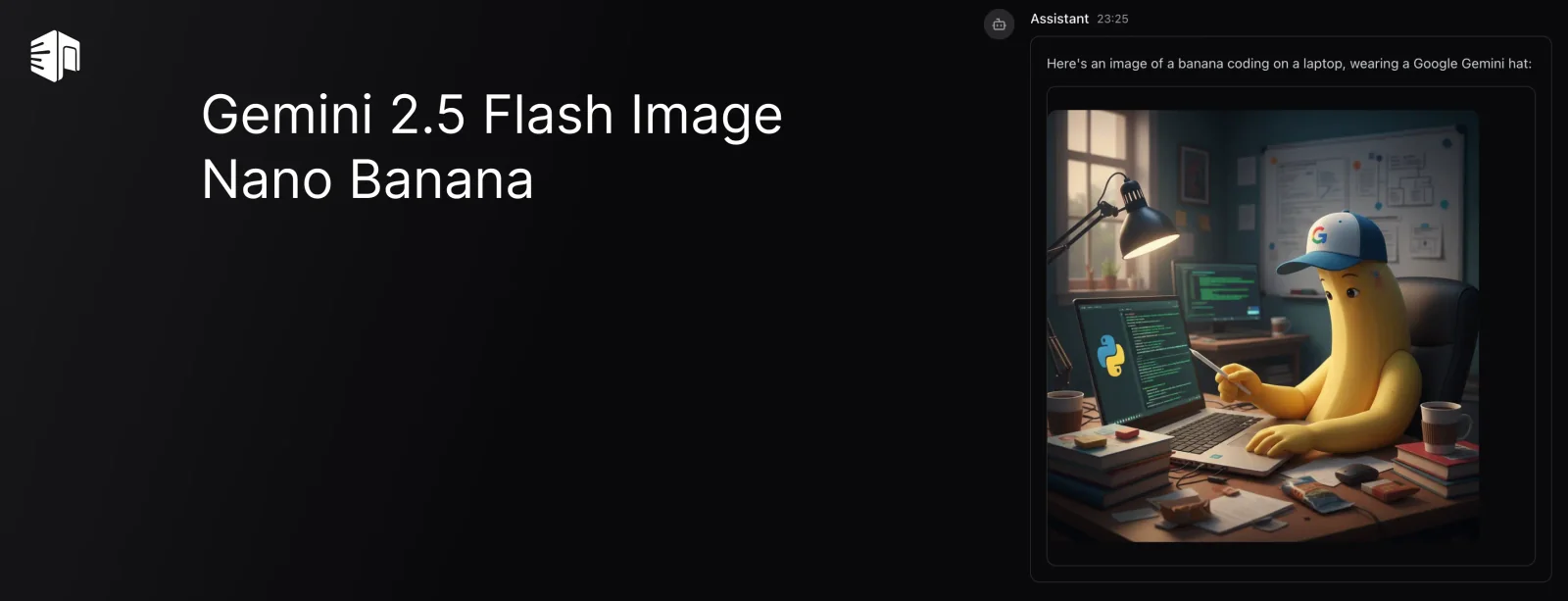
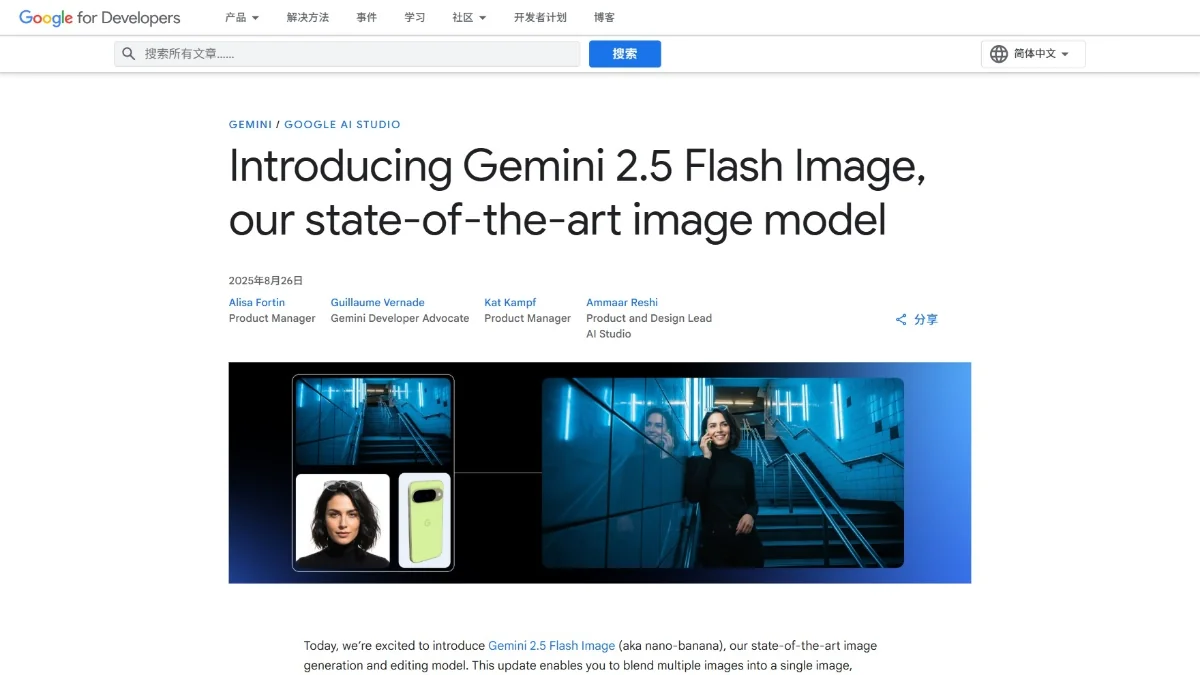
Key Features
Use Cases



Frequently asked questions about Gemini 2.5 Flash Image (Nano banana)
What is the pricing for Gemini 2.5 Flash Image?
Gemini 2.5 Flash Image pricing includes a pay-per-image rate of approximately $0.039 per image. Users can also access a free preview option within Google AI Studio, which comes with limited quotas, allowing for testing and exploration of the tool's capabilities.
Key Points
- Pay-per-image cost is around $0.039.
- Free preview option available in Google AI Studio.
- Limited quotas apply to the free preview service.
Detailed Explanation
Gemini 2.5 Flash Image provides flexible pricing to accommodate various user needs, from individual creators to enterprises. The pay-per-image rate is designed for those who require on-demand access, costing around $0.039 per image processed. This allows users to only pay for what they need without committing to a subscription.
The free preview option in Google AI Studio is an excellent way for new users to test the platform. However, this option comes with limited quotas, meaning users can only generate a certain number of images before needing to switch to the paid model. This is particularly advantageous for users who want to experiment or assess the tool's capabilities before making a financial commitment.
For example, a graphic designer can utilize the free preview feature to create sample images for a portfolio or personal project. After testing, if the designer finds the results satisfactory, they can transition to the pay-per-image model for ongoing projects.
Best Practices / Tips
- Evaluate Your Needs: Analyze your usage patterns to determine if the pay-per-image model is cost-effective for you. If you plan to create many images, consider the costs carefully.
- Take Advantage of Free Previews: Use the free preview option extensively to understand features and functionalities before investing in the paid service.
- Monitor Quotas: Keep an eye on your quota usage in the free preview to avoid unexpected interruptions in your work.
Additional Resources
- Google AI Studio Documentation - Official documentation for Gemini 2.5 Flash Image.
- Pricing Details - Comprehensive pricing information for Gemini tools.
- User Community - Join discussions with other users for tips and tricks on optimizing your use of Gemini 2.5.
How can I use Gemini 2.5 Flash Image for image editing?
To use Gemini 2.5 Flash Image for image editing, access it via the Gemini API or Google AI Studio. You can input natural language prompts to execute specific edits or generate images tailored to your instructions, making it a powerful tool for creative projects.
Key Points
- Access Methods: Use the Gemini API or Google AI Studio.
- Natural Language Prompts: Issue simple commands to manipulate images.
- Versatile Applications: Ideal for various creative and professional tasks.
Detailed Explanation
Gemini 2.5 Flash Image is a robust AI-powered tool that enhances your image editing experience. To get started, you need to choose between two access methods: the Gemini API or Google AI Studio.
Accessing Gemini 2.5
- Gemini API: Perfect for developers, the API allows for seamless integration into applications. You can send HTTP requests with your image editing prompts and receive processed images in return.
- Google AI Studio: This user-friendly platform is suitable for those less technically inclined. Simply sign in, and you can start issuing commands through an intuitive interface.
Using Natural Language Prompts
With Gemini 2.5, you can communicate your editing needs in natural language. For example:
- “Remove the background from this image.”
- “Add a vintage filter to this photo.”
- “Generate an image of a sunset over a mountain.”
The AI interprets your requests and delivers the desired results, allowing for a smooth editing process.
Versatile Applications
Gemini 2.5 is ideal for various use cases such as:
- Social Media Content Creation: Quickly generate eye-catching visuals for posts.
- Marketing Materials: Create professional-grade images for ads and brochures.
- Personal Projects: Edit family photos or design unique art pieces.
Best Practices / Tips
- Be Specific: The more detailed your prompt, the better the results. Instead of saying "edit this photo," specify how you want it edited.
- Experiment with Different Commands: Test various phrases to see how the AI responds. This can broaden your understanding of its capabilities.
- Check Image Quality: After processing, ensure that the output meets your quality standards. You may need to adjust your prompts for optimal results.
Additional Resources
- Official Gemini API Documentation
- Google AI Studio Overview
- Tutorial on Using Gemini for Image Editing
By leveraging the capabilities of Gemini 2.5 Flash Image, you can significantly enhance your image editing workflow with ease and efficiency.
What are the key features of Gemini 2.5 Flash Image?
Gemini 2.5 Flash Image offers advanced features such as multi-image blending, consistent character rendering, and natural-language targeted transformations for high-fidelity edits. It is specifically designed to enhance creative production workflows, making it an essential tool for graphic designers and content creators.
Key Points
- Multi-image blending: Seamlessly integrate multiple images for dynamic visuals.
- Character consistency: Ensure uniformity in character design across various outputs.
- Natural-language transformations: Edit images using intuitive language commands.
Detailed Explanation
Gemini 2.5 Flash Image stands out due to its powerful capabilities tailored for creative professionals.
-
Multi-image blending: This feature allows users to combine multiple images into a single cohesive piece. For instance, a designer can merge backgrounds, characters, and other elements effortlessly, enhancing the visual storytelling of a project. This capability is particularly useful in advertising, where eye-catching graphics are essential.
-
Character consistency: Maintaining character design consistency is crucial in projects that involve sequels or series. Gemini 2.5 ensures that the same character appears uniform across different images, thereby preserving brand identity and narrative continuity. This is achieved through advanced algorithms that standardize color palettes, shapes, and styles.
-
Natural-language targeted transformations: Users can engage with the software using simple, plain language commands, making it user-friendly and accessible. For example, a user can type "make the background brighter" or "add shadows to the character," and the software will execute these edits automatically. This feature significantly speeds up the editing process while maintaining high quality.
Best Practices / Tips
- Experiment with blending modes: Try different blending options to achieve unique visual effects.
- Utilize templates: Save time by using pre-designed templates that leverage the character consistency feature.
- Leverage tutorials: Familiarize yourself with natural-language commands through online tutorials to maximize editing efficiency.
Additional Resources
How does Gemini 2.5 compare to other image generation tools?
Gemini 2.5 Flash Image stands out among image generation tools due to its superior character consistency and advanced zero-shot editing capabilities via natural language. Additionally, it seamlessly integrates with Google Cloud services, making it a powerful choice for creators and developers alike.
Key Points
- Character Consistency: Maintains uniformity across generated images, ideal for branding.
- Zero-Shot Editing: Allows users to modify images using natural language without prior examples.
- Cloud Integration: Offers enhanced performance and storage through Google Cloud services.
Detailed Explanation
Gemini 2.5 Flash Image is designed to improve the workflow of digital artists and content creators by providing advanced features that are often lacking in other image generation tools. Its character consistency ensures that a character retains the same attributes across multiple images, which is crucial for projects like comic books or animated series. This feature allows creators to build a coherent visual narrative without inconsistencies that can confuse the audience.
The tool's zero-shot editing capability is particularly innovative. Users can simply describe the desired changes in natural language, and Gemini 2.5 will understand and execute these modifications without requiring a reference image. For example, if a user wants to change a character's outfit from a blue dress to a red one, they can type "change the dress to red," and the tool will generate the updated image accordingly.
Moreover, its integration with Google Cloud services enhances the user experience by providing robust storage solutions and fast processing capabilities. This means users can work on larger projects without worrying about system limitations or slow rendering times.
Best Practices / Tips
- Leverage Natural Language: When using zero-shot editing, be as descriptive as possible to achieve the best results. For instance, specify colors, styles, and settings.
- Utilize Cloud Features: Take advantage of Google Cloud's storage options for backup and collaboration, especially for team projects.
- Iterate Frequently: Use the character consistency feature to create variations of a character, testing different looks or settings to refine your designs.
Additional Resources
What are the technical requirements for using Gemini 2.5 API?
To use the Gemini 2.5 API, you must have a paid Google Cloud account. The API is subject to specific resolution and rate limits and is compatible with programming languages such as Python and Node.js for application integration.
Key Points
- Requires a paid Google Cloud account.
- Subject to resolution and rate limits.
- Compatible with Python and Node.js.
Detailed Explanation
To effectively utilize the Gemini 2.5 API, the primary requirement is a paid Google Cloud account. This account provides access to the API's features and functionalities.
Resolution and Rate Limits
The API imposes certain resolution limits, meaning the quality and detail of responses may vary based on your usage and account tier. Rate limits dictate how many requests you can send in a given timeframe, ensuring fair usage among all users. For example, typical rate limits might allow up to 100 requests per minute, but this can vary based on your subscription level.
Language Compatibility
Gemini 2.5 API supports integration with popular programming languages, notably Python and Node.js. These languages are widely used for developing applications, making it easier for developers to implement the API into their projects. For example, you can use Python's requests library to interact with the API seamlessly.
Example Use Case
A common use case for the Gemini 2.5 API is in machine learning applications where natural language processing is required. Developers can create chatbots that leverage the API for understanding and generating human-like responses, integrating it smoothly into their existing systems.
Best Practices / Tips
- Monitor Usage: Regularly check your API usage to ensure you remain within the resolution and rate limits. Exceeding these can lead to throttled access or temporary suspensions.
- Utilize SDKs: Leverage available Software Development Kits (SDKs) for Python and Node.js to streamline the integration process.
- Error Handling: Implement robust error handling in your code to manage API response errors effectively, ensuring a smooth user experience.
Additional Resources
Explore more AI Ai Models tools
Browse all Ai Models tools →Browse by use case: Image Generation
Compare Gemini 2.5 Flash Image (Nano banana): vs Mouse-1 · vs Milliseconds.ai · vs SWE-2 · vs Desert Ant Labs