

FlowiseAI
AIOpen SourceFreeVisual, node-based platform to build, connect and run LLM-driven agents and retrieval pipelines.
FlowiseAI
Visual, node-based platform to build, connect and run LLM-driven agents and retrieval pipelines.
About FlowiseAI
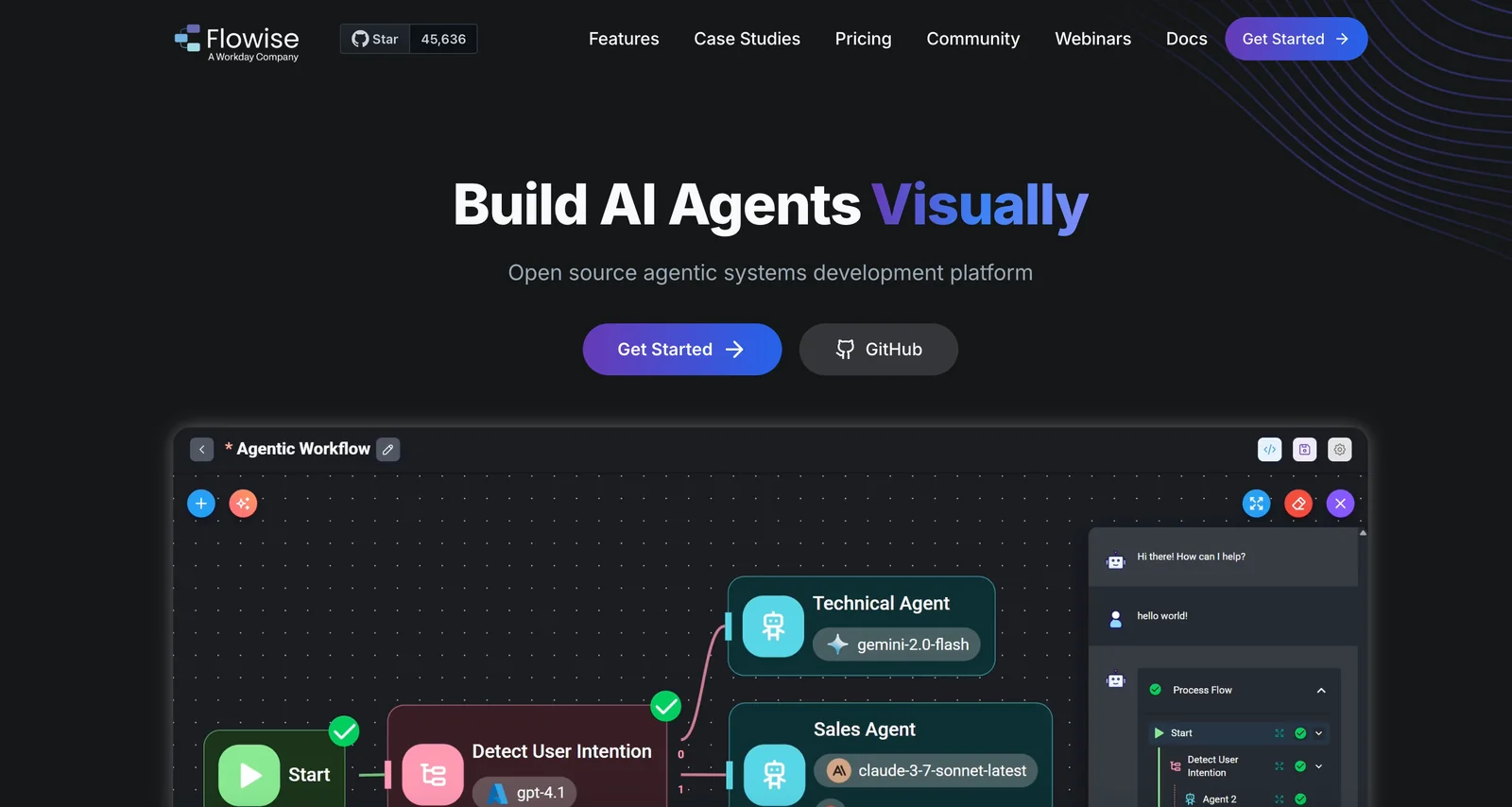
Flowise is an open-source, visual tool for building AI agents and LLM-driven flows using a node-based editor. Users assemble nodes that represent LLM calls, embedding generators, document loaders, vector stores and custom logic to create retrieval-augmented workflows, chatbots, and agent pipelines without heavy coding. The project includes embeddable components (chat/embed React packages), extensive node libraries, and documentation to extend or add custom nodes. Flowise emphasizes integrations with document loaders, vector databases and LLM/embedding providers to enable interactive Q&A, multi-document ingestion and production agent prototypes.
Screenshots
Key Features
Use Cases



Frequently asked questions about FlowiseAI
What are the pricing options for FlowiseAI?
FlowiseAI provides a variety of pricing options tailored to different user needs. Customers can choose from a free open-source plan, a free tier with limited features, a Starter plan for $35/month, a Pro plan at $65/month, and customizable enterprise pricing solutions.
Key Points
- Free Tier: Limited features with 2 flows, 100 predictions, and 5MB storage.
- Starter Plan: $35/month with enhanced features.
- Pro Plan: $65/month offering advanced functionalities and greater limits.
Detailed Explanation
FlowiseAI caters to diverse user requirements through its structured pricing plans.
-
Free Open-Source Plan: This option allows users to access the software without any costs. It's ideal for developers and businesses wanting to explore the tool's capabilities without financial commitment. Users can modify the source code to suit their needs.
-
Free Tier: The free tier is perfect for beginners or small projects. It includes:
- 2 Flows: Users can create and manage two distinct workflows.
- 100 Predictions: Limited predictive capabilities suitable for testing and small-scale applications.
- 5MB Storage: Basic storage for data management.
-
Starter Plan: Priced at $35/month, this plan is designed for small to medium-sized businesses. It unlocks additional features, including:
- Increased flow limits.
- Enhanced prediction capabilities.
- Additional storage options to accommodate growing data needs.
-
Pro Plan: At $65/month, the Pro plan is tailored for larger teams or businesses needing advanced features. Benefits include:
- Higher limits on flows and predictions.
- Access to premium support and resources.
- More extensive storage, ensuring that users can effectively manage larger datasets.
-
Custom Enterprise Pricing: For organizations with unique needs, FlowiseAI offers custom pricing options. This ensures that larger enterprises receive tailored solutions that fit their specific requirements, including scalability and dedicated support.
Best Practices / Tips
- Evaluate Your Needs: Before selecting a plan, assess your project requirements. The free tier is great for testing, while the Pro plan is better for high-volume usage.
- Utilize the Free Open-Source Plan: Leverage the open-source plan to experiment with customizations and enhancements without incurring costs.
- Monitor Usage: Regularly check your flow and prediction limits to avoid interruptions in service, especially if you anticipate scaling up.
Additional Resources
These resources can provide further insights into maximizing the use of FlowiseAI based on your specific needs and budget.
What features does FlowiseAI provide for building AI models?
FlowiseAI offers a robust suite of features for building AI models, including a visual flow builder, extensive node library, document ingestion capabilities, vector store integrations, and embeddable components for chat interfaces. It supports multiple data formats, ensuring seamless integration across various applications.
Key Points
- Visual Flow Builder: Intuitive interface for designing workflows.
- Extensive Node Library: A wide range of pre-built nodes for flexibility.
- Document Ingestion: Efficiently process and integrate documents.
Detailed Explanation
FlowiseAI's visual flow builder is designed to simplify the process of creating AI models by allowing users to drag and drop components, making it accessible even for those without coding skills. This tool empowers users to visually map out data flows, logic, and connections, which can significantly speed up the model development process.
The extensive node library contains various pre-built nodes that enhance the functionality of AI models. These nodes facilitate tasks such as data transformation, machine learning operations, and API integrations. Users can also create custom nodes to suit specific needs, adding to the platform’s versatility.
Document ingestion capabilities allow FlowiseAI to process various document types, such as PDFs and Word documents, enabling users to extract valuable data for analysis. This feature is particularly useful for businesses that need to analyze large volumes of text data quickly and efficiently.
Integration with vector stores supports advanced search and retrieval functionalities, making it easier to handle unstructured data and improve the performance of AI models. This integration allows for storing high-dimensional data which can be utilized in machine learning algorithms for better accuracy.
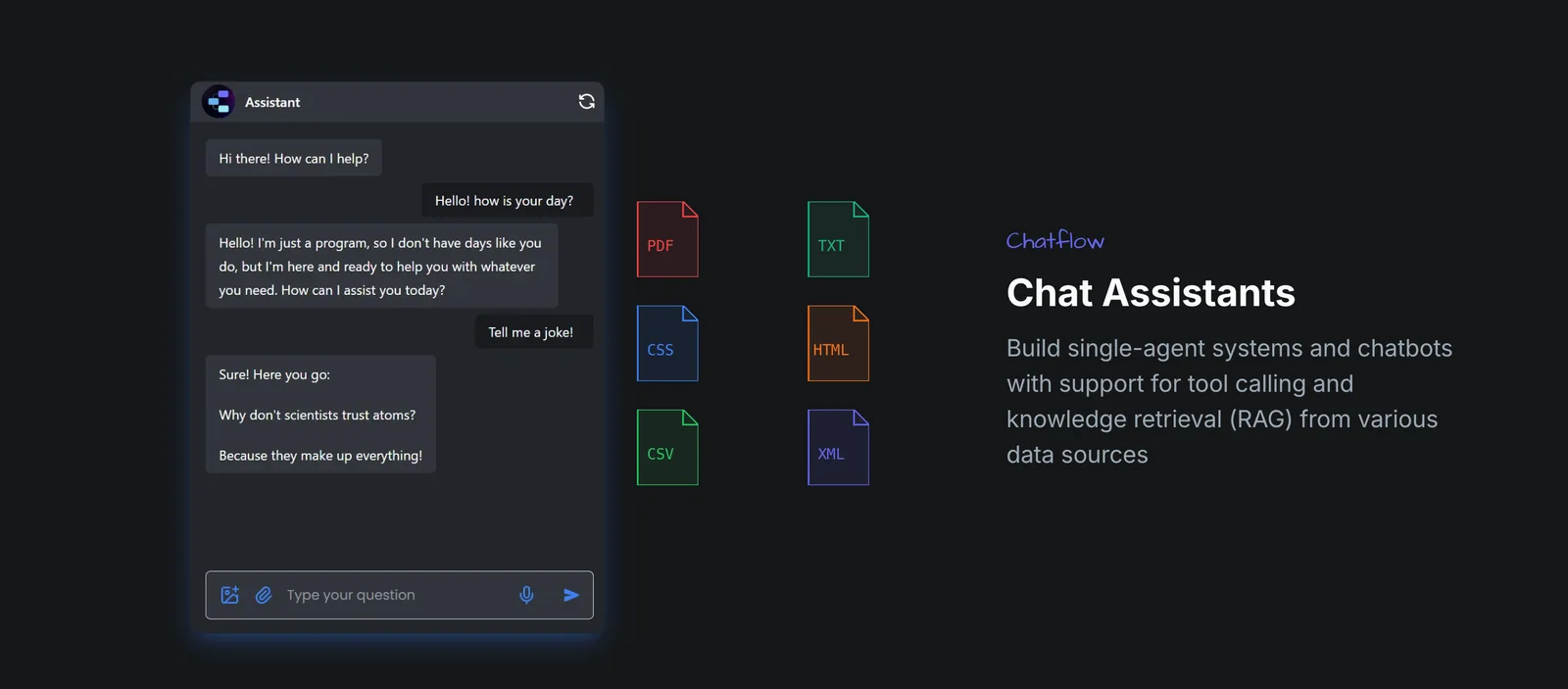
The platform’s embeddable components enable developers to create custom chat interfaces easily. These components can be integrated into websites or applications, ensuring that end-users have seamless interactions with AI models.
Best Practices / Tips
- Leverage the Visual Flow Builder: Familiarize yourself with the flow builder to maximize your model's potential. Experiment with different layouts to find the most efficient design.
- Utilize Pre-Built Nodes: Start with pre-built nodes to save development time. Modify them as necessary to fit your specific requirements instead of creating everything from scratch.
- Test Document Ingestion: Regularly test the document ingestion feature with various formats to ensure optimal performance and accuracy in data extraction.
Additional Resources
How do I get started with FlowiseAI?
To get started with FlowiseAI, visit the official website to access comprehensive documentation and guides. You can choose to self-host the open-source version or utilize the free tier to create your first flows and assistants at no cost, making it accessible for everyone.
Key Points
- Access Documentation: Explore the official website for detailed guides.
- Self-Hosting Option: You can host the open-source version on your server.
- Free Tier Available: Start building without any financial commitment.
Detailed Explanation
FlowiseAI is an innovative platform designed for creating AI-driven workflows and assistants. To begin, follow these steps:
-
Visit the Official Website: Navigate to FlowiseAI's website to find all necessary resources, including documentation, tutorials, and community forums.
-
Choose Your Setup: Decide whether you want to self-host the open-source version or use the free tier. Self-hosting allows for greater customization, while the free tier is perfect for those who want to experiment without setup hassles.
-
Create Your First Flow: Once you're set up, you can start creating flows. The platform offers a user-friendly interface, enabling you to design your AI assistants by simply dragging and dropping components.
-
Explore Advanced Features: After mastering the basics, explore advanced features such as integrations with third-party applications and automation capabilities to enhance your flows.
Example Use Cases
- Customer Service Automation: Use FlowiseAI to automate responses to frequently asked questions, improving customer engagement.
- Data Collection: Create forms that gather user data efficiently, streamlining your data collection processes.
- Integration with Tools: Connect FlowiseAI with platforms like Slack or Discord for real-time communication and feedback.
Best Practices / Tips
- Start Simple: Begin with basic flows before incorporating advanced features to avoid overwhelm.
- Utilize Community Support: Engage with the FlowiseAI community for tips and troubleshooting help.
- Regular Updates: Keep your version updated to benefit from the latest features and security patches.
Additional Resources
By following these steps and leveraging available resources, you can effectively harness the power of FlowiseAI to create efficient AI workflows from the outset.
Does FlowiseAI support API integrations?
Yes, FlowiseAI supports API integrations, allowing users to programmatically call flows and utilize various connectors for seamless integration with external services and databases. This capability enhances workflow automation and data exchange, making it a powerful tool for developers and businesses.
Key Points
- API Support: FlowiseAI enables robust API integrations.
- Custom Nodes: Users can create custom nodes for specific functionalities.
- Flow Runtime: The flow runtime facilitates programmatic flow execution.
Detailed Explanation
FlowiseAI’s API integration capabilities empower users to connect their applications with a variety of external services, enhancing functionality and data flow. The platform allows developers to create custom nodes, which are essential for tailoring integrations to specific business needs.
For instance, a marketing team could automate lead generation by integrating FlowiseAI with their CRM system, using API calls to fetch and push data seamlessly. This integration can be achieved through the flow runtime, which allows for the execution of workflows based on triggers from other applications.
Example Use Case
Imagine a scenario where a user wants to automate data collection from a web form. With FlowiseAI, they can set up a flow that triggers whenever a form is submitted. The flow can then call an API to send the collected data to an external database or service, ensuring real-time updates.
Best Practices / Tips
- Thorough Documentation: Always refer to FlowiseAI’s official documentation for detailed guidelines on API usage and integration steps.
- Testing: Rigorously test your API integrations in a development environment before deploying to production.
- Error Handling: Implement robust error handling to manage potential API failures gracefully.
Additional Resources
How does FlowiseAI compare to other AI tools?
FlowiseAI distinguishes itself from other AI tools through its unique node-based visual flow builder and open-source framework, enabling unparalleled customization. Its flexible pricing and robust community support make it a preferred choice for individuals and businesses seeking scalable AI solutions.
Key Points
- Node-Based Visual Flow Builder: Simplifies the design of complex workflows.
- Open-Source Flexibility: Users can modify and enhance the tool to meet specific needs.
- Community Support: Active forums and resources foster collaboration and troubleshooting.
Detailed Explanation
FlowiseAI is designed to empower users with a visual flow builder that allows for the intuitive creation of workflows. Unlike many traditional AI tools that rely heavily on coding, FlowiseAI enables users to drag and drop nodes, making it accessible for non-technical users and efficient for developers.
For instance, a marketing team can easily create automated email campaigns by visually mapping out the customer journey. This capability allows for quick adjustments without the need for extensive coding knowledge, a feature that sets FlowiseAI apart from competitors like Zapier and Integromat.
Moreover, being open-source means that users can contribute to the tool’s development. This not only fosters innovation but also ensures that the tool remains adaptable to the rapidly changing landscape of AI technology. With a thriving community, users have access to a wealth of shared knowledge, tutorials, and pre-built templates that can accelerate implementation.
FlowiseAI also offers flexible pricing tiers, accommodating both individual users and larger enterprises. For example, individuals can access a free version with core features, while businesses can opt for premium plans that provide additional capabilities and support. This pricing structure makes it an attractive choice for startups and established companies alike.
Best Practices / Tips
- Explore the Community: Engage with the FlowiseAI community for troubleshooting and innovative ideas.
- Start with Templates: Use pre-built templates to quickly create workflows and customize them to your needs.
- Regular Updates: Keep your version of FlowiseAI updated to benefit from the latest features and security improvements.
Additional Resources
Explore more AI Ai Agents tools
Browse all Ai Agents tools →Browse by use case: Automation & Productivity
Compare FlowiseAI: vs Mycel · vs Proto-Mind · vs Ami · vs Duvi