

Firstwork
AIEnterprise-grade AI agents that accelerate hiring, onboarding, and payroll for frontline teams, improving fill rates and reducing drop-offs.
Firstwork
Enterprise-grade AI agents that accelerate hiring, onboarding, and payroll for frontline teams, improving fill rates and reducing drop-offs.
About Firstwork
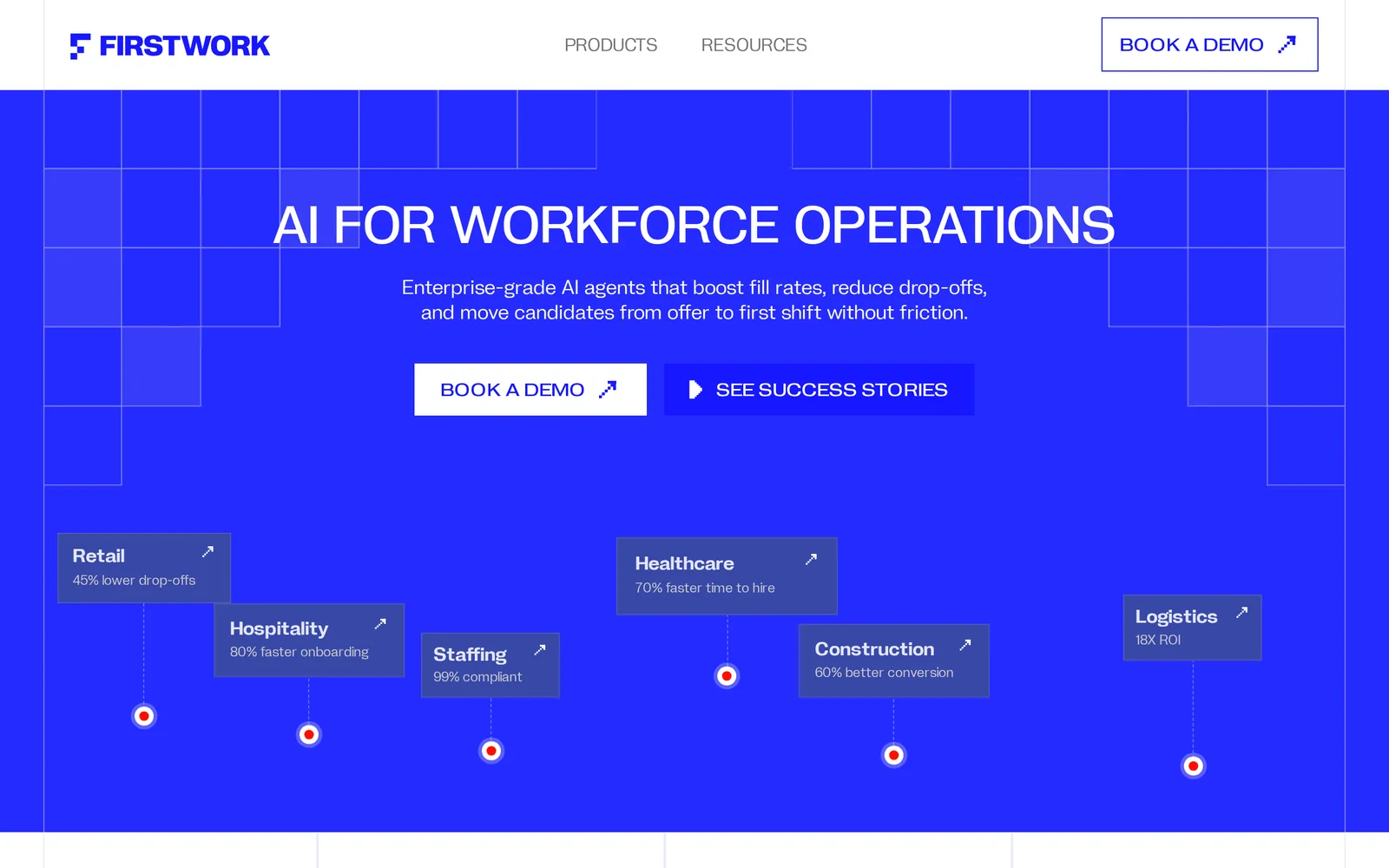
Firstwork provides enterprise-grade AI agents designed to streamline hiring, onboarding, and payment processes for frontline workforces. The platform automates candidate engagement and operational workflows so organizations can move hires from offer to first shift with less friction, higher fill rates, and lower drop-off. Firstwork emphasizes speed and reliability for high-volume, hourly hiring use cases and offers enterprise integrations and controls suitable for HR and operations teams. A live demo is available to evaluate agent-driven workflows.
Screenshots
Key Features
Use Cases



Frequently asked questions about Firstwork
What is Firstwork?
Firstwork is an enterprise-grade AI platform designed to streamline hiring, onboarding, and payroll processes for frontline teams. By leveraging advanced AI agents, Firstwork significantly improves fill rates and reduces drop-off rates, ensuring organizations can effectively manage their workforce with minimal effort.
Key Points
- AI-Powered Efficiency: Automates critical hiring and onboarding tasks.
- Improved Retention: Reduces employee drop-off rates during onboarding.
- Scalable Solutions: Tailored for organizations with frontline teams across various sectors.
Detailed Explanation
Firstwork is an innovative solution that utilizes artificial intelligence to optimize the hiring process, especially for companies that rely on frontline workers, such as retail, hospitality, and logistics.
How Firstwork Works:
-
Automated Hiring: Firstwork's AI agents facilitate the recruitment process by screening resumes, scheduling interviews, and communicating with candidates, significantly reducing the time spent on manual tasks.
-
Streamlined Onboarding: Once candidates are hired, Firstwork provides a structured onboarding experience that includes training modules, compliance documentation, and performance tracking. This helps new employees acclimate quickly and effectively.
-
Payroll Integration: The platform integrates with existing payroll systems, ensuring that employees are paid accurately and on time, which enhances overall job satisfaction and retention.
Use Cases:
- Retail Chains: A national retail chain utilized Firstwork to automate hiring for seasonal positions, resulting in a 30% increase in fill rates and a 15% decrease in drop-offs.
- Hospitality: A hotel group employed Firstwork to streamline onboarding for new staff, cutting the onboarding time in half while increasing employee engagement during the initial training phase.
Best Practices / Tips
- Leverage AI Insights: Make use of the data analytics provided by Firstwork to identify bottlenecks in your hiring and onboarding processes. Regularly review these insights to optimize your strategies.
- Customize Onboarding Experience: Tailor onboarding modules to fit the specific needs of your organization and the roles being filled to enhance engagement and retention.
- Continuous Training: Implement ongoing training sessions through the platform, ensuring employees remain up-to-date with company policies and best practices.
Additional Resources
How does Firstwork work?
Firstwork operates by integrating essential AI functionalities to streamline everyday workflows for users. It simplifies tasks such as data analysis, project management, and communication, enabling users to enhance productivity and efficiency through automation and intelligent insights.
Key Points
- AI Integration: Combines various AI capabilities to automate tasks.
- User-Centric Design: Focuses on enhancing user workflows.
- Versatile Applications: Suitable for a range of industries and tasks.
Detailed Explanation
Firstwork is designed to optimize daily tasks by leveraging advanced artificial intelligence technologies. Here’s how it works:
-
AI Integration: Firstwork seamlessly integrates multiple AI tools, including natural language processing, machine learning, and data analytics. This allows users to automate repetitive tasks, such as data entry and report generation.
-
User-Centric Design: The platform is built with the end-user in mind. It offers an intuitive interface that guides users through the setup process, making it accessible for non-technical individuals. For example, users can easily create automated workflows by dragging and dropping components.
-
Versatile Applications: Firstwork can be used across various sectors, from marketing to finance. For instance, a marketing team might use Firstwork to automate social media posting and analyze engagement metrics, while a finance department could streamline invoice processing and budgeting reports.
-
Real-Time Insights: With built-in analytics, Firstwork provides users with actionable insights based on their workflows. This enables them to make data-driven decisions quickly.
-
Collaboration Features: Firstwork includes tools for team collaboration, allowing multiple users to work on projects simultaneously, share documents, and track progress.
Best Practices / Tips
- Start Small: Begin with automating simple tasks to understand the platform's capabilities before scaling up.
- Leverage Templates: Use pre-built templates to save time and ensure best practices are followed.
- Regularly Update: Keep your workflows updated to adapt to changing business needs and utilize new features.
- Monitor Performance: Regularly review the performance of your automated workflows to identify areas for improvement.
Additional Resources
What are the main features of Firstwork?
Firstwork offers advanced AI capabilities designed to enhance productivity and streamline workflows. Its main features include intelligent automation, collaborative tools, and robust analytics, making it suitable for various industries looking to optimize their operations and improve team performance.
Key Points
- Intelligent Automation: Streamlines repetitive tasks to enhance efficiency.
- Collaborative Tools: Facilitates teamwork and communication across remote teams.
- Robust Analytics: Provides insights into performance and productivity metrics.
Detailed Explanation
Firstwork integrates several core features that cater to businesses seeking to leverage AI for operational efficiency:
-
Intelligent Automation: This feature automates repetitive tasks such as data entry, scheduling, and reporting, allowing employees to focus on higher-value activities. For example, Firstwork can automatically generate reports based on real-time data, reducing the time spent on manual analysis.
-
Collaborative Tools: Firstwork enhances team collaboration through tools that support real-time communication and project management. Features like shared workspaces, instant messaging, and video conferencing ensure that teams remain connected, whether they are working in-person or remotely. This is particularly beneficial for organizations with distributed teams, ensuring seamless collaboration regardless of location.
-
Robust Analytics: Firstwork offers powerful analytics tools that provide insights into team performance and productivity. Dashboards display key performance indicators (KPIs) and trends, helping managers make data-driven decisions. For instance, the analytics feature can track project progress and identify bottlenecks, allowing for timely interventions.
Best Practices / Tips
- Leverage Automation Wisely: Start by identifying the most time-consuming tasks within your workflow and prioritize automating those processes to maximize efficiency.
- Encourage Team Adoption: Provide training sessions for employees to familiarize them with Firstwork's collaborative tools, ensuring everyone is comfortable using the platform.
- Monitor Analytics Regularly: Regularly review the analytics provided by Firstwork to identify trends and areas for improvement. Use this data to inform strategic decisions and adjust workflows as needed.
Additional Resources
By incorporating these features and following best practices, organizations can fully leverage Firstwork to enhance productivity and foster a collaborative work environment.
Who is Firstwork for?
Firstwork is designed for professionals, businesses, and individuals interested in streamlining their daily AI workflows. It caters to various users, from those new to AI tools to seasoned experts, enhancing productivity and efficiency in tasks like data analysis, content creation, and project management.
Key Points
- Target Audience: Professionals, entrepreneurs, educators, and students.
- Use Cases: Ideal for automating repetitive tasks, improving data insights, and enhancing creative processes.
- Accessibility: User-friendly interface suitable for both beginners and advanced users.
Detailed Explanation
Firstwork is particularly beneficial for a diverse range of users. Professionals in sectors like marketing, finance, and education can leverage Firstwork to automate repetitive tasks, such as data entry and report generation. For example, a marketing professional can use Firstwork to analyze customer data more efficiently, generating insights that drive better campaign strategies.
Entrepreneurs and small business owners find value in Firstwork as it helps streamline operations. They can automate customer service inquiries with AI chatbots or manage project timelines using AI-driven project management tools.
Educators can enhance their teaching methods by using Firstwork for content creation, such as generating quizzes or educational materials tailored to student needs. Additionally, students can utilize Firstwork to manage their study schedules and collaborate on group projects efficiently.
Best Practices / Tips
- Start Small: If you’re new to AI tools, begin with simple tasks to understand the platform's capabilities.
- Explore Templates: Utilize pre-built templates available in Firstwork to kickstart your workflows.
- Integrate with Existing Tools: Firstwork seamlessly integrates with popular apps like Google Workspace and Microsoft Office, enhancing your current ecosystem.
- Stay Updated: Regularly check for new features and updates to maximize the tool’s potential.
Additional Resources
By using Firstwork, you can elevate your productivity and adapt to the rapidly changing landscape of AI technology, making it a valuable tool for a wide array of users.
How much does Firstwork cost?
Firstwork is a premium productivity tool with pricing that varies based on subscription plans. For the most accurate and up-to-date pricing, visit the official Firstwork website.
Key Points
- Firstwork offers multiple subscription tiers.
- Pricing may vary based on features and user count.
- Discounts may be available for annual subscriptions.
Detailed Explanation
Firstwork is designed to enhance team collaboration and productivity. The pricing structure typically includes several tiers, catering to different user needs:
-
Basic Plan: This entry-level plan often includes essential features suitable for small teams or individual users. It generally offers limited functionality compared to higher tiers but is budget-friendly. Pricing can start around $10 per user per month.
-
Pro Plan: Aimed at growing teams, this plan usually includes advanced features like integrations with other tools, enhanced support, and collaboration tools. Pricing for this tier may range from $20 to $30 per user per month.
-
Enterprise Plan: For larger organizations, the Enterprise Plan often includes custom pricing based on the number of users, specific requirements, and additional features needed. Organizations can expect a tailored solution that addresses their unique needs.
It's important to check the official Firstwork website for current pricing and any promotional offers that may be available. Additionally, they may provide a free trial period, allowing potential users to test the features before committing to a subscription.
Best Practices / Tips
- Compare Plans: Evaluate the features included in each plan to determine which best suits your needs.
- Consider Annual Subscriptions: Often, opting for an annual plan can lead to significant savings compared to monthly payments.
- Explore Discounts: Look for any available discounts for educational institutions, nonprofits, or bulk subscriptions.
- Free Trials: Take advantage of free trial periods to thoroughly assess Firstwork's capabilities before purchasing.
Additional Resources
How do I get started with Firstwork?
To get started with Firstwork, visit Firstwork's website to sign up for an account. Once registered, you can explore various features, tools, and resources to enhance your productivity and collaboration.
Key Points
- Sign-Up Process: Quick and easy registration.
- User Interface: Intuitive design for seamless navigation.
- Available Features: Comprehensive tools for collaboration and project management.
Detailed Explanation
Firstwork is designed to streamline your work processes, whether you're an individual or part of a larger team. To begin, head over to Firstwork's official website. Click on the “Sign Up” button, where you’ll be prompted to enter your email and create a password. After confirming your email, you can log in to access the dashboard.
Once logged in, familiarize yourself with the user interface. Firstwork offers various features such as task management, team collaboration tools, and document sharing. Each feature is designed to enhance productivity. For instance, you can create tasks, assign them to team members, and set deadlines within minutes.
Example Use Case
For a marketing team, Firstwork can be a game-changer. Start by creating a project for an upcoming campaign. Assign tasks like content creation, graphic design, and social media scheduling. Team members can update their progress, attach files, and communicate directly within the platform, keeping everyone aligned and on track.
Best Practices / Tips
- Complete Your Profile: Fill out your profile completely to enhance collaboration and networking opportunities.
- Explore Integrations: Leverage integrations with other tools you use, such as Google Drive or Slack, to maximize functionality.
- Utilize Tutorials: Take advantage of Firstwork’s tutorials and resources to quickly learn how to use its features effectively.
Additional Resources
- Firstwork Help Center - Access guides and FAQs.
- Firstwork Blog - Read about productivity tips and updates on new features.
- Sign Up for Free Trial - Experience Firstwork at no cost for a limited time.
Explore more AI Ai Agents tools
Browse all Ai Agents tools →Browse by use case: Automation & Productivity
Compare Firstwork: vs Mycel · vs Proto-Mind · vs Ami · vs Duvi