

Finesse by Skippr AI
AIIn-browser AI-driven product and design critiques for localhost, production, Figma and more, synced via MCP.
Finesse by Skippr AI
In-browser AI-driven product and design critiques for localhost, production, Figma and more, synced via MCP.
About Finesse by Skippr AI
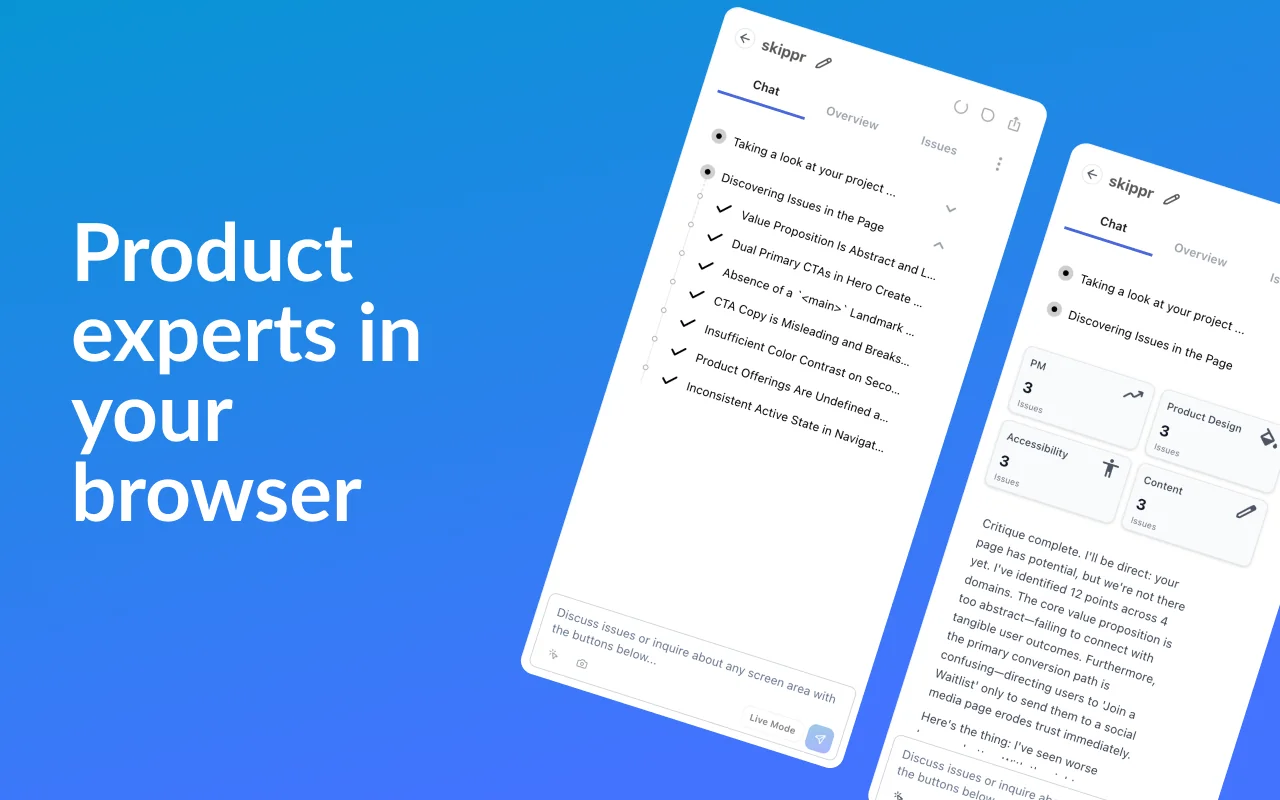
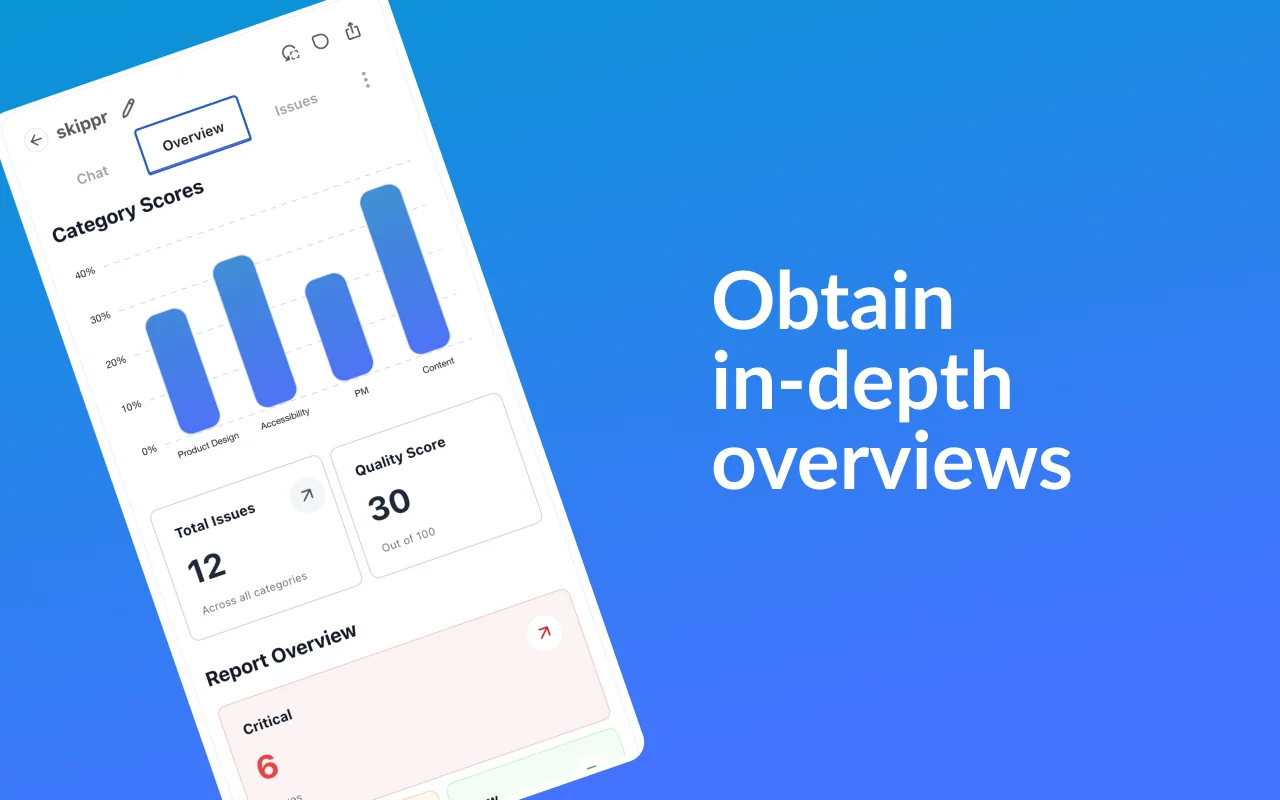
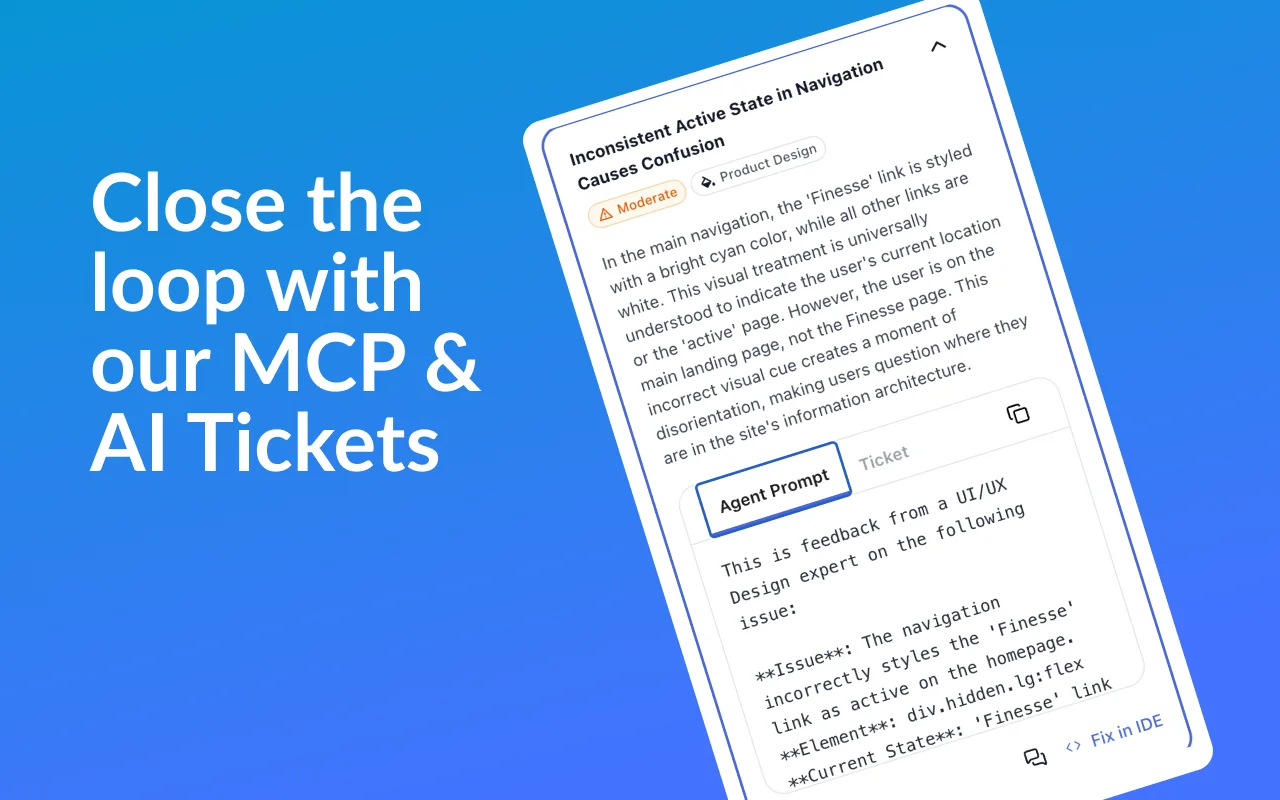
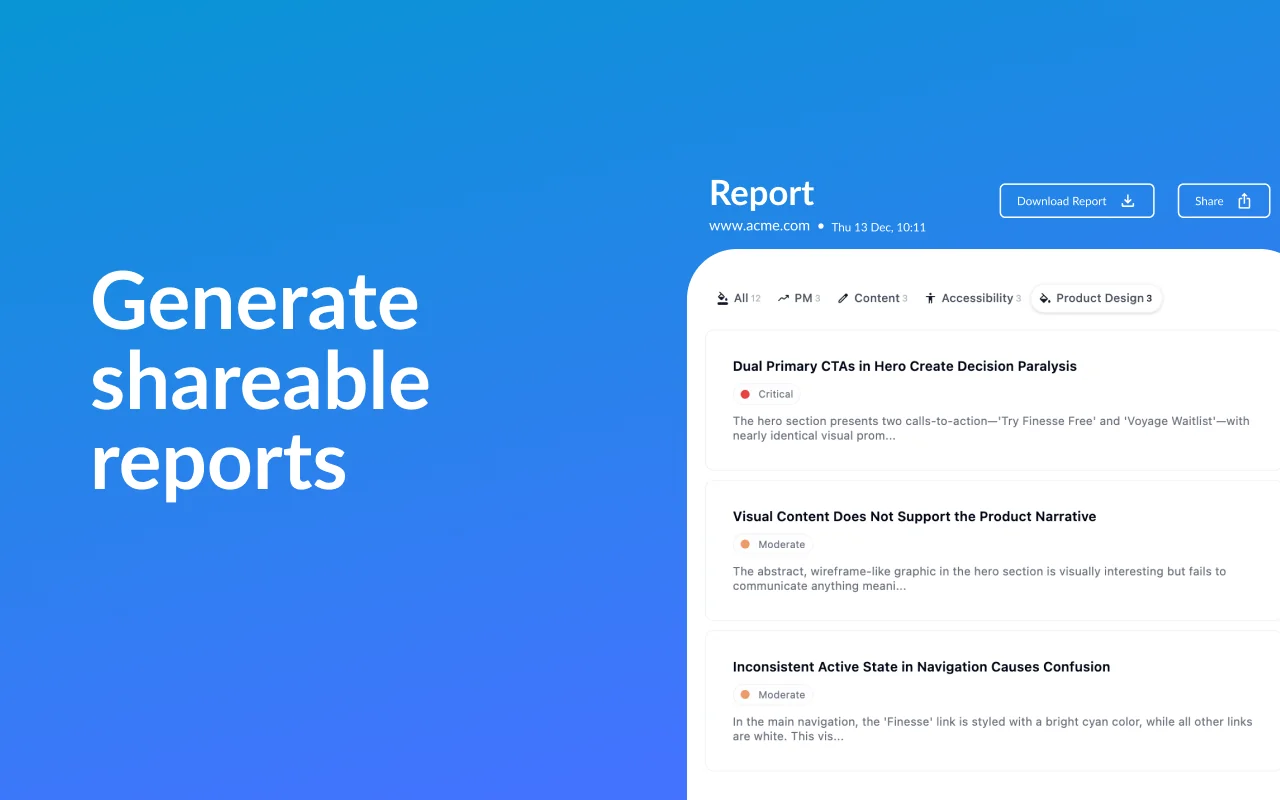
Finesse (by Skippr AI) is a Chrome extension that brings product and design leadership directly into the browser by providing real-time, AI-driven critiques across environments. It analyzes pages on localhost and production, and inspects Figma designs to surface actionable feedback and UX recommendations inline. Feedback and critique data are synchronized via MCP so teams can share, track, and iterate on observations across devices and stages of development. The extension is intended to speed design reviews, catch UX regressions early, and align cross-functional teams around product-quality improvements.
Screenshots

Key Features
Use Cases



Frequently asked questions about Finesse by Skippr AI
What are the pricing options for Finesse by Skippr AI?
Finesse by Skippr AI offers a freemium model with multiple pricing tiers: Starter, Plus, Pro, and Enterprise, all based on usage. Additionally, a Free tier provides access to core features. Specific pricing details are not publicly disclosed, requiring potential users to inquire directly for tailored quotes.
Key Points
- Freemium Model: Offers a Free tier alongside paid plans.
- Multiple Tiers: Includes Starter, Plus, Pro, and Enterprise plans.
- Usage-Based Pricing: Pricing varies based on user consumption.
Detailed Explanation
Finesse by Skippr AI is designed to cater to diverse user needs through its flexible pricing structure. The Free tier allows users to access essential features, making it suitable for those who want to test the platform without financial commitment.
The paid plans—Starter, Plus, Pro, and Enterprise—are structured to accommodate varying levels of usage:
- Starter Plan: Ideal for individuals or small teams, this plan provides basic functionalities at an entry-level price.
- Plus Plan: Suitable for growing teams, it offers additional features and increased usage limits.
- Pro Plan: Tailored for larger organizations, this plan includes advanced features and greater support.
- Enterprise Plan: Designed for high-demand users, this plan offers custom solutions, pricing, and dedicated support.
Since specific pricing is not publicly listed, interested users should contact Skippr AI directly for personalized quotes based on their needs and anticipated usage.
Best Practices / Tips
- Assess Your Needs: Before selecting a plan, evaluate your team's size and required features to choose the best fit.
- Utilize the Free Tier: Start with the Free tier to familiarize yourself with Finesse's capabilities and determine if it meets your needs.
- Inquire About Custom Solutions: If your organization has unique requirements, consider discussing custom pricing or features with the sales team for the Enterprise plan.
Additional Resources
What features does Finesse by Skippr AI provide for design critiques?
Finesse by Skippr AI provides robust features for design critiques, including real-time assessments on localhost and production environments, seamless Figma integration, and synchronized feedback via the Multi-Channel Platform (MCP). These tools help identify UX issues and enhance design consistency across projects.
Key Points
- Real-Time Critiques: Assess designs instantly on localhost and production.
- Figma Integration: Directly connect with Figma for streamlined design workflows.
- Synchronized Feedback: Utilize MCP for cohesive team collaboration and feedback management.
Detailed Explanation
Finesse by Skippr AI revolutionizes the design critique process with several innovative features:
-
Real-Time Critiques: Finesse allows designers to receive immediate feedback on their work, whether it's in a development environment (localhost) or live production. This instant feedback loop helps catch UX issues early, ensuring a smoother user experience.
-
Figma Integration: Finesse integrates directly with Figma, a widely-used design tool. This integration enables designers to import their projects easily, making it possible to critique designs without switching between different applications. As a result, teams can work more efficiently and maintain design consistency.
-
Synchronized Feedback via MCP: The Multi-Channel Platform (MCP) feature ensures that all team members can access and provide feedback on the same design elements in real-time. This synchronization reduces the likelihood of miscommunication and helps align the team's vision, leading to a more cohesive final product.
For example, a design team can use Finesse to review a new app interface. As one designer makes changes, the rest of the team can see and comment on these adjustments in real-time, enabling quick decision-making and refinements.
Best Practices / Tips
- Utilize Real-Time Feedback: Encourage your team to leverage the real-time critiques feature to speed up the design process and catch potential UX issues early.
- Regularly Sync with Figma: Make it a routine to connect Finesse with Figma at the start of each project to streamline your workflow.
- Encourage Open Communication: Use the MCP feature to promote open dialogue among team members, ensuring that everyone’s input is valued and considered.
Additional Resources
How can I start using Finesse by Skippr AI for design reviews?
To start using Finesse by Skippr AI for design reviews, install the Chrome extension from the official website. Enable it for your localhost or production environment, and you’ll begin receiving real-time critiques on your designs as you develop, enhancing your design process significantly.
Key Points
- Install the Finesse Chrome extension from the official site.
- Enable the extension for localhost or production environments.
- Receive real-time feedback as you develop your designs.
Detailed Explanation
Finesse by Skippr AI is a powerful tool that integrates seamlessly into your design workflow. Here’s how to get started:
-
Installation: Visit the Finesse by Skippr AI website and download the Chrome extension. This is a straightforward process; simply click "Add to Chrome," and follow the prompts to complete the installation.
-
Enable the Extension: After installation, you need to enable Finesse for your localhost or production environment. To do this, open the extension settings by clicking on the extension icon in your Chrome toolbar. Here, you’ll find options to input your development URLs. Make sure to add both your local and production URLs to ensure comprehensive functionality.
-
Real-Time Critiques: Once enabled, Finesse will analyze your designs in real-time. As you work, it provides instant feedback on various design aspects, including user experience and accessibility. This immediate critique helps you make adjustments on the fly, improving the overall quality of your designs before they go live.
-
Collaborative Features: Finesse also allows for collaboration among team members. You can share design critiques and comments, fostering a more collaborative environment. This is particularly useful for remote teams or when working with clients who need to review designs.
Best Practices / Tips
-
Regular Updates: Keep your Chrome extension updated to benefit from the latest features and improvements. Check for updates regularly to ensure optimal performance.
-
Integration with Design Tools: Consider integrating Finesse with popular design tools you already use, such as Figma or Sketch. This can enhance the feedback process and streamline your workflow.
-
Feedback Utilization: Actively utilize the feedback provided by Finesse. Create a checklist based on the critiques to ensure that all aspects of the design are addressed before finalizing.
-
Training and Familiarization: Spend some time familiarizing yourself with all the features of Finesse. Understanding its capabilities can greatly enhance your design review process.
Additional Resources
By following these steps and utilizing the best practices, you can effectively implement Finesse by Skippr AI into your design reviews, leading to improved design quality and efficiency.
Does Finesse by Skippr AI integrate with other tools like Figma or Jira?
Yes, Finesse by Skippr AI integrates seamlessly with Figma for design analysis and supports synchronization of feedback across various tools using its MCP (Multichannel Communication Platform). This integration significantly enhances collaboration among teams, making project management more efficient and streamlined.
Key Points
- Seamless Integration with Figma: Enhance design analysis and feedback loops.
- Multichannel Communication Platform (MCP): Sync feedback across multiple tools for better collaboration.
- Enhanced Collaboration: Improves team efficiency and project management.
Detailed Explanation
Finesse by Skippr AI offers robust integrations, particularly with design and project management tools like Figma and Jira.
-
Figma Integration: Finesse allows designers to import Figma projects directly into its platform, enabling real-time design analysis. Teams can analyze design elements, gather insights on user experience, and receive actionable feedback, all within a single interface. For example, if a design concept in Figma needs adjustments, Finesse can highlight areas for improvement based on user feedback, streamlining the design iteration process.
-
Jira Integration: While Finesse primarily focuses on design analysis, its integration with Jira facilitates project management by syncing tasks and issues related to design feedback. Teams can create Jira tickets directly from feedback gathered in Finesse, ensuring that all insights are tracked and addressed in the development cycle.
-
MCP (Multichannel Communication Platform): This feature allows teams to communicate across various tools—be it Slack, Microsoft Teams, or email—ensuring that everyone is on the same page. Feedback can be gathered and disseminated swiftly, minimizing delays in the project timeline.
Best Practices / Tips
- Utilize Figma's Prototyping Features: When integrating with Finesse, make full use of Figma's prototyping capabilities to visualize changes effectively.
- Set Up Clear Feedback Loops: Establish specific channels for feedback within your MCP to avoid confusion and ensure that all team members can contribute.
- Regularly Update Integration Settings: Check for any updates or new features in Finesse and its integrations to maximize functionality and streamline workflows.
Additional Resources
How does Finesse by Skippr AI compare to other design critique tools?
Finesse by Skippr AI excels in real-time design critiques, Figma integration, and seamless synchronization via the MCP (Multi-Context Protocol). Unlike other design critique tools, it allows users to provide feedback directly within their development environment, enhancing collaboration and productivity without disrupting workflow.
Key Points
- Real-Time Critiques: Provides instant feedback for design elements.
- Figma Integration: Directly integrates with popular design tools for ease of use.
- Seamless Synchronization: Uses MCP for an uninterrupted workflow.
Detailed Explanation
Finesse by Skippr AI is designed for designers and developers seeking efficient and effective feedback on design projects. One of its key features is the real-time critique system, which allows teams to receive immediate input on their designs. This feature is crucial for agile development environments where quick iterations are necessary.
Moreover, the Figma integration means that users can perform critiques without leaving the Figma interface. This level of integration is not commonly found in other design critique tools. For instance, tools like InVision or Zeplin require switching contexts, which can slow down the design process. Finesse eliminates this by embedding feedback capabilities directly into the design workflow.
The synchronization through MCP ensures that all team members have access to the latest design versions and feedback simultaneously. This feature is particularly beneficial for remote teams, as it fosters collaboration and minimizes the risk of miscommunication.
Use Cases
- Agile Development Teams: Quickly adapt designs based on immediate feedback.
- Remote Collaboration: Facilitate real-time critiques among geographically dispersed teams.
- Design Sprints: Enhance efficiency during intensive design sessions where feedback is critical.
Best Practices / Tips
- Utilize Real-Time Feedback: Leverage the real-time critique feature to foster a culture of open feedback and continuous improvement.
- Integrate into Your Workflow: Make Finesse a core part of your design process to maximize its benefits.
- Encourage Team Participation: Ensure all team members actively participate in critiques to garner diverse insights.
Additional Resources
Explore more AI Ai Agents tools
Browse all Ai Agents tools →Compare Finesse by Skippr AI: vs Hacktron · vs Ninjō AI · vs Phoenix.vu · vs Dropstone