

Fabraix
AIAn adversarial staging environment and open playground to find gaps in AI agents through live red-teaming and verification.
Fabraix
An adversarial staging environment and open playground to find gaps in AI agents through live red-teaming and verification.
About Fabraix
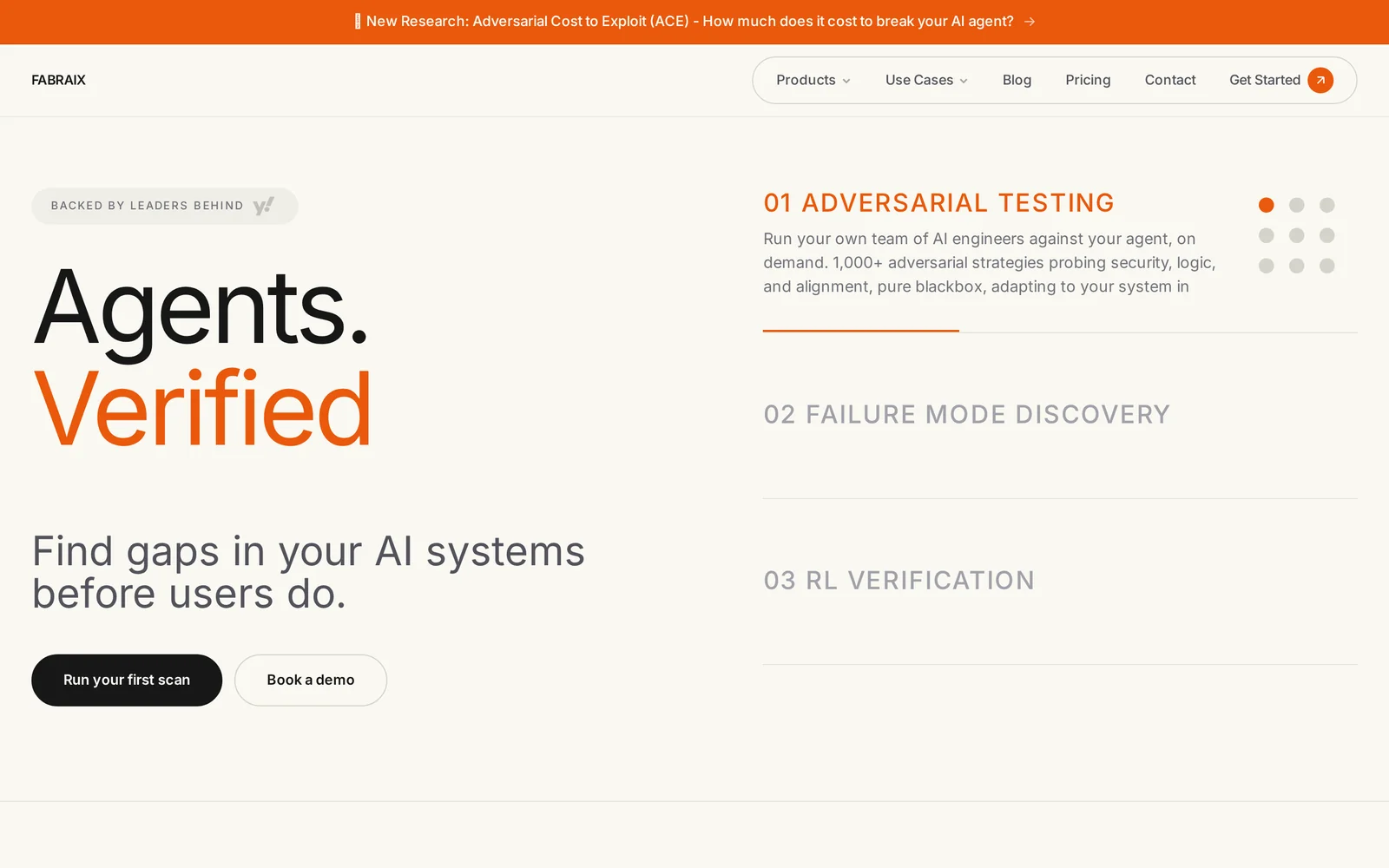
Fabraix provides an adversarial staging environment and public Playground to stress-test AI agents and uncover runtime vulnerabilities before users do. It deploys live agents (not mocked scenarios), publishes system prompts and versioned challenge configurations, and documents successful attack techniques so developers can learn and harden defenses. The project combines open-source repositories, autonomous red‑teaming agents, and community-driven challenges to accelerate understanding of agent failure modes and improve runtime security for deployed AI systems.
Screenshots
Key Features
Use Cases



Frequently asked questions about Fabraix
What is Fabraix?
Fabraix is an advanced adversarial staging environment designed to identify vulnerabilities in AI agents. It serves as an open playground for live red-teaming and verification, enabling developers and security experts to test and improve AI models by simulating real-world attacks and assessing their resilience.
Key Points
- Adversarial Testing: Fabraix allows for the testing of AI systems against simulated adversarial attacks.
- Open Playground: It provides a collaborative space for researchers and developers to explore and validate AI capabilities.
- Live Red-Teaming: Users can engage in real-time testing to identify weaknesses in AI agents.
Detailed Explanation
Fabraix functions as a critical tool in the landscape of AI development and security. By simulating adversarial conditions, it helps identify gaps that might not be visible during standard testing procedures. Here are some essential aspects of Fabraix:
-
Adversarial Testing: This involves creating conditions under which AI models might fail. For instance, if an AI is trained to recognize images of cats, adversarial testing can include slight alterations in the images to confuse the model, revealing its weaknesses.
-
Open Playground: Fabraix fosters collaboration among AI researchers and developers. They can share strategies, tools, and findings, leading to more robust AI systems. This collective effort is vital for advancing AI safety and efficacy.
-
Live Red-Teaming: The platform allows for real-time engagement where teams can challenge AI systems with various attack vectors. This immediate feedback loop is essential for refining AI behaviors and improving overall performance against potential threats.
For example, a security team could use Fabraix to test an AI-driven chatbot by simulating malicious user interactions, identifying how the AI reacts to deceptive queries, and strengthening its defenses.
Best Practices / Tips
- Regular Testing: Consistently utilize Fabraix to conduct adversarial tests on your AI models to stay ahead of vulnerabilities.
- Collaborate Effectively: Engage with the community to share insights and strategies that can help enhance the overall understanding of AI security.
- Document Findings: Keep detailed records of tests and outcomes to track improvements and measure the effectiveness of your countermeasures.
Additional Resources
How does Fabraix work?
Fabraix operates by integrating advanced AI technologies to streamline everyday workflows for users. Its capabilities include data analysis, automation of repetitive tasks, and intelligent insights, making it an essential tool for enhancing productivity and efficiency in various applications.
Key Points
- AI Integration: Fabraix combines multiple AI technologies seamlessly.
- Workflow Automation: It automates repetitive tasks, saving time and effort.
- Data Insights: Provides intelligent insights to facilitate informed decision-making.
Detailed Explanation
Fabraix works by leveraging a variety of AI capabilities, including machine learning, natural language processing, and automation tools. These features allow users to enhance their workflows significantly.
-
AI Integration:
- Fabraix utilizes machine learning algorithms to analyze data and predict outcomes, making it ideal for businesses that rely on data-driven decision-making.
- For example, marketers can use Fabraix to analyze customer behavior and tailor campaigns accordingly.
-
Workflow Automation:
- By automating mundane tasks such as scheduling, data entry, and reporting, Fabraix increases productivity.
- Users can set up automation triggers, allowing the software to execute predefined tasks without manual intervention. This is particularly beneficial in industries like finance and logistics.
-
Data Insights:
- Fabraix transforms raw data into actionable insights through powerful analytics tools.
- Businesses can generate reports quickly, visualize trends, and make strategic decisions based on real-time data analysis.
Best Practices / Tips
- Experiment with Features: Take advantage of Fabraix’s diverse features to find the best combination for your specific needs.
- Regular Updates: Keep the software updated to benefit from the latest AI advancements and features.
- User Training: Invest time in training users on how to utilize Fabraix effectively for maximum productivity.
- Monitor Performance: Regularly assess the performance improvements due to automation to ensure that the tool meets your business objectives.
Additional Resources
What are the main features of Fabraix?
Fabraix offers a suite of advanced features that leverage core AI capabilities. Key functionalities include natural language processing (NLP), machine learning model integration, real-time data analysis, and user-friendly interfaces. These features empower businesses to enhance productivity, automate tasks, and make data-driven decisions efficiently.
Key Points
- Natural Language Processing (NLP): Enables understanding and generation of human language.
- Machine Learning Model Integration: Supports various machine learning frameworks for customization.
- Real-Time Data Analysis: Provides instant insights for informed decision-making.
Detailed Explanation
Fabraix is designed to streamline operations through its robust AI features.
-
Natural Language Processing (NLP): This feature allows users to interact with the system in everyday language. Businesses can utilize NLP for chatbots, sentiment analysis, and automated customer support. For example, a retail company can implement NLP to analyze customer feedback and improve their products.
-
Machine Learning Model Integration: Fabraix supports popular machine learning frameworks like TensorFlow and PyTorch. This flexibility allows businesses to train custom models tailored to their specific needs. For instance, a finance firm can integrate predictive analytics to forecast market trends.
-
Real-Time Data Analysis: With this feature, users can access and analyze data on-the-fly. This capability is crucial for sectors like e-commerce or marketing, where timely insights can significantly impact strategies. For example, a marketing team can track campaign performance in real-time and make adjustments accordingly.
Best Practices / Tips
- Leverage NLP for Customer Interaction: Implement chatbots that use NLP to enhance customer service and reduce response times.
- Integrate Machine Learning Models Wisely: Choose models that align closely with your business objectives to maximize ROI.
- Utilize Real-Time Data for Agile Decision-Making: Regularly monitor analytics to adapt strategies swiftly and stay competitive.
Additional Resources
Who is Fabraix for?
Fabraix is designed for individuals and businesses looking to enhance their daily workflows using AI technology. It caters to professionals in various fields, including marketing, content creation, and data analysis, helping them streamline processes and improve efficiency through intelligent automation.
Key Points
- Target Audience: Professionals, small businesses, and freelancers.
- Versatile Applications: Useful in diverse industries like marketing, finance, and education.
- AI-Driven Efficiency: Enhances productivity by automating routine tasks.
Detailed Explanation
Fabraix is an AI tool that appeals to a wide range of users, primarily targeting professionals who want to integrate artificial intelligence into their daily operations. For instance, marketers can leverage Fabraix to automate social media posts and analyze customer engagement metrics, saving time and effort. Freelancers may find Fabraix beneficial for generating content ideas or optimizing their writing processes, allowing them to focus on creativity rather than repetitive tasks.
Use Cases:
- Marketing Professionals: Automating email campaigns, personalizing customer interaction, and analyzing marketing data.
- Content Creators: Generating topic ideas, enhancing SEO through keyword analysis, and streamlining editing processes.
- Data Analysts: Automating data collection and visualization, making complex analytics accessible to non-technical users.
Fabraix empowers users to tap into the potential of AI, thus improving overall workflow efficiency and effectiveness.
Best Practices / Tips
- Identify Repetitive Tasks: Start by listing out daily tasks that consume time and could be automated.
- Explore Features: Familiarize yourself with Fabraix’s tools, such as scheduling, data analysis, and content generation features.
- Set Clear Goals: Determine what you want to achieve with Fabraix, whether it’s saving time or improving accuracy.
Common Pitfalls to Avoid:
- Over-reliance on automation without human oversight can lead to errors.
- Not fully utilizing the customizable features available in Fabraix.
Additional Resources
How much does Fabraix cost?
Fabraix offers a free tier for basic features, while its paid plans start at $15 per month for advanced functionalities. Users can choose from various pricing options depending on their needs, making it accessible for both individuals and businesses looking for AI-driven solutions.
Key Points
- Fabraix provides a free tier with limited features.
- Paid plans begin at $15 per month for more advanced functionalities.
- Flexible pricing caters to both individual users and businesses.
Detailed Explanation
Fabraix is designed to meet the needs of a diverse user base. The free tier allows users to explore basic features without any financial commitment, making it an ideal starting point for those new to the platform. This tier typically includes access to fundamental tools for AI-driven tasks, suitable for casual users or small projects.
For users seeking more robust capabilities, Fabraix offers paid plans that unlock advanced features. The starting price is $15 per month, which provides access to a wider range of tools, enhanced support, and increased usage limits. As users' needs grow, Fabraix also offers tiered pricing plans that scale up, making it easier for teams and organizations to adopt the platform without hassle.
For example, a small business may initially use the free tier to manage its basic tasks, but as it expands, it can seamlessly transition to a paid plan that includes collaborative tools and analytics. This flexibility in pricing ensures that Fabraix remains a competitive choice in the market.
Best Practices / Tips
- Start with the Free Tier: If you’re new to Fabraix, begin with the free version to familiarize yourself with its features before committing to a paid plan.
- Evaluate Your Needs: Determine which features are essential for your projects to choose the most cost-effective plan.
- Monitor Usage: Keep track of your usage, especially if you opt for a paid plan, to avoid unexpected charges.
Additional Resources
How do I get started with Fabraix?
To get started with Fabraix, visit https://fabraix.com/ to sign up for an account. Once registered, you can explore the platform's features, tools, and resources designed to enhance your experience and productivity in digital project management.
Key Points
- Sign up for an account on the official Fabraix website.
- Familiarize yourself with the platform's features.
- Access resources and tutorials for effective usage.
Detailed Explanation
Fabraix is an innovative platform that streamlines project management through AI-driven tools. To begin, follow these steps:
-
Visit the Website: Go to Fabraix.com and click on the “Sign Up” button located prominently on the homepage.
-
Create an Account: Fill in the required fields, including your email address and password. You may also have options for social media logins for quicker access.
-
Explore Features: Once registered, take advantage of the interactive dashboard. Key features include task management, collaboration tools, and analytics dashboards that help you track project progress.
-
Utilize Tutorials and Resources: Fabraix offers a variety of tutorials, webinars, and documentation. These resources are vital for mastering the platform’s capabilities, such as setting up workflows and integrating with other tools you may already use.
-
Start Your Project: Begin creating your first project by defining goals, timelines, and assigning tasks. Utilize Fabraix's AI tools to automate repetitive tasks, ensuring efficiency.
Best Practices / Tips
- Use Templates: Take advantage of project templates available on Fabraix to save time during setup.
- Engage with Community: Join the Fabraix user community for tips, support, and sharing best practices.
- Regular Check-ins: Set reminders for regular check-ins to assess project progress and adjust timelines as needed.
- Explore Integrations: Look into integrating Fabraix with other tools like Slack, Google Drive, or Trello for a seamless workflow.
Additional Resources
By following these steps and utilizing the available resources, you'll be well-equipped to maximize your experience with Fabraix, enhancing your project management skills and productivity.
Explore more AI Ai Agents tools
Browse all Ai Agents tools →Compare Fabraix: vs Playad · vs Concierge by Juniors AI · vs Scout by Fini · vs Ruflo