

Dimension
AIAn AI coworker that understands your team and tools to automate engineering workflows and get work done.
Dimension
An AI coworker that understands your team and tools to automate engineering workflows and get work done.
About Dimension
Dimension is a context-aware AI coworker and unified collaboration platform for modern engineering teams. It connects to a team's tools and integrations, consolidates context across the software development lifecycle, and automates routine engineering and collaboration tasks to accelerate building and deploying products. By understanding team context, repositories, and integrations, Dimension reduces busywork, speeds decision-making, and helps teams deliver software more efficiently.
Screenshots
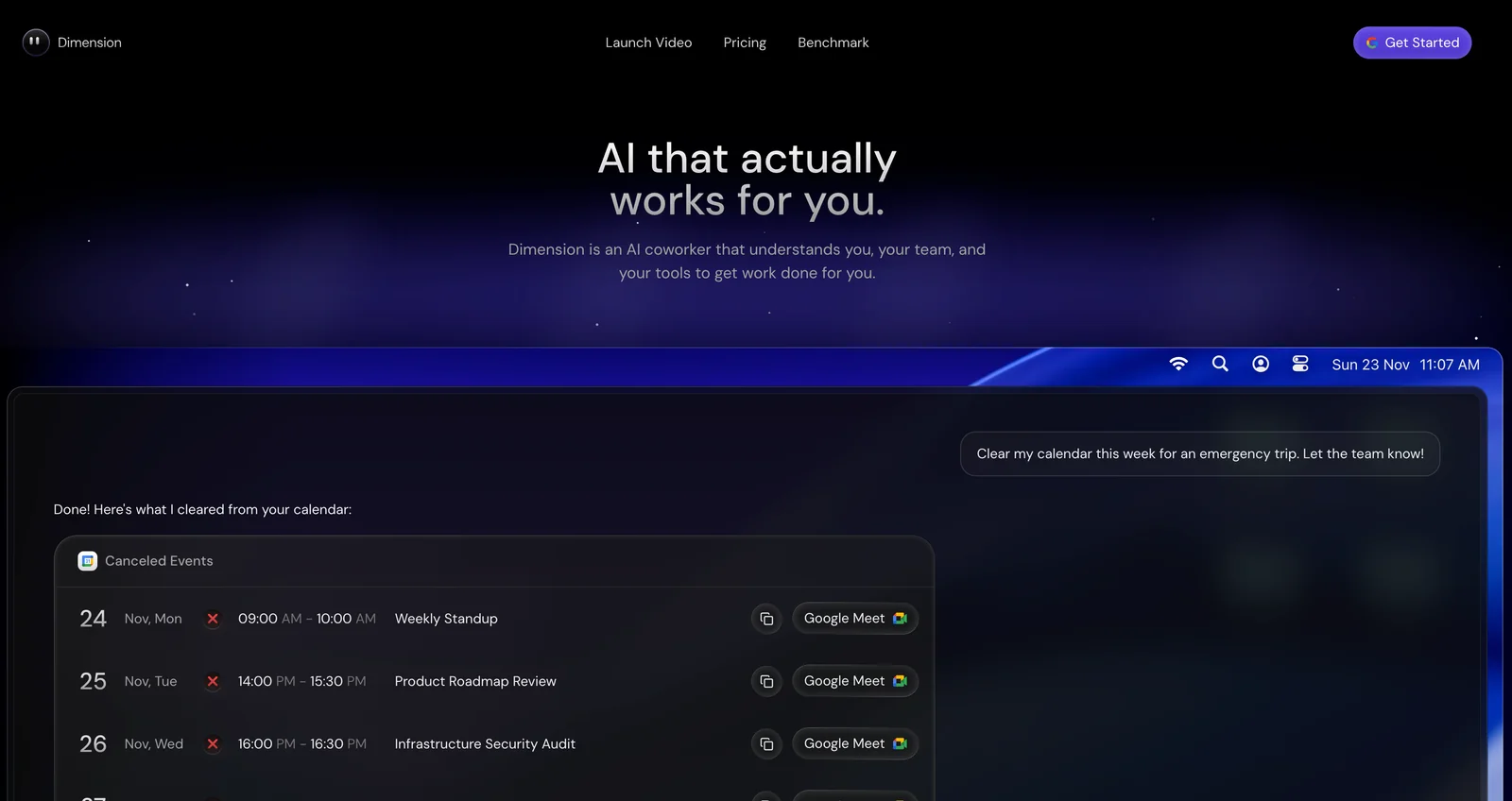
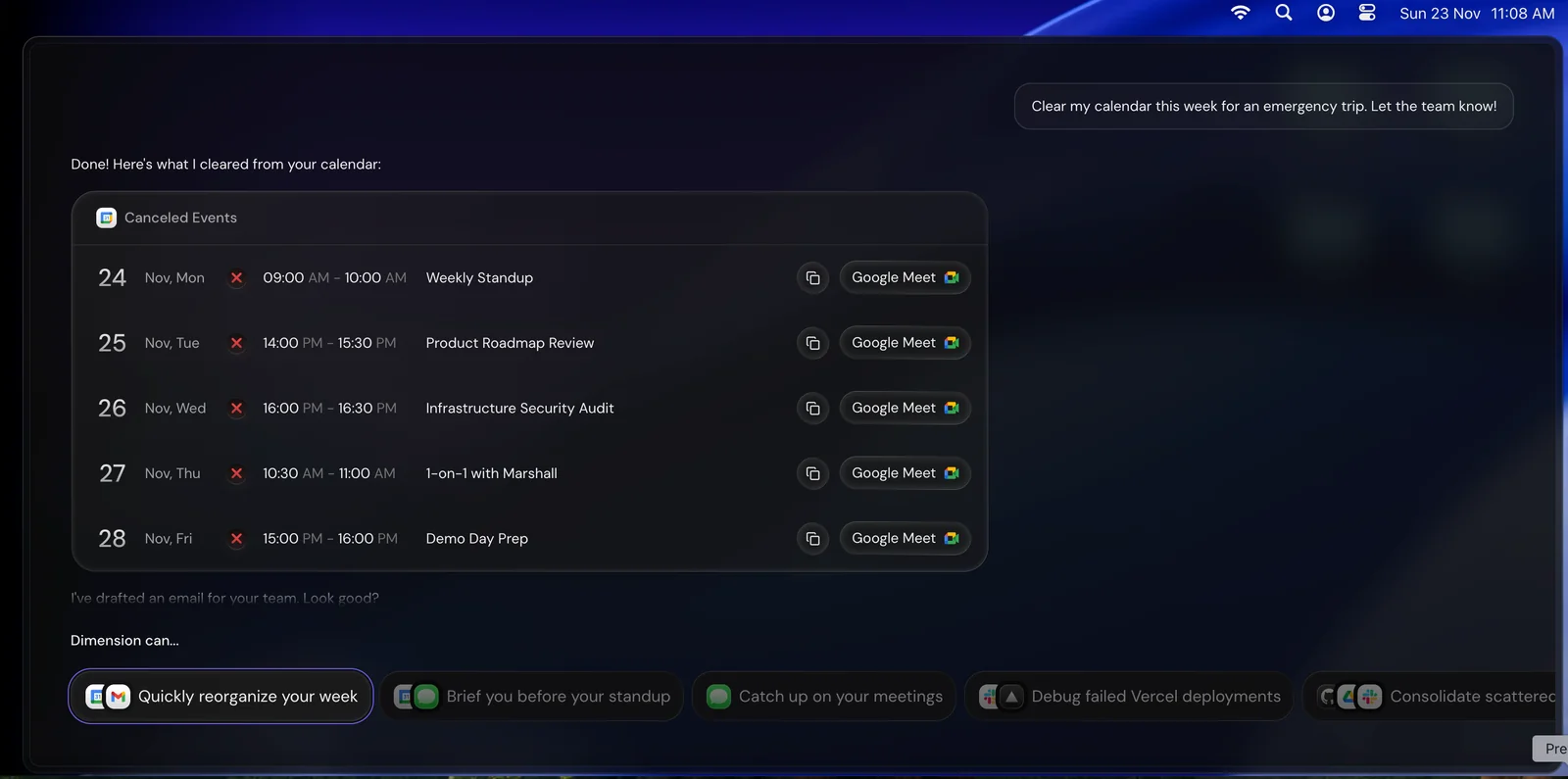
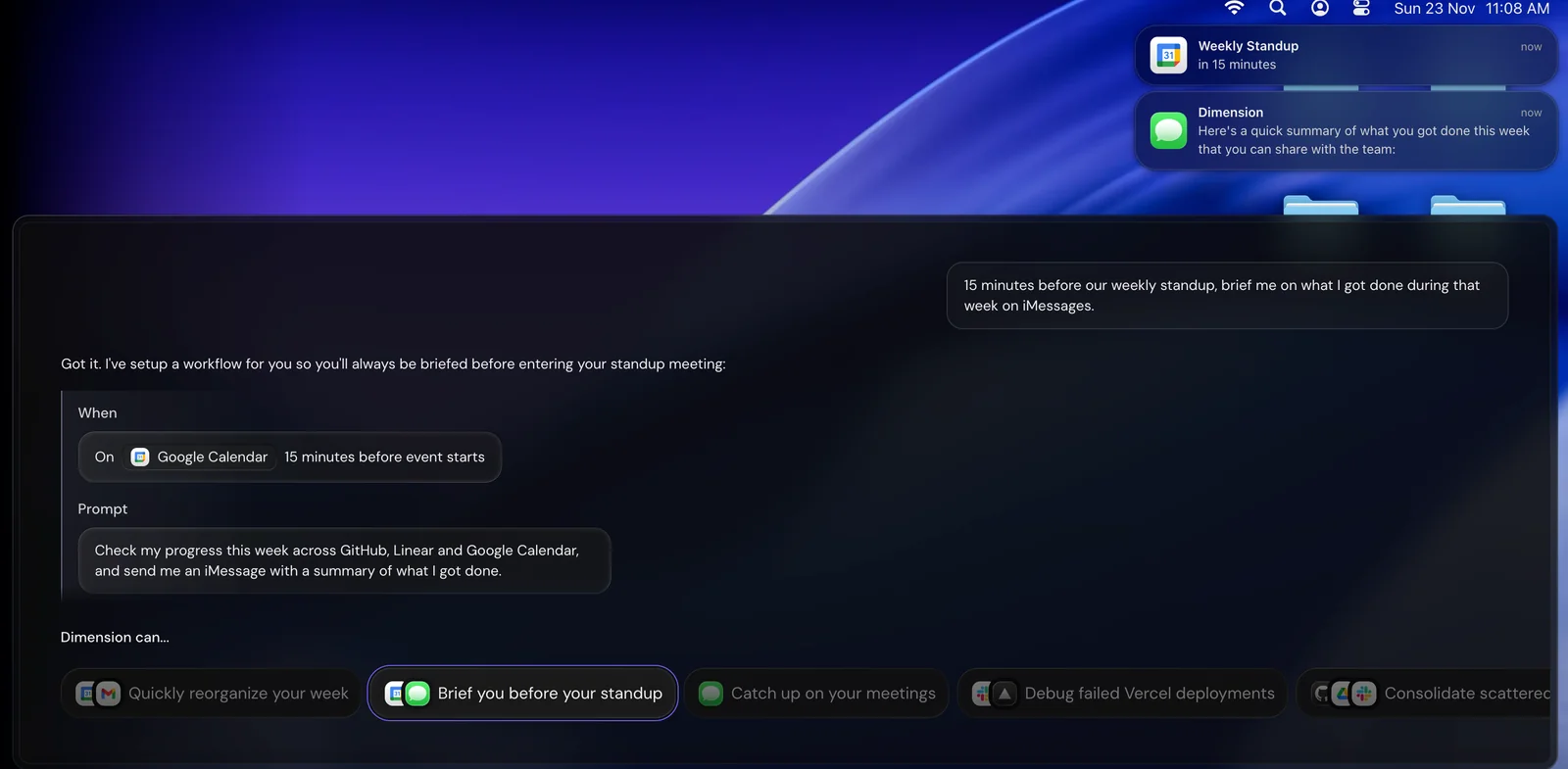
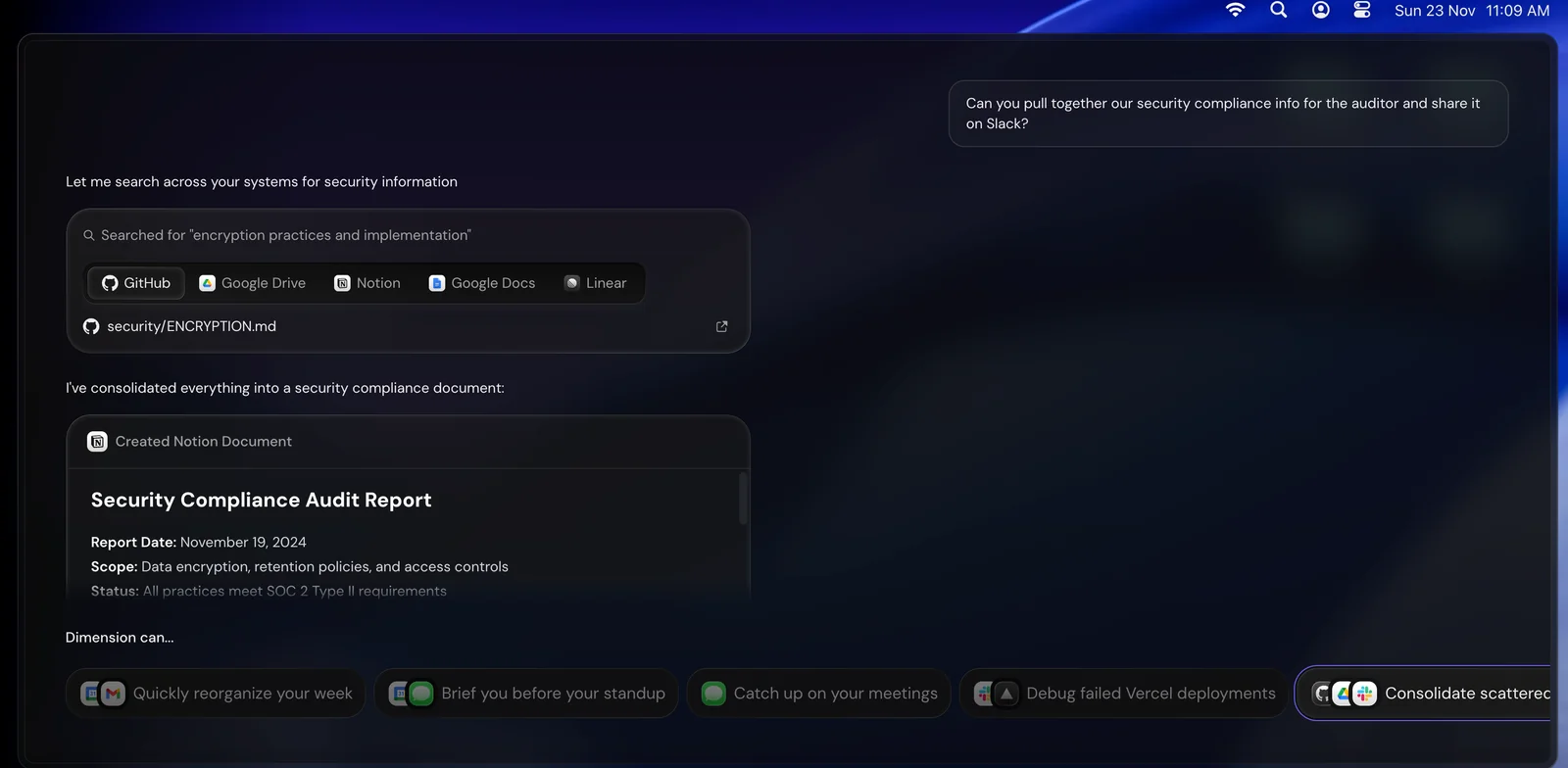
Key Features
Use Cases



Frequently asked questions about Dimension
What is the pricing structure for Dimension and its plans?
Dimension offers a freemium pricing structure with four tiers: Free ($0) for basic features, Plus ($20/month) for enhanced access, Pro ($80/month) for professional users, and Max ($200/month) for advanced needs with maximum usage. Each tier is designed to cater to different user requirements and budgets.
Key Points
- Free Tier: Basic features for individual users.
- Plus Tier: Enhanced capabilities for casual users.
- Pro Tier: Advanced tools for professionals.
- Max Tier: Comprehensive features for enterprise-level needs.
Detailed Explanation
Dimension’s pricing model is structured to accommodate various user needs, from individuals to large enterprises.
-
Free Tier ($0/month):
- Ideal for individuals or small teams looking to explore Dimension’s capabilities.
- Basic features include limited access to essential tools, enabling users to create and manage projects with basic integrations.
-
Plus Tier ($20/month):
- Offers enhanced features suitable for users who need more flexibility.
- Includes additional integrations, priority support, and increased usage limits compared to the Free tier.
- Perfect for freelancers or small businesses seeking to optimize their workflow.
-
Pro Tier ($80/month):
- Designed for professional users requiring advanced functionality.
- Includes features such as analytics, team collaboration tools, and custom reporting.
- This tier caters to professionals who need robust project management solutions.
-
Max Tier ($200/month):
- Tailored for large organizations with extensive project requirements.
- Provides maximum usage options, unlimited integrations, and dedicated account management.
- Ideal for teams that need comprehensive tools for large-scale projects and extensive collaboration.
Best Practices / Tips
- Evaluate Your Needs: Before choosing a plan, assess your specific requirements. If you are just starting out, the Free tier may be sufficient.
- Consider Scalability: If you anticipate growth, consider starting with the Plus or Pro tier to avoid frequent upgrades.
- Utilize Trials: Take advantage of any free trial periods offered to test features before committing to a paid plan.
- Monitor Usage: Regularly review your usage statistics to determine if you need to upgrade or downgrade your plan.
Additional Resources
How does Dimension automate engineering workflows?
Dimension automates engineering workflows by utilizing context-aware assistance to streamline repetitive tasks like status updates and triage. This automation allows engineering teams to focus on higher-value activities, enhancing productivity and collaboration within the organization.
Key Points
- Context-Aware Assistance: Dimension understands existing tools and workflows.
- Task Automation: Automates routine tasks, such as status updates and triage.
- Increased Productivity: Frees engineers to focus on strategic work.
Detailed Explanation
Dimension's intelligent automation integrates seamlessly with your engineering team's existing tools, such as project management software, version control systems, and communication platforms. By recognizing the context of ongoing projects, Dimension can automate various tasks that typically consume valuable time.
Examples of Automation
- Status Updates: Automatically pulls data from project management tools to generate real-time updates, reducing the need for manual input.
- Triage: Analyzes issues and prioritizes them based on predefined criteria, ensuring that engineers address the most critical problems first.
- Reporting: Generates reports that summarize project progress and team performance, saving hours of manual data compilation.
This automation leads to enhanced collaboration, as team members can focus more on innovation and problem-solving rather than administrative tasks.
Best Practices / Tips
- Integrate Fully: Ensure Dimension is fully integrated with all your engineering tools for maximum efficiency.
- Customize Workflows: Tailor automation settings to fit your team's specific workflows and preferences.
- Regular Updates: Keep your tools and Dimension updated to leverage the latest features and improvements.
Additional Resources
How can I get started with Dimension and use its features?
To get started with Dimension, visit the official website to sign up for a free account. This allows you to explore its core features, assess its functionalities, and determine how it can benefit your engineering team effectively.
Key Points
- Sign up for a free account on the official website.
- Explore Dimension's core features such as collaboration tools and analytics.
- Evaluate its capabilities through tutorials and documentation.
Detailed Explanation
To start using Dimension, navigate to Dimension's official website and click on the "Sign Up" button. You'll need to provide some basic information like your name, email address, and create a password. Once registered, you’ll receive a confirmation email to activate your account.
After logging in, familiarize yourself with the user interface. Dimension offers a range of features designed for engineering teams, including:
- Collaboration Tools: These allow team members to work together in real-time, sharing ideas and resources.
- Data Analysis: Utilize built-in analytics to track project progress and performance metrics.
- Integrations: Dimension integrates seamlessly with popular project management and engineering software, enhancing workflow efficiency.
To make the most of these features, check out the tutorials available in the "Help" section. These are designed to guide you through each functionality, ensuring you understand how to leverage Dimension effectively for your projects.
Best Practices / Tips
- Start with the Free Trial: Take advantage of the free account to explore all features without any commitment.
- Utilize Tutorials: Invest time in watching the tutorial videos to understand advanced functionalities.
- Engage with the Community: Join forums or user groups related to Dimension. Community insights can provide valuable tips and troubleshooting advice.
- Regularly Update Your Profile: Keep your account information current to receive updates about new features and enhancements.
Additional Resources
By following these steps and utilizing the resources available, you can effectively integrate Dimension into your engineering processes and maximize its potential for your team.
Can Dimension integrate with my existing engineering tools?
Yes, Dimension can seamlessly integrate with your existing engineering tools, including popular code repositories and CI/CD services, through its Integrations Hub. This feature enables the creation of automated workflows, improving team collaboration and enhancing project efficiency.
Key Points
- Wide Compatibility: Dimension supports various engineering tools.
- Automated Workflows: Streamline processes through automation.
- Enhanced Collaboration: Boost teamwork and communication.
Detailed Explanation
Dimension's Integrations Hub allows users to connect with a variety of engineering tools effortlessly. This includes popular platforms like GitHub, GitLab, Jenkins, and CircleCI. By integrating these tools, teams can automate mundane tasks, such as code deployments and testing, which significantly reduces human error and saves time.
For example, if your team uses GitHub for version control, you can set up Dimension to automatically trigger builds and tests every time a new code commit is made. This integration not only speeds up your development cycle but also ensures that issues are caught early in the process.
Use Cases:
- Continuous Integration/Continuous Deployment (CI/CD): Automate your deployment pipeline by connecting Dimension with CI/CD tools like Jenkins. This allows for immediate testing and deployment of code changes.
- Real-time Collaboration: By integrating with tools like Slack or Microsoft Teams, Dimension can send notifications about project updates or issues, keeping your team informed and engaged.
- Monitoring and Analytics: Connect Dimension to analytics platforms to gain insights into workflow efficiencies and identify bottlenecks in your processes.
Best Practices / Tips
- Prioritize Compatibility: Before integrating, ensure that the tools your team uses are supported by Dimension’s Integrations Hub.
- Test Integrations: Always run tests after setting up integrations to confirm that all automated workflows function as expected.
- Regularly Update: Keep all tools and integrations updated to leverage new features and maintain security.
Additional Resources
What makes Dimension different from other AI coworking tools?
Dimension differentiates itself by offering a comprehensive platform that integrates all phases of the software development lifecycle. Unlike many other AI coworking tools that primarily focus on generic collaboration, Dimension delivers specialized features designed specifically for engineering teams, enhancing productivity and project management.
Key Points
- Unified Platform: Covers all software development lifecycle phases.
- Tailored Features: Designed specifically for engineering teams.
- Enhanced Collaboration: Facilitates improved communication and project tracking.
Detailed Explanation
Dimension combines various tools and functionalities into a single interface, allowing engineering teams to manage tasks from initial planning to deployment seamlessly. This integration means that developers can collaborate in real-time, track changes, and maintain version control without switching between multiple applications.
For instance, Dimension includes features like automated testing, which ensures that code changes are validated promptly. This is particularly beneficial for agile teams, as it reduces the feedback loop and accelerates the development process. Additionally, its project management tools allow teams to assign tasks, set deadlines, and monitor progress visually through Kanban boards or Gantt charts.
Moreover, Dimension's focus on engineering-specific needs means it supports various programming languages and integrates with popular development tools like GitHub and JIRA. This compatibility allows for smoother workflows and minimizes disruptions in productivity.
Best Practices / Tips
- Leverage Automation: Utilize Dimension’s automated testing features to reduce manual errors and free up time for developers to focus on more complex tasks.
- Integrate Existing Tools: Connect Dimension with tools your team already uses (e.g., GitHub) for a more streamlined workflow.
- Regularly Update: Keep your workspace organized and up to date to enhance collaboration and minimize confusion among team members.
Additional Resources
Explore more AI Ai Agents tools
Browse all Ai Agents tools →Browse by use case: Automation & Productivity
Compare Dimension: vs Mycel · vs Proto-Mind · vs Ami · vs Duvi