
Dex by Thirdlayer
AIA Chrome workspace extension that acts as a second brain, remembering context, tasks, and helping you move work forward.
Dex by Thirdlayer
A Chrome workspace extension that acts as a second brain, remembering context, tasks, and helping you move work forward.
About Dex by Thirdlayer
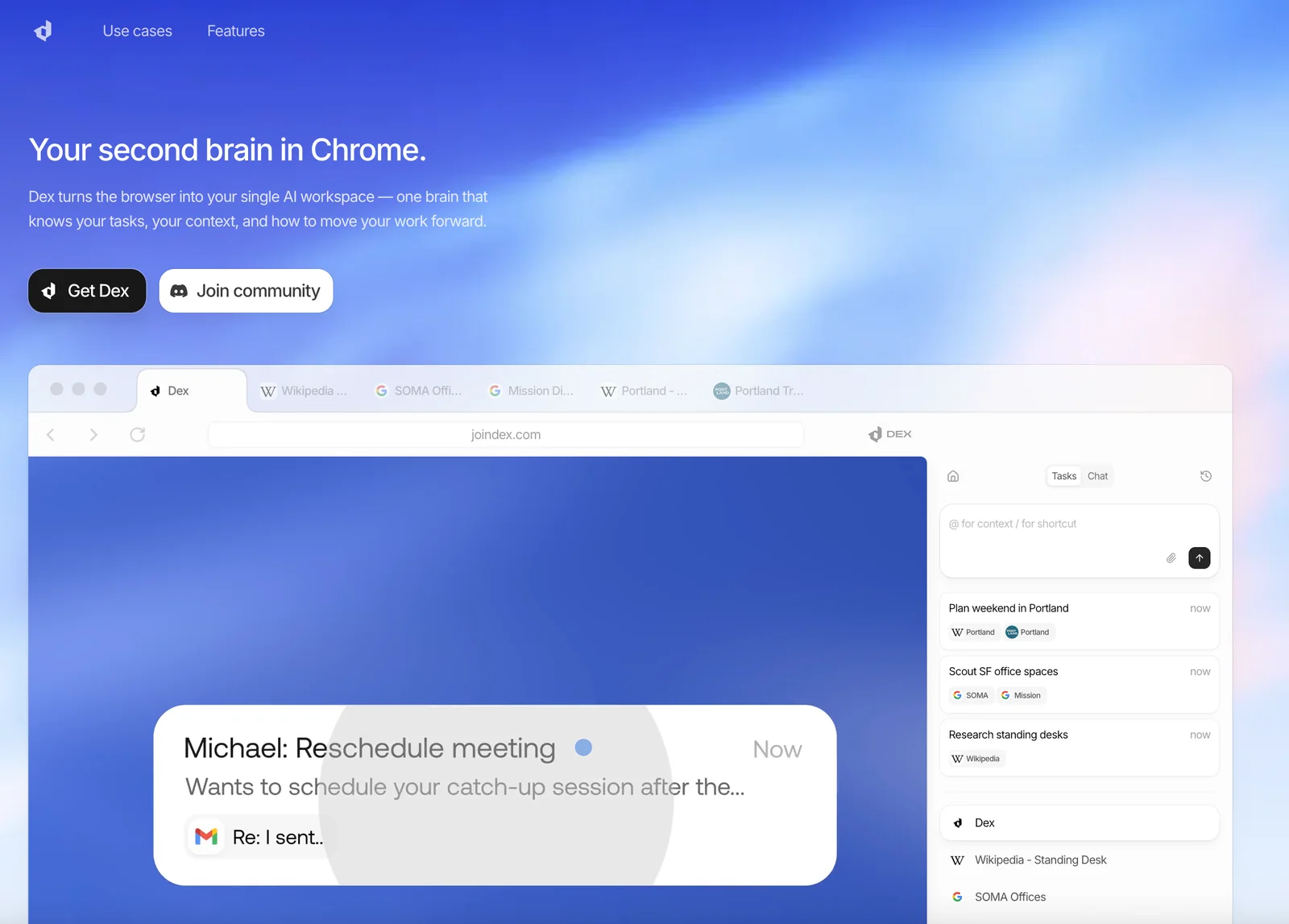
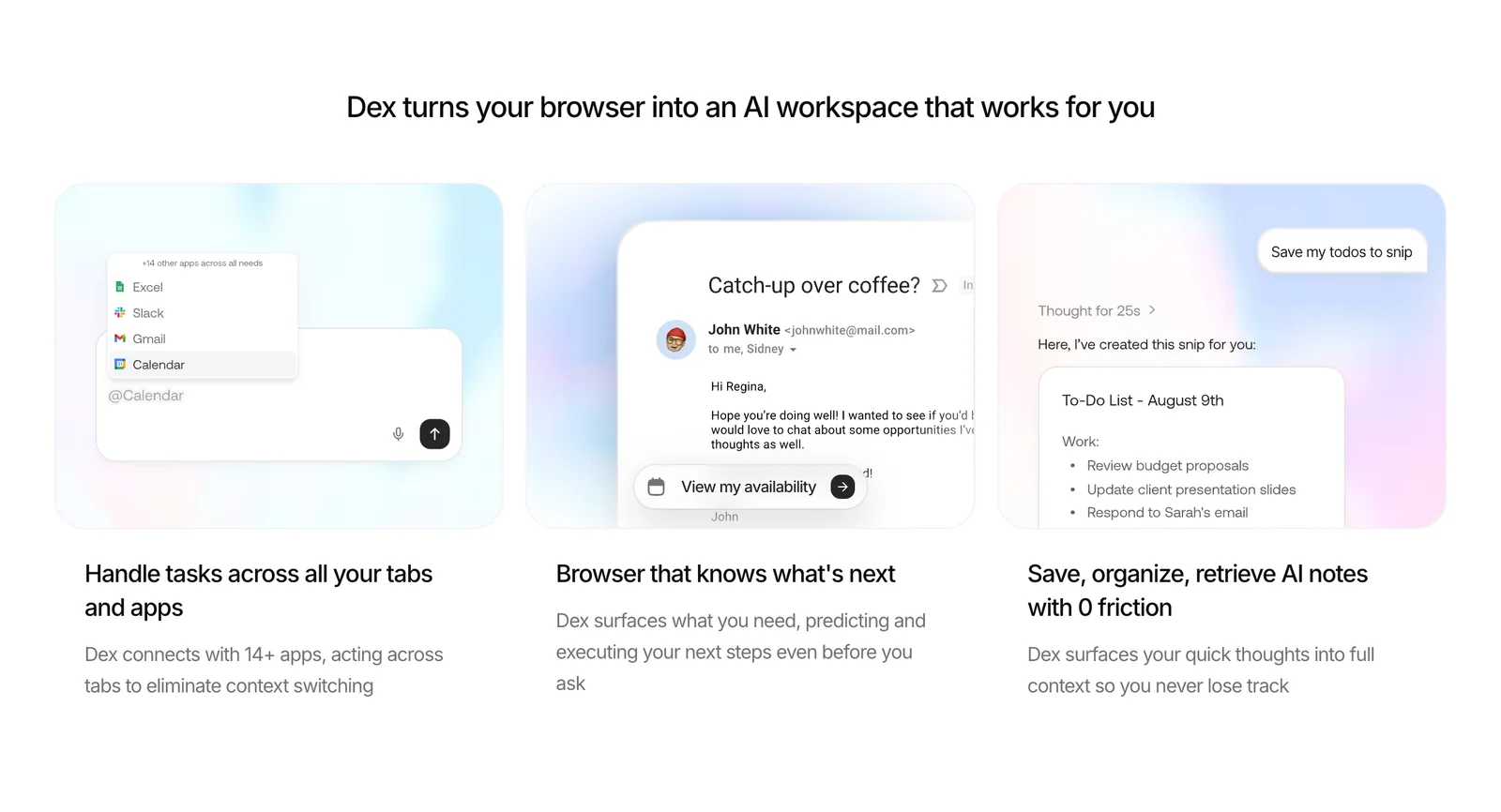
Dex (branded as a "second brain" for Chrome) turns the browser into a unified AI workspace that captures context across tabs, surfaces relevant information, and helps users organize and act on tasks. It maintains memory of your tasks and context so the assistant can provide targeted suggestions, quick summaries, and workflow shortcuts directly in the browser. Dex aims to reduce context switching by linking notes, bookmarks, and active tasks to page context and by offering search and retrieval of past interactions to accelerate decision-making and execution.
Screenshots
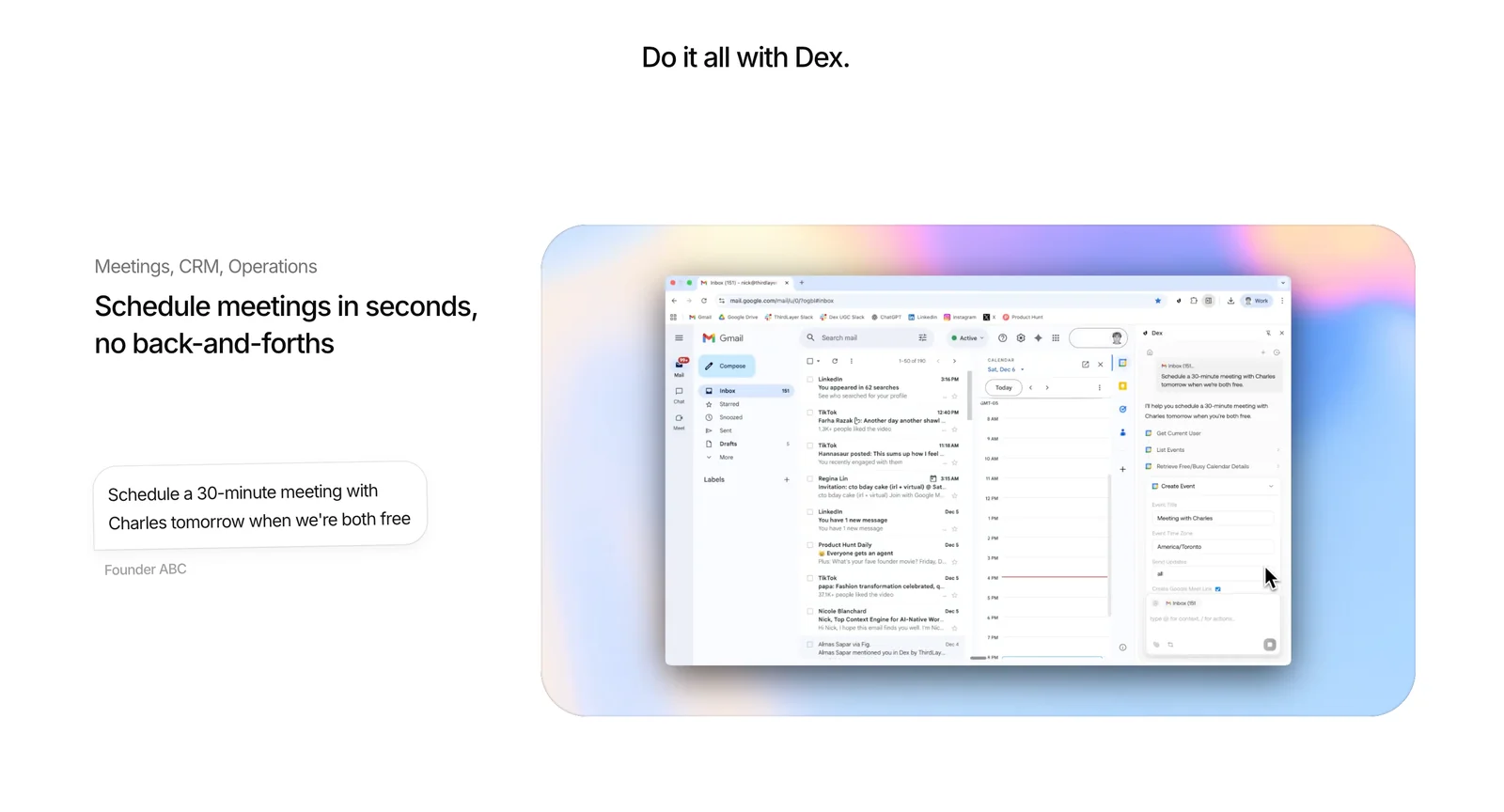
Key Features
Use Cases



Frequently asked questions about Dex by Thirdlayer
What are the pricing options for Dex by Thirdlayer?
Dex by Thirdlayer offers a freemium pricing model that includes a Free plan at no cost, a Pro plan at $12 per month, and customizable pricing for Business and Enterprise plans. The Pro plan features advanced functionalities and increased usage limits to cater to diverse user needs.
Key Points
- Free Plan: No cost with basic features.
- Pro Plan: $12/month with advanced features and higher limits.
- Business and Enterprise Plans: Custom pricing for organizations needing tailored solutions.
Detailed Explanation
Dex by Thirdlayer provides flexible pricing options designed to meet various user requirements.
-
Free Plan: This plan is ideal for individual users or small teams who want to explore Dex's functionalities without any financial commitment. It includes essential features that allow users to get familiar with the platform.
-
Pro Plan: At $12 per month, the Pro plan unlocks advanced features such as higher usage limits, priority support, and enhanced collaboration tools. This plan is perfect for professionals and small businesses that require additional capabilities to manage their projects effectively.
-
Business and Enterprise Plans: These custom plans are tailored for larger organizations with specific needs. Pricing is determined based on the number of users, required features, and support levels. Businesses can benefit from personalized onboarding, dedicated account management, and advanced security options.
Best Practices / Tips
- Evaluate Your Needs: Before choosing a plan, assess your current and future requirements to ensure you select the most suitable option.
- Utilize the Free Plan: Take advantage of the Free plan to understand the platform's capabilities and determine if the Pro plan is worth the investment.
- Inquire About Custom Plans: If you are part of a larger organization, reach out to Thirdlayer’s sales team to discuss the Business or Enterprise plans and negotiate a package that aligns with your business goals.
Additional Resources
How do I get started with Dex by Thirdlayer?
To get started with Dex by Thirdlayer, download the Chrome extension from the official website, create an account, and explore its features like note-taking and contextual memory. With these simple steps, you can enhance your productivity and organization right away.
Key Points
- Easy Installation: Download the Chrome extension effortlessly.
- User Account Creation: Sign up to personalize your experience.
- Feature Overview: Utilize note-taking and contextual memory functionalities.
Detailed Explanation
To begin your journey with Dex by Thirdlayer, follow these steps:
-
Download the Extension: Visit the official Dex website and click on the download link for the Chrome extension. This process is quick and straightforward, ensuring you can start using Dex in no time.
-
Create an Account: Once installed, click on the Dex extension icon in your Chrome toolbar. You'll be prompted to create an account. Input your email and create a password. This account will allow you to save your notes and settings.
-
Explore Features: After logging in, familiarize yourself with the interface. Dex offers various features such as:
- Note-Taking: Capture ideas, tasks, or important information directly from your browser.
- Contextual Memory: Dex remembers the context in which you take notes, making it easier to find relevant information later.
Use Cases
- Students: Take lecture notes directly in your browser while researching.
- Professionals: Jot down key points during virtual meetings or while browsing relevant articles.
- Writers and Creatives: Organize thoughts and snippets for projects or articles seamlessly.
Best Practices / Tips
- Regular Updates: Keep the extension updated to benefit from the latest features and security enhancements.
- Organize Your Notes: Use tags or folders within Dex to categorize your notes, making retrieval easier.
- Backup Regularly: Export your notes periodically to avoid data loss.
Additional Resources
By following these steps and tips, you’ll maximize your productivity using Dex by Thirdlayer.
What are the key features of Dex by Thirdlayer?
Dex by Thirdlayer offers powerful features such as contextual memory, in-browser summaries, task tracking, and seamless integrations with popular tools like Google Workspace and Slack. These capabilities significantly enhance productivity and streamline organization, making it easier for users to manage their workflows effectively.
Key Points
- Contextual Memory: Remembers user interactions and preferences.
- In-Browser Summaries: Provides quick overviews of content.
- Task Tracking: Helps manage and prioritize tasks efficiently.
Detailed Explanation
Dex by Thirdlayer is designed to enhance productivity and organization through its innovative features.
Contextual Memory
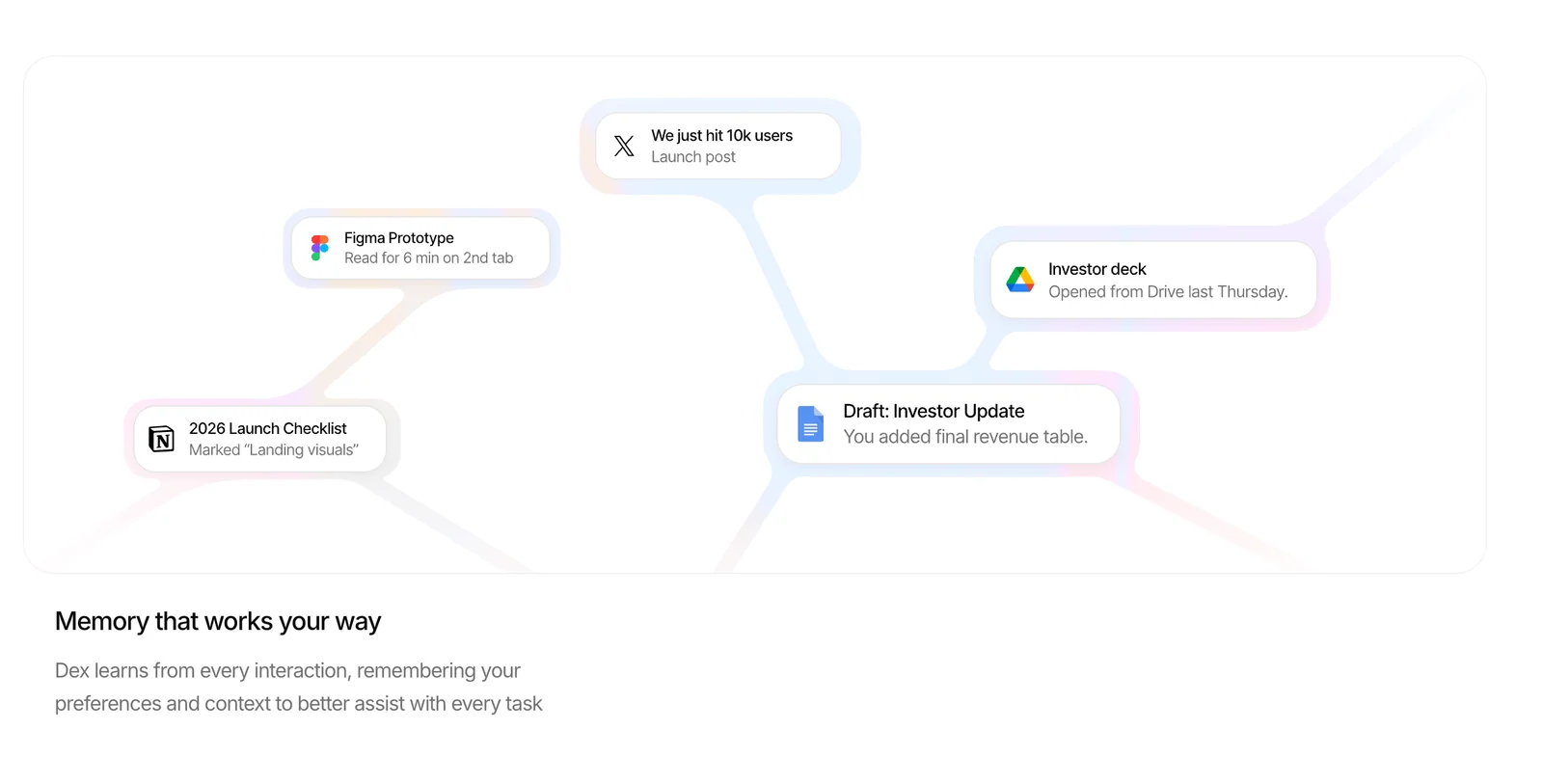
This feature allows Dex to store information about user preferences and previous interactions. For example, if you frequently search for specific topics or use particular tools, Dex can recall this context, providing tailored suggestions and reminders that align with your workflow.
In-Browser Summaries
Dex generates concise summaries of web pages and documents, enabling users to quickly grasp essential information without having to read through entire texts. This is particularly useful for research or when sifting through lengthy articles, allowing for faster decision-making.
Task Tracking
With built-in task tracking, Dex helps users manage their to-do lists effectively. You can create, prioritize, and monitor tasks directly within the platform. This feature integrates with your Google Calendar, ensuring you meet deadlines and stay organized.
Integrations
Dex seamlessly connects with tools like Google Workspace and Slack, allowing you to streamline your workflow. For instance, you can share summaries directly in Slack or schedule tasks in Google Calendar without switching between applications.
Best Practices / Tips
- Utilize Contextual Memory: Regularly update your preferences to improve the relevance of suggestions.
- Leverage In-Browser Summaries: Use this feature to save time during research. Focus on summaries to determine if full readings are necessary.
- Stay Organized with Task Tracking: Regularly review and update your tasks to maintain productivity. Set reminders for critical deadlines to avoid last-minute rushes.
Additional Resources
Is Dex compatible with other tools and platforms?
Yes, Dex is compatible with several popular tools and platforms, including Google, Slack, and Notion. However, it currently lacks a public API or SDK for custom integrations, which may limit advanced users who seek more tailored connections with other software solutions.
Key Points
- Integration with Popular Tools: Dex connects seamlessly with platforms like Google Workspace, Slack, and Notion.
- Lack of Custom Integration Options: Currently, Dex does not provide a public API or SDK for users wanting custom integrations.
- User Experience: The existing integrations enhance productivity by allowing users to streamline workflows across various applications.
Detailed Explanation
Dex is designed to enhance productivity by integrating with widely-used tools. For instance:
- Google Workspace: Users can sync documents, calendar events, and email communications directly within Dex, making it a central hub for managing tasks and information.
- Slack: The integration allows for real-time notifications and updates, helping teams collaborate more efficiently without switching apps.
- Notion: Users can access their Notion databases and notes within Dex, ensuring all essential information is easily accessible in one interface.
However, the absence of a public API or SDK means that businesses looking to create custom integrations or automate workflows between Dex and other software will face challenges. For example, if a company uses a unique project management tool, they cannot seamlessly connect it with Dex to automate task updates.
Best Practices / Tips
- Maximize Existing Integrations: Leverage the current integrations with Google, Slack, and Notion to streamline your workflow and enhance collaboration among team members.
- Feedback to Developers: If custom integration is essential for your use case, provide feedback to Dex’s support team. User demand can often influence future development.
- Explore Alternative Solutions: If custom integrations are a priority, consider other platforms that offer robust API access, allowing for greater flexibility and automation.
Additional Resources
How does Dex compare to other productivity tools?
Dex excels among productivity tools due to its unique contextual memory and seamless in-browser functionality, allowing users to focus without the distraction of switching tabs. This efficiency can significantly enhance productivity compared to traditional note-taking applications that often require constant context switching.
Key Points
- Contextual Memory: Remembers user preferences and notes for better relevance.
- In-Browser Functionality: Operates directly within web browsers, reducing distractions.
- Enhanced Focus: Minimizes the need for toggling between applications, fostering a streamlined workflow.
Detailed Explanation
Dex's contextual memory feature allows it to recall user interactions and preferences, providing tailored suggestions as you work. For instance, if you frequently jot down meeting notes, Dex can automatically suggest relevant templates or previously noted information related to your project.
Its in-browser functionality is another standout feature. Unlike traditional note-taking apps that may require you to open a separate window or tab, Dex operates directly within your browser. This means that whether you're drafting an email, researching online, or participating in a video call, you can instantly access your notes without losing your place or focus.
A perfect use case for Dex is during virtual meetings. Users can take notes in real-time without switching back and forth between applications, ensuring they capture important points efficiently. This capability not only saves time but also enhances the quality of the notes taken, as users can reference information immediately.
Best Practices / Tips
- Utilize Contextual Memory: Regularly update and refine your notes so Dex can provide more accurate suggestions over time.
- Integrate with Other Tools: Leverage Dex’s compatibility with other productivity tools (like Google Workspace) to create a more cohesive workflow.
- Stay Organized: Use tags or categories within Dex to manage different projects or topics, making retrieval easier.
Additional Resources
Explore more AI Ai Agents tools
Browse all Ai Agents tools →Browse by use case: Automation & Productivity
Compare Dex by Thirdlayer: vs Playad · vs Concierge by Juniors AI · vs Scout by Fini · vs Ruflo