

Deploy Hermes
AIManaged hosting and control-plane for deploying Hermes Agents to Telegram, Discord, and Slack with BYOK key support.
Deploy Hermes
Managed hosting and control-plane for deploying Hermes Agents to Telegram, Discord, and Slack with BYOK key support.
About Deploy Hermes
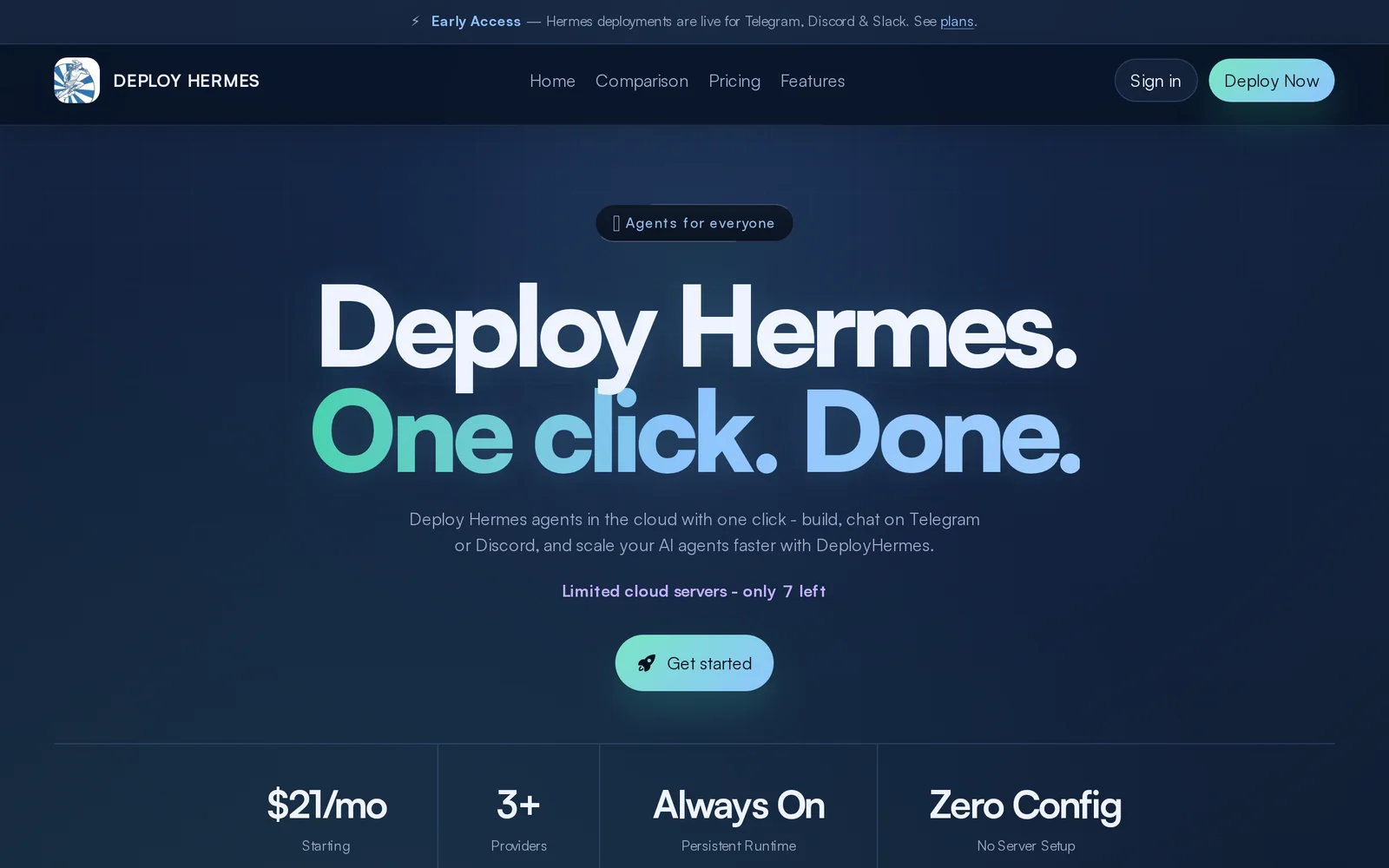
Deploy Hermes provides a managed hosting service and control-plane dashboard to deploy and operate Hermes Agents on messaging platforms (Telegram, Discord, Slack). It centralizes agent configuration, monitoring, and key management, and supports Bring-Your-Own-Key (BYOK) for customers requiring control over encryption keys. The service removes infrastructure burden by handling hosting, updates, and platform connectors while offering a single dashboard to manage agents across multiple chat platforms.
Screenshots
Key Features
Use Cases



Frequently asked questions about Deploy Hermes
What is Deploy Hermes?
Deploy Hermes is a managed hosting solution that provides a control plane for deploying Hermes Agents across popular messaging platforms like Telegram, Discord, and Slack. It supports Bring Your Own Key (BYOK) encryption, ensuring secure communications and customizable integrations.
Key Points
- Managed Hosting: Simplifies the deployment process for users.
- Multi-Platform Support: Compatible with Telegram, Discord, and Slack.
- BYOK Encryption: Enhances security by allowing users to manage their own encryption keys.
Detailed Explanation
Deploy Hermes is designed to facilitate the deployment of Hermes Agents to various messaging platforms, which are commonly used for communication and automation within teams. By offering a managed hosting solution, Deploy Hermes alleviates the complexities associated with server management, allowing users to focus on building and integrating bots or automated agents.
How It Works
- Setup: Users initiate the deployment process through the Deploy Hermes interface, which guides them in configuring their agents.
- Integration: Once set up, Hermes Agents can seamlessly connect to Telegram, Discord, or Slack, enabling automated responses or interactions based on user commands.
- Security: The Bring Your Own Key (BYOK) feature allows users to encrypt their data with their own keys, ensuring that sensitive information remains secure and accessible only to authorized personnel.
Use Cases
- Customer Support: Businesses can deploy agents to provide instant responses to customer inquiries on platforms like Discord.
- Team Collaboration: Teams can automate notifications and reminders in Slack, enhancing productivity.
- Community Engagement: Organizations can engage with their communities on Telegram by deploying bots that manage group interactions.
Best Practices / Tips
- Choose the Right Platform: Consider where your audience is most active when selecting between Telegram, Discord, or Slack for deployment.
- Regular Updates: Keep your Hermes Agents updated with the latest features and security patches to maintain optimal performance.
- Monitor Performance: Utilize analytics tools to track the performance of your agents and adjust configurations as necessary.
Additional Resources
How does Deploy Hermes work?
Deploy Hermes utilizes advanced AI capabilities to streamline everyday workflows by automating tasks, enhancing productivity, and facilitating data analysis. By integrating various AI tools, it empowers users to achieve efficient and effective outcomes in their daily operations.
Key Points
- AI-Driven Automation: Automates repetitive tasks to save time.
- Enhanced Workflow Management: Integrates diverse resources for seamless operations.
- Data Analysis Capabilities: Provides insights and analytics for informed decision-making.
Detailed Explanation
Deploy Hermes is designed to simplify the complexities of daily AI workflows through its multifaceted approach:
-
AI-Driven Automation: By leveraging machine learning algorithms, Deploy Hermes automates routine tasks such as data entry, scheduling, and report generation. For example, users can set up workflows that automatically compile data from various sources into a cohesive report, significantly reducing manual effort and errors.
-
Enhanced Workflow Management: The platform offers tools to manage tasks effectively. Users can create customized workflows that integrate multiple applications, such as project management tools, communication platforms, and databases. This integration allows for a smoother transition of information and tasks between different systems, improving overall efficiency.
-
Data Analysis Capabilities: Deploy Hermes excels in providing actionable insights through advanced data analysis. It can analyze trends in user data, customer feedback, or operational metrics, helping businesses make informed decisions. For instance, a marketing team might use the insights generated to optimize campaigns based on customer behavior analytics.
Best Practices / Tips
- Leverage Automation Wisely: Identify repetitive tasks that consume significant time and consider automating them first.
- Integrate Existing Tools: Use Deploy Hermes to connect with your current tools for a more cohesive workflow. Compatibility with popular software like Slack, Trello, and Google Workspace can enhance productivity.
- Monitor Performance: Regularly evaluate the outcomes of automated workflows. Adjust parameters to improve efficiency based on performance metrics.
Additional Resources
What are the main features of Deploy Hermes?
Deploy Hermes offers a range of key features, including advanced natural language processing (NLP), seamless integration with existing systems, customizable AI models, and real-time data analytics. These capabilities empower businesses to enhance customer interactions, automate processes, and derive actionable insights from their data.
Key Points
- Advanced Natural Language Processing (NLP): Understands and generates human-like text.
- Seamless Integration: Works with existing software platforms effortlessly.
- Customizable AI Models: Tailored solutions to meet specific business needs.
Detailed Explanation
Deploy Hermes stands out due to its robust Natural Language Processing (NLP) capabilities, enabling it to understand context, sentiment, and intent in conversations. For example, businesses can utilize this feature in customer service chatbots, allowing them to provide accurate responses and improve user satisfaction.
The platform’s seamless integration feature ensures that Deploy Hermes can easily connect with other existing software solutions, such as CRM systems, databases, and third-party APIs. This interoperability allows organizations to enhance their workflows without overhauling their current technology stack.
One of the most valuable aspects of Deploy Hermes is its customizable AI models. Businesses can train the AI to align with their specific industry requirements, whether in finance, healthcare, or retail. This customization leads to more relevant interactions and better overall performance.
Additionally, Deploy Hermes supports real-time data analytics, helping organizations track engagement metrics, user behavior, and operational efficiency. This feature enables companies to make data-driven decisions, optimizing their strategies for better results.
Best Practices / Tips
- Leverage Customization: Take advantage of the customizable models to tailor Deploy Hermes to your industry needs.
- Integrate Seamlessly: Ensure that Deploy Hermes is integrated with all necessary systems to maximize efficiency.
- Monitor Analytics: Regularly analyze the data provided by Deploy Hermes to identify trends and adjust strategies accordingly.
- Test and Iterate: Continuously test different configurations and features to find the optimal setup for your business.
Additional Resources
Who is Deploy Hermes for?
Deploy Hermes is designed for businesses and individuals seeking to streamline their AI workflows. It is particularly beneficial for data analysts, marketing teams, and software developers who want to enhance productivity and automate everyday tasks using artificial intelligence.
Key Points
- Target Audience: Businesses, data analysts, and marketers.
- Use Cases: Automating repetitive tasks and enhancing decision-making.
- Benefits: Increased efficiency, reduced manual workload, and improved accuracy.
Detailed Explanation
Deploy Hermes is an AI tool that helps users optimize and automate their daily workflows. It is especially valuable for:
-
Businesses: Organizations can leverage Hermes to enhance their operational efficiency by automating routine tasks such as data entry, report generation, and customer service inquiries. For instance, customer support teams can use Hermes to create AI-driven chatbots that respond to common queries, saving time and resources.
-
Data Analysts: Analysts can use Deploy Hermes to streamline data processing and analysis. By automating data collection and generating insights, analysts can focus on interpreting data rather than spending time on mundane tasks. This leads to quicker decision-making and improved business strategies.
-
Marketing Teams: Marketing professionals can harness the power of Hermes to personalize customer interactions. Using AI, they can analyze customer behavior and tailor campaigns accordingly. For example, Hermes can help segment audiences and automate email marketing campaigns based on user data, enhancing engagement and conversion rates.
Example Use Case
A marketing team may employ Deploy Hermes to gather data from various sources, analyze customer feedback, and generate reports on campaign performance. This process, which could take hours manually, can be completed in minutes with Hermes, allowing the team to pivot strategies based on real-time insights.
Best Practices / Tips
- Start Small: When implementing Deploy Hermes, begin with one or two workflows to test its capabilities before scaling.
- Regular Updates: Keep the tool updated to ensure it leverages the latest AI advancements and features.
- Training: Invest in training for team members to maximize the tool's potential and ensure everyone understands its functionalities.
Additional Resources
- Deploy Hermes Official Documentation
- AI Workflow Automation Best Practices
- Case Studies on AI in Business
By understanding who Deploy Hermes is for and how it can be utilized, you can effectively harness its capabilities to improve productivity and streamline your operations.
How much does Deploy Hermes cost?
Deploy Hermes is a paid product, and its pricing can vary based on features and subscription plans. For the most accurate and up-to-date pricing information, it's best to visit the official Deploy Hermes website.
Key Points
- Pricing is subscription-based and varies by features.
- The official website provides the latest pricing information.
- Consider the trial options to assess the tool before purchasing.
Detailed Explanation
Deploy Hermes offers various subscription plans tailored to different business needs. The exact cost can depend on several factors, including the level of support, the number of users, and specific features required. Typically, businesses can choose from basic, pro, and enterprise plans:
- Basic Plan: Ideal for small teams or startups, usually includes essential features at a lower cost.
- Pro Plan: Designed for growing businesses that need advanced features and additional user access.
- Enterprise Plan: Customized options for large organizations, often including dedicated support and extensive features.
To find the most accurate pricing, visit the Deploy Hermes official website, where you may also find promotional offers or discounts for new users. Additionally, many products offer free trials, allowing you to explore features before committing to a subscription.
Best Practices / Tips
- Evaluate Your Needs: Before choosing a plan, assess your team's size, required features, and budget.
- Take Advantage of Trials: Utilize any free trials to test the platform and see if it meets your needs.
- Stay Updated: Sign up for newsletters or notifications from Deploy Hermes to keep informed about pricing changes or promotions.
Additional Resources
How do I get started with Deploy Hermes?
To get started with Deploy Hermes, visit https://deploy-hermes.com/ to sign up for an account. After registration, you can explore the platform's features and begin deploying your applications seamlessly.
Key Points
- User-Friendly Interface: Deploy Hermes offers an intuitive dashboard.
- Comprehensive Documentation: Extensive resources are available for guidance.
- Community Support: Engage with other users for troubleshooting and tips.
Detailed Explanation
Deploy Hermes is a modern deployment platform designed to streamline the process of deploying applications. Here’s how you can effectively get started:
-
Sign Up: Navigate to Deploy Hermes and click on the "Sign Up" button. Fill in the required fields, including your email, password, and any other necessary information.
-
Explore the Dashboard: After creating your account, you’ll be directed to the dashboard. This user-friendly interface allows you to manage your applications, view deployment statuses, and access analytics.
-
Create a New Project: Click on the "New Project" button. You'll be prompted to enter details such as the project name, description, and the type of application (e.g., web app, mobile app).
-
Select Your Deployment Method: Deploy Hermes supports various deployment methods, including Git-based deployment. Choose the method that best fits your workflow.
-
Configure Your Environment: Set up your environment settings, such as server resources, scaling options, and database connections, to ensure optimal performance.
-
Deploy Your Application: Once everything is configured, click the "Deploy" button. The platform will handle the deployment process, and you can monitor progress in real-time.
-
Monitor and Optimize: After deployment, use the analytics dashboard to track performance metrics and make necessary adjustments for optimization.
Best Practices / Tips
- Utilize Documentation: Always refer to the official documentation for up-to-date information on features and troubleshooting.
- Engage with the Community: Join forums or community groups related to Deploy Hermes to share experiences and solve common issues together.
- Regular Backups: Ensure you regularly back up your application data to prevent loss during updates or deployments.
Additional Resources
Explore more AI Ai Agents tools
Browse all Ai Agents tools →Compare Deploy Hermes: vs Playad · vs Concierge by Juniors AI · vs Scout by Fini · vs Ruflo