

Deep Work Plan
AIOpen-source, spec-driven methodology that turns any repo into a harness so coding agents finish long-horizon work.
Deep Work Plan
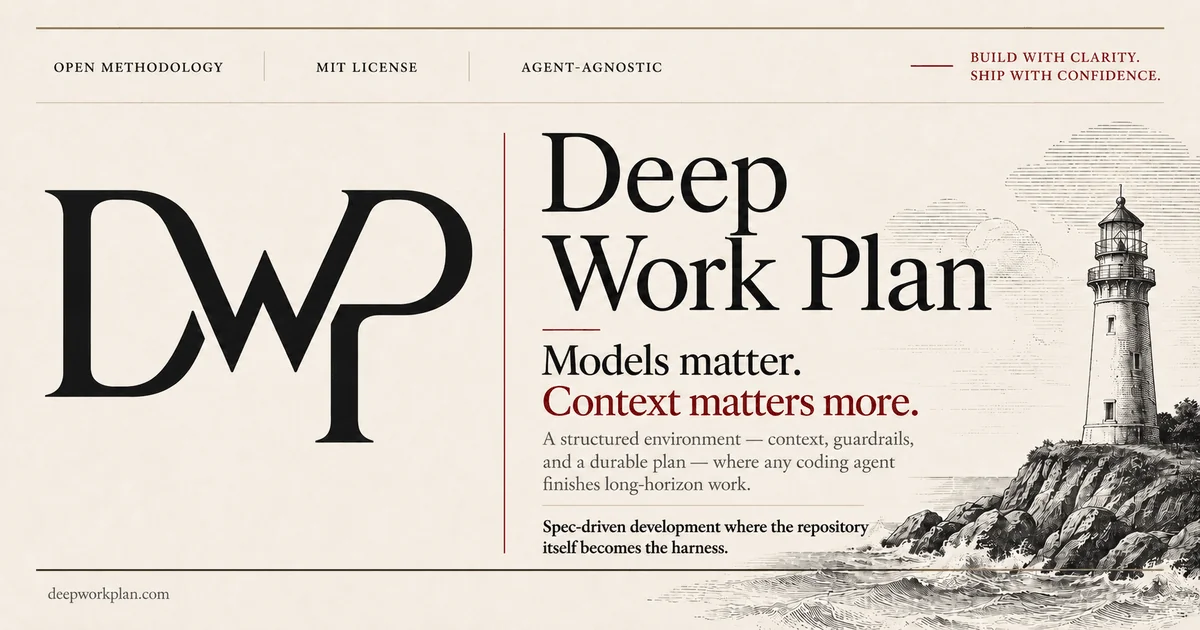
Open-source, spec-driven methodology that turns any repo into a harness so coding agents finish long-horizon work.
About Deep Work Plan
Deep Work Plan is an open-source, agent-agnostic methodology that turns any repository into a structured environment with context, guardrails, and a durable plan so any coding agent can execute with precision on long-horizon work. It addresses agent drift, where context fills up, decisions are forgotten, and multi-hour tasks get abandoned, by writing the spec directly into the repo with atomic tasks, acceptance criteria, validation gates, and resumable state. Long runs survive context resets, so any agent can pick up where the last one left off. A DWP-verify step produces an objective pass/fail report against the specification, so AI-first work is verified rather than asserted. It works with Claude Code, Codex, Cursor, or any other agent, has no lock-in, and is released under the MIT license.
Screenshots
Key Features
Use Cases



Frequently asked questions about Deep Work Plan
What is Deep Work Plan?
Deep Work Plan is an open-source, specification-driven methodology that transforms any repository into a structured environment, enabling coding agents to efficiently complete long-horizon projects. This approach emphasizes clarity and organization, making it easier for teams to manage complex coding tasks over extended periods.
Key Points
- Open-Source Flexibility: Deep Work Plan is accessible and adaptable for various development environments.
- Specification-Driven: Focuses on structured methodologies that guide coding agents through tasks.
- Long-Horizon Work: Designed specifically for projects requiring sustained effort and attention.
Detailed Explanation
The Deep Work Plan methodology leverages open-source principles, allowing developers to customize it to fit their team's needs. It employs a specification-driven approach, which means that every task is clearly defined and documented. This clarity helps in breaking down complex coding projects into manageable segments.
For instance, a software development team can use Deep Work Plan to outline the specifications for a new feature in their application. They can create a repository that includes detailed requirements, timelines, and milestones. By establishing a clear framework, team members can focus on their individual tasks without ambiguity, enhancing productivity.
Moreover, the methodology is particularly beneficial for long-horizon work, such as developing large-scale applications or conducting extensive system overhauls. By organizing work into phases and specifying deliverables, teams can maintain momentum and ensure accountability throughout the project lifecycle.
Best Practices / Tips
- Define Clear Specifications: Ensure that all tasks are outlined with clear, concise specifications to avoid confusion.
- Utilize Version Control: Integrate version control systems like Git to track changes and collaborate effectively.
- Regular Check-Ins: Schedule periodic reviews to assess progress and adjust timelines as necessary, keeping the project on track.
- Encourage Documentation: Promote thorough documentation of processes and changes to facilitate onboarding and knowledge transfer.
Additional Resources
How does Deep Work Plan work?
Deep Work Plan (DWP) enhances productivity by integrating atomic tasks, validation gates, and resumable states directly into repositories. It prevents context loss during tasks, ensures continuity, verifies completion with objective reports, and is compatible with various coding agents, making it ideal for complex migrations and refactoring projects.
Key Points
- Spec-In-Repo Planning: Facilitates detailed task management within the codebase.
- Drift Resistance: Maintains focus and context for long-duration tasks.
- Agent-Agnostic: Compatible with multiple coding agents without vendor lock-in.
Detailed Explanation
Deep Work Plan operates through a multi-faceted approach that ensures efficient project management and completion. Here’s how each feature contributes to its effectiveness:
-
Spec-In-Repo Planning: DWP allows developers to write atomic tasks, acceptance criteria, and validation gates directly into their code repositories. This integration ensures that every task is clearly defined and easily accessible, promoting accountability and clarity in project goals.
-
Drift Resistance: One of the significant challenges in long coding sessions is the loss of context. DWP combats this by anchoring coding agents to the plan, ensuring they remain aligned with project objectives. This feature is especially beneficial for multi-hour tasks, where context loss can lead to errors and inefficiencies.
-
Resumable Long Runs: DWP’s state persistence means that if an agent needs to pause or reset, any other agent can continue from where the previous one left off. This seamless transition minimizes downtime and enhances productivity, particularly in collaborative environments.
-
DWP-Verify: To ensure quality, DWP generates an objective pass/fail report that assesses whether the completed work meets the specified criteria. This feature helps teams verify that all tasks are completed correctly before deployment.
-
Agent-Agnostic Functionality: DWP is designed to work with various coding agents, such as Claude Code, Codex, and Cursor. This flexibility allows teams to choose the tools that best fit their workflow without being locked into a specific vendor.
-
Applications in Large Migrations: DWP excels in driving multi-file migrations to completion, ensuring that agents do not drift or stall. Its structured approach facilitates systematic updates across codebases, making it ideal for extensive refactoring projects.
-
Building New Subsystems: By adhering to explicit acceptance criteria and validation gates, DWP assists in developing new subsystems efficiently. This targeted approach reduces ambiguity and enhances collaboration among team members.
-
Cross-File Refactors: DWP coordinates refactors across numerous files, maintaining a durable and resumable plan. This capability is crucial in large codebases where changes can have widespread impacts.
Best Practices / Tips
- Define Clear Acceptance Criteria: Always create well-defined acceptance criteria for tasks to ensure clarity and alignment across your team.
- Utilize DWP-Verify Early: Run the DWP-Verify feature frequently during development to catch issues before the final review.
- Encourage Agent Collaboration: Foster an environment where team members can easily switch agents without losing context or progress.
- Document Processes: Keep comprehensive documentation of the DWP processes to aid onboarding and reduce ramp-up time for new team members.
Additional Resources
What are the main features of Deep Work Plan?
Deep Work Plan (DWP) offers essential features like Spec-In-Repo Planning for task management, Drift Resistance to maintain context, Resumable Long Runs for continuity, DWP-Verify for verification, and Agent-Agnostic compatibility, ensuring it works seamlessly with various coding agents without lock-in.
Key Points
- Spec-In-Repo Planning: Integrates tasks directly into the repository.
- Drift Resistance: Prevents loss of context during lengthy tasks.
- Agent-Agnostic Compatibility: Works with multiple coding agents.
Detailed Explanation
Deep Work Plan (DWP) revolutionizes project management for developers and teams by offering several standout features:
-
Spec-In-Repo Planning: This feature allows developers to write atomic tasks, acceptance criteria, validation gates, and resumable states directly into the code repository. This integration ensures that the project plans are durable, accessible, and aligned with the codebase, facilitating smooth collaboration and clear expectations.
-
Drift Resistance: DWP addresses a common challenge in software development—the loss of context over time. By anchoring developers to a central plan, DWP ensures that agents remain focused on their tasks without losing sight of the project's overall objectives. This is particularly beneficial for multi-hour tasks where context can easily drift away.
-
Resumable Long Runs: In scenarios where tasks are interrupted or context resets occur, DWP ensures that the state of the project is preserved. Any coding agent can pick up exactly where the previous one left off, minimizing downtime and enhancing productivity.
-
DWP-Verify: This feature generates an objective pass/fail report against the specifications, allowing teams to verify AI-driven completions rather than assuming they are correct. This layer of verification is crucial for maintaining quality and ensuring that the outcomes meet predefined standards.
-
Agent-Agnostic Compatibility: DWP is designed to work seamlessly with various coding agents, such as Claude Code, Codex, and Cursor. This flexibility prevents vendor lock-in, allowing teams to choose the best tools for their needs without compromising on functionality.
Best Practices / Tips
- Integrate Early: Implement DWP at the beginning of your project for maximum effectiveness. This ensures that all team members are aligned from the start.
- Regular Updates: Regularly update the Spec-In-Repo to reflect current project statuses and tasks to avoid drift and ensure clarity.
- Use DWP-Verify: Always utilize the DWP-Verify feature to maintain high-quality outputs and ensure that all tasks meet the required specifications.
Additional Resources
Who is Deep Work Plan for?
Deep Work Plan is ideal for developers and teams involved in large-scale software projects, particularly those focused on multi-file migrations, building new subsystems, executing cross-file refactors, or requiring verified delivery through objective reporting. It streamlines complex tasks while ensuring adherence to specifications.
Key Points
- Large Migrations: Ensures successful multi-file migrations without disruptions.
- New Subsystems: Facilitates the creation of new systems aligned with specific criteria.
- Cross-File Refactors: Coordinates complex refactorings across multiple files efficiently.
Detailed Explanation
The Deep Work Plan is tailored for professionals handling intricate software development processes. Here’s how it benefits various scenarios:
-
Large Migrations: When migrating large sets of files, the Deep Work Plan prevents agents from drifting or stalling. This is crucial for maintaining workflow continuity and ensuring successful project completion. For example, a team migrating a legacy system to a cloud-based architecture can utilize the plan to track progress and address issues promptly.
-
New Subsystems: For organizations developing new subsystems, the Deep Work Plan provides a structured approach to meet explicit acceptance criteria. By defining validation gates, teams can ensure that every new component aligns with overall project goals. This is particularly useful in agile environments where rapid iteration is necessary.
-
Cross-File Refactors: Refactoring code across dozens of files can be a daunting task. The Deep Work Plan allows for a durable, resumable plan that coordinates these efforts, minimizing the risk of errors and optimizing collaboration among team members. For instance, if a team needs to refactor code for performance enhancements, they can break down the tasks and track progress effectively.
-
Verified Delivery: Producing an objective pass/fail report confirms that deliverables meet predefined specifications. This feature is essential for quality assurance, as it provides stakeholders with clear evidence of compliance. For example, a software release can be validated against user acceptance testing (UAT) criteria, ensuring that it meets user needs before deployment.
Best Practices / Tips
- Set Clear Objectives: Define explicit acceptance criteria and validation gates at the start of the project to guide the development process.
- Regular Check-ins: Use the plan to schedule regular team meetings for progress updates and to address any blockers.
- Document Everything: Keep detailed documentation of each phase, including migration steps, subsystem requirements, and refactoring decisions. This aids in future projects and enhances team knowledge retention.
- Leverage Automation: Utilize automation tools to streamline repetitive tasks, freeing up developers to focus on more complex issues.
Additional Resources
By implementing the Deep Work Plan effectively, teams can enhance productivity, ensure quality, and achieve their development goals more efficiently.
How much does Deep Work Plan cost?
Deep Work Plan is completely free to use, providing users with a range of productivity tools and features without any cost. This makes it an accessible option for individuals and teams looking to optimize their focus and work efficiency without incurring expenses.
Key Points
- No Cost: Deep Work Plan offers all features for free.
- User-Friendly: Designed for ease of use, catering to various productivity needs.
- Accessible Features: Includes tools for time management, task prioritization, and focus enhancement.
Detailed Explanation
Deep Work Plan is an innovative productivity tool that enables users to manage their time effectively while minimizing distractions. Since it is completely free, it attracts a diverse user base, from students to professionals.
Features
- Task Management: Users can create, prioritize, and track tasks, making it easier to focus on what matters.
- Focus Timer: The built-in timer helps users maintain concentration during work sessions, promoting the 'Pomodoro Technique' for enhanced productivity.
- Progress Tracking: Users can monitor their productivity levels over time, allowing for better self-assessment and adjustments in work habits.
By offering these features at no cost, Deep Work Plan empowers users to enhance their productivity without the burden of subscription fees or hidden costs.
Best Practices / Tips
- Set Clear Goals: Define your objectives before using the Deep Work Plan to maximize its effectiveness.
- Utilize the Focus Timer: Implement the timer regularly to cultivate a disciplined work routine and reduce burnout.
- Regularly Review Progress: Take time to analyze your productivity reports and adjust your strategies based on insights gained.
Common Pitfalls to Avoid
- Overloading Tasks: Avoid cramming too many tasks into a single session, as this can lead to decreased focus and overwhelm.
- Neglecting Breaks: Remember to take scheduled breaks to maintain mental clarity and prevent fatigue.
- Ignoring the Insights: Regularly review your progress reports to identify patterns and areas for improvement.
Additional Resources
How do I get started with Deep Work Plan?
To get started with Deep Work Plan, visit deepworkplan.com to sign up. After creating your account, you can explore various tools designed to enhance focus, productivity, and time management through structured deep work sessions.
Key Points
- Simple sign-up process
- Explore productivity tools and resources
- Customize your deep work sessions
Detailed Explanation
Deep Work Plan is a digital platform designed to help you maximize your productivity through structured focus sessions. To begin, visit deepworkplan.com and click on the "Sign Up" button. You can create an account using your email or social media accounts for convenience.
Once registered, explore the dashboard where you can access tools such as:
- Focus Timers: Set specific time blocks for deep work sessions.
- Task Management: Organize your tasks and prioritize them effectively.
- Analytics: Track your productivity over time to identify patterns and optimize your workflow.
For example, if you are a freelancer, you can use Deep Work Plan to allocate dedicated time for client projects without distractions, improving your efficiency and output quality.
Best Practices / Tips
- Set Clear Goals: Before starting your deep work sessions, define what you want to achieve. This clarity will help you stay focused.
- Eliminate Distractions: Use the app's features to silence notifications from other applications during your sessions.
- Review Progress: Regularly check the analytics section to see how your productivity changes over time. This data can guide adjustments to your work habits.
Common pitfalls include signing up but not utilizing the tools effectively. Make sure to regularly engage with the platform for maximum benefit.
Additional Resources
- Deep Work Plan Official Blog - Insights on productivity and deep work.
- Cal Newport's Book "Deep Work" - A foundational text on the principles of deep work.
- Time Management Techniques - Explore various strategies to enhance your productivity.
Explore more AI Ai Tools tools
Browse all Ai Tools tools →Browse by use case: Code Generation · Automation & Productivity
Compare Deep Work Plan: vs CleanSlop · vs Kalender Sync · vs UseIt Studio · vs Woven Video