

CyberCut AI
AIAI-powered video platform that generates ideas, speeds editing, and streamlines workflows to help creators produce viral videos.
CyberCut AI
AI-powered video platform that generates ideas, speeds editing, and streamlines workflows to help creators produce viral videos.
About CyberCut AI
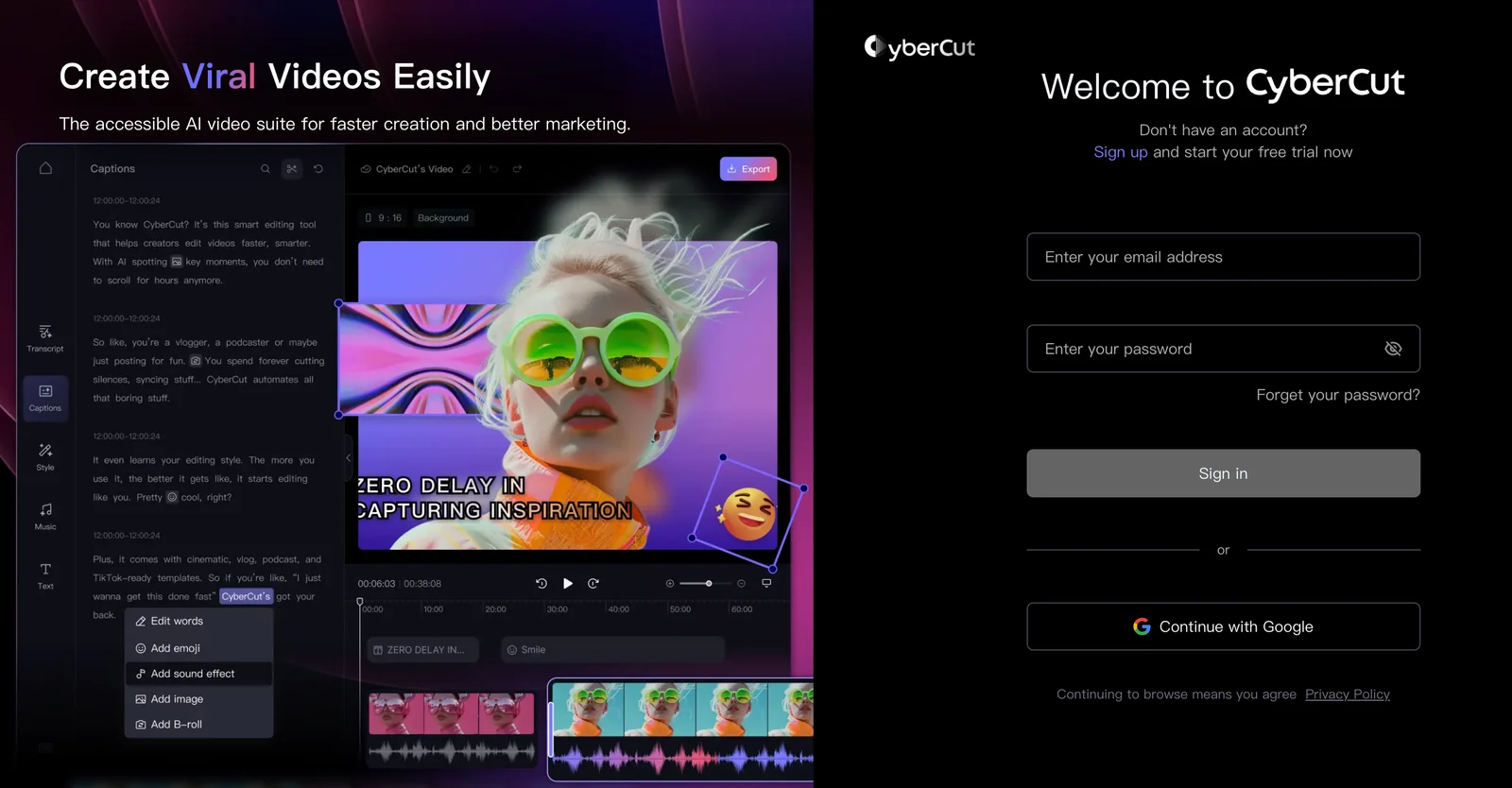
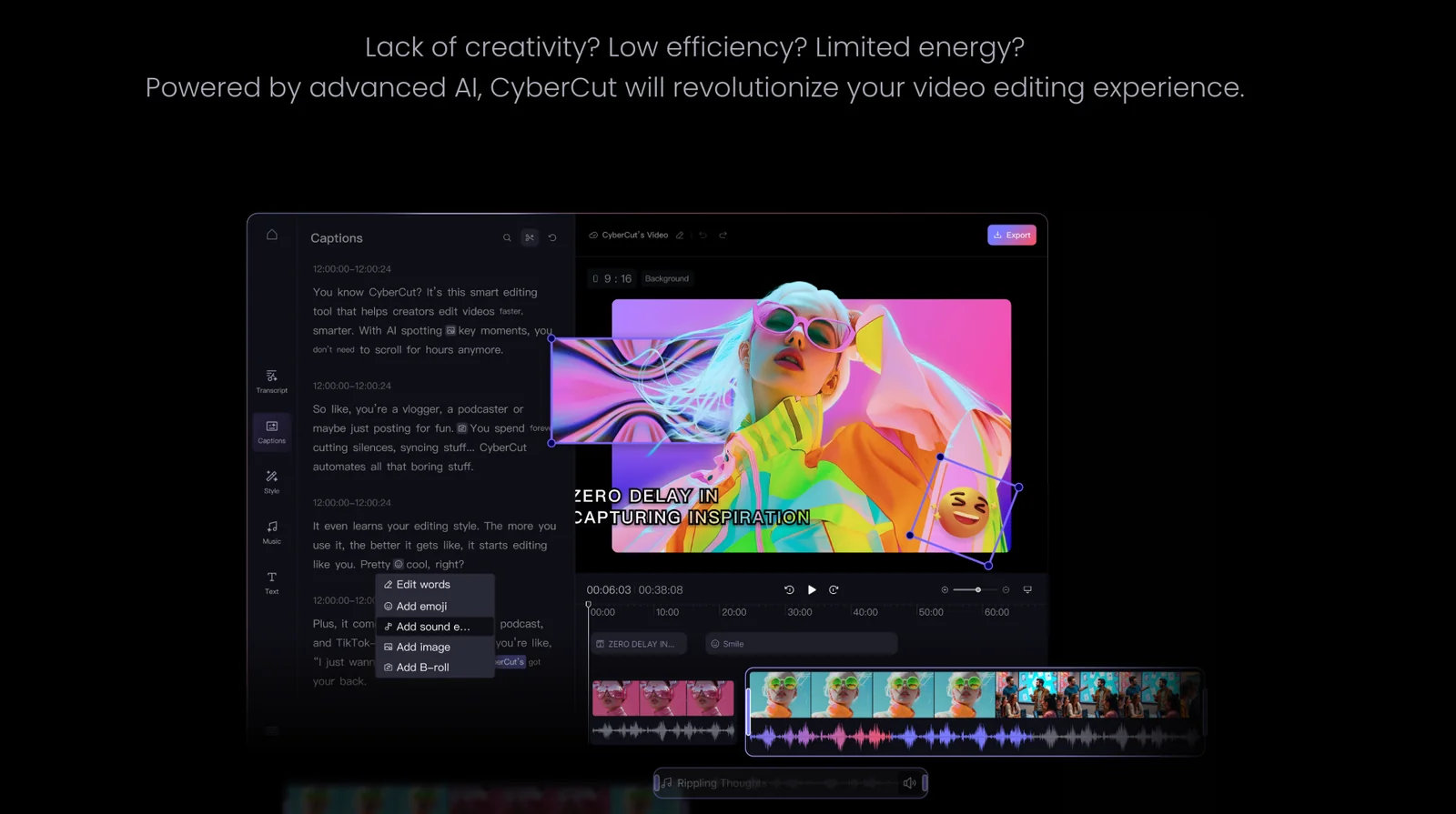
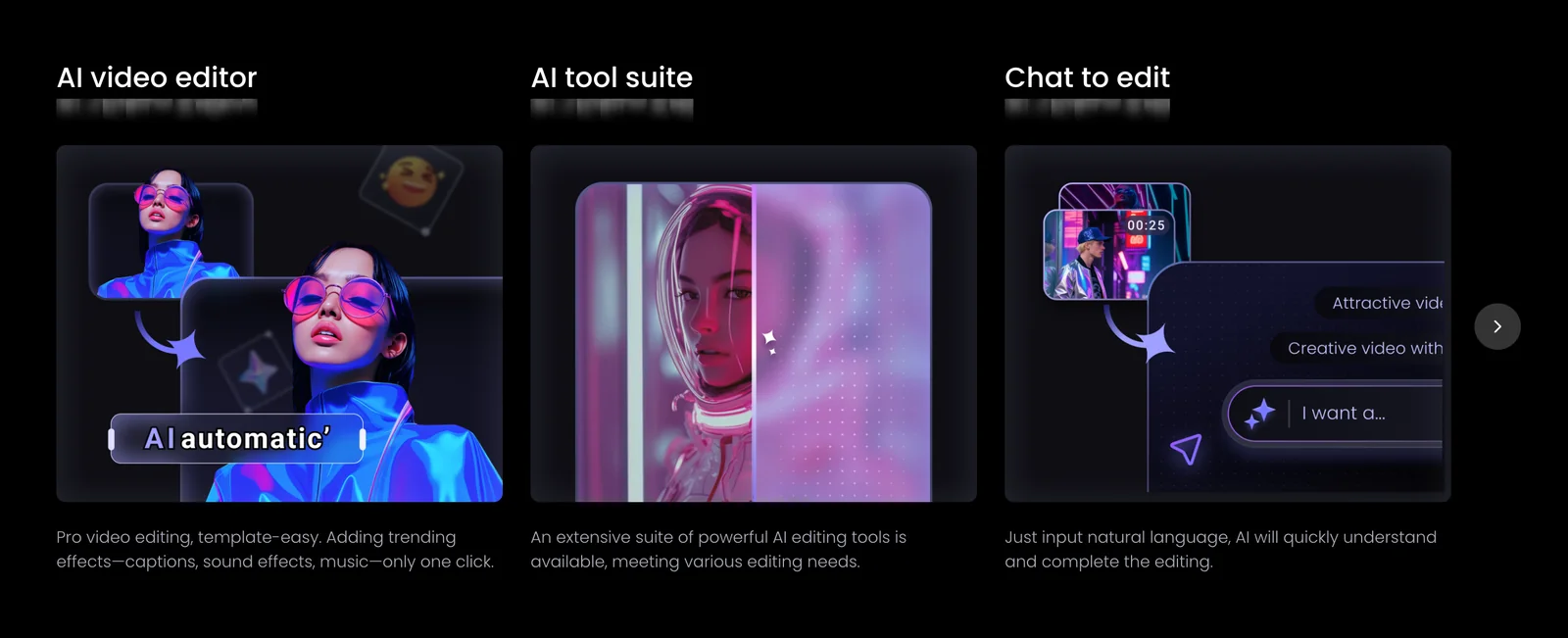
CyberCut is an AI-driven video editing platform designed to help creators, marketers, and teams produce viral short-form videos faster. The service uses machine learning to generate content ideas and hooks, accelerate the editing process through automated suggestions and edits, and simplify the overall production workflow with templates and export presets optimized for social platforms. CyberCut focuses on reducing manual editing time and lowering the barrier to creating high-engagement clips by combining idea generation, smart editing assistance, and workflow automation.
Screenshots

Key Features
Use Cases



Frequently asked questions about CyberCut AI
What is the pricing structure for CyberCut AI?
CyberCut AI employs a freemium pricing model, featuring a free tier that includes essential functionalities and a free trial for all options. For paid plans, including tailored enterprise solutions, users need to contact CyberCut directly for a personalized quote based on their specific needs.
Key Points
- Freemium Model: Access to basic features at no cost.
- Free Trial: Trial period for exploring all premium features.
- Custom Solutions: Tailored pricing for enterprise users via direct contact.
Detailed Explanation
CyberCut AI’s pricing structure is designed to accommodate a wide range of users, from individuals to large enterprises. The freemium model allows users to access core features without any financial commitment, making it an attractive option for those who want to test the software's capabilities. Users can utilize basic functionalities such as content generation, design tools, and analytics.
The free trial offers a comprehensive experience of all premium features for a limited time, enabling users to evaluate the full potential of CyberCut AI. This trial is an excellent opportunity for teams to assess how the software can enhance productivity and improve workflows.
For organizations with specific needs, CyberCut AI provides custom enterprise solutions. Interested users must reach out directly to the CyberCut team for a quote tailored to their unique requirements, which can vary based on the number of users, required features, and desired support levels. This personalized approach ensures that businesses receive the best value for their investment.
Best Practices / Tips
- Explore the Free Tier: Take full advantage of the free tier to understand the core features before committing to a paid plan.
- Utilize the Free Trial: Make the most of the free trial by testing various features and gathering feedback from your team to assess usability and effectiveness.
- Contact for Custom Solutions: If you are part of a larger organization, reach out for a quote to ensure your specific needs are met.
Additional Resources
How does CyberCut AI's video editing features compare to other platforms?
CyberCut AI's video editing features stand out due to automated editing suggestions, smart idea generation, and multi-platform formatting. Unlike competitors, its AI-driven approach emphasizes engagement through tailored content optimization, making it a powerful tool for creators seeking to enhance their video projects efficiently.
Key Points
- Automated Editing Suggestions: CyberCut AI analyzes footage and recommends edits to improve storytelling.
- Smart Idea Generation: The platform offers creative prompts tailored to the user's style and project goals.
- Multi-Platform Formatting: Videos can be optimized for various social media platforms with ease.
Detailed Explanation
CyberCut AI revolutionizes video editing with its advanced AI capabilities. The automated editing suggestions feature evaluates your raw footage, identifying the most impactful clips and suggesting cuts that enhance narrative flow. For instance, if you upload an hour-long video, CyberCut AI can suggest highlights that capture viewer attention.
The smart idea generation tool uses machine learning to analyze trending content and provides creative prompts tailored to your style. This feature is invaluable for content creators who struggle with writer’s block or need fresh ideas to keep their audience engaged. For example, if you typically create travel vlogs, CyberCut AI might suggest themes or angles based on current travel trends.
Additionally, CyberCut AI excels in multi-platform formatting. It automatically adjusts your video dimensions and formatting for platforms like Instagram, TikTok, and YouTube, ensuring your content looks professional everywhere. This saves significant time, especially for marketers and influencers who need to publish across multiple channels.
Best Practices / Tips
- Utilize Automated Suggestions: Always review the automated editing suggestions to maintain your unique style while improving efficiency.
- Experiment with Idea Generation: Test different themes or prompts provided by the smart idea generator to diversify your content.
- Optimize for Each Platform: Before publishing, double-check the formatting for each social media platform to ensure compliance with their specifications.
Additional Resources
Can I use CyberCut AI to generate subtitles and captions?
Yes, CyberCut AI allows users to automatically generate subtitles and captions for their videos. This feature significantly enhances accessibility, making content more inclusive and improving discoverability, thereby facilitating engagement with diverse audiences.
Key Points
- Automatic Subtitle Generation: CyberCut AI utilizes advanced algorithms to create accurate subtitles.
- Enhanced Accessibility: Subtitles help hearing-impaired viewers and non-native speakers understand content.
- SEO Benefits: Captions improve video SEO, leading to better search rankings and visibility.
Detailed Explanation
CyberCut AI’s automatic subtitle generation works by analyzing the audio from your video and converting spoken words into text. This process not only saves time but also ensures high accuracy, reducing the need for manual transcription. For instance, if you upload a 10-minute video, CyberCut AI can generate subtitles in minutes, allowing you to focus on content creation rather than the tedious task of captioning.
Use Cases
- YouTube Creators: By adding subtitles, content creators can reach a wider audience, including viewers from different linguistic backgrounds.
- Educational Institutions: Schools can use CyberCut AI to create captions for lectures, enhancing learning for students with hearing impairments.
- Marketing Teams: Businesses can utilize subtitles in promotional videos to capture the attention of viewers who may watch without sound.
Best Practices / Tips
- Review Generated Subtitles: Always check the accuracy of the generated captions. Minor errors can impact comprehension.
- Use Keywords: Incorporate relevant keywords in your subtitles to improve SEO and engagement.
- Format for Readability: Ensure that subtitles are easy to read by keeping them concise and well-timed with the audio.
- Test Different Languages: If targeting international audiences, test CyberCut AI’s capabilities in generating subtitles in multiple languages.
Additional Resources
What technical requirements are needed to use CyberCut AI?
CyberCut AI is a web-based application that requires a stable internet connection and a modern web browser, such as Google Chrome, Mozilla Firefox, or Microsoft Edge. There are no specific hardware requirements, making it easily accessible for most users, regardless of their device specifications.
Key Points
- Internet Connection: A reliable and stable internet connection is essential.
- Browser Compatibility: Works best on modern web browsers.
- No Hardware Limitations: Accessible on various devices without specific hardware needs.
Detailed Explanation
CyberCut AI operates entirely online, which means that the primary technical requirement is a stable internet connection. This allows users to access its features without the need for any local installations or downloads. The application is compatible with major web browsers, including:
- Google Chrome: Recommended for speed and performance.
- Mozilla Firefox: Offers robust security features.
- Microsoft Edge: Comes pre-installed on Windows devices.
As there are no specific hardware limitations, users can access CyberCut AI from desktops, laptops, tablets, or even smartphones, provided they meet the browser requirements. This broad accessibility ensures that users from various backgrounds can utilize CyberCut AI efficiently without worrying about compatibility issues.
Use Cases
For professionals in graphic design, video editing, or content creation, CyberCut AI facilitates seamless collaboration and creativity, as users can easily log in from any device with an internet connection. For example, a graphic designer can work on a client project from their home desktop and later continue editing on a laptop during travel.
Best Practices / Tips
- Use Updated Browsers: Always keep your web browser updated to the latest version for optimal performance and security.
- Stable Internet Connection: Ensure you are connected to a reliable internet source, preferably a wired connection for better stability.
- Regularly Clear Cache: Clear your browser cache to prevent loading issues and ensure smooth performance.
Additional Resources
How can I get started with CyberCut AI for video production?
To get started with CyberCut AI for video production, visit the official website, sign up for a free account, and familiarize yourself with features such as idea generation and smart editing. Its intuitive interface streamlines the content creation process, making it accessible for both beginners and experienced users.
Key Points
- User-Friendly Interface: Designed for ease of use.
- Free Account: Start without any financial commitment.
- Key Features: Includes idea generation and smart editing tools.
Detailed Explanation
CyberCut AI is an innovative tool tailored for video production, harnessing the power of artificial intelligence to enhance the creative process. To begin, simply navigate to the CyberCut AI official website and register for a free account. This initial step allows you to explore the platform without any upfront costs.
Once logged in, take time to familiarize yourself with the various features:
-
Idea Generation: CyberCut AI offers a unique feature that helps generate concepts based on your input. For instance, if you’re working on a travel vlog, type in your desired themes or locations, and the tool will suggest relevant ideas.
-
Smart Editing: This feature automates the editing process, allowing you to upload raw footage and receive a polished video in minutes. You can specify your preferred style, length, and target audience, ensuring that the end product meets your vision.
-
Collaboration Tools: For teams or clients, CyberCut AI supports collaborative features, enabling multiple users to contribute to projects seamlessly.
Best Practices / Tips
- Explore Tutorials: CyberCut AI provides various tutorials and resources. Familiarize yourself with these to maximize your usage of the platform.
- Experiment with Features: Don’t hesitate to try out different features. The more you experiment, the better you will understand how to leverage AI to enhance your video production.
- Set Clear Goals: Before starting a project, define your objectives. Knowing what you want to achieve will help you utilize CyberCut AI more effectively.
- Avoid Overcomplicating: Start with simple projects to build your confidence. As you become more comfortable, you can tackle more complex video productions.
Additional Resources
- CyberCut AI Documentation - Comprehensive guides and FAQs.
- Video Production Best Practices - Insights into effective video content creation.
- AI in Video Editing - Explore how AI is transforming the video editing landscape.
Explore more AI Ai Models tools
Browse all Ai Models tools →Browse by use case: Video Generation · Automation & Productivity
Compare CyberCut AI: vs Mouse-1 · vs Milliseconds.ai · vs SWE-2 · vs Desert Ant Labs