

Cumbuca
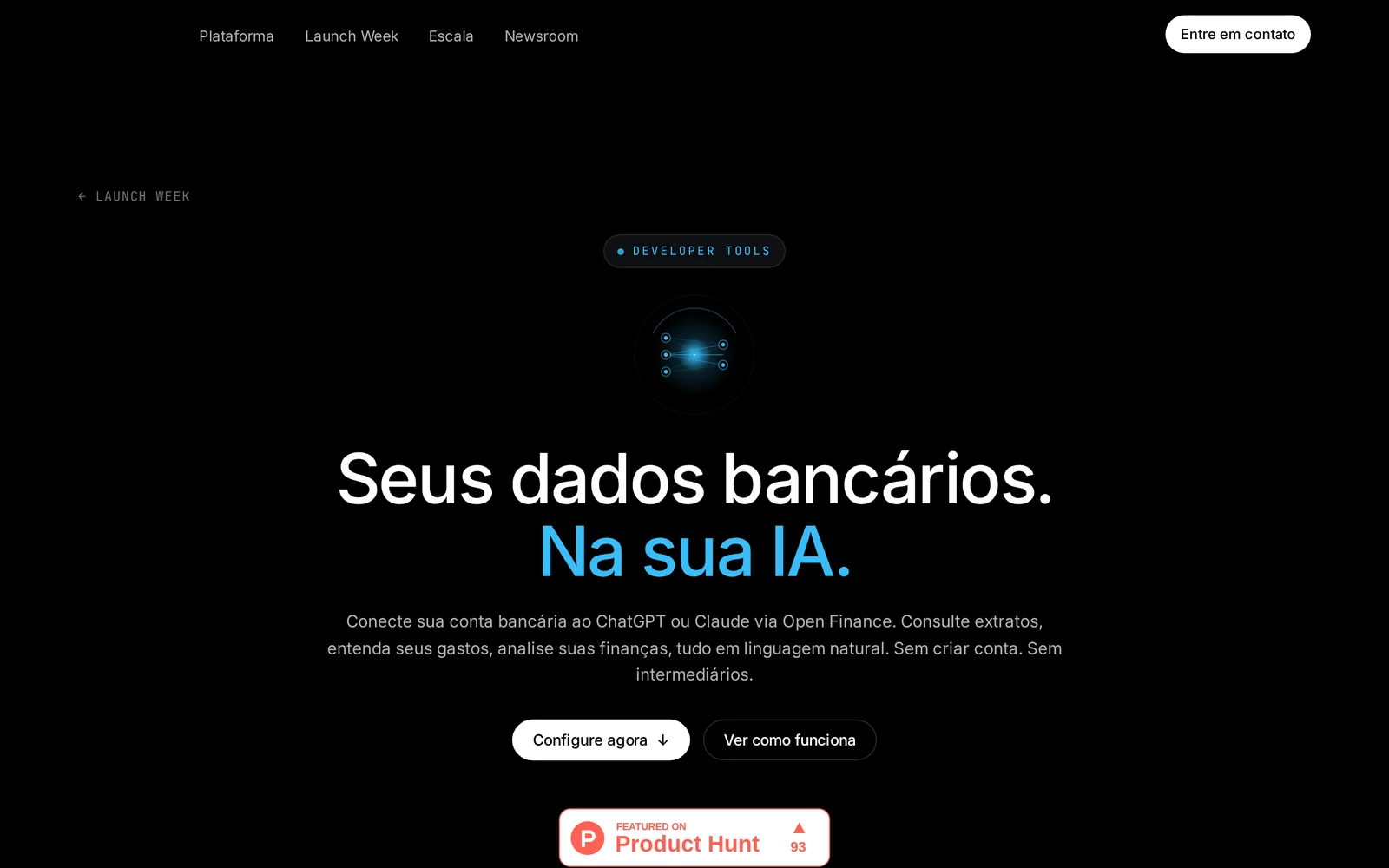
AIConnect your bank account to ChatGPT or Claude via Open Finance to let LLMs access your financial data in minutes without signup.
Cumbuca
Connect your bank account to ChatGPT or Claude via Open Finance to let LLMs access your financial data in minutes without signup.
About Cumbuca
Cumbuca's Open Finance Data MCP enables users to connect their bank accounts to large language models (ChatGPT and Claude) using Open Finance APIs. It provides direct access to a user's financial data inside LLMs without requiring a separate account or intermediaries, and promises a fast setup experience. The product is positioned to simplify how conversational agents can securely read and reason over real banking data for personalized financial assistance and insights.
Screenshots
Key Features
Use Cases



Frequently asked questions about Cumbuca
What is Cumbuca?
Cumbuca is an innovative tool that connects your bank account to AI platforms like ChatGPT or Claude through Open Finance. It allows you to access your financial data directly via AI without the need for registration, and the setup process takes just two minutes.
Key Points
- Seamless Integration: Easily link your bank account to AI tools.
- User-Friendly Setup: Complete the configuration in just two minutes.
- No Registration Required: Access financial insights without creating an account.
Detailed Explanation
Cumbuca leverages Open Finance technology to facilitate secure connections between your bank account and AI systems such as ChatGPT and Claude. By integrating with these platforms, Cumbuca enables users to retrieve and analyze their financial data effortlessly.
How It Works
-
Connect Your Bank Account: Initially, you need to link your bank account through a secure interface provided by Cumbuca. This process typically involves authorizing Cumbuca to access your financial data while ensuring your privacy and security.
-
Access Financial Data via AI: Once connected, you can ask AI-driven tools like ChatGPT or Claude to analyze your spending, budgeting, and financial trends. For example, you could inquire about your monthly spending habits or request insights on saving strategies.
-
Instant Insights: Cumbuca processes this data in real-time, delivering instant feedback and recommendations tailored to your financial situation.
This technology is especially beneficial for users who prefer streamlined, automated financial management without the hassle of manual data entry or complex software.
Best Practices / Tips
- Ensure Bank Compatibility: Before setting up, verify that your bank is compatible with Cumbuca’s Open Finance framework to avoid integration issues.
- Maintain Security: Always keep your login credentials secure and monitor your bank statements for any unauthorized transactions.
- Explore AI Capabilities: Experiment with different queries and prompts to maximize the insights you can gain from the AI, such as budgeting tips or investment advice.
Additional Resources
How does Cumbuca work?
Cumbuca operates by integrating advanced AI technologies to streamline daily workflows for users. It simplifies tasks such as data analysis, content generation, and project management, enabling efficient collaboration and productivity enhancements across various industries.
Key Points
- AI Integration: Combines multiple AI technologies for seamless workflow.
- User-Friendly Interface: Designed to be intuitive for both beginners and professionals.
- Versatile Applications: Suitable for diverse industries, including marketing, finance, and healthcare.
Detailed Explanation
Cumbuca leverages a combination of natural language processing (NLP), machine learning, and automation tools to assist users in managing their daily tasks more efficiently.
-
Natural Language Processing (NLP): Cumbuca can understand and generate human-like text, making it ideal for content creation and customer interactions. For example, businesses can automate responses to customer queries or generate marketing content quickly.
-
Machine Learning: The platform learns from user interactions, improving its suggestions and workflows over time. This means that the more you use Cumbuca, the better it becomes at predicting your needs.
-
Task Automation: Cumbuca automates repetitive tasks, such as scheduling meetings or generating reports, allowing users to focus on more strategic activities. For instance, it can integrate with calendar apps to set appointments based on your preferences.
-
Collaboration Features: Cumbuca includes tools that facilitate teamwork, allowing users to share insights and feedback in real-time. This is especially beneficial for remote teams needing to stay connected and aligned.
Best Practices / Tips
- Leverage Personalization: Customize Cumbuca’s settings to align with your specific workflow needs. This will enhance efficiency as the tool adapts to your routines.
- Utilize Templates: Take advantage of pre-built templates for common tasks to save time on setup and execution.
- Regularly Update: Keep the software updated to benefit from new features and security enhancements.
- Monitor Performance: Use analytics tools within Cumbuca to track the effectiveness of your workflows and make data-driven improvements.
Additional Resources
By understanding how Cumbuca works and implementing these best practices, users can maximize their productivity and fully harness the potential of AI in their everyday tasks.
What are the main features of Cumbuca?
Cumbuca offers a suite of advanced features, including core AI capabilities, customizable workflows, real-time data analytics, and seamless integration with third-party applications. These functionalities empower businesses to automate tasks, enhance decision-making, and improve overall efficiency.
Key Points
- Core AI Capabilities: Advanced machine learning and natural language processing.
- Customizable Workflows: Tailored processes to fit specific business needs.
- Real-Time Data Analytics: Instant insights for informed decision-making.
Detailed Explanation
Cumbuca stands out for its robust core AI capabilities that leverage machine learning algorithms to analyze large datasets effectively. This enables businesses to automate repetitive tasks, reducing manual effort and minimizing errors. For instance, Cumbuca can automatically categorize customer inquiries, allowing support teams to focus on complex issues.
The platform also offers customizable workflows, allowing users to design processes that align with their unique operational requirements. Users can create automated workflows that trigger actions based on specific conditions, such as sending notifications or updating records when a customer interacts with a service.
Another significant feature is real-time data analytics. Cumbuca enables businesses to gain immediate insights into their operations, helping them to respond swiftly to market changes. For example, marketing teams can analyze campaign performance in real-time, enabling them to adjust strategies promptly for better results.
Furthermore, Cumbuca integrates seamlessly with various third-party applications, enhancing its usability. This means businesses can connect their existing tools with Cumbuca, creating a unified platform that streamlines workflows and improves productivity.
Best Practices / Tips
- Leverage AI Features: Use Cumbuca's AI capabilities to automate routine tasks, freeing up time for strategic initiatives.
- Customize Workflows: Take advantage of the customizable workflows to tailor processes to your team's specific needs, ensuring maximum efficiency.
- Monitor Analytics Regularly: Regularly check real-time data analytics to stay ahead of trends and make informed decisions quickly.
Additional Resources
Who is Cumbuca for?
Cumbuca is designed for individuals and teams seeking to optimize their daily workflows through artificial intelligence. It caters to professionals, entrepreneurs, and anyone keen on enhancing productivity, automating tasks, and leveraging AI tools for improved efficiency in various tasks.
Key Points
- Target Audience: Professionals, entrepreneurs, and teams.
- Workflow Enhancement: Automates repetitive tasks and improves efficiency.
- AI Integration: Seamlessly integrates with existing tools and platforms.
Detailed Explanation
Cumbuca is a powerful AI tool tailored for a diverse audience, including professionals such as marketers, developers, and business owners. By utilizing Cumbuca, users can automate mundane tasks, streamline operations, and enhance decision-making processes.
For instance, a marketing team can use Cumbuca to analyze customer data, segment audiences, and personalize campaigns without manual intervention. Similarly, developers can automate code reviews and integrate Cumbuca's AI features into their software development lifecycle, significantly reducing time spent on repetitive coding tasks.
Use Cases:
- Marketing Automation: Cumbuca can help marketers automate email campaigns, track engagement metrics, and generate reports effortlessly.
- Project Management: Teams can utilize Cumbuca to manage project timelines, assign tasks, and monitor progress, all while receiving AI-driven insights for better project outcomes.
- Customer Support: Businesses can enhance customer service by using Cumbuca to automate responses to frequently asked questions, freeing up human agents for more complex inquiries.
Best Practices / Tips
- Start Small: Begin by automating simple tasks before scaling up to more complex workflows.
- Integration: Ensure Cumbuca integrates well with your existing tools (like CRM or project management software) for seamless operation.
- Explore Features: Take time to explore all features offered by Cumbuca; many users overlook powerful functionalities that can drastically improve productivity.
- Monitor Performance: Regularly assess the effectiveness of automated workflows to ensure they meet your objectives.
Additional Resources
By understanding who Cumbuca is for and how to effectively implement it in your daily routines, you can maximize its potential to transform your work processes through AI-driven efficiency.
How much does Cumbuca cost?
Cumbuca pricing varies based on the services and features selected. For the most accurate and updated pricing details, it's recommended to visit the Cumbuca official website directly, as they offer tiered plans and options suited for different business needs.
Key Points
- Cumbuca offers various pricing tiers.
- Plans may include additional features at different costs.
- Pricing details can change frequently and may depend on user requirements.
Detailed Explanation
Cumbuca is a platform designed to streamline operations and improve efficiency for businesses. Their pricing structure typically includes several tiers, catering to different sizes and types of organizations.
-
Basic Plan: This entry-level option is ideal for small businesses looking to explore Cumbuca's core features. Pricing for this plan generally starts at around $29 per month, offering essential functionalities that help manage small teams and projects.
-
Standard Plan: Aimed at medium-sized businesses, this plan usually costs between $79 to $149 per month. It includes additional features such as enhanced analytics, team collaboration tools, and priority customer support.
-
Enterprise Plan: For larger organizations with complex needs, the Enterprise plan is customizable. Pricing varies based on specific requirements and can start at $299 per month, including advanced features tailored to high-volume users.
To ensure you choose the right plan, it's crucial to evaluate your business’s specific needs, such as the number of users, required features, and budget constraints.
Best Practices / Tips
- Review Features: Before committing, review the features included in each pricing tier to ensure you select the most suitable plan.
- Trial Period: Take advantage of any free trial periods offered by Cumbuca. This will help you assess the platform's functionality before making a financial commitment.
- Stay Updated: Pricing can fluctuate, so regularly check the Cumbuca website or subscribe to their newsletter for updates on new features and pricing changes.
Additional Resources
- Cumbuca Official Website - for the latest pricing and feature details.
- Cumbuca Blog - for tips on maximizing the platform's potential.
- Customer Support - to assist with any pricing inquiries or plan adjustments.
How do I get started with Cumbuca?
To get started with Cumbuca, visit Cumbuca's Launch Week page to sign up and explore its features. Once registered, you can access various tools designed to enhance your data management and analytics capabilities.
Key Points
- User Registration: Sign up via the official website.
- Explore Features: Familiarize yourself with Cumbuca's tools.
- Community Engagement: Join forums and discussions for support.
Detailed Explanation
Cumbuca is an innovative platform designed to streamline data management and analytics processes. To get started:
-
Visit the Signup Page: Navigate to Cumbuca's Launch Week page. This page provides essential information about the platform and a registration link.
-
Create an Account: Fill out the registration form with your details. Ensure you use a valid email address to receive confirmation and updates.
-
Explore Features: After signing up, log in to your dashboard. Cumbuca offers several features such as data visualization, analytics tools, and project management integrations. Familiarize yourself with these tools through available tutorials or onboarding sessions.
-
Utilize Resources: Access the knowledge base, which includes guides and FAQs to assist you in navigating the platform effectively.
-
Community Engagement: Join the Cumbuca community through forums or social media groups. Engaging with other users can provide insights and tips for maximizing your use of the platform.
Best Practices / Tips
- Complete Your Profile: Ensure that your profile is complete to receive personalized recommendations and updates.
- Set Clear Goals: Define what you want to achieve with Cumbuca, whether it’s improving data analysis or enhancing team collaboration.
- Regularly Update Your Skills: Take advantage of webinars and training sessions to stay updated on new features and best practices.
- Avoid Common Pitfalls: Don’t rush through the setup process. Taking the time to understand each feature will pay off in the long run.
Additional Resources
By following these steps and tips, you'll be well on your way to effectively using Cumbuca for your data management needs.
Explore more AI Ai Tools tools
Browse all Ai Tools tools →Browse by use case: Automation & Productivity
Compare Cumbuca: vs Humanizer · vs Worktrunk · vs Mise · vs BiBimba