

Crow
AIEmbeddable language user interface that adds an in-product copilot to apps in minutes without backend rewrites.
Crow
Embeddable language user interface that adds an in-product copilot to apps in minutes without backend rewrites.
About Crow
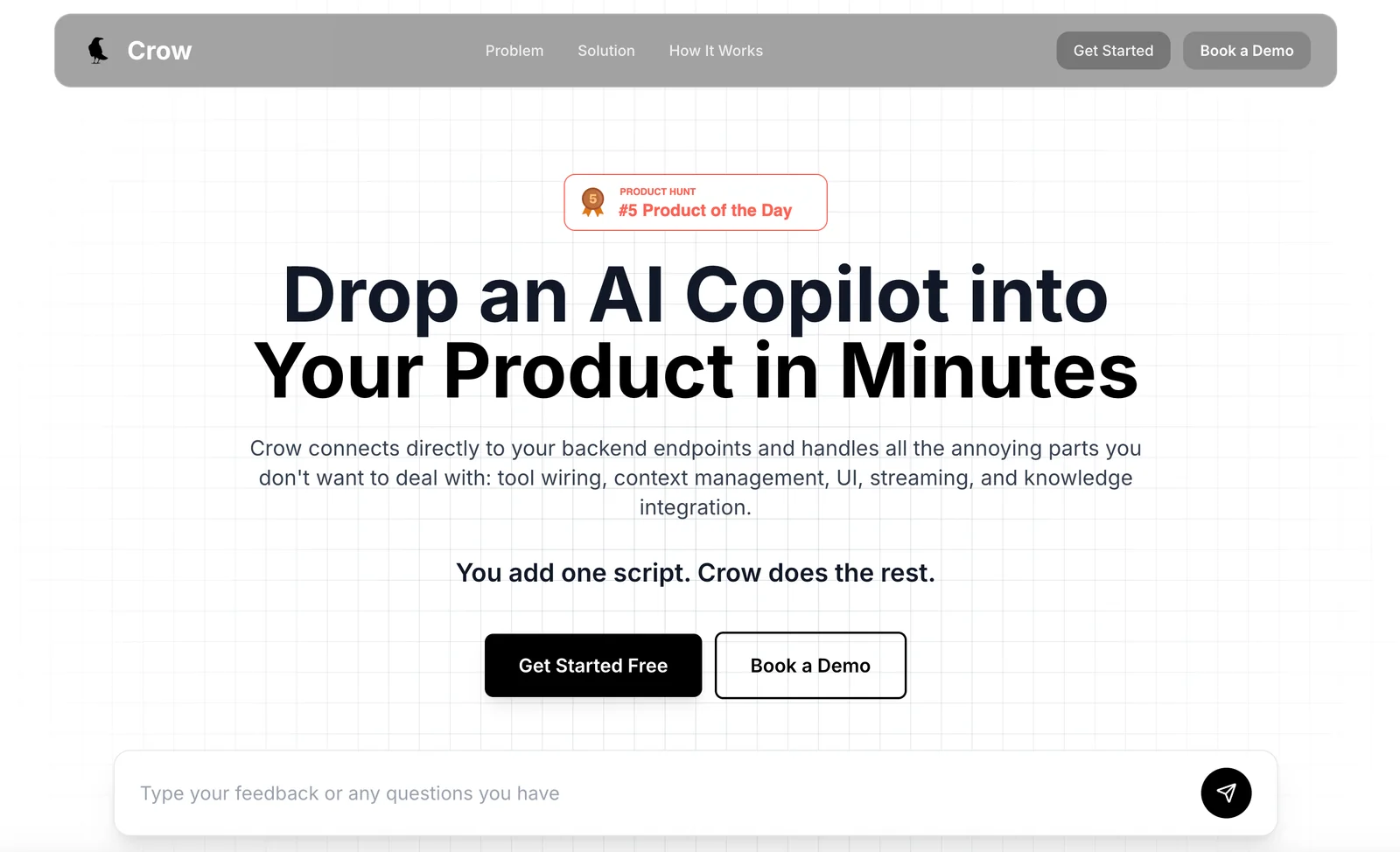
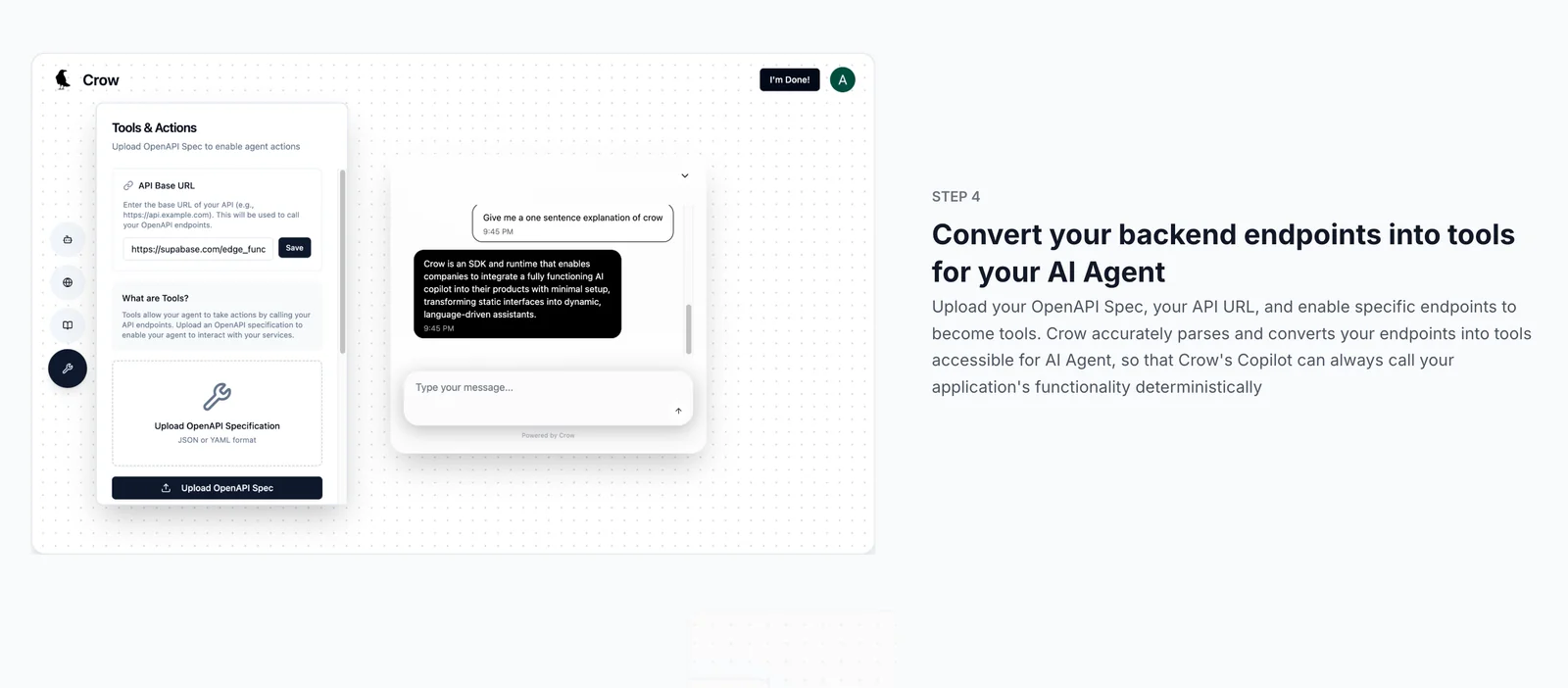
Crow is a language user interface platform designed to add real, in-product AI assistance to software quickly. It provides an embeddable copilot experience for end users, enabling natural-language interactions inside existing applications with minimal engineering changes. Crow emphasizes rapid integration (advertising a 10-minute setup) and avoiding backend rewrites, lowering the barrier to ship conversational workflows and contextual assistance directly within a product.
Screenshots
Key Features
Use Cases



Frequently asked questions about Crow
What is the pricing structure for Crow?
Crow offers a FREEMIUM pricing model, featuring a Free / Starter tier at $0 with basic access and a Pro / Enterprise tier with custom pricing for advanced features. For specific pricing details tailored to your needs, it’s best to contact Crow sales directly.
Key Points
- Freemium Model: Access to basic features at no cost.
- Pro/Enterprise Tier: Custom pricing based on advanced feature requirements.
- Sales Contact: Direct communication for tailored pricing options.
Detailed Explanation
Crow's pricing structure is designed to accommodate a wide range of users, from individuals to large enterprises. The Free / Starter tier allows users to explore fundamental features without financial commitment, making it an excellent choice for those who are just starting or testing the platform. This tier typically includes basic functionalities essential for small projects, ideal for freelancers or small teams.
For organizations needing more robust capabilities, the Pro / Enterprise tier offers customized pricing depending on specific requirements and desired features. This may include advanced analytics, enhanced collaboration tools, or priority support. Companies are encouraged to reach out to Crow’s sales team to discuss their unique needs, ensuring they receive a tailored solution that fits their budget and objectives.
Example Use Cases
- Individuals: Freelancers can utilize the Free tier for personal projects and gradually upgrade to Pro as their workload increases.
- Small Businesses: Teams can start with the Free tier to streamline operations before investing in the Pro tier for scalability.
- Large Enterprises: Organizations can engage with Crow's sales team to craft an Enterprise package that aligns with their extensive needs, such as integrating with existing systems.
Best Practices / Tips
- Start with Free: If you're new to Crow, begin with the Free tier to familiarize yourself with the platform.
- Evaluate Needs: Consider your current and future requirements before opting for the Pro tier; assess which features are essential.
- Engage Sales Early: Don’t hesitate to contact Crow sales early in your decision-making process to understand the best options available.
Additional Resources
By understanding Crow's pricing structure, users can make informed decisions that align with their business needs while maximizing value from the platform.
What are the key features of Crow's embeddable language interface?
Crow's embeddable language interface offers rapid integration in approximately 10 minutes, a user-friendly language UI, eliminates the need for backend rewrites, and features an in-product copilot experience that enhances user productivity and provides workflow guidance.
Key Points
- Rapid Integration: Setup takes about 10 minutes.
- User-Friendly UI: Offers a ready-to-use language interface.
- In-Product Copilot: Improves productivity and guides workflow.
Detailed Explanation
Crow's embeddable language interface is designed for seamless integration with existing systems. Users can implement the interface in around 10 minutes, significantly reducing setup time compared to traditional language interfaces. This speed is crucial for businesses looking to enhance user engagement without lengthy deployment processes.
The interface comes with a ready-to-use language UI, which means users can start interacting with the tool immediately, without needing extensive training or resources. This feature is particularly beneficial for companies that aim to provide a multilingual experience to their customers while maintaining a consistent brand voice.
One of the standout features is the in-product copilot experience. This intelligent assistant not only aids users in navigating the interface but also provides real-time suggestions and tips, optimizing their workflow. For example, if a user is drafting a message, the copilot can recommend phrases or adjust language based on context, significantly enhancing productivity.
Best Practices / Tips
- Test Integration: Always test the integration in a controlled environment before full deployment to identify any potential issues.
- User Training: While the interface is user-friendly, consider short training sessions to familiarize users with the copilot features for maximum efficiency.
- Feedback Loop: Establish a feedback mechanism for users to report their experiences, which can help refine the interface and improve user satisfaction.
Additional Resources
How do I get started with using Crow in my application?
To get started with using Crow in your application, visit the official Crow website for self-serve setup and comprehensive documentation. Follow the detailed integration guide to seamlessly embed the user interface into your application without making any backend changes.
Key Points
- Access the official Crow website for setup.
- Review the integration guide thoroughly.
- Ensure no backend adjustments are necessary.
Detailed Explanation
To begin using Crow in your application, first navigate to the Crow official website. Here, you will find a wealth of resources, including a self-serve setup option and extensive documentation tailored to guide you through the process.
-
Create an Account: Start by creating an account on the Crow platform. This is essential for accessing the tools and resources you will need.
-
Review Documentation: Familiarize yourself with the integration guide provided on the site. This guide outlines the steps required to implement Crow’s language user interface effectively. Pay special attention to the code snippets and examples provided, as they will help clarify the integration process.
-
Embed the User Interface: Follow the instructions in the integration guide to embed the Crow user interface. This typically involves copying and pasting specific code into your application’s frontend. The integration is designed to be straightforward, requiring no changes to your backend.
-
Test the Integration: After embedding the interface, conduct thorough testing to ensure that it functions correctly within your application. Check for compatibility with various devices and browsers to ensure a smooth user experience.
-
Get Support: If you encounter any issues, consider reaching out to Crow’s support team or utilizing community forums for assistance. Engaging with other developers can provide insights and solutions to common challenges.
Best Practices / Tips
- Start Small: If you're new to Crow, begin with a limited feature set to understand the platform better before fully scaling up.
- Regular Updates: Keep an eye on updates from Crow. New features and improvements can enhance your application’s functionality.
- User Feedback: Actively seek user feedback after integrating Crow. This can highlight areas for improvement and boost user satisfaction.
- Documentation Usage: Regularly refer back to the documentation, especially when implementing new features or troubleshooting issues.
Additional Resources
By following these steps and utilizing the provided resources, you can effectively integrate Crow into your application and enhance your user experience.
Can Crow integrate with existing applications without backend changes?
Yes, Crow can seamlessly integrate with existing applications without requiring backend changes. This capability allows teams to implement in-product assistance quickly and efficiently, enhancing user experience without disrupting existing workflows or systems.
Key Points
- No Backend Changes Needed: Crow integrates without modifying current infrastructures.
- Quick Implementation: Teams can deploy Crow’s features rapidly.
- User-Friendly Experience: Enhances in-product assistance for end-users.
Detailed Explanation
Crow is designed with flexibility in mind, allowing it to work alongside your current application stack. This means that businesses can add Crow’s features without the need for extensive coding or backend adjustments. For instance, if your team is using a customer relationship management (CRM) system, Crow can be integrated as a layer on top of it, providing contextual help and support directly within the CRM interface.
Use Cases
- E-commerce Platforms: Integrate Crow to offer real-time customer support on product pages without altering the backend database.
- SaaS Applications: Implement Crow to guide users through software features, enhancing user retention without disrupting existing code.
- Mobile Apps: Add Crow for in-app assistance, allowing users to ask questions and receive support without needing a complete app overhaul.
Best Practices / Tips
- Evaluate Existing Systems: Before integration, assess your current systems to identify how Crow can enhance functionality.
- Start with a Pilot Program: Test Crow's integration on a small scale before a full rollout to ensure compatibility.
- Train Your Team: Ensure that your team understands how to leverage Crow’s features effectively for maximum impact.
Additional Resources
How does Crow compare to other AI models for in-product assistance?
Crow distinguishes itself from other AI models for in-product assistance by offering rapid integration, user-friendly interfaces, and a focused approach to delivering contextual help within existing applications. This contrasts with many alternatives, which often necessitate significant backend changes and complex setups.
Key Points
- Rapid Integration: Crow can be deployed quickly within existing software.
- User-Friendly Interface: Designed for ease of use, minimizing training time.
- Contextual Assistance: Delivers relevant help based on user interaction within apps.
Detailed Explanation
Crow excels in the competitive landscape of AI models by prioritizing seamless integration. Businesses frequently face the challenge of adapting new technology to their existing systems, which can be time-consuming and costly. Crow's architecture is designed to easily fit into current workflows without extensive modifications.
For example, companies that utilize Crow can implement its capabilities within days rather than weeks, thanks to its lightweight API and straightforward onboarding process. This is particularly beneficial for businesses that need immediate solutions to enhance productivity and user satisfaction.
Moreover, Crow's focus on contextual assistance sets it apart. While traditional AI models often provide generic responses, Crow analyzes user behavior in real-time, delivering tailored suggestions that improve user experience. This ensures that assistance is relevant, timely, and enhances the overall workflow.
Best Practices / Tips
- Assess Compatibility: Before implementing Crow, evaluate how it fits with your existing tech stack to ensure a smooth integration.
- Train Your Team: While Crow is user-friendly, providing training sessions can maximize its effectiveness.
- Monitor User Feedback: Regularly gather user insights to refine the contextual assistance provided by Crow, ensuring it continues to meet evolving needs.
Additional Resources
By leveraging Crow’s unique strengths, companies can enhance their product offerings, streamline user experiences, and ultimately drive higher engagement and satisfaction.
Explore more AI Ai Agents tools
Browse all Ai Agents tools →Browse by use case: Code Generation · Chatbots & Assistants
Compare Crow: vs Playad · vs Concierge by Juniors AI · vs Scout by Fini · vs Ruflo