
CrewAI
AIOpen SourceFreeOpen-source platform for orchestrating role-based, collaborative multi-agent systems to automate complex business workflows.
CrewAI
Open-source platform for orchestrating role-based, collaborative multi-agent systems to automate complex business workflows.
About CrewAI
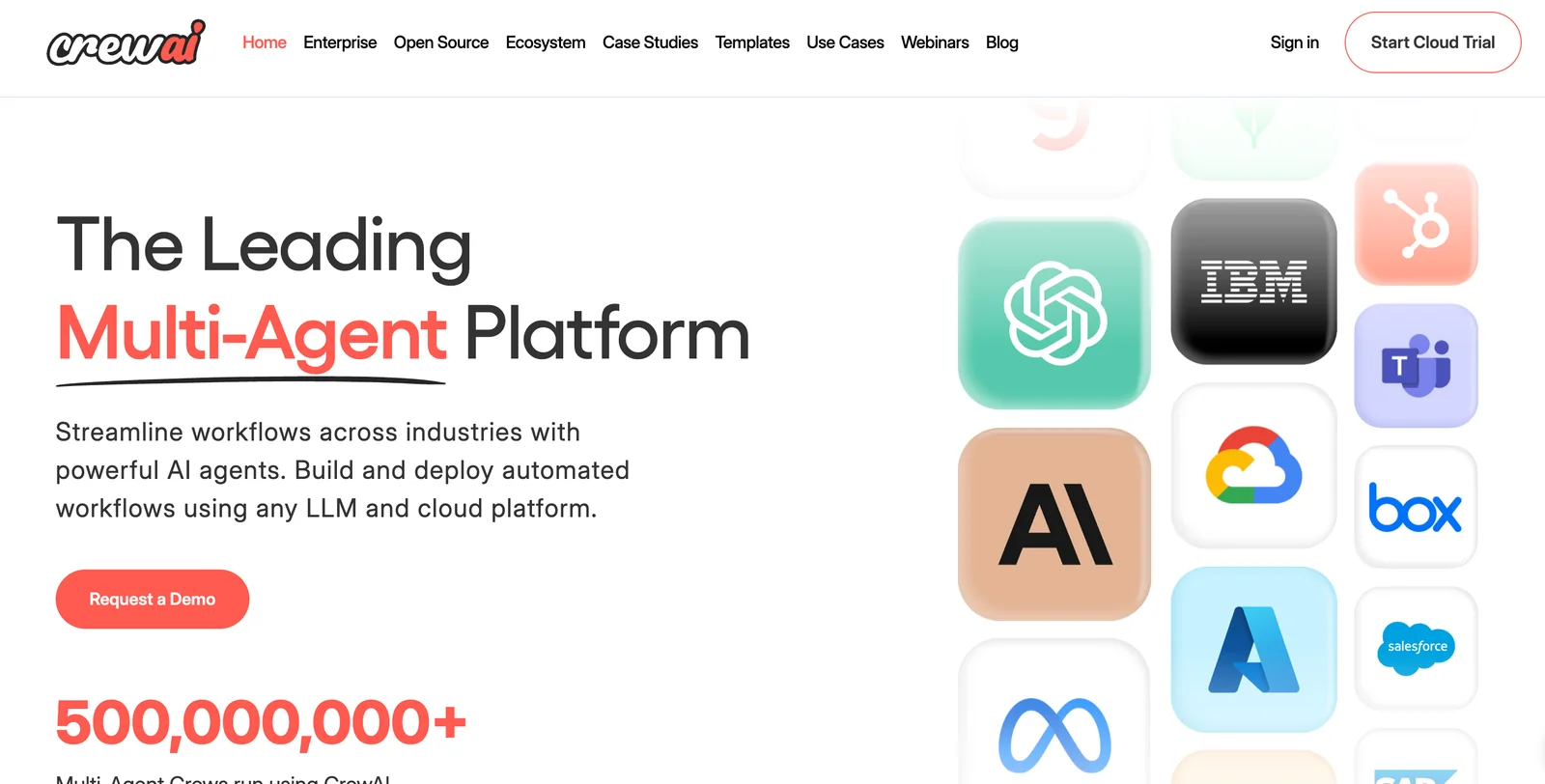
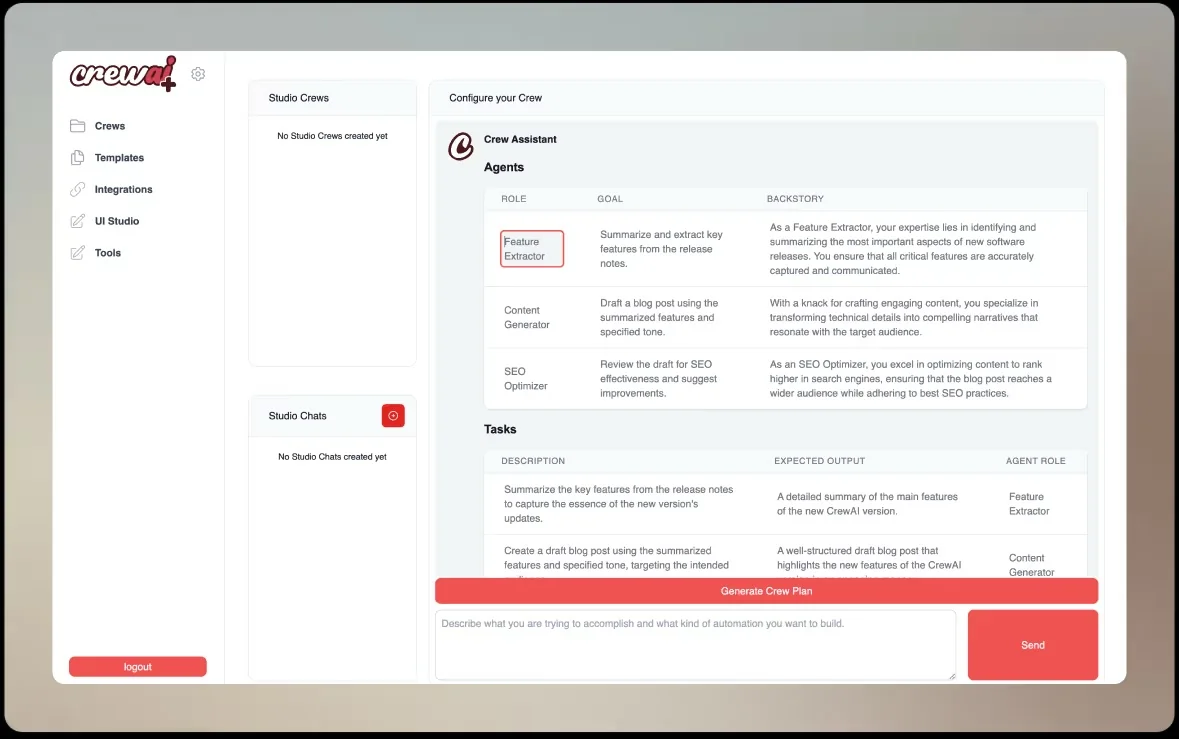
CrewAI is an open-source framework and platform for building, orchestrating, and deploying multi-agent AI systems that assume roles, share goals, and collaborate to complete complex tasks. It provides a process-oriented engine for defining dynamic, adaptable workflows and role-based agents, plus templates, example applications, and integrations to connect agents to external APIs and model providers. CrewAI's ecosystem includes GUIs (Studio, Visualizer), cookbooks, and a catalog of example apps that accelerate production usage, making it suitable for content generation, automation, customer service orchestration, and data-to-insight pipelines.
Screenshots
Key Features
Use Cases



Frequently asked questions about CrewAI
What is CrewAI's pricing structure and are there free options available?
CrewAI provides a free open-source framework that allows users to self-host without any payment. While using managed services or third-party integrations may incur costs, the essential features of CrewAI remain accessible at no charge, making it a cost-effective solution for many users.
Key Points
- Free Open-Source Framework: Users can self-host CrewAI without incurring any costs.
- Managed Services: Additional features and services may involve fees.
- Core Features: Essential functionalities are available for free.
Detailed Explanation
CrewAI's pricing structure is designed to be user-friendly and accessible. The core offering is a completely free open-source framework, which means that developers and businesses can download, install, and run CrewAI on their own servers without any financial commitment.
Self-Hosting Benefits
Self-hosting allows for greater control over data privacy and server management. Users can customize the software to fit specific needs, making it ideal for startups or individual developers looking for a robust AI solution without the burden of licensing fees.
Paid Options
Although the core framework is free, CrewAI also provides additional managed services that can enhance functionality. These services might include cloud hosting, premium support, or advanced integrations with third-party applications, which typically have associated costs. Pricing for these services can vary based on the specific features selected.
Use Case Scenarios
- Small Businesses: A local business can utilize the free framework to integrate AI capabilities into its operations, enabling better customer service and data management.
- Developers: Independent developers can leverage the open-source nature to build custom applications without upfront costs, allowing for experimentation and innovation.
- Larger Enterprises: Companies looking for scalable solutions can start with the free version and gradually adopt paid services as their needs grow.
Best Practices / Tips
- Evaluate Your Needs: Before deciding to self-host, assess whether your team has the technical expertise to manage the infrastructure.
- Monitor Usage: If opting for managed services, keep track of usage to avoid unexpected costs.
- Stay Updated: Regularly check for updates to the open-source framework to take advantage of new features and security improvements.
Additional Resources
- CrewAI Official Documentation
- Community Forums for support and user experiences
- GitHub Repository for accessing the open-source code and contributions
What are the key features of CrewAI for automating business workflows?
CrewAI offers key features such as multi-agent orchestration, role-based agent design, dynamic process execution, and seamless API integrations. These capabilities make it a powerful tool for automating complex business workflows, enhancing collaboration and efficiency across teams.
Key Points
- Multi-Agent Orchestration: Manages multiple agents working simultaneously.
- Role-Based Agent Design: Customizes agents based on specific business roles.
- Dynamic Process Execution: Adapts workflows in real time for improved performance.
Detailed Explanation
CrewAI’s multi-agent orchestration enables businesses to deploy multiple agents that can operate concurrently, streamlining complex processes. This is particularly beneficial in environments where tasks are interdependent, such as customer service or project management. For instance, while one agent handles data entry, another can analyze incoming requests, significantly reducing processing time.
The role-based agent design feature allows organizations to tailor agents to fit specific roles within the business. This means that sales teams can have agents focused on lead generation, while HR can utilize agents for onboarding processes. By assigning roles, businesses can ensure that each agent is optimized for its specific tasks, enhancing overall productivity.
Dynamic process execution is another standout feature, allowing workflows to adapt based on real-time data and inputs. For example, if an agent identifies a bottleneck in a project, it can trigger alternative processes or reallocate resources automatically. This adaptability ensures that workflows remain efficient, even in rapidly changing environments.
Best Practices / Tips
- Define Clear Roles: Clearly define the roles for agents to maximize efficiency. This prevents overlap and ensures that each agent focuses on its specific tasks.
- Utilize API Integrations: Take advantage of API integrations to connect CrewAI with existing software tools, enhancing data flow and collaboration.
- Monitor Performance: Regularly monitor and analyze agent performance to identify areas for improvement and optimize workflows accordingly.
Additional Resources
How do I get started with CrewAI and create my first agent?
To get started with CrewAI and create your first agent, visit the official CrewAI website and access the comprehensive documentation. Use CrewAI Studio for no-code agent creation, and explore example applications to effectively kickstart your projects and streamline the development process.
Key Points
- Access the official CrewAI website for resources.
- Utilize CrewAI Studio for a no-code development experience.
- Explore example applications for inspiration.
Detailed Explanation
To begin your journey with CrewAI, first navigate to the CrewAI website. Here, you will find essential resources, including extensive documentation that covers all features and functionalities. This documentation is crucial for understanding how to leverage CrewAI effectively.
Next, use CrewAI Studio, an intuitive platform designed for no-code agent creation. This user-friendly interface allows you to build agents without any programming knowledge. Simply drag and drop components to design your agent, making the process accessible for everyone.
To further enhance your learning experience, explore the various example applications provided within CrewAI. These examples serve as practical guides, showcasing different use cases and applications of the tools available. They can inspire your projects and help you understand best practices for agent development.
Best Practices / Tips
- Start Small: Begin with simple agent projects to familiarize yourself with the CrewAI Studio interface and functionalities.
- Utilize Templates: Take advantage of pre-built templates available in CrewAI to expedite the development process.
- Iterate and Test: After creating your agent, conduct thorough testing and iterate based on feedback to improve performance and functionality.
- Engage with the Community: Join forums or groups related to CrewAI to exchange ideas, seek advice, and learn from experienced users.
Additional Resources
By following these steps and utilizing the resources available, you can effectively create your first agent with CrewAI and explore the full potential of this innovative platform.
Does CrewAI support API integrations with other platforms?
Yes, CrewAI supports API integrations with various platforms, including Azure OpenAI, Stripe, and Gmail. This allows users to seamlessly connect these services, enhancing their functionalities and streamlining workflows for improved efficiency and productivity.
Key Points
- Wide-ranging API Support: Integrates with major platforms.
- Enhanced Functionality: Extends capabilities of CrewAI.
- User-friendly: Simplifies the integration process for users.
Detailed Explanation
CrewAI's API integration capabilities enable users to connect with popular platforms like Azure OpenAI, Stripe, and Gmail. This integration allows businesses and developers to leverage CrewAI's functionalities while utilizing other tools they already use. For instance, integrating with Azure OpenAI can enhance natural language processing capabilities, allowing users to create more sophisticated AI-driven applications.
Use Cases
-
Azure OpenAI Integration: Users can harness the power of advanced AI models for tasks such as content generation or data analysis. By connecting these two platforms, developers can streamline their workflows and improve output quality.
-
Stripe Integration: Businesses can easily manage payment processing directly through CrewAI, allowing for automated invoicing and transaction management. This integration simplifies financial operations and enhances user experience.
-
Gmail Integration: Users can automate email responses and manage communications more effectively. By integrating Gmail, CrewAI helps users stay organized and responsive, crucial for maintaining customer relationships.
Best Practices / Tips
- Start with Documentation: Review CrewAI's official API documentation to understand the integration process and prerequisites.
- Test Integrations: Before full deployment, conduct tests to ensure that all functionalities work as expected and to identify any potential issues.
- Monitor Performance: Regularly assess the performance of integrated APIs to ensure they meet your evolving business needs and to optimize workflows.
Additional Resources
- CrewAI API Documentation - Comprehensive guide to integrating various APIs.
- Azure OpenAI Overview - Learn more about Azure OpenAI capabilities.
- Stripe Documentation - Detailed information on payment processing integrations.
How does CrewAI compare to other multi-agent orchestration tools?
CrewAI excels over other multi-agent orchestration tools due to its open-source foundation, allowing businesses to customize and self-host their solutions. Additionally, its vibrant community support enhances user experience, making it a cost-effective choice compared to proprietary options that often come with high licensing fees and limited flexibility.
Key Points
- Open-Source Flexibility: CrewAI’s open-source model enables extensive customization and adaptability.
- Self-Hosting Capability: Businesses can choose to self-host, ensuring data security and control.
- Community Support: A large community provides extensive resources, tutorials, and peer support.
Detailed Explanation
CrewAI is designed to address the needs of modern businesses by offering a versatile orchestration tool that allows for the management of multiple AI agents effectively. Its open-source nature means that users can access the source code, modify it, and adapt it to their unique requirements. In contrast, many proprietary tools impose rigid frameworks that may not align with specific business processes.
For instance, a company focusing on customer service automation can customize CrewAI to integrate seamlessly with existing CRM systems, tailoring the AI agents to respond in a way that reflects their brand voice. This is a significant advantage over proprietary solutions, which may charge additional fees for similar customization capabilities.
The self-hosting option further distinguishes CrewAI. Businesses can deploy it on their servers, ensuring that sensitive data remains within their infrastructure, a critical consideration for industries with stringent data privacy regulations. On the other hand, proprietary tools often require cloud hosting, which can raise concerns about data security and compliance.
Additionally, CrewAI boasts a robust community that actively contributes to its development. Users benefit from shared knowledge, troubleshooting tips, and various plugins developed by fellow community members. This peer support can significantly reduce the learning curve, enabling users to leverage the tool quickly and effectively.
Best Practices / Tips
- Explore Customization: Take advantage of the open-source nature and customize CrewAI to meet specific business needs.
- Engage with the Community: Join forums or online groups related to CrewAI to share experiences and gather tips from other users.
- Regular Updates: Keep your CrewAI installation updated to benefit from the latest features and security enhancements.
Additional Resources
By leveraging these features and resources, businesses can maximize the benefits of using CrewAI compared to other multi-agent orchestration tools, enhancing both efficiency and cost-effectiveness.
Explore more AI Ai Agents tools
Browse all Ai Agents tools →Browse by use case: Automation & Productivity
Compare CrewAI: vs Mycel · vs Proto-Mind · vs Ami · vs Duvi