

connector.wtf
AIFree read-only MCP connectors exposing Google Ads, Meta, LinkedIn, GA4, Search Console, HubSpot and WooCommerce to ChatGPT and Claude.
connector.wtf
Free read-only MCP connectors exposing Google Ads, Meta, LinkedIn, GA4, Search Console, HubSpot and WooCommerce to ChatGPT and Claude.
About connector.wtf
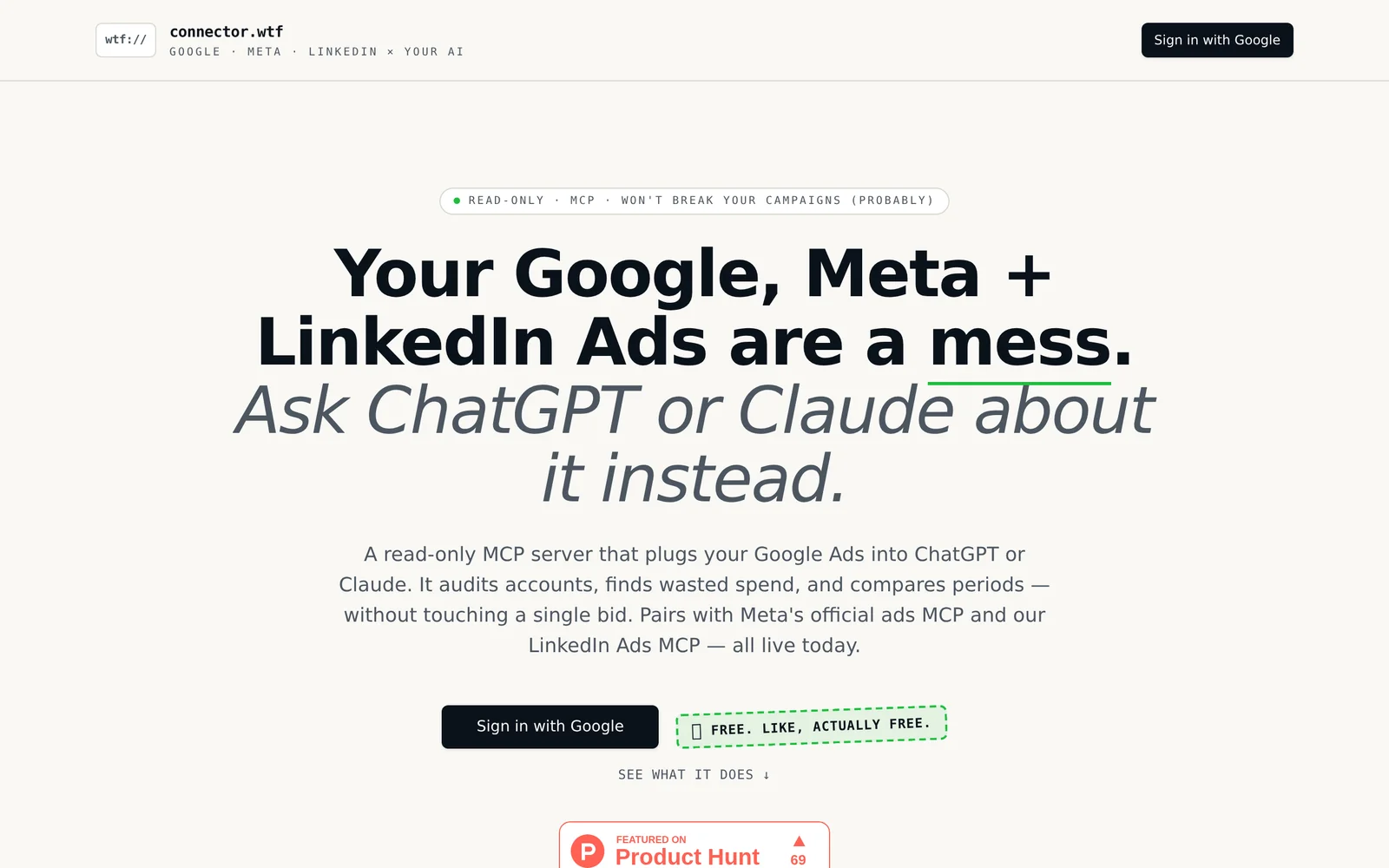
connector.wtf provides free, read-only MCP connectors that let large language models like ChatGPT and Claude query marketing, analytics, and ecommerce platforms directly without spreadsheets or CSV exports. It connects to Google Ads, Meta Ads, LinkedIn Ads, GA4, Search Console, HubSpot and WooCommerce and surfaces account data to LLMs for natural-language queries and reporting. The service is focused on read-only access to reduce risk while eliminating manual export and data-wrangling steps, enabling faster insights and conversational analysis of campaign and site metrics.
Screenshots
Key Features
Use Cases



Frequently asked questions about connector.wtf
What is connector.wtf?
Connector.wtf is a free, read-only tool that integrates Google Ads, Meta Ads, and LinkedIn Ads with AI platforms like ChatGPT and Claude. It allows users to audit advertising accounts, identify wasted spending, and compare performance periods without the need for spreadsheets.
Key Points
- Seamless Integration: Connects multiple ad platforms to AI tools.
- Cost-Effective: Free to use, enhancing budget management.
- Data Insights: Provides actionable insights for improving ad performance.
Detailed Explanation
Connector.wtf simplifies the management of digital advertising campaigns by providing a streamlined interface that connects Google Ads, Meta Ads, and LinkedIn Ads to AI-powered tools such as ChatGPT and Claude. This integration allows marketers and advertisers to analyze their ad performance efficiently.
Features
- Read-Only Access: Ensures data security while allowing users to view critical metrics and insights.
- Account Auditing: Users can perform comprehensive audits of their advertising accounts to spot inefficiencies and unnecessary expenditures.
- Performance Comparison: Easily compare ad performance across different periods to gauge effectiveness and ROI.
Use Cases
- Identifying Wasted Spend: By analyzing spending patterns, users can pinpoint areas where their budget is not delivering results and adjust their strategies accordingly.
- Performance Benchmarking: Advertisers can benchmark their current campaigns against previous periods, providing insights into trends and performance improvements.
Best Practices / Tips
- Regular Audits: Schedule routine audits using Connector.wtf to stay on top of your ad performance and spending.
- Leverage AI Insights: Use the data provided by ChatGPT and Claude to generate actionable strategies based on your findings.
- Stay Updated: Keep an eye on updates and new features released by Connector.wtf to enhance your advertising strategies.
Additional Resources
How does connector.wtf work?
connector.wtf is an AI-driven platform that streamlines daily workflows by integrating various AI tools. It helps users automate tasks, enhance productivity, and optimize their interactions with AI technologies, making complex processes simpler and more efficient.
Key Points
- Integration of AI Tools: Combines multiple AI capabilities in one interface.
- Workflow Automation: Automates repetitive tasks to save time and effort.
- User-Friendly Interface: Designed for ease of use, requiring minimal technical knowledge.
Detailed Explanation
connector.wtf operates by merging several core artificial intelligence functionalities into a single, user-friendly platform. This integration allows users to connect different AI applications seamlessly, enabling them to manage tasks more efficiently. For instance, users can automate data entry, generate content, or analyze trends without needing to switch between multiple applications.
Use Cases:
- Content Creation: Users can leverage AI for writing, editing, and optimizing articles or marketing materials.
- Data Analysis: The platform can analyze large datasets quickly, providing actionable insights.
- Task Automation: Automate routine tasks like scheduling or email responses, freeing up time for more strategic work.
Best Practices / Tips
- Start with a Clear Workflow: Identify tasks that can benefit from automation before integrating them into connector.wtf.
- Utilize Custom Templates: Create templates for recurring tasks to streamline your processes further.
- Regularly Update Integrations: Keep your AI tools updated to take advantage of new features and improvements.
Common Pitfalls:
- Overcomplicating Workflows: Avoid adding too many steps; simplicity increases efficiency.
- Ignoring User Feedback: Regularly solicit feedback from team members to improve the integration and usage of the tool.
Additional Resources
What are the main features of connector.wtf?
Connector.wtf offers a range of advanced features, including seamless integration with various AI tools, real-time data processing, and customizable workflows. These capabilities empower users to streamline their operations and enhance productivity in AI-driven environments.
Key Points
- Seamless Integration: Connects with multiple AI platforms effortlessly.
- Real-Time Data Processing: Processes data instantly for quick insights.
- Customizable Workflows: Allows users to tailor workflows to their specific needs.
Detailed Explanation
Connector.wtf is designed for businesses and developers looking to enhance their AI capabilities. Here’s a closer look at its main features:
-
Seamless Integration: Connector.wtf supports integration with popular AI tools like OpenAI, TensorFlow, and Microsoft Azure. This feature allows users to connect different systems and datasets without significant technical overhead. For instance, businesses can link their CRM systems directly with AI models to automate customer interactions.
-
Real-Time Data Processing: One of the standout features is its ability to process large volumes of data in real-time. This is crucial for businesses that rely on immediate insights for decision-making. For example, e-commerce platforms can analyze customer behavior instantly to optimize marketing strategies.
-
Customizable Workflows: The platform allows users to create tailored workflows that fit their specific processes. Users can set up automated tasks and triggers, reducing manual effort. This feature is particularly useful in industries like finance, where regulatory compliance requires meticulous workflows.
Best Practices / Tips
- Start Small: When integrating new AI tools, begin with small projects to understand the capabilities and limitations of Connector.wtf.
- Utilize Templates: Take advantage of pre-built workflow templates available on the platform to save time and effort.
- Regular Updates: Keep an eye on updates and new features from Connector.wtf to maximize productivity and efficiency.
Additional Resources
Who is connector.wtf for?
connector.wtf is designed for individuals and teams looking to streamline their daily AI workflows. Whether you're a marketer, developer, or content creator, this tool simplifies the integration of AI into everyday tasks, enhancing productivity and efficiency.
Key Points
- Target Audience: Professionals in various fields, including marketing, development, and content creation.
- Workflow Integration: Seamlessly integrates AI tools to enhance productivity.
- User-Friendly: Designed for both technical and non-technical users.
Detailed Explanation
connector.wtf serves a diverse audience, particularly those involved in technology, marketing, and content creation. This versatile platform simplifies AI workflow management by allowing users to connect various AI tools and services effortlessly.
For example, a marketer can use connector.wtf to integrate AI-driven analytics tools with email marketing platforms, automating the process of analyzing campaign performance and optimizing future strategies. Similarly, developers can connect APIs from different AI services to build robust applications without extensive coding.
Use Cases:
- Marketing Teams: Automate social media posting with AI-generated content suggestions.
- Content Creators: Utilize AI to generate creative ideas and streamline the writing process.
- Data Analysts: Connect datasets with AI tools to derive insights quickly.
Best Practices / Tips
- Start Small: Begin with simple integrations to familiarize yourself with the platform.
- Leverage Documentation: Utilize connector.wtf’s documentation for detailed guidance on setting up and optimizing your workflows.
- Monitor Performance: Regularly assess the effectiveness of your AI integrations to ensure they meet your productivity goals.
Additional Resources
How much does connector.wtf cost?
Connector.wtf offers a pricing model that varies based on user needs and usage levels. For specific pricing details, including subscription options and potential discounts, it’s best to visit the official connector.wtf website directly for the most accurate and up-to-date information.
Key Points
- Connector.wtf features a flexible pricing model.
- Pricing varies by subscription tier and usage.
- Detailed information is available on the official website.
Detailed Explanation
Connector.wtf provides various pricing plans tailored to different user requirements, including individual users, small businesses, and larger organizations. The platform is designed to cater to diverse needs, enabling users to select a plan that aligns with their usage patterns and budget.
Pricing Tiers
-
Free Tier: Ideal for individuals or small projects, this tier often includes basic functionalities without any costs involved. Users can explore the platform’s features before committing to a paid plan.
-
Basic Plan: Typically priced at around $10 per month, this plan may offer additional features such as enhanced integrations, increased data limits, and priority support.
-
Pro Plan: For more advanced users, the Pro Plan usually starts at $30 per month, providing access to premium features, analytics, and custom integrations tailored for businesses.
-
Enterprise Solutions: For larger organizations, custom pricing is available. These solutions include personalized support, advanced security features, and scalability to meet high-demand use cases.
Use Cases
- Developers can utilize the free tier to test integrations.
- Small businesses might find the Basic Plan sufficient for their operational needs.
- Larger enterprises benefit from the Pro and Enterprise Plans for extensive usage and support.
Best Practices / Tips
- Assess Your Needs: Before selecting a plan, evaluate your specific requirements—this will help you avoid overpaying for features you won’t use.
- Take Advantage of Trials: If available, utilize any free trial options to explore premium features before committing financially.
- Keep an Eye on Promotions: Connector.wtf may offer seasonal discounts or promotions. Regularly check the official website to ensure you don’t miss out.
Additional Resources
How do I get started with connector.wtf?
To get started with connector.wtf, visit connector.wtf to sign up for an account. Once registered, you can explore its features, integrate AI tools, and optimize your workflow effectively.
Key Points
- Easy registration process.
- Wide range of AI tool integrations.
- User-friendly interface for efficient exploration.
Detailed Explanation
Connector.wtf is designed to streamline your workflow with AI tools. To begin, simply click on the link provided and complete the registration form. After signing up, you'll gain access to a dashboard where you can explore various features.
-
Create Your Account: Fill in your personal details, including your email and password. Ensure you use a valid email as you will receive a confirmation link.
-
Explore Features: Once logged in, familiarize yourself with the dashboard. Here, you can browse through various AI connectors that can enhance your productivity, such as data analysis tools, automation bots, and more.
-
Integrate Tools: Choose the AI tools that best suit your needs. Connector.wtf allows seamless integration with services like Google Sheets, Slack, and various CRM platforms. Follow the specific instructions to set up each tool.
-
Utilize Tutorials: Take advantage of any tutorials or guides offered on the platform to maximize your understanding and use of the tools available.
Best Practices / Tips
- Use a Strong Password: For security, create a complex password during the sign-up process.
- Explore Community Forums: Engage with other users in community forums to learn tips and tricks about maximizing connector.wtf’s capabilities.
- Regularly Update Integrations: Keep your tools updated to ensure you are using the latest features and improvements.
- Test Integrations: Before fully relying on new tools, test them out to see how well they integrate with your existing workflows.
Additional Resources
- Connector.wtf Documentation - Official documentation for in-depth guidance.
- Community Forums - Join discussions and connect with other users.
- AI Tools Comparisons - Compare various AI tools available on the platform.
Explore more AI Ai Tools tools
Browse all Ai Tools tools →Compare connector.wtf: vs Agents Never Sleep · vs Port Radar for macOS · vs SubtitleGenerator · vs Zero