

Clawther
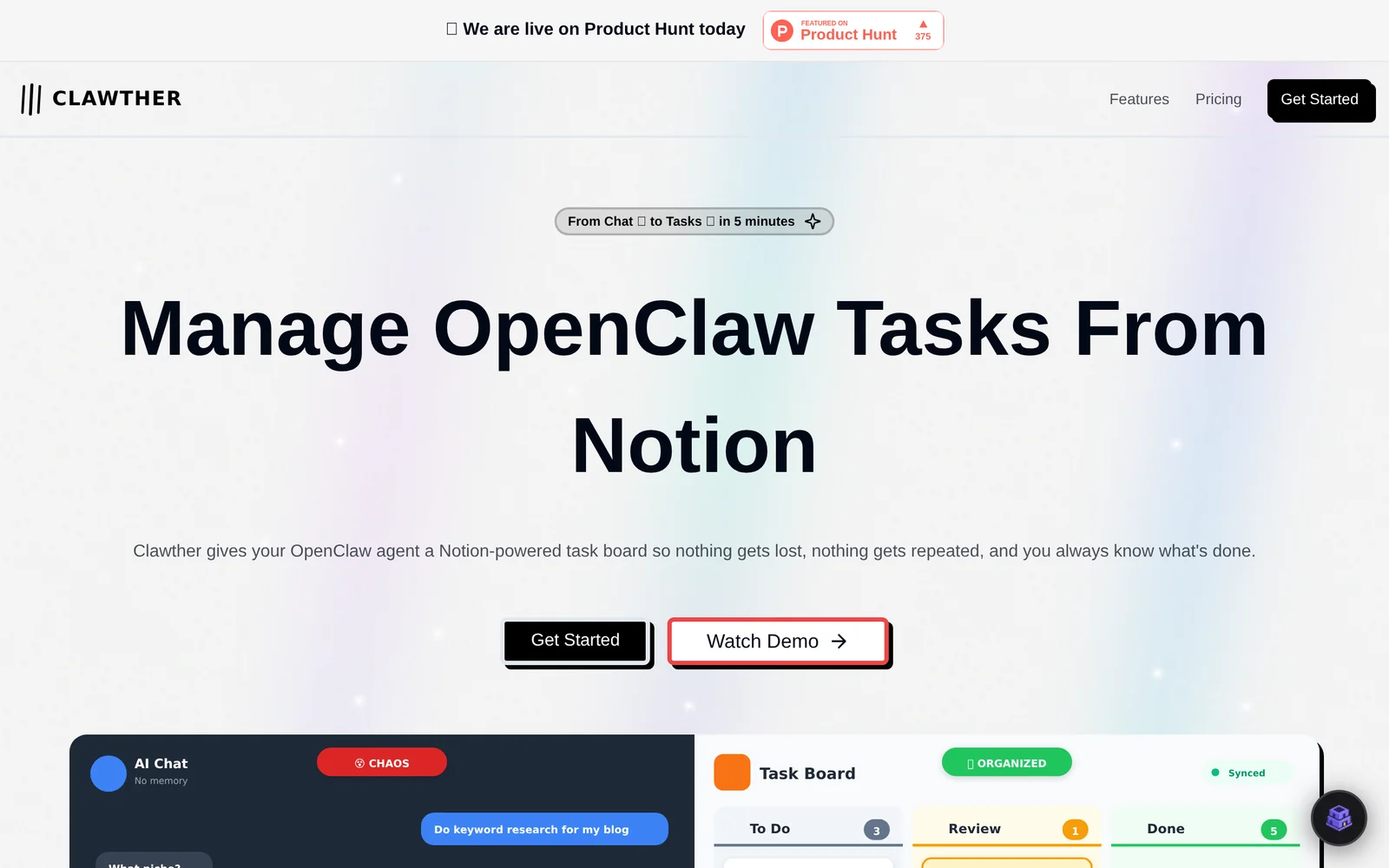
AINotion-powered task board that turns OpenClaw agent chat output into organized, tracked tasks to avoid repetition and loss.
Clawther
Notion-powered task board that turns OpenClaw agent chat output into organized, tracked tasks to avoid repetition and loss.
About Clawther
Clawther provides a Notion-integrated task board layer for OpenClaw agents, converting agent conversations and outputs into structured tasks you can manage, track, and audit. It centralizes tasks generated by agents, prevents duplicate or repeated work, and records what each agent did so teams always know task status and history. Clawther supports parallel task management and visibility across workflows by syncing agent actions with Notion pages and task records, improving control and accountability for multi-step agent automations.
Screenshots
Key Features
Use Cases



Frequently asked questions about Clawther
What is Clawther?
Clawther is a Notion-powered task board that transforms output from OpenClaw agent chats into organized, trackable tasks. This innovative tool minimizes repetition and ensures that important tasks are not overlooked, enhancing productivity through streamlined task management.
Key Points
- Integration with Notion: Clawther seamlessly connects with Notion, leveraging its powerful organizational capabilities.
- Task Tracking: It converts chat outputs into actionable tasks, improving workflow efficiency.
- User-Friendly Interface: The intuitive design makes it easy for users to manage and prioritize tasks.
Detailed Explanation
Clawther is designed to optimize workflow by converting the outputs from OpenClaw agent chats directly into tasks within Notion. This integration allows users to track conversations and actionable items without the risk of losing valuable insights.
How It Works
- Chat Output Conversion: When an OpenClaw agent completes a chat, Clawther captures the key information and turns it into a task.
- Organized Workspace: Users can access these tasks within Notion, categorizing them by project, priority, or deadline.
- Real-Time Updates: Tasks are updated in real-time, ensuring everyone on the team has the latest information.
Use Cases
- Customer Support: Teams can convert support chat outputs into tasks for follow-up actions.
- Project Management: Project managers can quickly turn discussions into tasks, ensuring nothing falls through the cracks.
- Team Collaboration: Clawther fosters better collaboration by keeping all task-related information in one place.
Best Practices / Tips
- Regular Updates: Ensure that the Clawther board is updated regularly to reflect new tasks and priorities.
- Prioritize Tasks: Use Notion's tagging and categorization features to prioritize tasks effectively.
- Utilize Templates: Create templates for common task types to save time and maintain consistency.
Additional Resources
- Notion Official Documentation - Learn more about using Notion effectively.
- OpenClaw Support - Get help with OpenClaw and its integrations.
- Task Management Best Practices - Explore strategies for effective task management.
How does Clawther work?
Clawther operates by leveraging advanced AI technologies to streamline everyday workflows for users. It integrates various AI functionalities, including automation, data analysis, and natural language processing, making it easier for individuals and businesses to optimize their daily tasks and improve productivity.
Key Points
- AI Integration: Combines multiple AI technologies for seamless workflows.
- Task Automation: Automates repetitive tasks, saving time and effort.
- User-Friendly Interface: Designed for ease of use, catering to all skill levels.
Detailed Explanation
Clawther utilizes a combination of artificial intelligence capabilities to enhance productivity and simplify daily tasks. By incorporating features like automation, data processing, and natural language understanding, Clawther can perform a variety of functions effectively.
-
AI Integration: Clawther merges different AI technologies, such as machine learning and natural language processing, allowing users to automate complex workflows. For instance, it can analyze large datasets to extract valuable insights or generate reports, minimizing the need for manual input.
-
Task Automation: One of the standout features of Clawther is its ability to automate repetitive tasks. Users can set up workflows that automatically execute tasks like data entry, email responses, or scheduling, thereby freeing up time for more strategic activities. For example, businesses can use Clawther to handle customer inquiries through chatbots, ensuring consistent and prompt service.
-
User-Friendly Interface: Clawther is designed with a user-centric approach, ensuring that both tech-savvy users and beginners can navigate its features easily. The intuitive interface allows users to create and manage workflows without extensive technical knowledge, making AI accessible to a broader audience.
Best Practices / Tips
- Start Small: Begin by automating simple tasks to understand Clawther's capabilities. As you gain familiarity, gradually incorporate more complex workflows.
- Utilize Templates: Take advantage of pre-built templates available within Clawther to jumpstart your projects and save time.
- Monitor Performance: Regularly review the outcomes of automated tasks to identify areas for improvement and optimization.
- Stay Updated: Keep an eye on new features and updates from Clawther to leverage the latest advancements in AI technology.
Additional Resources
What are the main features of Clawther?
Clawther offers a range of advanced AI features, including natural language processing, machine learning integration, and data analytics capabilities. These tools enable users to automate tasks, gain insights from data, and enhance decision-making processes, making Clawther a powerful solution for businesses looking to leverage AI technology.
Key Points
- Natural Language Processing (NLP): Enables understanding and generation of human language.
- Machine Learning Integration: Facilitates predictive analytics and automation.
- Data Analytics Capabilities: Provides insights through data visualization and reporting.
Detailed Explanation
Clawther's AI capabilities are designed to streamline business operations and enhance productivity.
-
Natural Language Processing (NLP):
- NLP allows Clawther to interpret and process human language. This feature is particularly useful for chatbots and customer support systems, where understanding user queries accurately is essential.
- For example, businesses can implement NLP-driven chatbots to handle customer inquiries, reducing response times and improving customer satisfaction.
-
Machine Learning Integration:
- Clawther integrates machine learning algorithms that analyze historical data to make predictions about future trends. This can help businesses in inventory management, sales forecasting, and personalized marketing.
- A retail company using Clawther can analyze past sales data to predict stock needs, ensuring they meet customer demand without overstocking.
-
Data Analytics Capabilities:
- Clawther provides robust data analytics tools that help users visualize and interpret complex datasets. With customizable dashboards and reporting features, users can track KPIs and make informed decisions.
- For instance, a marketing team can use Clawther to analyze campaign performance data, allowing them to adjust strategies in real-time for better results.
Best Practices / Tips
- Leverage NLP: Implement NLP features for improved customer interactions. Regularly update the language models to stay relevant.
- Utilize Machine Learning: Continuously feed the system with new data to enhance predictive accuracy. Train models with diverse datasets for better performance.
- Focus on Data Analytics: Regularly review data analytics reports to identify trends and adjust business strategies accordingly. Use visual aids like graphs for clearer insights.
Additional Resources
Who is Clawther for?
Clawther is designed for a diverse audience, including small business owners, freelancers, content creators, and teams looking to enhance their daily AI workflows. It streamlines tasks, boosts productivity, and facilitates effective collaboration, making it suitable for anyone keen on leveraging AI technology for efficiency.
Key Points
- Small Business Owners: Automate routine tasks and improve operational efficiency.
- Content Creators: Generate ideas, optimize content, and streamline creative workflows.
- Teams and Collaborators: Enhance communication and project management through AI tools.
Detailed Explanation
Clawther caters to a wide range of users by integrating AI into day-to-day operations.
-
Small Business Owners: Clawther helps automate repetitive tasks such as invoicing, scheduling, and customer follow-ups. For instance, a local coffee shop can use Clawther to manage orders and communicate with customers through chatbots, freeing up time for staff to focus on customer service.
-
Content Creators: For bloggers, social media managers, and marketers, Clawther offers tools for brainstorming topics, drafting posts, and analyzing audience engagement. A content creator can use Clawther to generate SEO-optimized content outlines quickly, allowing for more time spent on refining and personalizing the final product.
-
Teams and Collaborators: Clawther enhances collaboration by providing features like project management, task assignment, and progress tracking. For example, a design team can collaborate on projects, share ideas, and receive real-time feedback, improving overall productivity and project timelines.
Best Practices / Tips
- Identify Your Needs: Before using Clawther, assess which areas of your workflow could benefit from AI—be it content generation, customer service, or project management.
- Start Small: Begin with one or two features to avoid overwhelm. Gradually integrate more functions as you become comfortable with the platform.
- Leverage Analytics: Use Clawther’s analytics tools to monitor performance and optimize your workflows continuously. Regularly review data to find opportunities for improvement.
Additional Resources
How much does Clawther cost?
Clawther provides a free tier for users, offering basic features at no cost. For those seeking advanced functionalities, Clawther has several paid plans available, typically starting at around $10 per month, depending on the features included and the level of usage.
Key Points
- Free Tier: Basic access without any charges.
- Paid Plans: Advanced features available starting at approximately $10/month.
- Feature Variability: Pricing may vary based on the specific features and usage levels.
Detailed Explanation
Clawther's pricing structure is designed to accommodate a range of users, from casual individuals to businesses needing robust functionalities. The free tier allows users to explore Clawther's platform without any financial commitment, which is ideal for those who want to test the service before committing to a subscription.
Paid Plans
The paid plans unlock advanced features that cater to professional users. For instance, plans typically start at $10 per month, which may include features such as:
- Increased Usage Limits: More data processing or higher storage capacities.
- Premium Support: Access to priority customer service.
- Additional Tools: Integration with other services and enhanced customization options.
Users can choose from different tiers based on their needs, ensuring they only pay for what they use. This flexibility makes Clawther a competitive choice in the market for AI tools.
Best Practices / Tips
- Utilize the Free Tier: Start with the free version to assess if Clawther fits your needs before investing in a paid plan.
- Compare Plans: Review the different paid plans to identify which features align with your needs and budget.
- Stay Updated on Promotions: Clawther occasionally offers discounts or promotions for new users; subscribing to their newsletter can keep you informed.
Additional Resources
- Clawther Official Pricing Page – For the most up-to-date information on pricing and features.
- Clawther Help Center – Access FAQs and support resources for better usage guidance.
- User Reviews and Comparisons – Explore user feedback to understand the experiences of others with different plans.
How do I get started with Clawther?
To get started with Clawther, visit Clawther's official website and create your account. Once registered, you can explore its features, access tutorials, and start utilizing its tools for your projects effectively.
Key Points
- Easy Registration: Sign up in minutes with your email.
- User-Friendly Interface: Navigate the platform with ease.
- Access to Resources: Tutorials and support are readily available.
Detailed Explanation
Getting started with Clawther is straightforward. First, navigate to Clawther's website. Click on the "Sign Up" button, where you’ll need to provide a valid email address and create a password. Once registered, you’ll receive a confirmation email.
After confirming your account, log in to explore the dashboard. Clawther offers a user-friendly interface designed for both beginners and experienced users. Familiarize yourself with the main features like project management, analytics, and collaboration tools.
Clawther also provides a rich library of tutorials and documentation to help you maximize the platform’s capabilities. For example, if you're looking to leverage AI tools for enhanced productivity, you’ll find step-by-step guides tailored to different use cases.
Best Practices / Tips
- Complete Your Profile: Fill in your profile information for personalized recommendations.
- Utilize Tutorials: Take advantage of the available tutorials to learn best practices.
- Explore Community Forums: Join discussions with other users to share insights and solutions.
Avoid common pitfalls such as skipping the tutorial phase, which can lead to missed features and inefficiencies. Regularly check for updates, as Clawther frequently adds new functionalities and improvements.
Additional Resources
- Clawther Documentation
- Clawther Community Forum
- Clawther Blog for tips and updates on new features.
Explore more AI Ai Agents tools
Browse all Ai Agents tools →Browse by use case: Automation & Productivity
Compare Clawther: vs Mycel · vs Proto-Mind · vs Ami · vs Duvi