

Chroma
AIOpen SourceOpen-source vector search and retrieval database for building semantic search and retrieval-augmented AI applications.
Chroma
Open-source vector search and retrieval database for building semantic search and retrieval-augmented AI applications.
About Chroma
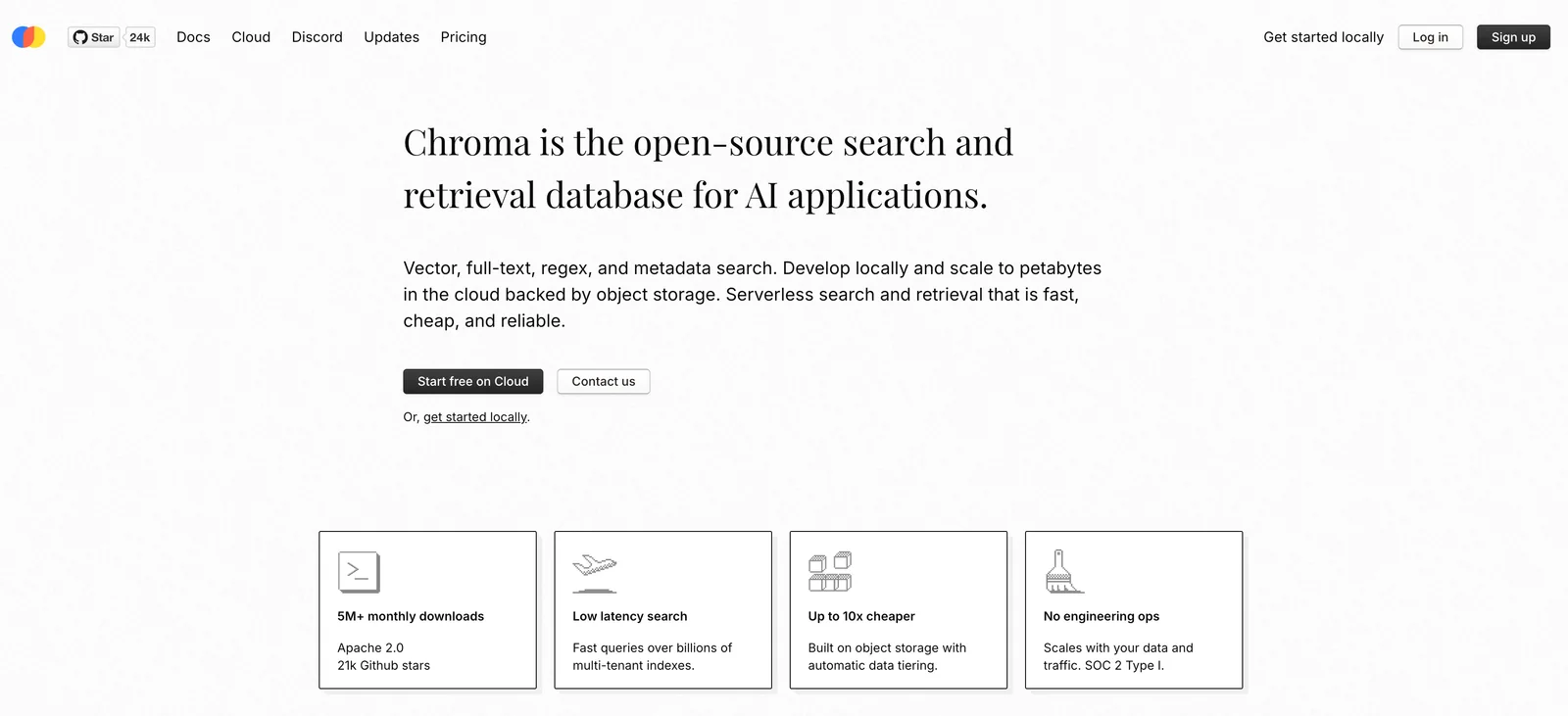
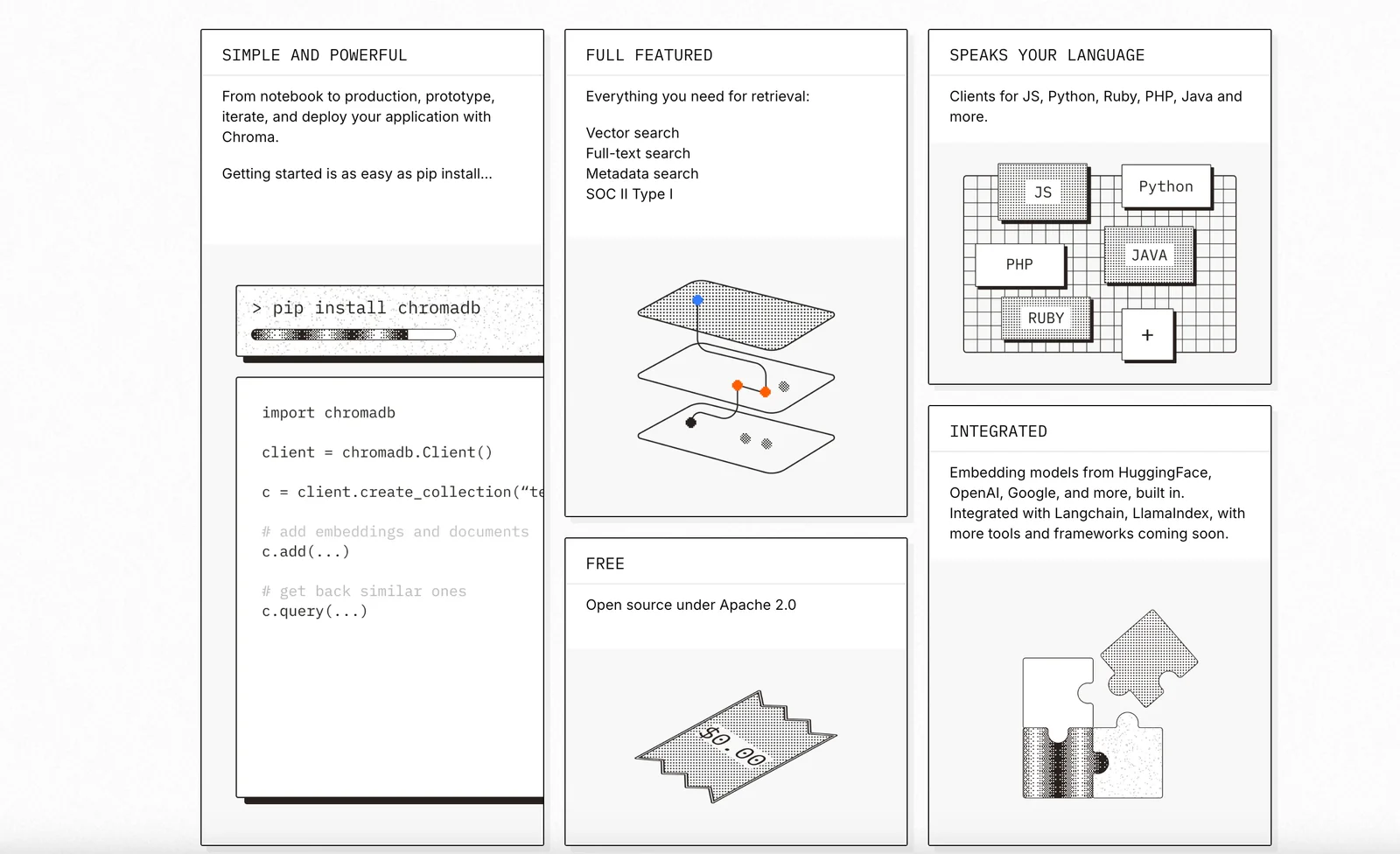
Chroma is an open-source search and retrieval database designed for AI applications that need fast, scalable access to embeddings and related metadata. It provides vector similarity search, full-text search, metadata filtering, collection management, and multiple storage backends (ephemeral in-memory and persistent file-based). Chroma can be self-hosted or used via Chroma Cloud; it exposes flexible client types (HTTP, persistent, ephemeral, and cloud clients) and integrates into RAG pipelines and model context workflows. The project also provides MCP (Model Context Protocol) server implementations and tooling for remote access, packaging search scenarios, and hybrid retrieval approaches.
Screenshots
Key Features
Use Cases



Frequently asked questions about Chroma
What are the pricing options for Chroma?
Chroma offers a flexible freemium pricing model, which includes options such as free self-hosting, managed cloud services, and usage-based pricing plans. For specific pricing details and to explore all available options, visit Chroma's official website.
Key Points
- Freemium Model: Access to basic features without cost.
- Self-Hosting: Option to host Chroma on your own infrastructure.
- Managed Cloud Services: Simplified management with cloud-based hosting.
Detailed Explanation
Chroma's pricing options are designed to cater to a wide range of users, from individual developers to large enterprises.
-
Freemium Model: Users can start for free, accessing core features that allow them to experiment with Chroma's capabilities without any financial commitment. This is ideal for startups or developers wanting to test the waters.
-
Self-Hosting: For those who prefer complete control over their environments, Chroma allows users to self-host the solution. This option is beneficial for organizations with strict data security requirements or those who wish to customize their setup extensively.
-
Managed Cloud Services: For users looking for ease of use, Chroma provides managed cloud services, ensuring that the infrastructure is handled by their team. This option offers scalability and reduced maintenance burdens, making it perfect for businesses that want to focus on development rather than IT management.
-
Usage-Based Pricing: This flexible pricing structure allows users to pay based on their actual usage, making it suitable for fluctuating project demands. This means you only pay for what you need, which can lead to significant cost savings for businesses.
Best Practices / Tips
- Evaluate Your Needs: Consider your project's scope and determine whether self-hosting or managed services align with your technical capabilities and business requirements.
- Start with Freemium: Take advantage of the freemium model to assess Chroma's features before committing financially.
- Monitor Usage: If opting for the usage-based pricing, regularly monitor your usage to avoid unexpected costs and optimize resource allocation.
Additional Resources
How do I get started with Chroma?
To get started with Chroma, you can either self-host the open-source version of the software or opt for Chroma Cloud, which is a managed service. Both options have detailed tutorials and guides available on their official website to assist you in setting up and using Chroma effectively.
Key Points
- Self-Hosting: Choose the open-source version for complete control.
- Chroma Cloud: Sign up for a managed service for ease of use.
- Documentation: Access extensive tutorials and guides online.
Detailed Explanation
Chroma is a versatile tool for data storage and management, suitable for various applications, including AI projects and data analytics. Here’s how you can get started:
-
Self-Hosting Chroma:
- Download the open-source version from the Chroma GitHub repository.
- Follow the setup instructions provided in the documentation, which typically include installation prerequisites, environment setup, and configuration steps.
- This option is ideal for users who prefer flexibility and want to customize their deployment.
-
Chroma Cloud:
- Visit the Chroma Cloud website and sign up for an account.
- The cloud version offers a user-friendly interface and eliminates the need for local installation, making it a great choice for users who want quick access to Chroma’s capabilities.
- Pricing details for Chroma Cloud can vary, so check their pricing page for the latest offers and subscription plans.
-
Documentation and Tutorials:
- Both options have comprehensive guides available on the Chroma website. These resources cover everything from installation to advanced features, ensuring that users, regardless of their technical expertise, can navigate the platform effectively.
Best Practices / Tips
- Choose the Right Option: If you’re comfortable with technical setups, self-hosting may be beneficial. For quick implementation, opt for Chroma Cloud.
- Utilize Documentation: Always refer to the official documentation for the latest updates and tips on optimizing your use of Chroma.
- Community Support: Engage with the Chroma community through forums or social media for additional help and shared experiences.
Additional Resources
By following these steps and utilizing available resources, you can effectively start using Chroma to enhance your data management processes.
What are the key features of Chroma?
Chroma offers key features such as vector similarity search, full-text and hybrid retrieval, flexible storage backends, collection management, and metadata filtering. These capabilities make Chroma an excellent choice for developers and businesses aiming to enhance their semantic search applications effectively.
Key Points
- Vector Similarity Search: Enables efficient retrieval of similar data points.
- Full-Text and Hybrid Retrieval: Combines traditional and advanced search techniques for diverse use cases.
- Flexible Storage Backends: Supports various storage solutions to fit different environments.
Detailed Explanation
Chroma's vector similarity search allows users to find data that is contextually similar, making it ideal for applications like recommendation systems or semantic searches. By converting data into vectors, Chroma can quickly identify relationships between items, enhancing the user experience.
The full-text and hybrid retrieval feature integrates both keyword-based searches and semantic understanding. This means users can search using natural language queries while still benefiting from traditional text-based retrieval methods, which increases the search accuracy and relevance.
Flexible storage backends give developers the freedom to choose their preferred data storage solutions, whether they prefer cloud-based or on-premises systems. This adaptability ensures that Chroma can fit into existing infrastructures seamlessly.
Collection management is another vital feature, allowing users to organize and maintain large datasets efficiently. Users can create, update, and manage collections of data, facilitating easier accessibility and retrieval.
Metadata filtering enhances the search process by allowing users to filter results based on specific attributes. This feature is particularly useful in applications dealing with large datasets, enabling users to narrow down search results effectively.
Best Practices / Tips
- Utilize Vector Similarity: When implementing Chroma, focus on optimizing vector representations to enhance search performance.
- Combine Retrieval Methods: Leverage both full-text and semantic searches to maximize result relevance.
- Organize Collections: Regularly update and manage your collections to ensure that data remains relevant and accessible.
- Implement Metadata Filters: Use metadata filters strategically to improve user experience and search efficiency.
Additional Resources
How can I integrate Chroma with my application?
Chroma can be integrated into your application using its API, which supports programming languages like Python and TypeScript. For detailed guidance, visit Chroma's official website, where you'll find comprehensive API documentation tailored to assist developers in effectively implementing Chroma’s features.
Key Points
- Chroma provides API access for seamless integration.
- Supports popular programming languages like Python and TypeScript.
- Comprehensive documentation is available on their website.
Detailed Explanation
Integrating Chroma into your application is a straightforward process thanks to its robust API. Here’s how to get started:
-
API Key Registration: First, register on the Chroma platform to obtain your unique API key. This key will authenticate your requests.
-
Choose Your Language: Chroma supports several programming languages, notably Python and TypeScript. Depending on your application’s tech stack, select the language you are comfortable with.
-
Install Required Libraries:
- For Python, you can use pip to install the Chroma client:
pip install chroma-client - For TypeScript, install the package via npm:
npm install chroma-client
- For Python, you can use pip to install the Chroma client:
-
Make API Calls: Use the API key and the respective library to start making requests. For example, in Python, you can initialize the Chroma client and perform operations like querying or updating data:
import chroma_client client = chroma_client.Client(api_key='YOUR_API_KEY') response = client.query('your_query_here') -
Utilize Documentation: Refer to the Chroma API Documentation for comprehensive examples and detailed explanations of each endpoint.
Best Practices / Tips
- Test in a Sandbox Environment: Before going live, test your integration in a development environment to troubleshoot any issues.
- Rate Limiting: Be aware of API rate limits to avoid throttling. Optimize your requests to stay within the allowed limits.
- Error Handling: Implement robust error handling in your code to manage API failures gracefully.
Additional Resources
- Chroma API Documentation
- Chroma GitHub Repository
- Community Forum for support and discussions.
By following these steps and tips, you can effectively integrate Chroma into your application, leveraging its powerful features to enhance your project.
How does Chroma compare to other vector databases?
Chroma distinguishes itself from other vector databases through its open-source framework, versatile hosting options, and advanced features like hybrid retrieval and metadata filtering. These characteristics make it a powerful choice for developers and organizations looking to manage and utilize vector data effectively.
Key Points
- Open-source Advantages: Chroma is completely open-source, enabling customization and community-driven development.
- Flexible Hosting Options: Users can choose to self-host or leverage cloud solutions for deployment.
- Advanced Features: Hybrid retrieval and metadata filtering enhance data accessibility and relevance.
Detailed Explanation
Chroma's open-source nature allows developers to modify the source code according to specific needs, fostering a community that contributes to its continual improvement. This flexibility contrasts sharply with proprietary vector databases that often restrict customization.
Chroma offers multiple hosting options, including self-hosting and cloud-based deployment, allowing organizations to select the best environment that fits their infrastructure and scalability needs. This is particularly beneficial for companies with unique data security or compliance requirements.
One of Chroma’s standout features is its hybrid retrieval mechanism, which enables users to perform both vector and traditional database queries. This means that organizations can efficiently retrieve relevant data from large datasets while leveraging robust metadata filtering to refine results. For instance, a business analyzing customer interactions can use Chroma to filter products based on user preferences and demographic data, enhancing the user experience.
Best Practices / Tips
- Evaluate Your Needs: Before choosing Chroma, assess your project requirements, such as data size, security, and desired features.
- Leverage Community Resources: Engage with the Chroma community for support, tutorials, and shared experiences to maximize the tool's potential.
- Test Hybrid Retrieval: Experiment with hybrid retrieval methods to find the optimal balance between performance and relevance in your queries.
Additional Resources
Explore more AI Ai Tools tools
Browse all Ai Tools tools →Compare Chroma: vs Humanizer · vs Worktrunk · vs Mise · vs BiBimba