

ChatGPT Atlas
AIPopularA macOS web browser with ChatGPT built in that offers page-aware assistance, agent mode, and privacy controls for seamless web workflows.
ChatGPT Atlas
A macOS web browser with ChatGPT built in that offers page-aware assistance, agent mode, and privacy controls for seamless web workflows.
About ChatGPT Atlas
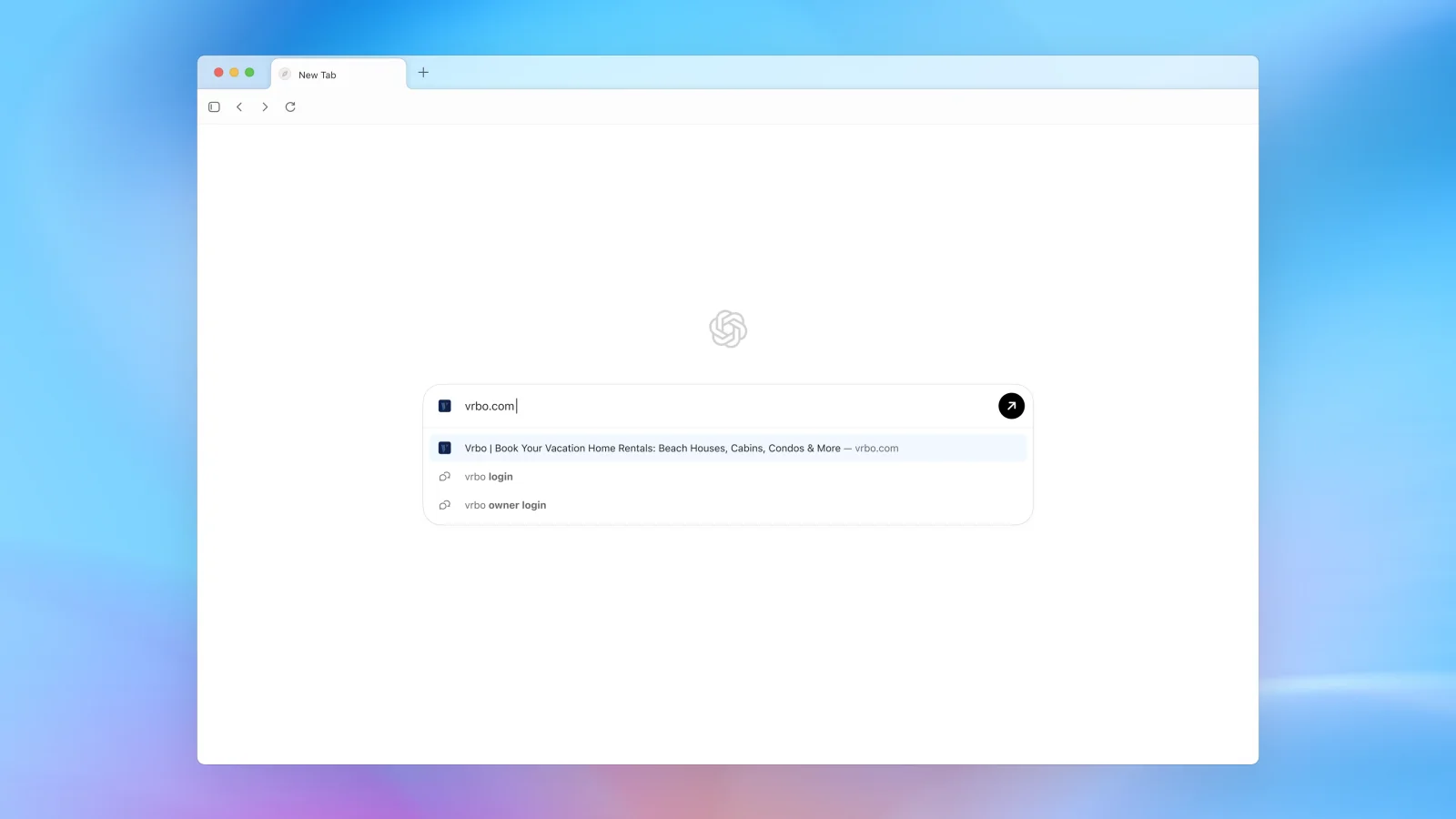
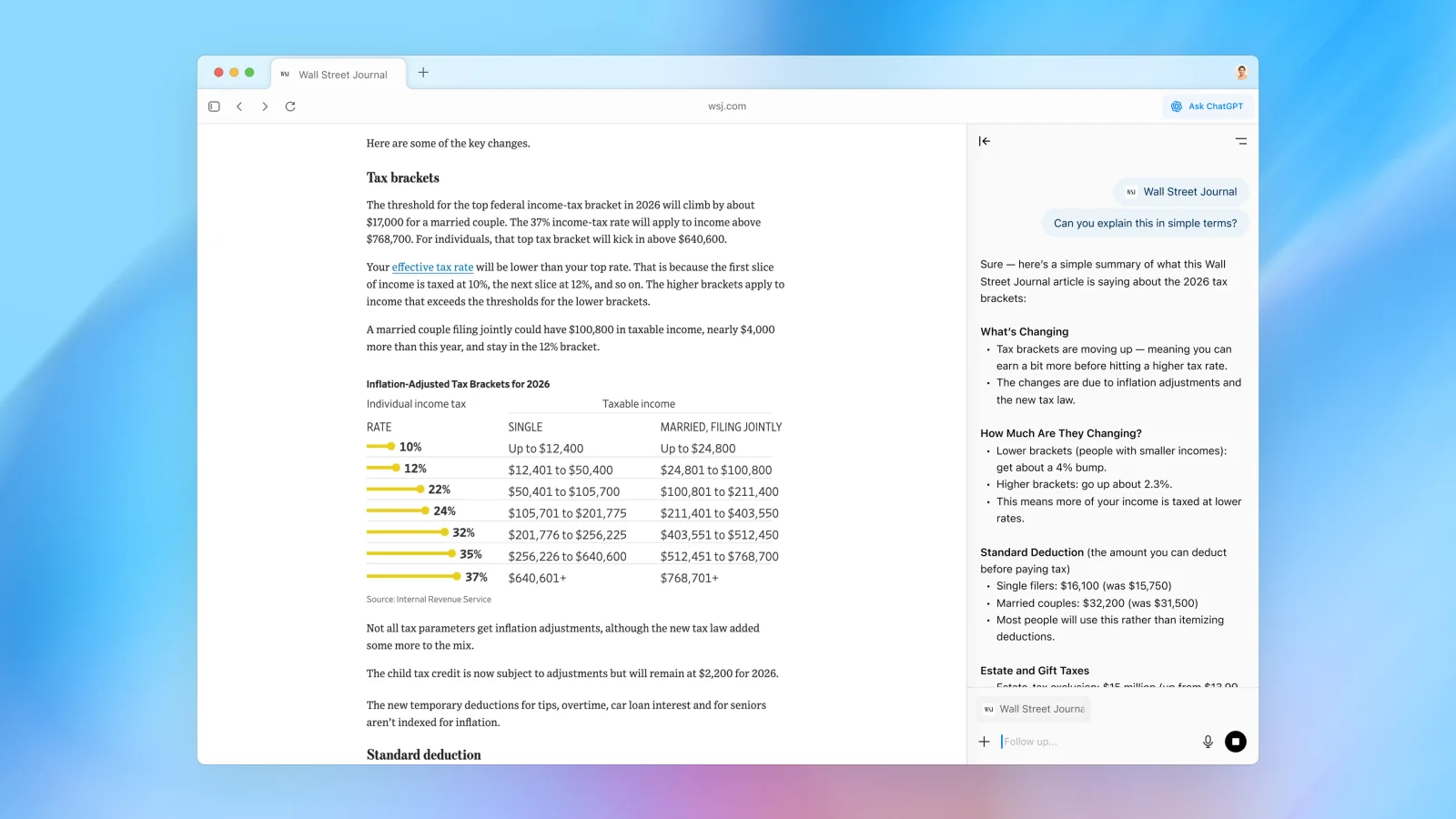
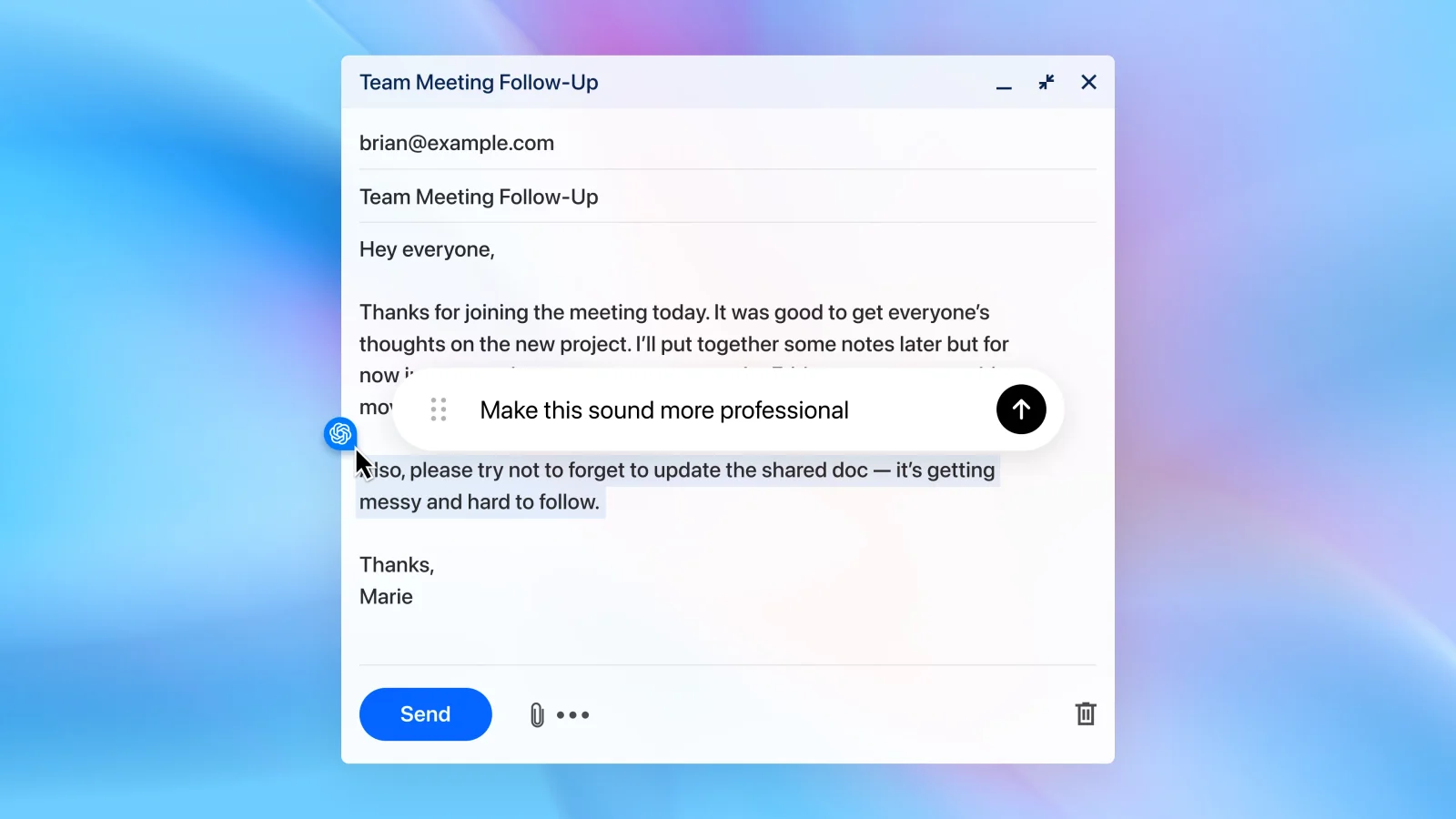
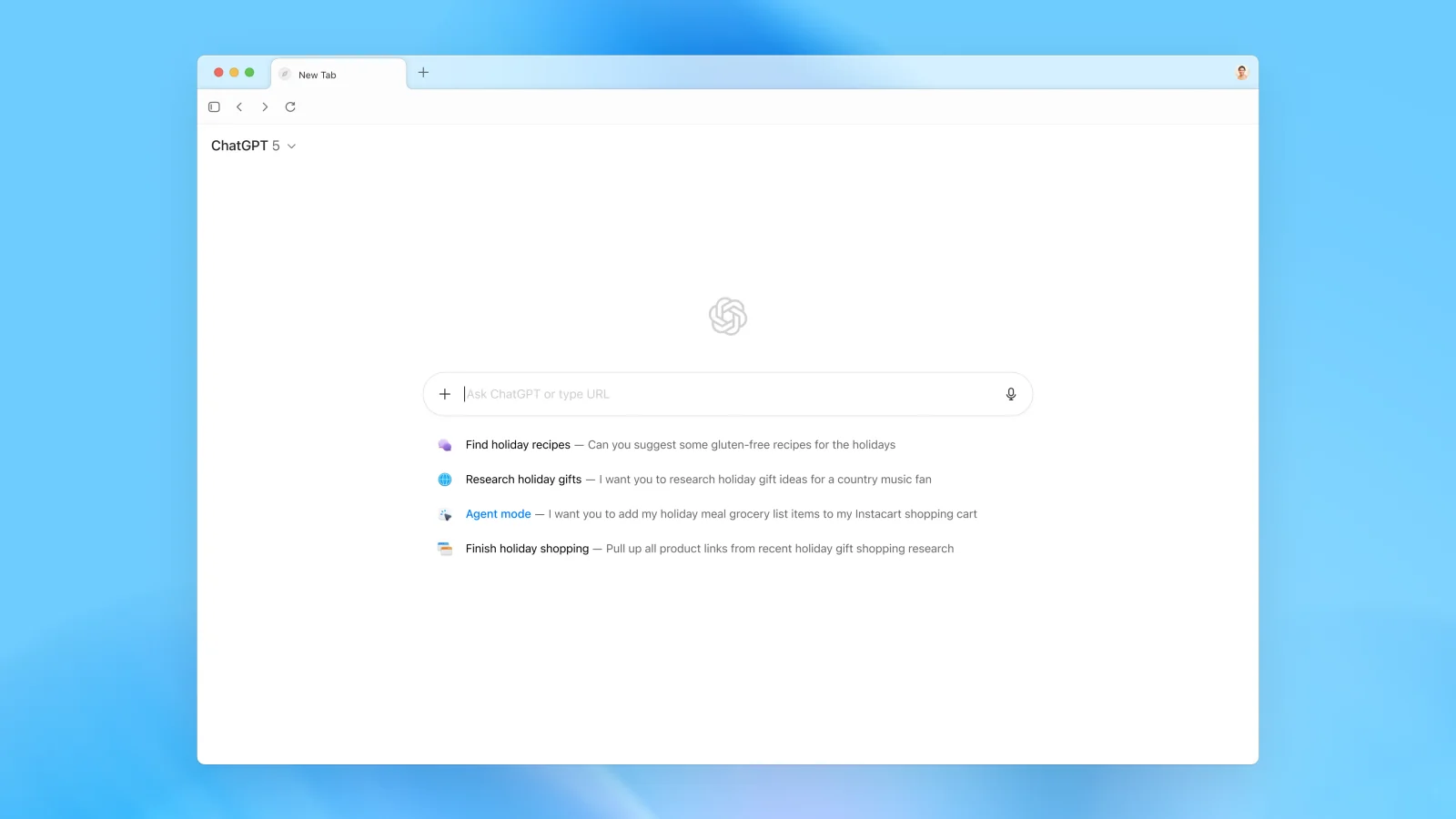
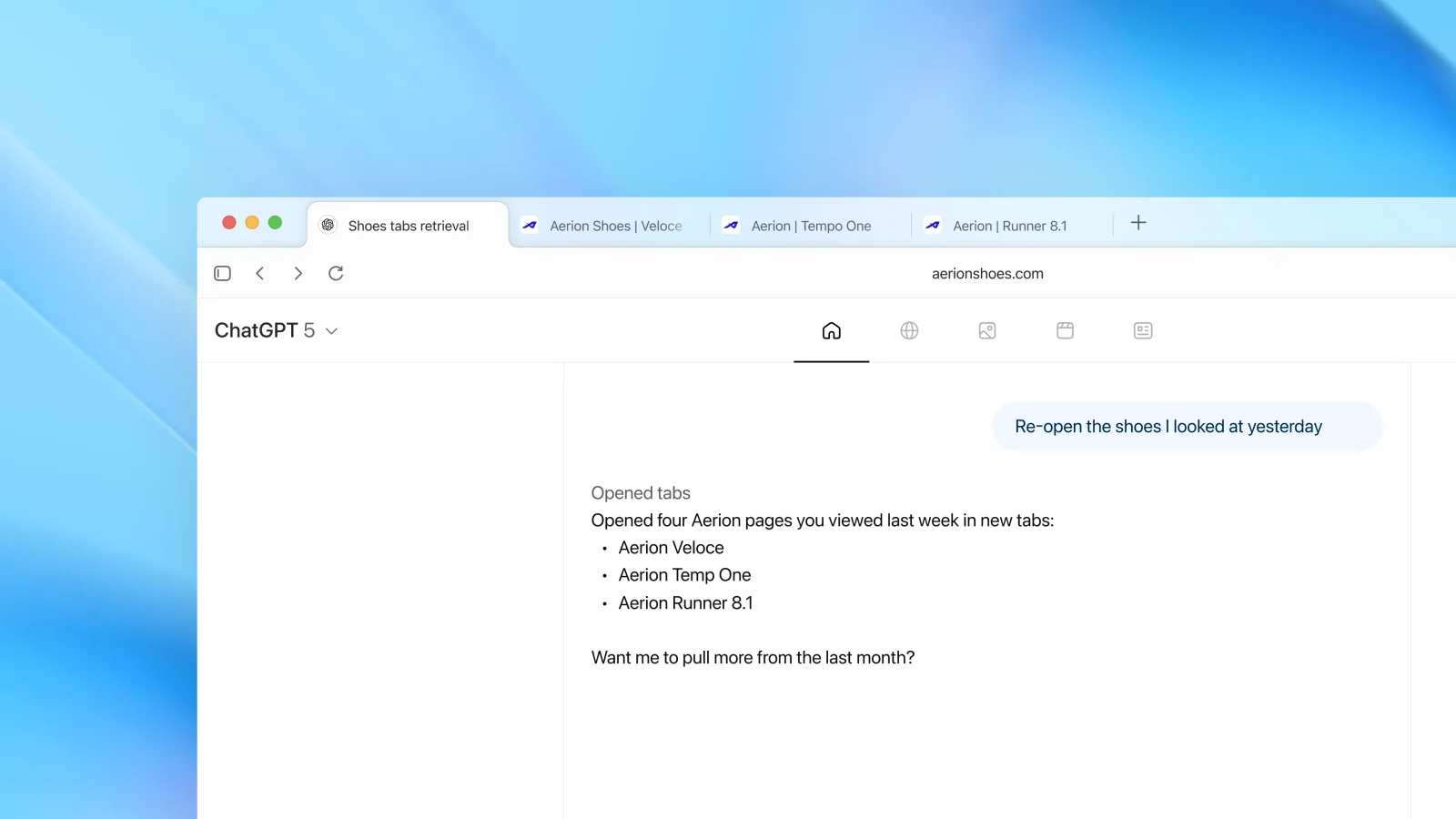
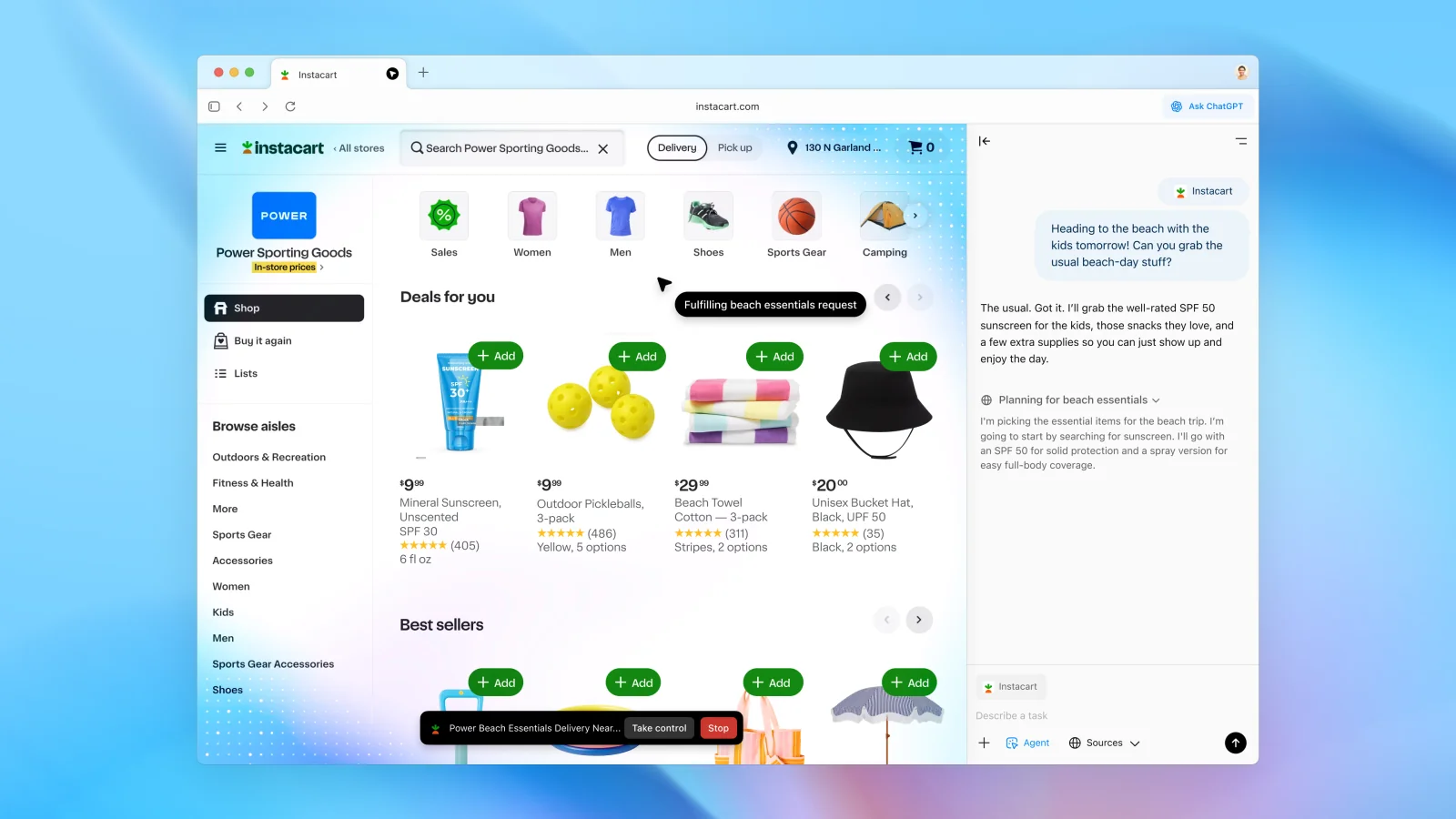
ChatGPT Atlas is a macOS web browser from OpenAI that embeds ChatGPT directly into the browsing experience so users can get context-aware help without leaving web pages. It provides an Ask ChatGPT sidebar and cursor-aware interactions that let the model read page content, summarize information, answer questions, and take multi-step actions. Atlas includes Agent Mode for end-to-end task completion (e.g., research, assemble shopping lists, add items to carts) while keeping the user in control, and Browser Memories to remember relevant browsing facts to improve future assistance. Atlas supports importing bookmarks, passwords, and history from other browsers, offers data controls and privacy settings (including controls for training and filtering of sensitive data), and is designed for Apple silicon Macs with automatic updates and site-permission management.
Screenshots
Key Features
Use Cases



Frequently asked questions about ChatGPT Atlas
What is the pricing for ChatGPT Atlas?
ChatGPT Atlas offers a freemium pricing model, which includes several tiers: Free ($0), Plus ($20/month), Pro ($200/month), Business ($24/user/month), and custom pricing for Enterprise users. Each tier provides varying features and capabilities, catering to different user needs and organizational requirements.
Key Points
- Freemium Model: Users can access basic features for free.
- Tiered Pricing: Different subscription levels offer enhanced functionalities.
- Enterprise Solutions: Custom pricing available for larger organizations.
Detailed Explanation
ChatGPT Atlas is designed to accommodate a wide range of users, from individuals to large enterprises. Here's a breakdown of each tier:
-
Free Tier: Ideal for casual users or those new to AI, the Free tier provides basic access without any financial commitment. This allows users to familiarize themselves with the platform's capabilities.
-
Plus Tier ($20/month): The Plus subscription enhances user experience with faster response times and priority access during peak hours. This tier is suitable for freelancers or small businesses that require more robust performance.
-
Pro Tier ($200/month): Aimed at professionals and larger teams, the Pro tier includes advanced features such as customizable settings, enhanced API access, and detailed analytics. This tier is perfect for businesses that rely on data-driven decisions.
-
Business Tier ($24/user/month): This option is tailored for teams, providing collaborative tools, user management, and enhanced support. It's a cost-effective solution for organizations looking to integrate AI into their workflows.
-
Enterprise Solutions: For larger organizations with specific needs, ChatGPT Atlas offers custom pricing. This allows enterprises to negotiate features, support, and pricing based on their unique requirements.
Best Practices / Tips
- Evaluate Your Needs: Before choosing a plan, assess your usage and required features. For occasional users, the Free tier may suffice.
- Start with Plus: If you're unsure, starting with the Plus tier can help you gauge the platform's value before committing to higher tiers.
- Leverage Enterprise Offers: If your organization has more than 10 users, consider reaching out for custom solutions to maximize value and support.
Additional Resources
How do I use ChatGPT Atlas for web browsing?
To use ChatGPT Atlas for web browsing, download it from the official website and install it on your macOS device. Once installed, you can access the integrated Ask ChatGPT sidebar, which provides real-time assistance and answers while you navigate various websites.
Key Points
- Download and Installation: Obtain ChatGPT Atlas from the official site.
- Integration: Features a sidebar for seamless user interaction.
- Real-Time Assistance: Get answers while browsing without switching tabs.
Detailed Explanation
ChatGPT Atlas is designed to enhance your web browsing experience by providing AI-driven assistance right when you need it. Here’s how to utilize it effectively:
-
Download and Install:
- Visit the official ChatGPT Atlas website to download the application.
- Follow the installation instructions specific to macOS, ensuring you permit necessary permissions for optimal functionality.
-
Access the Sidebar:
- After installation, open the ChatGPT Atlas app.
- A sidebar will appear, which is your portal to Ask ChatGPT. This sidebar remains visible as you browse, allowing for quick access to information.
-
Using the Sidebar:
- Click on the sidebar to initiate a conversation with ChatGPT.
- Type your question or request related to the content you are viewing. For example, you might ask for a summary of an article or clarification on technical terms.
- ChatGPT will provide instant responses, which you can use to inform your browsing decisions.
Best Practices / Tips
- Stay Specific: When asking questions, be as specific as possible to get the most relevant answers. Instead of asking, "Tell me about AI," try "What are the latest trends in AI for 2023?"
- Utilize Context: If you’re reading an article, reference it in your queries for tailored responses. For instance, "What does this mean in the context of this article?"
- Experiment with Commands: Use various commands to see how ChatGPT responds. For example, try asking for summaries, explanations, or even pros and cons of a topic.
Additional Resources
- ChatGPT Atlas User Guide
- Community Forums for user tips and troubleshooting
- AI Technology Updates for the latest advancements in AI tools and applications
What are the main features of ChatGPT Atlas?
ChatGPT Atlas features an innovative Agent Mode for automation, page-aware assistance for efficient content summarization, Browser Memories for effective information tracking, and robust data privacy controls, enhancing user experience while ensuring security and efficiency in task management.
Key Points
- Agent Mode: Automates repetitive tasks.
- Page-Aware Assistance: Summarizes content based on context.
- Browser Memories: Tracks and remembers user information.
- Enhanced Data Privacy: Offers improved user control over data.
Detailed Explanation
ChatGPT Atlas is designed to enhance productivity and streamline user interactions.
Agent Mode
This feature automates routine tasks, allowing users to focus on more complex activities. For instance, if you're managing emails, Agent Mode can draft responses based on previous interactions, saving you time and effort.
Page-Aware Assistance
With page-aware assistance, ChatGPT Atlas can analyze the content of the current page. This allows it to provide context-specific summaries and insights. For example, if you’re researching a topic, ChatGPT can summarize articles or extract key points relevant to your inquiry, making it a valuable tool for students and professionals alike.
Browser Memories
Browser Memories enable ChatGPT to remember user preferences and previous interactions. This feature enhances personalization, allowing the AI to recall your favorite topics or past queries, which is particularly useful for ongoing projects or research.
Enhanced Data Privacy Controls
Privacy is a critical concern in today’s digital landscape. ChatGPT Atlas addresses this with robust data privacy controls. Users can manage what data is stored and have the option to delete past interactions, ensuring that sensitive information remains secure.
Best Practices / Tips
- Utilize Agent Mode Wisely: Identify tasks that can be automated to maximize efficiency.
- Explore Page-Aware Features: Regularly use the summarization feature to improve understanding and retention of information.
- Manage Browser Memories: Regularly review stored memories to ensure relevance and accuracy.
- Stay Updated on Privacy Settings: Regularly check and update your privacy controls to safeguard your data.
Additional Resources
- ChatGPT Atlas Official Documentation - Explore the latest features and updates.
- Best Practices for Using AI Tools - Learn how to optimize your usage of AI technologies.
How does ChatGPT Atlas compare to other AI models?
ChatGPT Atlas distinguishes itself from other AI models through its integrated web browsing capabilities, Agent Mode for automating tasks, and robust privacy controls. These features enhance task efficiency and user experience, making ChatGPT Atlas a superior choice for seamless web workflows compared to traditional AI platforms.
Key Points
- Integrated Web Browser: Allows real-time information access.
- Agent Mode: Automates repetitive tasks, boosting productivity.
- Enhanced Privacy Controls: Prioritizes user data security.
Detailed Explanation
ChatGPT Atlas offers unique advantages over other AI models that significantly enhance productivity and user experience:
-
Integrated Web Browser: Unlike many AI platforms that rely solely on pre-existing knowledge, ChatGPT Atlas includes a built-in web browser. This feature enables users to pull in live data, access current events, and gather information from the internet without switching applications. For instance, if you need to check the latest statistics or trends, Atlas can do this in real time, providing more relevant and up-to-date responses.
-
Agent Mode for Task Automation: This feature allows users to automate repetitive tasks efficiently. For example, users can set up agents to manage emails, schedule appointments, or even generate reports. This automation reduces the time spent on mundane tasks, freeing up resources for more strategic activities. By utilizing Agent Mode, businesses can enhance productivity and streamline workflows.
-
Enhanced Privacy Controls: In an era where data privacy is paramount, ChatGPT Atlas offers advanced privacy features that help safeguard user information. This includes data encryption and customizable privacy settings, ensuring that users have control over what data is shared and how it is used. This level of security is particularly appealing to businesses and individuals concerned about data breaches and compliance with regulations.
Best Practices / Tips
- Leverage Integrated Features: To maximize the benefits of ChatGPT Atlas, utilize its integrated web browsing feature for tasks requiring the latest information. This will enhance the accuracy of your outputs.
- Set Up Agent Mode: Take full advantage of the Agent Mode by identifying repetitive tasks that can be automated. This can drastically improve your efficiency.
- Regularly Update Privacy Settings: Always review and update your privacy settings to align with your comfort level regarding data sharing and security.
Additional Resources
Does ChatGPT Atlas have an API for integration?
Currently, ChatGPT Atlas does not provide a dedicated API for integration. Users can leverage its built-in features for various web tasks and automation directly through the browser interface, making it accessible for those looking to enhance productivity without technical integration.
Key Points
- No dedicated API for ChatGPT Atlas integration.
- Built-in features available for web tasks and automation.
- Accessible through the browser interface for user convenience.
Detailed Explanation
ChatGPT Atlas operates primarily as a user-friendly tool designed for seamless interaction through its browser interface. While it lacks a formal API for third-party integration, its robust set of built-in features enables users to accomplish a variety of tasks such as content generation, data analysis, and more.
For example, users can automate responses and manage workflows directly within the platform, making it ideal for non-technical users. This functionality allows individuals and small businesses to streamline operations without the complexity typically associated with API integrations.
Additionally, although the absence of an API might limit some advanced users, the straightforward interface and available features can still support a range of applications. From customer service automation to content creation, users can take advantage of ChatGPT Atlas’s capabilities without needing programming knowledge.
Best Practices / Tips
- Utilize Built-in Features: Explore the tool's various functions to maximize productivity without needing an API.
- Stay Updated: Regularly check for updates, as API capabilities may be introduced in future releases.
- Leverage Community Resources: Participate in forums or community groups to share tips and best practices for using ChatGPT Atlas effectively.
Additional Resources
Explore more AI Ai Agents tools
Browse all Ai Agents tools →Browse by use case: Automation & Productivity
Compare ChatGPT Atlas: vs Playad · vs Concierge by Juniors AI · vs Scout by Fini · vs Ruflo