

ChatGPT
AIFeaturedPopularA conversational, multimodal assistant by OpenAI for answering, drafting, researching, generating and acting on complex tasks.
ChatGPT
A conversational, multimodal assistant by OpenAI for answering, drafting, researching, generating and acting on complex tasks.
About ChatGPT
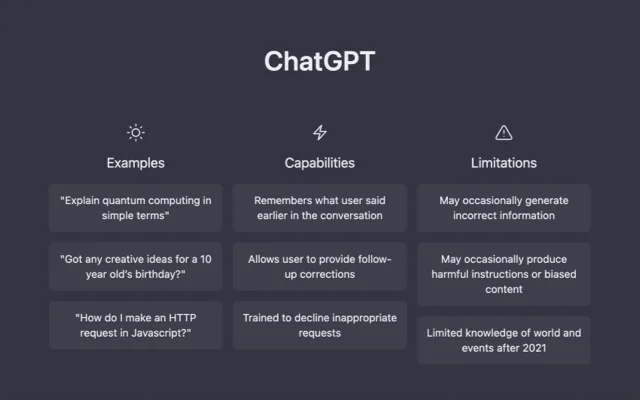
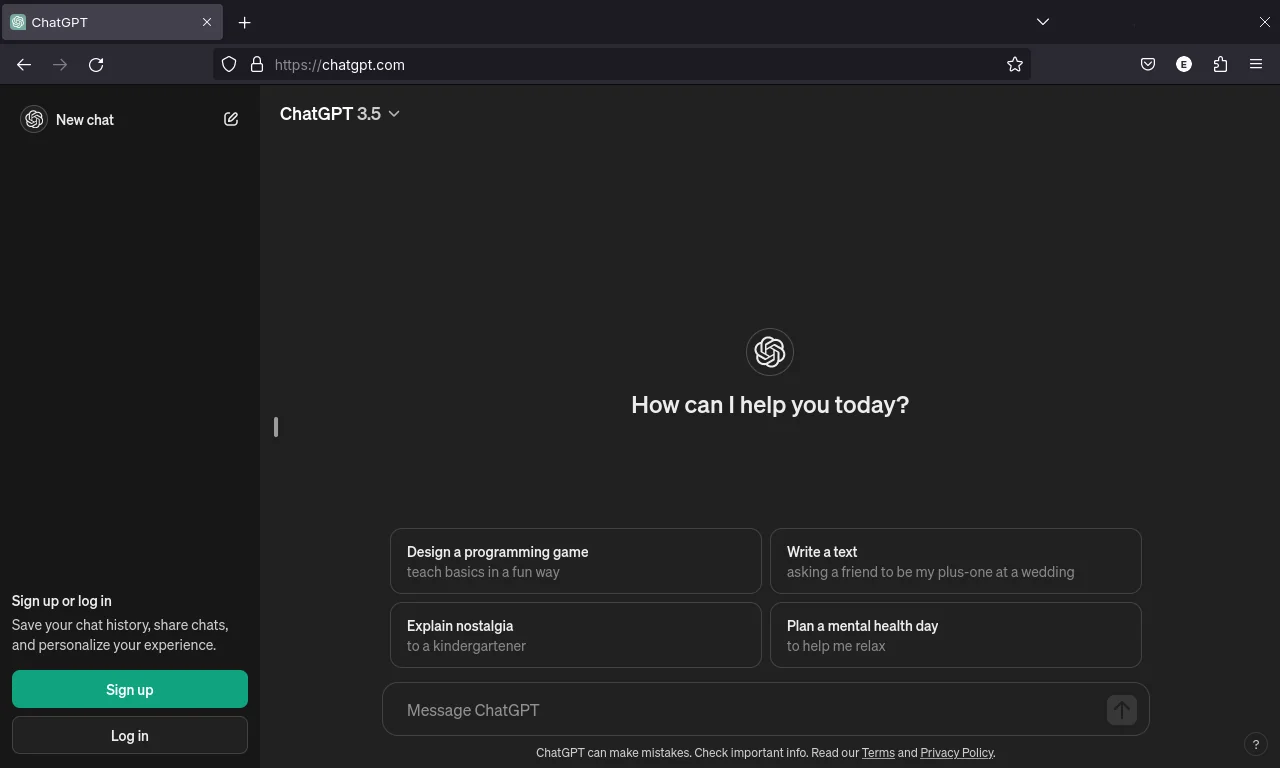
ChatGPT is a conversational AI service developed by OpenAI that interacts via natural language to answer questions, generate and edit text, and work with images and other inputs. It supports multimodal inputs (images and text), web browsing for up-to-date information, and agentic workflows that can navigate websites, run code, and produce deliverables like slides and spreadsheets. ChatGPT is built from iterative model releases (GPT‑3.5, GPT‑4, GPT‑5) and was fine-tuned with reinforcement learning from human feedback to improve safety, factuality, and conversational behavior. It is used for deep multi-source research with citations, creative generation, coding assistance, tutoring, and task automation across personal and enterprise contexts.
Screenshots
Key Features
Use Cases



Frequently asked questions about ChatGPT
What are the pricing options for ChatGPT?
ChatGPT offers a freemium pricing model that includes a free version for $0/month, a ChatGPT Plus subscription at $20/month, and custom Enterprise plans tailored to business needs. The Plus version enhances user experience with priority access and faster response times.
Key Points
- Freemium Model: Free version available with basic features.
- ChatGPT Plus: Subscription service for enhanced features at $20/month.
- Enterprise Plans: Custom pricing for businesses requiring advanced capabilities.
Detailed Explanation
ChatGPT's pricing structure caters to a wide range of users, from casual individuals to large enterprises.
-
Free Version: This option allows users to access ChatGPT without any cost. While it offers essential features, users may experience slower response times and less priority during peak usage periods.
-
ChatGPT Plus: For $20/month, subscribers receive several benefits:
- Priority Access: Users can access the service even during peak times, ensuring a smoother experience.
- Faster Response Times: Enhanced processing speeds lead to quicker replies, making it ideal for users needing rapid interactions.
- Access to New Features: Plus subscribers often receive early access to upcoming features and improvements.
-
Enterprise Plans: These are customizable plans designed for businesses that require advanced functionalities, higher usage limits, and dedicated support. Pricing varies based on specific needs, such as the number of users and required integrations.
Best Practices / Tips
- Evaluate Your Needs: Consider whether the free version meets your requirements or if the Plus subscription is worth the investment for faster and more reliable service.
- Stay Informed about Updates: Regularly check OpenAI’s blog or official announcements for any changes in pricing or new features.
- Explore Enterprise Options: If you're a business, contact OpenAI for a tailored plan that could provide significant benefits in scalability and support.
Additional Resources
- OpenAI Pricing Page - Detailed breakdown of pricing options.
- ChatGPT Documentation - Comprehensive guide on using ChatGPT effectively.
- OpenAI Blog - Updates on new features and best practices for using ChatGPT.
How do I use ChatGPT for content drafting?
To use ChatGPT for content drafting, simply input your topic or prompt in the chat interface. ChatGPT can generate, edit, and summarize text effectively, making it a valuable tool for creating blog posts, emails, and other written content quickly and efficiently.
Key Points
- User-Friendly Interface: Easy to input prompts and receive instant responses.
- Versatile Content Creation: Suitable for various formats like articles, emails, and social media posts.
- Editing and Summarization: Enhance existing content or condense lengthy texts.
Detailed Explanation
ChatGPT can be an invaluable resource for anyone looking to draft content quickly and effectively. Here’s how you can leverage this AI tool:
-
Starting a New Project: Begin by clearly defining your topic or prompt. For instance, if you need a blog post about "The Benefits of Remote Work," type that directly into the chat. ChatGPT will generate an initial draft based on the input.
-
Generating Content: After you submit your prompt, ChatGPT will provide a coherent response. You can ask it to expand on specific points, suggest titles, or even create outlines to organize your thoughts.
-
Editing and Refining: If you have existing content, copy and paste it into the chat and ask ChatGPT for edits to improve clarity or engagement. For example, you can request, "Make this paragraph more concise."
-
Summarization: If you have lengthy text, such as research articles or reports, you can paste the content and ask ChatGPT to summarize it. This is particularly helpful for extracting key points without losing essential information.
-
Iterative Feedback: Use the interactive nature of ChatGPT to refine your draft further. Ask follow-up questions or request different styles (e.g., "Make this more formal" or "Add a casual tone").
Best Practices / Tips
- Be Specific: The more specific your prompt, the better the output. For example, instead of saying "Write a blog post," specify "Write a 500-word blog post on the health benefits of meditation."
- Iterate: Don’t hesitate to ask for revisions or to change the writing style. Iteration is key to getting the best results.
- Limitations Awareness: While ChatGPT is powerful, it may produce inaccuracies. Always review and fact-check the generated content.
- Use Keywords: Incorporate relevant keywords naturally into your prompts to optimize the content for SEO.
Additional Resources
What are the main features of ChatGPT?
ChatGPT offers several key features, including conversational dialogue, multimodal input with image editing, enhanced web search capabilities, and advanced research synthesis. These functionalities empower users to accomplish complex tasks efficiently and creatively, making it a versatile tool for various applications.
Key Points
- Conversational Dialogue: Engages users in natural, interactive conversations.
- Multimodal Input: Accepts text and images, allowing for diverse input types.
- Web Search Capabilities: Enhances responses with real-time information from the internet.
Detailed Explanation
ChatGPT's conversational dialogue feature allows users to interact in a human-like manner, making it ideal for applications such as customer support, virtual assistants, and educational tools. For instance, businesses can deploy ChatGPT to handle FAQs or provide personalized recommendations based on user queries.
The multimodal input capability enables users to upload images alongside text. This feature is particularly useful in scenarios like educational content creation, where a user can inquire about an image, and ChatGPT can provide context or analysis. For example, a student might upload a photo of a historical artifact and ask for its significance.
Web search capabilities allow ChatGPT to retrieve up-to-date information from the internet, ensuring that users receive accurate answers to current events or popular topics. This is especially beneficial for research purposes, where timely information is crucial. Users can ask ChatGPT complex questions and receive synthesized research outputs that draw from multiple sources, streamlining the information-gathering process.
Best Practices / Tips
- Engage in Follow-Up Questions: Utilize ChatGPT's conversational nature by asking follow-up questions for deeper insights.
- Use Clear Inputs: Provide clear and specific prompts or questions to get the best responses, especially when using multimodal features.
- Leverage Real-Time Data: For research tasks, take advantage of the web search feature to ensure you have the most current information.
Additional Resources
How does ChatGPT compare to other AI tools?
ChatGPT distinguishes itself from other AI tools through its advanced conversational capabilities and multimodal support, enabling users to engage in natural dialogues. Unlike specialized AI tools that focus on narrow tasks, ChatGPT offers versatility, making it suitable for a wide range of applications, from customer service to creative writing.
Key Points
- Conversational Abilities: ChatGPT engages users in fluid, natural conversations.
- Multimodal Support: Supports text, images, and more for diverse interactions.
- Versatility: Functions across various domains, including education, entertainment, and business.
Detailed Explanation
ChatGPT leverages state-of-the-art natural language processing (NLP) techniques, allowing it to generate human-like responses that feel engaging and personal. It excels in conversational contexts, making it ideal for chatbots, virtual assistants, and interactive learning tools.
-
Conversational Abilities: ChatGPT can understand context and maintain dialogue over multiple exchanges. This allows users to ask follow-up questions, which enhances user experience. For instance, in customer support, ChatGPT can provide detailed answers and clarify doubts, creating a more interactive environment.
-
Multimodal Support: As AI technology evolves, ChatGPT incorporates multimodal capabilities, meaning it can process and generate not only text but also images and other forms of media. This is particularly useful in applications like educational tools where visual aids enhance learning.
-
Versatility: The ability to adapt to various tasks sets ChatGPT apart. It is used in content generation, brainstorming sessions, tutoring, and even coding assistance. Companies can integrate ChatGPT into their workflows for improved productivity and creativity.
Best Practices / Tips
- Define Use Cases: Clearly identify the primary use case for ChatGPT to leverage its strengths effectively.
- Train the Model: Customize the model to better fit specific industry language and jargon for improved relevance and accuracy.
- Monitor Interactions: Regularly review user interactions to refine responses and ensure the tool evolves with user needs.
- Combine with Other Tools: Use ChatGPT in conjunction with other AI tools for specialized tasks, enhancing overall efficiency.
Additional Resources
What is the ChatGPT API pricing and integration process?
The ChatGPT API operates on a usage-based pricing model, charging per token processed. Developers can integrate the API easily by following the detailed documentation available on the OpenAI website, making it accessible for various applications and use cases.
Key Points
- Pricing Model: Usage-based, charged per token.
- Integration: Detailed documentation available for developers.
- Applications: Suitable for a range of applications, including chatbots and content generation.
Detailed Explanation
The ChatGPT API pricing is structured around a token system, where one token is approximately four characters of text. As of October 2023, the cost is around $0.002 per 1,000 tokens for the standard model. This means that both input and output tokens count towards your usage. For instance, a simple prompt with 10 tokens that generates a response of 50 tokens would total 60 tokens charged.
Integration Process:
- Sign Up: Create an account on the OpenAI platform.
- API Key: After registration, generate your unique API key from the dashboard.
- Documentation: Access the comprehensive API documentation, which provides code snippets in various programming languages like Python and JavaScript.
- Setup: Use libraries like
openaiin Python to make your API calls:import openai openai.api_key = 'your-api-key' response = openai.ChatCompletion.create( model="gpt-3.5-turbo", messages=[{"role": "user", "content": "Hello, how can I use the API?"}] ) - Testing: Test your integration in a controlled environment before deploying it into production.
Best Practices / Tips
- Monitor Usage: Keep track of token usage to avoid unexpected costs. Use the OpenAI dashboard for insights.
- Optimize Prompts: Craft concise and clear prompts to minimize token usage while maximizing response quality.
- Error Handling: Implement robust error handling in your application to manage API errors or rate limits effectively.
- Stay Updated: Regularly check OpenAI's updates as pricing and features may evolve.
Additional Resources
- OpenAI API Documentation
- Token Usage and Pricing
- OpenAI Community Forum for assistance and shared experiences.
Explore more AI Ai Models tools
Browse all Ai Models tools →Browse by use case: Image Generation · Code Generation · Chatbots & Assistants
Compare ChatGPT: vs SWE-2 · vs Desert Ant Labs · vs Hy4 preview · vs Soup CLI