

CAD Skills
AIOpen-source library of agent skills for CAD, robotics, fabrication, and simulation — generate STEP/STL, URDF/SRDF/SDF, DXF, and slicer G-code from prompts.
CAD Skills
Open-source library of agent skills for CAD, robotics, fabrication, and simulation — generate STEP/STL, URDF/SRDF/SDF, DXF, and slicer G-code from prompts.
About CAD Skills
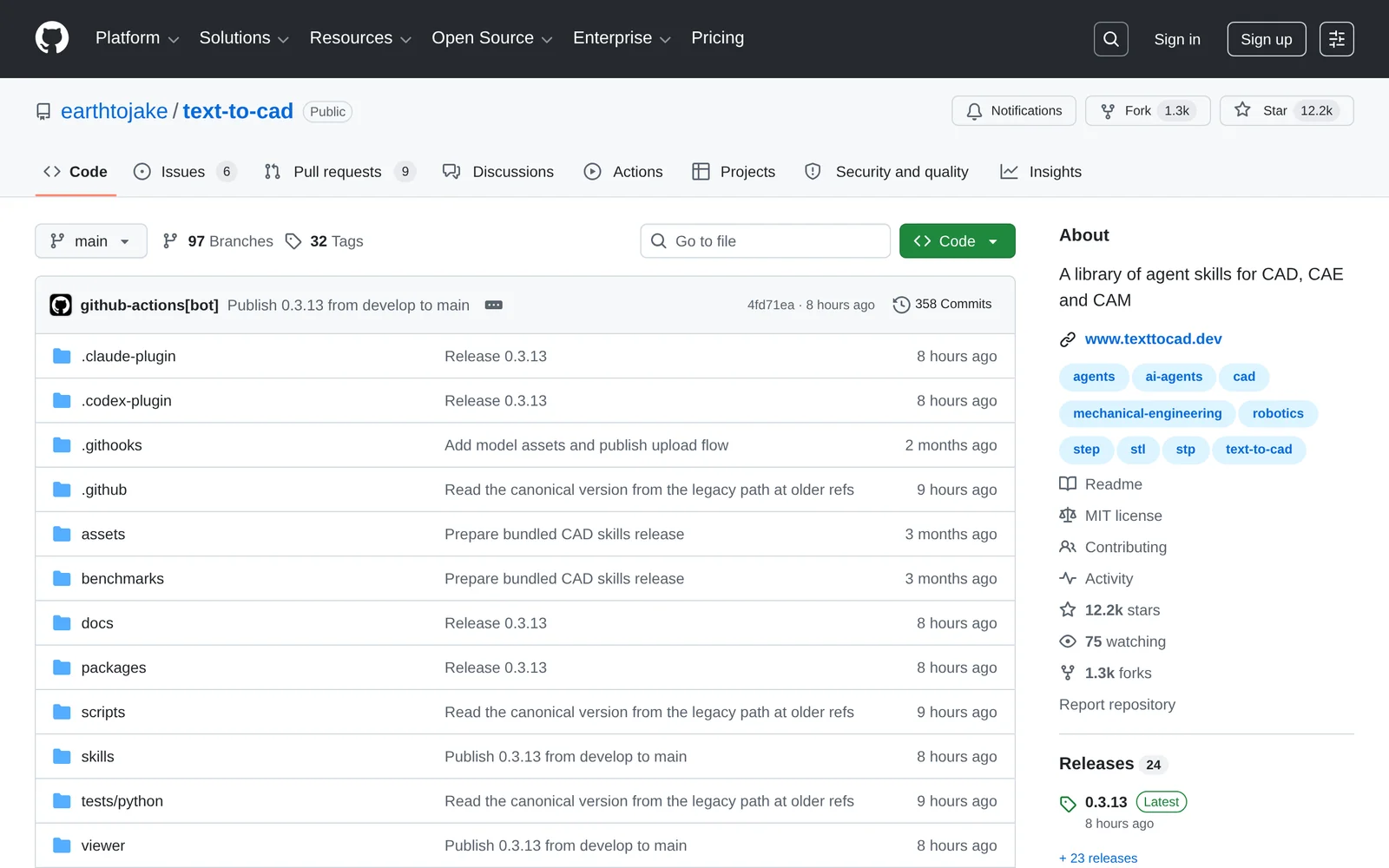
CAD Skills (text-to-cad) is an MIT-licensed library of focused agent skills that lets coding agents like Codex and Claude Code generate, inspect, source, slice, and hand off CAD and robot-description artifacts from local project files. The CAD skill turns plain-language or image prompts into 3D geometry with STEP as the primary output and additional STL, 3MF, and GLB exports, while the DXF skill produces 2D profiles, templates, gaskets, and cut layouts. Robotics workflows are covered end to end: URDF for robot structure, SRDF for MoveIt planning groups, and SDF for physics simulator worlds. Additional skills validate DXF/STEP files for SendCutSend fabrication, slice meshes into printer-profiled FDM G-code with real slicer CLIs, and cautiously run local Bambu Lab print jobs. A CAD Viewer skill provides local browser previews for CAD, G-code, and robot files, and a step.parts skill sources off-the-shelf STEP models for screws, bearings, motors, and connectors.
Screenshots
Key Features
Use Cases



Frequently asked questions about CAD Skills
What is CAD Skills?
CAD Skills is an open-source library designed for computer-aided design (CAD), robotics, fabrication, and simulation. It enables users to generate files such as STEP, STL, URDF, SRDF, SDF, DXF, and G-code from simple prompts, facilitating automation and enhancing productivity in design workflows.
Key Points
- Versatile File Generation: Supports multiple file formats for various applications.
- Open-Source Access: Freely available, encouraging community collaboration and development.
- Enhanced Automation: Streamlines design processes, saving time and reducing manual errors.
Detailed Explanation
CAD Skills offers a robust platform for generating essential design files needed in various engineering and manufacturing processes. By leveraging this library, users can create:
- STEP/STL: Commonly used for 3D printing and CAD applications, these formats allow for intricate models to be exported and manufactured.
- URDF/SRDF/SDF: These formats are crucial in robotics for defining the physical and visual properties of robots in simulation environments, such as Gazebo.
- DXF: A widely accepted format for 2D drawings, important in CAD applications for architecture and engineering.
- G-code: The standard language for CNC machines, crucial for translating design into physical products through milling, 3D printing, or laser cutting.
For example, a user can input a design prompt into CAD Skills, which will automatically produce a G-code file, ready to be sent to a CNC machine, significantly speeding up the prototyping process.
Best Practices / Tips
- Start Simple: When using CAD Skills, begin with basic prompts to understand the system's capabilities before moving to complex designs.
- Check Compatibility: Ensure that the output formats align with the software or hardware you plan to use, such as 3D printers or CNC machines.
- Regular Updates: As an open-source tool, keep an eye on updates and community contributions to leverage the latest improvements and features.
Additional Resources
How does CAD Skills work?
CAD Skills transforms user input into parametric CAD models through natural language or image requests, enabling functionalities such as robot structure file generation, simulation world creation, and rapid prototyping. It streamlines the mechanical design process and fabrication by producing ready-to-print files and enhancing robotics research.
Key Points
- Prompt-to-CAD Generation: Converts natural language and images into CAD models.
- Robot Description Authoring: Automates the creation of URDF/SRDF/SDF files.
- Rapid Prototyping and Custom Fabrication: Generates print-ready files and orders parts seamlessly.
Detailed Explanation
CAD Skills utilizes advanced AI algorithms to interpret user input and create CAD models that meet specific design requirements. Here’s how it works in detail:
-
Prompt-to-CAD Generation: Users can input commands in natural language or upload images. The system then generates parametric CAD models and exports them in multiple formats, including STEP, STL, 3MF, and GLB. This feature is particularly valuable for designers who prefer intuitive interactions over traditional CAD software commands.
-
URDF Robot Description: The tool can automatically create URDF files, which describe the structure of robotic systems, including links, joints, limits, and inertials. This automation saves time for developers working on ROS-based stacks and allows for more complex robot designs without the need for manual coding.
-
SRDF for MoveIt2: By adding planning groups, end effectors, and collision rules, CAD Skills enhances URDF files for integration with MoveIt2, a motion planning framework. This functionality is crucial for robotics applications that require precise control of multiple robot joints.
-
SDF Simulation Worlds: CAD Skills can generate Simulation Description Format (SDF) files that define environments for robotics research. Users can specify frames, physics properties, sensors, and lighting, creating realistic simulations for testing robotic behaviors.
-
2D DXF Drawings: The software can also create DXF files for 2D cut-ready designs, such as templates, gaskets, and layouts directly from Python scripts or CAD geometry. This capability is particularly useful for manufacturers looking to streamline production processes.
-
Rapid Prototyping: Users can transform CAD models into printer-ready G-code, directly interfacing with printing systems like Bambu Lab, speeding up the prototyping phase significantly.
-
Custom Part Fabrication: CAD Skills enables the generation of pre-checked DXF and STEP files for services like SendCutSend, facilitating the ordering of custom laser-cut or CNC parts.
Best Practices / Tips
- Clear Specifications: When using natural language prompts, be as specific as possible to achieve the desired results.
- Iterative Design: Utilize the agent's ability to iterate on designs, refining parameters until the model meets all requirements.
- Check Export Settings: Always verify the export settings to ensure compatibility with your intended use, especially when preparing for 3D printing or CNC fabrication.
- Stay Updated: Keep abreast of software updates and new features, as CAD Skills is continuously evolving to include more capabilities.
Additional Resources
What are the main features of CAD Skills?
CAD Skills offer advanced features such as prompt-to-CAD generation, URDF robot description creation, SRDF integration for MoveIt2, SDF simulation world generation, and 2D DXF drawing production. These capabilities streamline the design process for engineers and developers, enhancing productivity and precision in CAD modeling.
Key Points
- Prompt-to-CAD Generation: Create and edit CAD models using natural language or image inputs.
- URDF Robot Description: Generate robot structure files suitable for ROS-based applications.
- SDF Simulation Worlds: Build complex simulation environments with physics and sensors.
Detailed Explanation
1. Prompt-to-CAD Generation
This feature allows users to create parametric CAD models directly from textual descriptions or images. For example, an engineer can input "design a bracket with specific dimensions," and the CAD tool will generate a 3D model accordingly. The ability to export models in formats like STEP, STL, 3MF, and GLB enhances compatibility across various platforms.
2. URDF Robot Description
The URDF (Unified Robot Description Format) feature aids in crafting detailed robot structure files. It includes essential elements such as links, joints, limits, inertials, and meshes. This is crucial for robotics engineers working with ROS (Robot Operating System), as these files serve as the foundation for robot simulations and control.
3. SRDF for MoveIt2
SRDF (Semantic Robot Description Format) integration allows users to enhance their URDF files for the MoveIt2 planning framework. This includes defining planning groups, end effectors, named poses, and collision rules. This feature is vital for those developing robotic applications requiring precise motion planning and execution.
4. SDF Simulation Worlds
With the SDF (Simulation Description Format), users can create detailed simulation worlds that incorporate frames, physics, sensors, and lights. This feature is particularly useful for testing algorithms in virtual environments before deploying them in real-world scenarios.
5. 2D DXF Drawings
The ability to generate 2D DXF drawings is invaluable for creating cut-ready profiles, templates, and layouts. Users can produce intricate designs from Python scripts or existing CAD geometry, making it easier to prepare for manufacturing processes.
Best Practices / Tips
- Utilize Natural Language: When using the prompt-to-CAD feature, be as descriptive as possible to achieve accurate results.
- Test URDF Files: Validate your URDF files in a simulation environment before deploying them to ensure all components work as intended.
- Leverage DXF Outputs: Use DXF files for prototyping and manufacturing, ensuring that your designs are optimized for production.
Additional Resources
Who is CAD Skills for?
CAD Skills is ideal for engineers, designers, and hobbyists engaged in mechanical design, robotics, and custom fabrication. It streamlines tasks such as iterating designs, generating robot files, prototyping, and fabricating parts directly from natural language specifications, making it accessible for both professionals and enthusiasts.
Key Points
- Agentic Mechanical Design: Automates design iterations based on natural language.
- Robot Description Authoring: Quickly generates essential robot files without manual coding.
- Rapid Prototyping: Converts CAD models into printer-ready files efficiently.
Detailed Explanation
CAD Skills tools are designed for a wide audience, including:
-
Engineers and Designers: They can utilize CAD Skills to easily iterate on mechanical components like brackets and flanges. By simply providing natural language specifications, users can automate design iterations, enhancing productivity and creative flow.
-
Robotics Developers: The platform allows for the quick generation of URDF, SRDF, and SDF files necessary for robot arm and mobile base descriptions without delving into complex XML coding. This simplifies the robotics development process, enabling faster deployment and testing.
-
Prototyping and Fabrication: CAD Skills assists in transforming CAD models into G-code suitable for 3D printing. Users can initiate prints directly through an agent workflow with compatible printers like Bambu Lab, ensuring a seamless transition from design to creation.
-
Custom Part Production: With CAD Skills, users can produce DXF and STEP files that are pre-checked for SendCutSend. This feature facilitates the order of laser-cut or CNC parts, making it an efficient choice for custom fabrication.
-
Simulation Setup: Users can author SDF worlds for physics simulators, including precise configurations for frames, sensors, and lighting tailored for robotics research. This capability is crucial for developing and testing robotic applications in simulated environments.
Best Practices / Tips
- Utilize Natural Language: When specifying designs, be as detailed and clear as possible to ensure accurate iterations.
- Test and Validate: Always validate the generated files in a controlled environment before moving to production or prototyping.
- Stay Updated: Keep abreast of updates and enhancements in the CAD Skills toolset to leverage new features and capabilities effectively.
Additional Resources
How much does CAD Skills cost?
CAD Skills is completely free to use, providing users with a range of resources to enhance their CAD knowledge and skills without any cost. This makes it an accessible option for beginners and professionals alike who are looking to improve their CAD capabilities.
Key Points
- CAD Skills offers free access to learning materials.
- Users can find various tutorials and exercises.
- The platform is suitable for all skill levels, from beginners to advanced users.
Detailed Explanation
CAD Skills is an online platform designed to help individuals learn and improve their CAD (Computer-Aided Design) skills without any financial investment. The site features a variety of learning resources, including tutorials, exercises, and quizzes that cater to different proficiency levels.
Features of CAD Skills:
-
Comprehensive Tutorials: CAD Skills provides step-by-step guides on various CAD software, including AutoCAD, SolidWorks, and SketchUp. Users can follow along with practical examples to reinforce their learning.
-
Interactive Exercises: The platform offers interactive exercises that allow users to apply what they've learned in real-time. This hands-on approach helps solidify concepts and techniques.
-
Skill Assessments: Users can take skill assessments to gauge their understanding and proficiency. This feature is particularly beneficial for those looking to identify areas for improvement.
Use Cases:
- For Beginners: New users can start with foundational tutorials, gradually progressing to more complex subjects as they build confidence and competence.
- For Professionals: Experienced users can refine their skills, learn advanced techniques, or explore new software tools that enhance their career prospects.
Best Practices / Tips
-
Regular Practice: Consistent practice is key to mastering CAD tools. Set aside dedicated time each week to work through tutorials and exercises.
-
Join Online Communities: Engage with online forums and communities related to CAD skills to ask questions, share insights, and learn from others’ experiences.
-
Utilize Additional Resources: While CAD Skills is a fantastic resource, supplement your learning with books, webinars, and professional courses for a well-rounded education.
Additional Resources
How do I get started with CAD Skills?
To get started with CAD Skills, visit GitHub's Text-to-CAD to sign up for access. This platform offers comprehensive resources and tools to develop your Computer-Aided Design skills effectively.
Key Points
- Access Free Resources: Utilize GitHub’s repository for various CAD learning materials.
- Hands-On Practice: Engage with interactive tools to enhance your practical skills.
- Community Support: Join forums and groups for assistance and collaboration.
Detailed Explanation
Starting your journey in CAD Skills can be both exciting and overwhelming. By visiting GitHub's Text-to-CAD, you can access a wealth of resources tailored for beginners and advanced users alike. Here’s how to make the most of it:
-
Sign Up and Explore: Create an account on the platform. This will allow you to download software and access tutorials that guide you through the basics of CAD.
-
Utilize Learning Materials: The repository contains a variety of educational resources, including video tutorials, documentation, and sample projects. Start with beginner tutorials that focus on fundamental concepts like 2D drawing and 3D modeling.
-
Engage in Hands-On Practice: Make use of the interactive tools available to practice your skills. Projects such as designing simple objects can help reinforce your learning.
-
Join the Community: Engage with the CAD community through forums and discussions. Platforms like Reddit or specialized CAD forums can provide support, feedback, and collaboration opportunities.
Best Practices / Tips
- Set Clear Goals: Define what you want to achieve with CAD skills, whether it's for personal projects or professional development.
- Consistent Practice: Dedicate time each week to practice CAD skills, as consistent use will improve your proficiency.
- Seek Feedback: Share your designs with peers or online communities to receive constructive criticism and tips for improvement.
- Avoid Overwhelm: Start with manageable projects and gradually increase complexity as your confidence grows.
Additional Resources
By following these steps and utilizing the resources provided, you can effectively build your CAD skills and enhance your design capabilities.
Explore more AI Ai Agents tools
Browse all Ai Agents tools →Compare CAD Skills: vs TryCase · vs Aside · vs Wisry · vs Cline